AI Lookbook Photo Prompt: 16 Copy-Paste Prompts for Gemini and ChatGPT
An AI lookbook photo prompt turns one selfie or outfit photo into a styled, catalog-quality image in under a minute, and every prompt below is written to be pasted straight into Gemini or ChatGPT. Upload a clear, well-lit reference photo, paste a prompt, change the outfit details to match your clothes, and generate.
Each prompt keeps your face and skin tone intact, adds realistic lighting and lens detail, and ends with a clean list of things to avoid. If you are not uploading a reference photo, simply delete the sentence about preserving the face.
Studio AI Lookbook Photo Prompts for Clean Catalog Shots
Studio frames are the foundation of any lookbook, and a good studio background prompt lets you swap the backdrop without reshooting. They work for online stores, Instagram boutiques and personal portfolios because the background never competes with the clothes.
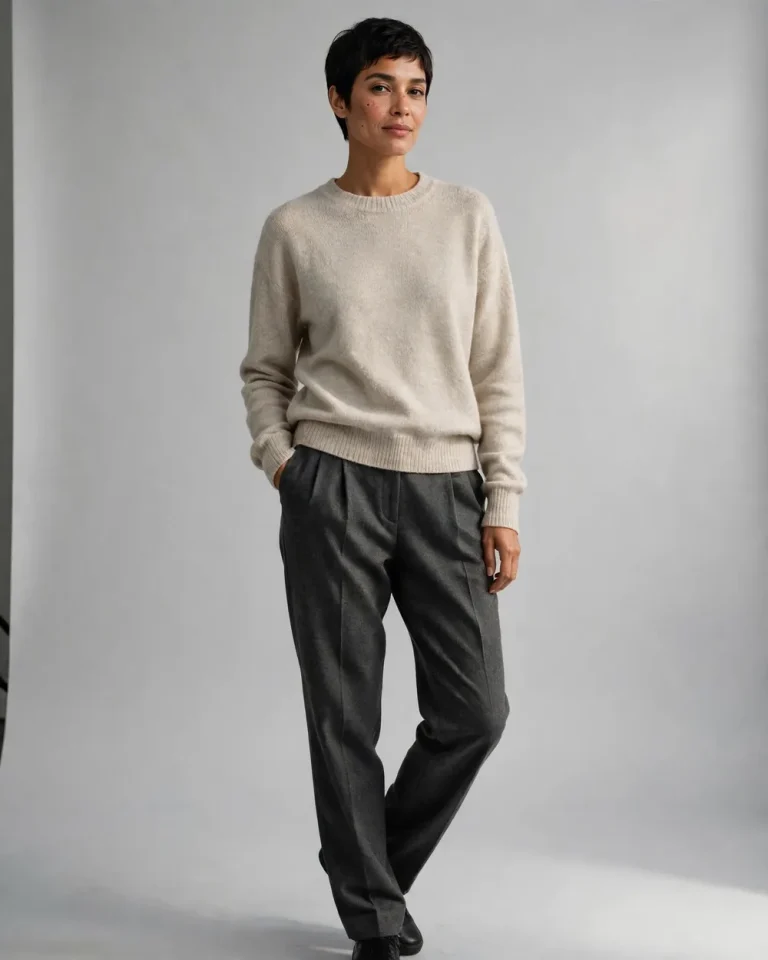
1. Minimal Knitwear on a Grey Seamless Backdrop
Using the uploaded reference photo, create a full-body fashion lookbook photograph of the same person standing in a relaxed contrapposto pose, one hand resting lightly in a trouser pocket, head turned slightly toward the camera with a calm, closed-mouth expression. Preserve the exact face, skin tone, facial structure and recognisable features with no beautification and no identity change. Outfit: an oatmeal merino-wool crewneck with a relaxed fit and charcoal pleated wool trousers, with visible knit ribbing, natural fabric drape and fine creases at the knees. Seamless light-grey paper backdrop, one large softbox at 45 degrees camera-left as the key light, a white bounce card on the right, 5200K neutral daylight, soft contact shadow on the floor. Shot on an 85mm lens at f/4, eye-level, true-to-life perspective. Keep natural skin pores, subtle texture, minor imperfections and slight facial asymmetry; no plastic skin, no over-smoothing. 4:5 portrait. No text, no watermark, no logo, no extra fingers, no malformed hands, no distorted face, no duplicated limbs.
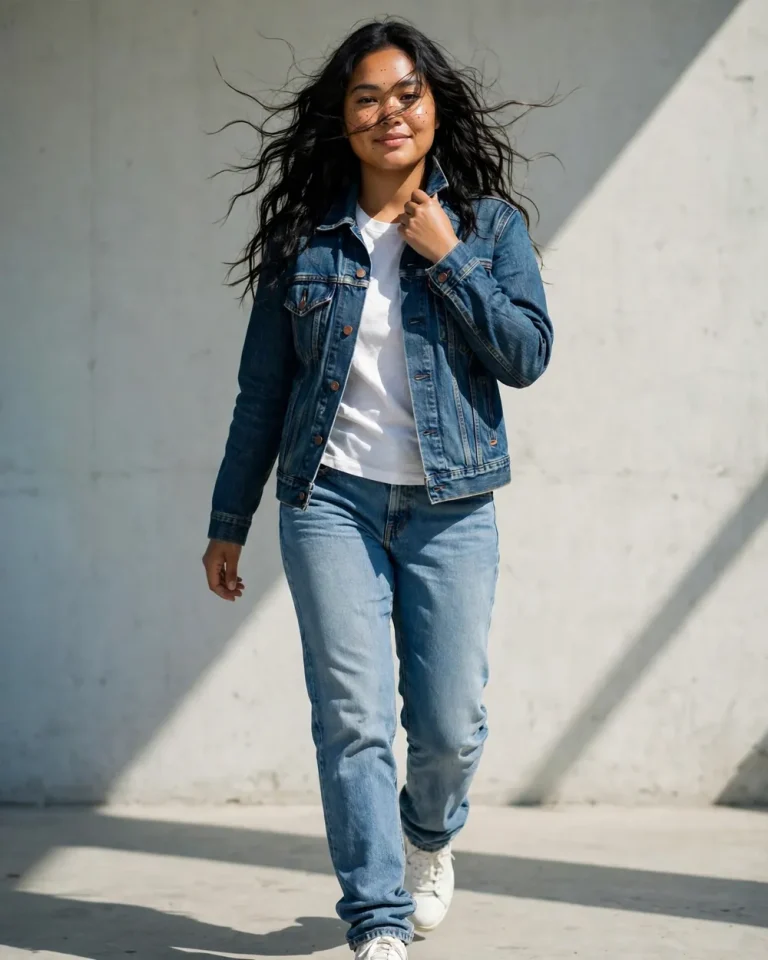
2. Denim Lookbook Full Shot
Use the attached photo as the identity reference and create a full-length denim lookbook image of the same person walking mid-stride toward the camera, one hand adjusting a jacket collar, relaxed half-smile. Keep the face, skin tone and features exactly as in the reference, with no beautification or identity change. Outfit: a washed indigo trucker jacket with visible twill weave and copper rivets, a plain white cotton tee, straight-leg light-blue jeans with natural whiskering and slightly stacked hems, white leather sneakers. Pale concrete studio wall, hard directional key light from the upper right at 3 o’clock, subtle cool fill from the left, 5600K, crisp but natural shadows. 50mm lens at f/2.8, camera at waist height, slight low angle. Real skin pores, natural asymmetry, individual flyaway hair strands; avoid plastic skin and AI-perfect symmetry. 4:5 portrait. No text, no watermark, no extra fingers, no malformed hands, no warped denim seams, no duplicated body parts.
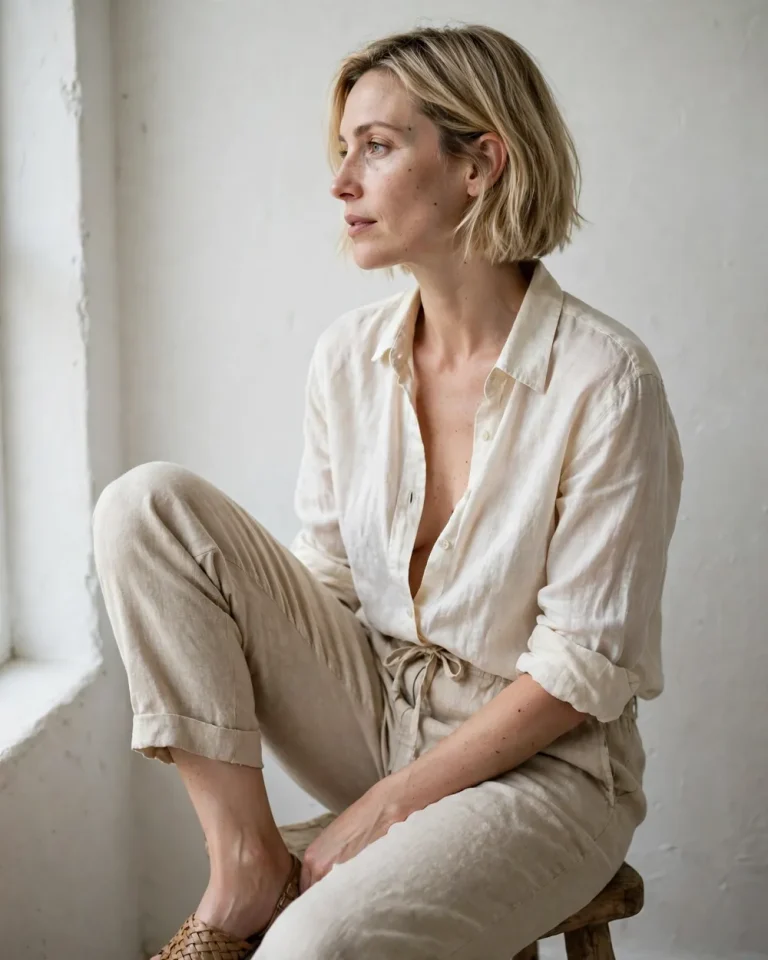
3. Summer Linen by a Window
Based on the uploaded reference photo, create a bright, airy lookbook photograph of the same person seated sideways on a wooden stool, one knee raised, looking out of frame with a soft, unposed expression. Preserve identity, skin tone and facial structure exactly, with no beautification. Outfit: an ivory linen shirt left half-unbuttoned with natural wrinkles, beige linen drawstring trousers, bare ankles, woven leather sandals. Minimal white room with a plastered wall, soft window light from the left at about 4500K, gentle bounce from the floor, delicate shadow falloff across the cheek. 35mm lens at f/2.2, natural perspective, shallow depth of field. Visible linen slub texture, fine pores, subtle under-eye texture and natural asymmetry; no airbrushed or waxy skin. 4:5 portrait. No text, no watermark, no logo, no distorted hands, no extra limbs, no unnatural anatomy.
Indian Ethnic and Festive Lookbook Prompts
Most competing pages stay with Western fashion. Indian boutiques, home-based sellers and wedding-season creators need ethnic wear prompts where embroidery, drape and jewellery look believable. For more traditional looks, see these AI saree prompts, the black saree prompt and Diwali AI prompts.
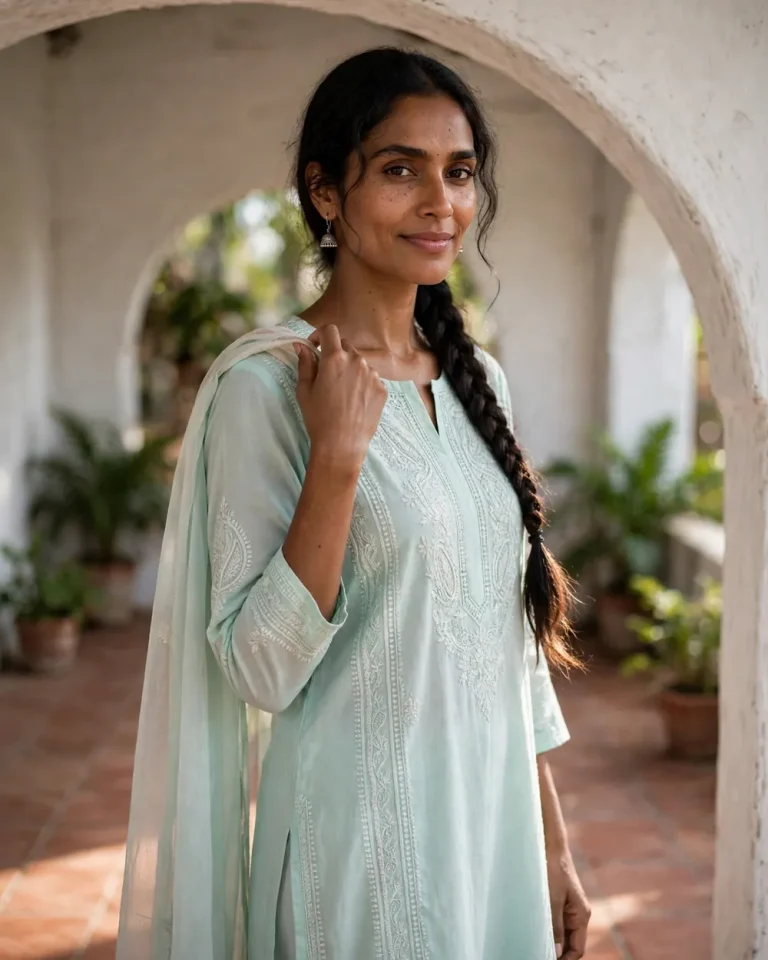
4. Cotton Kurta Set on a Courtyard Verandah
From the uploaded reference photo, create a lifestyle lookbook image of the same person standing under a whitewashed verandah arch, one hand holding the dupatta edge or kurta hem, gentle smile, slightly turned shoulders. Keep the face, skin tone, facial structure and recognisable features unchanged, with no beautification or identity change. Outfit: a pastel mint cotton kurta with fine chikankari embroidery, matching straight pants, a soft mulmul dupatta, small silver jhumkas. Terracotta floor and potted greenery in the background, soft open-shade daylight at 5500K, warm light bouncing from the floor tiles, a faint rim light on the hair. 85mm lens at f/2.0, eye-level, mild background compression with natural bokeh. Visible thread-work, real cotton drape, natural pores, subtle skin texture, slight asymmetry; avoid plastic skin and over-smoothing. 4:5 portrait. No text, no watermark, no extra fingers, no malformed hands, no distorted embroidery patterns, no duplicated jewellery.
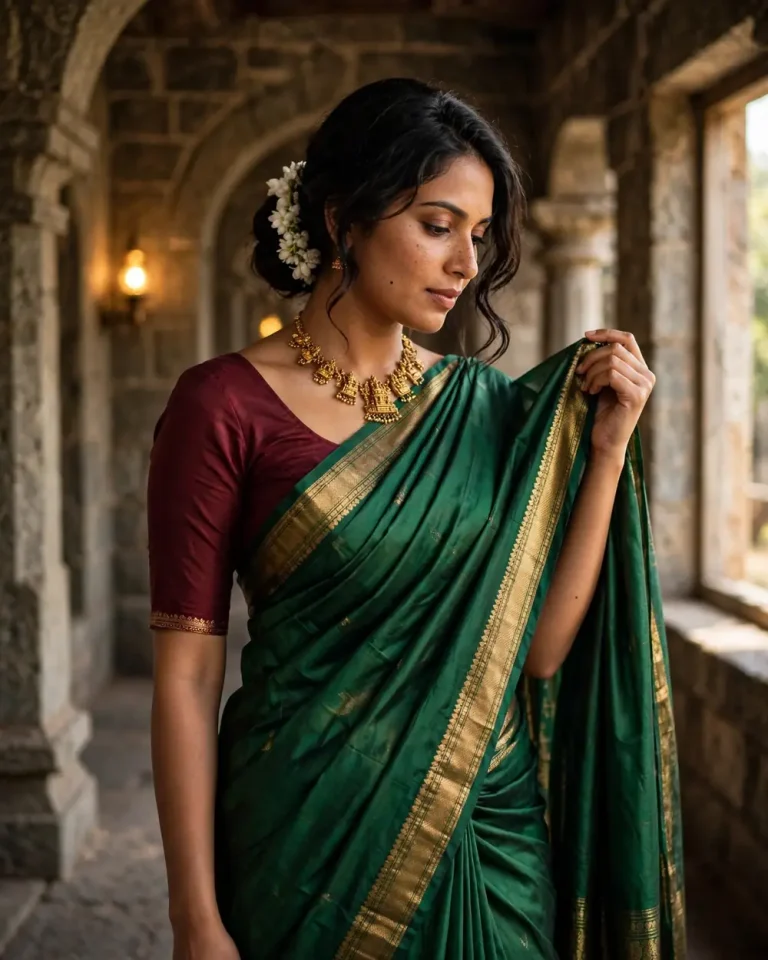
5. Silk Saree Editorial
Using the attached reference photo, create a high-end saree lookbook photograph of the same person standing three-quarter turned in a stone corridor, one hand lifting the pallu, chin slightly lowered, composed and confident expression. Preserve the exact face, skin tone, features and hairline with no identity change and no beautification. Outfit: a deep emerald Kanjivaram silk saree with a narrow gold zari border, a contrast maroon blouse with elbow-length sleeves, a temple-style gold necklace, a low bun with fresh jasmine. Soft window light from camera-right at 4200K, warm ambient glow from lamps behind, a subtle gold highlight on the zari. 85mm lens at f/1.8, slight three-quarter angle, cinematic framing. Realistic silk sheen, accurate pleat folds, individual hair strands, natural pores and minor imperfections; no plastic or airbrushed skin. 4:5 portrait. No text, no watermark, no malformed hands, no distorted face, no melted jewellery, no unnatural saree drape.
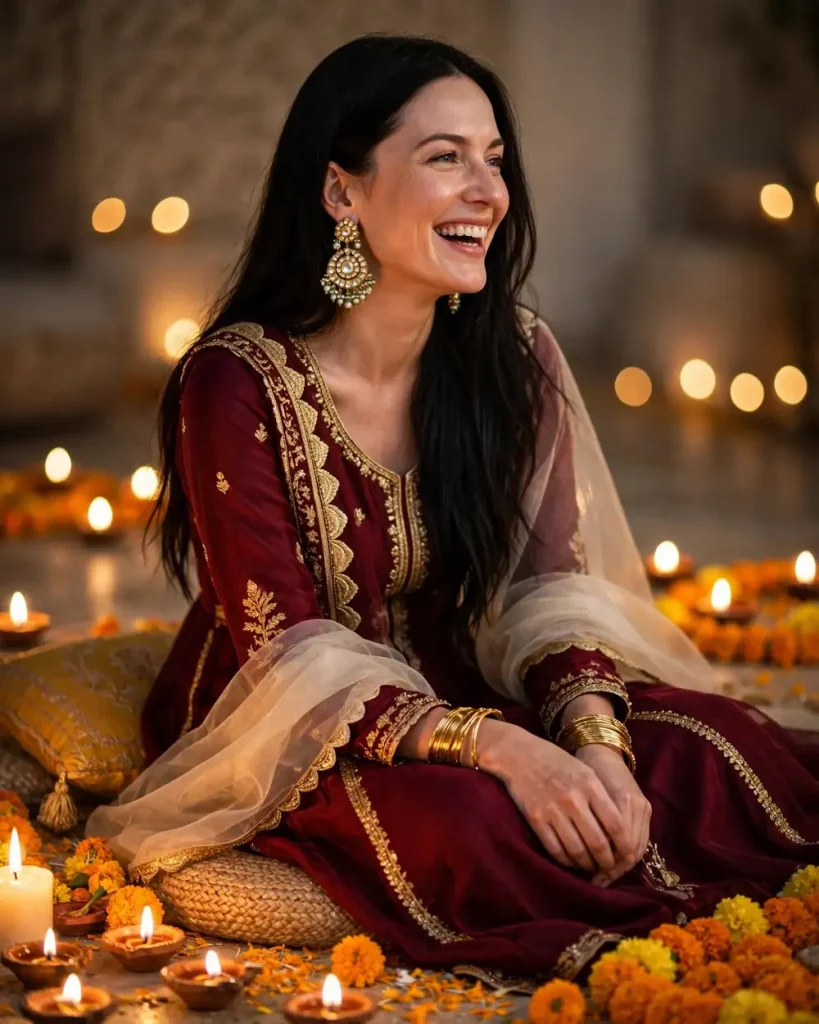
6. Diwali Festive Lookbook in Warm Lamp Light
Take the uploaded photo as the identity reference and create a festive lookbook image of the same person sitting on a floor cushion, surrounded by lit diyas and marigold garlands, laughing softly while looking just off-camera. Keep the face, skin tone and facial structure exactly as in the reference with no beautification. Outfit: a rich maroon anarkali with gold gota-patti trim and a sheer organza dupatta, kundan earrings, bangles catching the light. Multiple warm diya flames at roughly 2700K as the key light from below-left, soft fill from a bounce at 3200K, gentle golden highlights on the cheekbones, deep but not crushed shadows. 50mm lens at f/1.8, slightly high angle, shallow depth of field with round bokeh from the flames. Fine skin texture, natural pores, realistic metallic reflections and fabric weave; avoid over-smoothing and AI-perfect symmetry. 4:5 portrait. No text, no watermark, no extra fingers, no malformed hands, no duplicated diyas, no distorted face.
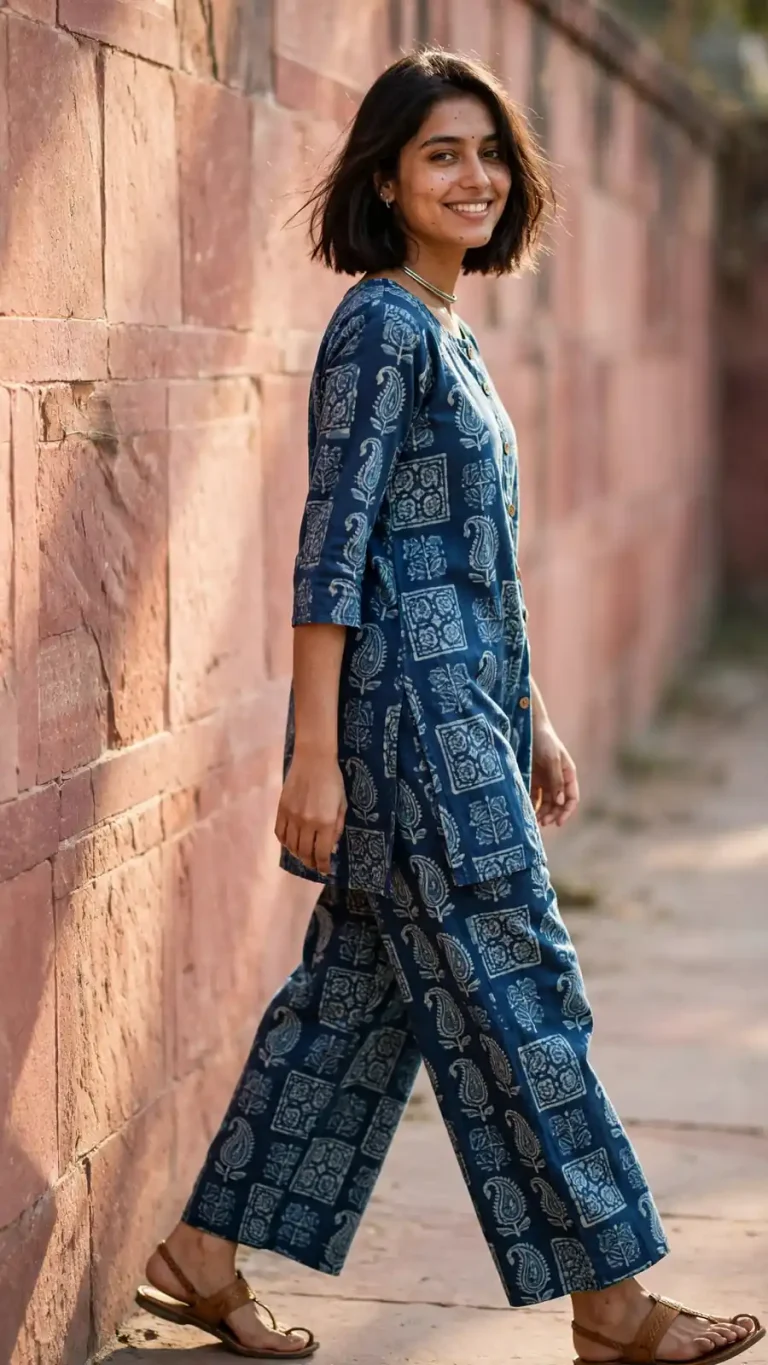
7. Jaipur Block-Print Co-ord Set for Boutique Pages
Referencing the uploaded photo, create a bright boutique lookbook picture of the same person walking along a pink sandstone wall, mid-step, glancing back at the camera with a natural smile. Preserve identity, skin tone and facial features exactly, with no beautification or identity change. Outfit: an indigo hand-block-printed cotton co-ord set with a short kurta and wide-leg pants, a thin oxidised silver choker, tan leather kolhapuri sandals. Late-morning sun from camera-left at 5800K, soft open shade fill, warm bounce from the sandstone, light rim on the shoulder. 35mm lens at f/2.8, eye-level, natural perspective. Crisp block-print motifs with slight ink irregularity, real cotton texture, natural skin pores and asymmetry; avoid plastic skin. 9:16 vertical for Reels and Stories. No text, no watermark, no logo, no malformed hands, no repeated pattern glitches, no extra limbs.
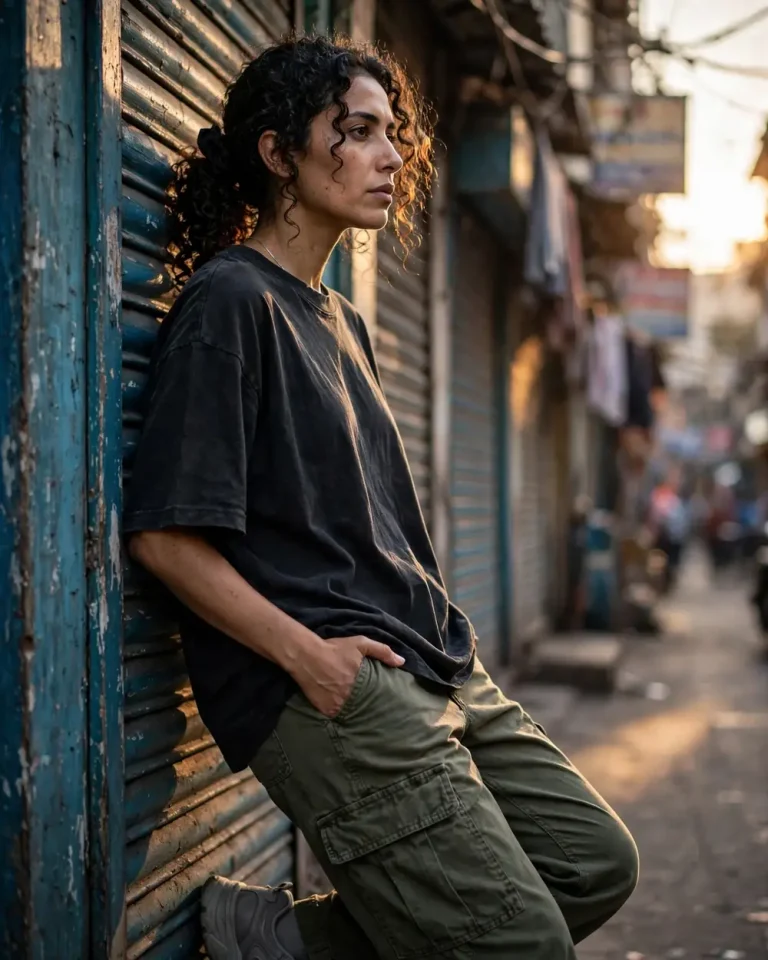
Using the uploaded reference photo, create a candid streetwear lookbook photo of the same person leaning against a painted shutter in a narrow Mumbai lane, one thumb hooked in a cargo pocket, looking past the camera with a cool, neutral expression. Keep the face, skin tone and features exactly as in the reference with no beautification or identity change. Outfit: an oversized boxy black tee with a faded wash, olive cargo trousers with real canvas texture and visible stitching, chunky grey sneakers, a slim silver chain. Low golden sun from camera-right at 3500K, cool blue shade on the opposite side, a thin rim light on the hair, long soft shadows. 35mm lens at f/2, slightly low angle, mild lens depth with blurred signboards. Natural pores, light stubble or skin texture, subtle asymmetry; no plastic or over-smoothed skin. 4:5 portrait. No readable text, no watermark, no logos, no extra fingers, no malformed hands, no distorted face.
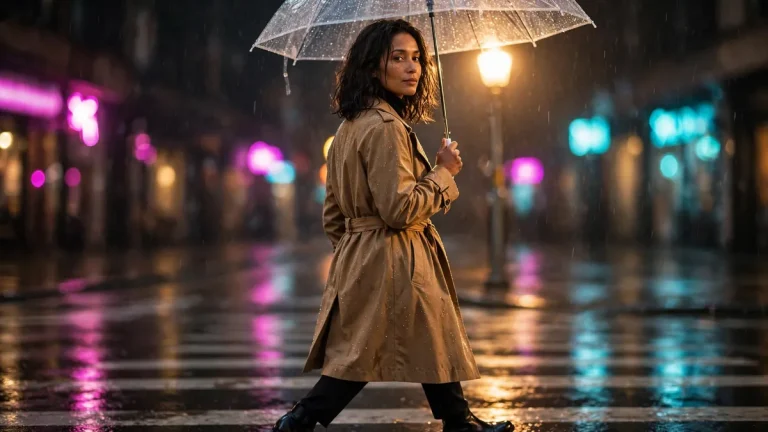
9. Rainy Night with Neon Reflections
Using the attached reference photo, create a cinematic night lookbook image of the same person crossing a wet city street under a clear umbrella, glancing over one shoulder with a calm expression. Preserve identity, skin tone and facial structure exactly, no beautification. Outfit: a belted camel trench coat in water-resistant cotton gabardine with tiny rain beads, black turtleneck, slim dark trousers, polished leather boots. Magenta and cyan neon signs as side lights at about 6500K and 3000K, wet asphalt reflections, a soft warm streetlamp rim light from behind. 50mm lens at f/1.8, eye-level, shallow depth with glowing bokeh. Real skin pores, damp hair strands, physically accurate reflections and fabric folds; avoid plastic skin and AI-perfect symmetry. 16:9 landscape. No text, no watermark, no extra limbs, no malformed hands, no duplicated reflections, no distorted face.
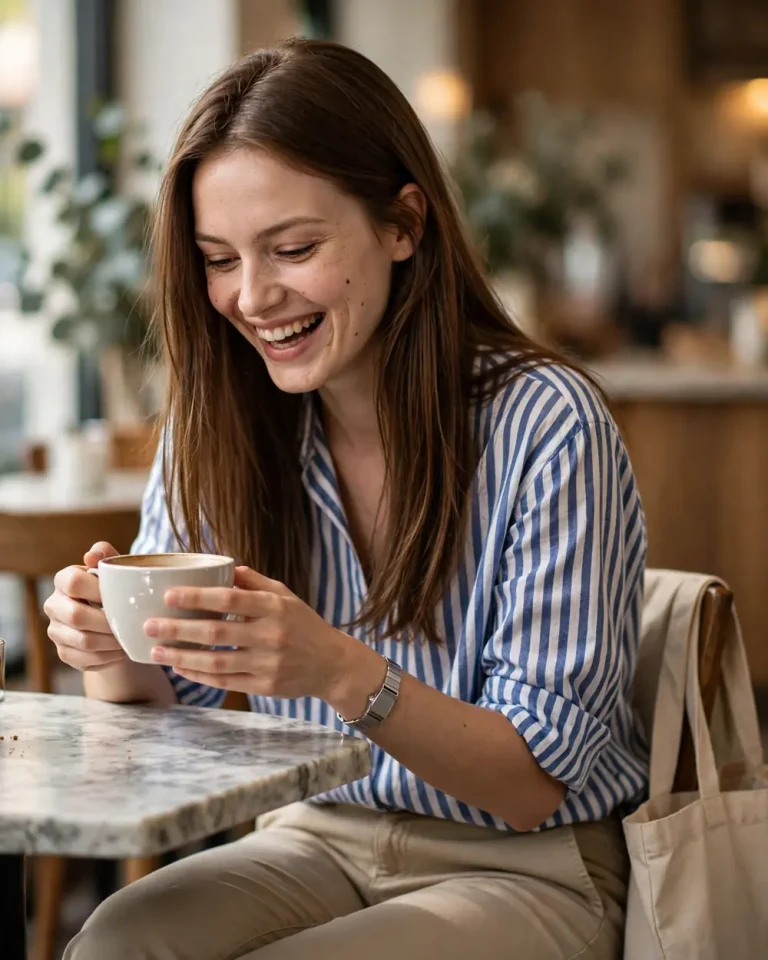
10. Cafe Candid with Natural Window Light
Using the uploaded reference photo, create a casual lookbook photograph of the same person sitting at a small marble cafe table, holding a ceramic cup with both hands, laughing mid-conversation and looking slightly down. Keep the face, skin tone and facial features unchanged, with no beautification. Outfit: a relaxed striped cotton shirt with rolled sleeves, light chinos, a canvas tote on the chair, a simple steel watch. Soft window light from the left at 5000K, ambient warm interior glow, gentle shadows beneath the cup. 35mm lens at f/2.0, slightly above eye level, natural perspective and creamy bokeh. Visible cotton texture, glossy ceramic reflection, fine pores, subtle imperfections; no plastic or waxy skin. 4:5 portrait. No text, no watermark, no logo on the cup, no extra fingers, no malformed hands, no duplicated objects.
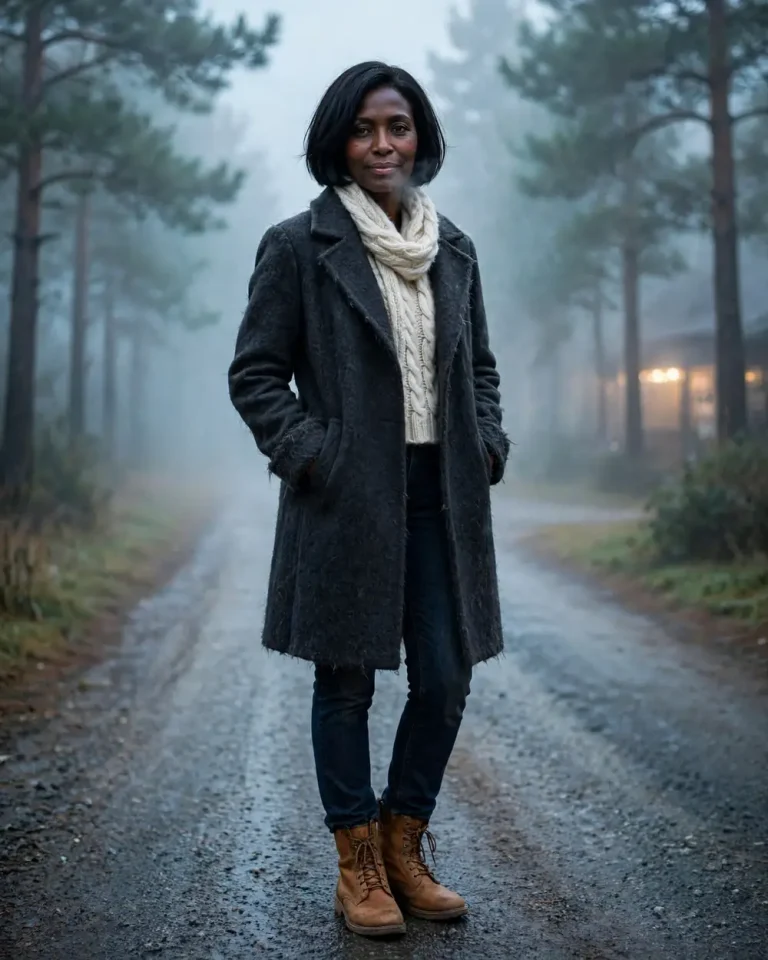
11. Hill Station Winter Layering
Based on the uploaded photo, create a travel lookbook image of the same person on a misty pine-lined road, hands in coat pockets, shoulders slightly raised against the cold, soft breath visible, calm smile. Preserve the exact face, skin tone and recognisable features with no beautification or identity change. Outfit: a charcoal wool overcoat, a chunky cream cable-knit scarf, dark denim, tan leather boots, fine wool texture with fuzz at the edges. Diffused overcast light from above at 6500K, cool blue ambient haze, a faint warm highlight from a distant cafe window. 85mm lens at f/2.8, eye-level, atmospheric depth with softly layered fog. Real skin with slightly cold-flushed cheeks, natural pores, individual hair strands, realistic wool and leather texture. 4:5 portrait. No text, no watermark, no extra fingers, no malformed hands, no snow-globe artifacts, no distorted face.
Editorial AI Lookbook Photo Prompts for Instagram, Reels and Stores
This group covers the shots that make a lookbook feel like a campaign: flash editorials, contact sheets, quiet-luxury styling and a product-to-model prompt for sellers who only have a garment photo. To change the outfit on an existing picture instead, use a dress change prompt.
12. High-Contrast Editorial Flash
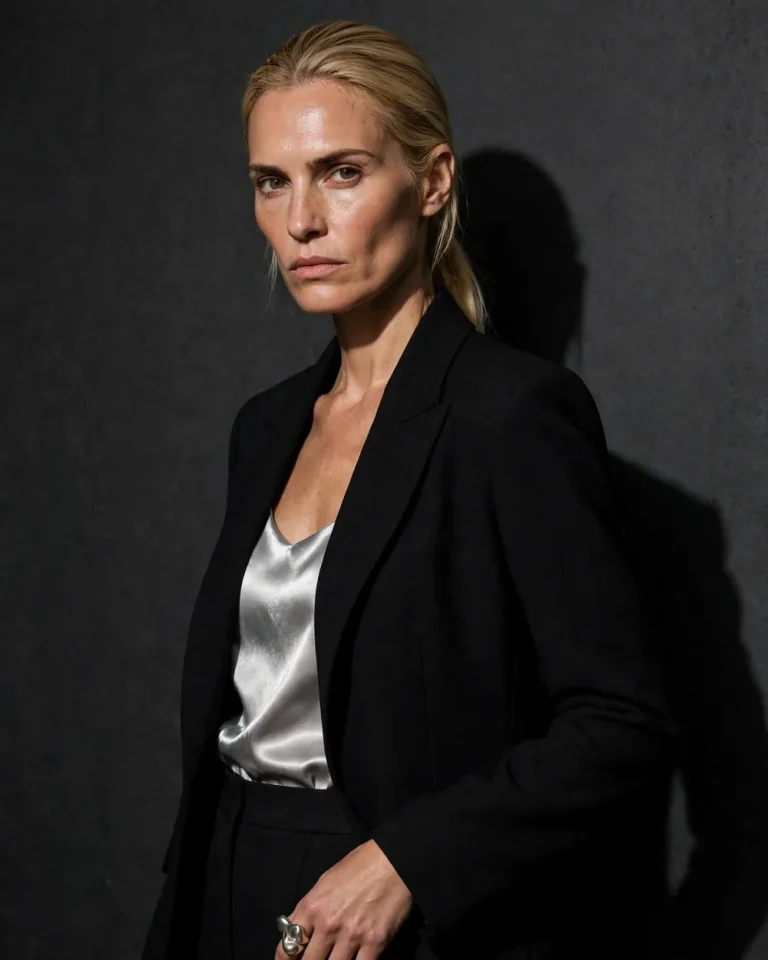
Use the uploaded reference photo and create a bold editorial lookbook image of the same person standing against a dark charcoal wall, chin slightly lifted, direct eye contact with a serious, unsmiling expression, one shoulder angled to the camera. Preserve the exact face, skin tone and facial structure with no beautification or identity change. Outfit: a black structured blazer in matte wool crepe over a silver satin slip top, tailored trousers, a single sculptural ring. On-camera direct flash at 5500K with a hard-edged shadow falling to the right, slightly blown highlights on satin, deep natural shadows. 35mm lens at f/5.6, slightly below eye level, analog-film grain at low intensity. Real pores, fine skin texture, natural shine on the forehead, minor asymmetry; avoid plastic skin. 4:5 portrait. No text, no watermark, no extra fingers, no malformed hands, no distorted face, no duplicated limbs.
13. Six-Frame Lookbook Contact Sheet
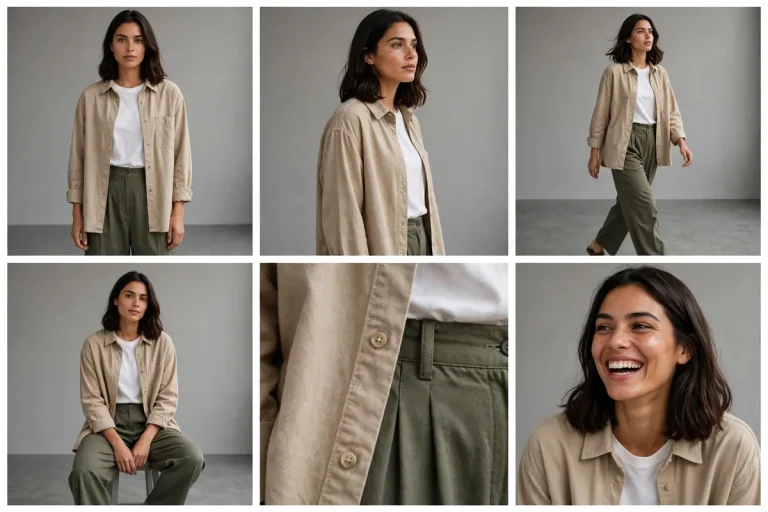
Using the attached reference photo, create a single image styled as a lookbook contact sheet with six frames in a 3×2 grid, all showing the same person in the same outfit: front standing, three-quarter turn, walking, seated, close-up of the fabric detail, and a laughing candid. Preserve the exact face, skin tone and features in every frame with no beautification or identity change. Outfit: a sand-coloured cotton overshirt, white tee, olive pleated trousers, with consistent colours and fabric texture across all frames. Soft overcast daylight at 5600K, minimal grey studio floor, thin white borders between frames. 50mm lens look at f/4 for every frame, consistent colour grade. Natural pores, subtle asymmetry, believable creases; no plastic skin. 3:2 landscape. No text, no frame numbers, no watermark, no extra fingers, no malformed hands, no changes in face or outfit between frames.
14. Garment Photo to Model Lookbook Shot
Use the first uploaded image as the garment reference and the second as the model reference. Create a full-body lookbook photograph of the model from the second image wearing the exact garment from the first, standing with a relaxed weight shift, one arm slightly away from the body to show the silhouette, soft neutral expression. Preserve the model’s face, skin tone and features exactly with no beautification, and keep the garment’s colour, print, neckline, sleeve length and stitching unchanged. Plain warm-white studio backdrop, large softbox at 45 degrees camera-left at 5200K, subtle fill from the right, soft floor shadow. 70mm lens at f/4, eye-level, true proportions. Physically accurate fabric drape and weight, visible weave, natural pores and minor skin imperfections. 4:5 portrait. No text, no watermark, no added logos, no altered garment design, no extra fingers, no malformed hands, no distorted face.
15. Quiet-Luxury Office Look
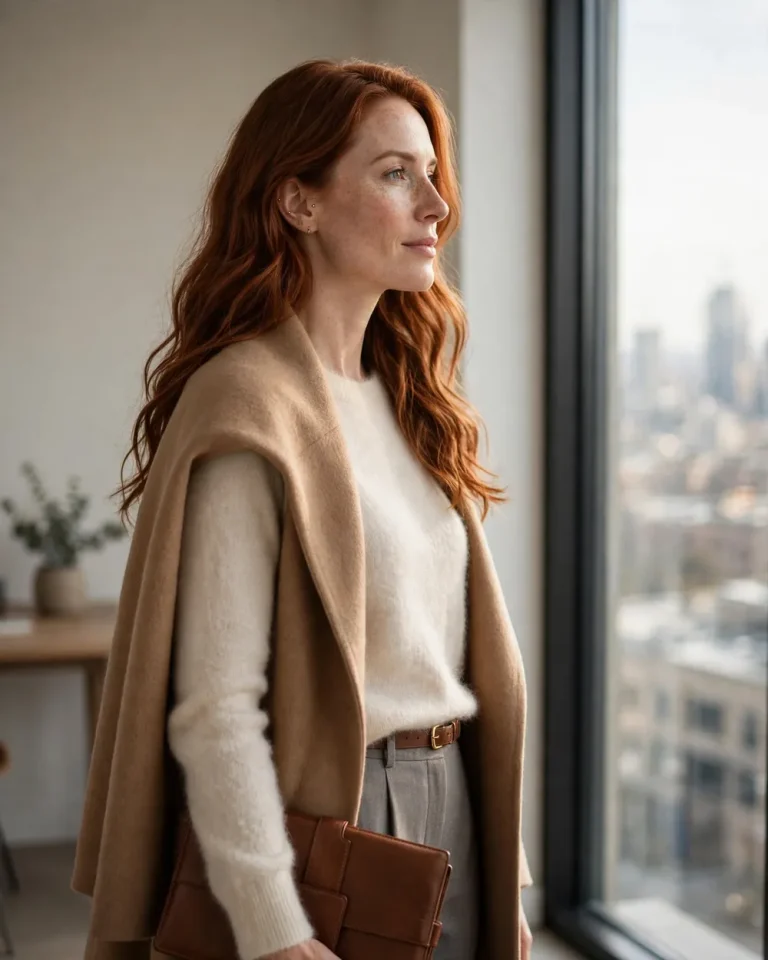
Based on the uploaded reference photo, create a refined lookbook image of the same person standing beside a tall window in a minimal office, one hand holding a leather folio, gaze toward the city, composed and approachable. Preserve identity, skin tone and facial structure exactly, with no beautification. Outfit: a cream cashmere-blend sweater, a camel wool-blend coat draped over the shoulders, straight tailored trousers in stone grey, a slim leather belt, minimal gold stud earrings. Soft daylight from the window at 5600K as the key light, warm interior fill at 3500K, gentle rim light on the coat. 85mm lens at f/2.8, eye-level, calm focal compression. Visible cashmere softness, realistic leather grain, natural pores, subtle asymmetry; avoid plastic skin and over-smoothing. 4:5 portrait. No text, no watermark, no logos, no extra fingers, no malformed hands, no duplicated objects.
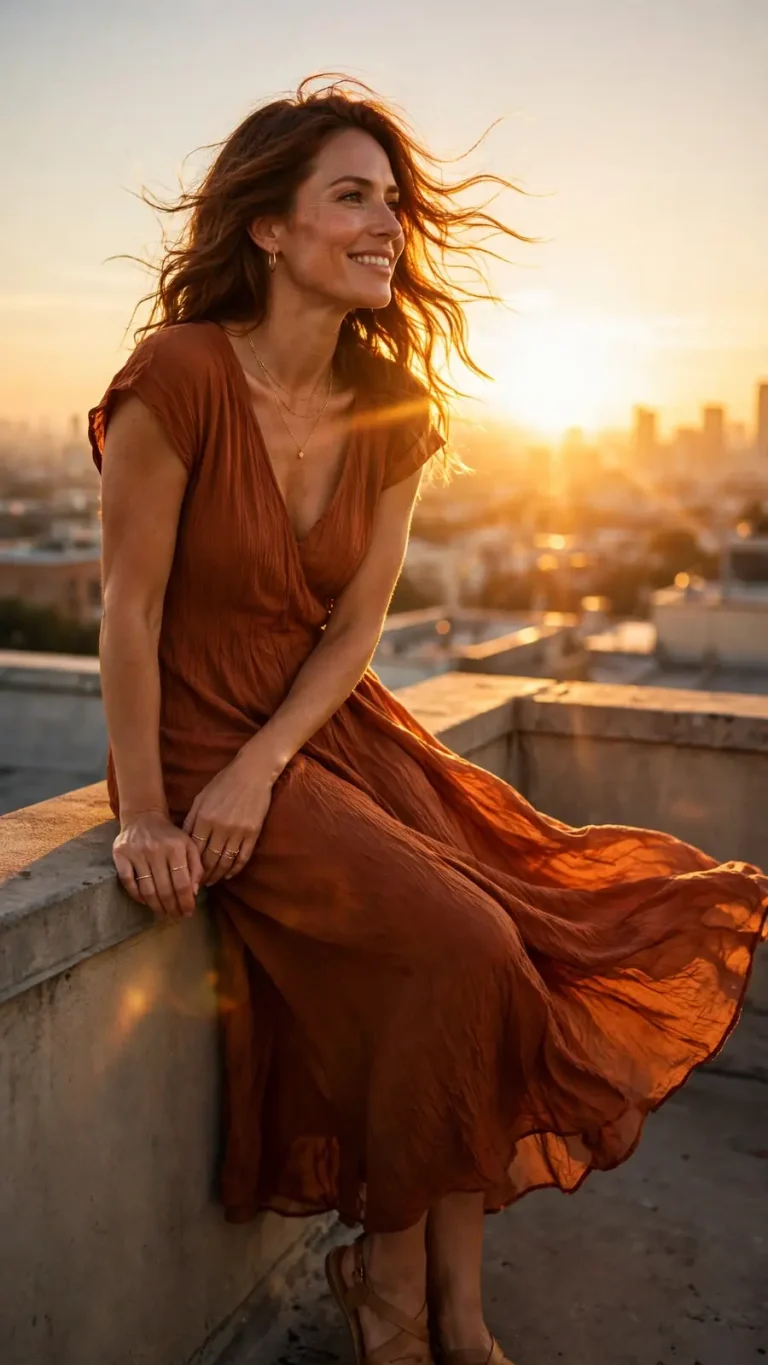
16. Golden-Hour Rooftop Lookbook
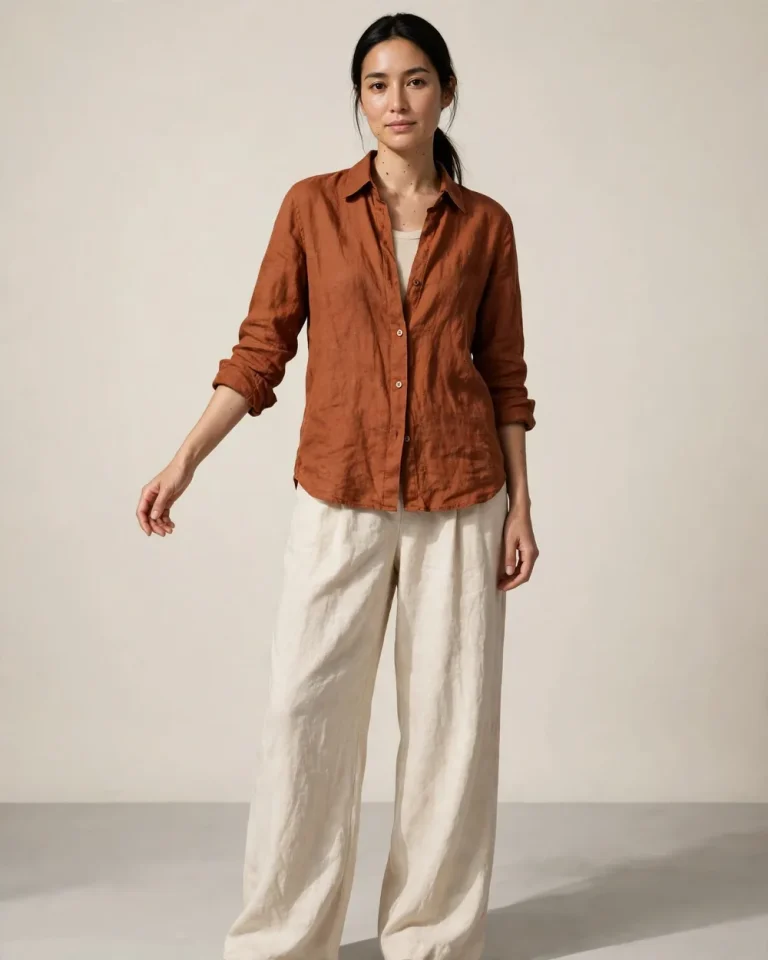
Using the attached photo as the identity reference, create a golden-hour rooftop lookbook image of the same person leaning on a low parapet, hair moving in a light breeze, looking toward the sunset with a relaxed, genuine smile. Keep the exact face, skin tone and facial structure with no beautification or identity change. Outfit: a flowing rust-coloured midi dress in crinkled viscose or a rust linen shirt with cream trousers, delicate gold jewellery, bare feet or tan sandals. Low sun behind the subject at about 3000K creating a golden rim light, soft warm fill from the rooftop surface, hazy skyline in the background. 50mm lens at f/2.0, slightly low angle, cinematic framing, gentle sun flare. Individual hair strands catching light, natural pores, real fabric movement, subtle imperfections; no plastic skin. 9:16 vertical. No text, no watermark, no extra limbs, no malformed hands, no distorted face, no unnatural lens artifacts.
How to Use an AI Lookbook Photo Prompt in Gemini and ChatGPT
To use an AI lookbook photo prompt, upload one clear reference photo, paste the prompt, edit the outfit description, and generate. The steps are the same in Gemini and ChatGPT.
Choose a reference photo with the face fully visible, even light and no heavy filters.
Open Gemini or ChatGPT and attach the photo in the image-capable chat.
Paste your chosen prompt and replace the outfit, colours and location with your own details.
Generate, then refine one thing at a time, such as “keep everything, but make the light softer.”
Repeat with the same reference photo and outfit to build a consistent set of looks.
For selling clothes, upload both the garment photo and a model photo and use Prompt 14. For a cohesive feed, keep the same lighting description and aspect ratio across prompts. To sharpen the final image, run it through a 4K HD realistic Gemini prompt.
What Makes a Good AI Lookbook Photo Prompt
A reliable AI lookbook photo prompt combines nine parts. Missing even one is the usual reason results look generic or change your face.
Element
What to Write
Example
Identity
Preserve face, skin tone and features
“No beautification, no identity change”
Outfit
Material, colour, fit
“Oatmeal merino crewneck, relaxed fit”
Pose
Body position and expression
“Contrapposto, calm closed-mouth look”
Light
Source, direction, colour temperature
“Softbox at 45 degrees, 5200K”
Camera
Lens, aperture, angle
“85mm, f/2.8, eye-level”
Texture
Real skin and fabric details
“Visible weave, natural pores”
Setting
Background and atmosphere
“Seamless grey paper”
Format
Aspect ratio for the platform
“4:5 for feed, 9:16 for Reels”
Avoid
Common AI errors
“No extra fingers, no text”
Choose the aspect ratio by destination: 4:5 for Instagram feed and catalog pages, 9:16 for Reels, Stories and Shorts, 1:1 for marketplace listings, and 16:9 for banners.
Fixing Common AI Lookbook Problems
Most failed generations come from a few predictable causes, and each has a simple fix.
The face changes: Use a sharper, front-facing reference, repeat the identity instruction, and avoid asking for dramatic expressions.
Skin looks plastic: Add explicit texture language such as natural pores, fine lines and subtle asymmetry, and remove words like “flawless” or “perfect.”
Clothes look wrong: Name the fabric and cut precisely, and attach a garment photo when exact details matter.
Hands look distorted: Give the hands a simple job, such as holding a cup or resting in a pocket, and keep the avoid clause.
Text or logos appear: End with “no text, no watermark, no logos.”
Looks do not match across images: Reuse the same lighting, lens and backdrop wording in every prompt.
More Prompts to Pair with Your Lookbook
These related collections cover the lighting styles, poses and formats that work well alongside the prompts above.
An AI lookbook photo prompt is a text instruction that tells an image generator how to show a person wearing an outfit in a styled, fashion-catalog format. It usually specifies the outfit, pose, lighting, camera look and background.
Which tool is best for an AI lookbook photo prompt?
Gemini and ChatGPT both accept reference photos and follow detailed prompts well, so either works. Pick the one you already use, then test the same prompt in both if results differ.
Can I keep my own face in the image?
Yes. Upload a clear reference photo and include a sentence asking the tool to preserve your face, skin tone and features with no beautification. Results still vary, so check the output closely.
Can I use these prompts for my clothing brand?
Yes, the prompts suit product pages and social posts. Check the current terms of the tool you use, and disclose AI-generated images where platforms or local rules require it.
Which aspect ratio should I choose?
Use 4:5 for feed posts and product pages, 9:16 for Reels and Stories, and 1:1 for marketplace thumbnails.
Do these prompts work without a reference photo?
Yes. Remove the identity sentence and describe the person you want instead, such as age range, build and hair.
Final Thoughts
A good AI lookbook photo prompt is specific about the person, the fabric, the light and the camera. Start with the studio and Indian ethnic wear prompts, adjust the outfit details, and keep the same lighting and format wording across a set so your lookbook stays consistent. For more ready-to-use AI photo editing prompts, visit Edits Prompts.