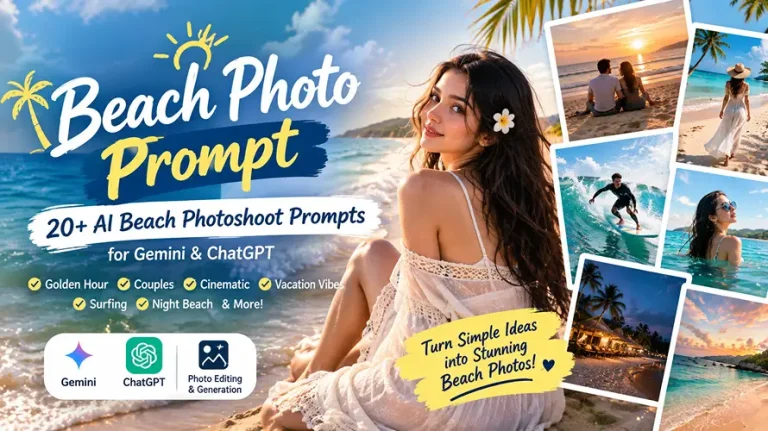
Beach Photo Prompt: 20+ AI Beach Photoshoot Prompts for Gemini & ChatGPT
A beach photo prompt can turn an ordinary portrait into a realistic seaside photoshoot with ocean waves, wet sand, golden sunlight, cinematic skies, natural poses, and vacation-style composition. These prompts work especially well for Gemini and ChatGPT image workflows when you want to create or edit beach pictures without changing the person’s recognizable identity.
Current AI beach prompt trends cover much more than a simple sunset background. Popular concepts include golden-hour portraits, beach couples, cinematic girls’ and boys’ photos, direct-flash edits, tropical vacations, surfing, water portraits, three-panel collages, night beaches, luxury travel scenes, and Instagram-ready vertical compositions.
The collection below focuses on copy-paste-ready prompts rather than generic ideas. Each beach photo prompt includes realistic lighting, camera language, environmental texture, composition, identity protection, and negative instructions so you can adapt the result for Gemini, ChatGPT, or another AI image generator.
Best Beach Photo Prompts for AI Image Editing
The strongest results usually come from describing four things clearly: who is in the image, what they are doing, where they are standing, and how the camera should capture the scene. Current prompt libraries also repeatedly recommend specifying elements such as wet sand, sea breeze, sunset backlight, natural skin texture, camera style, and the intended aspect ratio.
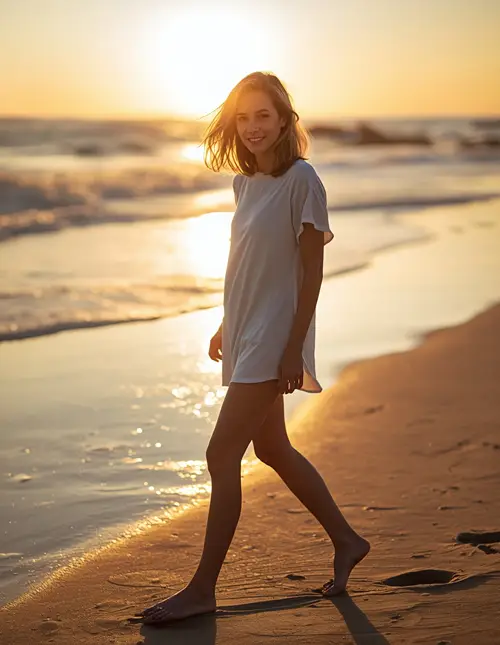
1: Golden Hour Solo Portrait
Create an ultra-realistic golden-hour beach portrait using the uploaded reference photo as the exact identity reference. Preserve the person’s facial structure, recognizable features, natural skin tone, hairstyle, body proportions, and age without beautification or identity changes. Show the person walking barefoot beside the shoreline, slightly turning toward the camera with a relaxed natural smile while a gentle sea breeze moves the hair and clothing. Use warm sunlight positioned low behind the subject at approximately 30–45 degrees, creating a subtle golden rim light around the hair and shoulders while maintaining soft facial detail from ambient sky light. Capture the scene with an 85mm lens at f/1.8, shallow depth of field, realistic ocean bokeh, wet sand reflections, natural footprints, individual hair strands, and physically accurate fabric texture. Use a 4:5 portrait composition for Instagram. Keep natural pores, minor facial asymmetry, and realistic skin texture; avoid plastic skin, excessive smoothing, distorted hands, extra fingers, duplicate limbs, warped facial features, text, logos, watermarks, or artificial-looking waves.
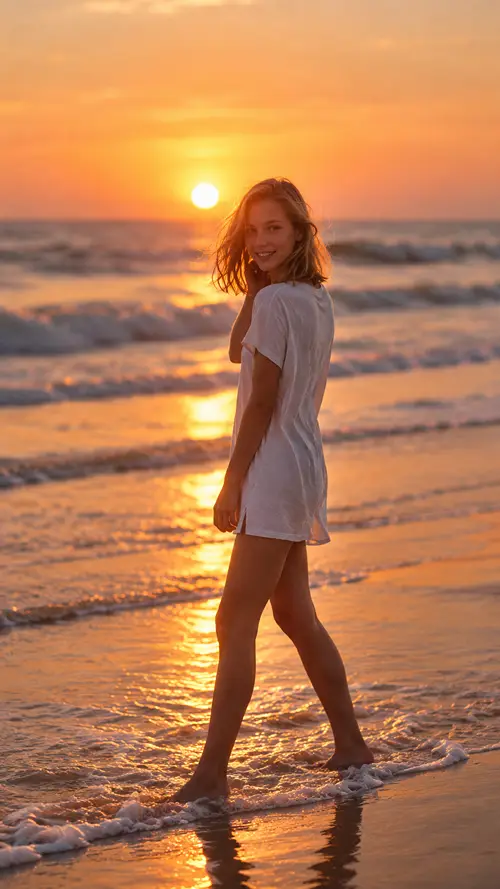
2: Cinematic Sunset Back Pose
Transform the uploaded photo into a cinematic beach sunset portrait while keeping the exact person, face, skin tone, hairstyle, body proportions, and recognizable features unchanged. Show the subject standing ankle-deep in shallow water with their back toward the camera, one hand lightly touching their hair, then turning the head slightly over one shoulder toward the lens. Create a dramatic orange-pink sunset directly near the horizon with warm backlight, soft atmospheric haze, and subtle rim illumination around the subject. Wet sand should naturally reflect the sky and feet, with realistic foam around the ankles. Use a 50mm lens, f/2.0 depth of field, natural perspective, cinematic framing, and gentle film grain. Preserve pores, fine skin texture, natural asymmetry, and individual hair strands with no beauty retouching. Output in 9:16 vertical format for Instagram Reels or Stories. No face alteration, artificial skin, extra fingers, malformed hands, duplicated body parts, unrealistic reflections, excessive HDR, text, logos, or watermark.
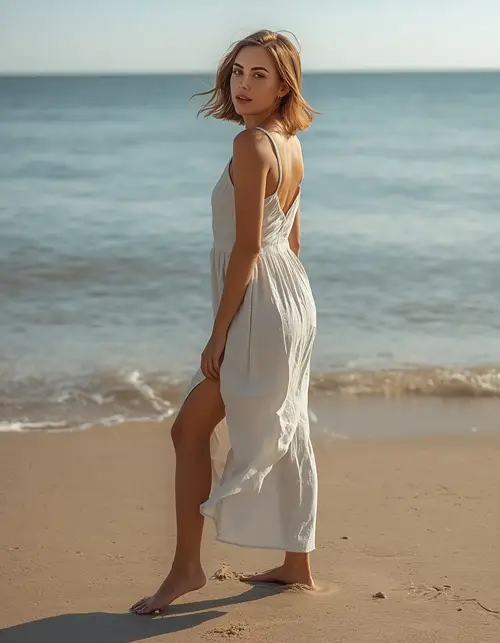
3: Aesthetic Beach Girl Portrait
Create an elegant, photorealistic beach portrait of the adult woman from the uploaded reference image, preserving her exact facial identity, facial proportions, skin tone, hairstyle, and recognizable characteristics with no beautification or identity modification. Place her barefoot on clean sand near calm ocean water, wearing a flowing ivory linen dress that moves naturally in the sea breeze. She stands in a relaxed side pose with her face turned slightly toward the camera and a subtle candid expression. Use late-afternoon sunlight from the left at a low angle, soft warm highlights, gentle ambient fill from the sky, and a delicate golden rim light along the hair. Capture with an 85mm lens at f/1.8 for realistic background compression and creamy ocean bokeh. Show natural pores, fine hair, fabric weave, sand grains, and accurate shadows. Use 4:5 portrait composition. Avoid plastic skin, excessive makeup, perfect facial symmetry, altered body shape, distorted hands, extra fingers, artificial clothing folds, fake water, text, logos, and watermarks.
4: Cinematic Beach Boy Portrait
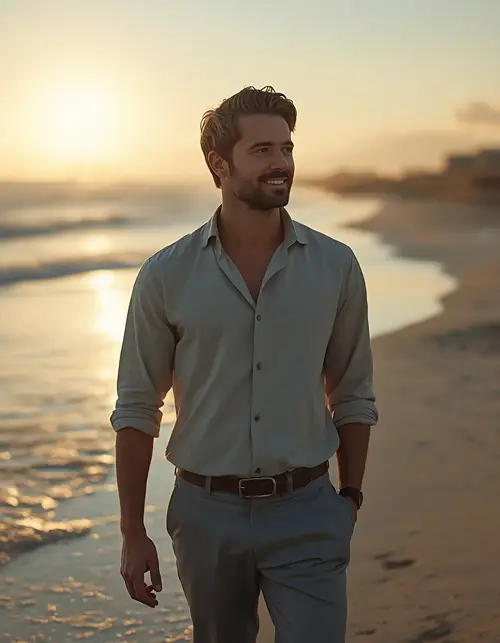
Edit the uploaded male reference photo into a realistic cinematic beach portrait without changing his exact face, skin tone, hairstyle, beard pattern, facial proportions, age, or recognizable identity. Show him walking confidently along the shoreline wearing a relaxed light linen shirt with neutral trousers, sleeves slightly rolled, while looking toward the horizon with a calm natural expression. Use a low golden sunset behind him, producing warm directional rim light on his shoulders and hair while cool blue ambient sky light maintains facial detail. Add gentle waves, wet reflective sand, natural footprints, and subtle sea mist. Photograph the scene with a 70mm lens at f/2.0, realistic focal compression, shallow depth of field, and cinematic travel-editorial framing. Preserve natural pores, minor skin imperfections, individual hair strands, and authentic fabric texture. Use 4:5 composition. No face replacement, plastic skin, exaggerated muscles, malformed hands, extra fingers, duplicate limbs, artificial reflections, text, logo, watermark, or oversaturated colors.
5: Romantic Couple Sunset
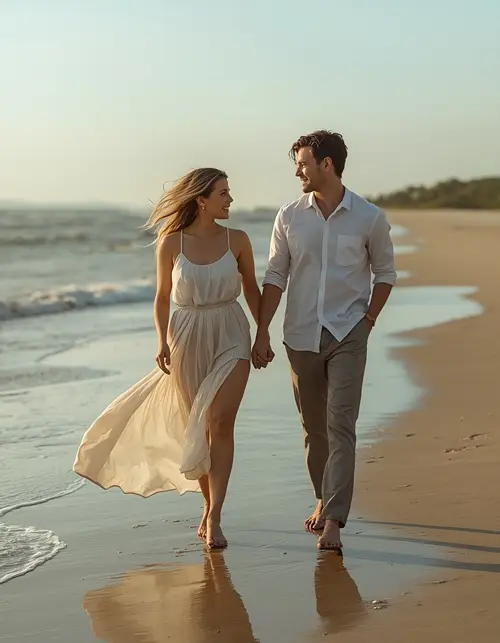
Create an ultra-realistic romantic beach photograph using the uploaded reference images of both adults, keeping both faces, facial structure, skin tone, hairstyles, body proportions, and recognizable features exactly consistent with the references. Show the couple walking barefoot hand in hand along the shoreline, naturally looking at each other and smiling rather than posing stiffly. The woman wears a flowing soft-colored dress and the man wears a lightweight linen shirt with neutral trousers. Place the sun low behind them, producing warm golden backlight and delicate rim light around their hair and shoulders while soft sky illumination keeps their faces visible. Include realistic waves, wet sand reflections, footprints, wind movement, and subtle fabric motion. Use an 85mm lens at f/2, cinematic depth of field, natural perspective, and 4:5 portrait framing. Preserve pores and natural imperfections. Avoid identity changes, over-smoothing, distorted anatomy, extra fingers, duplicated bodies, unrealistic shadows, text, logos, and watermarks.
6: Couple Sitting by the Sea
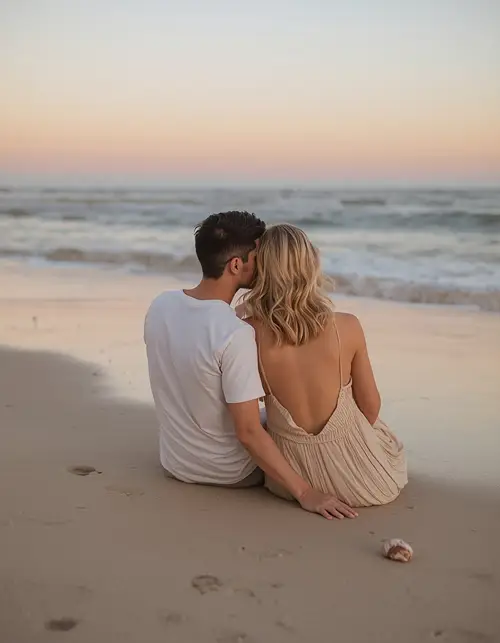
Generate a photorealistic beach couple portrait from the uploaded reference photos, preserving both identities, natural facial asymmetry, skin tones, facial details, hairstyles, and body proportions without beautification. Show the couple sitting close together on dry sand near the waterline, their shoulders lightly touching as they look toward the ocean with relaxed expressions. Use a soft pastel sunset with peach, pink, and muted blue tones, low directional sunlight from behind, and gentle ambient illumination from the open sky. Add realistic footprints, small shells, natural sand texture, subtle wave foam, and accurate reflections. Capture with a 50mm lens at f/2.2, medium-distance cinematic framing and shallow background depth. Use 4:5 Instagram composition. Maintain realistic skin pores, fine hair, natural clothing folds, and physically accurate shadows. No face morphing, artificial skin, exaggerated body changes, malformed hands, extra fingers, duplicate limbs, fake ocean textures, text, logos, or watermark.
7: Beach Flash Photo at Dusk
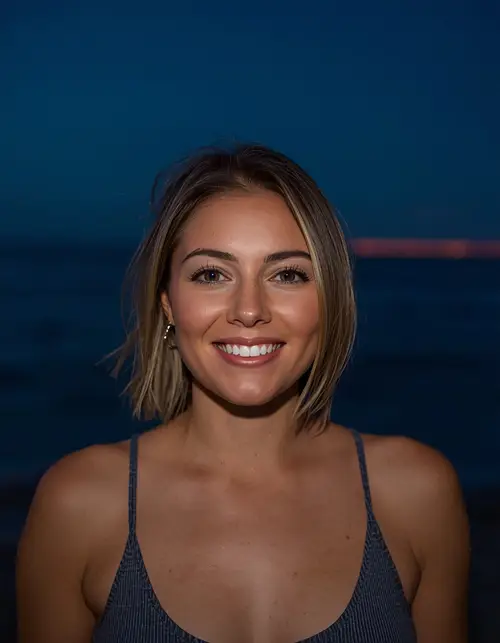
Turn the uploaded reference image into an authentic candid beach flash photograph at blue hour while keeping the person’s exact identity, facial structure, skin tone, hairstyle, body proportions, and natural appearance unchanged. Place the subject standing near the shoreline at dusk with a darkening ocean and deep blue sky behind them. Use direct on-camera flash as the primary key light, producing crisp facial detail and realistic short shadows while the ambient sunset leaves a faint warm-orange band near the horizon. Add subtle digital-camera grain, slightly imperfect exposure, realistic skin pores, natural facial asymmetry, and small environmental imperfections instead of a polished studio finish. Use a 35mm lens, f/2.8, natural perspective, slightly off-center candid framing, and 4:5 composition. Preserve realistic sand, water, clothing, and hair textures. Avoid over-retouching, plastic skin, distorted hands, extra fingers, double faces, unnatural shadows, excessive glow, text, logos, and watermarks.
8: Tropical Luxury Resort
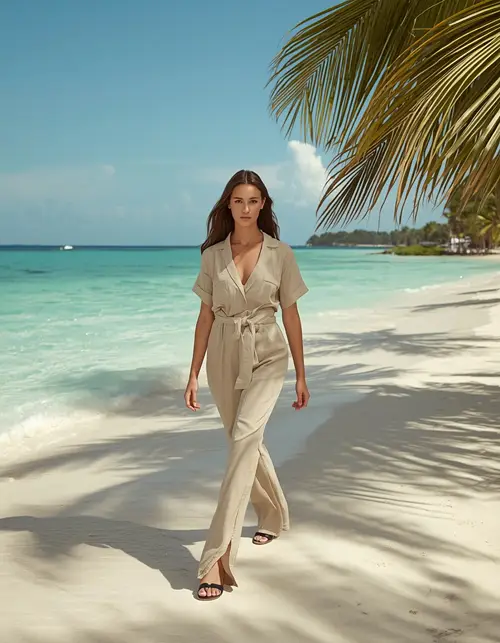
Create a high-end tropical resort beach portrait using the uploaded reference photo while preserving the exact face, facial structure, skin tone, hairstyle, body proportions, and recognizable identity with no beautification. Place the subject walking beside pristine pale sand and turquoise water near a sophisticated tropical resort, wearing an elegant neutral linen outfit with realistic fabric movement. Use soft morning sunlight from the right at approximately 45 degrees, gentle warm highlights, cool blue environmental fill, and realistic palm-leaf shadows across the sand. Capture with an 85mm lens at f/2.8 for flattering but natural compression and soft background separation. Include detailed water reflections, individual sand grains, realistic palm textures, accurate fabric folds, and natural skin pores. Use a 4:5 editorial composition suitable for Instagram. No artificial skin, body reshaping, face changes, extra fingers, malformed hands, duplicate objects, fake reflections, text, branding, or watermark.
9: Beach Girl in Swimwear
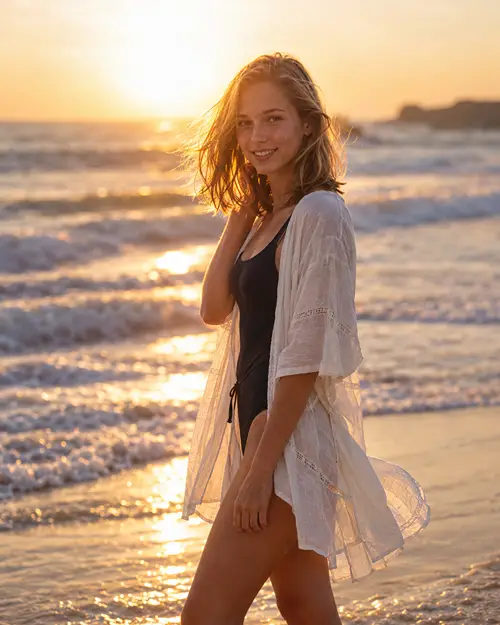
Create a tasteful photorealistic adult beach fashion portrait from the uploaded reference image, preserving the exact facial identity, facial proportions, natural skin tone, hairstyle, age, and recognizable features without beautification or body reshaping. Show the adult woman standing confidently near the shoreline in a stylish modest swimsuit with a lightweight open beach cover-up, natural relaxed posture, and subtle candid expression. Use warm late-afternoon sunlight from behind at a low angle with soft sky fill illuminating the face and gentle rim light around the hair. Add realistic ocean foam, wet sand, small water droplets, fabric texture, and natural wind movement. Capture with a 70mm lens at f/2.2 and use 4:5 portrait framing with shallow depth of field. Preserve pores, minor imperfections, and realistic skin variation. Avoid sexualized posing, artificial anatomy, exaggerated body proportions, face changes, plastic skin, extra fingers, distorted hands, text, logos, or watermarks.
10: Three-Panel Beach Collage
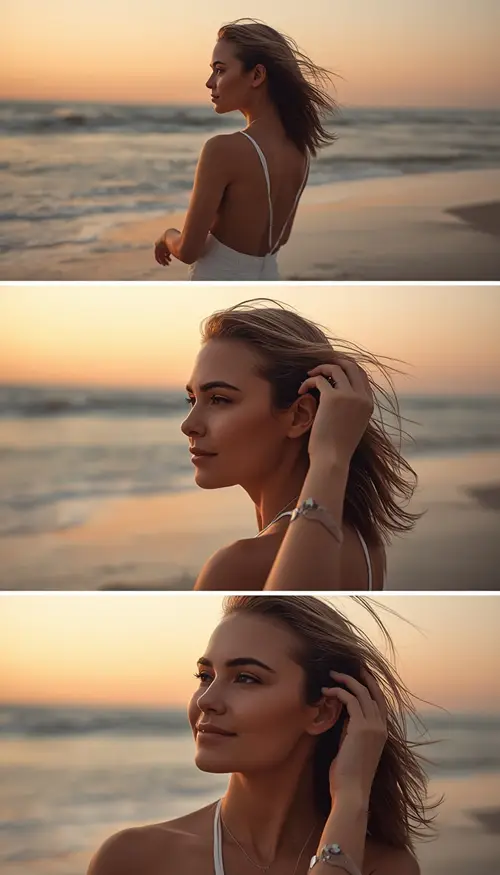
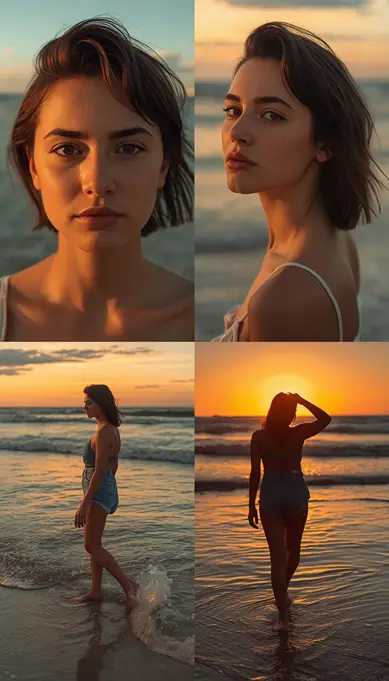
Using the uploaded reference image as the exact identity source, create a realistic 3-panel vertical beach photoshoot with the same person, same face, same hairstyle, same skin tone, same outfit, and consistent body proportions across all panels. Panel one shows a full-body back pose facing the sunset; panel two shows a natural side profile looking toward the sea; panel three shows a candid close-up with one hand touching the hair while the wind moves it naturally. Set all three frames on the same beach with orange-pink sunset light, soft waves, reflective wet sand, and consistent environmental shadows. Use a 50mm lens look, f/2 aperture, cinematic depth of field, subtle film grain, realistic skin pores, natural hair strands, and accurate fabric texture. Arrange the panels as three horizontal stacked strips in a 9:16 composition. Avoid identity drift, different clothing, distorted hands, extra fingers, duplicated limbs, inconsistent lighting, artificial skin, unreadable text, logos, and watermarks.
More AI Beach Photoshoot Ideas
The broader SERP also shows strong demand for action scenes, travel imagery, night edits, water portraits, friends, fashion, family scenes, and unusual compositions. These variations expand the article beyond the repeated sunset-standing portrait format found across many competing pages.
11: Surfer Action Shot
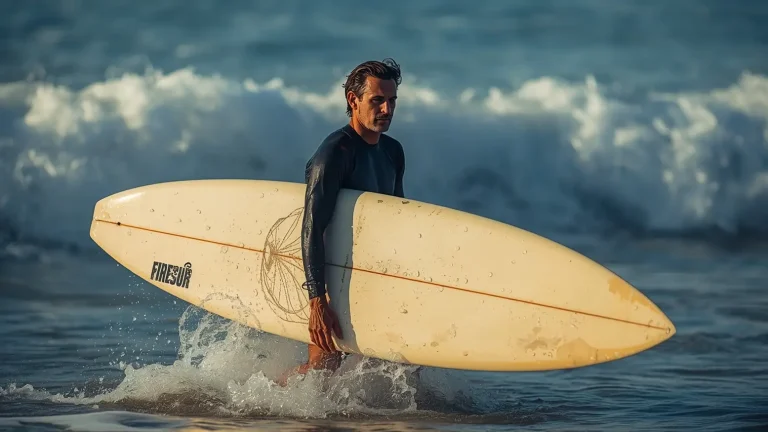
Transform the uploaded adult reference image into an ultra-realistic surfing lifestyle photograph while preserving the exact face, skin tone, facial structure, hairstyle, age, body proportions, and recognizable identity. Show the subject carrying a realistic surfboard while walking through shallow water toward the breaking waves, with droplets falling naturally from the board and clothing. Use strong early-morning sunlight from the side, cool blue ambient ocean light, and subtle warm highlights on the skin. Capture the movement with a 35mm lens at f/2.8, slightly low camera angle, realistic motion in water droplets, detailed surfboard texture, wet fabric, sea foam, and wet hair. Preserve natural pores, minor imperfections, and realistic anatomy. Use 16:9 landscape framing for a travel feature image. Avoid artificial muscles, face changes, extra fingers, malformed hands, duplicated limbs, frozen water, unrealistic reflections, text, logos, and watermark.
12: Walking Through Waves
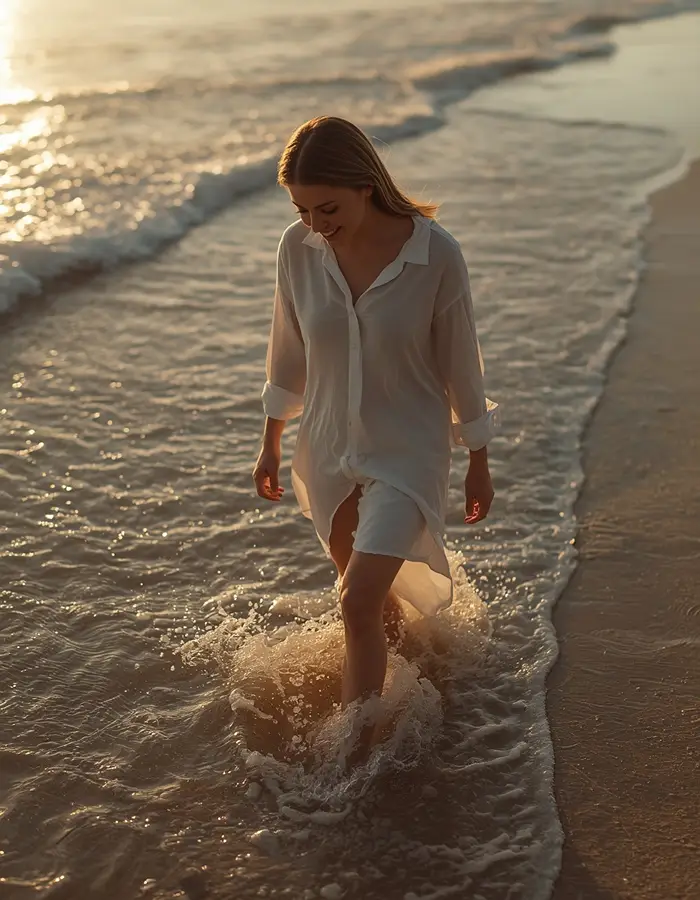
Create a cinematic full-body beach image from the uploaded reference photo while preserving exact identity, skin tone, facial features, hairstyle, and natural body proportions. Show the person walking slowly through ankle-deep waves, looking down with a relaxed expression as sunlight reflects across the water. Use low golden-hour sunlight from behind-left, warm rim lighting around the hair, and cool ambient sky illumination across the face. Add realistic water splashes around the feet, wet fabric edges, footprints disappearing into the surf, and detailed sand texture. Capture with a 50mm lens at f/2.5 and use natural perspective with subtle depth of field. Maintain realistic pores, fine hair, clothing weave, water transparency, and accurate shadows. Use 4:5 portrait composition. No identity change, plastic skin, distorted feet, extra toes, malformed hands, duplicated body parts, artificial water, excessive HDR, text, logo, or watermark.
13: Moody Night Beach
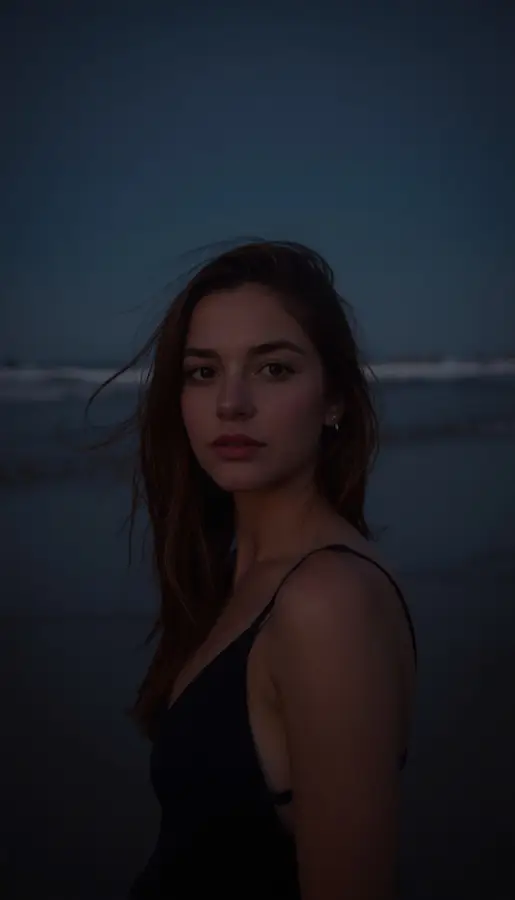
Edit the uploaded adult reference photo into a moody cinematic nighttime beach portrait while preserving the exact facial identity, facial proportions, skin tone, hairstyle, body proportions, and natural imperfections. Place the subject standing near the shoreline under a deep blue-black sky with gentle waves behind. Use cool moonlight as soft ambient illumination and a subtle warm edge light from behind at approximately 3200K to outline the hair and shoulders. Add realistic wet-sand reflections and gentle wave motion. Capture with an 85mm lens at f/1.8, ISO 800 look, shallow depth of field, cinematic low-light framing, and subtle film grain. Keep natural pores and realistic skin texture rather than smoothing. Use 9:16 vertical framing for a dramatic Instagram Story. Avoid face changes, artificial glow, plastic skin, malformed hands, extra fingers, duplicated limbs, unrealistic reflections, text, logos, and watermarks.
14: Ocean Water Portrait
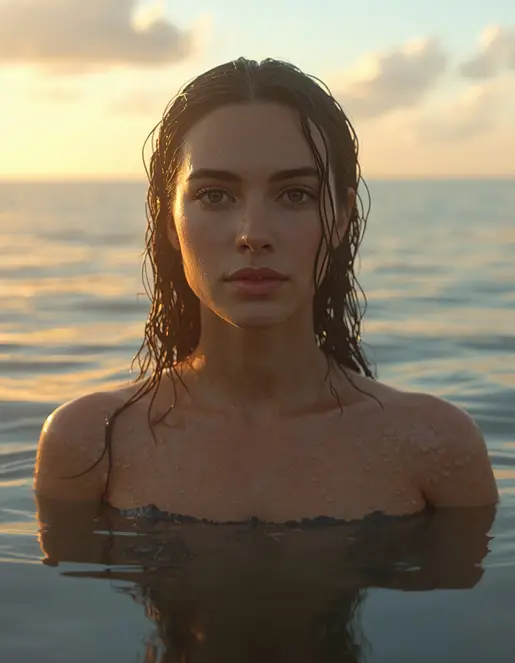
Create an ultra-realistic cinematic ocean portrait using the uploaded reference image, preserving the exact face, skin tone, facial structure, hairstyle, body proportions, and recognizable identity without beautification. Show the subject standing waist-deep in calm seawater with wet hair, naturally visible water droplets on the skin, and a calm expression directed slightly toward the horizon. Use a warm sunset behind the subject, soft golden rim lighting on wet hair and shoulders, and diffuse sky illumination on the face. Render physically accurate water transparency, ripples, droplets, reflections, and submerged clothing or skin. Use an 85mm lens at f/2.0 with compressed perspective and shallow depth of field. Maintain pores, natural skin variation, fine hair strands, and realistic water texture. Use 4:5 portrait framing. Avoid distorted anatomy, extra limbs, fake water, plastic skin, face changes, excessive smoothing, text, logos, or watermarks.
15: Beach Picnic Lifestyle
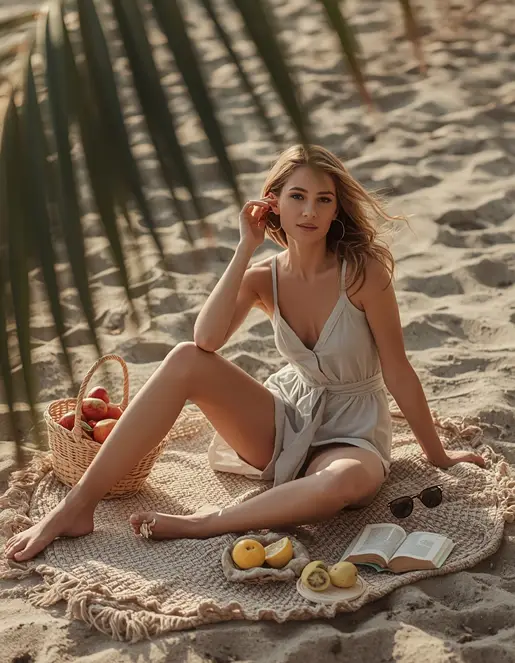
Turn the uploaded reference photo into a realistic lifestyle beach picnic scene while preserving the person’s exact facial identity, skin tone, hairstyle, body proportions, and natural appearance. Place the subject sitting casually on a textured woven picnic blanket near the shoreline with a small basket, fresh fruit, sunglasses, a book, and a lightweight linen outfit. Use soft late-afternoon sunlight from the left, gentle warm highlights, natural sky fill, and subtle shadows from nearby palm leaves. Capture with a 35mm lens at f/2.8, documentary-style framing and realistic foreground-to-background depth. Include detailed woven fabric, fruit surfaces, sand grains, individual hair strands, natural pores, and believable shadows. Use 4:5 Instagram composition. Keep the scene relaxed rather than staged. No identity alteration, artificial skin, distorted hands, extra fingers, floating objects, unrealistic food, text, logos, or watermarks.
16: Friends Jumping at Sunset
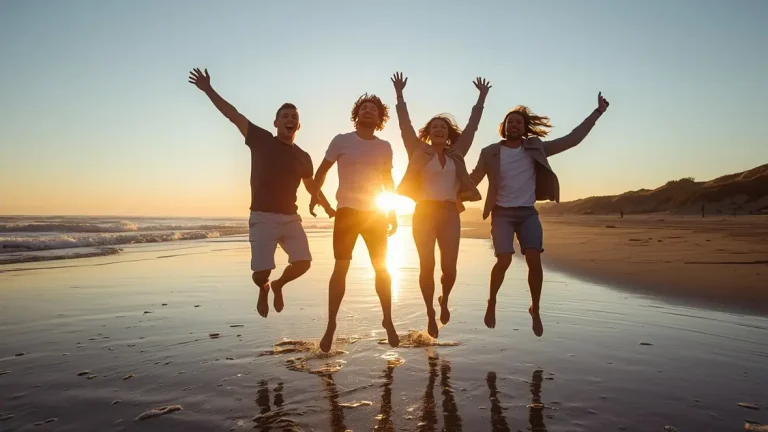
Create a photorealistic sunset beach group photograph using the uploaded reference images of the adult friends, preserving each person’s facial identity, skin tone, facial structure, hairstyle, and body proportions. Show four friends jumping naturally on wet sand near the shoreline during sunset, with genuine laughter, dynamic arm positions, and slightly imperfect timing like a real candid photograph. Use the low sun behind them for warm backlighting and golden rim light while soft sky illumination keeps enough facial detail visible. Add realistic water droplets, footprints, wind-blown clothing, and subtle motion blur around feet and hands. Capture with a 35mm lens at f/4 for enough depth to keep the group sharp. Use 16:9 landscape composition. Preserve natural pores and realistic fabric texture. Avoid identical faces, duplicated bodies, extra fingers, malformed hands, frozen poses, artificial shadows, text, logos, and watermarks.
17: Beach Fashion Editorial
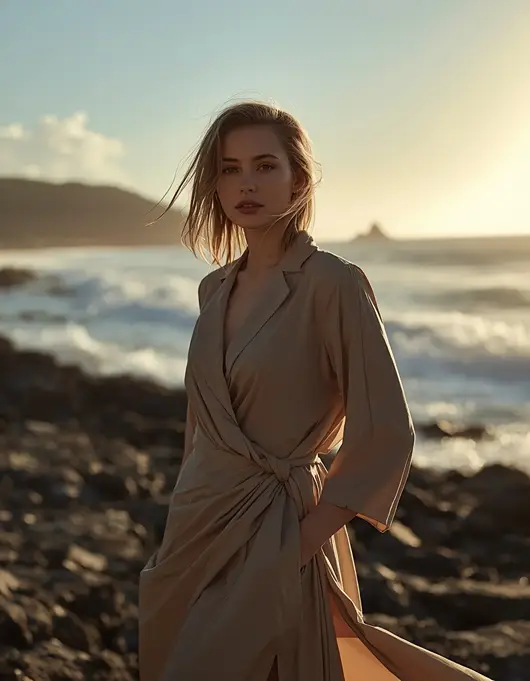
Create a premium editorial beach fashion photograph from the uploaded adult reference image, preserving the exact facial identity, natural skin tone, facial proportions, hairstyle, and body proportions without beautification. Place the subject standing near a dramatic coastline wearing a sophisticated flowing fashion outfit with realistic fabric folds and wind movement. Use directional golden-hour sunlight from the rear-right, subtle cool ambient fill from the sky, and controlled rim lighting along the clothing. Add rocky shoreline textures, ocean spray, natural clouds, and realistic atmospheric haze. Capture with an 85mm lens at f/1.8, strong focal compression, shallow depth of field, and fashion-magazine composition. Keep natural pores, facial asymmetry, individual hair strands, and physically accurate fabric. Use 4:5 portrait format. No face alteration, plastic skin, body reshaping, distorted hands, extra fingers, duplicate limbs, artificial ocean, text, logo, or watermark.
18: Vintage 90s Beach Snapshot
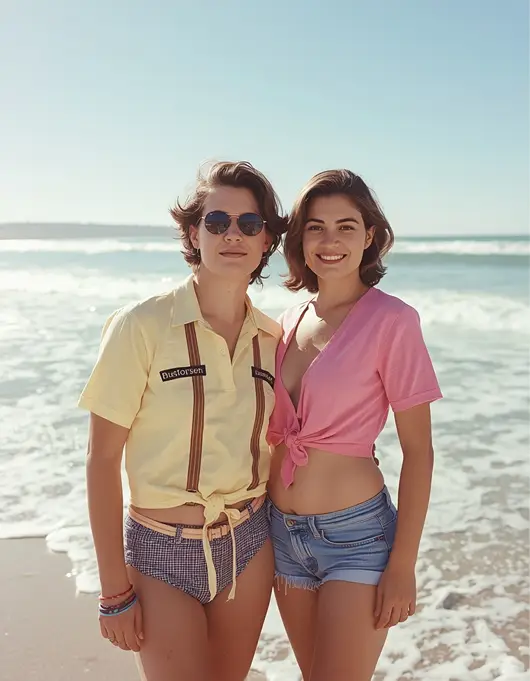
Transform the uploaded reference photo into a believable 1990s beach vacation photograph while preserving the person’s exact identity, facial features, skin tone, hairstyle structure, and body proportions. Dress the subject in period-inspired casual beach clothing with realistic fabric and accessories, placing them near a bright shoreline with a candid vacation pose. Use authentic consumer-film characteristics: direct on-camera flash where appropriate, slightly imperfect exposure, subtle 35mm grain, gentle color fading, natural sunlight, modest highlight clipping, and realistic lens softness. Maintain natural pores, minor imperfections, imperfect framing, and genuine environmental texture rather than making the image look like a modern digital filter. Use a 4:5 composition resembling a printed vacation photograph. Avoid modern HDR, excessive smoothing, altered facial identity, extra fingers, malformed hands, duplicate objects, artificial colors, text, logos, and watermarks.
19: Beach Horse-Riding Scene
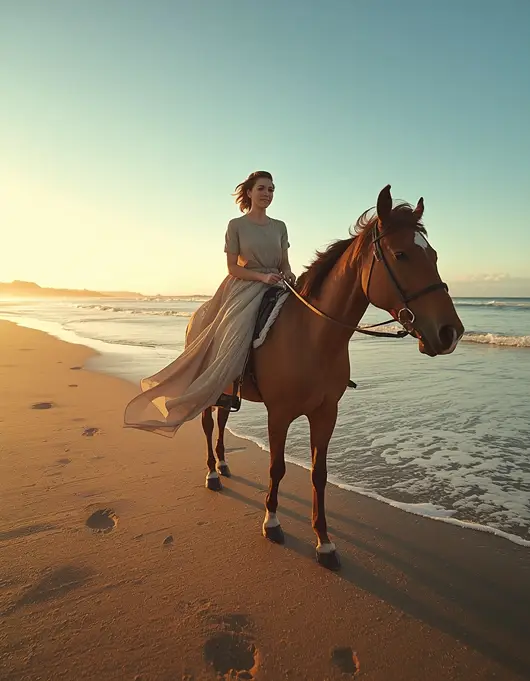
Create an ultra-realistic cinematic beach photograph from the uploaded reference image, keeping the person’s exact face, facial structure, skin tone, hairstyle, age, body proportions, and recognizable identity unchanged. Show the adult subject riding a calm horse along the shoreline during golden hour, wearing a flowing neutral outfit that moves naturally in the sea breeze. The horse should have anatomically correct proportions, realistic muscles, hair, hooves, and natural sand interaction. Use low warm sunlight from behind-left, golden rim light on the rider and horse, and soft blue ambient fill from the sky. Capture with a 70mm lens at f/2.8, natural perspective, realistic depth of field, and cinematic travel-editorial framing. Include accurate footprints, sand displacement, water reflections, and ocean foam. Preserve skin pores and fabric texture. Avoid distorted anatomy, extra limbs, malformed hands, unrealistic horse proportions, face changes, text, logos, or watermark.
20: Cinematic Beach Collage for Instagram
Use the uploaded reference photo as the exact identity source and create a four-frame cinematic beach collage featuring the same adult person with identical face, skin tone, hairstyle, outfit, body proportions, and recognizable features in every frame. Frame one shows a close-up portrait with ocean bokeh; frame two shows a side pose looking toward the horizon; frame three shows the person walking barefoot through shallow waves; frame four shows a back-facing sunset silhouette with one hand touching the hair. Keep the same beach, weather, outfit, and sunset color palette across all images. Use realistic golden-hour light, soft rim illumination, wet-sand reflections, natural skin pores, hair strands, fabric texture, and subtle film grain. Capture each frame with a realistic 50mm lens look at approximately f/2.0. Arrange four horizontal strips vertically in a 9:16 Instagram composition. No identity drift, duplicate body parts, inconsistent clothing, distorted hands, plastic skin, fake reflections, text, logos, or watermarks.
How to Make a Beach Photo Prompt Look More Realistic
A good AI beach edit is not created simply by adding words such as 4K, HD, 8K, cinematic, or high quality. Those terms can describe the desired finish, but realism comes mainly from coherent scene details.
1. Describe the Light, Not Just the Time
Instead of saying “sunset beach,” specify where the light comes from. For example: low sun behind the subject, warm rim light around hair, cool ambient sky fill, soft front illumination, direct flash at dusk, blue moonlight at night, or reflected light from wet sand. This creates a more believable relationship between the person, ocean, sand, and sky.
2. Use Realistic Camera Language
Camera terminology can help establish the intended photographic perspective:
Look
Useful Camera Direction
Portrait
85mm, f/1.8
Natural lifestyle
50mm, f/2–f/2.8
Travel scene
35mm, f/2.8–f/4
Fashion editorial
70–85mm
Group shot
35mm, f/4
Night portrait
85mm, f/1.8, higher ISO look
These are visual instructions rather than guarantees of a particular physical camera setting.
3. Describe the Beach Itself
A weak instruction says: “Put me on a beautiful beach.” A stronger beach photo prompt explains the physical environment: wet sand, shallow foam, footprints, sea breeze, distant horizon, water reflections, palm shadows, shells, atmospheric haze, or rocky coastline. That gives the generator more relationships to construct.
4. Protect the Reference Person’s Identity
For image editing, tell the model what must remain unchanged. This is especially important when the goal is a personal photo rather than a completely fictional character.
Preserve exact facial structure.
Keep the same skin tone.
Keep the same hairstyle.
Preserve recognizable facial features.
Maintain natural body proportions.
Do not beautify the face.
Retain natural pores and minor imperfections.
Do not change age or identity.
Current AI image tools support editing from uploaded images, and both ChatGPT Images and Gemini provide image-editing workflows.
Best Aspect Ratios for Beach AI Photos
The correct composition depends on where the image will be used.
9:16: Instagram Stories, Reels covers and vertical social content
4:5: Instagram feed portraits and general social posts
1:1: Profile pictures and square posts
16:9: YouTube thumbnails, website banners and landscape travel images
3:4: Traditional portrait-style compositions
ChatGPT Images currently supports different aspect ratios, including selecting a ratio through the image interface or specifying one in the prompt.
How to Use Beach Prompts in Gemini
Gemini’s current image workflow supports both creating images from text and editing uploaded images. Google’s guidance recommends starting with action words such as “create,” “generate,” or “draw,” followed by the visual style and detailed description of the subject, action, and background.
A simple workflow is:
Open Gemini’s image-generation experience.
Upload a clear reference photo if you are editing an existing person.
Paste one complete beach photo prompt.
Specify the aspect ratio and intended use.
Generate the first version.
If something is wrong, change one variable at a time.
Refine the lighting, pose, background, or clothing rather than rewriting everything.
For reference-image edits, a clear photo with visible facial features generally gives the model more useful information than a heavily blurred or extremely dark source image.
How to Use Beach Prompts in ChatGPT
ChatGPT Images can create a new image from a written description or edit an existing uploaded image. You can also describe an edit directly in the conversation or use the image editor to target a particular area.
For a beach edit:
Upload your reference photo.
Paste the selected beach photo prompt.
State which elements must remain unchanged.
Generate the image.
Check the face, hands, feet, clothing, horizon, and water.
Ask for a targeted correction if necessary.
For example, instead of regenerating everything, you can request: “Keep the current face and composition unchanged. Correct only the hands and make the ocean reflections physically realistic.” This is usually more precise than adding many unrelated instructions at once.
Common Beach AI Photo Problems and Fixes
The Face Looks Different
Add a stronger identity-preservation clause and reduce unnecessary changes to hairstyle, age, makeup, and facial structure.
The Skin Looks Too Smooth
Ask for visible pores, subtle texture, natural asymmetry, minor imperfections, and no beauty retouching.
The Sunset Looks Fake
Specify the light direction and make the reflections agree with the sun’s position. If the sun is behind the subject, the subject should generally have corresponding rim or backlight rather than unexplained frontal illumination.
Hands Look Distorted
Ask for anatomically correct hands, five natural fingers, relaxed finger positioning, and no overlapping or duplicated digits.
The Ocean Looks Artificial
Add realistic wave foam, water transparency, ripples, horizon perspective, wet-sand reflections, and physically consistent shadows.
The Collage Changes the Person’s Face
State that every panel must use the same identity, hairstyle, skin tone, outfit, and body proportions. Collage prompts should also explicitly request consistent lighting and color grading.
The Image Looks Too Perfect
Real photographs contain small imperfections. Ask for subtle skin texture, imperfect hair strands, natural clothing folds, realistic sand, slight environmental variation, and restrained post-processing.
Beach Photo Prompt Ideas for Instagram
For Instagram content, these combinations work especially well:
9:16 + sunset + back pose for Stories and Reels covers
4:5 + golden hour + close portrait for feed posts
4:5 + couple + shoreline walk for romantic travel content
9:16 + three-panel collage for trending portrait edits
4:5 + direct flash + dusk for casual vacation photography
16:9 + surfing/action for travel or YouTube visuals
1:1 + tropical portrait for profile-style images
Current beach-prompt pages repeatedly feature social-media-friendly portrait formats, cinematic sunset scenes, couple edits, flash photography and collage compositions.
Frequently Asked Questions
What is a beach photo prompt?
A beach photo prompt is a detailed AI instruction that tells an image generator how to create or edit a beach photograph, including the subject, pose, lighting, environment, camera style, mood, and composition.
Which AI is best for beach photo editing?
Both Gemini and ChatGPT can be used for beach image creation and editing. The practical result depends on the prompt, reference image, desired style, and the current image-generation features available in your account. Gemini supports uploaded-image editing, while ChatGPT Images supports both generation and editing of existing images.
Can I use these prompts for Gemini AI?
Yes. These prompts are written in natural language and can be adapted for Gemini’s image-generation and editing workflow. Google’s current guidance specifically recommends describing the subject, action, background, and visual style in detail.
Can I use the same prompts in ChatGPT?
Yes. You can paste the prompts into ChatGPT’s image workflow and upload a reference image when the prompt is designed for editing. ChatGPT currently supports creating images from prompts and modifying uploaded or generated images.
How do I make an AI beach photo look like a real camera photo?
Describe realistic lighting, lens perspective, depth of field, skin texture, hair movement, fabric, sand, water, reflections, and natural imperfections. Avoid relying only on words such as “8K” or “ultra HD.”
What is the best beach photo prompt for a couple?
A strong couple prompt should identify both people, preserve both identities, describe their interaction, specify the shoreline and lighting, and include realistic reflections, waves, clothing movement, and a suitable camera perspective.
Which aspect ratio is best for Instagram beach photos?
Use 4:5 for most feed portraits and 9:16 for Stories and Reels-style vertical content. Use 1:1 when you specifically want a square image.
How can I create a beach photo without changing my face?
Upload a clear reference photo and explicitly instruct the AI to preserve the exact facial structure, skin tone, hairstyle, recognizable features, natural imperfections, and identity. Also include “no beautification” and “do not alter identity.”
Why does my AI beach photo look fake?
The most common causes are vague scene descriptions, inconsistent lighting, unrealistic water reflections, excessive skin smoothing, poor source images, and too many conflicting instructions. Correct one problem at a time rather than adding more generic quality words.
Final Thoughts
The best results come from treating an AI edit like a real photoshoot: define the subject, pose, location, light source, camera perspective, environmental texture, composition, and what must remain unchanged. Sunset scenes are popular, but a strong beach edit can also use flash photography, night lighting, tropical travel, action, fashion, water portraits, couples, collages, or vintage film aesthetics.
If you want a realistic personal edit, prioritize identity preservation and natural texture. If you want an Instagram-ready result, decide the aspect ratio before generating. And if the first image looks slightly wrong, refine one element at a time instead of replacing the entire prompt.
With the right beach photo prompt, Gemini, ChatGPT, and other AI image tools can turn an ordinary portrait into a convincing coastal photoshoot while giving you control over the mood, pose, lighting, background, and final composition. For more seaside styles and other creative edits, explore the full collection of AI photo editing prompts on the EditPrompts homepage.