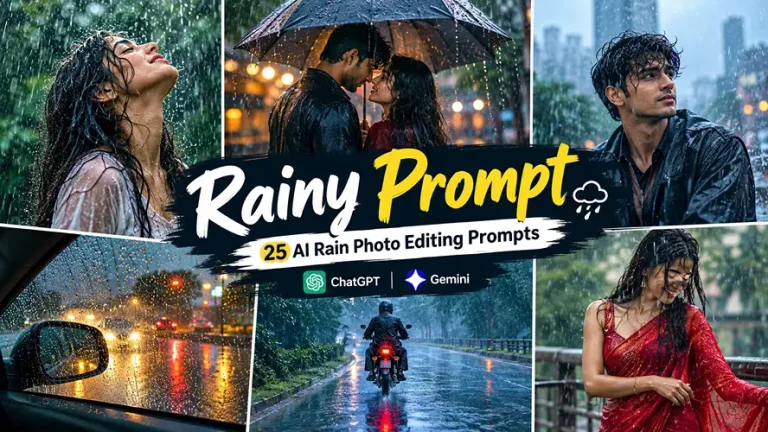
A rainy prompt can turn an ordinary portrait into a cinematic monsoon scene with realistic raindrops, wet hair, reflective streets, umbrellas, fog, soft bokeh, and dramatic lighting. The best results come from describing the entire photographic scene instead of simply asking an AI tool to “add rain.”
These prompts are designed for Gemini, ChatGPT, and other AI image editors that support image references. They cover romantic couple photos, girls, boys, rain in cars, umbrellas, bikes, sarees, rainy windows, night scenes, daytime monsoon photography, and Instagram-ready compositions. Current rain-editing results repeatedly emphasize cinematic lighting, wet surfaces, reflections, camera language, and face preservation, so these details are built directly into the prompts. For more styles beyond rainy edits, explore the full collection of AI photo editing prompts on the EditPrompts homepage.
25 Rainy Prompt Ideas for Gemini and ChatGPT
The easiest way to use these is to upload a clear reference photo first, then paste the selected prompt. If you want to change the clothing, location, rain intensity, or mood, edit only that part while keeping the identity and realism instructions intact.
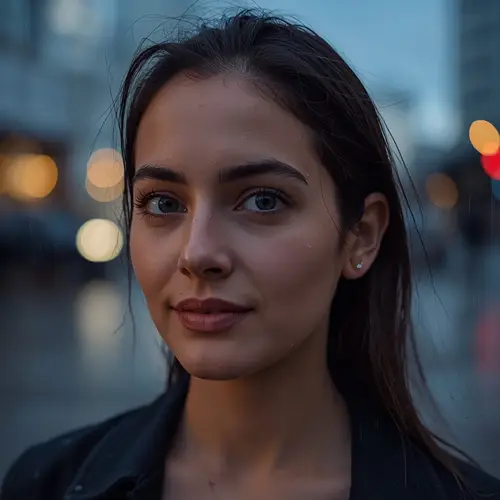
1. Cinematic Rain Portrait
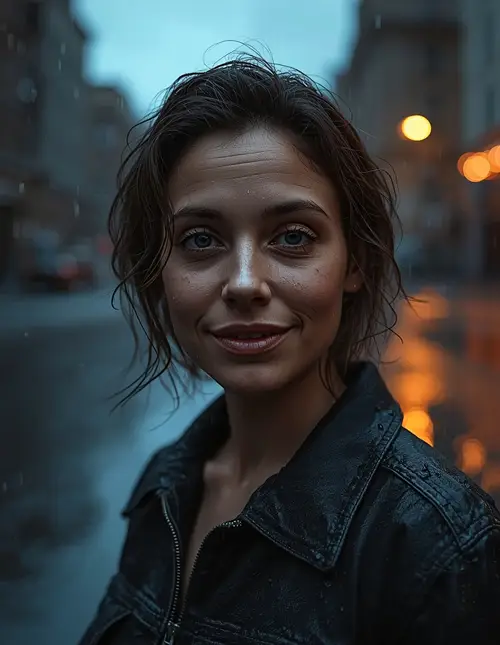
This rainy prompt creates a classic movie-style portrait that works particularly well for profile pictures and Instagram posts.
Transform the uploaded reference photo into a cinematic portrait during a realistic evening rainstorm, preserving the person’s exact facial identity, facial structure, skin tone, eye shape, nose, lips, hairstyle, age appearance, and recognizable features without beautification or identity changes. Keep natural pores, subtle skin texture, minor asymmetry, and realistic facial detail instead of plastic or overly smooth skin. Place the subject on a quiet wet city street with gentle rain falling naturally around the body, slightly damp hair, and small water droplets visible on the jacket and shoulders. Use cool blue ambient light from the cloudy sky with a soft warm streetlight from the rear-right creating a subtle rim light. Shoot from eye level with an 85mm lens at f/2.0, shallow depth of field, natural perspective, soft realistic bokeh, accurate wet pavement reflections, physically believable shadows, and cinematic color grading. Give the subject a relaxed expression and natural posture. Use a 4:5 portrait composition. No extra fingers, malformed hands, distorted face, duplicated body parts, artificial skin, excessive smoothing, text, watermark, logo, or unrealistic rain.
2. Rainy Day Girl Portrait
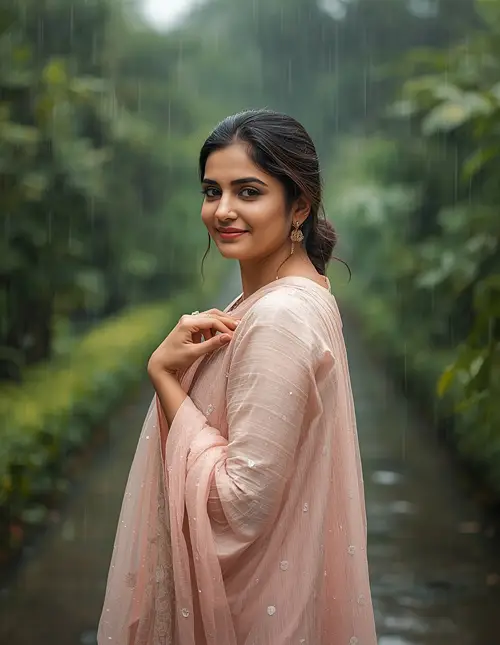
A softer daytime rainy prompt works well when you want a bright monsoon photograph instead of a dark night edit.
Edit the uploaded woman’s photo into a photorealistic rainy-day portrait while preserving her exact identity, facial proportions, skin tone, hairstyle, recognizable features, and natural expression with no beautification or facial reshaping. Retain visible pores, fine skin texture, subtle asymmetry, and individual hair strands. Place her on a lush garden pathway during a gentle monsoon shower, wearing an elegant pastel kurta with a lightweight dupatta that becomes naturally damp from the rain. Let her smile softly while turning slightly toward the falling rain, with one hand gently touching the dupatta. Use overcast daylight as a large soft light source from above and slightly left, approximately 6500K, with subtle reflected fill from wet greenery. Capture realistic droplets on leaves, fabric, and hair without covering the face. Use an 85mm lens at f/2.2, shallow depth of field, natural bokeh, realistic fabric texture, wet stone reflections, and a 4:5 portrait composition. Avoid plastic skin, altered identity, unnatural anatomy, extra fingers, distorted hands, duplicated objects, fake-looking rain, text, watermark, and logos.
3. Rainy Prompt for Boys With Umbrella
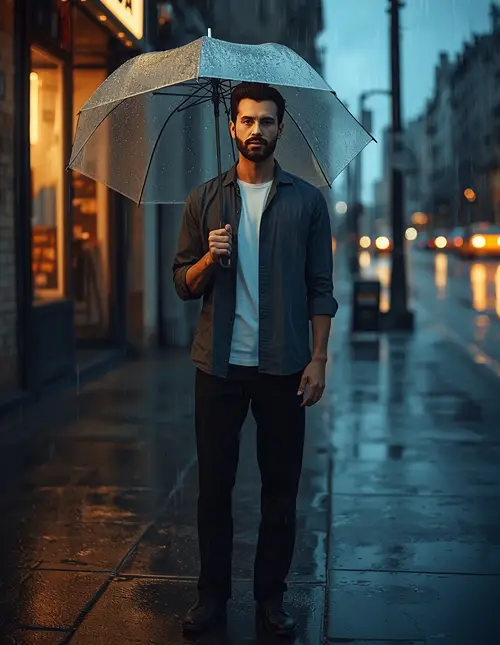
For a masculine street-style image, this rainy prompt combines an umbrella, wet pavement, and urban lighting.
Using the uploaded reference image, create a realistic cinematic portrait of the same man standing on a rain-soaked urban street at blue hour, preserving his exact face, skin tone, facial structure, hairstyle, beard pattern, body proportions, and recognizable identity without changing or beautifying his appearance. Keep natural pores, small imperfections, realistic skin texture, and individual beard and hair strands. Dress him in a dark charcoal overshirt, plain white T-shirt, straight black trousers, and clean sneakers, holding a transparent umbrella naturally above one shoulder. Add moderate rainfall with individual streaks visible against the darker background and realistic droplets on the umbrella. Use cool 6000K ambient sky light with a warm 3200K storefront light from the left creating subtle edge highlights. Photograph from a slightly low eye-level angle using a 50mm lens at f/1.8, shallow depth of field, realistic city bokeh, wet asphalt reflections, and cinematic contrast. Use a 4:5 composition. No changed face, artificial skin, extra fingers, malformed hands, duplicated umbrella, distorted anatomy, text, watermark, or unwanted logo.
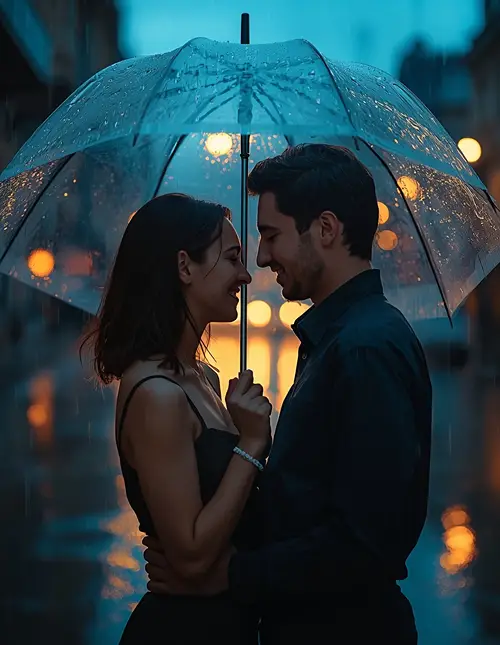
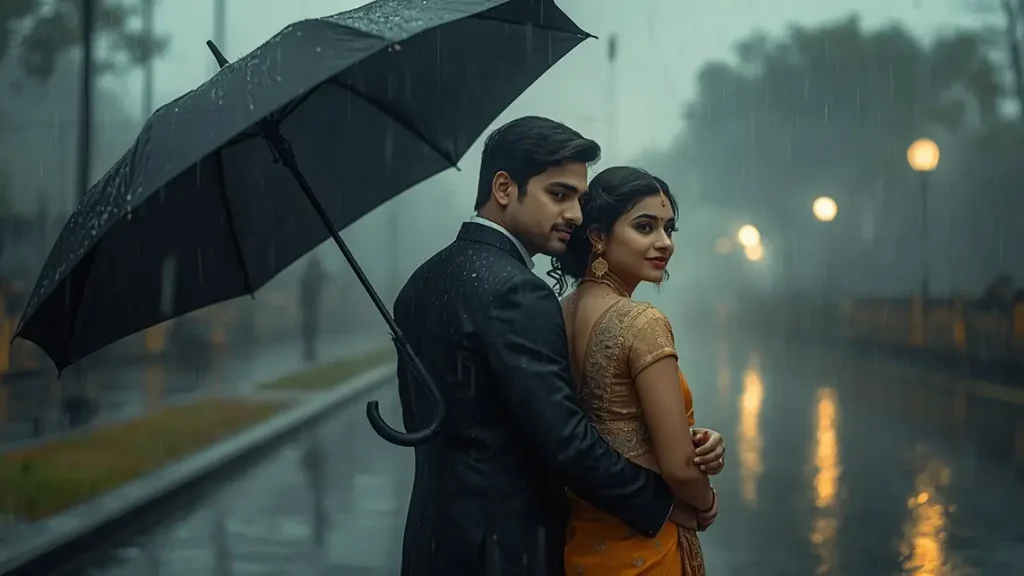
4. Romantic Couple Under One Umbrella
Romantic umbrella scenes are one of the most consistent concepts across current rain-photo results, particularly when combined with wet roads and warm/cool lighting contrast.
Create a romantic cinematic couple photograph from the two uploaded reference photos, preserving both people’s exact facial identities, facial structures, skin tones, hairstyles, body proportions, and recognizable features without beautification or identity drift. Retain natural pores, subtle skin texture, facial asymmetry, and realistic hair strands on both subjects. Place the couple close together beneath one transparent umbrella on a quiet rain-soaked street after sunset, with the woman naturally holding the man’s arm while they exchange a gentle smile. Add realistic rain streaks around them and small water droplets on the umbrella and clothing. Use cool blue ambient evening light combined with warm 3200K streetlights behind the couple, producing a subtle golden rim light and reflections on the wet pavement. Shoot at eye level with a 50mm lens at f/1.8, shallow depth of field, natural perspective, soft city bokeh, realistic fabric and umbrella transparency, and a cinematic 4:5 composition. No altered faces, plastic skin, stiff poses, extra fingers, malformed hands, duplicated limbs, text, watermark, or logo.
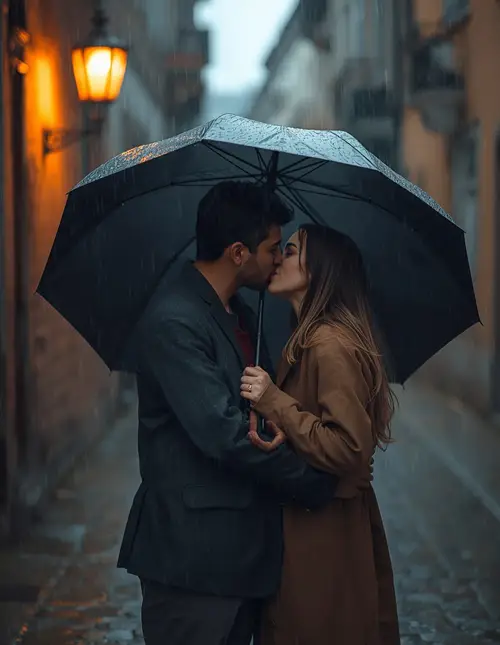
5. Rain Kiss Couple Photo
For a more intimate romantic scene, use this variation rather than simply asking for a “romantic rain couple.”
Transform the uploaded couple photo into a realistic cinematic rain scene while preserving both individuals exactly as they appear, including facial structure, skin tone, hairstyle, age appearance, body proportions, and recognizable features; do not beautify, reshape, or replace either face. Maintain natural pores, fine skin texture, small imperfections, and authentic facial asymmetry. Place the couple standing close together under light-to-moderate rain on a quiet old-town street, sharing a gentle natural kiss while one partner holds a dark umbrella slightly behind them. Their clothing should look naturally damp with physically accurate fabric folds and subtle water-darkened areas. Use a warm streetlamp from behind at approximately 3200K as a rim light and cool 6000K ambient rain light from the front, with soft reflections on cobblestones. Capture the scene with an 85mm lens at f/2, shallow depth of field and creamy bokeh. Use a 4:5 romantic portrait composition. No exaggerated poses, distorted faces, unnatural hands, extra fingers, duplicated limbs, artificial skin, text, watermark, or logo.
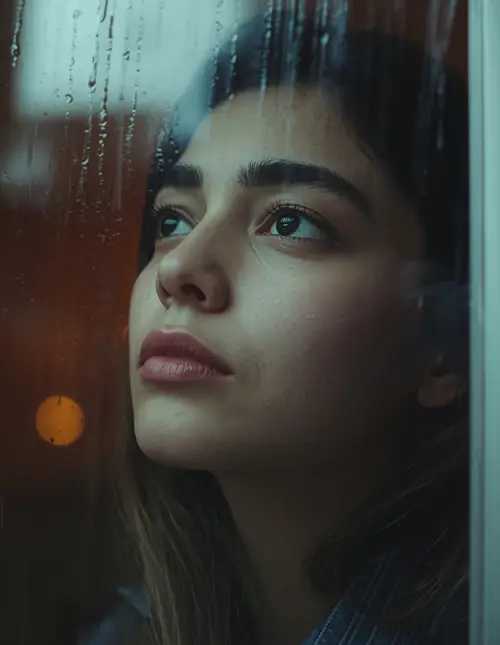
6. Rainy Window Portrait
Rain-covered glass is useful when you want the rain effect to remain mainly in the foreground instead of covering the person.
Edit the uploaded portrait into an emotional cinematic photograph viewed through a rain-covered glass window, preserving the subject’s exact facial identity, facial proportions, skin tone, hairstyle, and recognizable features with no beautification or identity change. Keep natural pores, realistic skin texture, subtle asymmetry, and individual hair strands. Position the person indoors beside the window, looking slightly upward with a thoughtful expression while realistic water droplets and vertical trails remain on the glass between the camera and subject. Do not place artificial droplets directly over the face. Use soft diffused daylight from outside at approximately 6500K, with gentle warm interior fill around 4000K, creating a balanced natural color contrast. Shoot with a 50mm lens at f/1.8, close-up framing, shallow depth of field, sharp eyes, realistic glass reflections, subtle foreground bokeh, and natural film grain. Use 4:5 composition. No altered identity, plastic skin, distorted eyes, extra fingers, fake glass, text, watermark, or logo.
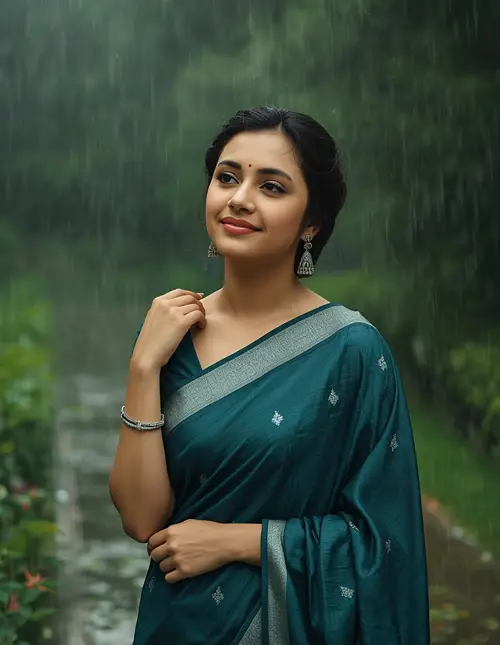
7. Rainy Prompt for Girls in Saree
An Indian monsoon setting can make the image feel more culturally specific without relying on generic rain filters. Saree, garden, wet fabric, and soft daylight are useful combinations seen across current prompt trends.
Create a photorealistic monsoon portrait from the uploaded woman’s reference image, keeping her exact face, skin tone, facial structure, hairstyle, age appearance, and recognizable identity unchanged with no beautification or facial modification. Preserve natural pores, realistic skin texture, subtle imperfections, and individual hair strands. Dress her in an elegant deep teal saree with a subtle traditional border, realistic woven fabric, small silver earrings, and delicate bangles. Place her on a rain-soaked garden pathway with lush green plants and scattered wet flowers, gently holding one side of her saree while looking toward the falling rain with a peaceful smile. Add moderate rainfall, realistic droplets on the fabric and leaves, and damp hair strands without obscuring the face. Use soft overcast 6500K daylight from above-left with gentle green reflected fill. Shoot on an 85mm lens at f/2.2 with shallow depth of field and realistic bokeh. Use 4:5 portrait framing. No identity change, artificial skin, excessive smoothing, malformed hands, extra fingers, distorted fabric, text, watermark, or logo.
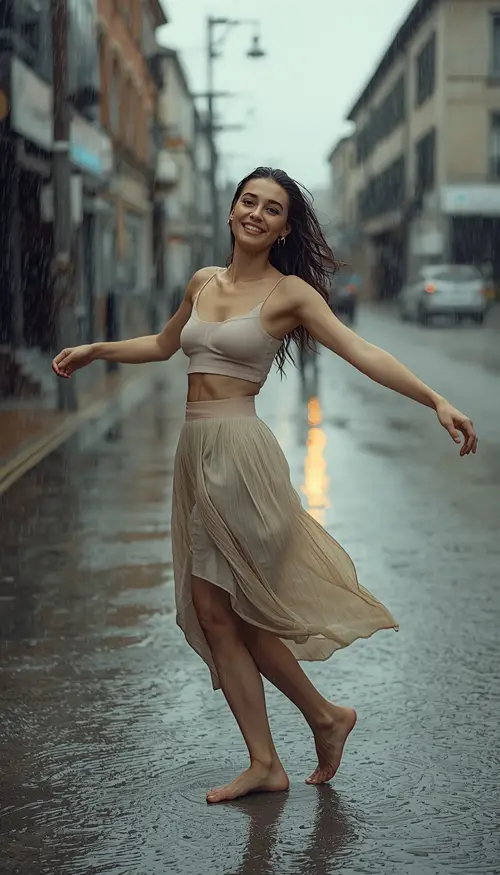
8. Rain Dance Girl
This rainy prompt is designed for movement rather than a stiff standing portrait.
Transform the uploaded woman’s photo into a joyful cinematic monsoon dance scene while preserving her exact facial identity, facial structure, skin tone, hairstyle, and recognizable features without beautification or identity changes. Keep natural skin pores, subtle texture, realistic asymmetry, and individual hair strands. Place her on a wet open street during a gentle-to-moderate downpour, arms naturally extended as she turns slightly while enjoying the rain, with a genuine relaxed smile and realistic movement in her damp hair and flowing outfit. Use a flowing pastel skirt and lightweight top with physically accurate wet fabric behavior. Illuminate the scene with soft overcast daylight around 6200K and a subtle warm reflected glow from nearby buildings. Use a 35mm lens at f/2.8 from a slightly low dynamic angle, with natural motion in the clothing, realistic puddle splashes, wet ground reflections, and cinematic depth. Use 9:16 vertical composition for Instagram or Reels cover art. No stiff pose, extra limbs, malformed hands, distorted face, plastic skin, duplicated body parts, text, watermark, or logo.
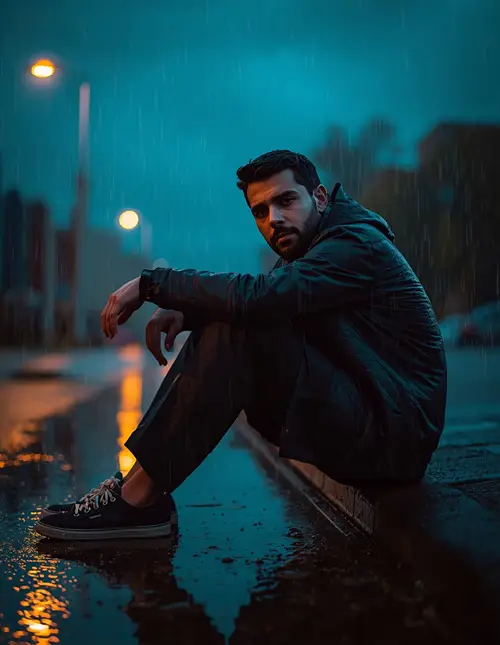
9. Moody Boy Sitting in Heavy Rain
Using the uploaded reference photo, create a dramatic but realistic photograph of the same man sitting on a wet pavement during heavy evening rain, preserving his exact facial identity, facial proportions, skin tone, hairstyle, beard, and body proportions with no identity alteration or beautification. Maintain natural pores, subtle skin imperfections, realistic skin texture, and detailed individual hair and beard strands. Place him sitting naturally with one knee raised and one arm resting casually over it, looking toward the camera with a quiet reflective expression rather than an exaggerated sad pose. Dress him in a dark waterproof jacket, relaxed trousers, and simple sneakers with realistic wet materials. Use a warm 3200K streetlamp from the rear-left and cool blue 6000K ambient light from the cloudy sky, creating dimensional highlights across the rain. Shoot on a 50mm lens at f/2, eye-level perspective, shallow depth of field, wet pavement reflections, realistic puddles, and cinematic color grading. Use 4:5 framing. No distorted face, unnatural anatomy, extra fingers, duplicated limbs, artificial skin, excessive rain streaks, text, watermark, or logo.
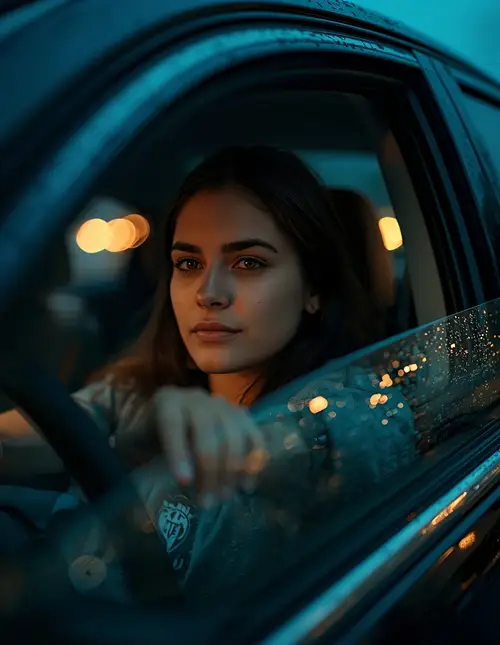
10. Rain in Car With Window Reflections
Rainy car edits work particularly well because the glass provides a natural foreground layer and the dashboard creates a second light source. Current rain-edit examples use this combination for moody portraits.
Transform the uploaded portrait into a realistic cinematic photograph of the same person sitting inside a parked car during a rainy evening, preserving exact facial identity, skin tone, facial structure, hairstyle, body proportions, and recognizable features without beautification or identity change. Retain natural pores, fine skin texture, subtle asymmetry, and individual hair strands. Position the subject in the driver’s seat looking through the side window with a calm thoughtful expression, one hand resting naturally near the steering wheel. Add realistic rain droplets and water trails on the outside of the glass, subtle condensation around the edges, and blurred headlights beyond the window. Use cool blue ambient light from the rainy street with warm 3000K dashboard illumination softly filling the lower face. Capture with a 50mm lens at f/1.8, shallow depth of field, realistic glass reflections, soft bokeh, natural perspective, and cinematic contrast. Use 4:5 composition. No altered identity, distorted hands, extra fingers, artificial skin, fake glass reflections, text, watermark, or logo.
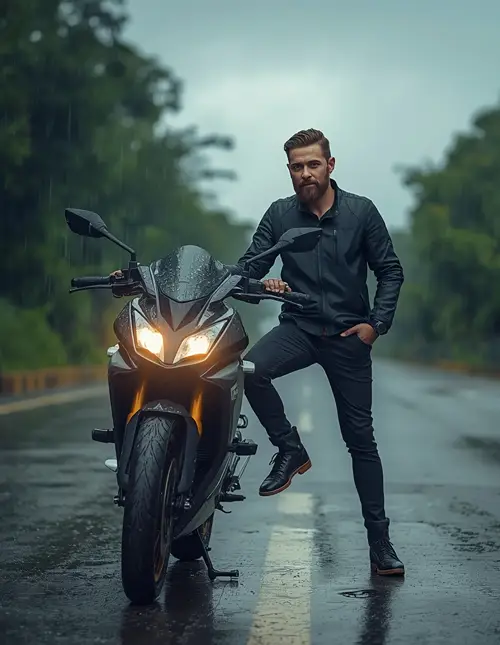
11. Rainy Bike Portrait
Edit the uploaded man’s photo into a photorealistic monsoon motorcycle portrait while keeping his exact facial features, skin tone, hairstyle, beard, body proportions, and identity unchanged with no beautification or facial reshaping. Preserve natural pores, skin texture, subtle imperfections, and individual hair strands. Place him beside a modern black motorcycle on a rain-soaked roadside with one hand resting naturally on the handlebar and his body turned slightly toward the camera. He wears a dark waterproof riding jacket, fitted trousers, and realistic boots, with subtle water droplets on the helmet and motorcycle surfaces. Add moderate rain, small puddles, wet asphalt reflections, and distant green trees softened by mist. Use cool 6000K cloudy daylight as the main source with a subtle warm headlight glow from the motorcycle. Shoot with a 35mm lens at f/2.8 from a slightly low angle, realistic depth, natural reflections, and cinematic monsoon grading. Use 4:5 framing. No altered face, extra fingers, malformed hands, duplicated motorcycle parts, unrealistic reflections, plastic skin, text, watermark, or logo.
12. Rainy Prompt for Instagram DP
For profile photos, keep the composition tighter and avoid letting rain dominate the face.
Create a premium Instagram profile portrait from the uploaded reference image, preserving the person’s exact facial identity, facial structure, skin tone, hairstyle, eye shape, and recognizable features without beautification or identity change. Maintain visible pores, subtle skin texture, natural facial asymmetry, and realistic hair detail. Place the subject under light rain at blue hour with a softly blurred city background, damp hair, and a few realistic droplets on the shoulders and outer hair rather than covering the face. Use a simple dark jacket and natural expression with relaxed shoulders. Illuminate the face using a soft neutral key light from the front-left at approximately 5000K, with a cool blue rim from behind and gentle warm bokeh in the distance. Use an 85mm lens at f/1.8, tight head-and-shoulders framing, natural perspective, creamy bokeh, realistic rain streaks, and subtle cinematic color grading. Use a 1:1 square composition. No face alteration, artificial skin, excessive smoothing, distorted eyes, malformed anatomy, text, watermark, or logo.
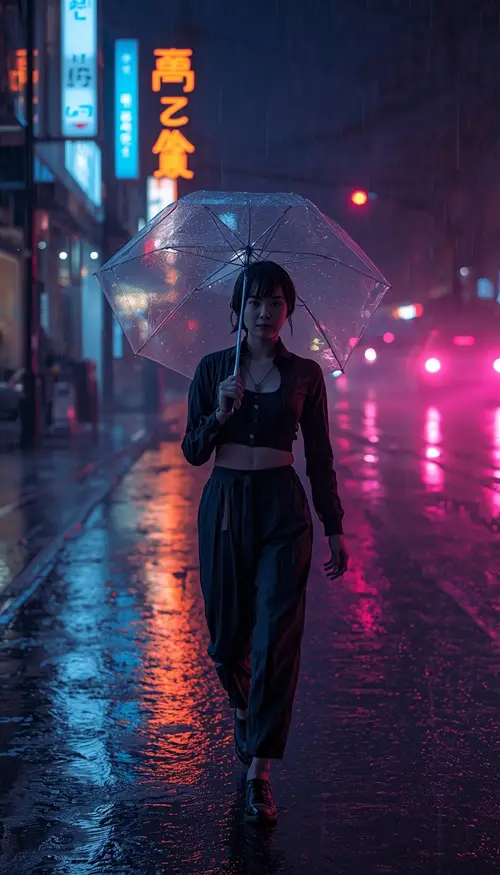
13. Neon Rain Street Portrait
Neon reflections are a recurring visual direction in current cinematic rain results because wet pavement naturally provides additional reflective surfaces.
Transform the uploaded reference photo into a high-end cinematic night portrait on a rain-soaked neon city street, preserving the subject’s exact facial identity, skin tone, facial structure, hairstyle, body proportions, and recognizable characteristics with no beautification or identity changes. Keep realistic pores, natural skin texture, subtle asymmetry, and individual hair strands. Dress the subject in a dark minimalist streetwear outfit and place them walking slowly toward the camera while holding a transparent umbrella. Add realistic heavy rain, wet asphalt, colorful but physically believable reflections from shop lights, distant cars, and soft fog near the road surface. Use a cool blue 6000K ambient city light from the front-right and warm magenta-orange practical lights from the background, creating controlled rim lighting rather than oversaturated skin. Shoot with a 50mm lens at f/1.8, eye-level camera, shallow depth of field, natural bokeh, cinematic contrast, and realistic wet-material reflections. Use 9:16 vertical composition. No excessive neon, altered face, extra fingers, distorted hands, duplicated people, plastic skin, text, watermark, or logos.
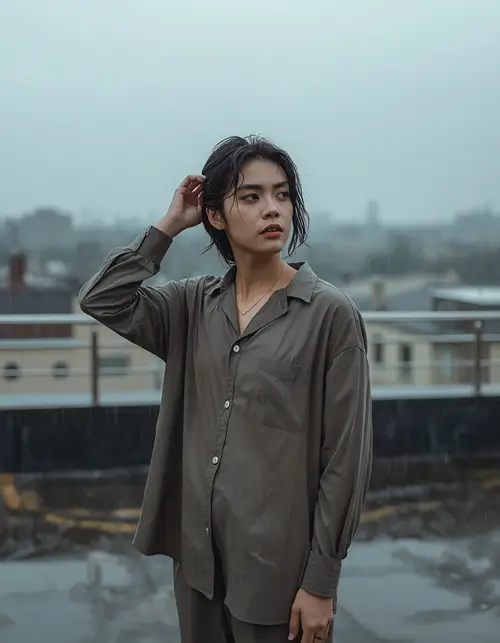
14. Peaceful Rooftop Rain Scene
Using the uploaded reference photo, create a peaceful cinematic rooftop photograph during a gentle monsoon shower while preserving the person’s exact face, facial structure, skin tone, hairstyle, body proportions, and recognizable identity with no beautification or facial changes. Retain natural pores, subtle skin imperfections, realistic texture, and individual hair strands. Place the subject near a simple rooftop railing, looking toward distant buildings while lightly touching their damp hair, with a relaxed contemplative expression. Clothing should be a loose neutral overshirt and trousers with realistic wet fabric texture. Add fine rain falling through the frame, shallow puddles on the rooftop, distant hazy buildings, and soft mist. Use cool overcast daylight around 6500K as the main source with gentle reflected light from the wet concrete. Shoot with a 50mm lens at f/2.2, eye-level angle, natural depth, realistic atmospheric perspective, and muted cinematic color grading. Use 4:5 composition. No artificial skin, identity change, extra fingers, malformed hands, distorted anatomy, unrealistic puddles, text, watermark, or logo.
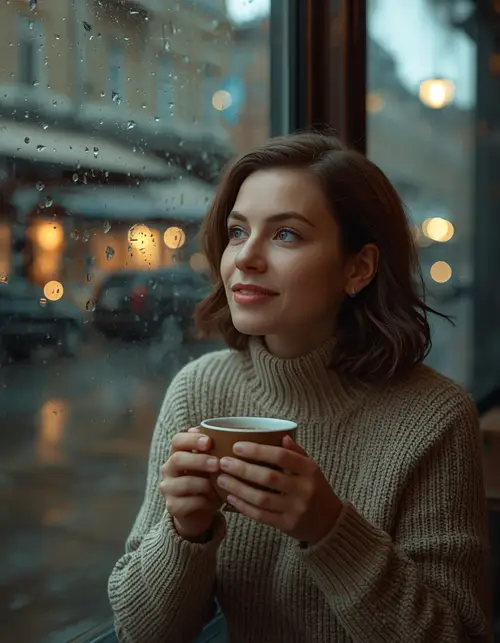
15. Rainy Cafe Window Scene
Edit the uploaded portrait into a cozy cinematic cafe scene during rain while keeping the person’s exact facial identity, facial proportions, skin tone, hairstyle, and recognizable features unchanged without beautification. Preserve natural pores, realistic skin texture, subtle asymmetry, and fine hair detail. Place the subject seated beside a large cafe window covered with realistic rain droplets, holding a warm ceramic coffee cup with both hands and looking outside with a soft thoughtful smile. Dress them in a textured beige knit sweater with physically accurate fabric fibers. Outside the window, show a softly blurred rainy street with umbrellas and warm storefront lights. Use warm 3200K pendant lighting above and behind the subject with cool 6500K daylight entering through the window from the side, producing natural mixed-light photography. Use an 85mm lens at f/1.8, shallow depth of field, realistic glass reflections, natural bokeh, and detailed ceramic and fabric textures. Use 4:5 framing. No altered face, malformed hands, extra fingers, fake coffee, artificial skin, text, watermark, or logo.
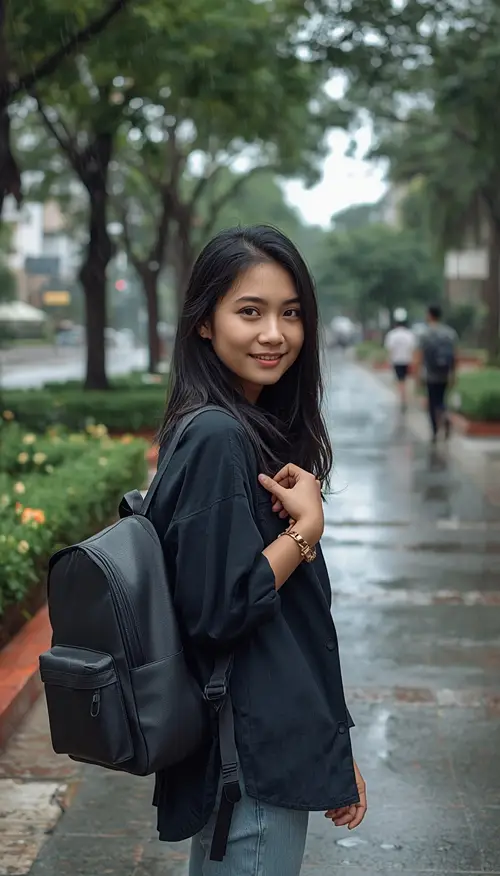
16. Rainy College Road Aesthetic
Transform the uploaded student portrait into a realistic monsoon campus photograph while preserving the exact facial identity, facial structure, skin tone, hairstyle, age appearance, and recognizable features with no beautification or identity change. Keep natural pores, subtle skin texture, minor imperfections, and realistic hair strands. Place the subject walking along a university pathway after a rain shower, carrying a simple backpack and gently holding one hand near the shoulder strap, with wet pavement, green trees, small flowers, puddles, and distant students softly blurred in the background. Clothing should be casual and age-appropriate with realistic fabric texture and slight dampness. Use bright overcast daylight around 6500K with soft natural fill from wet surroundings. Capture the scene using a 35mm lens at f/2.8, eye-level perspective, subtle depth of field, realistic reflections, and natural colors. Use 9:16 vertical framing for social media. No identity change, plastic skin, unnatural anatomy, extra fingers, duplicated people, text, watermark, or unwanted logos.
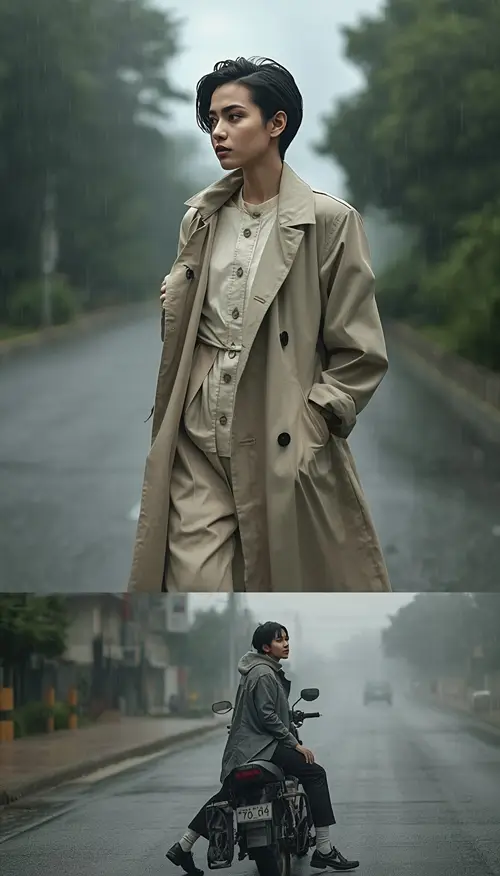
17. Rainy Road Fashion Collage
Create a three-frame vertical fashion collage from the uploaded reference image, keeping the same person’s exact face, skin tone, hairstyle, facial structure, body proportions, and identity consistent in every frame without beautification or identity drift. Preserve natural pores, subtle skin texture, realistic asymmetry, and individual hair detail. Frame one shows the subject standing on a wet road holding the collar of a lightweight trench coat while looking sideways; frame two shows the subject walking naturally toward the camera with one hand in a pocket; frame three shows the subject sitting beside a parked motorcycle looking toward the rainy distance. Use realistic monsoon weather, light fog, wet pavement, green trees, puddles, and soft rain particles. Use bright 6000K overcast daylight with subtle reflected light from the road. Shoot with a 50mm lens at f/2.2 and consistent natural perspective, realistic motion, fabric texture, and cinematic editorial grading. Use 9:16 composition. No face changes between frames, duplicated limbs, malformed hands, artificial skin, inconsistent clothing, text, watermark, or logo.
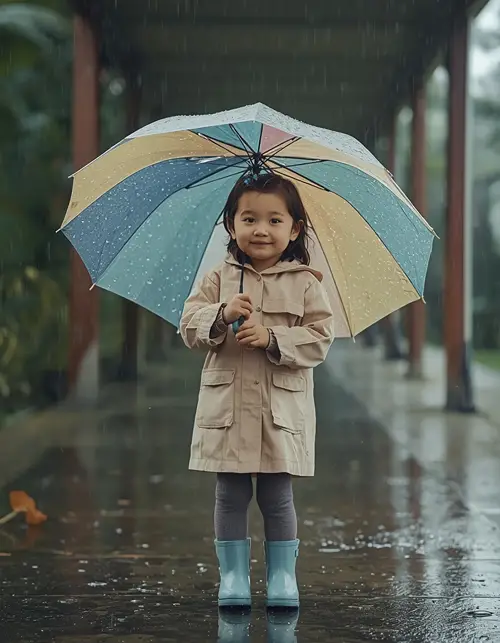
18. Rainy Baby Girl Portrait
For children, a softer and safer visual treatment works better than dramatic wet-clothing effects.
Create a gentle photorealistic rainy-day portrait of the child in the uploaded reference image, preserving her exact facial identity, natural skin tone, facial proportions, hairstyle, and recognizable features without beautification or age alteration. Retain natural pores, fine skin texture, subtle asymmetry, and realistic individual hair strands. Place the child safely under a colorful transparent umbrella on a covered garden walkway during a light monsoon drizzle, wearing a comfortable dry pastel raincoat and simple boots. Her expression should be cheerful and natural while she looks at small raindrops outside the umbrella. Use soft overcast daylight around 6500K with gentle reflected light from wet plants and pavement. Capture with an 85mm lens at f/2.8, eye-level camera, shallow depth of field, realistic umbrella transparency, wet leaves, tiny puddle reflections, and soft natural bokeh. Use a 4:5 portrait composition. No altered face, age change, unsafe environment, distorted hands, extra fingers, artificial skin, text, watermark, or logo.
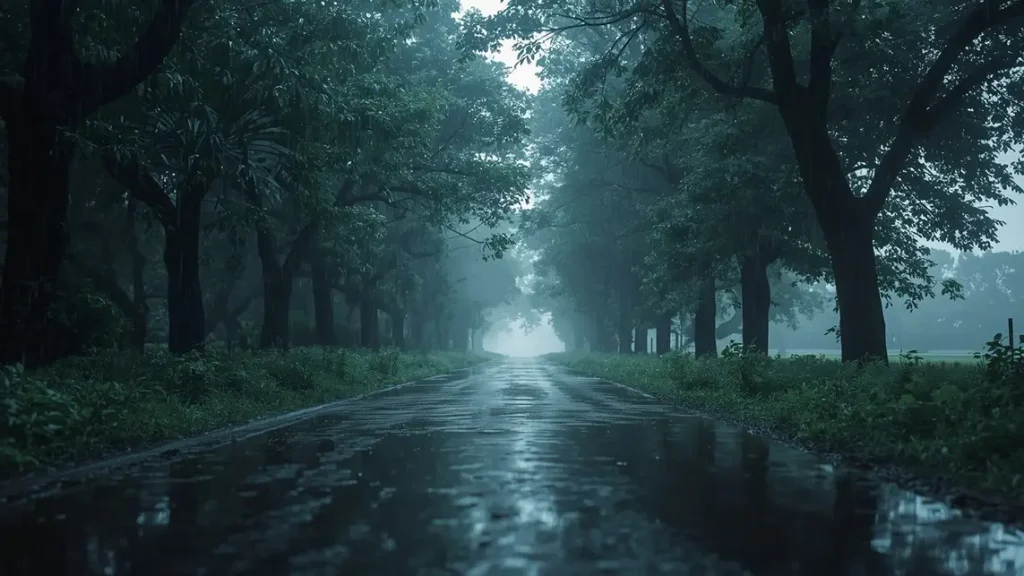
19. Rainy Landscape With No Person
A useful content gap is remembering that a rain image does not always need a person. You can use the same photographic principles for scenery.
Generate a photorealistic cinematic monsoon landscape with no human subjects, showing a quiet tree-lined road after a fresh rain shower, dark green foliage covered with realistic water droplets, shallow puddles reflecting the cloudy sky, light mist between distant trees, and fine rainfall still falling in the foreground. Use physically accurate wet surfaces, natural leaf texture, realistic bark, tiny water ripples, and atmospheric depth. Light the scene with soft overcast daylight around 6500K coming from above, with slightly brighter reflected light from the wet road. Capture the landscape with a 35mm lens at f/5.6 for balanced environmental detail, natural perspective, realistic depth, subtle cinematic contrast, and restrained color grading. Compose the image as a 16:9 landscape photograph suitable for a background or YouTube thumbnail. Avoid people, buildings unless naturally distant, artificial textures, excessive fog, unrealistic rain, text, watermark, logos, and oversaturated colors.
20. Rainy Bollywood-Inspired Cinematic Scene
Transform the uploaded couple photo into an original Indian cinematic rain scene with a classic romantic-film atmosphere while preserving both people’s exact facial identities, facial structures, skin tones, hairstyles, body proportions, and recognizable features without beautification or identity alteration. Keep natural pores, subtle skin texture, facial asymmetry, and realistic hair strands. Place the couple on a quiet rain-soaked outdoor location with one person holding a dark umbrella while the other turns toward them with a warm natural smile, creating an emotional storytelling moment without copying any specific film, actor, or copyrighted scene. Dress them in elegant contemporary Indian clothing with physically accurate fabric folds and rain-darkened material. Use warm 3200K backlight behind the couple combined with cool 6000K cloudy ambient light, realistic mist, wet ground reflections, and subtle rim lighting. Capture using an 85mm lens at f/2, shallow depth of field, cinematic framing, natural bokeh, and rich but realistic color grading. Use 16:9 landscape composition. No celebrity likeness, copied movie frame, altered faces, artificial skin, extra fingers, malformed hands, duplicated limbs, text, watermark, or logo.
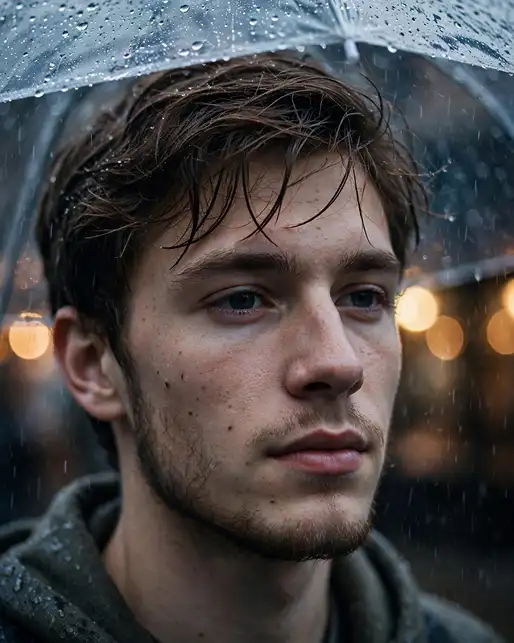
21. Rainy Prompt With Clear Umbrella Close-Up
Create a close-up cinematic portrait from the uploaded reference photo while preserving the subject’s exact facial structure, skin tone, hairstyle, eyes, nose, lips, and recognizable identity without beautification or facial reshaping. Retain natural pores, subtle imperfections, realistic skin texture, and individual hair strands. Place the subject beneath a clear umbrella during moderate rain, with the umbrella edge visible above the frame and small water droplets sharply defined on its transparent surface. Keep the face mostly dry and naturally illuminated while a few damp hair strands frame the forehead. Use cool 6000K rainy daylight from the front and a subtle warm 3500K background light for separation. Shoot with an 85mm lens at f/1.8, eye-level close-up, shallow depth of field, realistic umbrella refraction, soft bokeh, natural skin tones, and cinematic color grading. Use 4:5 composition. No water covering the eyes, distorted face, extra fingers, malformed hands, plastic skin, fake umbrella transparency, text, watermark, or logo.
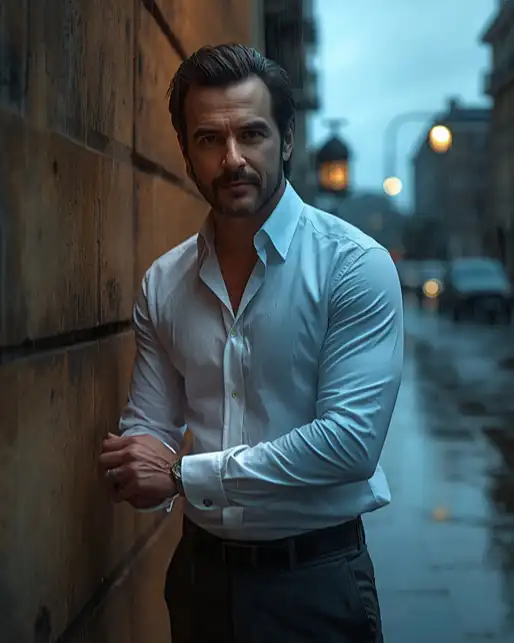
22. Rainy Prompt for a Man in White Shirt
Transform the uploaded man’s reference photo into a sophisticated cinematic rainy portrait while keeping his exact facial identity, facial structure, skin tone, hairstyle, beard details, body proportions, and recognizable features unchanged with no beautification. Preserve natural pores, realistic skin texture, subtle imperfections, and individual hair and beard strands. Dress him in a crisp white cotton shirt that becomes naturally damp from moderate rain without becoming transparent, paired with dark trousers. Position him standing beside a wet stone wall with one hand adjusting his shirt cuff and a calm confident expression. Use a warm 3200K streetlight from the rear-right and cool blue 6000K ambient light from the cloudy sky, producing controlled contrast and a subtle rim highlight. Shoot with an 85mm lens at f/2, shallow depth of field, natural bokeh, physically accurate wet cotton texture, realistic rain streaks, and cinematic color grading. Use 4:5 framing. No identity change, artificial skin, transparent clothing, extra fingers, malformed hands, duplicated limbs, text, watermark, or logo.
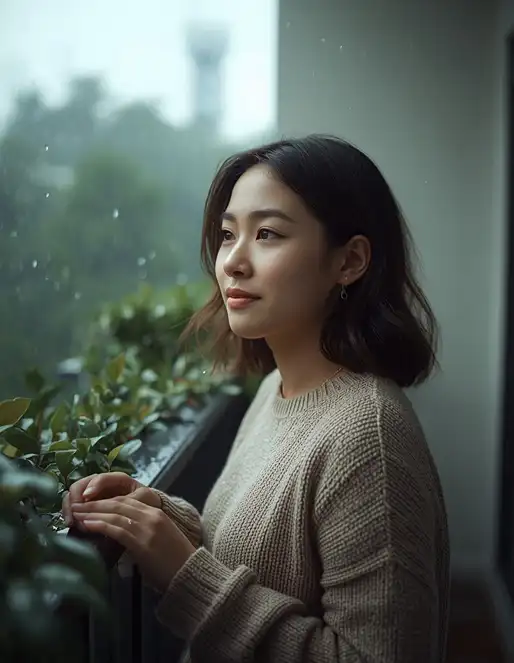
23. Soft Morning Rain Portrait
Create a peaceful morning rain portrait from the uploaded reference image while preserving the person’s exact facial identity, facial proportions, skin tone, hairstyle, and recognizable features with no beautification or identity change. Retain natural pores, subtle facial texture, minor imperfections, and individual hair strands. Place the subject beside a quiet balcony filled with green plants during a light morning drizzle, wearing a comfortable neutral sweater and looking toward the rain with a relaxed expression. Add realistic water droplets on the balcony railing and leaves, soft distant haze, and tiny reflections on damp surfaces. Use natural cool morning light around 7000K entering from the front-left with very soft reflected fill from the wet environment. Shoot using a 50mm lens at f/2.2, natural eye-level perspective, moderate background separation, realistic bokeh, subtle film grain, and soft cinematic color grading. Use 4:5 composition. No altered face, artificial skin, exaggerated rain, malformed hands, extra fingers, text, watermark, or unwanted logo.
24. Rainy Prompt for Instagram Reel Cover
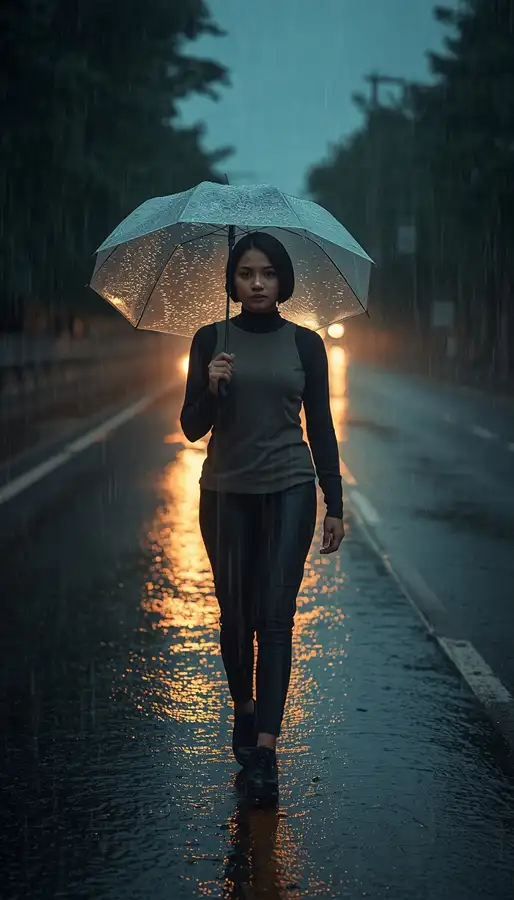
A vertical composition is especially useful when the finished image is intended for Stories, Shorts, or Reels. Current monsoon prompt pages also distinguish 4:5 image layouts from 9:16 vertical video formats.
Edit the uploaded portrait into a dramatic vertical rainy-season cover image designed for an Instagram Reel while preserving the subject’s exact facial identity, facial structure, skin tone, hairstyle, body proportions, and recognizable features without beautification or identity changes. Keep natural pores, realistic skin texture, subtle asymmetry, and individual hair detail. Place the subject walking toward the camera on a rain-soaked urban road while holding a transparent umbrella slightly to one side, leaving clean negative space above the head for optional future design elements but adding no text to the image. Use moderate rain, wet asphalt, distant headlights, subtle fog, and realistic reflections. Illuminate with cool 6000K ambient rain light and warm 3200K headlights behind the subject, creating a natural rim effect. Shoot with a 35mm lens at f/2.8 from slightly below eye level, realistic perspective, controlled background blur, natural motion in the rain, and cinematic contrast. Use 9:16 vertical composition. No text, watermark, logo, distorted face, extra fingers, malformed hands, duplicated body parts, plastic skin, or excessive artificial effects.
25. Minimal Rain Aesthetic Portrait
Finish with a simple scene when you want the rain to support the portrait rather than dominate it.
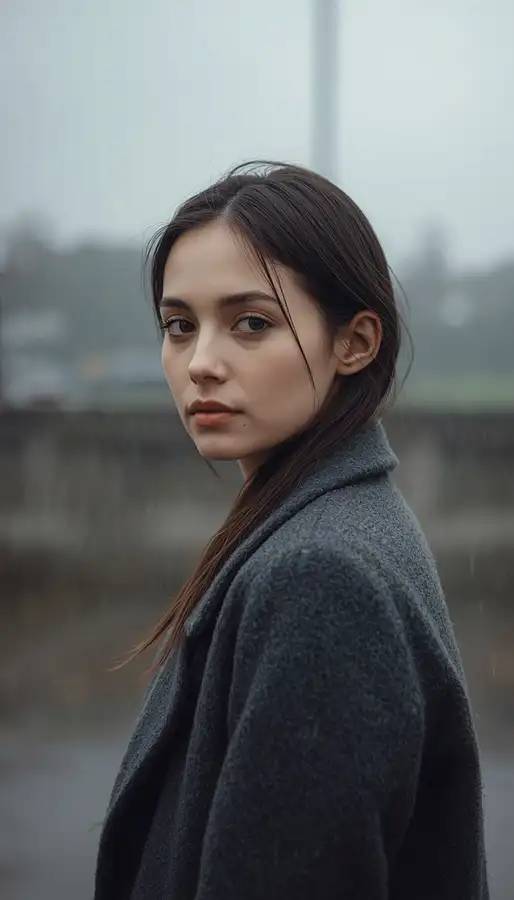
Transform the uploaded reference image into a minimalist fine-art rainy portrait while preserving the person’s exact facial identity, facial structure, skin tone, hairstyle, body proportions, and recognizable characteristics without beautification, reshaping, or identity changes. Maintain natural pores, subtle skin texture, minor imperfections, and realistic individual hair strands. Place the subject alone against a softly blurred neutral outdoor background during a light steady drizzle, wearing a simple charcoal coat with realistic wool texture. Give the subject a natural three-quarter pose, relaxed shoulders, and a quiet thoughtful expression while looking slightly past the camera. Use soft diffused overcast light from directly above and slightly left at approximately 6500K, with very gentle ambient fill from wet surroundings. Photograph using an 85mm lens at f/2.2, shallow depth of field, natural perspective, restrained bokeh, realistic rain droplets, subtle wet highlights, and muted cinematic color grading. Use 4:5 composition. No artificial skin, excessive smoothing, altered identity, distorted face, malformed hands, extra fingers, duplicated body parts, text, watermark, or unwanted logo.
How to Make a Rainy Prompt Look More Realistic
A strong rainy prompt should describe how rain interacts with the entire scene, not just tell the AI to place white lines in front of the subject. The most important details are:
Rain intensity: specify drizzle, moderate rainfall, heavy downpour, or fine mist.
Surface behavior: mention wet pavement, puddles, water trails, reflections, or droplets on glass.
Lighting: explain where the light comes from and whether it is warm, cool, soft, or directional.
Hair and clothing: describe dampness naturally instead of making everything look artificially soaked.
Camera: use a realistic focal length such as 35mm, 50mm, or 85mm depending on the scene.
Depth: specify shallow depth of field and bokeh when the background should be soft.
Composition: choose 1:1, 4:5, 9:16, or 16:9 according to the intended platform.
Negative instructions: tell the model what must not appear.
This matches the strongest technical pattern across current rain-editing pages, which commonly combine subject, environment, rain type, lighting, mood, and camera style.
How to Use a Rainy Prompt in Gemini or ChatGPT
A rainy prompt is most useful when the AI tool can work from an uploaded reference photo. Follow these steps:
Choose a clear photo where the face is visible and reasonably well lit.
Upload the image to Gemini, ChatGPT, or your preferred AI image editor.
Paste one complete prompt.
Generate the first version.
If the face changes, repeat the identity-preservation instruction rather than adding dozens of new visual details.
If the rain looks artificial, specify realistic water streaks, droplets, reflections, and physically believable rainfall.
If the background is too sharp, reduce the depth of field with an appropriate lens and aperture.
Change only one or two variables at a time, such as location, outfit, rain intensity, or lighting.
The current competitor landscape consistently recommends starting with a reference image and then customizing location, outfit, umbrella, rain intensity, background, and aspect ratio.
How to Describe Rain for Better AI Images
Instead of writing only “add rain,” describe the visual behavior. For example:
Light drizzle: fine, sparse droplets with soft atmospheric haze.
Heavy rain: dense vertical streaks, visible splashes, wet clothing, and puddle ripples.
Rainy night: streetlights, headlights, cool ambient shadows, and reflective asphalt.
The distinction matters because rain itself does not create the entire photographic mood. Lighting, location, subject, camera perspective, and wet surfaces determine how the final scene feels. Current cinematic rain guides make the same distinction between rain type, lighting, mood, and camera style.
Rain Photo Editing Tips for Better Results
When a generated image looks wrong, the problem is often not the rain itself.
If the face changes — Use a clearer reference photo and strengthen the identity clause. Mention the facial structure, skin tone, hairstyle, eyes, nose, lips, beard if applicable, and recognizable features. Avoid instructions that simultaneously ask the model to heavily transform the face.
If the rain looks fake — Specify different layers of rainfall: sharper nearby streaks, softer distant rain, droplets on selected surfaces, and realistic splashes on the ground. Avoid asking for every raindrop to be equally large and equally sharp.
If skin becomes plastic — Tell the model to retain pores, natural texture, minor imperfections, and subtle asymmetry. Also explicitly prohibit excessive smoothing and artificial skin.
If hands look distorted — Use natural poses with simple hand placement. Avoid complicated gestures when the hands are not important to the composition. Include negative instructions for malformed hands and extra fingers.
If the scene looks too dark — Add a defined fill light. For example, a cool ambient sky can be combined with a soft warm streetlight rather than relying entirely on dramatic shadows.
If the background looks artificial — Describe actual materials: wet asphalt, stone, glass, leaves, fabric, concrete, metal, or wood. Physical surface descriptions give the AI more information than generic phrases such as “beautiful background.”
Best Aspect Ratio for Rain Photos
Use case
Recommended ratio
Instagram portrait
4:5
Instagram Reel or Story
9:16
WhatsApp DP
1:1
Couple landscape scene
16:9
YouTube thumbnail
16:9
Pinterest vertical image
2:3 or 9:16
Cinematic wallpaper
16:9
The aspect ratio should be decided before generation when possible because it affects framing, subject placement, and available negative space.
Rainy Prompt Mistakes to Avoid
A rainy prompt becomes less effective when it tries to describe everything without giving the AI a clear visual hierarchy. Avoid these common mistakes:
Writing only “make my photo rainy.”
Adding rain without explaining lighting.
Covering the entire face with oversized droplets.
Using unrealistic neon colors on skin.
Asking for extreme rain while expecting completely dry clothing.
Changing the face and then expecting reliable identity preservation.
Using a wide-angle lens for a close portrait without considering distortion.
Making every background element equally sharp.
Adding unnecessary text or logos to social-media images.
Giving the same pose and background to every image.
Overusing “8K,” “hyper-realistic,” and similar quality terms without describing actual photographic details.
A useful prompt should tell the model what to change, what to preserve, where the light comes from, what the camera sees, and what must be avoided.
Frequently Asked Questions
What is a rainy prompt?
A rainy prompt is a detailed instruction used with an AI image generator or photo editor to create or edit an image with realistic rain, wet surfaces, atmospheric lighting, and a specific visual mood.
Can I use these prompts in Gemini?
Yes. The prompts can be adapted for Gemini by uploading a suitable reference photo and pasting the complete prompt. Current rain-prompt pages specifically target Gemini and use reference-photo workflows for identity-preserving edits.
Can I use the same prompts in ChatGPT?
Yes. The same visual instructions can be used in ChatGPT’s image-generation or image-editing workflow where image references are supported. You can modify the clothing, location, mood, lighting, and composition while keeping the core identity instructions.
How do I make a rain photo look realistic?
Describe the rainfall, wet surfaces, lighting direction, reflections, atmospheric depth, clothing texture, camera lens, and subject pose. Realism comes from how these elements interact rather than from simply increasing the amount of rain.
How do I keep my face unchanged?
Use a clear reference image and explicitly instruct the model to preserve facial structure, skin tone, hairstyle, recognizable features, natural texture, and identity. Also state that the edit should change the environment and photographic treatment rather than the person’s identity.
Which lens is best for rain portraits?
An 85mm lens works well for close portraits because it creates flattering compression and background separation. A 50mm lens provides a natural perspective for environmental portraits, while a 35mm lens is useful when you want more of the rainy environment visible.
What is the best ratio for an Instagram rain photo?
For a standard portrait post, 4:5 is a useful choice. For Stories and Reels, 9:16 gives a more suitable vertical frame.
Can I make a rainy couple photo with an umbrella?
Yes. Umbrella scenes work especially well when the prompt specifies how both people are positioned, who holds the umbrella, how close they stand, where the light comes from, and how rain interacts with the umbrella and ground. Couple-focused current results frequently use umbrella, neon street, balcony, window, and wet-road concepts.
Can I create a rainy photo without uploading my own picture?
Yes. You can describe an entirely fictional person or scene. However, when editing your own portrait, an uploaded reference image gives the model visual information about the person you want to preserve.
How can I make a rainy image look like a monsoon photo?
Add regional environmental details such as lush green vegetation, wet roads, cloudy skies, soft daylight, umbrellas, balconies, gardens, puddles, and natural mist. Indian clothing such as sarees or kurtas can also establish a South Asian monsoon aesthetic without relying on generic filters.
Can I use a rainy image for Instagram?
Yes. Use 4:5 for portrait posts, 1:1 for profile-style images, and 9:16 for Stories or Reel covers. Keep the subject clearly visible and avoid placing important facial details too close to the crop edges.
Conclusion
The most effective AI rain edits are not created by adding more rain; they come from controlling identity, atmosphere, lighting, camera perspective, wet textures, pose, and composition together. Start with one of these prompts, keep the reference face consistent, and then customize the location, clothing, weather intensity, and mood for your own style. Whether you want a romantic couple image, cinematic boy portrait, monsoon saree photo, rainy car scene, bike edit, or Instagram-ready portrait, a well-structured rainy prompt gives the AI much clearer visual direction.