Instagram Trending Photo Prompt: 15+ Viral AI Ideas
An instagram trending photo prompt helps you turn an ordinary selfie or portrait into a polished, creative image using AI tools such as ChatGPT or Gemini. Instead of manually editing every detail, you can upload your photo, copy and paste a detailed prompt, and ask the AI to change the lighting, outfit, background, composition, mood, or visual style while keeping your real identity recognizable.
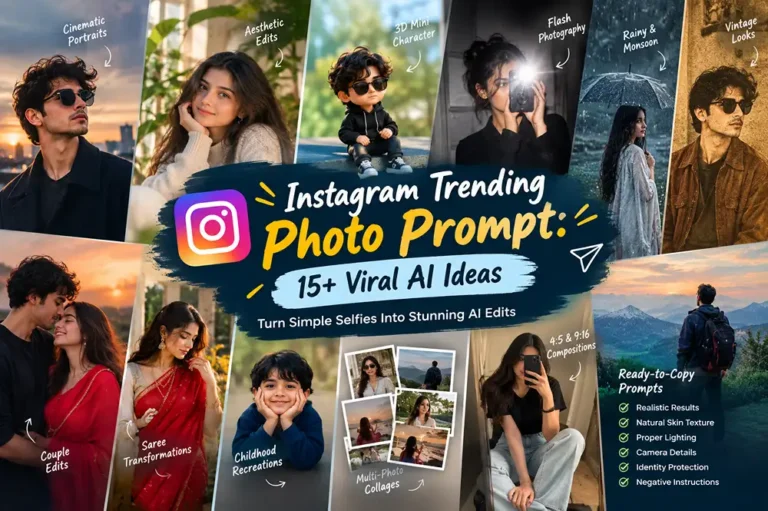
The latest AI photo-editing Prompts trends include cinematic portraits, aesthetic edits, 3D mini-character effects, flash photography, rainy and monsoon scenes, vintage looks, couple edits, saree transformations, childhood recreations, and multi-photo collages. Current prompt libraries also emphasize Instagram-ready compositions such as 4:5 portraits and 9:16 vertical designs.
Below are ready-to-copy prompts designed for realistic results. Each one includes identity protection, natural skin texture, realistic lighting, camera details, composition, and negative instructions so you can get more consistent results.
How to Use an Instagram Trending Photo Prompt
Using an instagram trending photo prompt is simple:
Choose a clear photo with your face visible.
Open ChatGPT, Gemini, or another AI image editor.
Upload your original image.
Copy one of the prompts below.
Paste it with your image and generate the edit.
If the result changes your face too much, regenerate with stronger identity-preservation instructions.
Adjust the outfit, colors, location, or mood to make the result personal.
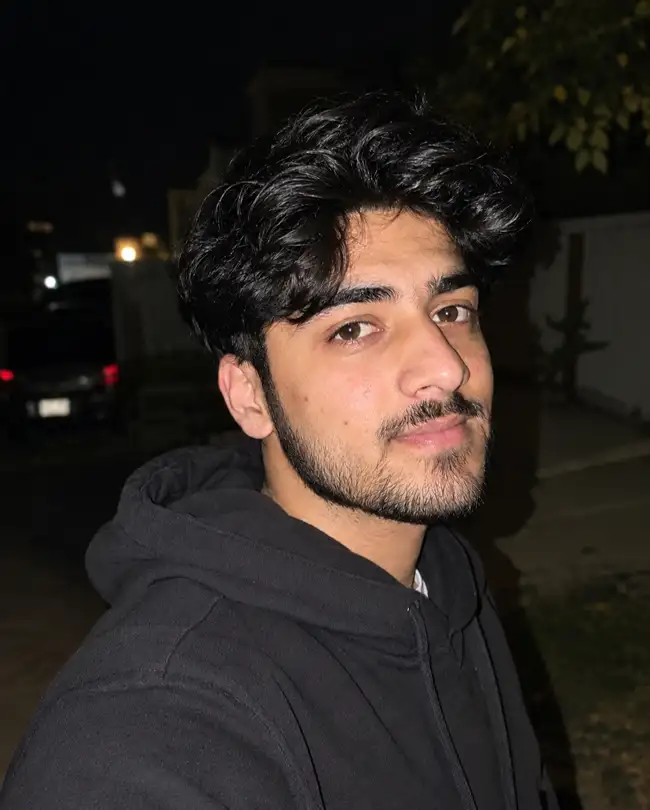
For the best results, start with a sharp, well-lit reference photo. AI image tools work more reliably when the source image clearly shows the person’s facial structure, hair, and overall pose.
15+ Instagram Trending Photo Prompts to Copy and Paste
1. Cinematic Aesthetic Portrait
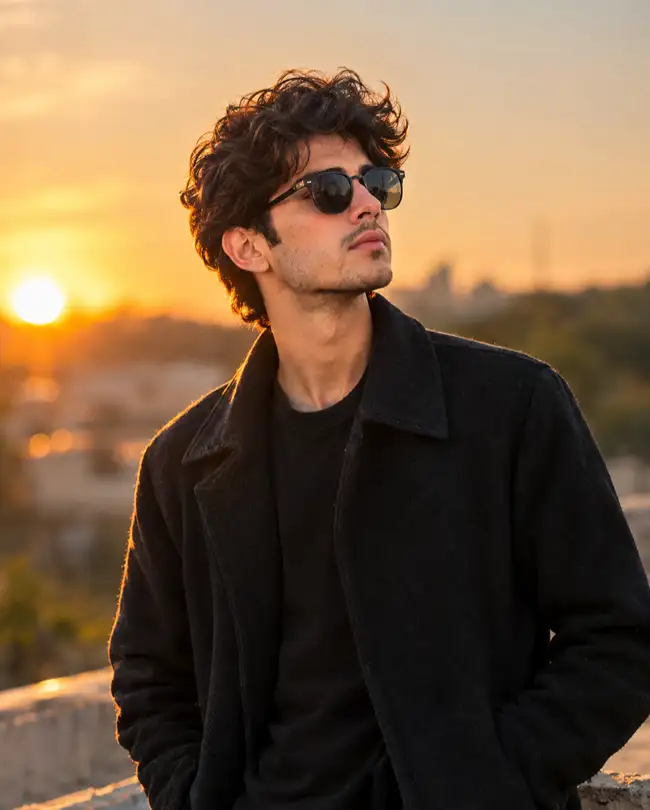
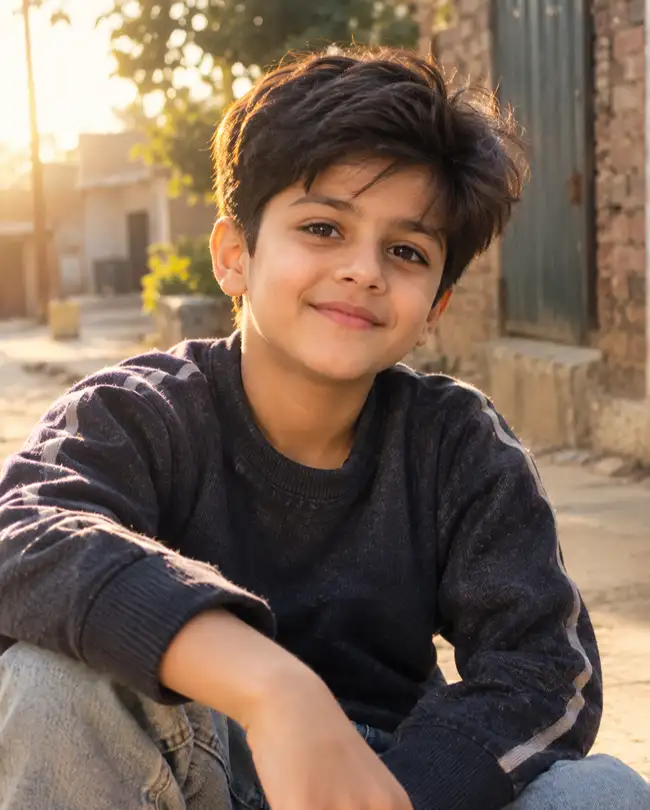
This instagram trending photo prompt creates a cinematic portrait that works well for profile pictures, posts, and aesthetic feeds.
Use the uploaded photo as the exact identity reference and preserve the person’s identity, facial structure, skin tone, eyes, nose, lips, hairstyle, and natural proportions exactly; do not beautify, reshape, age, de-age, or alter the identity. Retain natural pores, subtle skin texture, minor imperfections, and natural facial asymmetry, avoiding artificial smoothness or an AI-perfect face. Create a cinematic outdoor portrait during late golden hour, with soft warm sunlight coming from 45 degrees behind the subject on the left and a subtle 5200K golden rim light around the hair. Use realistic DSLR photography, an 85mm lens at f/1.8, shallow depth of field, natural background compression, realistic bokeh, and physically accurate hair and clothing texture. Give the subject a relaxed, confident expression and natural three-quarter pose rather than a stiff pose. Use warm cinematic color grading with realistic skin tones and subtle contrast. Compose as a vertical Instagram portrait, 4:5 aspect ratio. Avoid plastic skin, excessive HDR, distorted facial features, extra fingers, warped hands, artificial eyes, harsh silhouettes, text, logos, and watermarks.
2. Viral Flash Selfie
Flash photography remains useful for creating a casual social-media look with stronger contrast and a nightlife feel. Current AI prompt collections also feature flash-style Instagram edits.
Preserve the uploaded person’s identity exactly, including facial features, skin tone, eye shape, nose, lips, hairline, and natural proportions; do not beautify or alter identity. Keep visible pores, fine skin texture, tiny imperfections, and natural facial asymmetry instead of creating overly smooth AI-perfect skin. Create a realistic late-night flash portrait taken with direct on-camera flash from slightly above eye level, approximately 5600K neutral flash temperature, with subtle falloff into a darker background. Simulate a professional 35mm camera with a 50mm lens at f/2.0, realistic flash exposure, shallow depth of field, authentic shadow edges, and natural lens rendering. Keep hair strands individually visible and clothing fabric physically textured rather than plastic. Give the subject a spontaneous candid expression and slightly turned shoulders. Use a 4:5 Instagram composition with the face sharply focused. Avoid blown highlights, waxy skin, fake reflections, duplicated features, malformed hands, extra fingers, excessive sharpening, text, logos, and watermarks.
3. Soft Window-Light Aesthetic
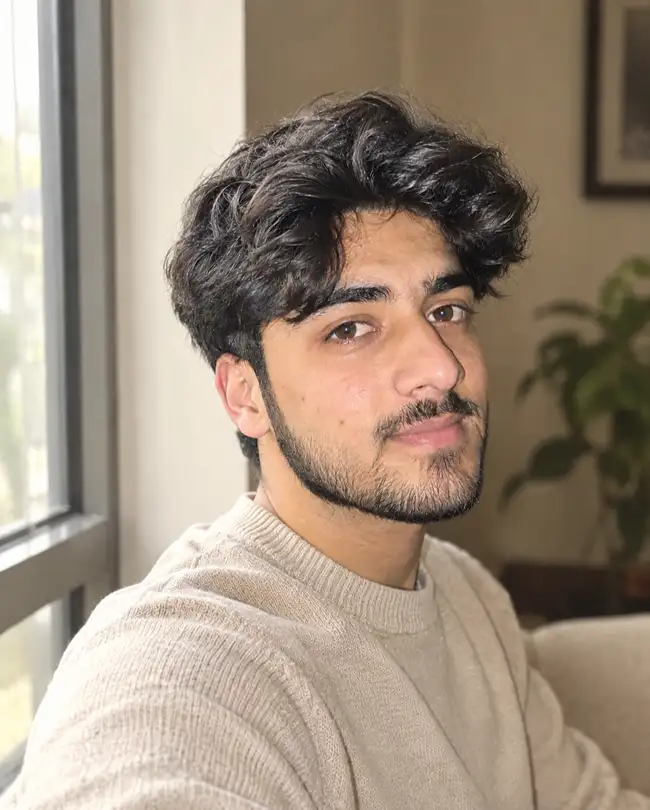
Keep the uploaded person’s identity completely unchanged and preserve exact facial structure, skin tone, eyes, lips, nose, hair, and proportions; no beautification, face reshaping, or identity alteration. Preserve natural pores, subtle skin texture, small imperfections, and realistic facial asymmetry without AI-perfect smoothing. Place the subject beside a large window with soft daylight entering from the left at approximately 60 degrees, using a natural 5000K daylight balance and gentle shadow transition across the face. Photograph with an 85mm portrait lens at f/1.8, shallow depth of field, realistic optical bokeh, natural exposure, and subtle highlight roll-off. Keep hair strands, cotton or knit clothing fibers, and skin texture physically realistic. Pose the subject naturally while looking slightly away from the camera with a calm expression. Create a clean beige and cream aesthetic in a vertical 4:5 composition suitable for Instagram. Avoid artificial skin, overexposure, harsh shadows, distorted anatomy, extra fingers, fake eyes, text, watermark, and excessive blur.
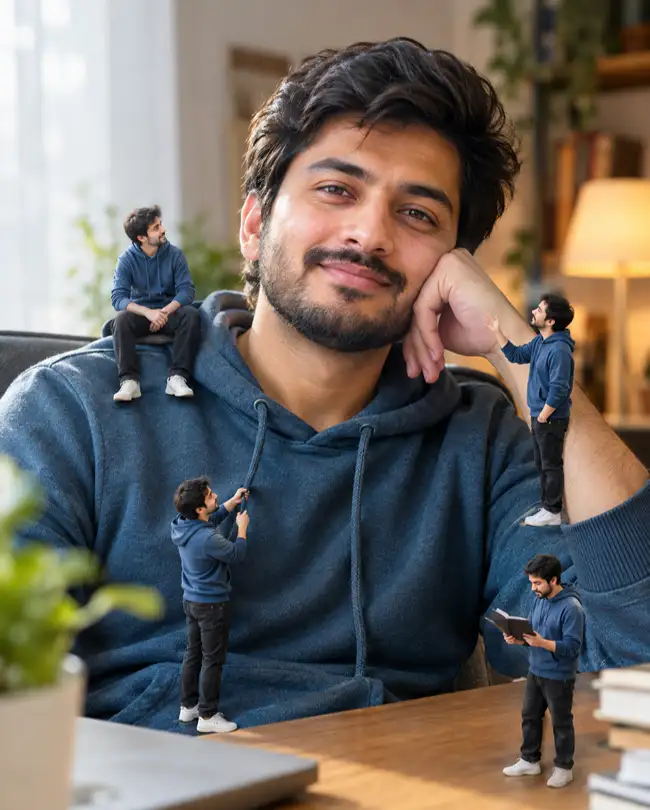
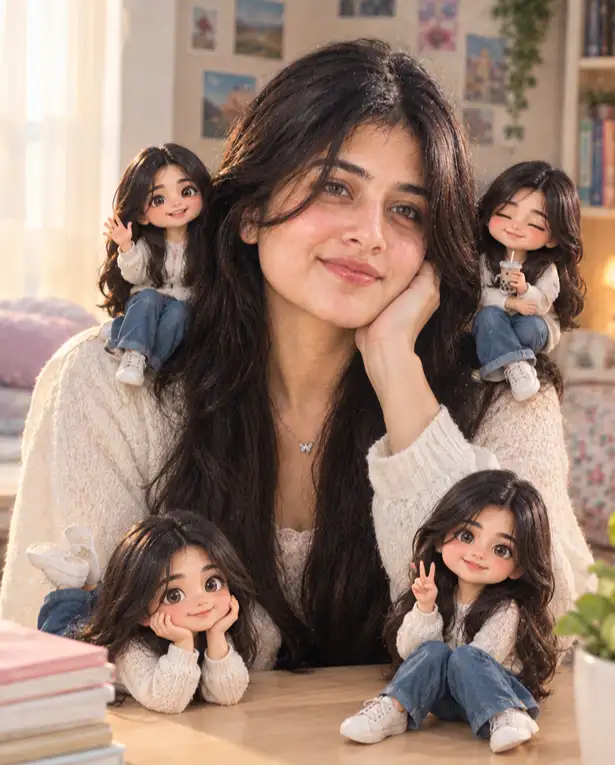
4. 3D Mini-Me Trend
Use the uploaded image as the exact face and identity reference; preserve the person’s facial features, skin tone, proportions, hairstyle, and identity without beautification or alteration. Retain visible pores, subtle skin texture, minor natural imperfections, and facial asymmetry on the main subject; do not make the face unnaturally symmetrical or plastic. Create a realistic editorial portrait where several small 3D miniature versions of the same person interact naturally around the main subject, while the main face remains photorealistic. Illuminate the scene with soft daylight from the upper left at 5000K plus a subtle warm 3200K practical light in the background. Use a 50mm lens at f/2.0 with realistic depth of field, physically accurate shadows, reflections, miniature-scale perspective, and detailed hair and fabric textures. Give the main subject a relaxed pose with a slight smile. Use a clean 4:5 Instagram composition. Make miniature clothing and surfaces physically believable rather than glossy plastic. Avoid duplicate full-size people, blended faces, malformed limbs, extra fingers, floating objects, inconsistent shadows, text, logos, and watermarks.
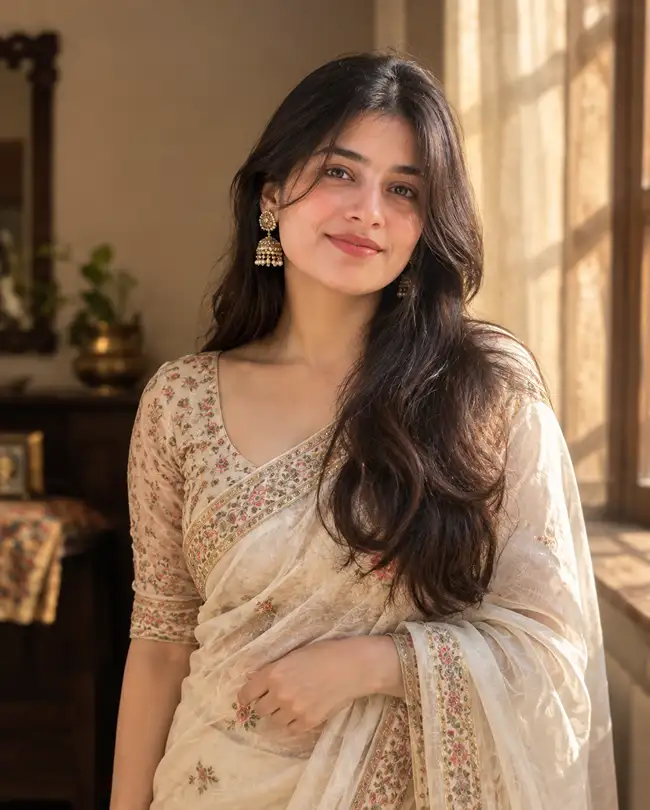
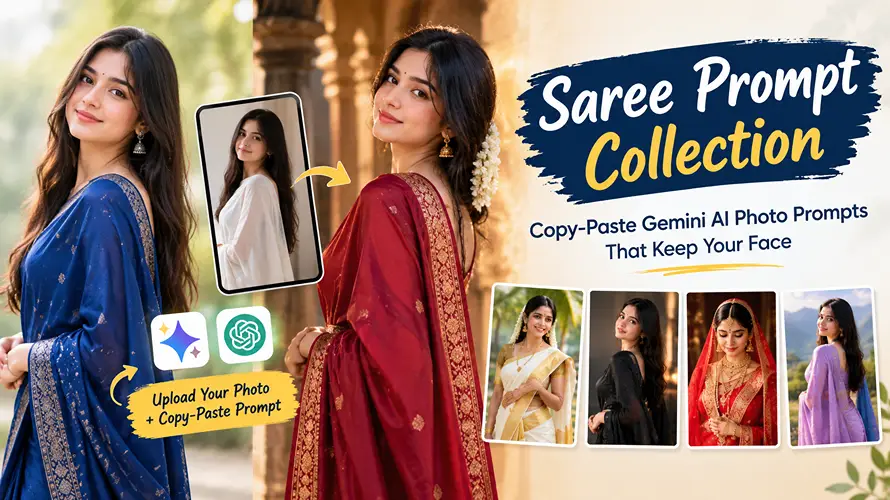
5. AI Saree Portrait
Preserve the uploaded woman’s exact identity, facial structure, skin tone, eyes, lips, nose, hairstyle, and natural proportions; do not beautify, reshape, or alter her identity. Retain natural pores, fine skin texture, minor imperfections, and natural facial asymmetry instead of creating an AI-perfect face. Dress her in an elegant traditional saree with physically accurate fabric folds, realistic woven threads, natural draping, and subtle embroidery. Place her near a softly lit traditional interior with warm window light entering from the right at approximately 45 degrees, balanced around 4300K. Use an 85mm lens at f/1.8, realistic portrait depth of field, natural bokeh, accurate skin exposure, and photographic highlight roll-off. Give her a graceful but relaxed standing pose with one hand naturally adjusting the saree edge and a gentle expression. Use a vertical 4:5 Instagram composition with refined warm color grading. Avoid plastic fabric, exaggerated jewelry, altered facial identity, artificial skin, extra fingers, malformed hands, floating accessories, text, logos, and watermarks.
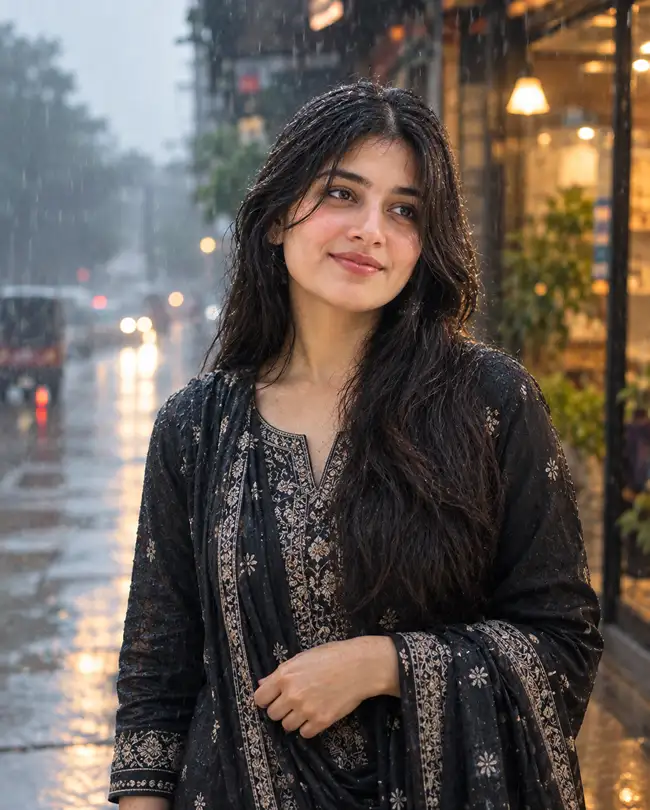
6. Rainy Monsoon Portrait
Keep the uploaded person’s identity exactly intact, preserving facial structure, skin tone, eyes, lips, nose, hairstyle, and proportions with no beautification or identity changes. Preserve pores, natural skin texture, small imperfections, and facial asymmetry; avoid artificial smoothness. Create a realistic monsoon portrait outdoors beside a rain-covered street, with cool overcast daylight from above and soft warm 3200K light spilling from a nearby shop in the background. Use an 85mm lens at f/1.8, shallow depth of field, realistic rain droplets, wet-surface reflections, natural atmospheric haze, and physically accurate hair and clothing moisture. Give the subject a relaxed candid pose while looking slightly toward the rain with a subtle natural smile. Use a cinematic teal-and-warm color balance and 4:5 vertical composition. Avoid fake-looking rain, excessive glow, waxy skin, distorted reflections, duplicated objects, malformed hands, extra fingers, text, logos, and watermarks.
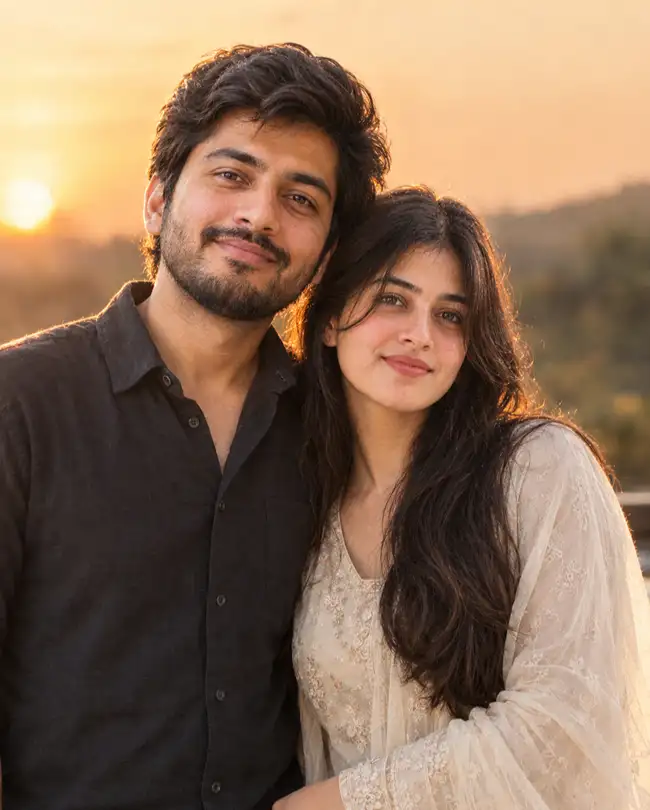
7. Romantic Couple Edit
Use both uploaded people as exact identity references and preserve each person’s facial features, skin tone, hair, proportions, and identity without beautification or face alteration. Maintain natural pores, fine skin texture, minor imperfections, and natural facial asymmetry on both faces; do not create AI-perfect skin. Create a realistic romantic outdoor portrait during sunset, with warm 5200K sunlight coming from behind and slightly to the left, creating a subtle natural rim light around both subjects. Photograph with an 85mm lens at f/1.8, shallow depth of field, realistic bokeh, accurate skin exposure, and physically correct hair and clothing textures. Pose the couple naturally, standing close together with relaxed shoulders and a genuine soft smile, without stiff posing. Use a warm cinematic grade and 4:5 Instagram portrait composition. Do not blend identities, duplicate faces, change facial structure, create extra limbs or fingers, distort hands, produce plastic skin, or add text, logos, or watermarks.
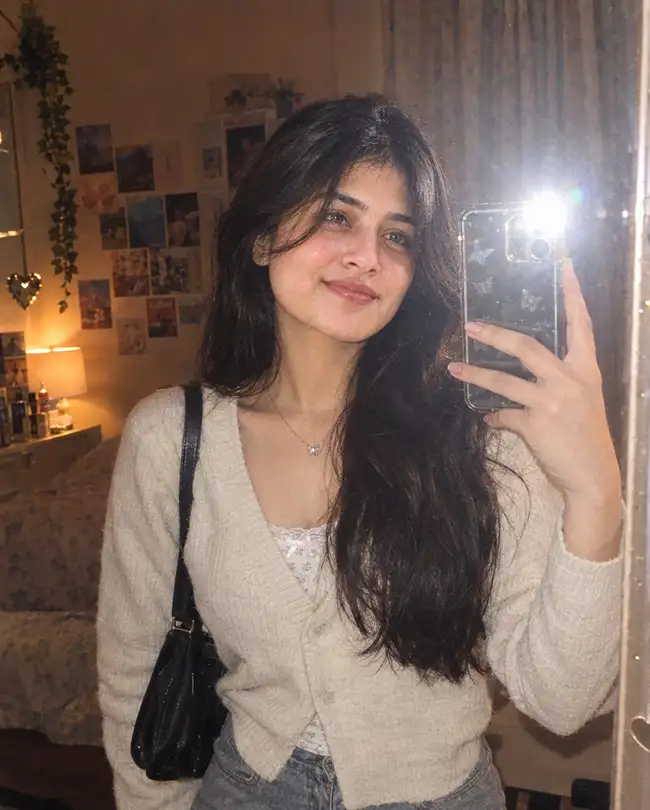
8. Y2K Mirror Selfie
Preserve the uploaded person’s exact identity, facial structure, skin tone, hairstyle, eyes, nose, lips, and proportions; do not beautify or alter identity. Keep natural pores, subtle skin texture, minor imperfections, and facial asymmetry visible instead of applying AI-perfect smoothing. Create a realistic early-2000s Y2K mirror selfie in a stylish bedroom with subtle silver and pastel details. Use direct camera flash from the front at approximately 5600K, combined with a dim 3200K warm room light in the background. Simulate a 35mm camera with a 35mm lens at f/2.2, realistic mirror reflections, authentic flash falloff, slight optical grain, and natural fabric and hair texture. Give the subject a casual one-hand phone pose with relaxed posture. Use a vertical 4:5 Instagram composition with tasteful nostalgic color grading. Avoid distorted mirror reflections, duplicate phones, malformed fingers, plastic skin, excessive grain, fake text, logos, and watermarks.
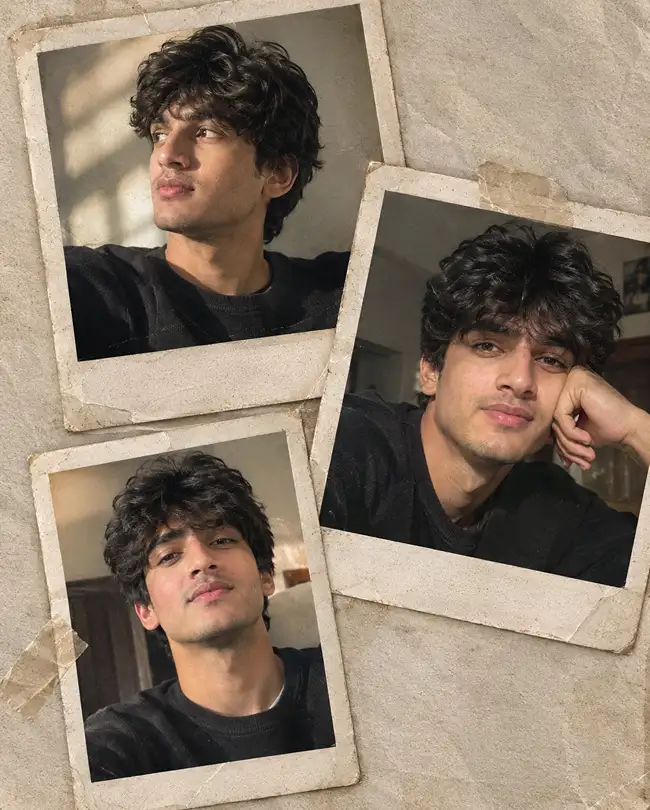
9. Vintage Polaroid Collage
Use the uploaded person’s photo as the exact identity reference and preserve facial identity, skin tone, facial structure, hair, and natural proportions without beautification or alteration. Maintain realistic pores, subtle skin texture, minor imperfections, and natural asymmetry rather than AI-perfect skin. Create a photorealistic vintage Polaroid-style collage containing three naturally varied portraits of the same person, arranged with realistic printed-photo overlap, slightly worn paper edges, subtle tape, and authentic analog texture. Use soft afternoon window light from the upper left at approximately 4800K and simulate a 50mm lens at f/2.0 for the individual photographs. Preserve physically accurate paper fibers, clothing texture, hair strands, and realistic print shadows. Give each portrait a different relaxed candid expression. Compose the final artwork vertically at 4:5 for Instagram. Avoid changing identity between frames, unnatural face duplication, excessive vintage effects, distorted hands, text artifacts, logos, and watermarks.
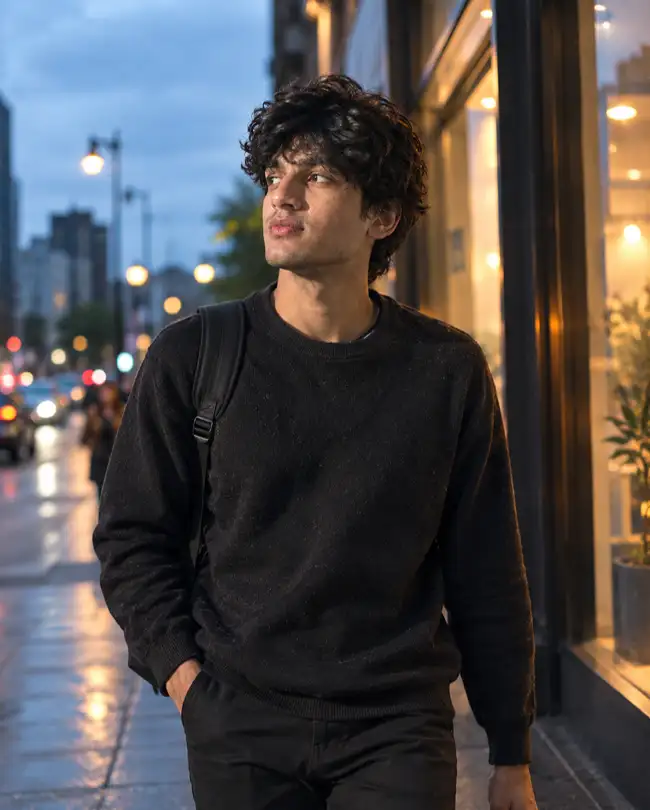
10. Boys Cinematic Street Style
Preserve the uploaded man’s exact identity, facial structure, skin tone, eyes, nose, lips, hairstyle, and proportions; do not beautify, masculinize, feminize, or alter identity. Retain pores, subtle skin texture, minor imperfections, and natural facial asymmetry without AI-perfect smoothing. Place him on a modern city street at blue hour, illuminated by a soft cool 6500K ambient sky light from the front and a warm 3200K storefront rim light from the right. Use realistic street photography with a 50mm lens at f/1.8, shallow depth of field, natural bokeh, accurate perspective, and realistic fabric and hair texture. Give him a relaxed walking pose with one hand naturally in a pocket and a confident but casual expression. Use cinematic contrast with realistic skin color and a vertical 4:5 Instagram composition. Avoid exaggerated muscles, artificial skin, distorted hands, extra fingers, incorrect shadows, fake buildings, text, logos, and watermarks.
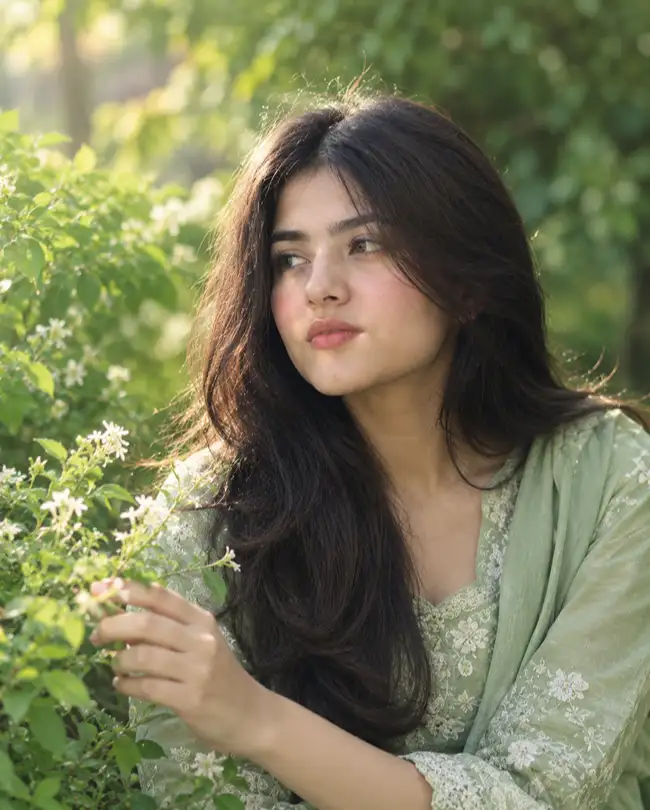
11. Girl Aesthetic Nature Portrait
Keep the uploaded girl’s identity exactly unchanged, preserving facial structure, skin tone, eyes, lips, nose, hairstyle, and proportions with no beautification or identity modification. Preserve natural pores, fine skin texture, minor imperfections, and facial asymmetry instead of smoothing the face into an AI-perfect appearance. Place her in a natural green garden surrounded by soft foliage and small flowers, with diffused morning sunlight entering from the left at approximately 5200K and gentle green bounce light from the environment. Use an 85mm lens at f/1.8, realistic shallow depth of field, natural bokeh, photographic highlight roll-off, and physically accurate hair and fabric textures. Give her a relaxed pose while gently touching a flower and looking slightly away from the camera. Create a soft pastel-green aesthetic in a 4:5 vertical Instagram composition. Avoid oversaturated colors, plastic skin, artificial flowers, distorted hands, extra fingers, altered identity, text, logos, and watermarks.
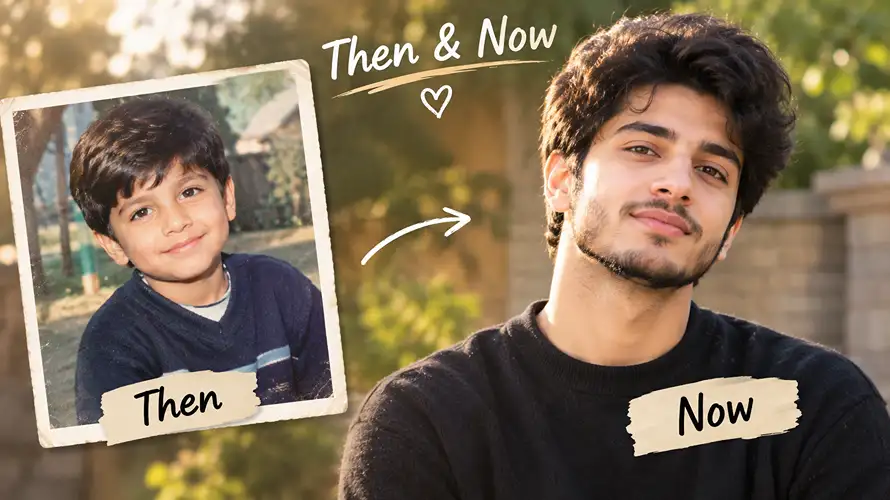
12. Childhood Recreation
Use the uploaded adult’s current face as the identity reference and preserve recognizable facial characteristics without changing identity, skin tone, or core features; do not beautify or create an unrelated face. Retain realistic skin texture, pores, subtle imperfections, and natural asymmetry appropriate to the recreated age, avoiding an AI-perfect appearance. Create a believable nostalgic childhood-style scene in a simple neighborhood setting with warm afternoon sunlight coming from the back-left at approximately 5000K. Simulate a 50mm documentary photography lens at f/2.2 with natural depth of field, authentic film-like exposure, physically accurate clothing fibers, hair strands, and environmental textures. Give the younger version a playful, spontaneous pose and natural expression. Use warm nostalgic color grading and a vertical 4:5 Instagram composition. Avoid uncanny facial changes, distorted child anatomy, extra fingers, unrealistic proportions, excessive blur, text, logos, and watermarks.
13. Black-and-White Editorial Portrait
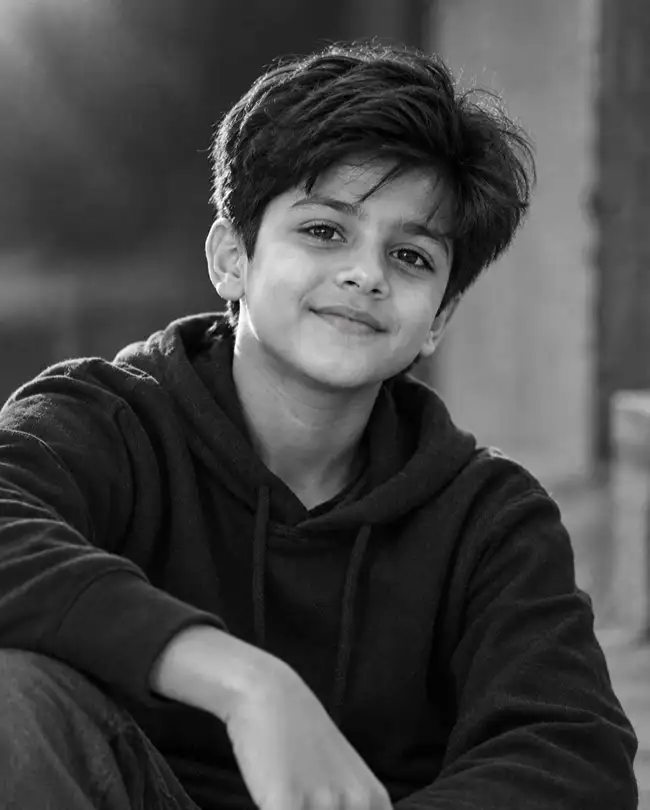
Use the uploaded adult’s current face as the identity reference and preserve recognizable facial characteristics without changing identity, skin tone, or core features; do not beautify or create an unrelated face. Retain realistic skin texture, pores, sPreserve the uploaded person’s identity exactly, including facial structure, skin tone, eyes, nose, lips, hairstyle, and proportions; do not beautify or alter identity. Keep natural pores, fine skin texture, minor imperfections, and facial asymmetry visible in the monochrome conversion instead of producing smooth AI-perfect skin. Create a sophisticated black-and-white editorial portrait using a large softbox positioned 45 degrees to the left and slightly above eye level, around 5000K before monochrome conversion, producing gentle directional shadows. Photograph with an 85mm lens at f/1.8, realistic tonal range, shallow depth of field, accurate hair detail, and physically realistic fabric texture. Give the subject a calm, confident expression and relaxed three-quarter pose. Use a vertical 4:5 composition with subtle film grain. Avoid crushed blacks, blown highlights, plastic skin, facial reshaping, distorted hands, extra fingers, text, logos, and watermarks.
14. Lofi Dusk Portrait
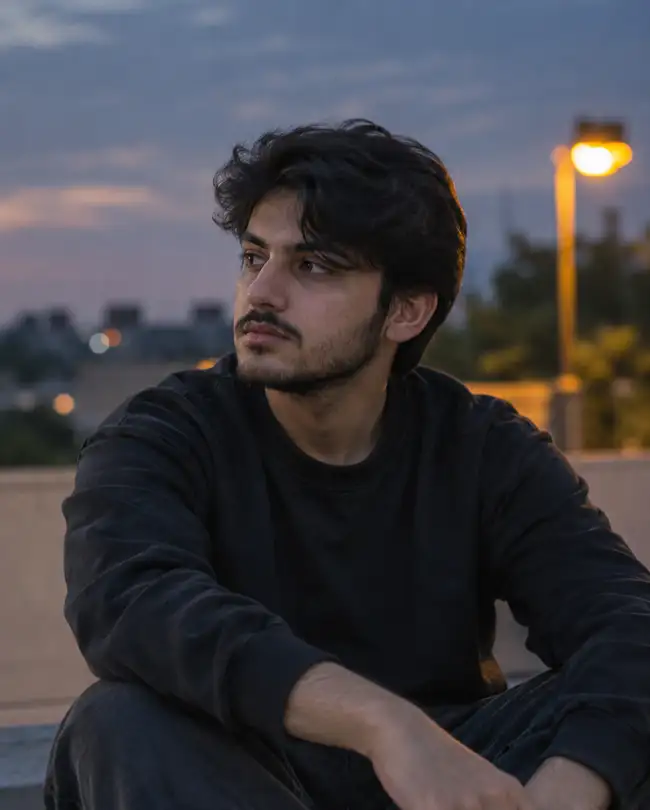
Preserve the uploaded person’s exact identity and facial characteristics, skin tone, eyes, lips, nose, hairstyle, and natural proportions; do not beautify or modify identity. Retain pores, fine skin texture, small imperfections, and natural facial asymmetry without creating an AI-perfect face. Create a peaceful lofi dusk scene with the subject outdoors shortly after sunset, using cool 7000K ambient sky light from the front and a subtle warm 3000K streetlamp behind the subject on the right. Use an 85mm lens at f/1.8, shallow depth of field, realistic bokeh, soft atmospheric falloff, and natural low-light exposure. Keep hair strands and clothing fabric physically detailed and believable. Give the subject a relaxed seated pose, looking slightly away with a thoughtful expression. Use muted blue, gray, and warm amber tones in a 4:5 Instagram composition. Avoid excessive neon, artificial glow, noisy skin, unrealistic shadows, malformed hands, extra fingers, text, logos, and watermarks.
15. Three-Photo Layer Collage
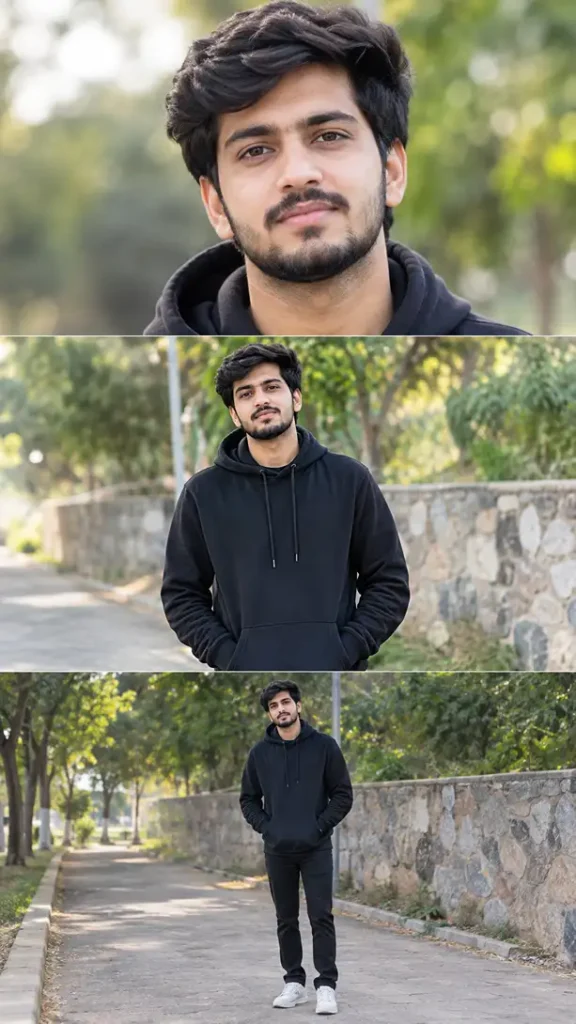
Use the uploaded person as the exact identity reference across all three frames and preserve facial identity, skin tone, facial structure, hairstyle, and proportions without beautification or identity changes. Retain natural pores, subtle skin texture, minor imperfections, and facial asymmetry consistently across every frame; do not create AI-perfect faces. Build a realistic three-layer vertical photographic collage: the first frame is a close-up portrait, the second is a relaxed waist-up pose, and the third is a natural full-body pose in the same environment. Use soft directional daylight from the upper left at 5200K with consistent shadows across all frames. Simulate an 85mm lens at f/2.0 with realistic depth of field, physically accurate clothing and hair texture, natural photographic grain, and consistent perspective. Keep expressions relaxed and candid rather than stiff. Arrange the three images vertically in a clean 9:16 Instagram/Reels composition. Avoid identity changes between frames, duplicate body parts, inconsistent lighting, malformed hands, extra fingers, artificial skin, text, logos, and watermarks.
16. 3D Chibi Instagram Edit
Use the uploaded person’s real face as the exact identity reference and preserve the original facial features, skin tone, hairstyle, proportions, and identity; do not beautify or alter the face. Keep realistic pores and natural facial texture on the main subject, including subtle imperfections and natural asymmetry, while avoiding an overly smooth AI-perfect appearance. Create a photorealistic portrait surrounded by several small glossy 3D chibi versions of the same person performing playful actions such as waving, sitting, holding a tiny drink, and smiling. Use soft daylight from the left at 5000K with gentle pastel bounce light, and photograph the main subject using an 85mm lens at f/1.8 with realistic depth of field and physically correct miniature shadows. Preserve realistic hair strands, clothing fibers, glossy miniature materials, and contact shadows. Give the main subject a relaxed playful pose and natural smile. Use a clean 4:5 Instagram composition. Avoid blended faces, duplicate full-size people, plastic main skin, malformed miniature anatomy, extra fingers, floating objects, inconsistent shadows, text, logos, and watermarks.
How to Make These AI Photos Look More Realistic
A detailed prompt is useful, but the reference photo matters just as much. For more realistic AI editing:
Use a sharp photo where the face is clearly visible.
Avoid heavily filtered or extremely dark source images.
Tell the AI to preserve identity rather than simply saying “make it realistic.”
Specify the light source instead of using vague words such as “beautiful lighting.”
Add a camera and lens description when you want a photographic result.
Mention physical textures such as skin pores, hair strands, denim, silk, cotton, or paper.
Use 4:5 for many Instagram feed portraits and 9:16 for Reels-style vertical visuals.
Change one or two elements at a time when refining a result.
This approach is consistent with current AI prompt workflows that recommend uploading a reference image, applying a specific prompt, then refining visual details such as pose, lighting, background, or skin texture.
Best Prompt Ideas for Different Instagram Styles
Style
Best use
Recommended format
Cinematic portrait
Profile and feed posts
4:5
Flash selfie
Casual/trendy posts
4:5
Couple edit
Romantic posts
4:5
Saree edit
Traditional fashion
4:5
3D chibi
Creative viral-style visuals
4:5
Three-layer collage
Reels covers and stories
9:16
Lofi dusk
Aesthetic profile posts
4:5
Childhood recreation
Nostalgic content
4:5
Y2K
Fashion and lifestyle
4:5
Monsoon
Seasonal content
4:5
How to Create an Instagram Trending Photo From Your Own Picture
If you want to make a new trend rather than simply copy an existing style, start with the subject and then build the visual around it.
Step 1: Choose your concept.
Decide whether you want an aesthetic portrait, couple edit, saree look, 3D effect, vintage collage, night scene, or another style.
Step 2: Upload your original image.
Use a clear image with enough facial detail for the AI to identify your features accurately.
Step 3: Select an aspect ratio.
Choose 4:5 for a feed post or 9:16 for a Story or Reel cover.
Step 4: Describe the lighting.
Instead of saying only “make it cinematic,” specify where the light comes from and whether it is warm or cool.
Step 5: Add camera details.
Terms such as 50mm, 85mm, f/1.8, shallow depth of field, and natural bokeh help communicate a photographic look.
Step 6: Protect your identity.
Always include instructions to preserve facial structure, skin tone, natural texture, and recognizable features.
Step 7: Refine the result.
If the first image looks too artificial, ask for less skin smoothing, more natural texture, softer lighting, or a more realistic camera appearance.
Can You Use These Prompts in ChatGPT and Gemini?
Yes. These prompts are written as general image-editing instructions, so they can be adapted for ChatGPT, Gemini, and other AI image-generation or image-to-image tools. The exact output can vary between models, so the same prompt may need small changes for lighting, composition, or identity preservation.
For example, if a Gemini result changes your face, add stronger instructions such as “do not change any facial landmark or recognizable feature from the reference image.” If the image looks too artificial, emphasize realistic skin pores, physically accurate lighting, natural shadows, and photographic lens behavior.
Frequently Asked Questions
What is an Instagram trending photo prompt?
An instagram trending photo prompt is a detailed instruction used with an AI image tool to transform an existing photo into a specific social-media style, such as cinematic, aesthetic, 3D, vintage, couple, saree, or flash photography.
How do I make an AI photo for Instagram?
Upload a clear photo to an AI image editor, paste a detailed prompt, generate the image, and refine the result if necessary. Use 4:5 for most feed portraits and 9:16 for vertical Story or Reel designs.
Which AI is best for photo editing?
ChatGPT and Gemini can both be used for AI image editing, while dedicated AI image generators and editors may offer additional controls. The best choice depends on the style you want and how much control the tool provides.
How can I make a viral AI photo?
Use a recognizable visual concept, strong composition, realistic lighting, and a clear subject rather than adding many random effects. A distinctive prompt can make an image more interesting, but no prompt can guarantee that a post will become viral.
What type of Instagram photos are popular?
Popular visual styles change frequently, but aesthetic portraits, cinematic edits, couple photography, flash photography, creative collages, nostalgic edits, seasonal scenes, and stylized AI transformations are common categories in current AI photo-prompt libraries.
Can I use one photo to create multiple AI images?
Yes. You can use the same reference image with different prompts to create several looks, such as a cinematic portrait, saree edit, Y2K selfie, black-and-white photo, or rainy monsoon scene.
How do I make my AI photo look less fake?
Use detailed lighting and camera instructions, preserve natural skin texture, avoid excessive beauty filters, and describe physical materials accurately. Negative instructions for distorted hands, extra fingers, plastic skin, and unnatural facial features can also help.
Conclusion
The best instagram trending photo prompt is not simply a list of style words. It gives the AI enough information to understand the person’s identity, lighting, camera perspective, pose, environment, texture, composition, and unwanted results.
Start with one of the copy-and-paste prompts above, upload a clear reference photo, and then customize the outfit, background, colors, or mood. Whether you want an aesthetic girl portrait, boys’ cinematic edit, Gemini saree transformation, couple image, 3D effect, Y2K flash photo, or lofi dusk scene, detailed instructions will give you much more control over the final image.
For Instagram content, focus on creating an image that looks personal rather than simply adding every available trend. A clean concept, realistic face, natural lighting, and strong composition usually make a better social-media visual than an image overloaded with effects.