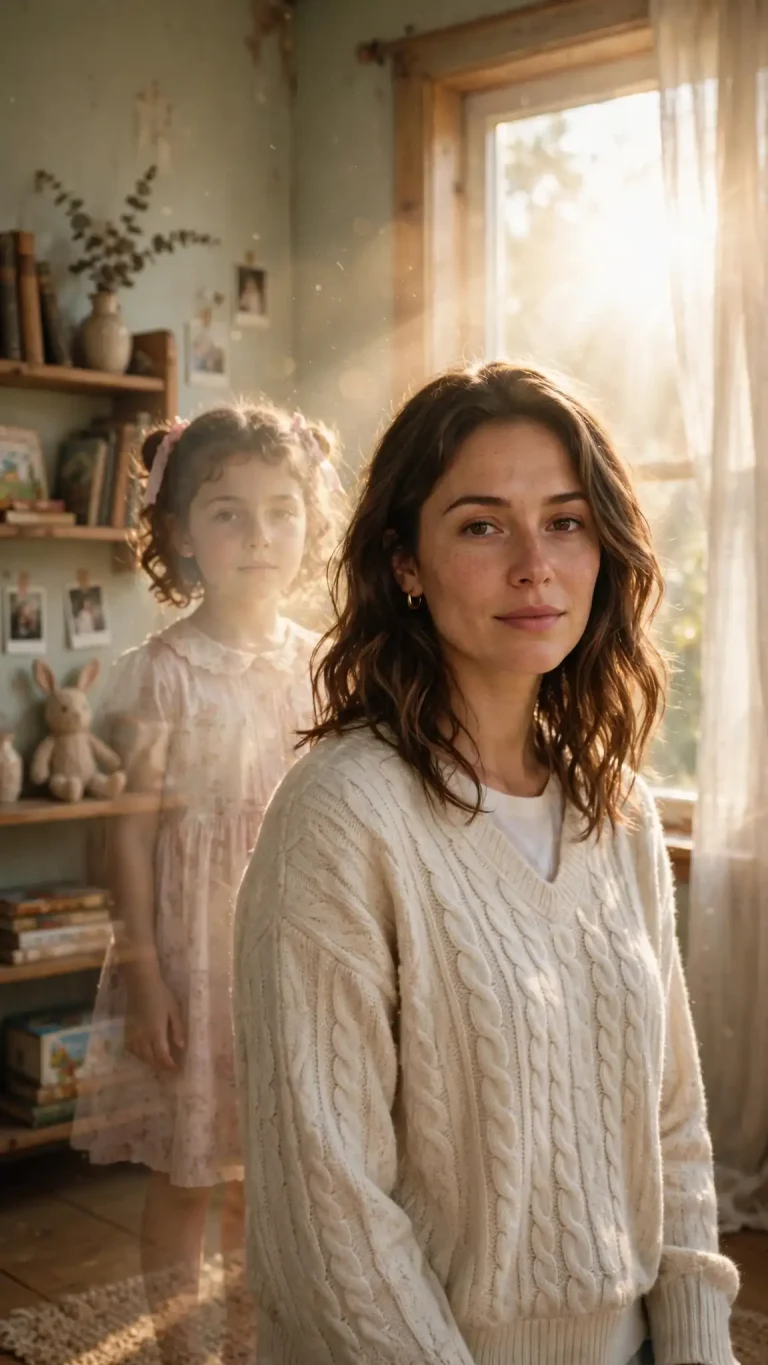
Then and Now Photo Prompt: 12 Copy-Paste Gemini and ChatGPT Prompts
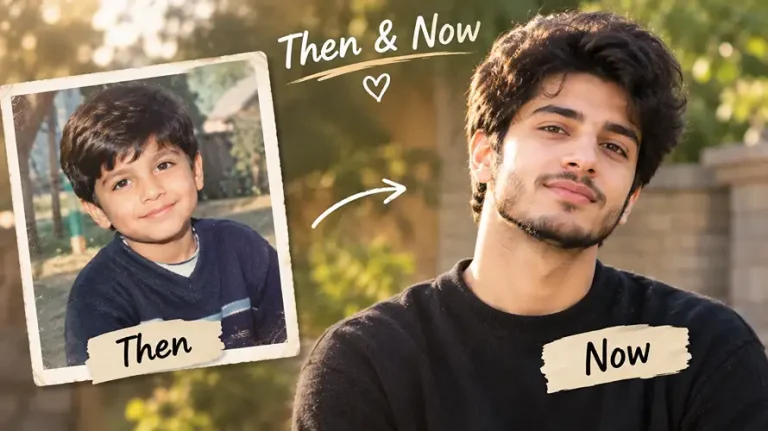
A then and now photo prompt tells Gemini or ChatGPT to combine your childhood photo and a recent photo into one realistic image, so your younger self and present self appear together. The trend is everywhere on Instagram and Facebook, and the quality of the result depends almost entirely on how the prompt is written. Every prompt below is built for two uploaded photos, protects your face from being “AI-fied”, and works in both Gemini and ChatGPT.
Upload your childhood photo first (Image 1) and your recent photo second (Image 2), paste a prompt, and change anything in the scene to match your memory. Full steps are further down.
Best Then and Now Photo Prompt Ideas to Copy and Paste
1. Classic Childhood vs Now Side-by-Side
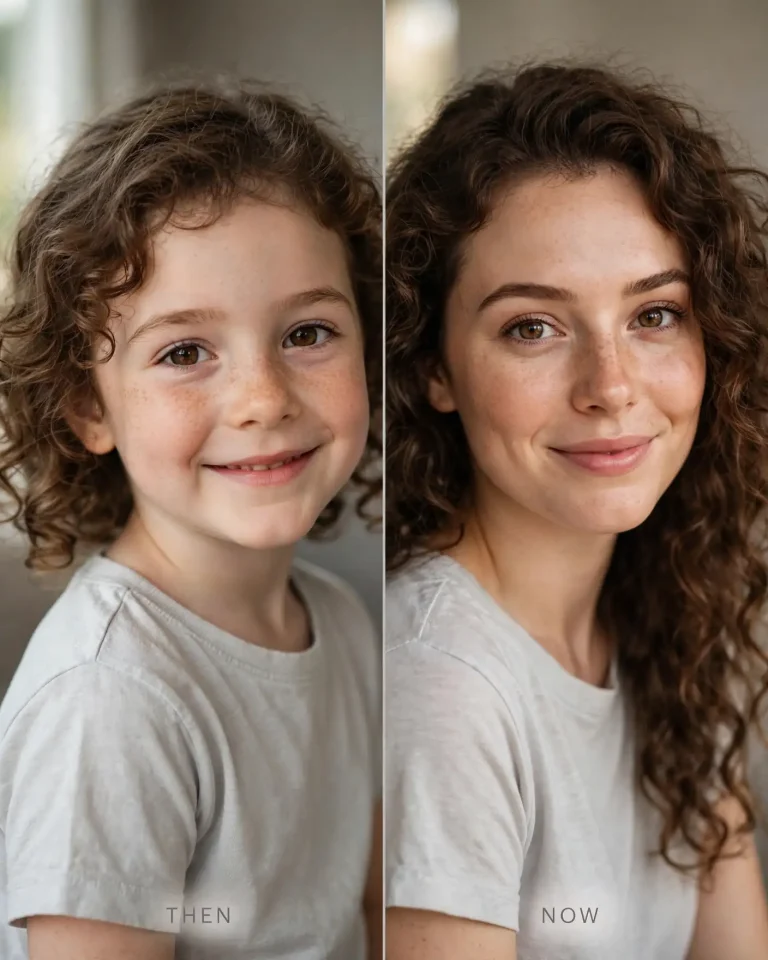
This is the base then and now photo prompt that most other versions grow from. Run it first to see how well your tool keeps your face recognizable.
Using Image 1 (my childhood photo) and Image 2 (my recent photo), create a realistic side-by-side portrait of the same person, the child on the left and the adult on the right, in matching pose and framing. Preserve identity, skin tone, facial structure and recognizable features exactly in both versions, with no beautification and no identity change. Keep natural pores, subtle skin texture, minor imperfections and natural facial asymmetry, avoiding plastic, over-smoothed or AI-perfect skin. Soft window light from the left at about 5200K with gentle fill from the right, shot on an 85mm lens at f/2.8 with shallow depth of field against a warm grey backdrop. Show individual hair strands, realistic cotton fabric weave and accurate soft shadows. Add a thin center divider and small clean “THEN” and “NOW” labels at the bottom of each half. Relaxed natural smiles, shoulders slightly angled toward the camera. 4:5 portrait. No extra fingers, no distorted face, no watermark, no other text.
2. Hug Your Younger Self
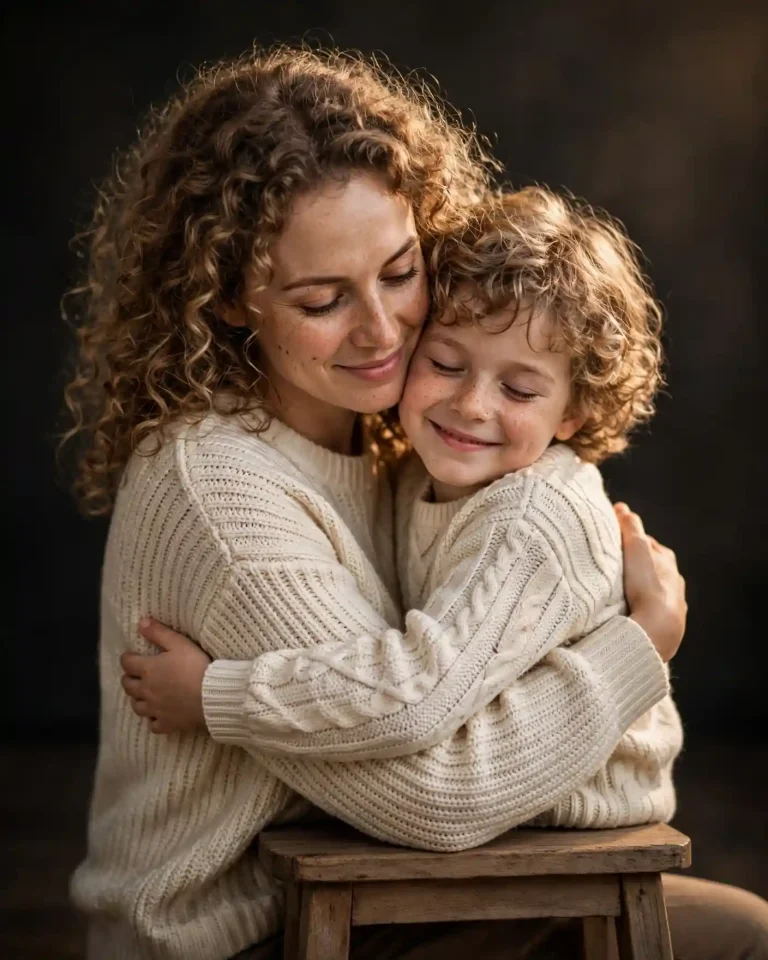
The emotional version of the trend. Keep the expression soft and the framing close.
Using Image 1 (my childhood photo) and Image 2 (my recent photo), create a realistic studio portrait of my present self gently hugging my younger self, both seated close together on a plain wooden stool. Preserve identity, skin tone, facial structure and recognizable features of both people exactly, with no beautification and no identity change. Keep natural pores, fine skin texture, small imperfections and natural facial asymmetry, with no plastic or over-smoothed skin. Soft key light from a large softbox at 45 degrees on the left, warm 3200K tone, a subtle rim light behind the shoulders and a deep neutral background. Shot on a 50mm lens at f/2 from eye level with shallow depth of field. Realistic cotton and knit fabric, individual hair strands and accurate contact shadows where the arms meet. My younger self smiles with eyes closed while my present self looks down with a calm, warm expression. 4:5 portrait. No extra fingers, no malformed hands, no merged limbs, no distorted faces, no text, no watermark.
3. Recreate the Same Childhood Pose
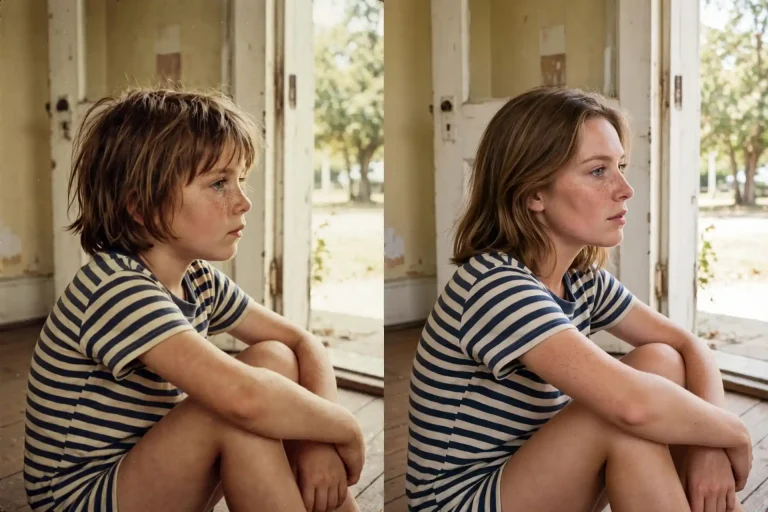
The most shareable then and now photo prompt is often the one that copies the old pose exactly. It works best when your childhood photo has a clear background.
Create a side-by-side image. The left half is Image 1, my childhood photo, kept faithful to the original. The right half recreates the same scene with my present self in the same body position, camera angle, framing, background layout and clothing style, using Image 2 for facial features. Preserve identity, skin tone, facial structure and recognizable features exactly, with no beautification. Keep natural pores, visible skin texture and natural facial asymmetry, avoiding plastic skin and over-smoothing. Match the light direction of the original, such as daylight from an open door at about 5500K, shot on a 35mm lens at f/4 with natural perspective. Keep the original’s slight film grain and colour cast on the left, but render the right side with sharp modern detail, realistic fabric folds and natural reflections. Same candid, slightly awkward pose and expression as the childhood photo. 16:9 landscape. No extra fingers, no duplicated limbs, no distorted face, no text, no watermark.
4. Polaroid Then and Now
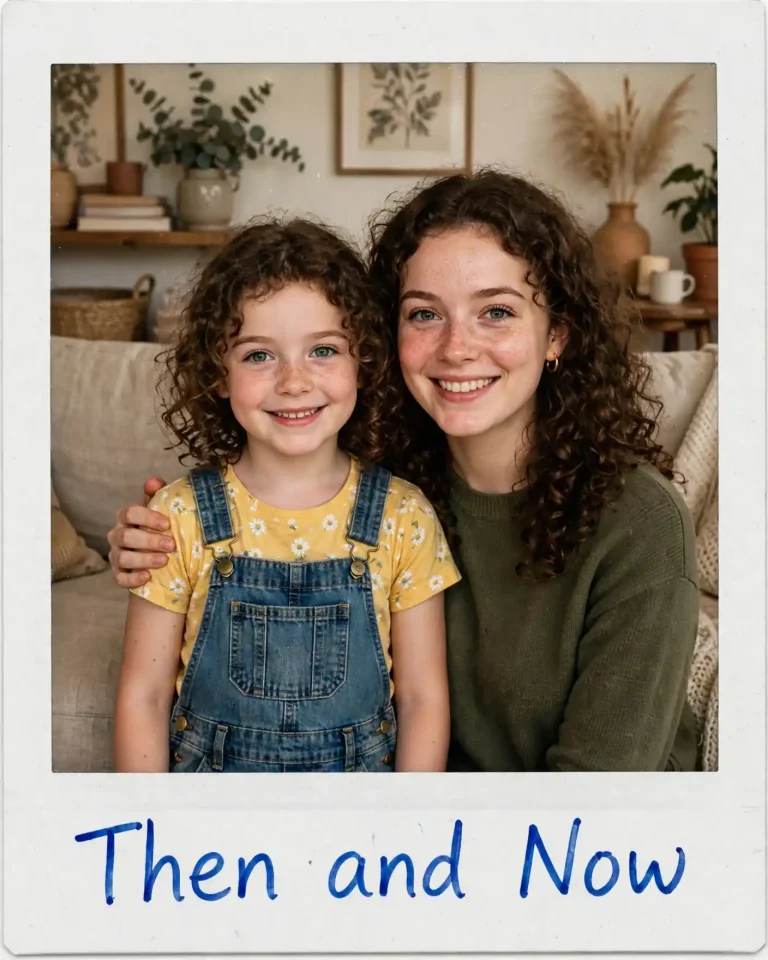
A Polaroid then and now photo prompt gives the image a physical, keepsake feel and suits Instagram carousels.
Using Image 1 (my childhood photo) and Image 2 (my recent photo), create a photo that looks exactly like a real instant Polaroid, showing my younger self and my present self standing side by side in a living room, my present self with a hand on the child’s shoulder. Preserve identity, skin tone and facial structure of both exactly, with no beautification and no identity change. Keep natural pores, skin texture, minor imperfections and facial asymmetry, with no airbrushed look. On-camera flash from the front at about 6000K with soft falloff into warm ambient room light, slightly overexposed highlights, faded colours, gentle film grain and a faint vignette, as if shot on a 35mm-equivalent lens at f/2.8. Show a white Polaroid border with the handwritten words “Then & Now” in blue marker on the bottom edge, plus realistic paper texture and a tiny corner crease. Natural, unposed smiles. 4:5 portrait. No extra fingers, no distorted face, no watermark, no other text.
5. Birthday Then and Now
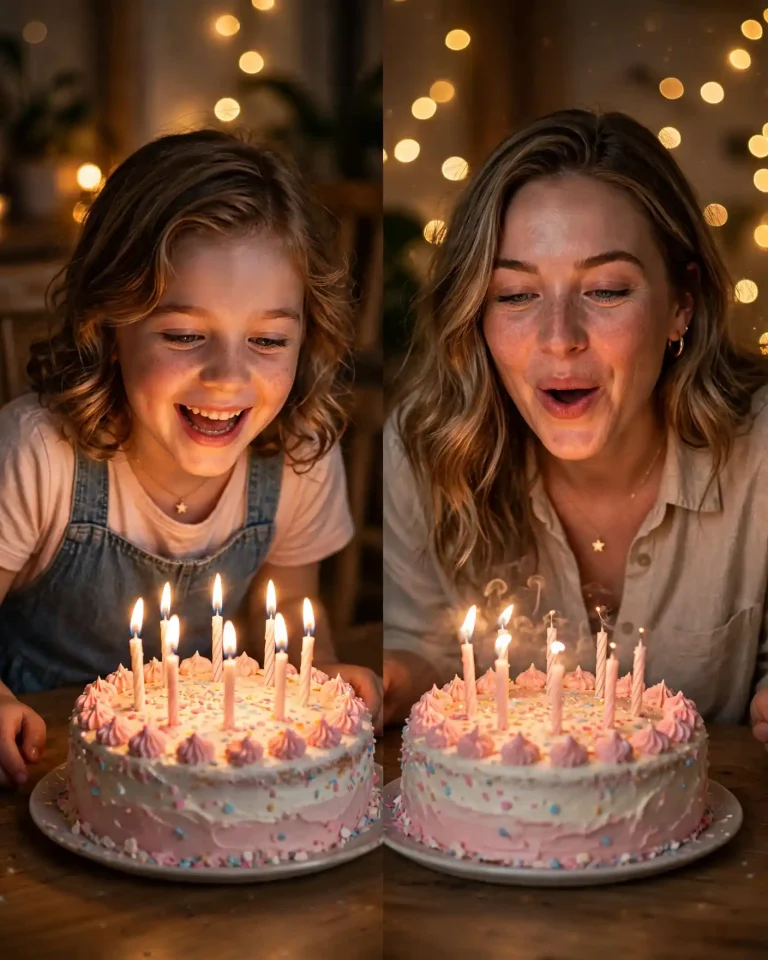
A birthday then and now photo prompt recreates the cake moment from childhood in the present day. Add the age you want shown if it helps.
Using Image 1 (my childhood birthday photo) and Image 2 (my recent photo), create a realistic split image: on the left, my younger self leaning over a birthday cake with lit candles, kept faithful to the original, and on the right, my present self in the same spot and posture blowing out candles on a similar cake. Preserve identity, skin tone, facial structure and recognizable features exactly, with no beautification. Keep natural pores, skin texture, small imperfections and facial asymmetry, avoiding plastic or over-smoothed skin. Warm candle glow at about 2400K lighting the faces from below, soft 3200K ambient light from a ceiling lamp, shot on a 50mm lens at f/1.8 with realistic bokeh from fairy lights. Realistic wax, flame glow, frosting texture, balloon reflections and accurate shadows. Joyful, mid-laugh expressions, cheeks slightly puffed. 4:5 portrait. No extra fingers, no distorted face, no melted candles, no text, no watermark.
6. Couple Then and Now
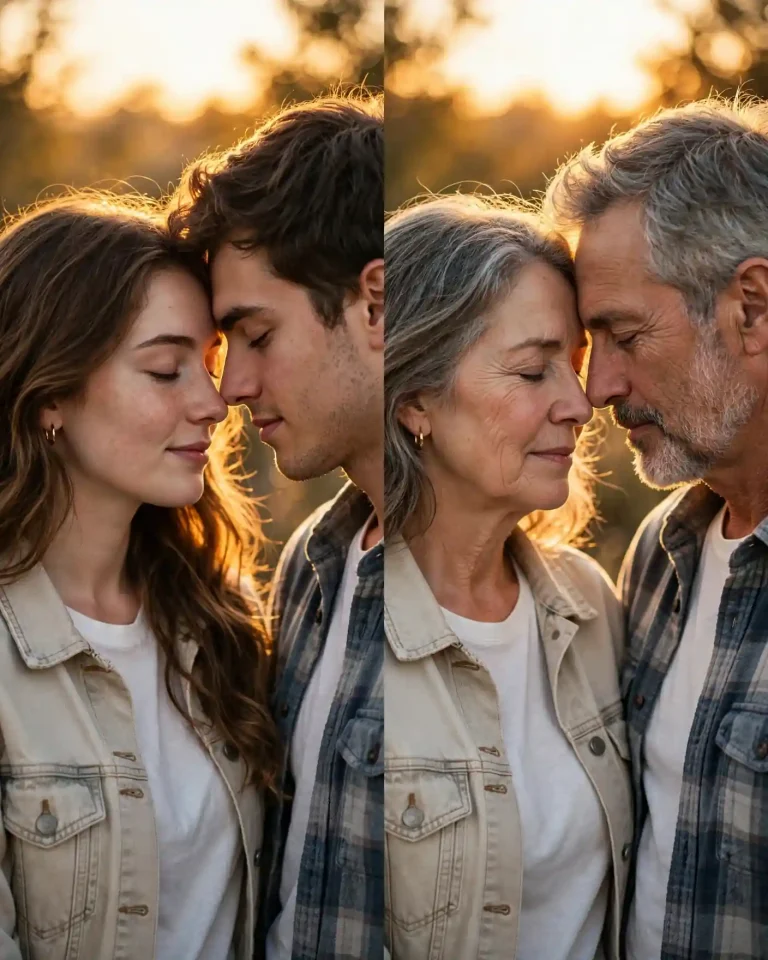
A couple then and now photo prompt works for anniversaries and Valentine posts. Use a first-meeting photo as Image 1 and a recent photo of both of you as Image 2.
Using Image 1 (an older photo of the two of us) and Image 2 (a recent photo of the two of us), create a realistic side-by-side image with the earlier moment on the left and the present moment on the right, both in the same pose, standing close with foreheads almost touching. Preserve each person’s identity, skin tone, facial structure and recognizable features exactly, with no beautification, no face swapping and no blending of the two faces. Keep natural pores, subtle skin texture, minor imperfections and facial asymmetry, avoiding plastic or over-smoothed skin. Warm golden sunset light from behind-left at about 3500K creating a soft rim light on hair and shoulders, shot on an 85mm lens at f/1.8 with creamy background compression. Realistic fabric, individual hair strands and soft natural shadows. Tender, quiet expressions and relaxed body language. 4:5 portrait. No extra fingers, no malformed hands, no distorted faces, no text, no watermark.
7. Siblings and Friends Then and Now
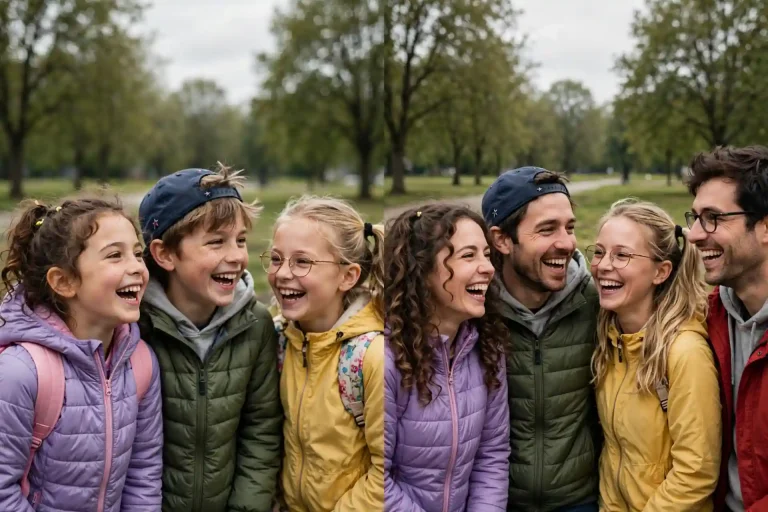
Using Image 1 (an old group photo) and Image 2 (a recent photo of the same people), create a realistic side-by-side image that recreates the original arrangement, with every person in the same position, order and height relationship as before. Preserve each person’s identity, skin tone, facial structure and recognizable features exactly, with no beautification and no face swapping between people. Keep natural pores, skin texture, minor imperfections and facial asymmetry for everyone, avoiding plastic skin. Soft overcast daylight at about 5600K from above, even shadows, shot on a 35mm lens at f/4 with natural perspective and deep focus. Realistic clothing textures, individual hair strands and accurate ground shadows. Candid, laughing, slightly messy group energy. 16:9 landscape. No extra people, no duplicated faces, no extra fingers, no text, no watermark.
Creative Then and Now Photo Prompt Styles for Instagram and Facebook
These variations change the layout, mood or format rather than just the scene. They are useful when you want a post that looks different from the standard split.
8. Vertical Reel Cover
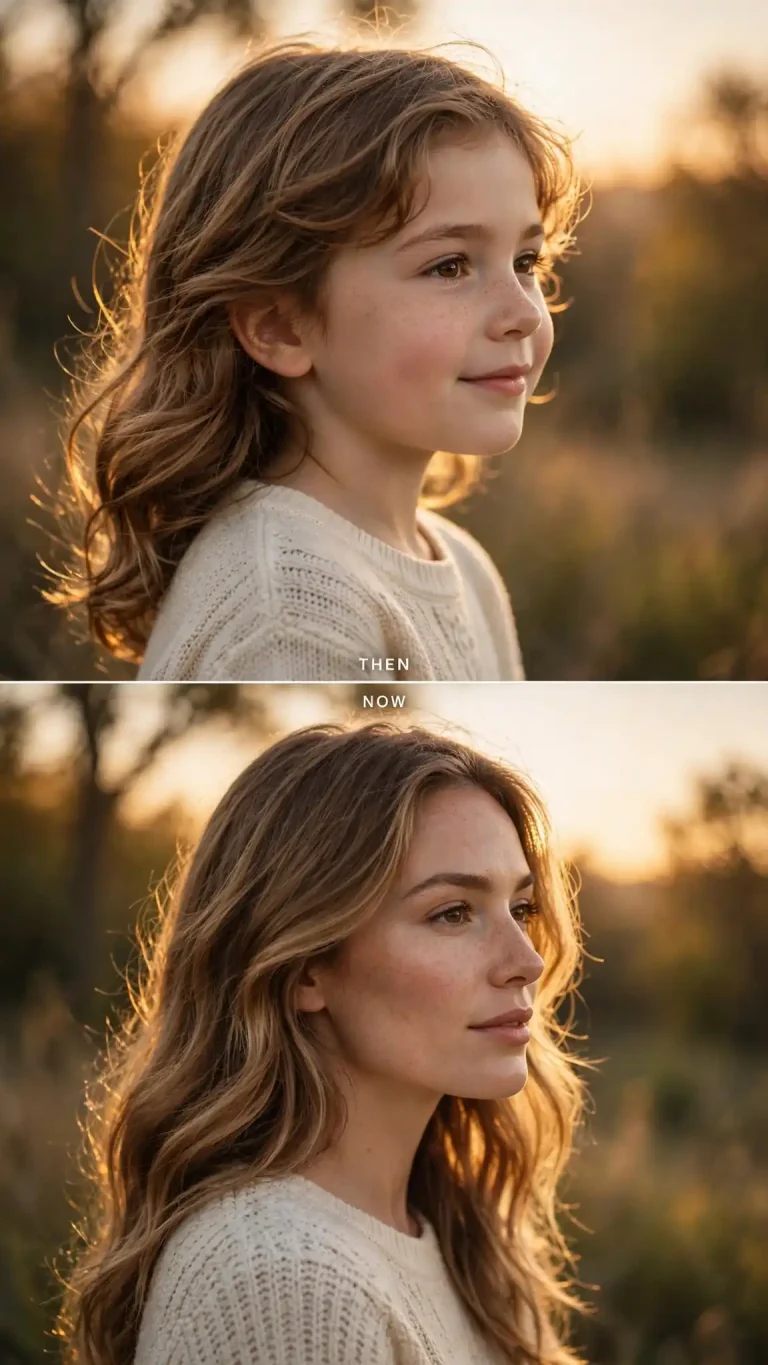
A vertical then and now photo prompt for Reels, Stories and Shorts covers, with the child on top and the adult below.
Using Image 1 (my childhood photo) and Image 2 (my recent photo), create a vertical split-screen image with my younger self in the top half and my present self in the bottom half, both in the same pose and facing the same direction. Preserve identity, skin tone, facial structure and recognizable features exactly, with no beautification and no identity change. Keep natural pores, skin texture, minor imperfections and natural facial asymmetry, avoiding plastic or over-smoothed skin. Soft golden-hour light from the right at about 4000K with a subtle rim light on the hair, shot on a 50mm lens at f/2.8 with cinematic framing and shallow depth of field. Realistic fabric, individual hair strands and natural shadows, with a thin white divider and small “THEN” and “NOW” labels in clean sans-serif type at the left edge. Calm, confident expressions. 9:16 vertical. No extra fingers, no distorted face, no watermark, no other text.
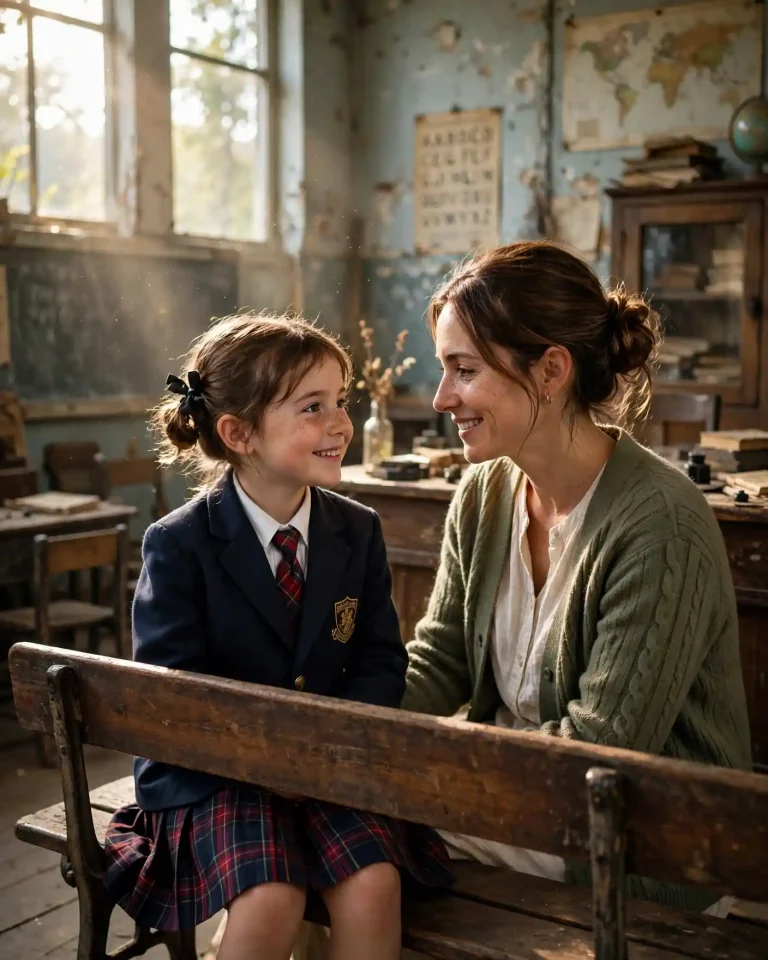
9. School Classroom Reunion
Using Image 1 (my childhood school photo) and Image 2 (my recent photo), create a cinematic scene of my present self sitting at the end of a wooden school bench in an old classroom, beside my younger self in a school uniform, both looking toward each other with a smile. Preserve identity, skin tone, facial structure and recognizable features of both exactly, with no beautification and no identity change. Keep natural pores, visible skin texture, minor imperfections and natural facial asymmetry, avoiding plastic skin. Daylight through a window on the left at about 5000K with soft dust particles in the beams and cool ambient fill, shot on a 35mm lens at f/2.8 with natural perspective and realistic bokeh. Realistic wood grain, chalk dust on the board, worn cotton uniform fabric and accurate shadows. Nostalgic, quiet mood with the child’s expression slightly shy. 4:5 portrait. No extra fingers, no distorted faces, no modern gadgets, no text, no watermark.
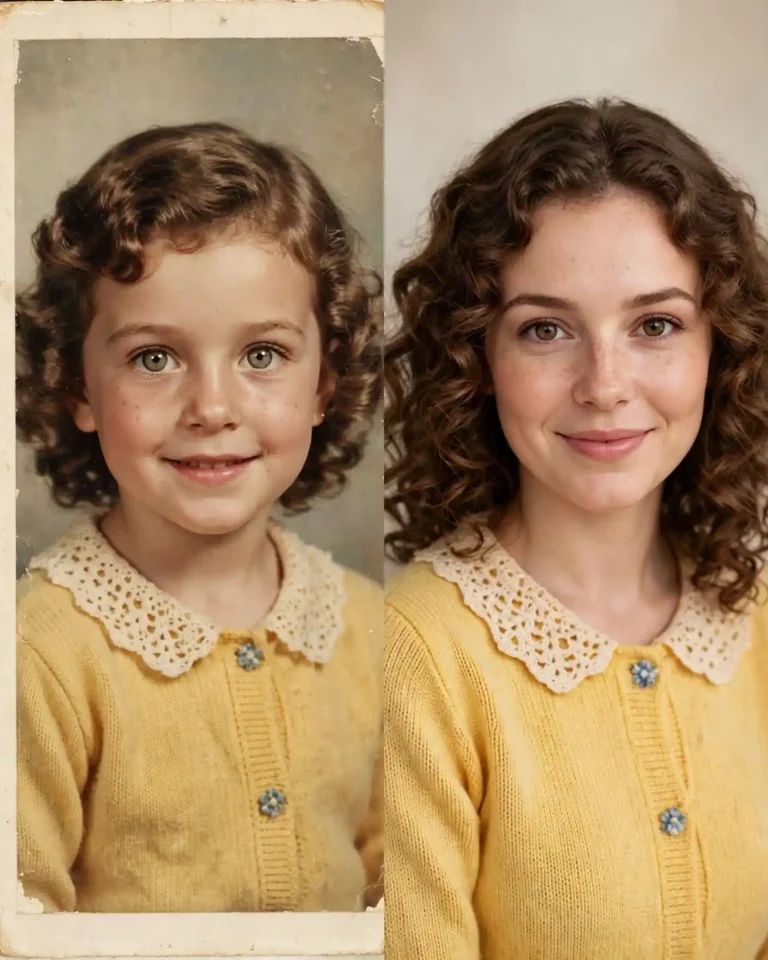
10. Old Photo Restored Next to Today
Image 1 is an old, damaged, faded photo of me as a child and Image 2 is my recent photo. Create a side-by-side image: on the left, a careful restoration of Image 1 with scratches, creases, stains and fading removed and gentle natural colour added, keeping the original expression, facial structure and film grain intact. On the right, my present self in the same pose and framing, sharp and modern. Preserve identity, skin tone and recognizable features exactly in both halves, with no beautification and no identity change. Keep natural pores, skin texture, minor imperfections and facial asymmetry, avoiding plastic or over-smoothed skin. Soft diffused studio light from the front-left at about 5200K, shot on a 50mm lens at f/4 with natural depth of field. Realistic paper-print border on the left and a clean digital edge on the right. Natural, serious portrait expressions. 4:5 portrait. No extra fingers, no distorted face, no invented background objects, no text, no watermark.
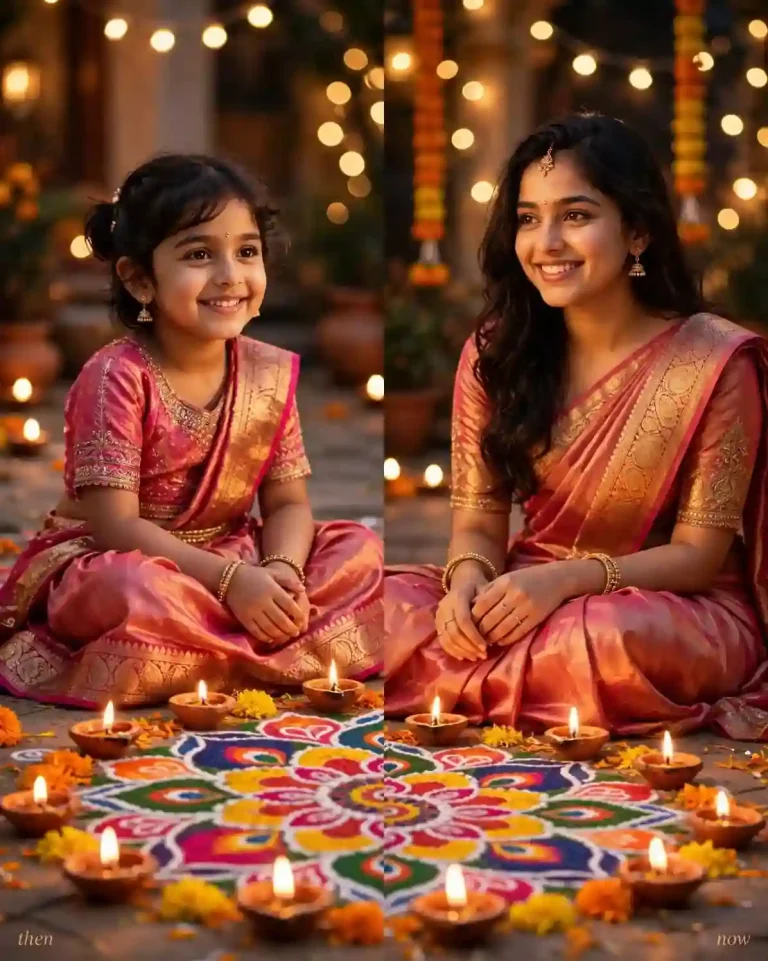
11. Festival Then and Now (Diwali, Eid, Christmas)
Using Image 1 (my childhood festival photo) and Image 2 (my recent photo), create a realistic split image of the same celebration then and now, with my younger self on the left and my present self on the right, both sitting beside a rangoli and lit diyas in traditional clothes. Preserve identity, skin tone, facial structure and recognizable features exactly, with no beautification and no identity change. Keep natural pores, skin texture, minor imperfections and facial asymmetry, avoiding plastic or over-smoothed skin. Warm diya glow at about 2200K lighting the faces from below, cool blue evening ambient light behind, shot on a 50mm lens at f/1.8 with realistic bokeh from string lights. Realistic silk and cotton fabric with fine zari borders, powdered rangoli colours, brass reflections and accurate flame shadows. Happy, relaxed smiles and a hand resting near a diya. 4:5 portrait. No extra fingers, no malformed hands, no distorted faces, no fire on skin, no text, no watermark.
12. Childhood AI Video (Photo to Moving Clip)
If your Gemini or ChatGPT plan includes video generation, you can turn a then and now photo prompt into a short clip. Availability and limits change by plan and region, so check your app first.
Using Image 1 (my childhood photo) and Image 2 (my recent photo), create an 8-second vertical video that starts on my younger self in the original pose, then smoothly transitions with a soft light flare into my present self standing in the same pose and location. Preserve identity, skin tone, facial structure and recognizable features exactly in both versions, with no beautification and no face morphing between them. Keep natural pores, skin texture, minor imperfections and facial asymmetry, with no plastic or over-smoothed skin. Soft window light from the left at about 5000K, shot on a 35mm lens at f/2.8 with a slow, steady push-in and shallow depth of field. Realistic fabric movement, individual hair strands shifting slightly in a gentle breeze and accurate shadows. Calm, nostalgic mood, a small natural smile at the end. 9:16 vertical. No flicker, no warping, no extra fingers, no distorted face, no text, no watermark.
How to Use a Then and Now Photo Prompt in Gemini or ChatGPT
To use a then and now photo prompt, upload your childhood and recent photos, paste the prompt, and refine one detail at a time. The same steps work in the Gemini app, gemini.google.com and ChatGPT with image generation turned on.
Open Gemini or ChatGPT and start a new chat with image creation available.
Upload your childhood photo first, then your recent photo.
Paste one prompt from this page and keep the “Image 1 / Image 2” wording so the tool knows which photo is which.
Generate the image, then change only one thing at a time, such as “keep everything the same but make the light warmer.”
Download the result and crop to 4:5 for Instagram and Facebook feeds, or 9:16 for Reels and Stories.
Which Photos Give the Best Results
Use a clear, front-facing childhood photo, and scan or photograph old prints in even light without glare.
Pick a recent photo with a similar head angle to the childhood one.
Avoid heavy filters, sunglasses or strong shadows across the face.
For group images, upload the original arrangement and describe who stands where. Siblings can also try these brother sister prompt ideas for matching poses.
Gemini vs ChatGPT for Then and Now Photos
Both tools can follow these prompts. Results vary by account, model version and current limits, so it is worth testing the same prompt in each. If you want more romantic edits after your anniversary photo, browse these AI couple prompts.
Feature
Gemini
ChatGPT
Access
Gemini app and website, with usage limits that can change
ChatGPT Images, available to accounts with usage limits
Good for
Polaroid, retro and festival styles, quick edits on the same image
Side-by-side layouts, couples, clean text labels
Face accuracy
Test with Prompt 1 first
Often reported as strong at keeping faces recognizable, but results vary
Tip
Refine in the same chat
Ask for one change per message
Fill-In Template to Write Your Own
Use this structure to build your own then and now photo prompt: “Using Image 1 (childhood) and Image 2 (recent), create [layout] of the same person in [scene]. Preserve identity and facial structure exactly, no beautification. Keep natural pores and asymmetry, no plastic skin. [Light source, direction, colour temperature]. [Lens and aperture]. [Fabric and surface details]. [Pose and expression]. [Aspect ratio]. No extra fingers, no distorted face, no text, no watermark.”
Want age-wise and occasion-wise ideas beyond childhood recreations? Our birthday photo prompt guide covers them, and for festive looks you can try these Diwali AI prompts.
Common Mistakes and Quick Fixes
The face looks like a blend of both photos. Say “do not merge the two faces” and describe which photo supplies which features.
Skin looks waxy. Repeat the natural-pores and asymmetry instruction, and add “no beauty filter.”
The adult looks the wrong age. Upload a newer, clearer photo and mention the real age range.
Labels are misspelled. Ask for only “THEN” and “NOW”, or add the words in an editing app afterwards.
The pose does not match. Describe the pose in words as well as uploading the photo.
Frequently Asked Questions
What is a then and now photo prompt?
A then and now photo prompt is a written instruction for an AI image tool that combines an older photo and a current photo into one image, usually side by side or in the same scene. It lets you compare or meet your younger self in a single frame.
Which is better for then vs now photos, ChatGPT or Gemini?
Neither is better in every case. Test the same prompt in both, check which one keeps your face more accurate, and keep using that tool for the rest of the trend.
Is there a free AI generator for then and now photos?
Gemini and ChatGPT both offer image generation with usage limits on free accounts, but limits and features change. Check each app for what your account includes today.
How do I stop the AI from changing my face?
Include an identity-preservation line, avoid asking for “improved” looks, upload clear photos, and refine with small changes instead of rewriting the whole prompt.
Can I make a then and now AI video from my childhood photo?
If your plan includes video generation, use a prompt like Prompt 12. Keep the clip short and vertical, and expect to try a few times.
What size should I use for Instagram and Facebook?
Use 4:5 portrait for feed posts, 1:1 for square layouts and 9:16 for Reels and Stories.
Then and now photo banane ke liye kaunsa prompt best hai?
Sabse pehle Prompt 1 (classic side-by-side) try karein, kyunki isse pata chal jata hai ki AI aapka chehra kitna sahi rakh raha hai. Uske baad birthday, couple ya Reel cover jaisa style chunein aur Instagram ke liye 4:5 ya 9:16 ratio use karein.
Final Thoughts
The best results come from clear photos, an identity-preserving instruction and one change at a time. You can find more copy-paste image ideas on EditsPrompts. Start with the classic side-by-side, move to the style that fits your story, and save the version that keeps your face most accurate as your go-to then and now photo prompt.