Birthday Photo Prompt Ideas for AI Image Generators
A good birthday photo prompt is the difference between a flat, plastic-looking AI edit and a photo that actually looks like a professional took it. If you’ve typed something vague like “make my photo look like a birthday shoot” into Gemini or ChatGPT and gotten back a picture that barely looks like you, the problem isn’t the tool — it’s the prompt. Most people writing a birthday photo prompt skip the details that actually control how AI image generators render skin, light, and identity, so the tool fills in the gaps with its own guesses.
This guide breaks down exactly how to write prompts that keep your face looking like you, work across Gemini, ChatGPT, and Bing Image Creator, and cover the specific occasions people search for most — first birthdays, milestone birthdays, birthday banners, couple shoots, and trending Instagram styles.
What Makes a Birthday Photo Prompt Actually Work
A birthday photo prompt is a written instruction you give an AI image generator to transform an existing photo (or generate a new one) into a birthday-themed image — think confetti backdrops, birthday banners, cake-lit portraits, or festive frames. The quality of the output depends almost entirely on how specific the prompt is.
Generic prompts produce generic results. AI models default to smoothing skin, symmetrizing faces, and applying a “beautified” look unless you explicitly tell them not to. That’s why every prompt in this article is written as a full, technical instruction rather than a short idea — because over-smoothed skin, changed face shape, and plastic textures are the single biggest complaint people have with AI birthday editing.
A prompt that works consistently across Gemini, ChatGPT’s image tool, and Bing Image Creator needs eight components:
- Face-preservation instruction — telling the model to keep identity, skin tone, and facial structure exactly as in the source photo
- Natural imperfection clause — preventing the “AI-perfect” smoothed-skin look
- Lighting direction and color temperature — where the light comes from and how warm or cool it is
- Camera and lens language — like 85mm or f/1.8 — to push the image toward realistic photography
- Texture realism — how fabric, hair, and skin should physically behave
- Aspect ratio — matched to Instagram post, story, or profile use
- Avoid-clauses — negative instructions ruling out common AI errors
- Pose and mood direction — so the subject doesn’t look stiff or robotic
How to Write a Birthday Photo Prompt for Any AI Tool
Whether you’re using Gemini, ChatGPT, or Bing’s Image Creator, the process is nearly identical:
- Upload a clear reference photo — good lighting and a front-facing angle give the AI the most identity data to preserve.
- State the occasion and theme first — “1st birthday,” “milestone 60th,” “surprise party,” etc.
- Add the technical clauses listed above, in one continuous paragraph rather than bullet points — models read flowing prompts more coherently than fragmented lists.
- Specify the aspect ratio for where you’ll post it — 4:5 for feed posts, 9:16 for stories and reels.
- Generate, then refine — if the first output changes the face too much, add “match facial structure precisely to uploaded photo” and regenerate.
This same structure works whether you’re editing for Gemini, editing for ChatGPT, or trying Bing Image Creator — only small wording tweaks change between tools.
Prompt Library: Ready-to-Paste Birthday Photo Prompts
Below are complete, ready-to-paste Editing prompts covering the most-searched birthday occasions and styles. Upload a clear reference photo first, then paste the prompt right after it. Tap View Full Prompt to expand any box, then Copy Prompt to grab it in one tap.
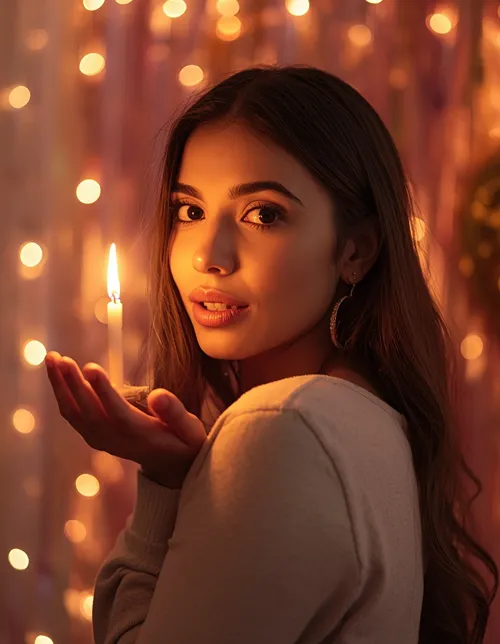
1. General Birthday Portrait
GENERAL PORTRAIT
A warm golden-hour rim-lit portrait with soft f/1.8 background blur and out-of-focus balloons.
Birthday Photo Prompt Ideas by Age and Occasion
Different life stages call for very different prompt details — a baby’s first birthday shoot needs soft, nursery-toned lighting, while a 60th birthday portrait needs dignified, warm framing. Here’s how to adjust your birthday photo prompt for the most-searched occasions.
Baby’s First Birthday, 2-Month, and 3-Month Milestone Prompts
Parents searching for 1st picture ideas, baby girl 1st birthday looks, or 1-month and 2-month milestone photos need prompts that protect a baby’s delicate, unformed features rather than “adult-ifying” them.
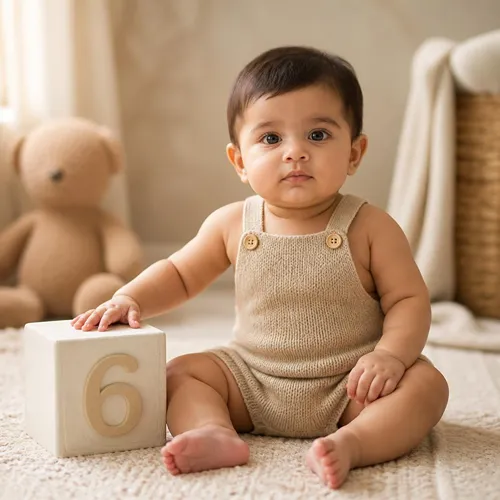
2. Baby’s First Birthday
BABY MILESTONE
A soft, diffused nursery-toned portrait with a numbered milestone block.
Milestone Birthday Prompts (18th, 60th, and Beyond)
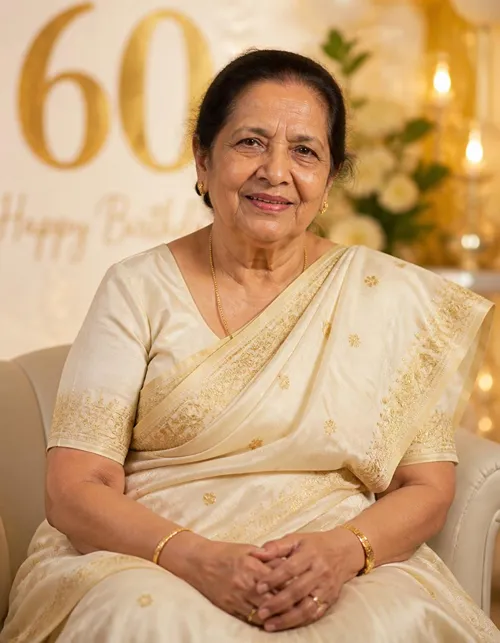
For milestone ages like 18th or 60th birthdays, the goal shifts to celebratory but respectful realism.
3. Milestone Birthday (18th, 60th and Beyond)
MILESTONE BIRTHDAY
A dignified, warm side-lit portrait against a gold-and-cream numeral backdrop.
Birthday Photo Prompts for Men, Women, Boys, and Girls
Search behavior shows people frequently want prompts tailored by gender — stylish shoots for men, soft glam looks for women, playful frames for kids.
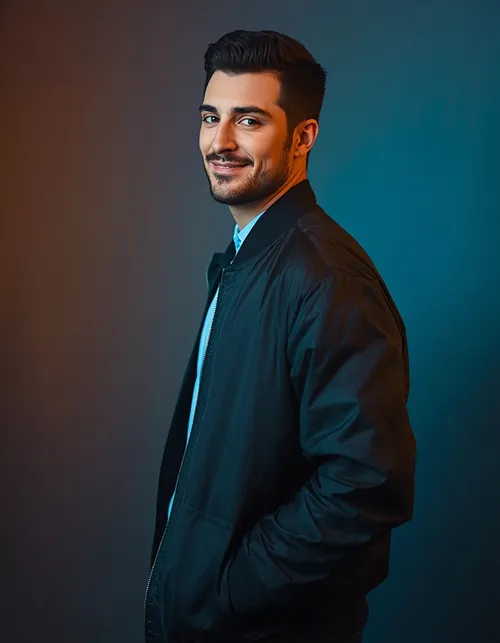
For Men (Stylish, Trending Look)
4. Stylish Birthday Look for Men
MEN’S EDITORIAL
A cool-toned editorial shoot with neon rim light and crisp midground focus.
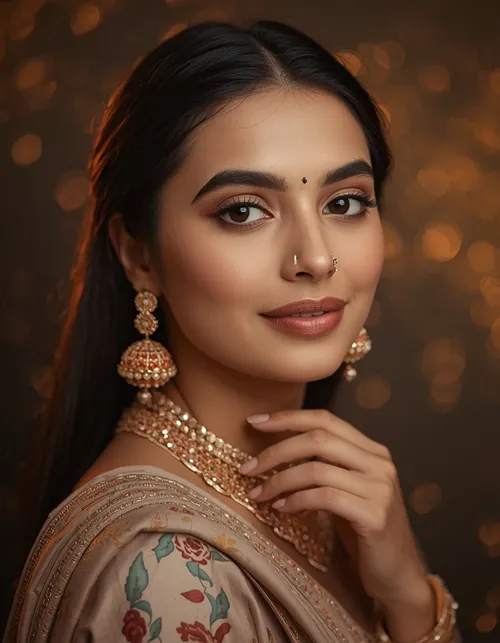
For Women (Elegant, Instagram-Trending)
5. Elegant Birthday Look for Women
WOMEN’S ELEGANT
A golden rim-lit portrait with creamy bokeh and flowing fabric detail.
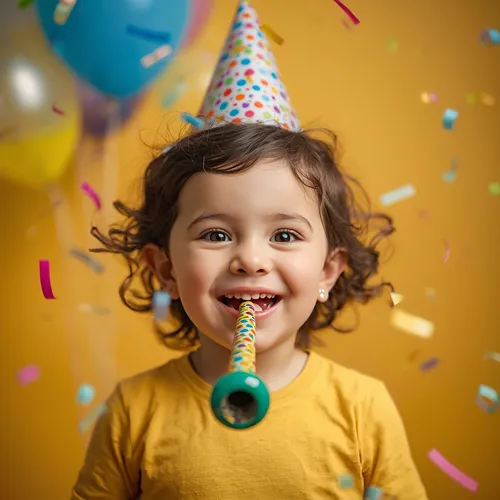
For Boys and Girls (Kids’ Birthday Frame)
6. Kids’ Birthday Frame
KIDS BIRTHDAY
A bright, daylight-balanced frame with balloon and confetti texture.
Birthday Banner, Poster, Frame, and Collage Prompt Ideas
Beyond single portraits, many searches are for banner ideas, frame design, and collage layouts — useful for invitation cards and party decor.
7. Birthday Banner Composition
BANNER / FRAME
A horizontal banner with a photo-realistic center and a decorative gold-foil frame.
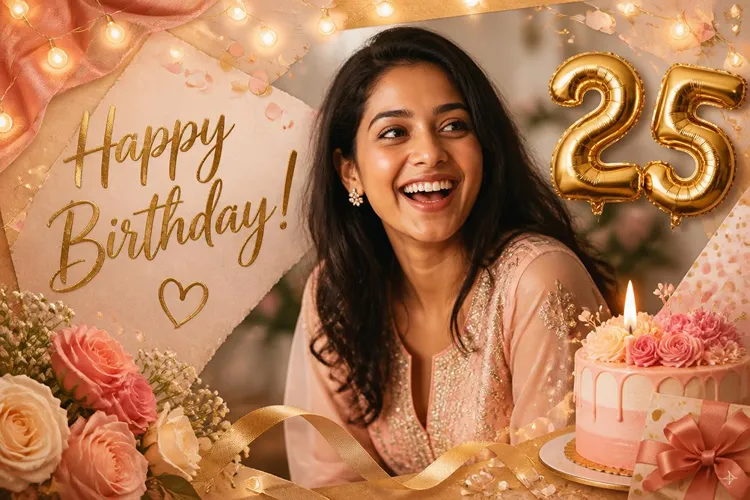
For a collage, the same prompt logic applies but with instructions to arrange three to four uploaded photos in a grid with consistent color grading across all frames — useful when combining childhood and present-day photos for milestone birthdays.
Trending and Viral Birthday Editing Styles
Instagram trends shift constantly, and “trending” or “viral” birthday edits usually fall into a few repeatable categories: Y2K-style grain and film flash, cinematic 90s film tones, and clean minimalist frame overlays. When adapting any prompt above for a trending look, add a clause such as “apply a subtle 35mm film grain and warm Y2K color grade with slight vignette” while keeping every face-preservation and texture-realism clause intact — trend styling should sit on top of the photo, not replace the person’s actual features.
Adding Wishes, Quotes, and Stickers to Birthday Photos
Many people also want text, wishes, or stickers layered onto their AI-generated birthday photo. AI image generators like Gemini and ChatGPT can add short text directly if you specify the exact wording, font mood (“bold handwritten script”), and placement (“bottom third of image, not overlapping the face”). For stickers — balloons, hearts, or number badges — describe them as physical props with light and shadow matching the scene, rather than flat 2D overlays, so they don’t look pasted on. If precise, editable text is important, it’s often more reliable to generate the photo first in your birthday photo prompt, then add wishes or quotes separately in Canva or Instagram’s own text tools.
Which Prompt Should You Use — and Where Can You Use It
Choosing between prompts comes down to two questions: who’s in the photo, and where will it be posted. A single portrait for Instagram works best as 4:5; a story or reel needs 9:16; a printed banner needs a wide ratio. Beyond that, match the prompt to the emotional tone you want — playful for kids, elegant for women’s shoots, editorial for men, dignified for milestone ages like a 60th birthday.
As for tools, yes — these prompts can generally be used on Canva’s AI features, Photoshop’s generative fill, Gemini, ChatGPT’s image tool, and Bing Image Creator, though results and fidelity vary. They can also be adapted for short-form video tools by adding motion and camera-move instructions, and the resulting images can be posted directly to Instagram as posts or Reels once exported.
| Tool | Best For | Free Access | Face Accuracy |
|---|---|---|---|
| Gemini | Photorealistic edits, identity preservation | Yes, with limits | High |
| ChatGPT (image tool) | Creative frames, banners, collages | Yes, with limits | Moderate–High |
| Bing Image Creator | Quick stylized generations | Yes | Moderate |
Common Mistakes to Avoid
- Skipping face-preservation language — this is the single biggest cause of “it doesn’t look like me” results.
- Using bullet-point prompts instead of one flowing paragraph — models parse continuous prompts more reliably.
- Forgetting aspect ratio — leads to awkward cropping on Instagram.
- Not specifying lighting temperature — results in flat, generic lighting.
- Overloading one prompt with too many themes — pick one occasion, one mood, one setting per generation.
Frequently Asked Questions
What is a birthday photo prompt?
It’s a detailed text instruction given to an AI image generator like Gemini or ChatGPT to transform a photo into a birthday-themed image, specifying lighting, identity preservation, camera style, and composition.
How do I stop AI from changing my face in birthday edits?
Add explicit face-preservation and natural-imperfection clauses to your prompt — instructing the model to keep skin tone, facial structure, and texture exactly as in the original photo without beautification.
Can I use these prompts on Canva or Photoshop?
Yes. Canva’s AI tools and Photoshop’s generative fill accept similar descriptive prompts, though you may need to simplify technical camera terms depending on the tool’s interface.
Is Gemini or ChatGPT better for birthday photo editing?
Gemini generally preserves facial identity more accurately for photorealistic edits, while ChatGPT’s image tool tends to perform well for stylized frames, banners, and collages.
What does “nano banana” mean in Gemini prompts?
It’s a nickname circulating online for Gemini’s advanced image-generation model, known for strong photorealistic editing and identity retention.
Can I turn a birthday photo prompt into a video?
Yes — AI video tools can animate a generated birthday image into a short video by adding motion and camera-movement instructions to the same base prompt.
Kaunsa prompt birthday photo banane ke liye best hai?
Occasion aur platform ke hisaab se prompt choose karein — baby ke liye soft lighting wala prompt, milestone birthday ke liye dignified warm-tone prompt, aur Instagram ke liye 4:5 ya 9:16 ratio wala prompt sabse best result deta hai.
Final Thoughts
The gap between a forgettable AI edit and a birthday photo people actually stop scrolling for comes down to one thing: how specific your birthday photo prompt is. Skip the vague one-liners, include identity-preservation, lighting, lens, and texture details every time, and adjust the occasion-specific details covered above — whether that’s a baby’s first birthday, a milestone 60th, or a trending Instagram frame. Once you’ve written one solid birthday photo prompt, reusing and tweaking that same structure across Gemini, ChatGPT, and Bing Image Creator becomes second nature.
Search
Recent Post