Film Grain AI Prompts: 15 Copy-Paste Prompts for Gemini and ChatGPT
Film grain AI prompts give your generated photos the texture of real 35mm film: soft noise, faded colour and imperfect light instead of the glossy, over-smooth look most AI images default to. Below are 15 complete, ready-to-paste prompts for portraits, maternity shoots and street or travel scenes.
Upload a clear reference photo, paste a prompt and generate. Every prompt locks identity first, keeps natural skin texture and ends with negative instructions, so the result looks like you, only shot on film.
Film Grain AI Prompts for Portraits
These five film grain AI prompts cover the most requested analog looks. Each assumes you upload a reference photo, which is why every prompt locks identity first. If you only want warm sunset light, this golden hour portrait AI prompt is a simpler starting point. For a cleaner grade without heavy grain, try these cinematic photo prompts. The Instagram flash filter prompt pairs well with the disposable-camera look below.
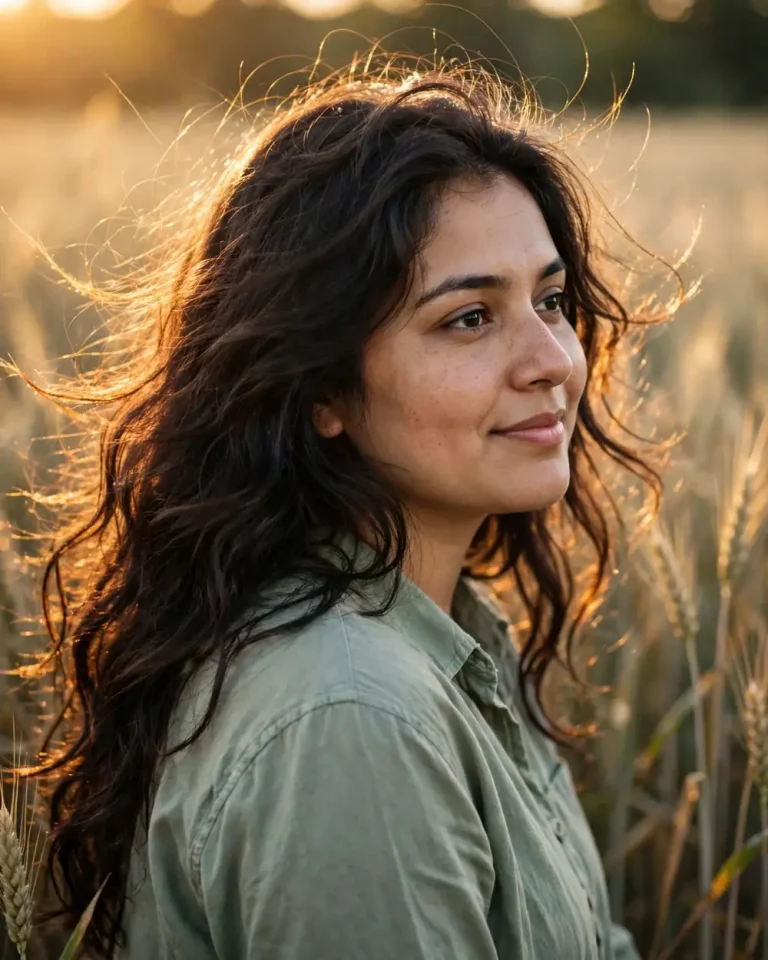
Kodak Portra Golden Hour Portrait
Using the uploaded reference photo, create a 35mm film portrait of the same person standing in a wheat field at golden hour. Preserve their exact face, skin tone, facial structure and recognisable features, with no beautification and no identity change. Warm 3200K sunlight comes low from behind-left as a golden rim light, with soft sky fill on the face. Shot on a 50mm lens at f/1.8, shallow depth of field, creamy natural bokeh. Visible Kodak Portra 400 style grain in the midtones, lifted shadows, muted peach and sage tones. Keep natural pores, faint under-eye texture and slight facial asymmetry, with individual flyaway hair strands catching the light and a cotton shirt with realistic creases. Relaxed three-quarter turn, soft half-smile, eyes just past the lens. 4:5 portrait. No plastic skin, no over-smoothing, no extra fingers, no distorted face, no text, no watermark.
Fuji Pastel Café Window Portrait
Transform the uploaded photo into a candid Fujifilm-style film photograph of the same person at a café window table, keeping their identity, skin tone and facial features exactly unchanged with no retouching. Soft overcast daylight enters from the left at roughly 5500K, with a cool-green shadow side and gentle ambient bounce from the table. 35mm lens at f/2.8, natural perspective, slightly soft focus edges. Fine, even film grain, mild green-cyan colour cast, gently faded blacks. Show real skin pores, small blemishes, natural asymmetry, a ceramic cup with believable reflections and a chunky knit sweater with visible fibres. Caught mid-laugh, chin resting on one hand, looking out the window. 4:5 portrait. No airbrushed skin, no distorted hands, no duplicated objects, no logo, no watermark.
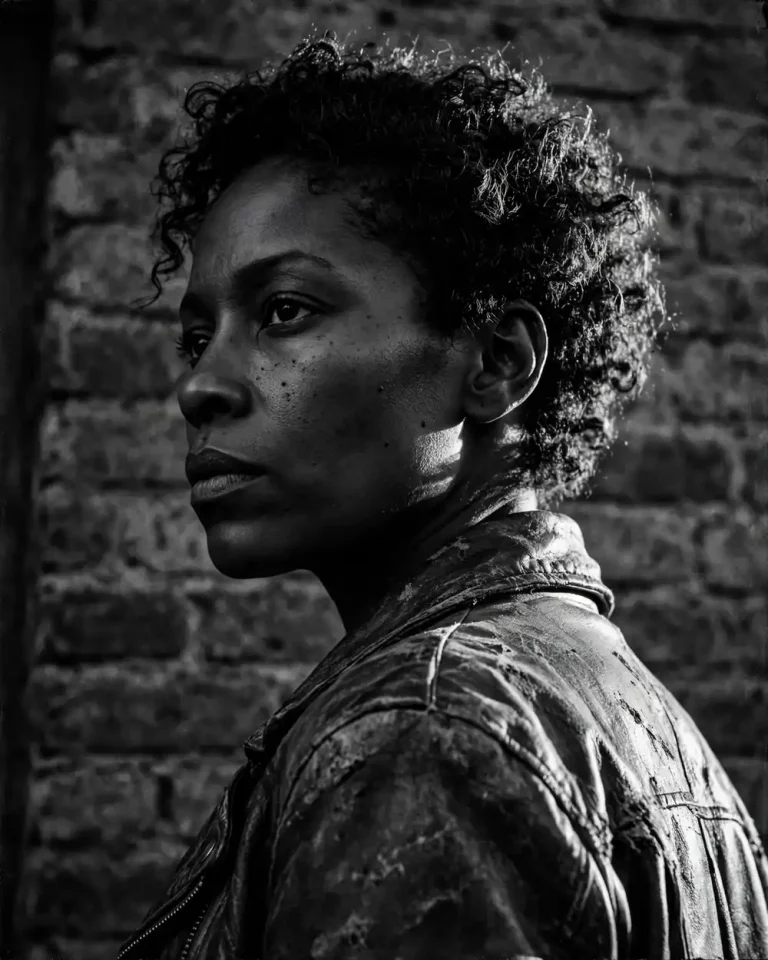
Black and White Tri-X Street Portrait
Create a high-contrast black-and-white 35mm portrait from the uploaded reference photo, preserving the person’s exact face, bone structure and expression with no beautification. Hard late-afternoon sun from camera-right at about 45 degrees, deep shadows on the opposite side, a bright rim along the jaw and shoulder. 35mm lens at f/4, slightly low angle, tight cinematic framing against a weathered brick wall. Coarse Kodak Tri-X style grain, crushed blacks, bright but not blown highlights. Keep visible pores, stubble or fine facial hair, natural asymmetry, a worn leather jacket with scuffed creases and real brick texture. Serious, quiet gaze, shoulders turned slightly away. 4:5 portrait. No smoothing, no AI-perfect symmetry, no extra fingers, no text, no watermark.
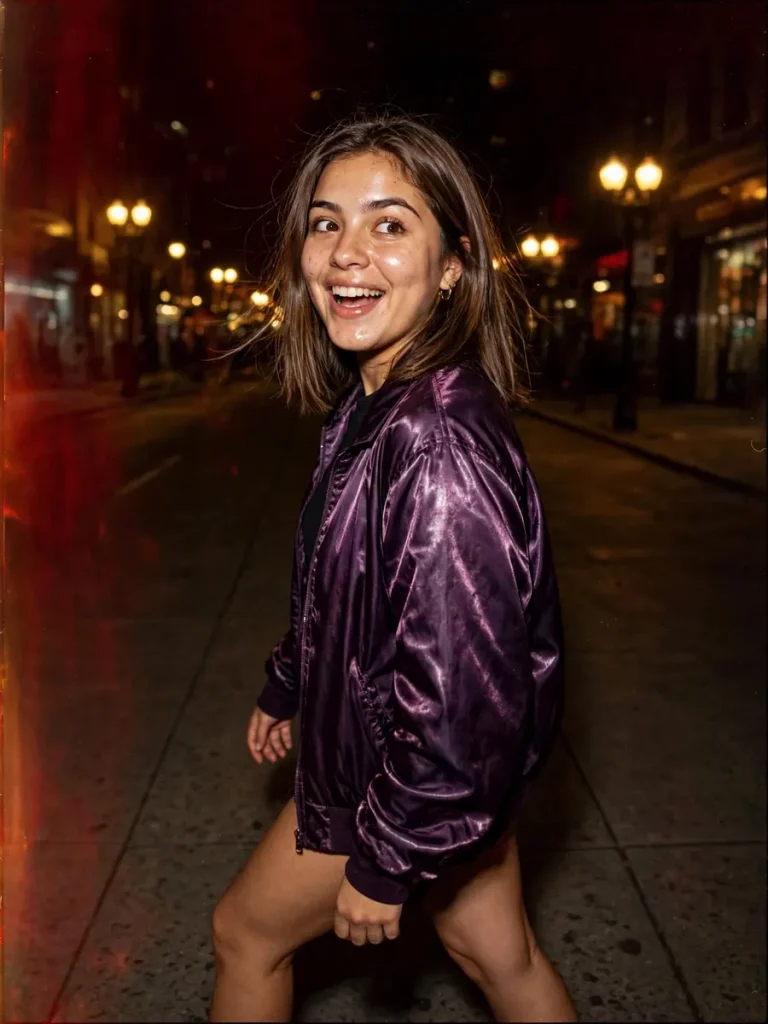
Disposable Camera Night Flash Portrait
Recreate the uploaded photo as a disposable-camera night snapshot of the same person on a city pavement, keeping their face, skin tone and features exactly as in the reference with no identity change. Direct on-camera flash at harsh frontal intensity, strong falloff into warm 2800K streetlights behind them, with slightly red-tinted dark backgrounds. Simulated 28mm plastic lens, flat perspective, mild vignetting, heavy visible grain, a faint light leak at the frame edge. Show shiny skin highlights, real pores, flyaway hair and a satin jacket catching specular flash. Mid-step pose, glancing over one shoulder with a surprised grin, slightly off-centre framing. 3:4 portrait. No beauty filter, no perfect symmetry, no distorted hands, no watermark, no text.
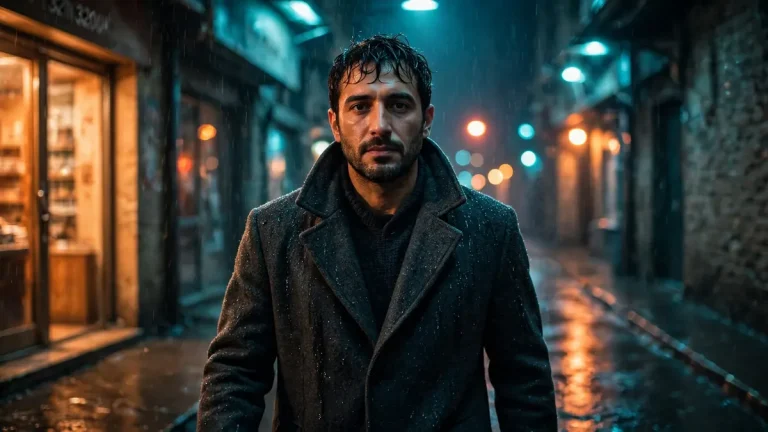
Cinematic CineStill Alley Portrait
Using the uploaded reference photo, generate a cinematic 35mm night portrait of the same person in a narrow rain-slicked alley, preserving exact identity, skin tone and facial structure with no beautification. Tungsten 3200K shopfront glow from the left, cool blue-teal ambient light from above, soft red halation around bright lights. 85mm lens at f/1.8, compressed background, round bokeh, slight low angle, 16:9 widescreen framing. CineStill 800T style grain, lifted teal shadows, warm orange highlights. Keep natural skin pores, damp hair strands, subtle asymmetry, wet asphalt reflections and a wool overcoat with realistic fibre texture. Walking toward the camera, collar raised, calm serious expression. No plastic skin, no extra limbs, no distorted face, no text, no watermark.
Film Grain AI Prompts for Maternity Photoshoots
Film grain AI prompts suit maternity photography because grain softens and adds warmth without erasing the person. These prompts work in Gemini, ChatGPT and most image models that accept a reference photo, and they keep the pose tasteful and natural. For more outfit and pose ideas beyond film looks, browse this pregnancy AI photo prompt collection, and couples can combine it with these AI couple prompts. A plain backdrop works well for the studio look, so a studio background prompt is a handy companion.
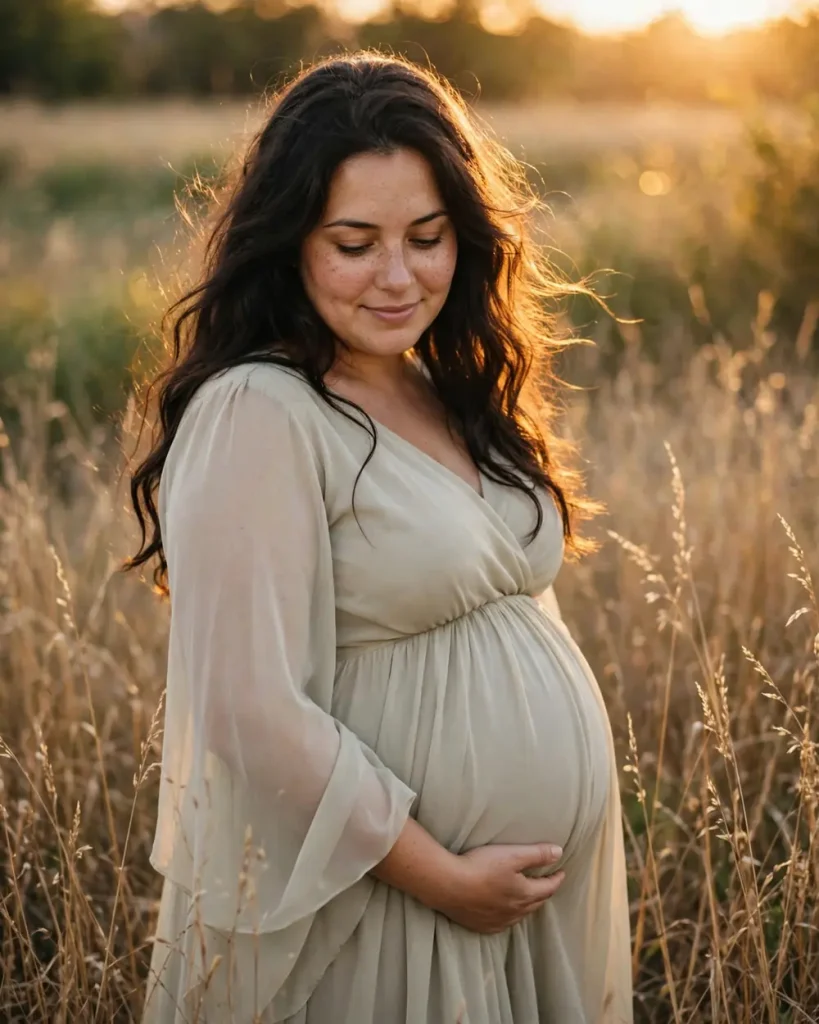
Golden Hour Field Maternity Portrait
Using the uploaded reference photo, create a 35mm film maternity portrait of the same woman standing in tall dry grass at sunset, one hand cradling the baby bump. Preserve her exact face, skin tone and features with no beautification or identity change. Low golden sun from behind-right at 3000K gives a warm rim light on hair and shoulders, soft fill on her face. 50mm lens at f/2, shallow depth of field, gentle bokeh. Warm Kodak Gold style grain, soft faded greens and amber. Flowing chiffon gown with physically accurate drape and light movement in the breeze, individual hair strands lit from behind, natural skin pores and slight asymmetry. Calm downward gaze, quiet smile. 4:5 portrait. No plastic skin, no extra fingers, no distorted bump anatomy, no text, no watermark.
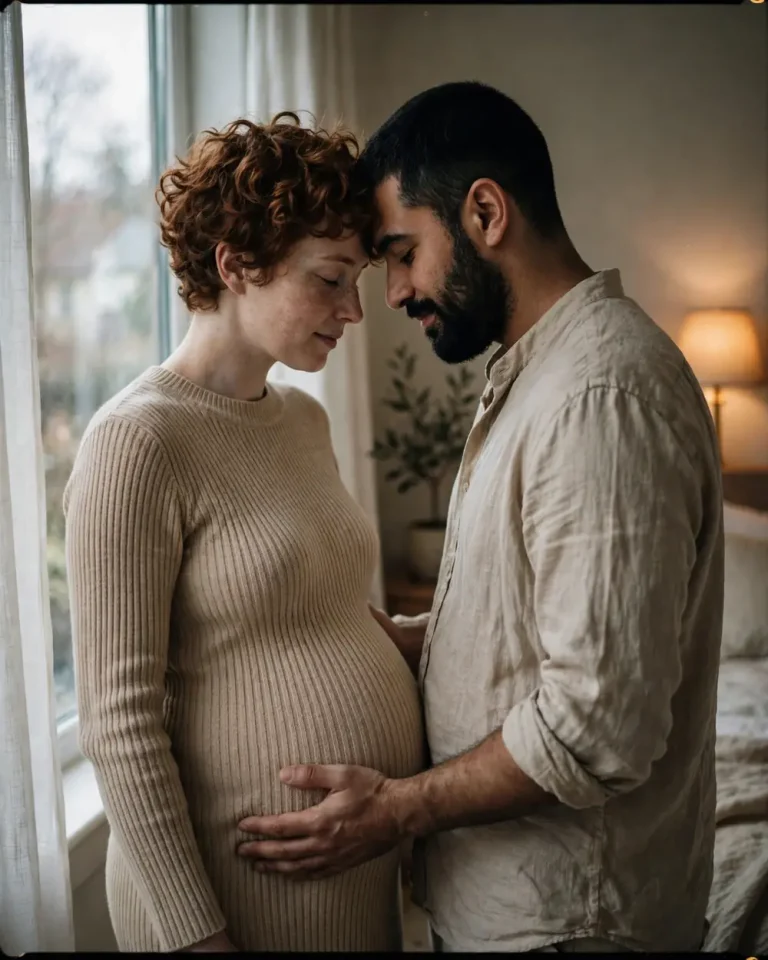
Couple Window-Light Maternity Photo
Create an intimate film-style maternity photo from the uploaded reference photos of a couple, preserving both faces, skin tones, heights and features exactly with no identity change or retouching. They stand in a bedroom beside a large window, his hands resting on her bump, foreheads close. Soft north window light from the left at about 5600K, warm lamp glow behind at 2700K. 35mm lens at f/2.2, natural perspective, soft depth of field. Fine Portra-like grain, creamy highlights, gently desaturated colour. Show real skin texture, natural asymmetry, a ribbed knit dress and linen shirt with believable creases. Quiet, affectionate mood. 4:5 portrait. No extra fingers, no merged bodies, no distorted faces, no text, no watermark.
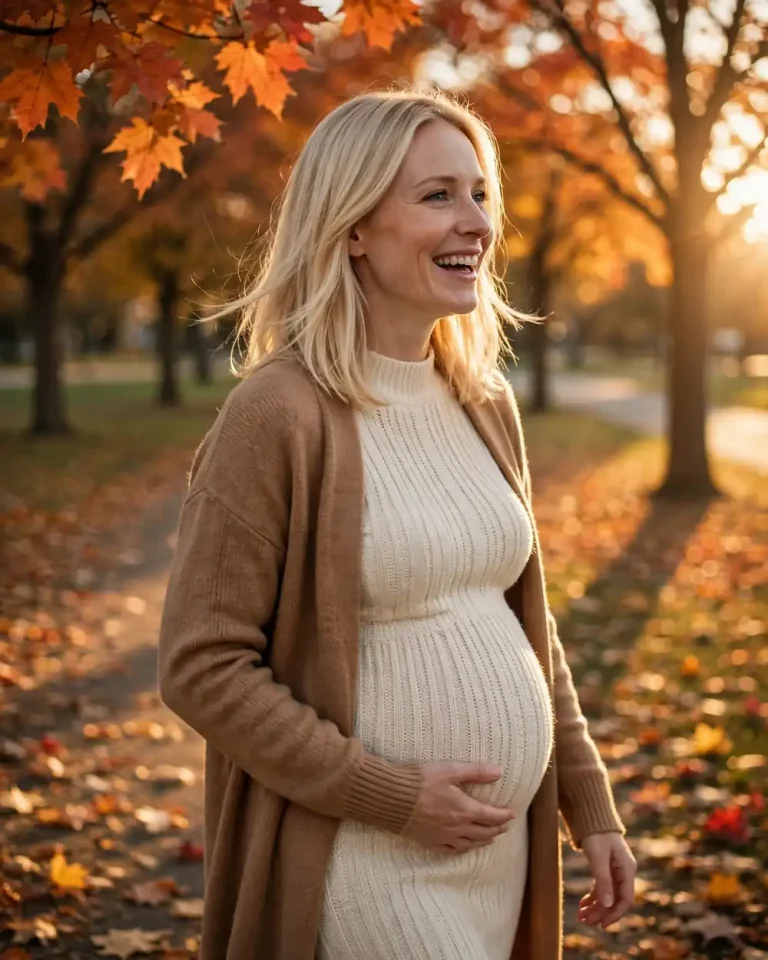
Autumn Maternity Photoshoot Idea
Using the uploaded reference photo, make a fall maternity photograph of the same woman in a park lined with orange and rust maple trees, wearing a fitted cream knit dress and a camel cardigan open at the front. Keep her identity, skin tone and facial features exactly unchanged, with no beautification. Low afternoon sun from the right at 3400K, long soft shadows, warm leaf-bounced light under the chin. 85mm lens at f/2, focal compression, creamy autumn bokeh. Kodak Ektar-inspired grain with rich but slightly faded reds and golds. Realistic knit fibres, scattered leaves with natural edges, visible skin pores and subtle asymmetry. Slow walk, one hand on the bump, laughing softly. 4:5 portrait. No plastic skin, no malformed hands, no text, no watermark.
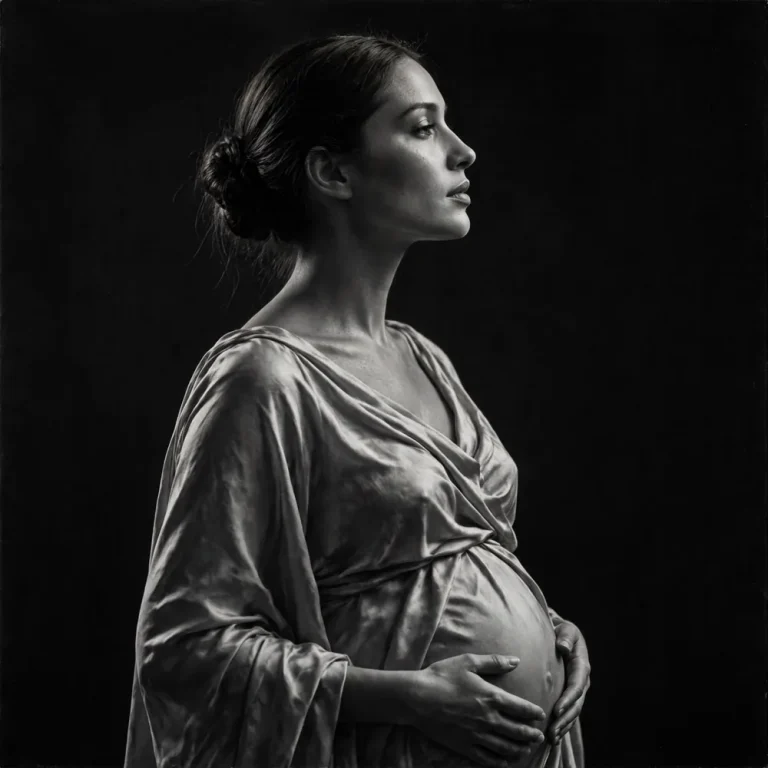
Monochrome Studio Maternity Portrait
From the uploaded reference photo, create a black-and-white fine-art maternity portrait of the same woman in profile against a dark seamless backdrop, preserving her exact face and features with no beautification. A single large softbox from the left at 45 degrees gives sculpted Rembrandt-style shadows, with a thin hard rim light separating her silhouette. 85mm lens at f/4, clean negative space, 1:1 framing. Tri-X style grain, deep blacks, creamy highlights. A draped silk gown with accurate folds and sheen, natural skin pores and fine hair strands. Still, graceful stance, chin lifted, hands framing the bump. No glossy skin, no distorted anatomy, no extra fingers, no text, no watermark.
Rainbow Baby Nursery Maternity Photo
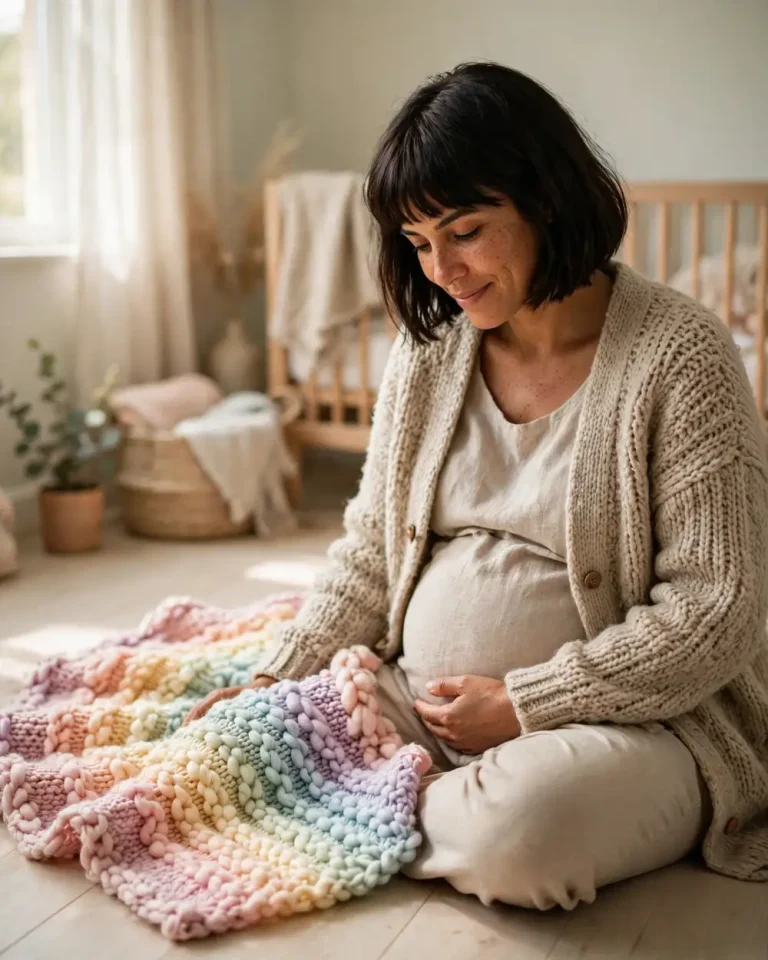
Using the uploaded reference photo, create a warm film-style maternity photo of the same woman seated on a nursery floor beside a hand-knitted rainbow blanket, a hand resting on her bump. Keep her face, skin tone and features exactly as in the reference with no retouching. Soft morning light from a side window at 5000K, warm bounce from pale wooden floors. 35mm lens at f/2.5, gentle depth of field. Fine Fuji-style grain, pastel colour palette, slightly lifted shadows. Realistic wool texture with visible stitches, natural skin pores, subtle asymmetry and individual hair strands. Peaceful smile, relaxed posture, looking down at the bump. 4:5 portrait. No plastic skin, no distorted hands, no extra objects, no text, no watermark.
Film Grain AI Prompts for Street and Travel Photos
Street and travel scenes are where film grain AI prompts feel most authentic, because candid framing and imperfect light do much of the work. Keep poses unposed. For more glowing night scenes, see these neon cinematic photo prompts, and for wet-weather moods try this rainy prompt. The heritage courtyard look also pairs naturally with an AI saree prompt.
Rainy Neon Street Photograph
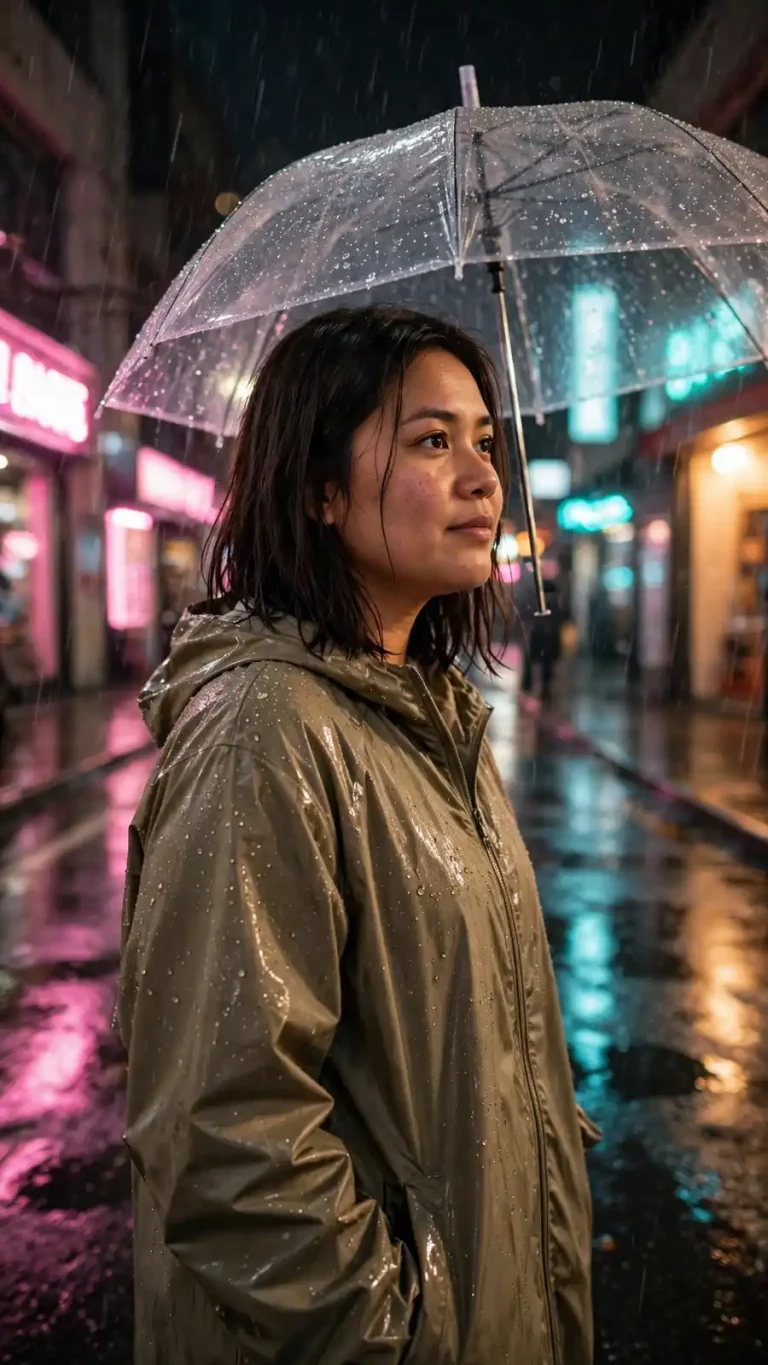
Using the uploaded reference photo, create a candid night street photograph of the same person under a clear umbrella on a wet neon-lit road, preserving exact identity, skin tone and facial features with no beautification. Pink and cyan neon signs from both sides, warm 3000K shop light on the face, visible rain streaks. 35mm lens at f/1.8, handheld feel, mild motion blur at the edges. High-ISO colour film grain, glowing halation, deep shadows. Realistic raindrops, reflective asphalt puddles, a nylon raincoat with water beads, natural skin texture. Mid-walk, glancing sideways. 9:16 vertical. No text on signs, no distorted hands, no watermark.
Heritage Courtyard Travel Portrait
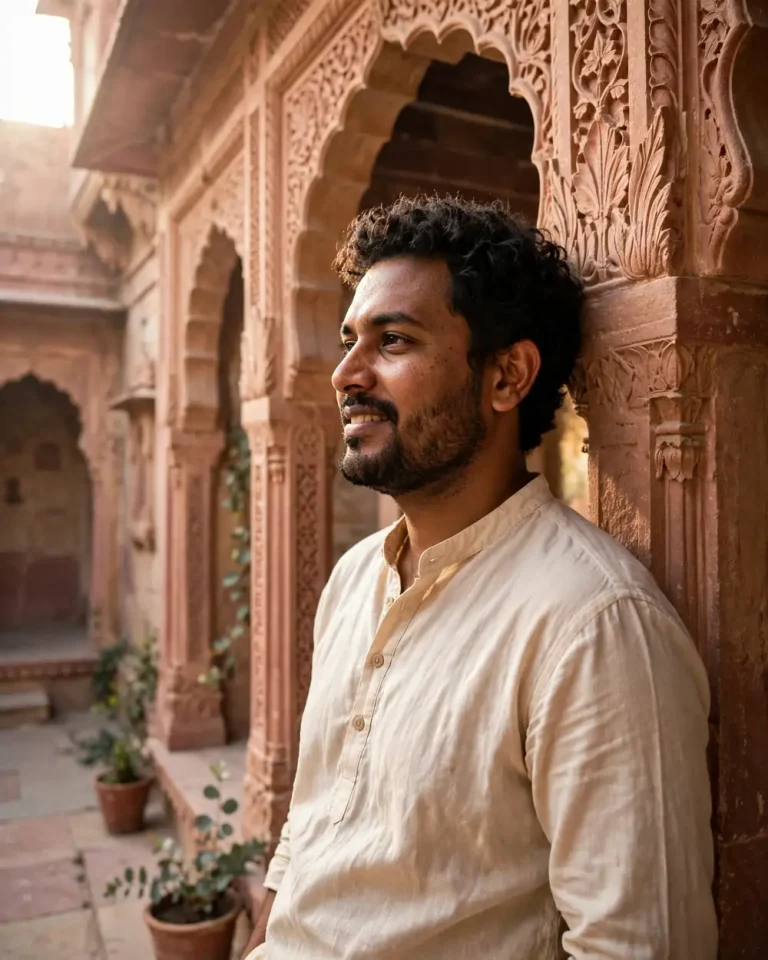
Create a morning travel portrait from the uploaded reference photo, with the same person in a sandstone haveli courtyard with carved arches, preserving their exact face and features, no identity change. Soft diffused 5200K sunlight enters from the upper left, warm bounce from the pink stone. 40mm lens at f/4, natural perspective. Kodak Gold style grain, warm faded colours, slightly lifted blacks. Realistic carved stone texture, a cotton kurta with natural folds, visible skin pores and subtle asymmetry. Leaning against a pillar, looking away with a relaxed smile. 4:5 portrait. No plastic skin, no extra fingers, no crowd, no text, no watermark.
Instant Film Polaroid Border Photo
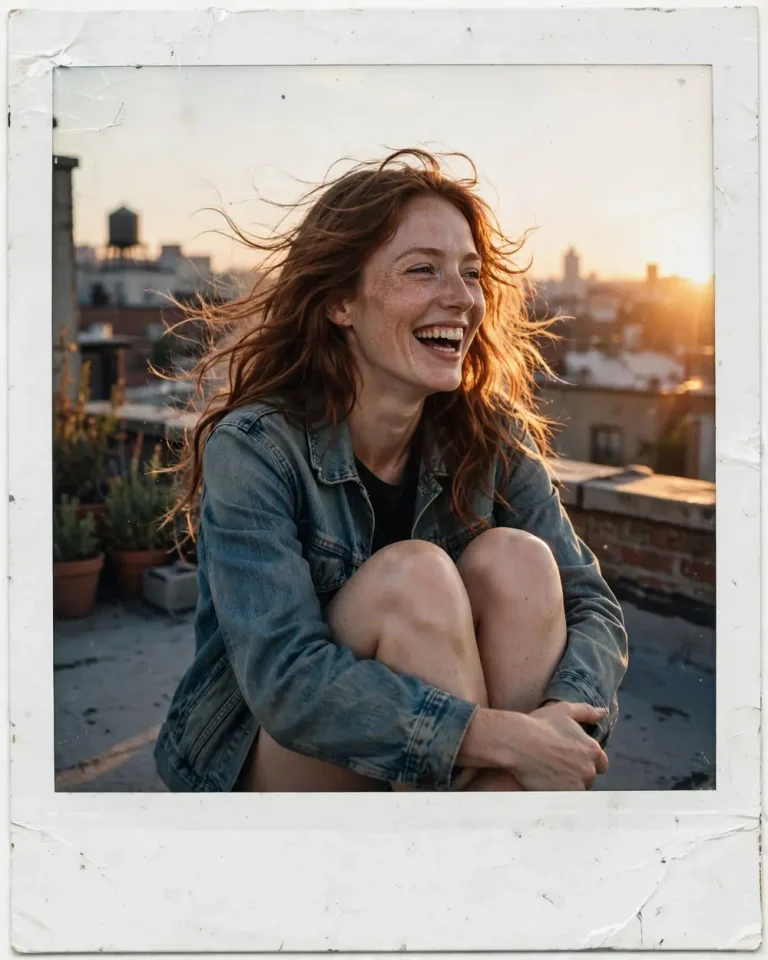
Turn the uploaded reference photo into a scanned instant-film print of the same person on a rooftop at sunset, keeping their face, skin tone and features exactly unchanged. Add a slightly uneven white instant-film border with faint corner wear. Warm low sun from the right at 3200K, soft shadow on the left, mild blue cast in the shadows. Simulated plastic lens, soft edges, gentle vignette, soft grain, slightly washed blacks. Show real skin pores, windblown hair strands and a denim jacket with natural fading. Candid laugh, sitting with knees up. 4:5 print format. No perfect symmetry, no text, no watermark.
16mm Cinematic Still
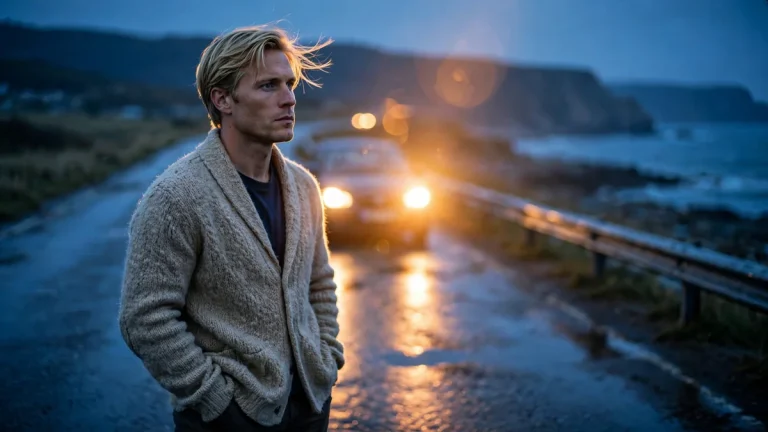
Using the uploaded reference photo, create a 16mm film still of the same person on an empty seaside road at dusk, preserving exact identity and features with no beautification. Cool blue ambient twilight with a warm 2700K car headlight glow from behind, slight lens flare. 35mm lens, 16:9 frame, shallow depth of field. Heavy 16mm grain, soft contrast, slight gate weave feel. A wool cardigan with believable fibre texture, natural skin pores, windblown hair strands, wet-road reflections. Standing still, hands in pockets, introspective expression. No extra limbs, no distorted face, no subtitles, no watermark.
Light Leak Double Exposure Portrait
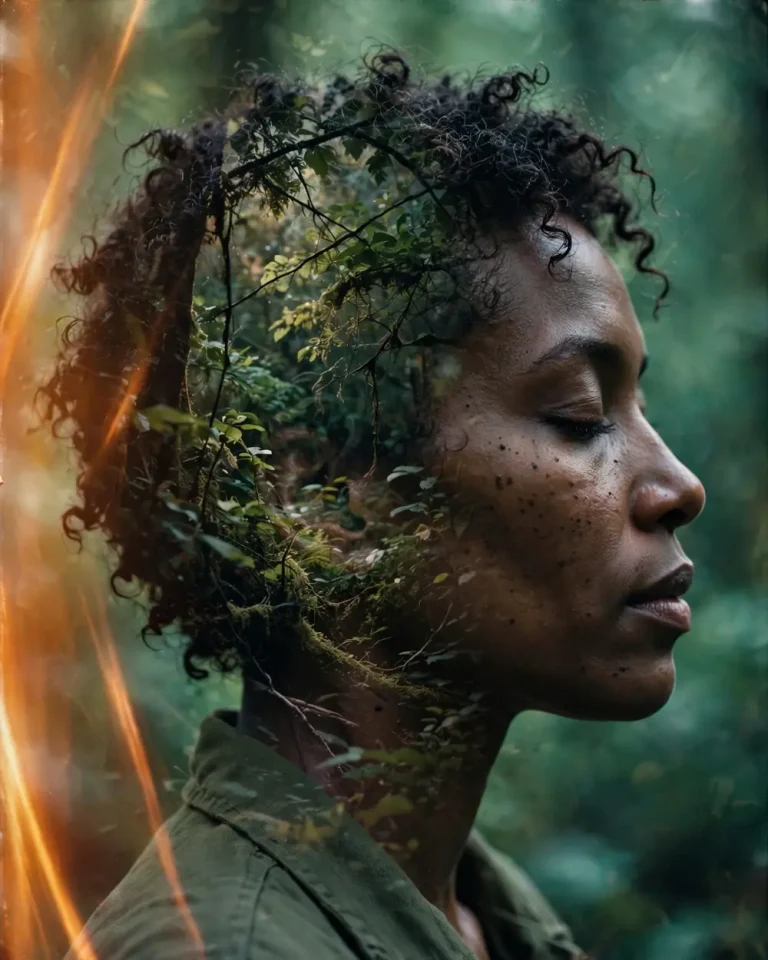
From the uploaded reference photo, create a double-exposure film portrait: the same person’s profile with a forest canopy blended inside the silhouette, preserving their exact face and features with no beautification. Warm orange light-leak streaks bleed from the left edge, cool green ambient light elsewhere. 50mm lens at f/2.8, 4:5 framing. Visible medium-heavy grain, faded blacks, slight colour fringing. Keep real skin pores, hair strands and natural asymmetry, with believable layered transparency. Calm closed-eye profile. No muddy faces, no distorted features, no extra heads, no text, no watermark.
How to Use Film Grain AI Prompts in Gemini and ChatGPT
To use a prompt, upload a reference photo, paste the prompt and generate. Gemini’s image model (Nano Banana) and ChatGPT’s image generator both accept this workflow.
Choose a clear, front-lit photo with an unobstructed face.
Upload it and paste one prompt exactly as written.
Generate, then refine one detail at a time: grain strength, colour cast or crop.
Ask for variations only after the identity looks right.
Write “keep the face exactly the same” in every follow-up. Models drift when you only change styling. When you want a sharper final file, this 4K HD realistic Gemini prompt helps, and these Instagram photo prompts give you ideas for sharing the result.
Film Stock and Grain Style Guide
The film name in your prompt steers colour and grain more reliably than the word “vintage”. If you want a broader retro look, this vintage photo prompt covers faded colour without relying on a named stock.
Look
Film Reference
Best For
Prompt Phrase
Warm, soft skin
Kodak Portra 400
Portraits, maternity
fine grain, peach tones
Pastel, green-cyan
Fujifilm
Café, lifestyle
faded greens, soft contrast
Gritty monochrome
Tri-X
Street, studio
coarse grain, crushed blacks
Neon night
CineStill 800T
Night, cinematic
halation, teal shadows
Rich autumn colour
Kodak Ektar
Fall scenes
saturated reds, fine grain
Tips for Better Film Grain AI Prompts
Most film grain AI prompts fail for the same few reasons.
Name the grain strength. “Subtle”, “medium” or “heavy” gives you control.
Choose light and lens deliberately. A direction, a colour temperature and a focal length do more than adjectives.
Add negatives. “No plastic skin, no over-smoothing” prevents the glossy default.
Edit afterwards. A light grain overlay in a photo editor can match multiple images.
If the face changes, shorten the prompt and repeat the identity clause first. If the grain looks like digital noise, name a film stock and say “organic film grain, not digital noise”.
Frequently Asked Questions
What are film grain AI prompts?
Film grain AI prompts are text instructions that tell an image generator to render photographic grain, faded colour and analog lighting. They usually name a film stock, a lens and a light source so the result looks shot on film.
Do film grain AI prompts work in Gemini and ChatGPT?
Yes. Both tools accept a reference photo plus a text prompt, so you can restyle yourself or a subject with grain. Results vary by model version, so refine step by step.
What month should I do maternity photos?
Photographers commonly suggest roughly weeks 28 to 36 of pregnancy, when the bump is visible and you still feel comfortable. For AI edits, any month works if your reference photo shows the bump clearly.
Can I take my own maternity photos?
Yes. Use a tripod, window light and a timer, then restyle the best frame with a prompt above. Self-shot photos make good reference images.
Can film grain AI prompts replace a photographer?
They are good for ideas, social posts and mood boards. A professional still delivers real moments, pricing and consistency that AI cannot guarantee, so many people use both.
Are Gemini maternity prompts free?
Gemini’s free access to image generation is limited by daily quotas that change over time. Check current limits in the app.
Final Thoughts
Strong film grain AI prompts combine identity protection, a named film stock, believable light and clear negatives. Start with the portrait set, move to maternity or travel looks, and adjust grain strength until the image feels like a real scan. For more styles to try next, explore these aesthetic photo prompts.