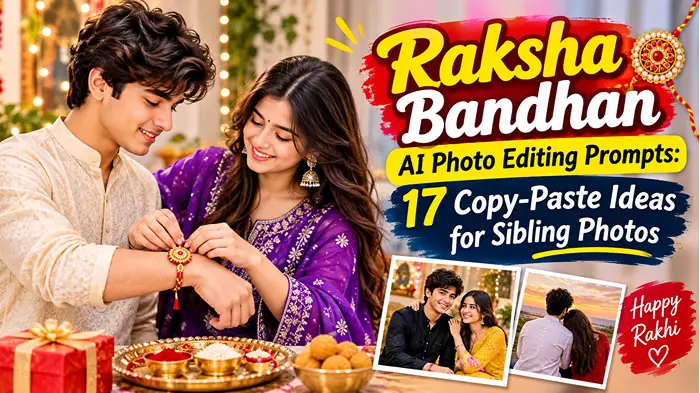
Raksha Bandhan AI Photo Editing Prompts: 17 Copy-Paste Ideas for Sibling Photos
If you want your sibling pictures to look like a real festive shoot, these Raksha Bandhan AI photo editing prompts give you ready-to-paste wording for ChatGPT, Gemini and other image tools.
Raksha Bandhan 2026 fell on Friday, 28 August. You can use these prompts now for Bhai Dooj or a belated Rakhi post. You can also save them for 17 August 2027, the date Drik Panchang lists for India. Local timings can differ, so confirm with your panchang. Searching for a rakshabandhan prompt to copy kar lo? Everything below is ready to paste.
Before you paste any prompt:
Upload one sharp, front-facing photo per person, in daylight if possible.
Keep the first sentence of each prompt. It tells the AI to preserve identity.
Only upload photos of people who are happy for you to edit them.
Best Raksha Bandhan AI Photo Editing Prompts for Brother-Sister Portraits
Each of these Raksha Bandhan AI photo editing prompts is written for an uploaded reference photo and is one paragraph you can paste as-is. Change outfit colours, the setting or the aspect ratio to suit your photo.
Traditional Rakhi Ceremony Prompts
These Raksha Bandhan AI photo editing prompts recreate the ritual itself: thali, tilak, aarti and the rakhi thread.
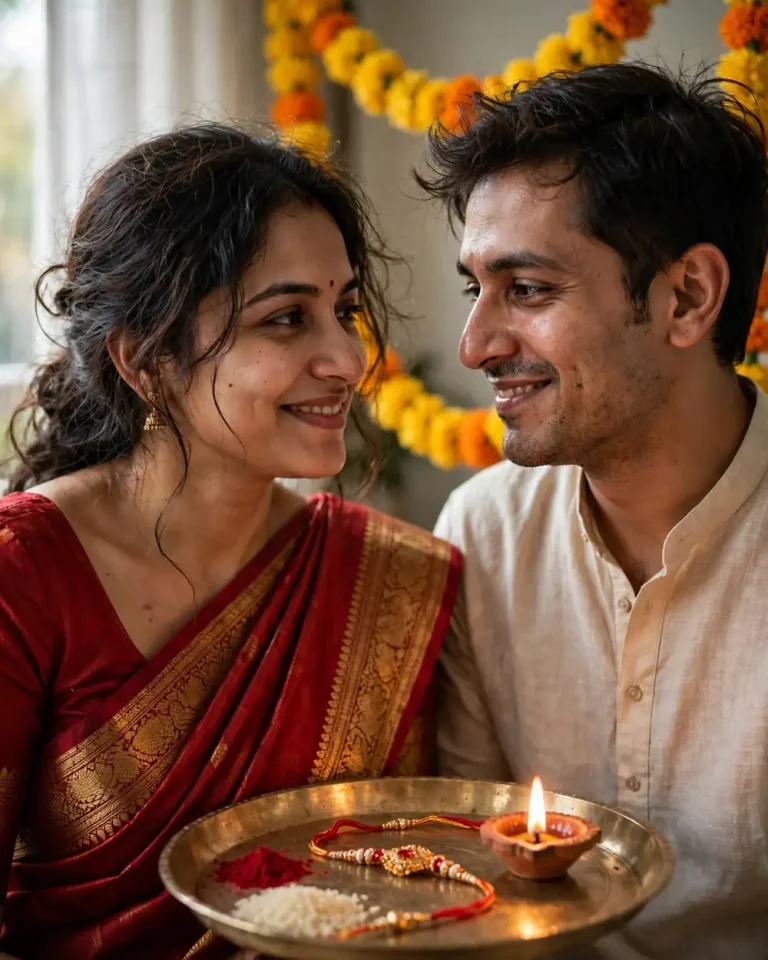
Prompt 1: Traditional Ceremony Portrait (4:5)
Use the uploaded photos of the brother and sister as exact identity references. Preserve each person’s face shape, skin tone, hairline and recognisable features, with no beautification and no identity change. Create a photorealistic Raksha Bandhan portrait: the sister in a silk saree with a zari border, the brother in a cotton-silk kurta, and a brass thali with roli, rice, a diya and a rakhi between them. Marigold garlands hang behind. Light it with soft window light from the left plus a warm 3200K diya glow, shot on a 50mm lens at f/2.2 from shoulder height, in 4:5 portrait. Keep natural pores, slight facial asymmetry, flyaway hair strands, realistic fabric weave and brass reflections. They look at each other mid-smile. No plastic skin, no extra fingers, no distorted hands, no text, no watermark.
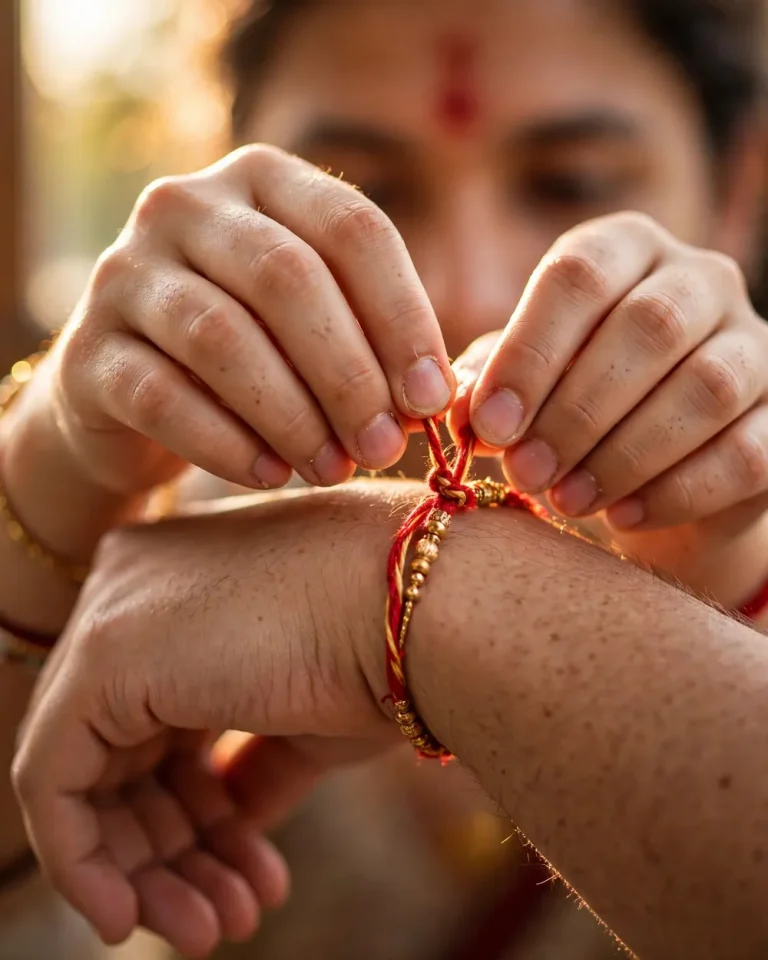
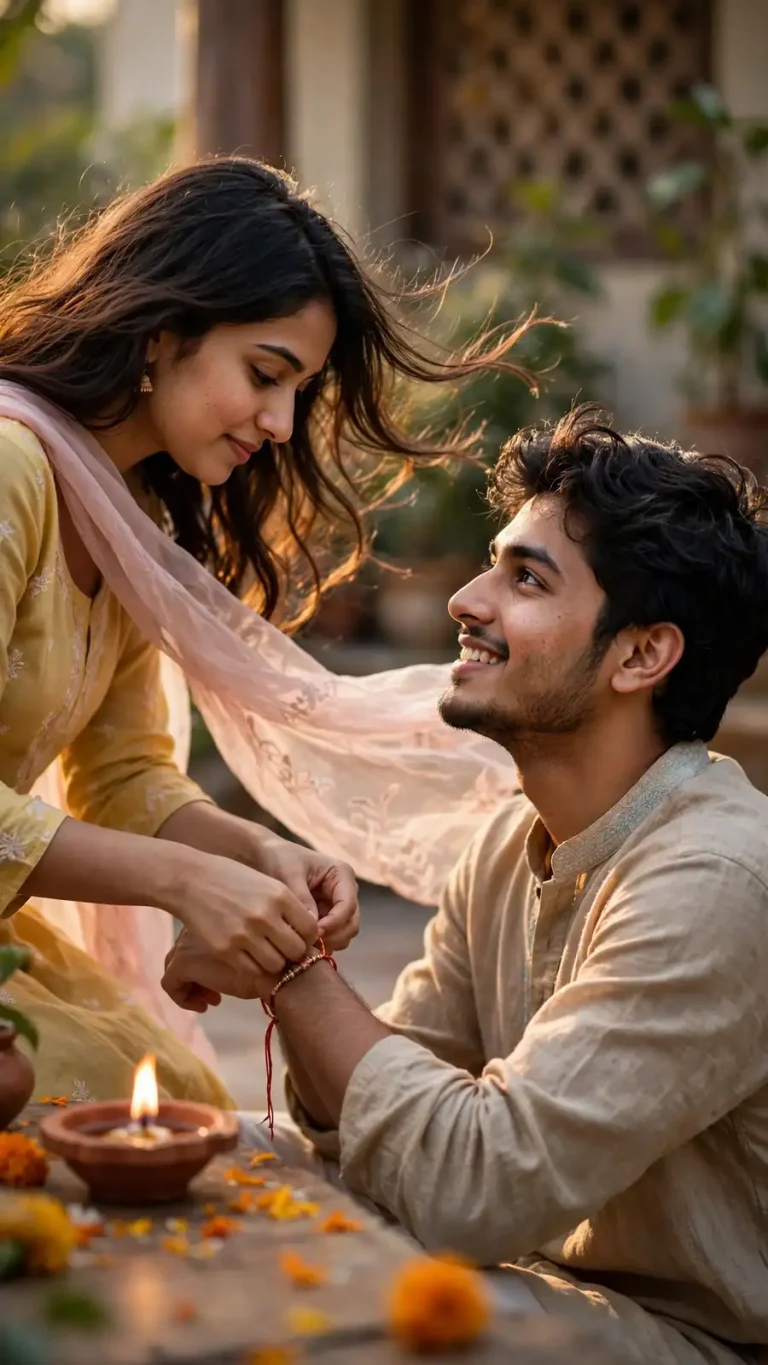
Prompt 2: Rakhi-Tying Hands Close-Up (4:5)
Preserve the exact skin tone, hand shape and wrist details from the reference photo, with no retouching. Create a close-up of a sister’s hands tying a red-and-gold rakhi thread around her brother’s wrist, her fingers pinching the knot. A vermilion tilak on his forehead sits softly out of focus above. Use warm morning window light at 45 degrees with a faint rim light along the thread, an 85mm lens at f/1.8, shallow depth of field and creamy bokeh, in 4:5 portrait. Show real skin texture, fine forearm hairs, tiny nail imperfections, and the twisted fibres and beads of the rakhi in physically accurate detail. Exactly five fingers per hand. No malformed hands, no text, no watermark.
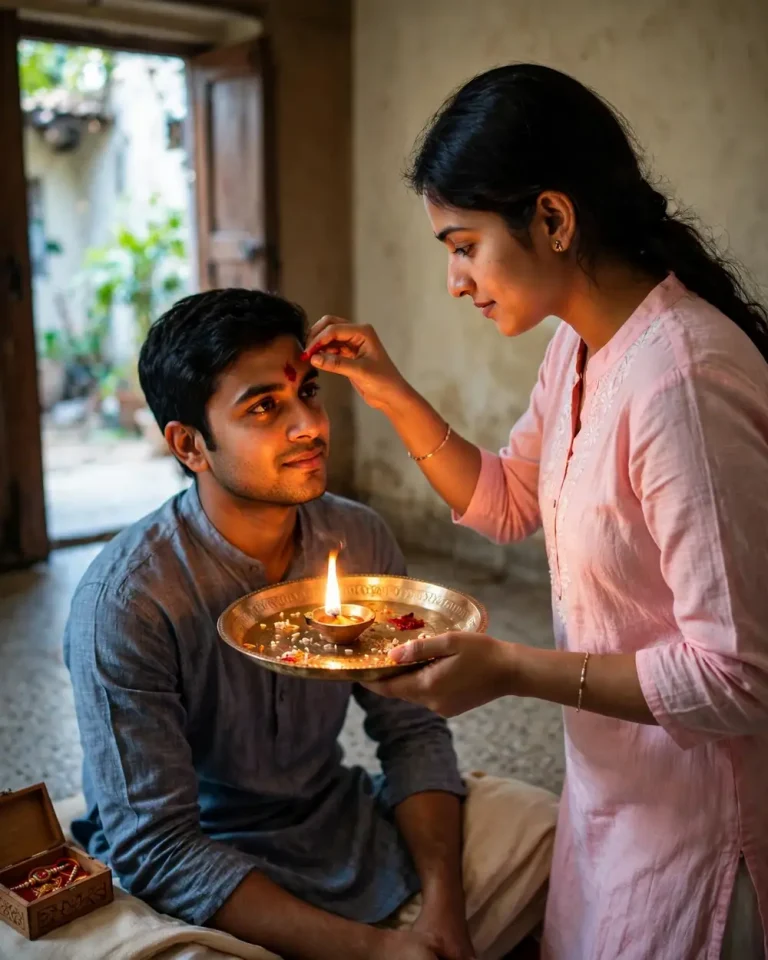
Prompt 3: Aarti and Tilak Moment (4:5)
Use the uploaded reference photos and keep both faces, skin tones and hairstyles exactly as they are, with no smoothing and no change to identity. Show the sister circling a lit aarti thali in front of her seated brother, her other hand ready to apply tilak, with a small rakhi box on the floor beside them. Light the scene with the diya flame as a warm key light from below-front and cool soft daylight from a doorway as fill. Shoot on a 50mm lens at f/2, slightly low angle, in 4:5. Include realistic flame glow on skin, natural pores, visible cotton texture in the kurta and a believable brass shine. Calm, devotional expressions. No extra hands, no duplicated diyas, no text, no logo.
Candid and Cinematic Sibling Prompts
Candid shots read as more believable when something is happening in the frame, such as laughing, sharing sweets or walking. These Raksha Bandhan AI photo editing prompts all include a small action for that reason.
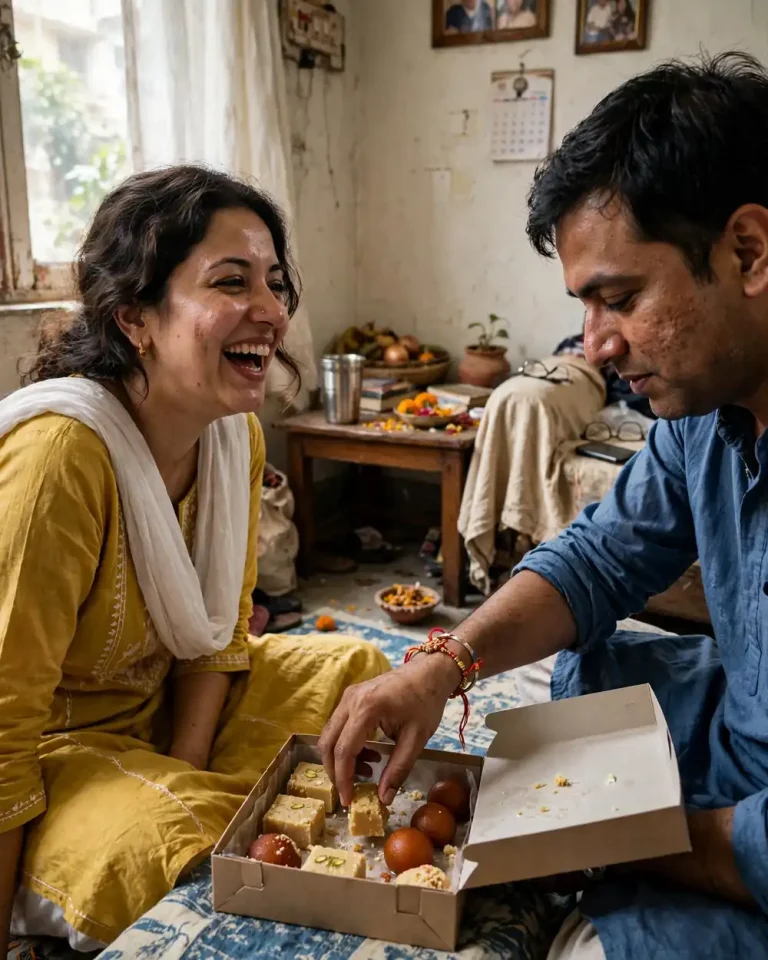
Prompt 4: Candid Morning at Home (4:5)
Use the uploaded images as the exact face references for the brother and sister, preserving identity, skin tone and hairstyle with no beautification. Create an unposed lifestyle photograph inside a real Indian living room on Rakhi morning: the siblings sit on the floor sharing mithai from an open box, the sister mid-laugh and the brother reaching for a second piece. Rakhi is visible on his wrist. Use soft daylight from a side window, a 35mm lens at f/2, natural perspective, in 4:5. Keep visible pores, slight skin shine, small imperfections, creased cotton fabric and a slightly cluttered room. No AI-perfect symmetry, no plastic skin, no extra fingers, no text, no watermark.
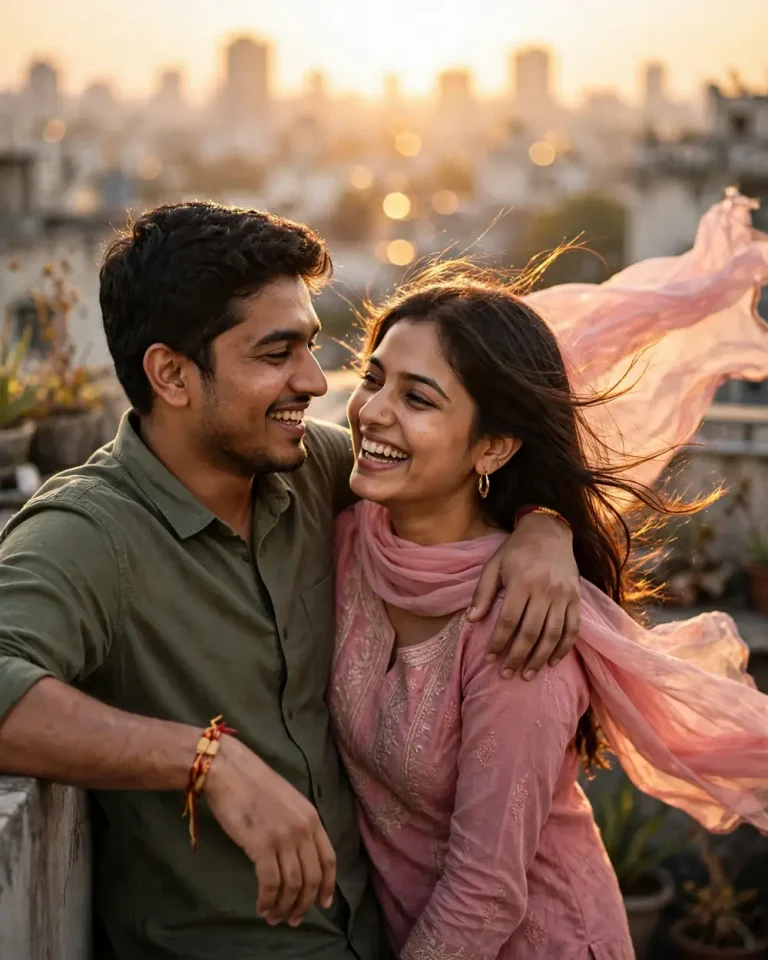
Prompt 5: Rooftop Golden Hour (4:5)
Preserve both faces from the reference photos exactly, including skin tone, facial structure and hair, with no identity change. Create a golden-hour rooftop portrait in which the brother rests an arm over his sister’s shoulder and both glance at each other, laughing. Her dupatta lifts in the breeze and the rakhi shows on his wrist. Add warm golden rim light from behind at a low angle, soft fill from the sky, an 85mm lens at f/2 with natural focal compression and a blurred city skyline, in 4:5. Render individual hair strands catching light, realistic fabric movement, natural skin texture and soft sun-warmed shadows. No distorted faces, no duplicated limbs, no text, no watermark.
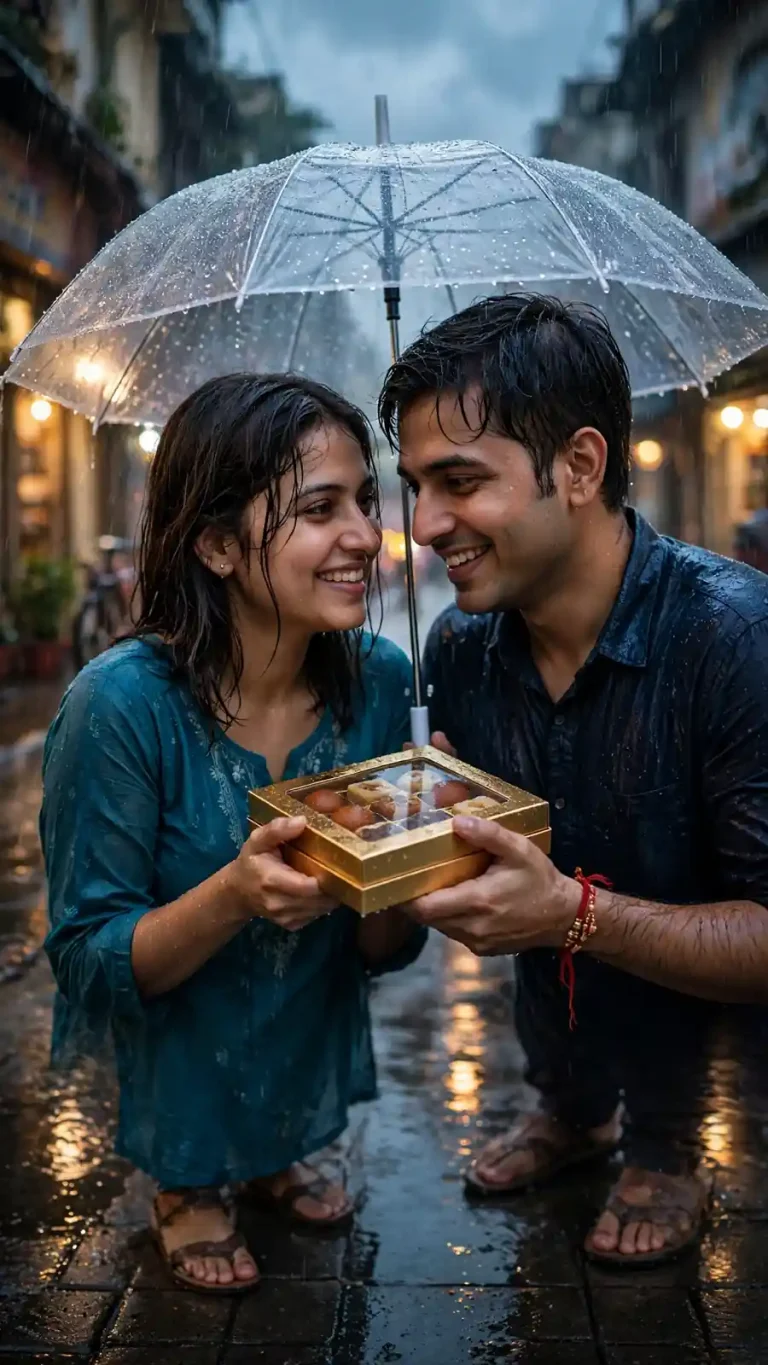
Prompt 6: Monsoon Umbrella Street (9:16)
Use the uploaded reference photos to keep both people fully recognisable, with identical facial features, skin tone and hairstyle. Create a cinematic monsoon scene of the siblings sharing one transparent umbrella on a wet lane, a mithai box held between them and a rakhi on the brother’s wrist. Use cool blue ambient overcast light mixed with warm shopfront glow, a 35mm lens at f/1.8, shallow depth of field, rain streaks and bokeh reflections on the pavement, in 9:16 vertical. Show realistic raindrops on fabric, damp hair strands, natural skin texture and accurate puddle reflections. Pose them close and smiling. No malformed hands, no warped faces, no text, no watermark.
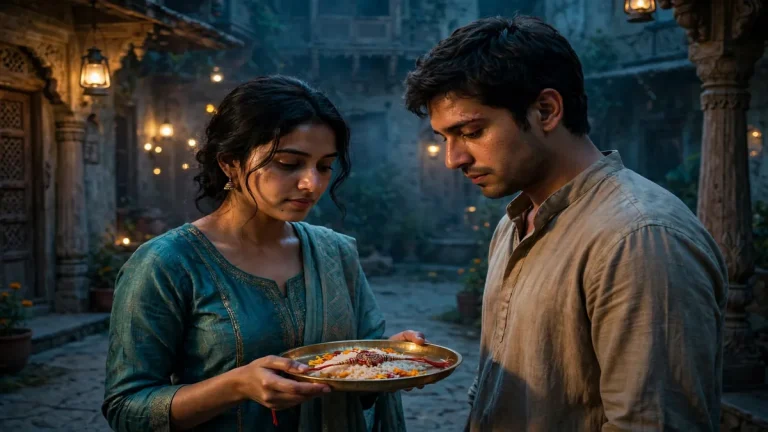
Prompt 7: Film-Still Courtyard Portrait (16:9)
Preserve both faces, skin tones and features from the uploaded photos exactly, with no beautification. Create a cinematic film-still of the siblings in a haveli courtyard at dusk. The sister holds a thali and the brother stands beside her, looking down at the rakhi. Use warm tungsten lanterns as practical lights against cool teal shadows, a key light from camera left at roughly 45 degrees and a faint haze, shot like a 40mm anamorphic-style frame at f/2.8, in 16:9 landscape. Include stone floor texture, carved wood, silk with visible weave, natural skin pores and subtle asymmetry. Quiet, emotional mood. No plastic skin, no extra people, no text, no watermark.
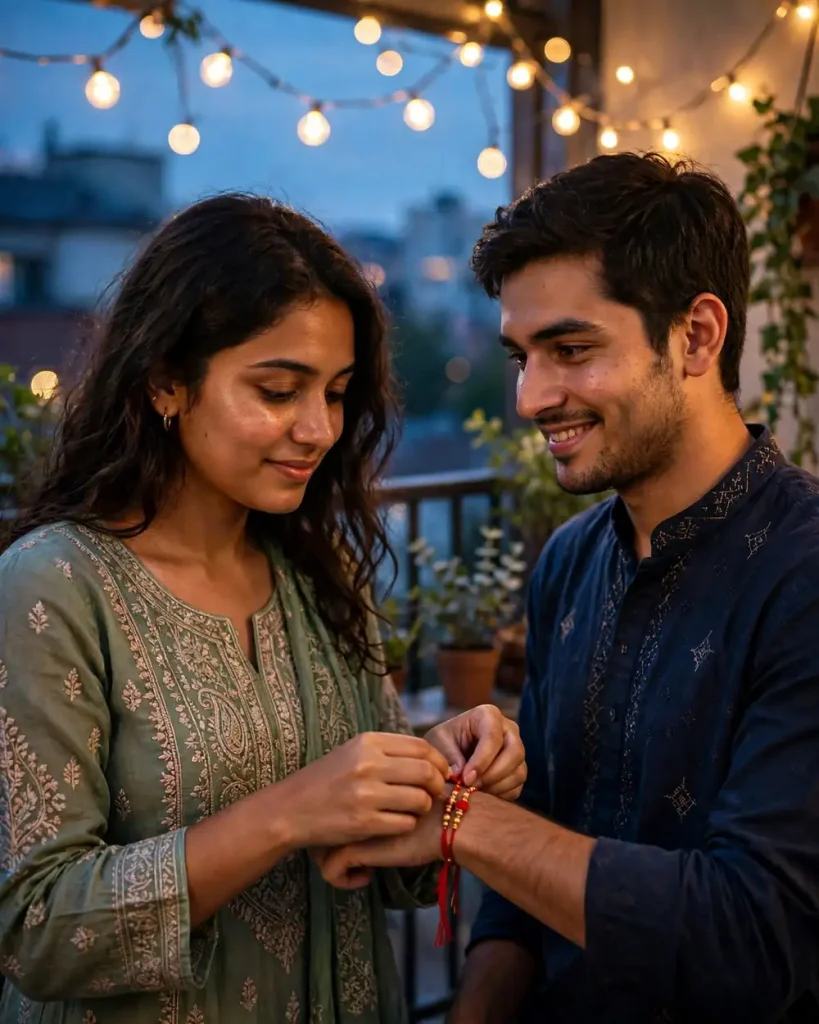
Prompt 8: Fairy Lights Evening Portrait (4:5)
Use the uploaded photos as strict identity references, keeping facial structure, skin tone and hair unchanged. Create an evening balcony portrait of the siblings standing shoulder to shoulder under warm string lights, the sister adjusting the rakhi on her brother’s wrist while he smiles at her. Light with warm 2700K fairy lights as the main source, faint blue-hour sky as cool ambient fill, a 50mm lens at f/1.4 and round, realistic bokeh, in 4:5. Keep natural pores, soft skin shine, real hair detail, believable embroidery on the outfits and soft shadows. No oversmoothing, no extra fingers, no distorted hands, no text, no watermark.
Retro and Nostalgic Prompts
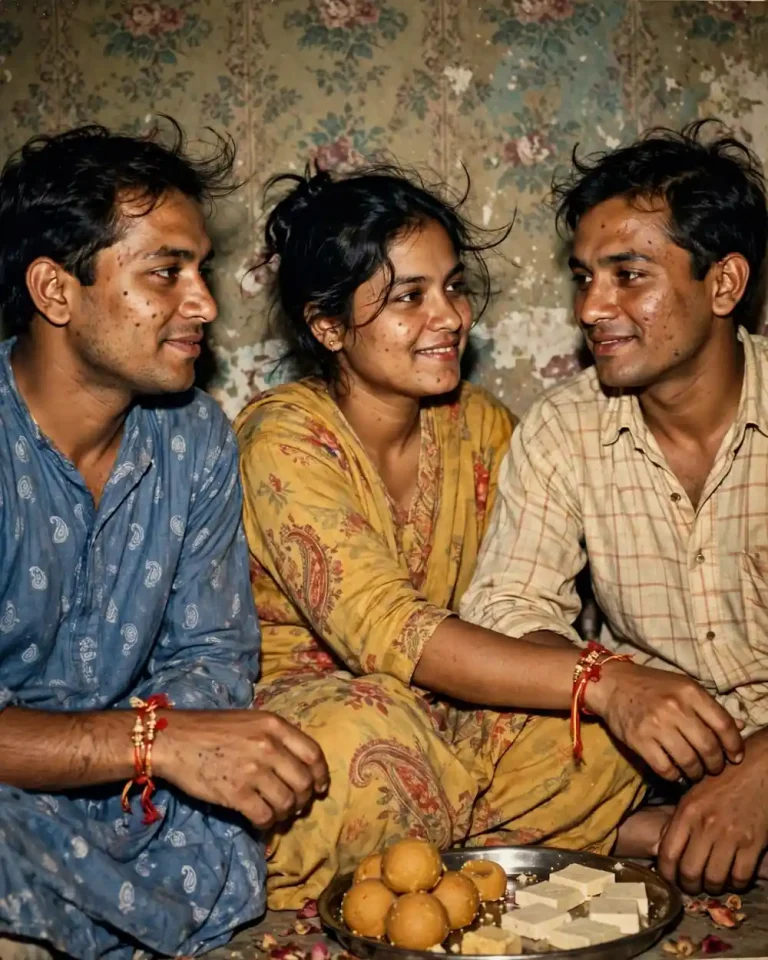
Prompt 9: Retro 90s Flash Photo (4:5)
Preserve the faces from the reference photos exactly, with identical identity, skin tone and hairstyle. Create a 1990s family-album photograph of the siblings after the rakhi ceremony, seated in front of a patterned wall with a steel thali and sweets. Use direct on-camera flash with a slightly harsh highlight and a soft falloff, a 35mm point-and-shoot look with mild grain, faded warm colours and slight red-eye avoidance, in 4:5. Keep authentic skin texture, small blemishes, flyaway hair, vintage fabric prints and worn wall paint. Slightly off-centre, candid framing. No digital sharpness, no plastic skin, no extra fingers, no text, no watermark.
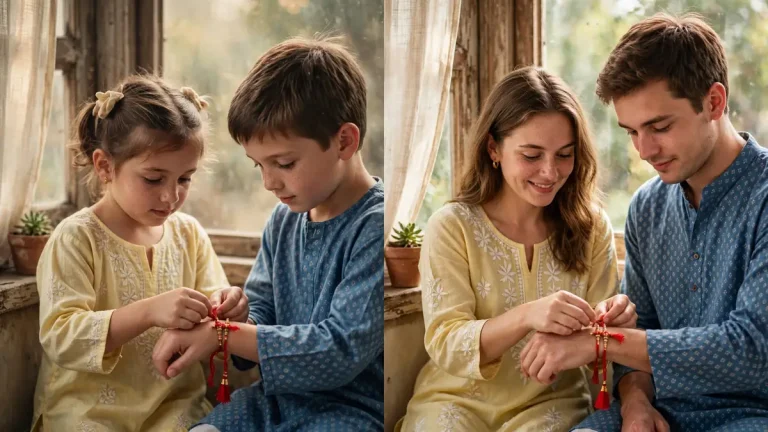
Prompt 10: Then-and-Now Diptych (16:9)
Use the uploaded current photo of the siblings as the exact reference for the right panel, preserving faces, skin tone and features with no changes. For the left panel, reimagine the same two people as children of about seven, keeping recognisable traits such as eye shape, smile, hair parting and skin tone, tying a rakhi in the same pose. Make it a two-panel side-by-side image in 16:9. Use warm window light in both panels, a 50mm lens at f/2.8, and a slightly faded film tone on the left and clean natural colour on the right. Add realistic child skin texture, adult pores, accurate fabric and matching rakhi details. No face swaps between panels, no distorted proportions, no text, no watermark.
Raksha Bandhan AI Photo Editing Prompts for Two Sisters, Long-Distance Siblings and Joint Families
Raksha Bandhan is not only for brothers and sisters by blood. Two sisters, cousins and close friends celebrate it too. The same approach to Raksha Bandhan AI photo editing prompts works for any pair, as long as you change who is tying the thread and keep the identity line.
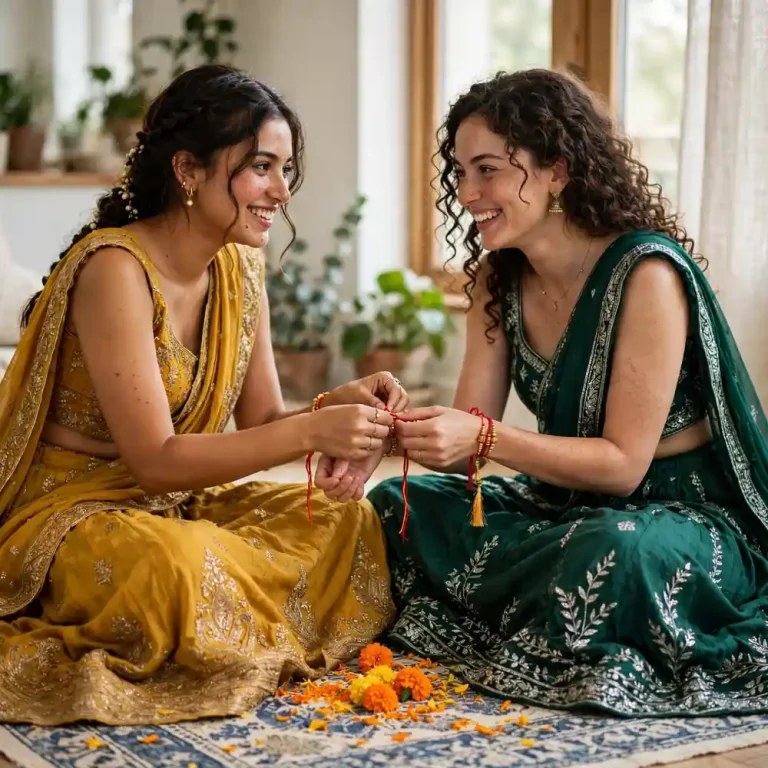
Prompt 11: Two Sisters Tying Rakhi (1:1)
Use the two uploaded photos as exact identity references, preserving each sister’s face, skin tone, hairstyle and features with no beautification. Create a bright portrait of two sisters sitting cross-legged on a printed cotton rug, each tying a rakhi on the other’s wrist, wearing contrasting lehengas in mustard and emerald. Marigold petals are scattered between them. Use soft north-facing window light, a 50mm lens at f/2, natural perspective, in 1:1 square. Keep natural pores, minor asymmetry, real hair strands, mirror-work and embroidery with physically accurate sparkle, and soft shadows. Playful, affectionate expressions. No identical faces, no extra fingers, no duplicated limbs, no text, no watermark.
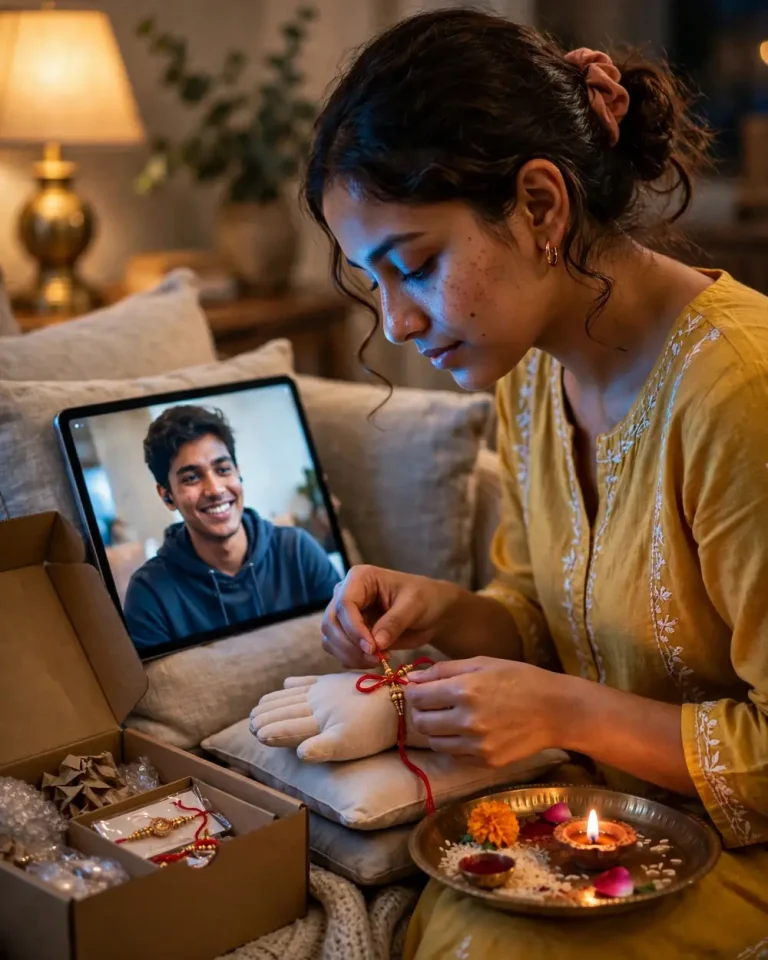
Prompt 12: Video-Call Rakhi for Siblings Far Apart (4:5)
Preserve the sister’s face from her reference photo exactly, including skin tone and hairstyle, with no identity change. The brother’s face on the tablet screen must also match his reference photo. Create a warm home scene in which the sister holds a rakhi thali before a tablet propped against a pile of cushions, the brother smiling from the screen. She is about to tie a rakhi on a small wrist-shaped cushion, and a courier box with a rakhi stands open nearby. Use soft lamp light at 3000K, a cool screen glow on her cheek, a 35mm lens at f/2, in 4:5. Include realistic screen reflections, natural pores, fabric texture and believable device proportions. No warped screen, no malformed hands, no text, no watermark.
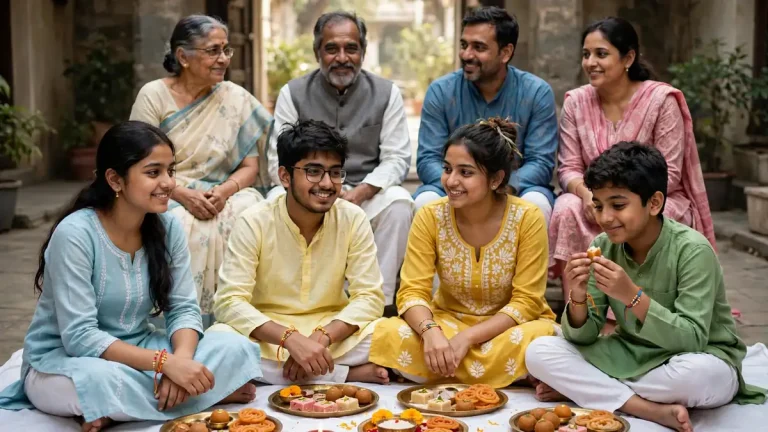
Prompt 13: Joint-Family Rakhi Group Photo (16:9)
Use every uploaded face as an exact identity reference, preserving each person’s face, skin tone, age and hairstyle, with no beautification. Create a group photograph of a joint family seated on a spread white sheet for Raksha Bandhan, with the siblings in front, elders behind, and thalis and sweets laid out. Rakhis are visible on several wrists. Use soft diffused daylight from a courtyard opening, a 35mm lens at f/4 for even sharpness across the group, in 16:9 landscape. Keep natural pores, varied expressions, creased cotton and silk with accurate texture, and believable hand placement. Warm, relaxed mood. Do not add or remove anyone, and make sure there are no duplicated faces and no extra fingers. No text, no watermark.
Raksha Bandhan AI Photo Editing Prompts for Instagram, Stories and Reels
Pick the aspect ratio before you pick the prompt. A mismatched ratio is the quickest way to get a crop you cannot use.
Where You Will Post
Best Aspect Ratio
Instagram feed post
4:5
Stories, Reels, WhatsApp status
9:16
Profile picture, greeting card
1:1
Wallpaper, YouTube thumbnail
16:9
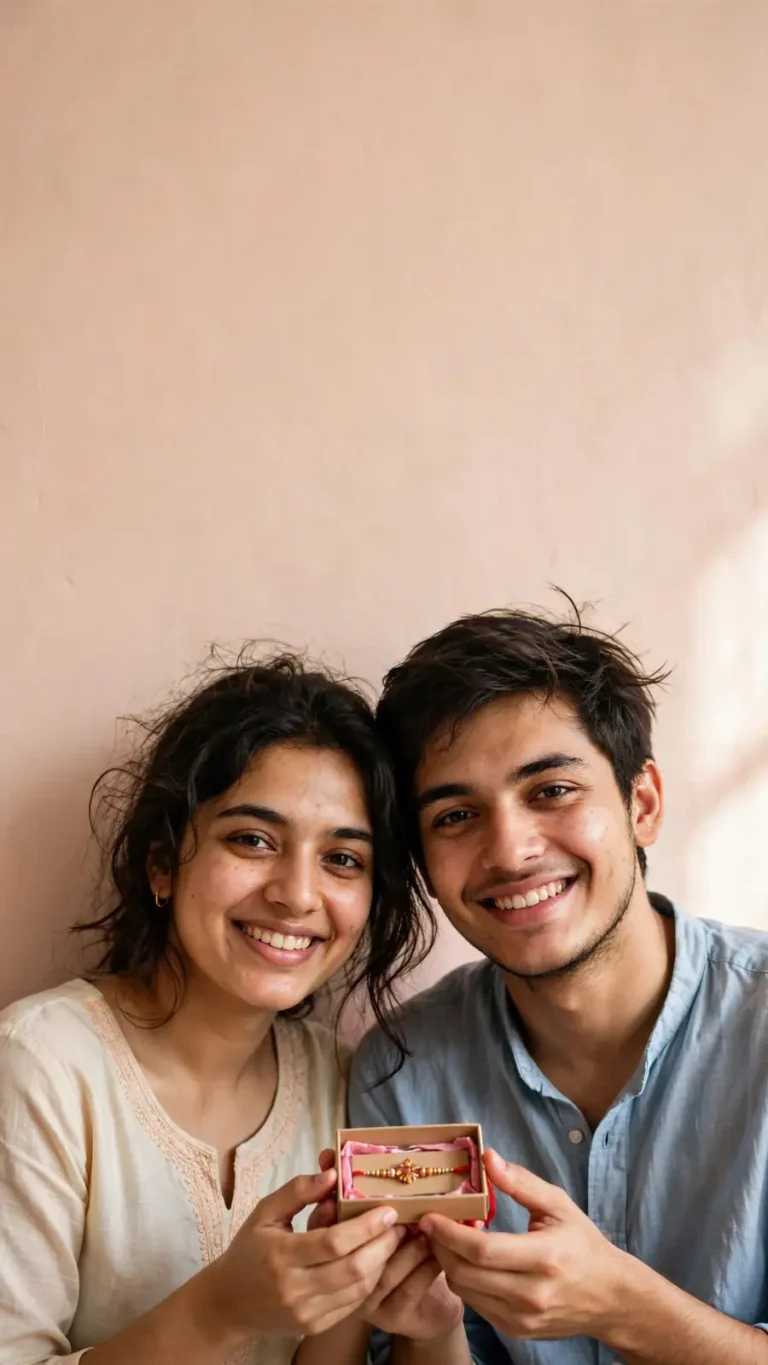
Prompt 14: Instagram Story With Space for Text (9:16)
Preserve both faces from the uploaded photos exactly, with natural skin tone and no beautification. Create a vertical Story-ready photo of the siblings in the lower two-thirds of the frame, holding a rakhi box and smiling, against a soft pastel peach wall. Leave clean empty space in the top third for me to add text later. Use diffused window light from the right, a 50mm lens at f/2.8, in 9:16. Show natural pores, slight asymmetry, flyaway hair, fabric texture and a subtle contact shadow on the wall. No text, no stickers, no extra fingers, no distorted hands, no watermark.
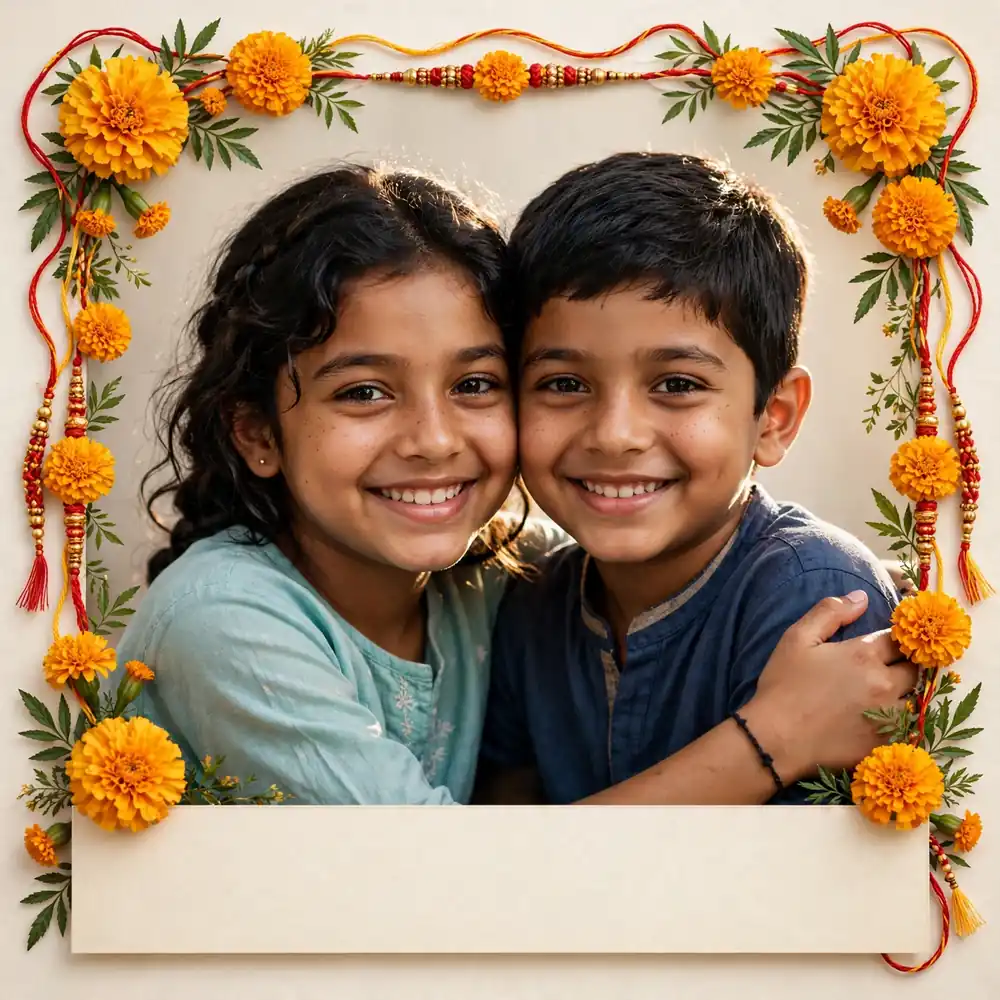
Prompt 15: Raksha Bandhan Wishes Card (1:1)
Keep both faces from the uploaded photo exactly as they are, with preserved skin tone and features and no smoothing. Design a square greeting-card photo: the siblings in a close, smiling pose in the centre, framed by a border of marigold and rakhi threads, with a blank cream banner at the bottom reserved for my own message. Use soft studio-style light from the front-left at 45 degrees, a gentle rim light from behind, a 50mm lens at f/4, in 1:1. Include real skin texture, accurate flower petals and thread detail, and clean paper-like surface shading. Leave all text areas empty. No lettering, no fake words, no watermark, no logo.
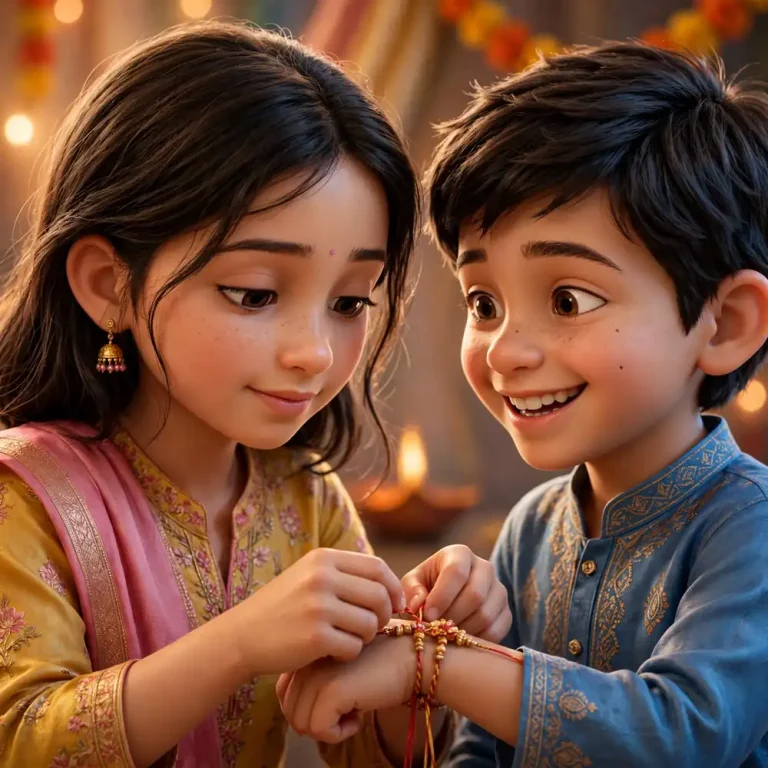
Prompt 16: 3D Animated-Style Sibling Avatar (1:1)
Use the uploaded photo to keep both siblings clearly recognisable, matching face shape, eye shape, skin tone, hairstyle and distinctive features such as dimples, moles or glasses. Create a stylised 3D animated-film portrait of them in festive Rakhi outfits, the sister tying a rakhi while the brother grins. Use a soft three-point studio lighting setup with a warm key light, a gentle rim light and cool fill, a virtual 50mm camera with shallow depth of field, in 1:1. Add soft skin shading with subtle pores and imperfections, individual hair strands, physically convincing silk and thread material, and a blurred festive backdrop. No exaggerated features, no distorted proportions, no extra fingers, no text, no watermark.
Prompt 17: Image-to-Video Rakhi Reel (9:16)
Animate the uploaded still, keeping both faces identical to the source throughout, with stable identity, skin tone and hairstyle and no morphing. Create a six-second vertical clip in which the sister ties the rakhi, the brother smiles and glances up at her, a diya flame flickers softly and loose hair and fabric move gently in a light breeze. Use a slow push-in on a virtual 50mm lens, shallow depth of field, a warm key light from the left and subtle rim light, in 9:16. Maintain natural skin texture, realistic cloth motion and consistent hand anatomy. No sudden camera shakes, no face distortion, no extra fingers, no on-screen text, no watermark.
How to Use These Prompts in ChatGPT and Gemini
To use any of these Raksha Bandhan AI photo editing prompts, follow these steps:
Open ChatGPT or Gemini in a mode that supports image uploads.
Upload your reference photo or photos. Use one clear photo per person for best results.
Paste the full prompt in one go, with no cuts.
Tell the tool which uploaded photo belongs to which person if there are several.
Generate, then compare the face against your original.
Ask for one change at a time, such as “keep everything, but make the light softer.”
Download at the highest resolution available, or use an upscaler if you need a 4K print.
Tools that only generate from text, such as Bing Image Creator, cannot copy a real face. Use them for no-face ideas, such as a thali flatlay or a decorated table. Features change often, so check what your tool currently supports.
Once you are comfortable with the steps, you can reuse them for other layouts. A then and now photo prompt follows the same upload-and-compare process.
How to Write Your Own Raksha Bandhan AI Photo Editing Prompts
Once you know the layers, you can build your own Raksha Bandhan AI photo editing prompts for any scene. A strong prompt has the same parts every time.
Layer
What to Write
Example
Identity lock
What must not change
“Preserve face, skin tone, hairstyle; no beautification”
Scene and action
Who, where, doing what
“Siblings sharing sweets on the terrace”
Light
Source, direction, colour
“Golden rim light from behind”
Camera
Lens, aperture, angle
“85mm, f/1.8, eye level”
Texture
Skin, fabric, surfaces
“Visible pores, silk weave”
Format
Aspect ratio
“4:5 portrait”
Avoid
Common failures
“No extra fingers, no text”
The light and texture layers are also where you can change the whole mood. A grainy flash look comes from a different set of instructions than a clean studio look, and this vintage photo prompt shows how far that one layer can shift the result.
Common Problems and Quick Fixes
When Raksha Bandhan AI photo editing prompts give you a result that doesn’t look right, the cause is usually one of these.
Problem
Likely Cause
Fix
Face looks different
Weak or missing identity line
Put the preserve-identity sentence first; use a sharper photo
Plastic, smooth skin
No texture instruction
Add “visible pores, natural asymmetry, no smoothing”
Wrong number of fingers
No hand instruction
Add “exactly five fingers per hand”
Garbled text on the card
AI cannot spell reliably
Say “no text” and add your wishes in a design app
Wrong crop
Aspect ratio not stated
State the ratio, for example 9:16
Group faces blend together
Too many people in one reference
Upload each person separately and say “do not duplicate faces”
Frequently Asked Questions
What are Raksha Bandhan AI photo editing prompts?
They are text instructions you give an AI image tool, usually with an uploaded photo, to restyle or recreate a Rakhi scene. They set the outfits, setting, lighting and mood while keeping the people recognisable.
Which tool is best: ChatGPT, Gemini or Bing Image Creator?
ChatGPT and Gemini both accept uploaded photos, so they suit face-preserving prompts. Bing Image Creator is mainly text-to-image, so it works better for decor, thali and card ideas without real faces.
Can the AI keep my face exactly the same?
Not every time. A sharp reference photo, an identity-lock sentence and a modest style change give the best odds. Always compare the result with the original before posting.
Do sisters tie rakhi to each other?
Yes. Many families do, and nothing in the festival forbids it. Two sisters can celebrate together, and Prompt 11 is written for that.
Is Raksha Bandhan only for brothers and sisters?
No. Cousins, close friends and sibling-like relatives often celebrate it too, because the festival is about affection and protection. Use any of the prompts above with the people involved, or explore this brother sister prompt guide for more sibling photo ideas.
Is the bank open on Raksha Bandhan?
It depends on your state. It is treated as a regional holiday in places such as Chhattisgarh rather than a nationwide one. Check the RBI holiday list for your state before you plan a visit.
What are good gift ideas for a sister or brother?
For a sister, think personalised photo frames, jewellery, books or a handwritten letter. For a brother, a wallet, grooming kit, watch or snack hamper works well. Prompt 15 makes a matching greeting card, and you can adapt it for a gift tag.
How do I make an easy rakhi at home?
Cut three strands of red or golden thread, about 30 cm each, and braid them.
Knot the ends and leave a small loop.
Glue a bead, foam flower or felt shape onto the braid’s centre.
Let it dry fully before tying.
Can I turn the photo into a reel, and are the prompts free?
Yes. Prompt 17 is built for image-to-video tools. The prompts are free to copy, though credits, watermarks and resolution limits depend on the tool.
Final Thoughts
The best results come from naming what must stay the same, adding one small action, and being specific about light and format. Start with the traditional ceremony portrait and adjust it for your family. You can find more ready-to-use photo ideas for every occasion on EditsPrompts. Save this page, because these Raksha Bandhan AI photo editing prompts will work again next year.