LinkedIn Profile Photo Prompts for ChatGPT, Gemini and Nano Banana
LinkedIn profile photo prompts let you turn one clear selfie into a studio-quality headshot in a few minutes, without paying a photographer. The prompts below work in ChatGPT, Gemini (Nano Banana), Claude-assisted workflows and most other image tools that accept a reference photo.
Upload your own photo with each prompt so your face stays recognisable. Swap the details in [brackets], paste, and generate. For more ready-made AI photo prompts for Gemini and ChatGPT, you can browse the full collection.
If you only use one prompt from this page, use the first one. It carries the elements that make an AI headshot look like a real photograph: identity lock, natural skin, real lighting, lens language and negative instructions.
Universal Professional Headshot Prompt
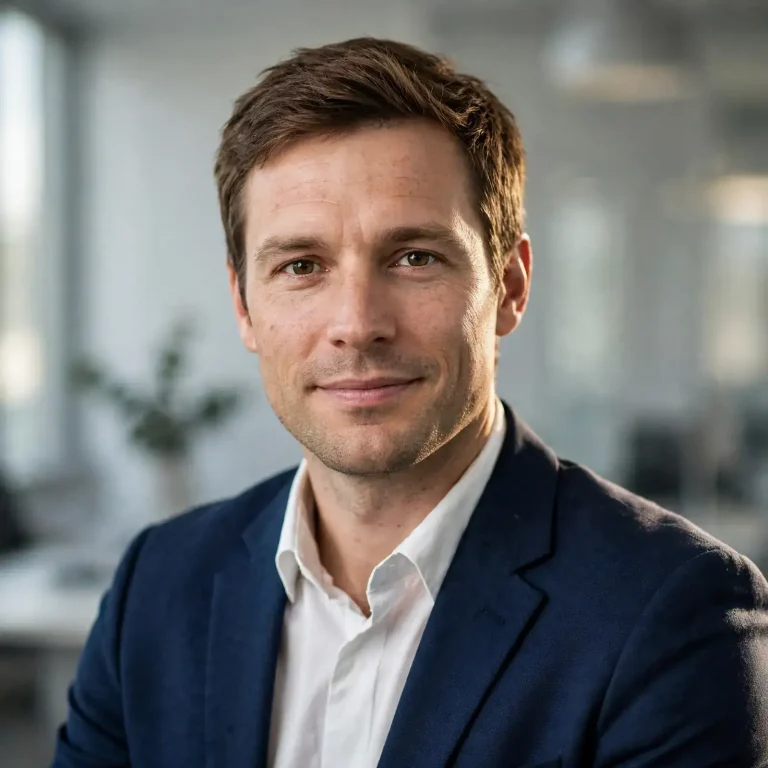
Using the uploaded photo as the exact reference, create a professional LinkedIn headshot of the same person. Preserve identity, skin tone, facial structure, hairline and every recognisable feature exactly, with no beautification and no face reshaping. Keep natural pores, fine skin texture, small blemishes and natural facial asymmetry; avoid plastic, over-smoothed or AI-perfect skin. Dress them in a [navy / charcoal] blazer over a crisp white shirt, with realistic fabric weave and natural collar creases. Soft window-style key light from the left at about 45 degrees, a gentle fill from the right, subtle rim light separating the shoulders from the background, around 5200K neutral tone. Shot on an 85mm lens at f/2.2, eye-level camera, chest-up framing, shallow depth of field with a softly blurred light-grey office background. Relaxed shoulders turned slightly off-axis, head straight, a calm and confident closed-lip smile with natural eye contact. 1:1 square, eyes at upper third. No extra fingers, no distorted face, no text, no watermark, no logo, no identity change.
Short Version for Gemini and Nano Banana
Nano Banana does well with direct edit instructions, so a shorter prompt often keeps the face closer to the original.
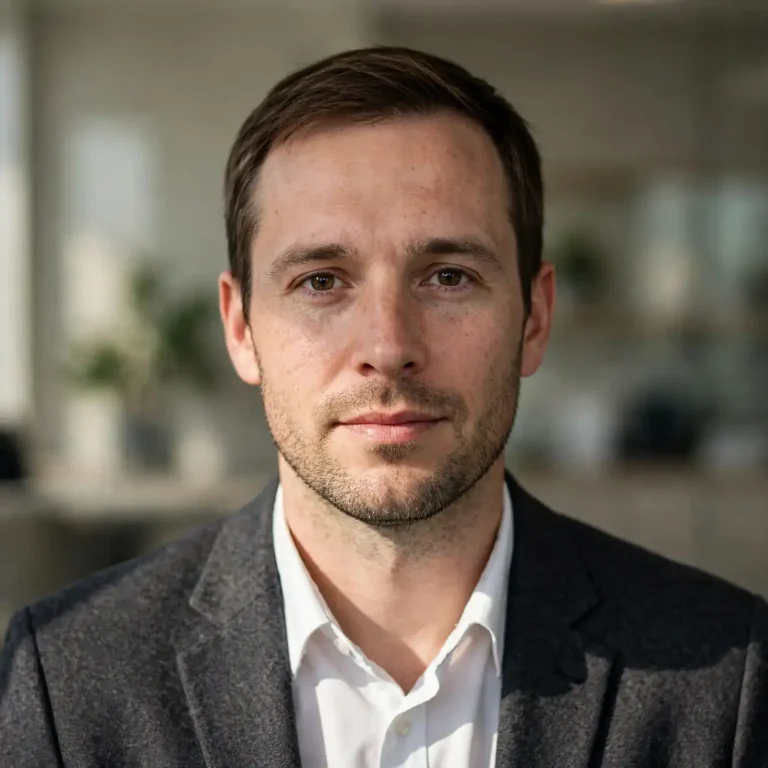
Edit this photo into a LinkedIn profile headshot. Keep my face, skin tone, hair and expression exactly the same, with natural skin texture and no retouching or smoothing. Change only my clothing to a dark-grey blazer with a white shirt, and replace the background with a clean, softly blurred neutral office. Use soft directional light from the left with natural shadows, 85mm lens look, f/2.2, shoulders-up framing, 1:1 square. Realistic fabric texture, no text, no watermark, no distorted features.
LinkedIn Profile Photo Prompts for Men
A strong LinkedIn profile photo prompt for men should name one outfit, one background and one light direction. Offering the tool several options makes it guess, and that is where faces start to drift.
Corporate Studio Headshot
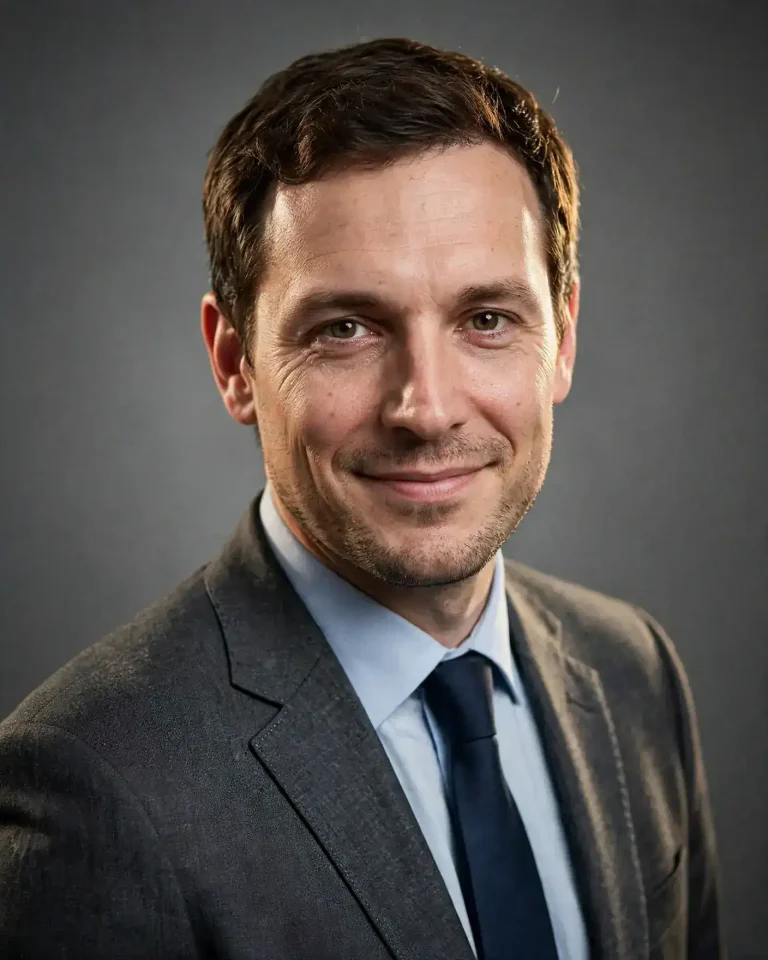
Use the uploaded photo as the identity reference and generate a corporate studio headshot of the same man. Preserve his face, skin tone, beard or stubble pattern, hairline and proportions exactly, with no beautification. Retain visible pores, faint under-eye texture, natural skin variation and slight facial asymmetry; no airbrushing or plastic finish. He wears a charcoal two-piece suit in fine wool with a light-blue shirt and a matte navy tie, with realistic stitching, lapel shadows and collar tension. Large softbox key light at 45 degrees camera-left, a small reflector fill from the right, a faint hair light from behind, 5600K neutral. 85mm lens, f/2.8, camera at eye level, tight chest-up crop, seamless mid-grey backdrop with a gentle falloff. He angles his body 20 degrees, chin slightly forward, with a warm, composed half-smile. 4:5 portrait. No extra fingers, no warped ears, no text, no watermark, no logo, no identity change.
Smart Casual Outdoor Headshot
Based on the uploaded reference photo, create a smart-casual outdoor LinkedIn portrait of the same man with his identity fully preserved: face shape, skin tone, hairline, facial hair and eye shape unchanged, no beauty filter. Keep realistic pores, small lines, natural stubble texture and slight asymmetry; avoid waxy or over-smoothed skin. He wears a fitted navy knit polo under an unstructured beige blazer, with visible fabric texture and natural creasing at the elbows. Open-shade daylight with a soft golden rim light from behind-right, about 4800K, and a bright but gentle ambient fill. 50mm lens at f/1.8, slightly below eye level for a confident stance, shallow depth of field with creamy bokeh from a blurred tree-lined campus or courtyard behind him. He leans lightly against a low wall with arms relaxed and a genuine, slightly amused smile. 4:5 portrait. No malformed hands, no duplicated limbs, no text, no watermark, no face distortion.
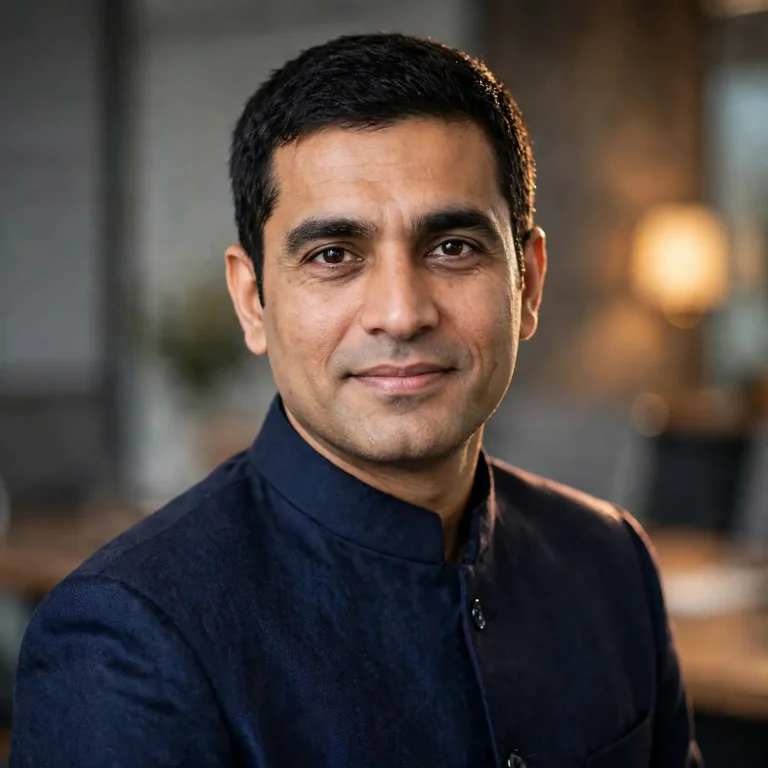
Indian Formal Look for Men (Bandhgala or Nehru Jacket)
Using the attached photo as the strict identity reference, create a refined LinkedIn headshot of the same man in an Indian formal look. Do not change his face, skin tone, facial structure, hairline or beard; no smoothing or beautification. Preserve natural pores, fine lines and realistic asymmetry, with no plastic skin. He wears a deep-navy bandhgala jacket in textured wool-silk with subtle button detail and a clean standing collar, with realistic fabric sheen and seam shadows. Soft diffused key light from the front-left, gentle fill, a warm 4200K accent glow from a blurred background lamp, and a faint rim light on the shoulder. 85mm lens, f/2, eye-level framing, chest-up, blurred modern boardroom background in muted greys and warm wood tones. Upright posture, a calm expression and a confident, slight smile. 1:1 square. No extra fingers, no distorted face, no text, no watermark, no logo, no identity change.
LinkedIn Profile Photo Prompts for Women
A good women’s LinkedIn profile picture prompt works the same way: fix the identity first, then name one outfit and one setting. Hairstyle changes are where drift usually happens, so tell the model to keep the hair as it is.
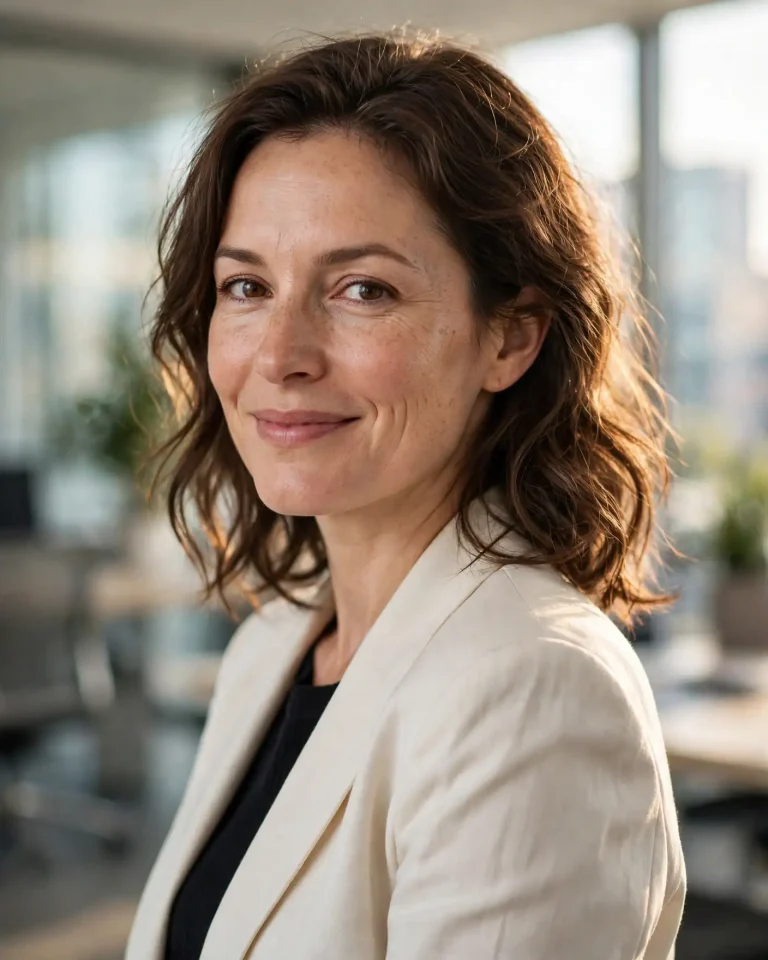
Blazer and Office Headshot
Use the uploaded photo as the exact identity reference and create a polished LinkedIn headshot of the same woman. Preserve her face, skin tone, eye shape, hairstyle and hair parting exactly, with no beautification, slimming or reshaping. Keep natural pores, soft skin texture, fine smile lines and slight facial asymmetry; avoid airbrushed, glossy or plastic skin. She wears a tailored ivory blazer over a soft black top, with realistic fabric drape and light creasing at the shoulders. Soft window light from the right at about 40 degrees, a subtle fill from the left, a warm hair light from behind, 5000K. 85mm lens, f/2, eye-level camera, chest-up framing, blurred bright modern office with soft daylight behind her. Shoulders slightly turned, a gentle, confident smile with relaxed eyes. 4:5 portrait. No extra fingers, no warped jewellery, no distorted face, no text, no watermark, no identity change.
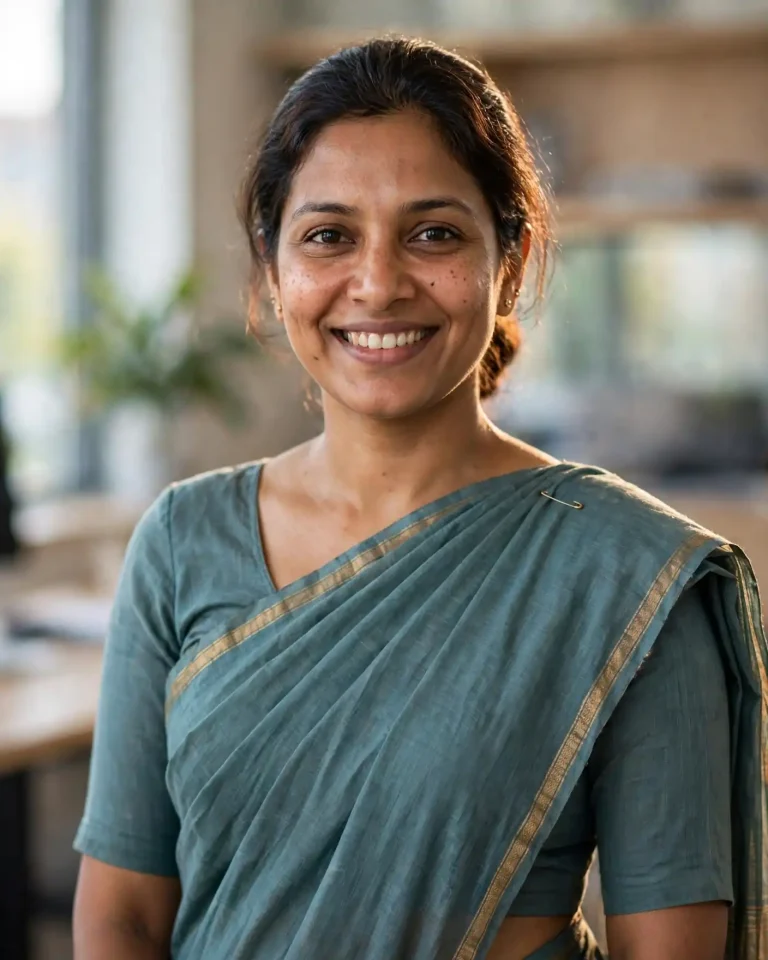
Saree or Ethnic-Formal Professional Look
Using the attached photo as a strict reference, create a professional LinkedIn portrait of the same woman in a formal Indian look. Do not alter her face, skin tone, facial structure or hairstyle; no skin smoothing or beautification. Keep real pores, fine texture and natural asymmetry, with no artificial perfection. She wears a handloom cotton-silk saree in muted teal with a thin gold border, neatly pleated and pinned, with realistic weave texture and soft fabric folds; minimal jewellery and a small stud earring. Soft diffused daylight from a window camera-left, a faint warm rim light from behind, about 4800K, gentle shadows. 85mm lens, f/2.2, eye-level, waist-up crop, blurred neutral office background with light wood tones. Upright, relaxed posture and a warm professional smile. 4:5 portrait. No distorted hands, no extra fingers, no text, no watermark, no logo, no identity change.
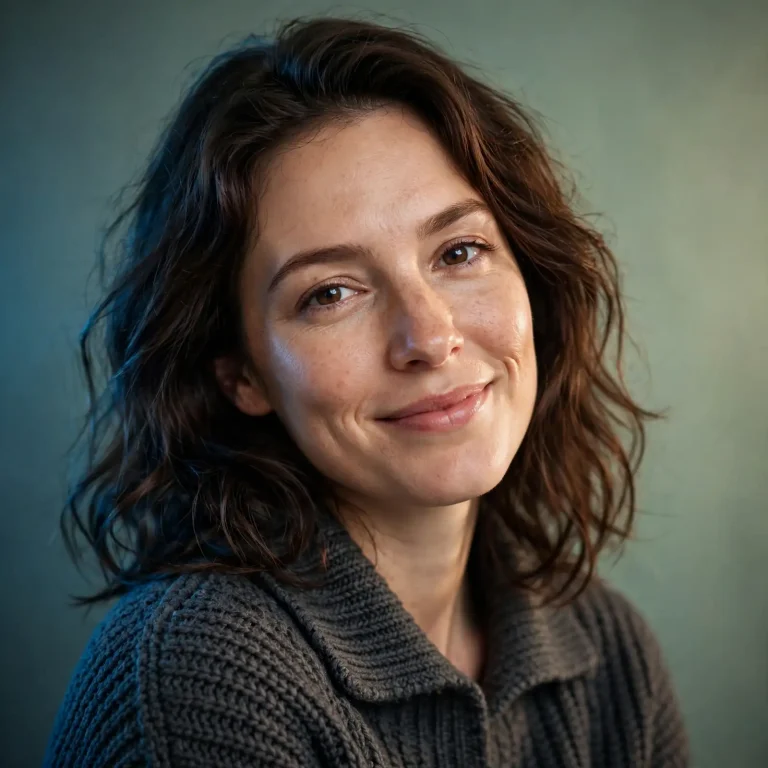
Creative Professional Look With a Colour Backdrop
From the uploaded reference photo, create a modern creative-professional headshot of the same woman with identity fully preserved: facial structure, skin tone and hair unchanged, no beauty retouching. Retain visible pores, subtle skin variation, natural shine and realistic asymmetry; avoid plastic or over-smoothed skin. She wears a relaxed charcoal knit with a structured collar, with visible knit texture. Soft key light from camera-right at 45 degrees, gentle fill, a cool rim light from behind-left, 5500K, against a muted sage-green seamless backdrop with a slight gradient. 70mm lens, f/2.8, eye-level, shoulders-up framing. Head tilted slightly, a natural, easy smile and a bit of personality in the eyes. 1:1 square. No distorted face, no extra fingers, no text, no watermark, no identity change.
LinkedIn Profile Photo Prompts by Profession
A profile picture on LinkedIn should match the field you work in. These prompts change the outfit, setting and lighting, and keep the same identity and realism clauses. Replace “this person” with “this man” or “this woman” if you prefer.
Software Engineer and IT Professional
Use the uploaded photo as the identity reference and create a LinkedIn headshot of this person as a software engineer. Keep face, skin tone, hair and glasses (if any) exactly as in the photo, with no retouching or beautification. Retain natural pores, skin texture and asymmetry; no waxy skin. Dress them in a clean dark-grey crew-neck sweater over a collared shirt, with realistic knit texture. Soft daylight from the left, a cool 5600K tone, a gentle warm rim light from behind, and a softly blurred tech-office background with a few monitors out of focus. 50mm lens, f/2, eye-level, chest-up framing. Relaxed shoulders, a friendly, approachable smile. 1:1 square. No readable screen text, no watermark, no logo, no distorted glasses, no extra fingers, no identity change.
Doctor and Healthcare Professional
Based on the uploaded reference photo, create a trustworthy LinkedIn headshot of this person as a doctor. Preserve face, skin tone, hairline and features exactly, with no beautification. Keep natural pores, fine lines and slight asymmetry; avoid plastic or airbrushed skin. They wear a clean white coat over a light-blue shirt, with realistic cotton texture, crisp lapels and a stethoscope draped naturally around the neck. Bright, soft, even clinic lighting from the front-left at about 5500K with a subtle fill, and a blurred clean hospital corridor behind. 85mm lens, f/2.5, eye-level, chest-up crop. Calm, caring expression with a slight warm smile. 4:5 portrait. No extra fingers, no distorted stethoscope, no readable badge text, no watermark, no identity change.
Lawyer, CA and Finance Professional
Use the attached photo as the exact identity reference and create a LinkedIn headshot of this person as a lawyer or chartered accountant. Preserve identity, skin tone and facial structure, with no retouching. Keep realistic pores, fine skin texture and natural asymmetry; avoid plastic skin. They wear a dark navy suit with a white shirt, with realistic wool texture and sharp lapel shadows. Soft directional key light from the right at 45 degrees, a low fill, a faint rim light, about 4800K, and a blurred bookshelf-lined office with warm tones. 85mm lens, f/2.2, eye-level, chest-up framing. Composed, serious-but-approachable look with a slight smile. 4:5 portrait. No legible book titles, no text, no watermark, no distorted hands, no identity change.
HR Professional and Recruiter
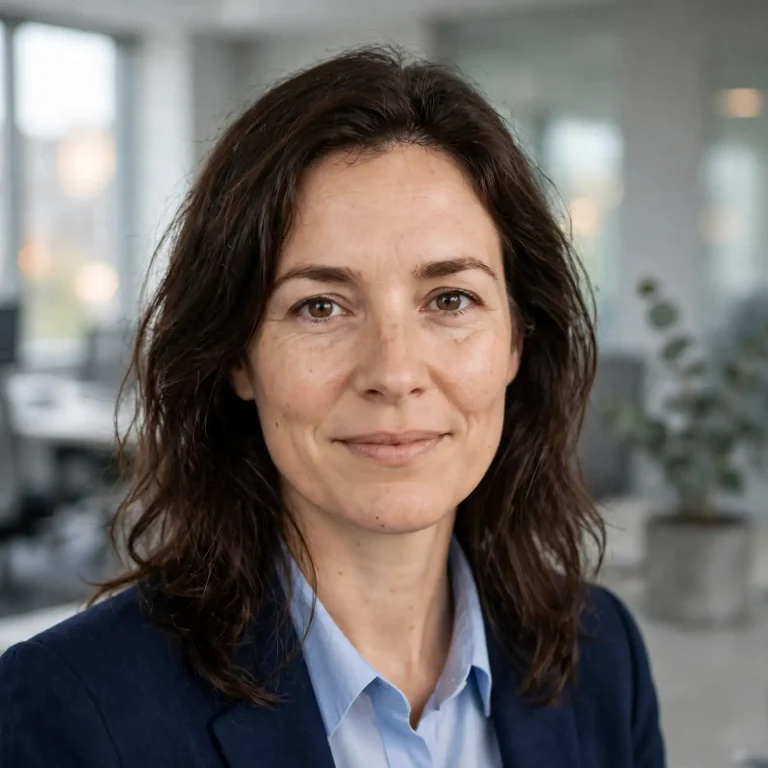
From the uploaded reference photo, create an approachable LinkedIn headshot of this person as an HR professional. Keep face, skin tone and hair exactly the same, with no beautification. Retain natural pores, skin texture and slight asymmetry; no over-smoothing. They wear a soft blue blazer over a white top, with visible fabric texture. Bright, soft window light from camera-left, a warm 5200K tone, light fill from the right, and a blurred bright open-plan office with plants. 50mm lens, f/2, eye-level, shoulders-up framing. Open posture, a warm genuine smile with relaxed eyes. 1:1 square. No distorted face, no extra fingers, no text, no watermark, no identity change.
Sales and Marketing Professional
Use the uploaded photo as the identity reference and create a confident LinkedIn portrait of this person as a sales or marketing professional. Preserve face, skin tone and hairstyle exactly, with no retouching. Keep natural pores, skin texture and asymmetry; avoid glossy or plastic skin. They wear a slim-fit mid-blue blazer over a white tee or open-collar shirt, with realistic fabric creases. Warm late-afternoon light from camera-right at about 4300K, a soft fill from the left, and a glass-walled office blurred behind with city light. 50mm lens, f/1.8, slightly low angle, waist-up crop. Arms loosely crossed or one hand in a pocket, a confident smile and direct eye contact. 4:5 portrait. No extra fingers, no malformed hands, no text, no watermark, no identity change.
Designer and Content Creator
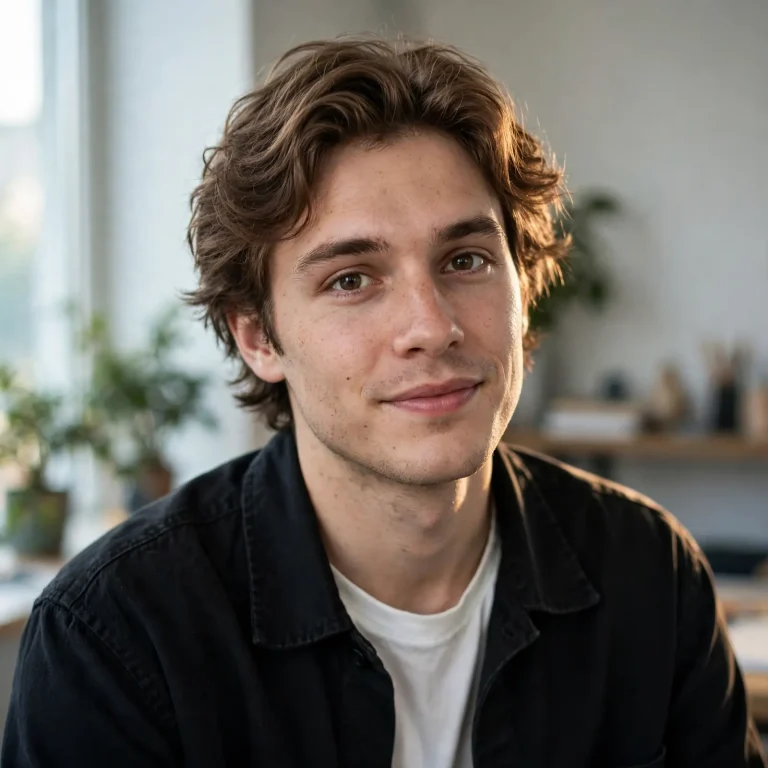
Based on the attached reference photo, create a modern LinkedIn headshot of this person as a designer or content creator. Keep face, skin tone, hair and features exactly as in the photo, with no beautification. Retain natural pores, skin variation and asymmetry; no plastic skin. They wear a plain black overshirt over a white tee, with realistic cotton texture. Soft side light from a large window on the left, a cool 5600K ambient, a subtle warm rim light behind, in a bright studio corner with out-of-focus plants and a shelf. 35mm lens, f/2, eye-level, slightly wider framing showing shoulders and the upper chest. Relaxed, curious expression with a natural half-smile. 1:1 square. No text, no watermark, no distorted hands, no identity change.
Founder and Startup Leader
Use the uploaded photo as the exact identity reference and create a LinkedIn portrait of this person as a startup founder. Preserve face, skin tone and hair, with no retouching or smoothing. Keep natural pores, fine lines and slight asymmetry; avoid artificial perfection. They wear a dark crew-neck tee under an unstructured grey blazer, with realistic fabric texture. Warm window light from camera-left at about 4600K, a soft cool fill from the right, and a blurred modern co-working space with warm lamps behind. 50mm lens, f/1.8, eye-level, chest-up framing, mild focal compression. A confident, slightly forward-leaning posture and a relaxed smile. 4:5 portrait. No logos, no readable text, no watermark, no extra fingers, no identity change.
Fresher, Student and Job Seeker
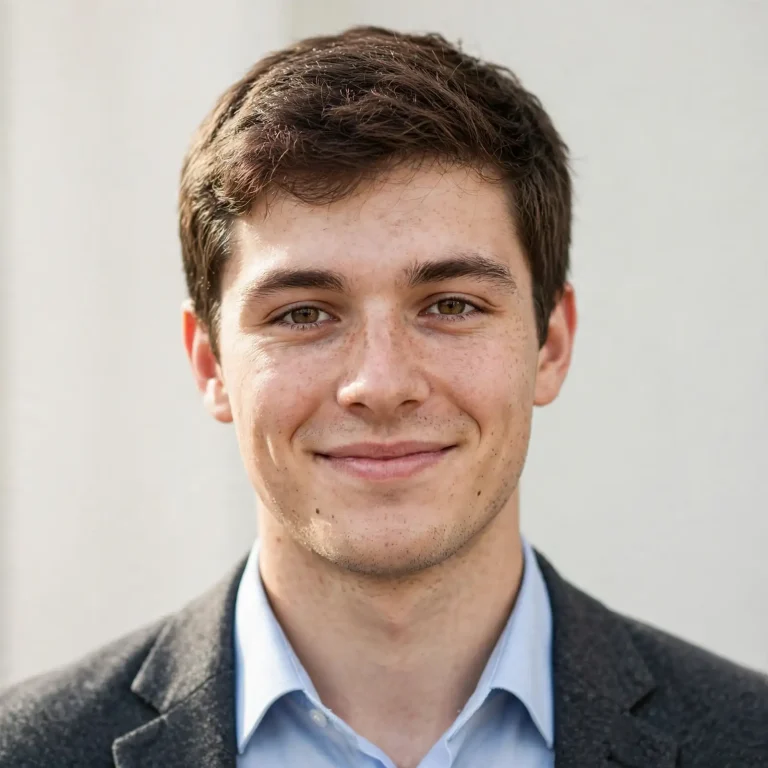
Using the attached photo as the strict identity reference, create a clean LinkedIn headshot of this person as a recent graduate. Keep face, skin tone and hairstyle unchanged, with no beautification. Retain natural pores, skin texture and asymmetry; no plastic skin. They wear a light-blue formal shirt (blazer optional in dark grey), with realistic cotton texture and neat collar. Soft, even daylight from the front-left at about 5400K, light fill, and a plain, softly graded off-white background. 85mm lens, f/2.8, eye-level, shoulders-up framing. Straight but relaxed posture, a friendly, hopeful half-smile. 1:1 square. No extra fingers, no distorted face, no text, no watermark, no identity change.
Prompts to Edit an Existing Photo
Sometimes you only need one change, such as the background or the light. Narrow edit prompts keep the face closer to your original than full regeneration does.
Background Change Only
If you want more clean backdrop ideas, try these studio background prompts and then adjust the colour to match your profession.
Keep the person in this photo completely unchanged, including face, skin texture, hair, clothing and pose. Replace only the background with a softly blurred, modern light-grey office with natural daylight, f/2.2 depth of field. Match the new background’s light direction to the existing light on my face, clean the edges around hair strands naturally, and keep realistic shadows. No retouching, no change to facial features, no text, no watermark.
Lighting and Quality Fix
If your source selfie is blurry or low resolution, first run it through a 4K HD realistic Gemini prompt and then use it as your reference photo.
Improve the lighting and sharpness of this photo without changing who I am. Add soft key light from the left, gently lift shadows under the eyes, and balance the colour to a neutral 5200K. Keep natural pores, skin texture and small imperfections, with no smoothing. Preserve the same face, expression, hair, clothing and framing. No new objects, no text, no watermark.
Outfit Change Only
If you want to try different formal looks on the same photo, these dress change prompts give you more outfit variations while keeping your face untouched.
Change only the clothing in this photo to a navy blazer over a white shirt, with realistic fabric weave, natural collar folds and correct shadows. Keep my face, skin tone, hair, expression and background exactly as they are. Match the existing light direction on the new clothing. No face edits, no extra fingers, no text, no logo, no watermark.
LinkedIn Banner and Cover Image Prompts
A banner is a separate image from your profile photo, but the same AI tools can make both. LinkedIn’s cover size is 1584×396 pixels (4:1). The profile photo overlaps the bottom-left area, so keep key elements toward the centre and right, and avoid stretching an ordinary photograph to fit.
Image models can struggle with long text on a banner, so keep any headline short or add text afterwards in Canva or a similar editor. Use a model like Nano Banana Pro or ChatGPT Images when you need legible words.
Minimal Gradient Banner for Any Professional
Create a LinkedIn cover image, 4:1 aspect ratio (1584×396 pixels). Abstract soft gradient from deep navy to teal with subtle fine grain texture and faint geometric lines flowing from left to right. Keep the bottom-left corner and the left third visually quiet and low in detail so a profile photo can sit there. Soft ambient light with gentle depth, clean modern composition, no clutter. No text, no logos, no watermark, no people, no distorted shapes.
Tech and Data Professional Banner
Create a LinkedIn banner, 4:1 aspect ratio (1584×396 pixels), for a software or data professional. A dark charcoal background with a delicate network of glowing cyan and soft violet nodes and connecting lines, shallow depth of field blur on the edges, subtle reflections like glass. Place the visual weight in the centre and right, leave the left third calm. Cinematic, realistic lighting with a cool 6500K glow. No readable text, no logos, no watermark, no people.
Consultant or Personal Brand Banner With a Headline
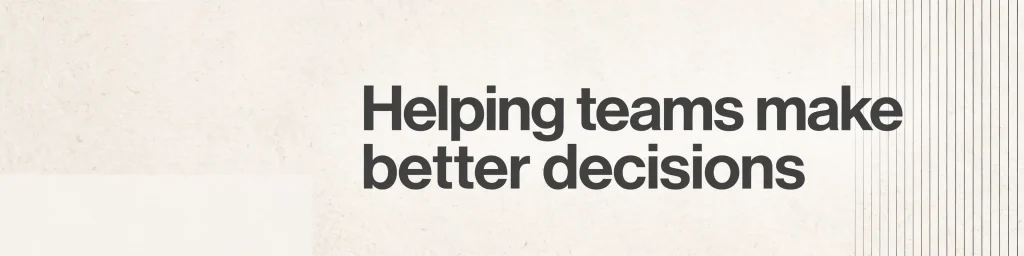
Create a LinkedIn banner, 4:1 aspect ratio (1584×396 pixels). Clean off-white paper-like background with subtle warm texture and a thin charcoal line pattern on the right. In the centre-right, place the headline “Helping teams make better decisions” in a bold modern sans-serif, charcoal colour, crisp edges, with generous spacing. Keep the bottom-left 200×200 pixel area empty. Soft, even lighting, minimal and professional. No other text, no logos, no watermark, no spelling errors.
Photo-Based Banner Using a Workspace Scene
Create a LinkedIn banner, 4:1 aspect ratio (1584×396 pixels), showing a wide, tidy desk scene: a laptop, notebook and ceramic coffee cup on a light-oak desk, shot with a 35mm lens at f/2.8 from slightly above. Soft morning window light from the left at about 4800K, realistic wood grain, fabric and metal textures, gentle bokeh on the right edge. Keep the left third and bottom-left empty and uncluttered. No readable text, no logos, no watermark, no distorted objects.
Local Pride or City Skyline Banner
Create a LinkedIn banner, 4:1 aspect ratio (1584×396 pixels), of a wide city skyline at blue hour, [Bengaluru / Mumbai / Delhi] style architecture, shot with a 24mm lens at f/5.6. Warm window lights against cool blue sky, realistic glass reflections and soft atmospheric haze, a clean horizon line on the lower third. Keep the left third darker and calm for the profile photo. No recognisable brand logos, no text, no watermark, no distorted buildings.
How to Use LinkedIn Profile Photo Prompts in ChatGPT and Gemini
To use these prompts, upload a clear photo, paste the prompt, check that the face matches, and download the result. The steps are the same in ChatGPT and Gemini.
Pick a good source photo. Use a front-facing, well-lit photo with both eyes visible and no sunglasses or heavy filters.
Open a new chat. In Gemini, choose the create-image option. In ChatGPT, attach the photo and ask for an image.
Attach the photo before pasting the prompt. Always attach it in the same message.
Replace the [brackets] with your outfit colour, background and profession.
Compare the output with your photo. If the face drifts, send “Keep my face exactly as in the original photo” and regenerate.
Download and crop to a square. LinkedIn displays the photo in a circle, so keep your face centred.
Once your LinkedIn picture is ready, you can reuse the same photo for other platforms, and these Instagram DP prompts are a good starting point for a more casual look.
ChatGPT vs Gemini for a LinkedIn Photo
Feature
ChatGPT
Gemini (Nano Banana)
Best for
Detailed multi-clause prompts
Quick, direct edit instructions
Face fidelity
Strong with the identity clause repeated
Strong with narrow “change only” edits
Banner text
Decent
Good on Pro models
Best prompt style
Long descriptive paragraph
Short and specific
Results vary by photo and by model version, so run the same prompt in both tools and keep the better one.
LinkedIn Profile Photo Requirements and Size
A good profile photo is square, shows a clear face, and looks like you on a normal day. LinkedIn’s recommended profile photo size is at least 400×400 pixels, and the cover is 1584×396 pixels.
Element
Recommended
Profile photo
Square, 400×400 px minimum
Banner/cover
1584×396 px (4:1)
Framing
Head and shoulders, face fills about 60%
Format
JPG or PNG
The photo should look like you. LinkedIn expects your own photo, so do not use a generated person who does not exist. These prompts are meant to improve your real photo, not replace it, and a heavily altered image may mislead people who meet you.
Common Problems With AI Profile Photos and How to Fix Them
Plastic or over-smooth skin. Add “natural pores, subtle skin texture, no smoothing” and remove words like “flawless” or “perfect”.
Face looks slightly different. Add “preserve identity exactly” and use one edit at a time.
Wrong or extra fingers. Choose a chest-up crop with no hands visible.
Too many outfit options. Name one outfit only.
Overbright background. Specify a muted, softly blurred background.
Oversized or cropped head. Ask for “shoulders and upper chest visible, 1:1”.
Frequently Asked Questions
What is the best prompt for a LinkedIn profile photo?
The best prompt keeps the face locked and names one outfit, one background, one light direction and one lens. The master prompt above follows that pattern.
Can I use ChatGPT to make a LinkedIn profile photo?
Yes. Upload a clear photo, paste a prompt with an identity-preservation clause, and ChatGPT will generate an edited version. Long, detailed prompts work well there.
Which AI is best for LinkedIn profile pictures, Gemini or ChatGPT?
Both can work. Gemini with Nano Banana is strong at narrow edits, and ChatGPT handles long descriptive prompts well. Try both with your photo.
Can I make a LinkedIn picture without uploading my photo?
You can, but the result will not be you, and LinkedIn expects a real likeness. Use no-reference prompts only for mockups, not for your actual profile.
Why does my AI profile photo not look like me?
The prompt is probably too broad. Add “preserve identity exactly”, use a sharper source photo, and change only one thing per generation.
What size should a LinkedIn profile photo be?
Use a square image of at least 400×400 pixels. The banner should be 1584×396 pixels.
Are there free AI tools for LinkedIn photos?
Gemini and ChatGPT both offer free access with usage limits that vary by account and region, so check the current limits in each app.
Can people see if my LinkedIn photo is AI-generated?
Not by default, but an obviously over-smoothed or altered image can look off. Keeping natural skin texture and your real features avoids that.
Final Thoughts
The best LinkedIn profile photo prompts do three things: they lock your identity, describe real light and a real lens, and name one outfit and one background. Start with the master prompt, move to the version for your profession, and use the edit prompts when only one detail needs fixing. Keep skin natural and the framing simple, and treat these LinkedIn profile photo prompts as a way to improve a real photo of you, not to replace it.