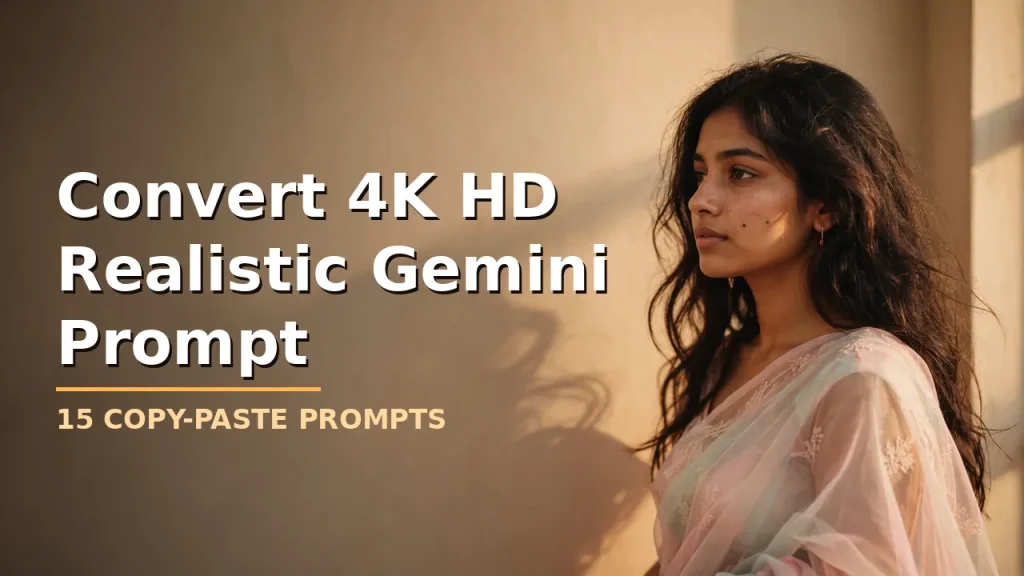
Convert 4K HD Realistic Gemini Prompt: 15 Copy-Paste Prompts for Lifelike AI Portraits
A convert 4K HD realistic Gemini prompt is the fastest way to turn an ordinary selfie into a sharp, lifelike 4K portrait inside Google’s Gemini app. You upload your photo, paste the prompt, and Gemini rebuilds the image in high detail — same face, better light, better texture, ready for Instagram.
The trick is in the wording. A vague prompt gives you a waxy, fake-looking result. A well-built one locks your identity, describes real lighting and camera behavior, and tells the AI exactly what to avoid. Below are 15 ready-to-use convert 4K HD realistic Gemini prompts across retro, women, men, couple, and Nano Banana upscale styles. Copy any of them straight into Gemini.
What Makes a Convert 4K HD Realistic Gemini Prompt Actually Work
A convert 4K HD realistic Gemini prompt is a written instruction you give Google’s Gemini app to rebuild your uploaded photo as a sharp, lifelike high-resolution portrait — same face, better light, better texture. The quality of the output depends almost entirely on how specific the prompt is.
Generic prompts produce generic results. AI models default to smoothing skin, symmetrizing faces, and applying a “beautified” look unless you explicitly tell them not to. That’s why every prompt in this article is written as a full, technical instruction rather than a short idea — because over-smoothed skin, changed face shape, and plastic textures are the single biggest complaint people have with AI photo editing.
A prompt that works consistently across Gemini, ChatGPT’s image tool, and Bing Image Creator needs eight components:
Face-preservation instruction — telling the model to keep identity, skin tone, and facial structure exactly as in the source photo
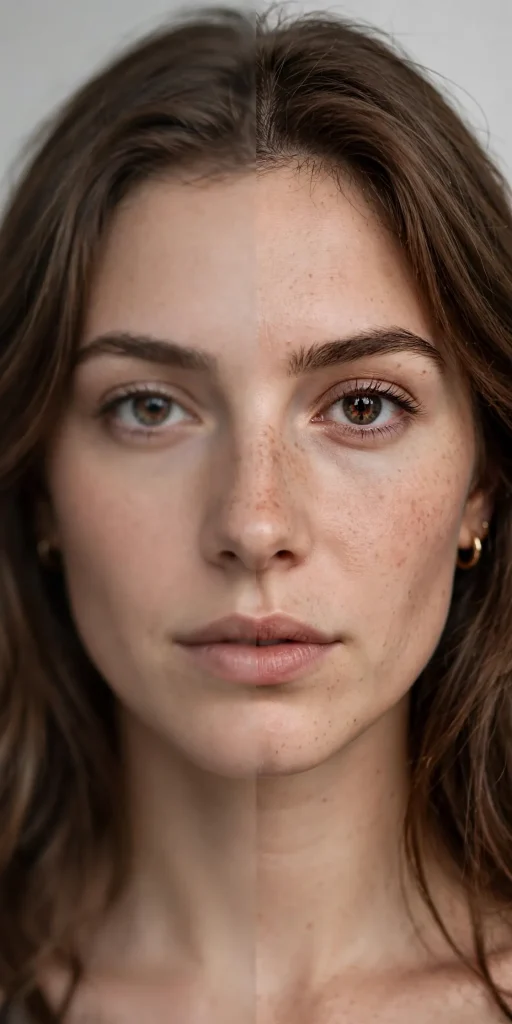
Natural imperfection clause — preventing the “AI-perfect” smoothed-skin look
Lighting direction and color temperature — where the light comes from and how warm or cool it is
Camera and lens language — like 85mm or f/1.8 — to push the image toward realistic photography
Texture realism — how fabric, hair, and skin should physically behave
Aspect ratio — matched to Instagram post, story, or profile use
Avoid-clauses — negative instructions ruling out common AI errors
Pose and mood direction — so the subject doesn’t look stiff or robotic
How to Use a Convert 4K HD Realistic Gemini Prompt in the Gemini App
You don’t need any editing skill. Whether you’re using Gemini, ChatGPT, or Bing’s Image Creator, the process is nearly identical:
Upload a clear reference photo — good lighting and a front-facing angle give the AI the most identity data to preserve.
Paste the full prompt as one paragraph — models read flowing prompts more coherently than fragmented lists.
Keep the face-lock clause intact — “preserve the exact face, zero alteration” is what stops the waxy fake look.
Specify the aspect ratio for where you’ll post it — 4:5 for feed posts, 9:16 for stories and reels.
Generate, then refine — if the first output changes the face too much, add “keep my exact face, 100% identical” and regenerate.
Two things decide your result quality. First, the input photo: use a sharp, front-lit selfie — Gemini can only preserve a face it can see clearly. Second, don’t strip the technical lines out of the prompt to shorten it — those lines do the heavy lifting.
Retro 4K HD Gemini Prompts for a Vintage Film Look
The retro trend started it all — warm walls, soft shadows, and a 90s film mood. These three convert 4K HD realistic Gemini prompts nail it.
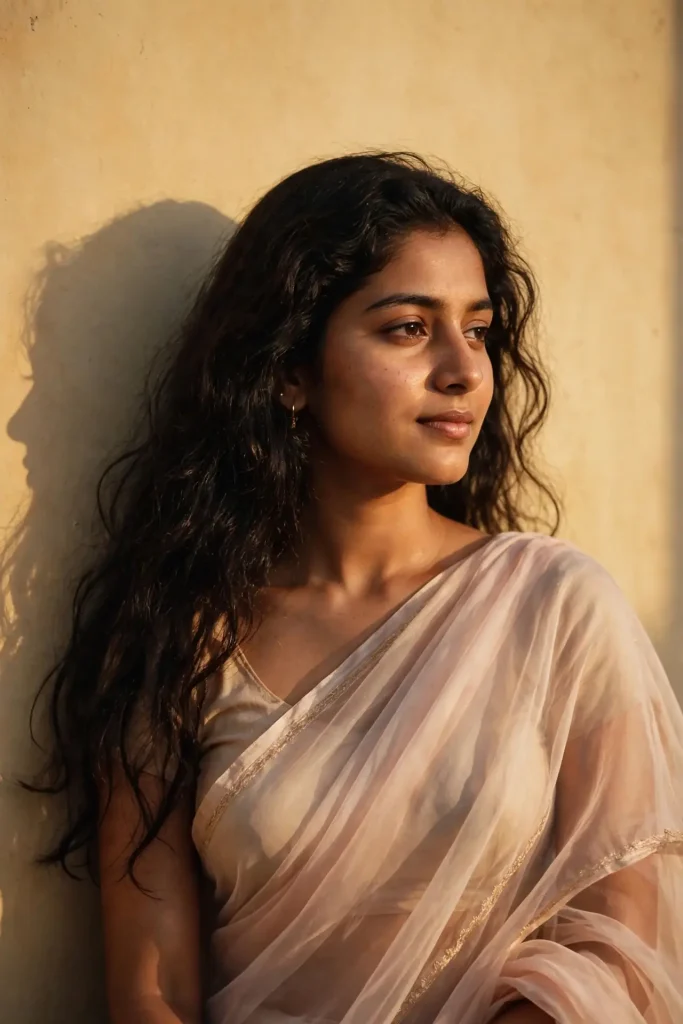
Warm-Wall Retro Saree Portrait
Use the uploaded photo as the sole face reference and preserve the exact facial identity — same face shape, eyes, nose, lips, skin tone, and hairstyle with zero alteration and no beautification. Keep natural skin texture with visible pores and subtle imperfections; avoid plastic-smooth AI skin. Create a 4K HD realistic retro portrait of a young Indian woman with long dark wavy hair falling over her shoulders, wearing a translucent elegant saree draped over one shoulder with a fitted blouse underneath. She looks slightly to her right with a soft, serene expression. Light her with a warm 3200K key light from the right at roughly 45 degrees, casting a distinct soft-edged shadow of her profile and hair on the plain warm-toned wall behind her. Shoot on an 85mm lens at f/1.8 with shallow depth of field, subtle film grain, and a warm vintage color grade, 4:5 portrait format. No extra fingers, no distorted face, no text, no watermark, no identity change.
90s Film-Grain Portrait for Men
Treat the uploaded photo as the absolute identity source: keep the man’s exact face, jawline, skin tone, and hairstyle identical, with no face reshaping or smoothing. Retain natural pores, light stubble texture, and realistic skin detail. Build a 4K HD realistic 90s-style portrait of a young man in a fitted black shirt with rolled sleeves, standing against a textured beige wall, body angled three-quarters to the camera, calm confident expression, one hand relaxed in his pocket. Use warm golden-hour side light from the left at 3200K with soft shadows, gentle film grain, and faded warm tones for an authentic vintage feel. Capture with a 50mm lens at f/2.8, natural perspective, soft background falloff, 4:5 portrait. No malformed hands, no duplicated features, no cartoon look, no logo, no over-sharpened skin.
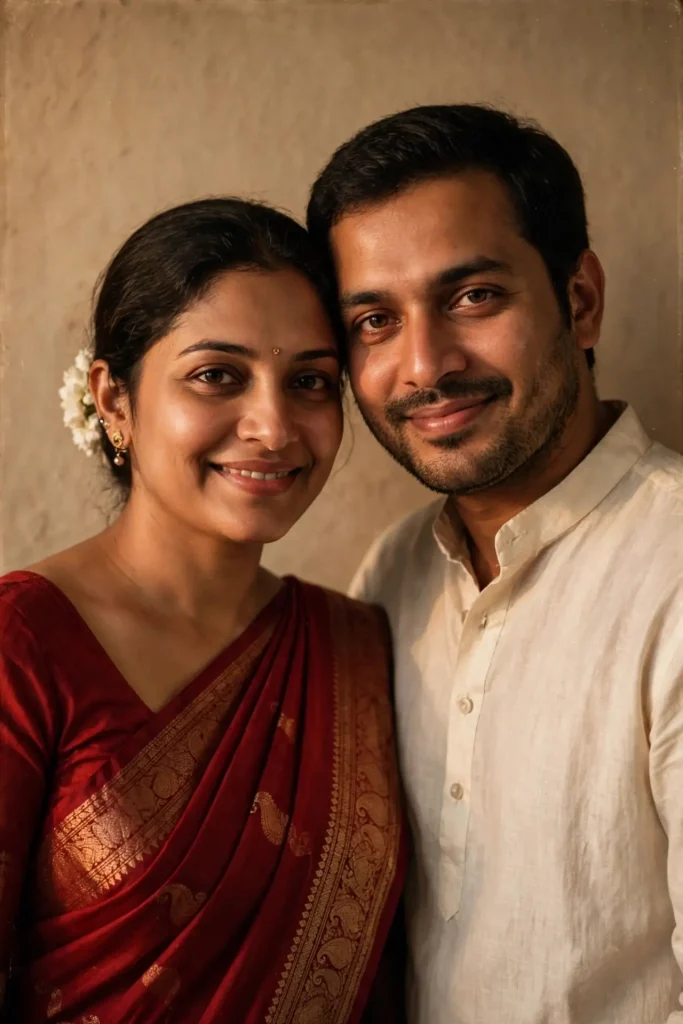
Vintage Couple Portrait
Preserve both faces from the uploaded reference photos exactly — no beautification, no face swapping, natural skin texture with pores and minor imperfections intact on both subjects. Create a 4K HD realistic vintage couple portrait: the woman in a deep red saree with a white flower tucked behind her ear, the man in a cream kurta, standing close with shoulders touching, both looking slightly off-camera with soft genuine smiles. Warm 3200K tungsten-style lighting from the front-left, soft-edged shadows on a plain warm wall, nostalgic film grain, muted warm color grade. Shot on an 85mm lens at f/2, shallow depth of field keeping both faces tack-sharp, 4:5 portrait. No extra limbs, no distorted faces, no text, no watermark, no identity drift on either person.
Convert 4K HD Realistic Gemini Prompts for Women
A convert 4K HD realistic Gemini prompt works especially well for women’s portraits because you can direct fabric, jewelry, and hair detail precisely. These three cover the most requested looks. Explore dress change prompt ideas for creative outfit transformations.
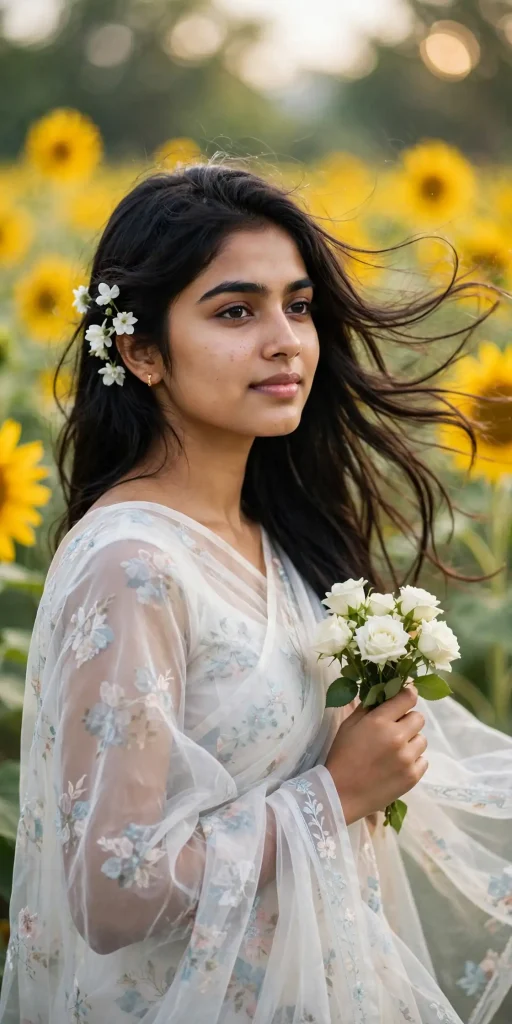
Sunflower Field Saree Portrait
Use the uploaded selfie as the only face reference and lock the identity — identical eyes, nose, lips, face shape, and skin tone, zero alteration, no beautification filters. Keep realistic skin with natural pores and subtle texture. Create a 4K HD realistic portrait of a young Indian woman with long dark straight hair flowing in a light breeze, wearing a translucent floral-printed white saree draped over one shoulder with a fitted blouse, white flowers tucked behind her right ear, holding a small bunch of white roses. She looks slightly right with a soft serene smile. Bright natural daylight around 5600K, soft and diffused, sunflower field stretching behind her with creamy bokeh. Shot on an 85mm lens at f/1.8, shallow depth of field, crisp detail, 9:16 vertical. No extra fingers, no warped flowers, no plastic skin, no text, no watermark.
Festive Navratri Look
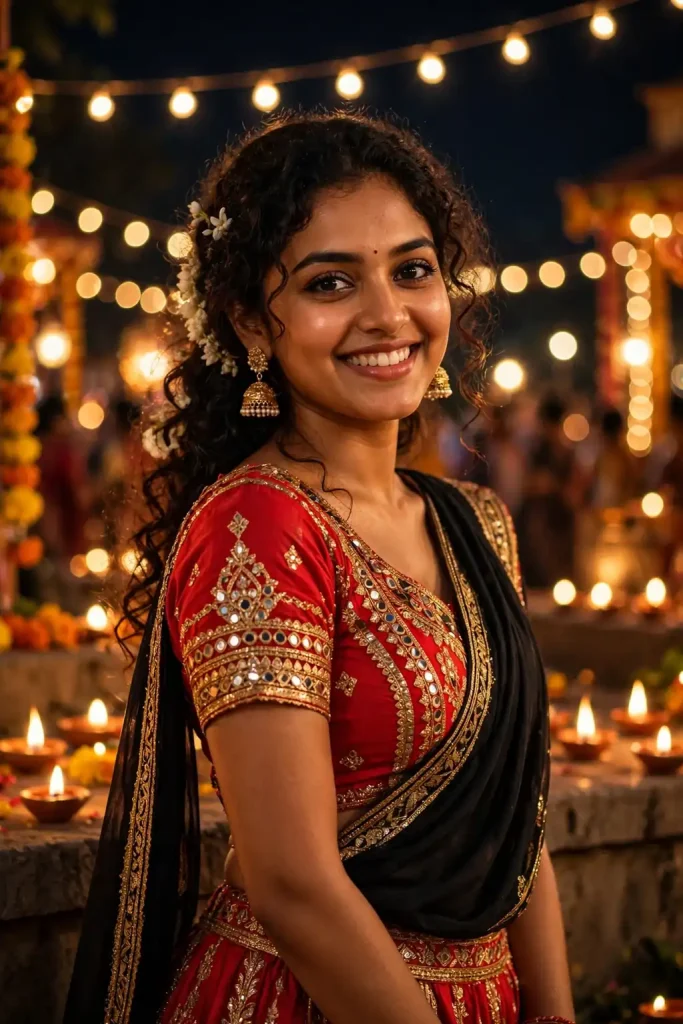
Preserve the exact face from the uploaded photo — same features, same skin tone, no reshaping, no smoothing; keep natural skin texture and minor imperfections. Create a 4K HD realistic festive portrait of a young woman in a striking red Navratri ghagra choli with a black dupatta, small flower tucked into her curls, traditional jhumka earrings. She stands in a three-quarter pose with a joyful confident expression. Night festival lighting: warm string lights and diyas at roughly 3000K from behind and the side, glowing bokeh orbs, cinematic vibrant grade. Shot on a 50mm lens at f/2, shallow depth of field, realistic fabric embroidery texture, 4:5 portrait. No distorted jewelry, no extra fingers, no cartoon glow, no text, no watermark, no face change.
Elegant Evening Gown Portrait
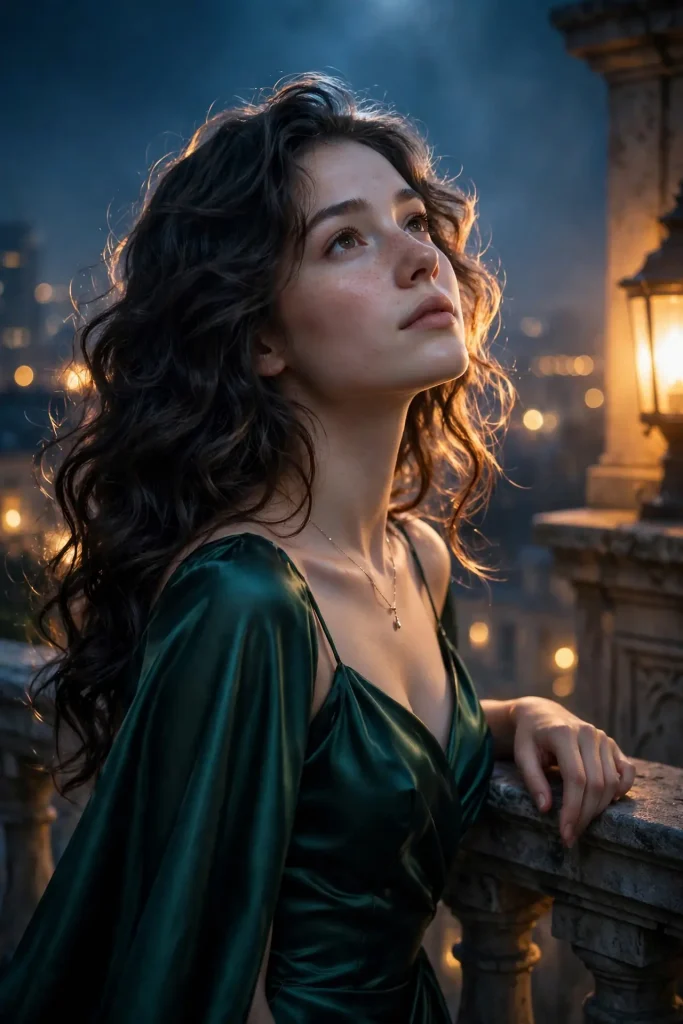
Lock the facial identity from the reference image completely — identical face structure and skin tone, no beautification, natural pores and realistic skin finish. Create a 4K HD realistic evening portrait of a young woman with voluminous wavy hair, wearing an elegant deep-emerald satin gown with a modest neckline, delicate pendant necklace. She stands with one hand lightly resting on a stone balustrade, chin slightly lifted, poised calm expression. Cool moonlit ambient light near 6500K mixed with a warm 3200K practical lamp glow from the side, soft rim light tracing her hair, shallow depth of field with blurred city lights behind. Shot on an 85mm lens at f/1.8, cinematic color grade, realistic satin sheen, 4:5 portrait. No malformed hands, no distorted face, no duplicated jewelry, no text, no watermark.
4K Gemini Prompts for Men
Clean, sharp, masculine portraits are among the most reused Gemini AI photo prompts. These three convert 4K HD realistic Gemini prompts are built for LinkedIn, Instagram, and profile pictures.
Crisp White-Shirt Portrait
Use the uploaded photo as the sole identity reference — keep the man’s exact face, jawline, and skin tone with zero alteration and no smoothing; preserve natural skin texture, pores, and subtle asymmetry. Create a 4K HD realistic portrait of a young man in a premium white relaxed-fit shirt with an open collar and tailored beige trousers, clean minimal watch, neat hairstyle. He faces the camera directly with a calm assured expression, shoulders square. Soft natural window light from the left at 5000K, gentle fill from the right, clean studio-grey background with soft falloff. Shot on an 85mm lens at f/2.8, tack-sharp focus on the eyes, natural skin tones, 4:5 portrait. No extra fingers, no distorted ears, no plastic skin, no text, no watermark.
Moody Black Elite Look
Preserve the exact facial identity from the reference — no reshaping, no beautification, realistic skin with natural texture and pores. Create a 4K HD realistic moody portrait of a man in a matte black fitted t-shirt and charcoal trousers, minimal watch, slightly tousled hair. He leans against a dark concrete wall, arms crossed, intense calm gaze into the lens. Dramatic low-key lighting: single soft directional source from the upper left at 4500K, deep soft shadows on one side of the face, subtle rim light separating him from the background, teal-and-warm cinematic grade. Shot on a 50mm lens at f/2, shallow depth of field, sharp fabric detail, 4:5 portrait. No malformed hands, no warped wall texture, no cartoon contrast, no text, no watermark.
Golden-Hour Street Style
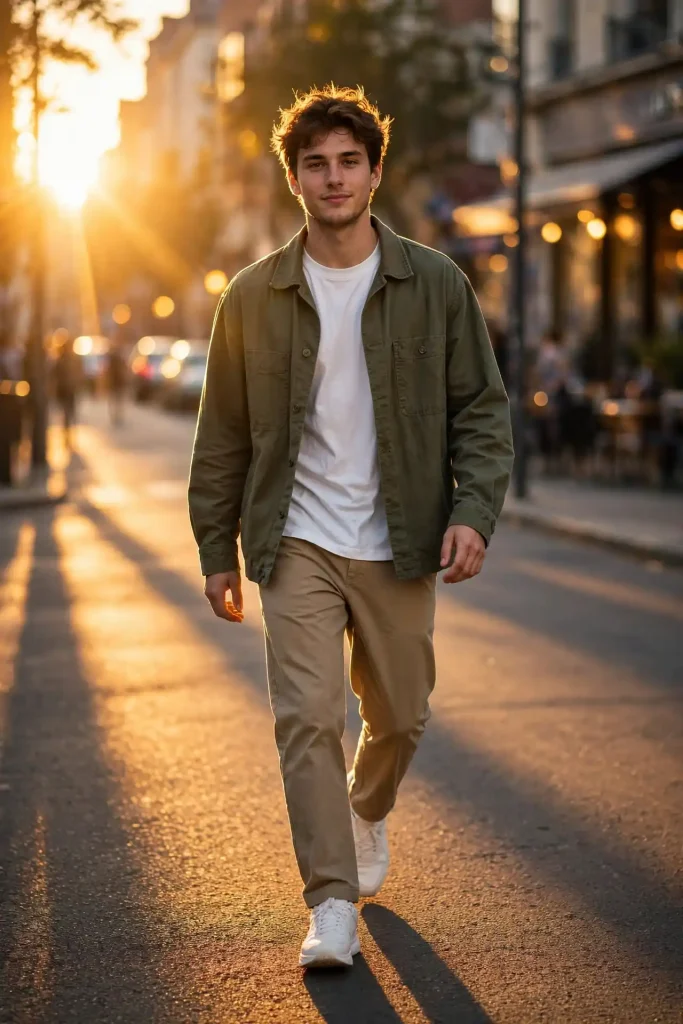
Keep the man’s face identical to the uploaded photo — exact features and skin tone, no alteration, natural skin texture with visible pores. Create a 4K HD realistic street-style portrait of a young man in an olive overshirt over a plain white t-shirt with straight trousers and clean sneakers, walking toward the camera mid-stride, relaxed confident expression. Warm golden-hour sunlight from behind-left at 3200K creating a glowing rim on hair and shoulders, long soft shadows on the pavement, blurred city street with warm bokeh behind. Shot on a 35mm lens at f/2.8, natural perspective, slight motion energy, realistic denim and cotton textures, 9:16 vertical. No extra limbs, no distorted face, no floating objects, no text, no watermark.
Couple and Festive 4K Prompts
Couple portraits get shared the most, so identity preservation matters double here — both faces must survive the generation untouched. These convert 4K HD realistic Gemini prompts keep both subjects razor-sharp. Perfect for Diwali photo ideas and festive celebrations.
Monsoon Umbrella Couple
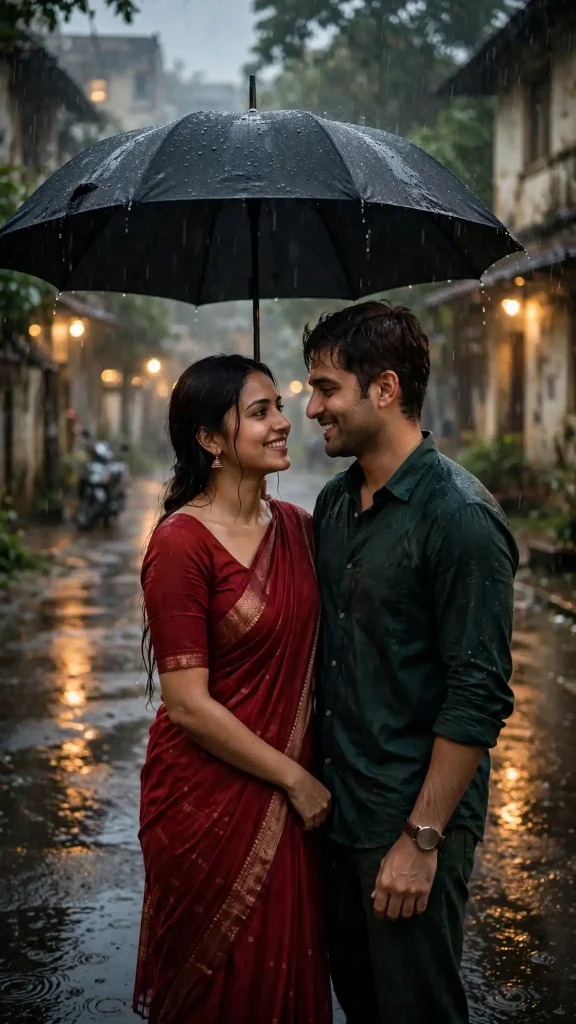
Preserve both uploaded faces exactly — identical features, skin tones, and hairstyles, no beautification, natural skin texture with pores on both subjects. Create a 4K HD realistic cinematic monsoon portrait of a couple standing close under one large black umbrella on a wet residential street in gentle evening rain. She wears a deep red saree; he wears a dark-green shirt with classic trousers. Both share a warm natural smile, looking at each other. Wet road reflecting soft amber streetlights, blurred trees and old buildings in misty background, visible fine raindrops. Cool rainy ambient near 6500K mixed with warm 3000K streetlight glow, cinematic grade. Shot on a 50mm lens at f/2.8, realistic rain streaks and reflections, 9:16 vertical. No extra fingers, no distorted faces, no duplicated umbrella, no text, no watermark.
Diwali Diya-Lit Portrait
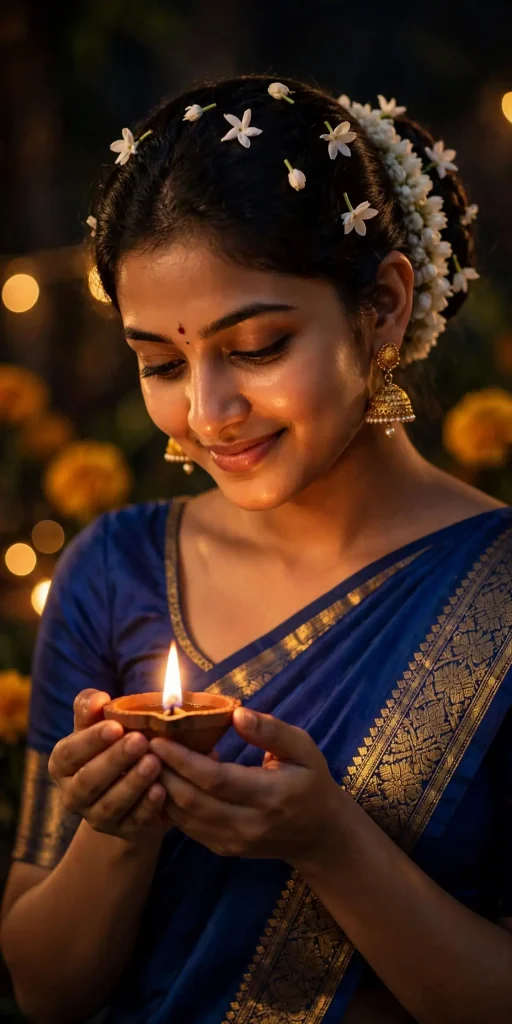
Lock the identity from the reference photo — same face, same skin tone, zero alteration, natural skin texture with realistic pores. Create a 4K HD realistic Diwali portrait of a young woman in a royal-blue silk saree with gold border and matching blouse, traditional gold jhumkas, hair in a neat bun adorned with jasmine. She holds a lit diya gently in both hands at chest level, soft joyful expression, eyes lowered toward the flame. Warm diya light at 2800K flickering upward across her face, deep soft shadows, dark festive background with blurred fairy lights and marigold bokeh. Shot on an 85mm lens at f/1.8, shallow depth of field, glowing flame detail, realistic silk sheen, 4:5 portrait. No malformed hands, no extra flames, no distorted face, no text, no watermark.
Traditional Wedding Portrait
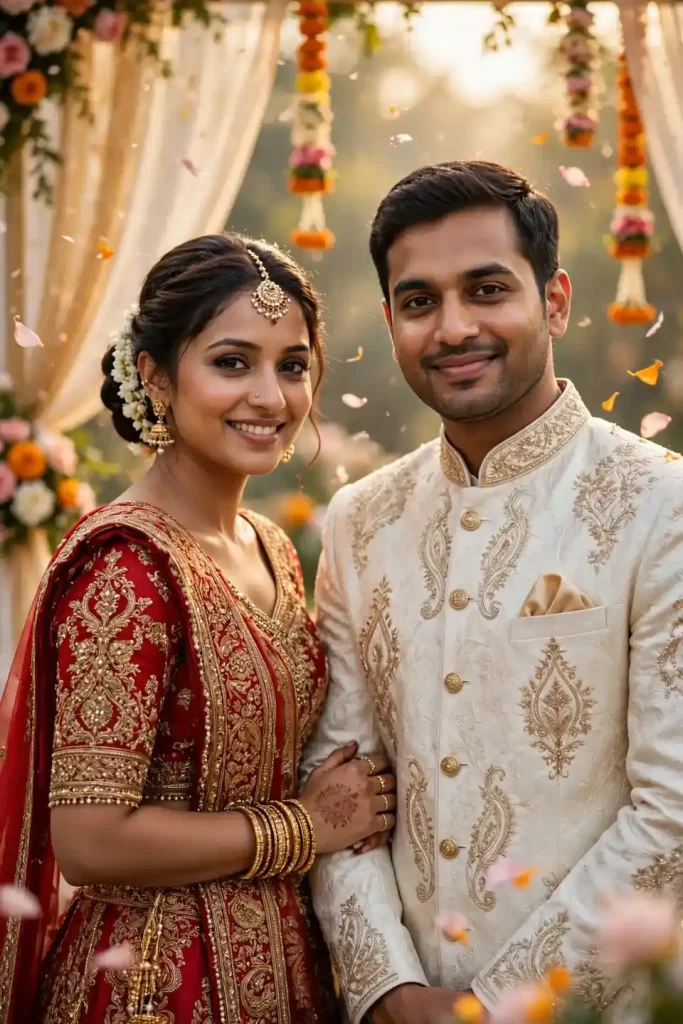
Preserve both faces from the uploaded references with complete accuracy — no reshaping, no smoothing, natural skin texture and minor imperfections intact. Create a 4K HD realistic traditional wedding portrait: the bride in an ornate red and gold lehenga with detailed embroidery and maang tikka, the groom in an ivory sherwani with a subtle stole. They stand side by side, her hand resting lightly on his arm, both with serene happy expressions looking at the camera. Soft diffused daylight at 5500K with warm golden accents, elegant mandap drapes softly blurred behind, floating flower petals. Shot on an 85mm lens at f/2.8, both faces tack-sharp, rich fabric detail, 4:5 portrait. No extra fingers, no distorted jewelry, no warped embroidery, no text, no watermark.
Nano Banana 4K Upscale Prompts
Nano Banana is the name users gave to Gemini’s AI image editing feature — the engine behind most viral 4K portrait trends. These convert 4K HD realistic Gemini prompts use it for enhancement rather than restyling. Explore cinematic photo styles for dramatic lighting effects.
4K Face-Lock Upscale
Use the uploaded photo as the master identity reference with a strict zero-modification policy on the face: identical eyes, nose, lips, jawline, skin tone, and hairstyle — no beautification, no reshaping. Enhance the image to 4K HD realistic quality: refine natural skin texture and individual hair strands, remove grain, noise, and compression artifacts, sharpen without smoothing or fake gloss. Keep the original clothing, pose, background, lighting mood, and composition exactly as they are. Balanced natural light matching the source photo’s direction and temperature, photorealistic finish. Render at high resolution, 4:5 portrait or match source aspect. No face drift, no added or missing anatomy, no relighting, no stylization, no text, no watermark, no hallucinated details.
Cinematic Relight in 4K
Preserve the exact face and identity from the uploaded photo — no alteration, natural pores and skin texture retained. Rebuild the portrait in 4K HD realistic quality with cinematic relighting: soft directional key light from the upper left at 4500K, gentle fill to open the shadows, subtle warm rim light on the hair, clean softly blurred background preserving the original setting’s character. Enhance fabric weave, hair strands, and background textures with physically accurate detail. Shot-on-85mm look at f/2, shallow depth of field, natural color science, 4:5 portrait. No plastic skin, no distorted features, no extra fingers, no artificial glow, no text, no watermark, no identity change.
Old Photo Restoration to 4K
Treat the uploaded old photograph as the identity source: restore the exact faces, expressions, and clothing while keeping every recognizable feature intact — no beautification, no modernizing faces. Rebuild in 4K HD realistic quality: remove scratches, dust, fading, and color casts; reconstruct natural skin texture with pores, individual hair strands, and realistic fabric weave. Apply balanced daylight around 5500K with soft natural shadows, true-to-life colors, gentle contrast. Maintain the original composition, framing, and background elements. High-resolution photorealistic output, match source aspect ratio. No invented facial features, no extra fingers, no warped patterns, no text, no watermark, no cartoon smoothing.
Trending 4K Gemini Photo Editing Styles
Instagram trends shift constantly, and “trending” 4K edits usually fall into a few repeatable categories: retro film-grain portraits, Nano Banana upscales, and cinematic relights. When adapting any prompt above for a trending look, keep every face-preservation and texture-realism clause intact — trend styling should sit on top of the photo, not replace the person’s actual features.
Which Prompt Should You Use — and Where Can You Use It
Choosing between prompts comes down to two questions: who’s in the photo, and where will it be posted. A single portrait for Instagram works best as 4:5; a story or reel needs 9:16; a LinkedIn headshot needs a clean professional look. Beyond that, match the prompt to the mood you want — retro for nostalgia, moody black for editorial edge, festive for celebrations.
As for tools, yes — these prompts can generally be used on Canva’s AI features, Photoshop’s generative fill, Gemini, ChatGPT’s image tool, and Bing Image Creator, though results and fidelity vary. Discover more AI photo editing prompts for your next project.
Tool
Best For
Free Access
Face Accuracy
Gemini
Photorealistic 4K edits, identity preservation
Yes, with limits
High
ChatGPT (image tool)
Creative frames, stylized portraits
Yes, with limits
Moderate–High
Bing Image Creator
Quick stylized generations
Yes
Moderate
Common Mistakes to Avoid
Uploading a blurry or heavily filtered photo — Gemini can’t recover a face that isn’t clearly visible. Start with the cleanest original you have.
Deleting the technical lines to shorten the prompt — the face-lock clause, lighting direction, and avoid list do the heavy lifting.
Asking for three transformations at once — one transformation per prompt gives far cleaner results.
Forgetting aspect ratio — leads to awkward cropping on Instagram.
Accepting odd hands instead of re-rolling — the avoid clause reduces errors, but no model is perfect.
Frequently Asked Questions
What is the convert 4K HD realistic Gemini prompt?
It is a copy-paste text prompt built around the phrase “Convert, 4K HD realistic” that tells Google Gemini to rebuild your uploaded photo as a sharp, lifelike high-resolution portrait while keeping your exact face. Every convert 4K HD realistic Gemini prompt in this article follows that same tested structure.
How do I use these prompts in the Gemini app?
Open the Gemini app, tap the plus icon, upload a clear photo, paste the prompt into the chat, and send. Your 4K portrait is usually ready in under a minute — no editing skills needed.
Will Gemini keep my real face?
Yes, if the prompt includes a face-preservation clause. Every prompt above opens with an identity lock (“preserve the exact face, zero alteration”), which tells Gemini to use your photo as the biometric source of truth instead of generating a new face.
What is Nano Banana in Gemini?
Nano Banana is the nickname users gave to Gemini’s AI image generation and editing feature — the engine behind the viral 4K portrait trends. Prompts 13–15 above are written specifically for its enhancement strengths.
Why do my AI portraits look fake or plastic?
Almost always because the prompt lacked two things: a natural-imperfection clause (pores, skin texture) and an avoid list (no smoothing, no beautification). Add both and the plastic look disappears.
Are these Gemini AI photo prompts free?
Yes. Every prompt in this article is free to copy, paste, and use inside the Gemini app. Gemini’s image generation is available on the free tier.
Final Thoughts
A convert 4K HD realistic Gemini prompt is only as good as its detail — identity lock, real lighting, camera language, and a strict avoid list. With the 15 prompts above you can produce retro, festive, professional, and couple portraits that actually look like you, in true 4K sharpness. Pick the style that fits your photo, paste the convert 4K HD realistic Gemini prompt into Gemini, and keep the face-lock line intact. Your next profile picture is one prompt away.