15 Neon Cinematic Photo Prompts for ChatGPT and Gemini (Copy and Paste)
Neon cinematic photo prompts turn an ordinary selfie into a night-time movie still, with glowing signs, wet streets and coloured rim light on your face. Every prompt below is written as one paragraph, so you can paste it straight into ChatGPT or Gemini after uploading a clear, well-lit photo.
Replace the bracketed details, keep the face and avoid clauses, and you will get far more realistic results than with a short one-line prompt. For wider movie-style looks beyond neon, see these cinematic photo prompt ideas.
Best Neon Cinematic Photo Prompts for Your Own Photo
1. Neon Eyes Screen Portrait (Trending)
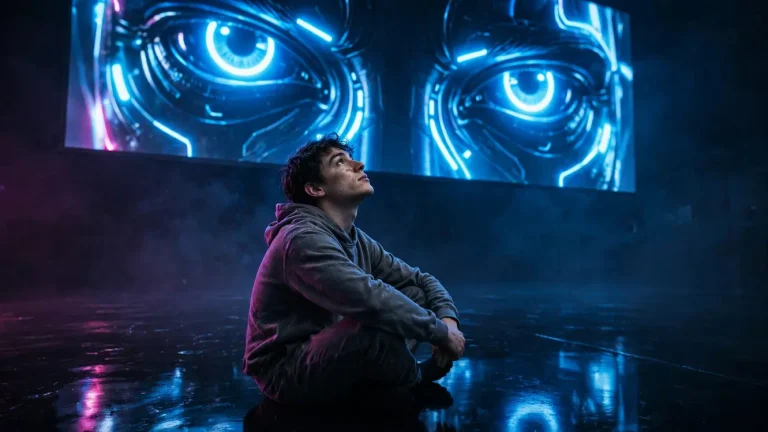
This is the look people mean when they search for neon eyes: a person sitting below a giant screen showing glowing eyes. If you want more variations of this concept, try these glowing eyes ChatGPT prompts.
Using my uploaded photo, create a cinematic 16:9 scene where I sit cross-legged on a glossy black floor, looking up at a giant wall screen showing a close-up of glowing blue neon eyes. Preserve my face, skin tone and facial structure exactly, with no beautification or identity change. Keep natural pores, subtle skin texture and slight facial asymmetry, avoiding plastic or over-smoothed skin. The screen is the key light, casting cool 6500K blue glow from above and in front, with faint magenta bounce from the left and a soft screen reflection on the floor. Shot on a 35mm lens at f/2.8 from a low angle, shallow depth of field, light haze. Cotton hoodie with realistic fabric folds, individual hair strands catching rim light. Calm, mysterious mood, head tilted slightly up. No text, no watermark, no extra fingers, no distorted face, no duplicated body parts.
2. Rainy Cyberpunk Street Portrait
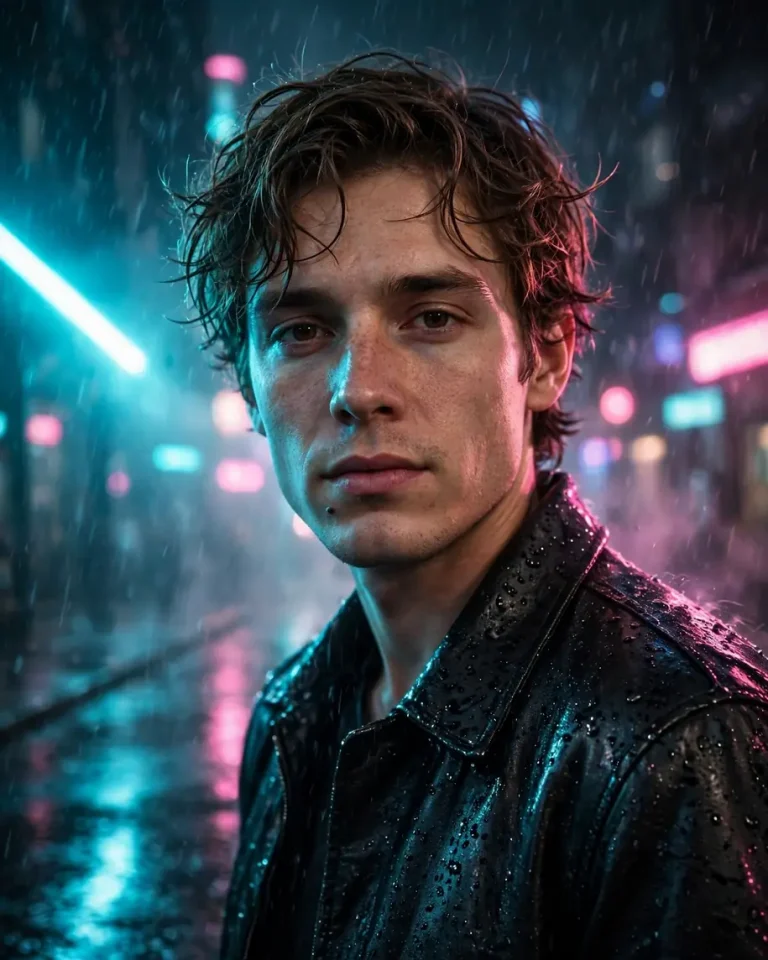
Rain is what makes neon reflections work, so if you like this look, there are more rainy photo prompts worth saving.
Turn my uploaded photo into a cinematic 4:5 portrait on a rain-soaked cyberpunk street at night. Keep my identity, skin tone and facial features exactly as they are, with no face change. Retain visible pores, fine skin texture and natural asymmetry, with no airbrushed or AI-perfect skin. Pink and cyan neon signs light me from both sides, with a 45-degree cyan key light on the left and warm magenta rim light on the right edge of my face and shoulders. Shot on an 85mm lens at f/1.8, shallow depth of field, creamy bokeh from distant signs, realistic raindrops on a black leather jacket, and wet pavement with accurate reflections. I walk toward the camera with a relaxed, slightly serious expression, light mist in the air. No text, no logos, no malformed hands, no distorted face, no plastic skin.
3. Black and White Portrait With a Single Neon Accent
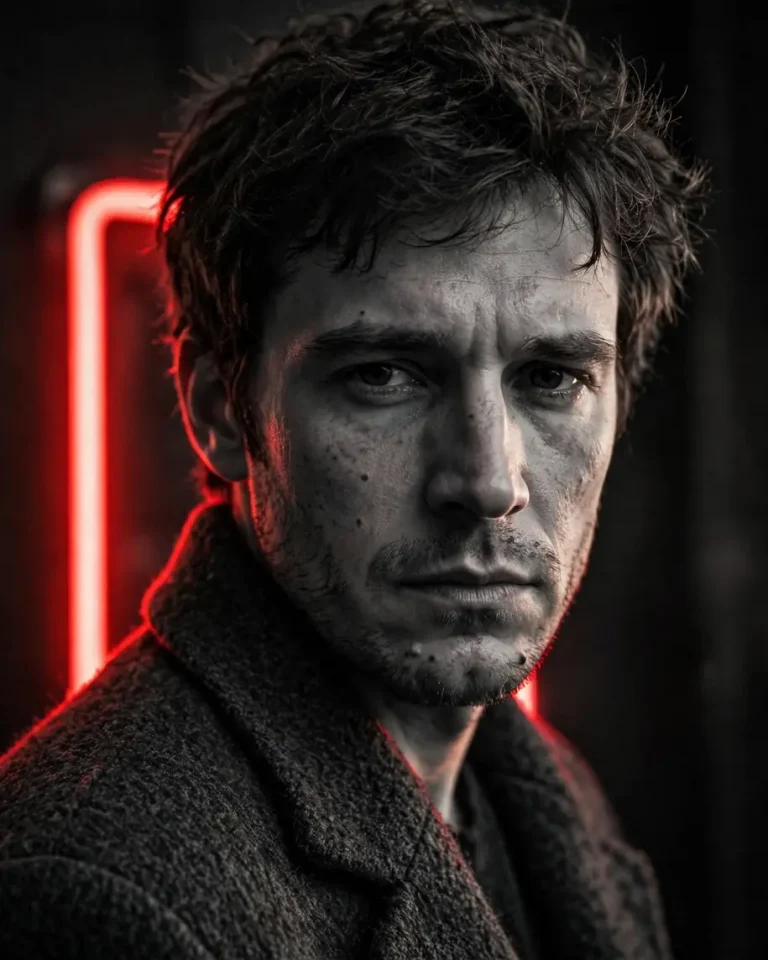
Using my uploaded photo, create a 4:5 black and white cinematic portrait with one vivid red neon tube glowing behind my shoulder as the only colour in the frame. Preserve my face exactly, with no beautification, and keep real skin texture, pores and natural asymmetry. Soft directional key light from the right at 45 degrees, deep shadows on the left, red neon spill as a thin rim light along my cheek and jaw. 50mm lens at f/2, fine film grain, natural perspective, and realistic wool coat texture with individual hair strands visible. Brooding, still pose, chin slightly lowered, eyes toward the lens. No text, no watermark, no extra fingers, no skin smoothing, no identity change.
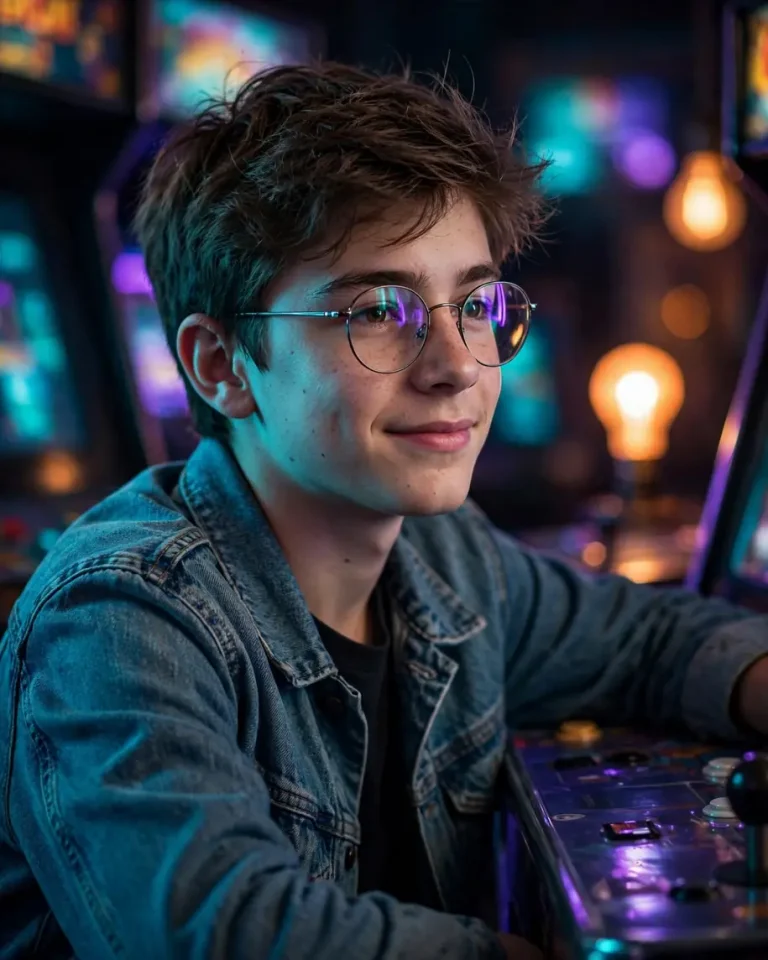
4. Boy With Glasses in a Neon Arcade
Create a 4:5 cinematic portrait of the boy in my uploaded photo standing in a dim retro arcade, wearing his own glasses. Keep his face, skin tone, hairstyle and glasses shape exactly the same, with no age or identity change. Keep natural skin texture and slight asymmetry. Purple and teal cabinet lights reflect in the glasses lenses, with a soft cyan key from the front-left and a warm orange practical light far behind. 50mm lens at f/1.8, shallow depth of field, soft bokeh of arcade screens, realistic denim jacket fabric and glossy cabinet surfaces. He leans casually on a machine with a relaxed half-smile. No text on screens, no extra fingers, no distorted glasses, no plastic skin, no watermark.
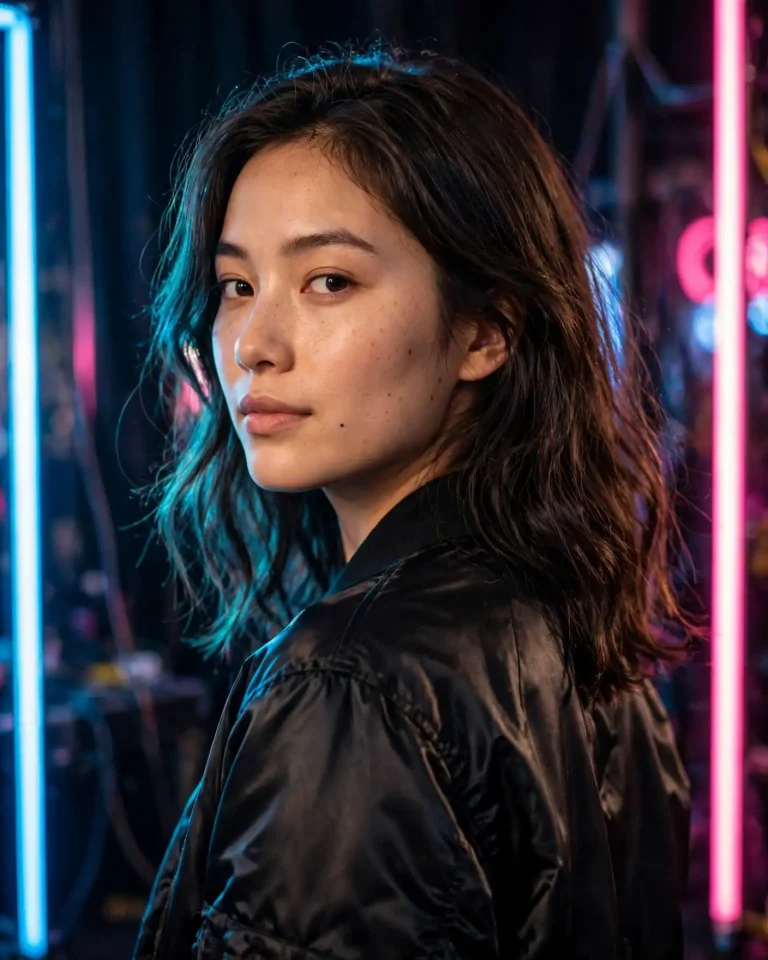
5. Korean K-Pop Idol Stage Look (For a Girl)
Turn my uploaded photo into a 4:5 cinematic K-pop idol-style portrait backstage under neon strip lights. Preserve my face, skin tone and facial structure exactly, with no beautification, no face slimming and no eye enlargement. Keep natural pores and subtle skin texture, and avoid glass-skin smoothing. Hot pink and electric blue neon tubes frame the shot, with a soft beauty key light from the front at 3500K warm tone and a cyan rim light from behind. 85mm lens at f/2, shallow depth of field, individual hair strands with a soft sheen, a physically accurate satin bomber jacket with realistic highlights. I look over my shoulder with a confident, calm expression. No text, no logos, no distorted hands, no duplicate limbs, no identity change.
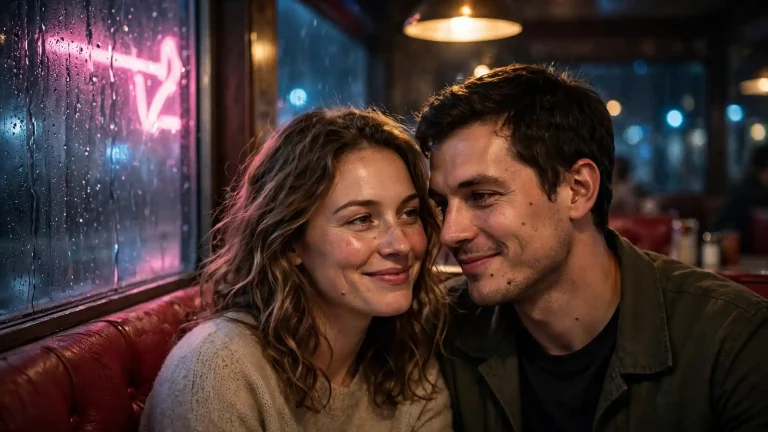
6. Couple or Two People at a Neon Diner Window
Using my uploaded photos of two people, create a 16:9 cinematic scene of both of us sitting in a late-night diner booth beside a rainy window with a glowing neon sign outside. Preserve both faces, skin tones and features exactly, with no beautification and no face blending between us. Keep natural skin texture and asymmetry for both. Pink neon from the window lights our faces from the left, with warm 3000K overhead diner light and cool blue ambient street light behind. 35mm lens at f/2.8, natural perspective, soft bokeh, realistic glass reflections, condensation and vinyl booth texture. We lean toward each other with soft, genuine smiles. No readable text, no extra fingers, no merged faces, no distorted anatomy, no watermark.
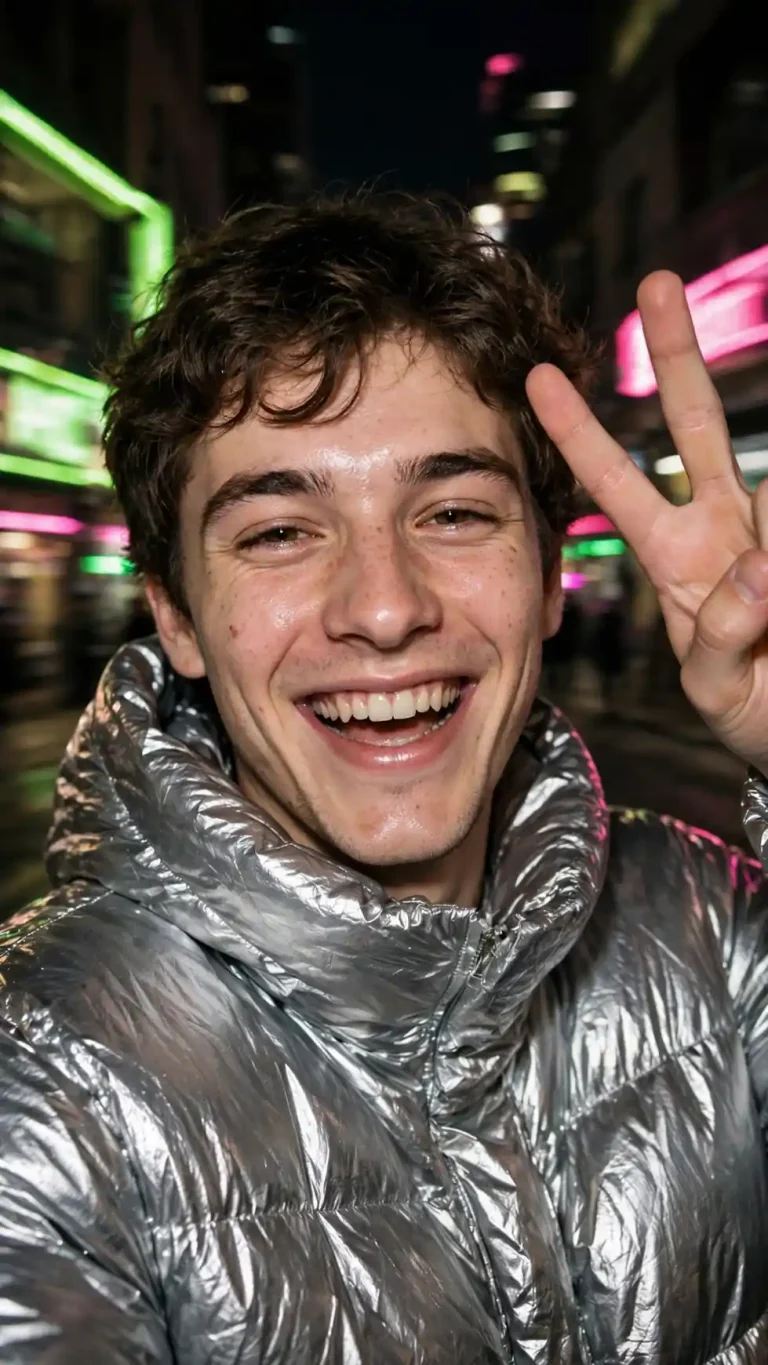
7. Y2K Neon Flash Portrait
Create a 9:16 Y2K-style neon portrait from my uploaded photo, shot as if on a compact digital camera with direct flash in a city at night. Keep my face, skin tone and features exactly the same, with no beautification. Preserve pores, skin texture and natural asymmetry. Harsh frontal flash with slightly shiny highlights, balanced by lime green and hot pink neon signs behind. 28mm wide lens look, slight motion blur in the background, mild grain, a metallic puffer jacket with accurate crinkled reflections. Playful pose with a peace sign and a laughing expression. No text, no watermark, no extra fingers, no distorted face, no identity change.
8. Horror and Zombie Neon Scene
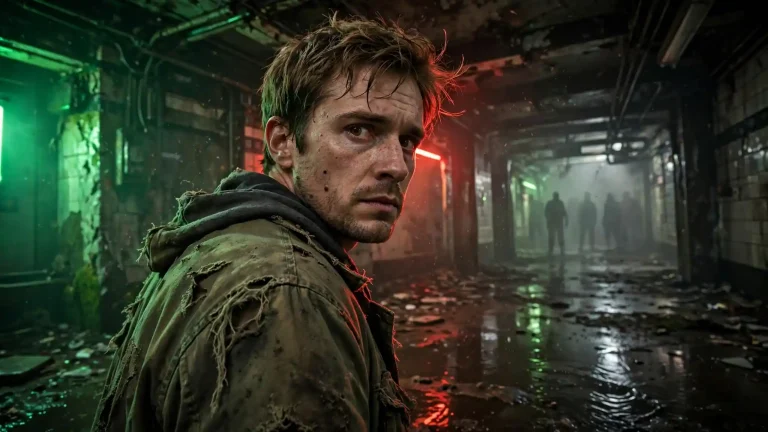
Transform my uploaded photo into a 16:9 horror-cinematic scene in an abandoned subway station lit by flickering green and red neon. Preserve my facial structure, skin tone and recognisable features exactly, with no beautification; keep pores and natural asymmetry. Behind me, shadowy zombie silhouettes stand far back in the haze, out of focus and unthreatening in detail. Sickly green key light from the left at 4500K, red rim light from behind, wet concrete floor reflections. 35mm lens at f/2.8, low angle, dust in the air, a torn canvas jacket with realistic fabric wear. I look back over my shoulder, tense but controlled. No gore close-ups, no text, no extra fingers, no distorted face, no duplicated figures.
Shin Chan Neon Cinematic Photo Prompts (Cartoon, 3D and Real-Life)
Shin Chan edits are the most-requested crossover in this space. The trick is to separate the cartoon character from the real person so your face stays recognisable. For plain cartoon versions without the neon look, see these Shin Chan AI photo prompts.
9. 3D Shin Chan With Me in Neon Tokyo Rain
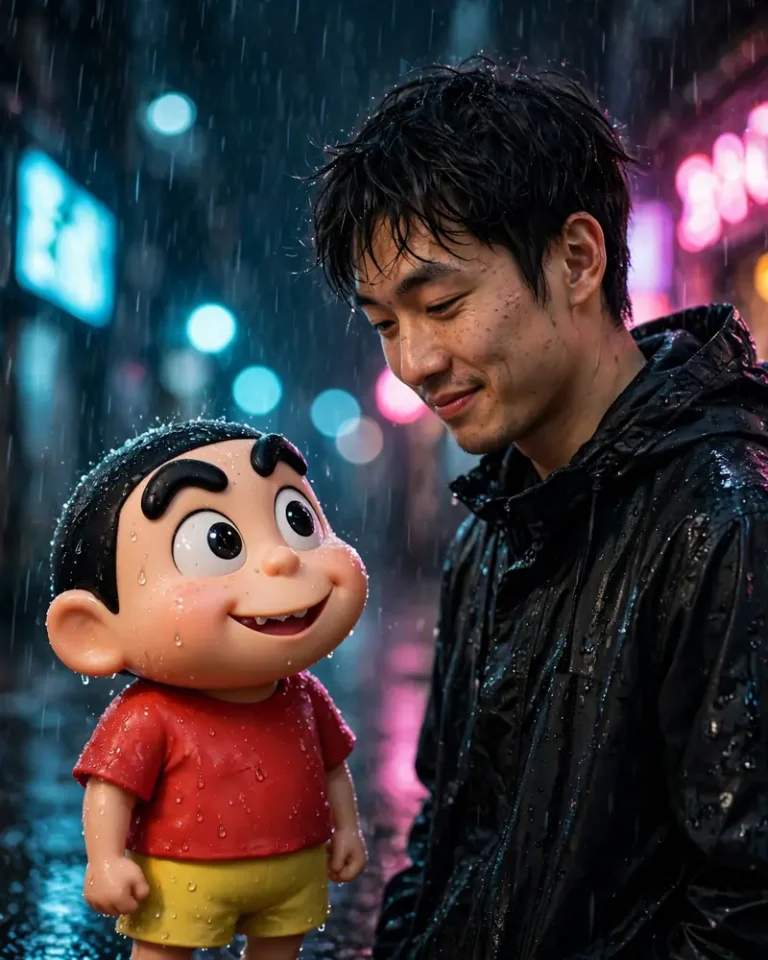
Using my uploaded photo, create a 4:5 cinematic image of me standing in a rainy neon-lit Tokyo alley next to a 3D animated Shin Chan character with his signature thick eyebrows, red shirt and yellow shorts. Keep my face, skin tone and features realistic and exactly unchanged, with natural pores and slight asymmetry, and keep Shin Chan stylised as a soft 3D character, not a real human. Pink and blue neon signs give a cyan key light from the left and magenta rim light from the right. 35mm lens at f/2.8, shallow depth of field, wet asphalt reflections, realistic raindrops on my jacket and on his plastic-like skin. He grins mischievously while I look down at him, amused. No readable signs, no text, no extra fingers, no face change, no watermark.
10. Realistic Shin Chan With Shiro and Kazama
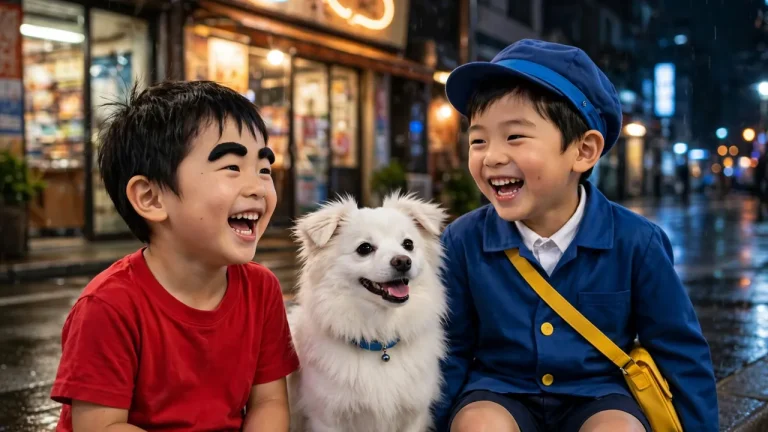
Create a 16:9 cinematic night scene in which a realistic live-action version of a five-year-old Shin Chan, with thick eyebrows and a red shirt, sits beside a fluffy white dog like Shiro and a neatly dressed boy like Kazama, all under a glowing neon shop sign. Keep proportions believable, with natural skin texture, fine hair strands and real fabric weave. Warm 3200K sign light from above, cool blue ambient street glow, a soft rim light on their hair. 50mm lens at f/2, shallow depth of field, gentle bokeh, accurate shadows on wet pavement. Playful, cheeky mood, mid-laugh poses. No distorted faces, no extra limbs, no text, no logos, no watermark.
11. Robot Dad Neon Scene
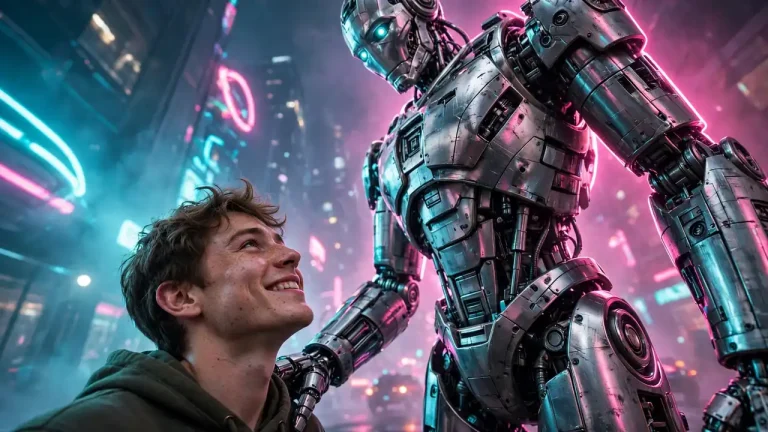
Using my uploaded photo, create a 16:9 cinematic scene where I stand beside a towering chrome robot father in a futuristic neon city street, inspired by the Robo Dad idea. Preserve my face and skin tone exactly, with no beautification, and keep natural pores and asymmetry. The robot has brushed metal panels, scratches and realistic reflections of pink and cyan neon. Cool cyan key light from the left, magenta rim light from behind, 35mm lens at f/2.8 from a low angle, light fog. The robot places a large hand gently on my shoulder while I look up with a warm, emotional smile. No text, no logos, no malformed hands, no duplicated body parts, no identity change.
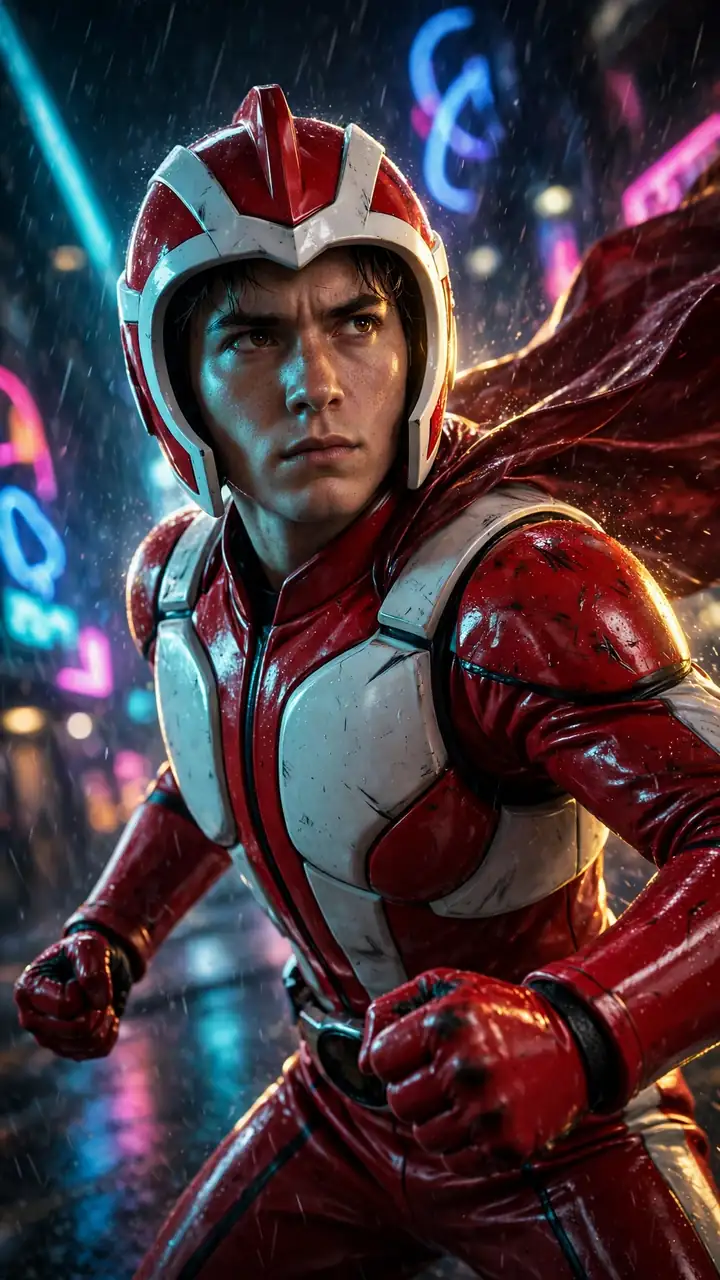
12. Action Kamen Neon Hero Pose
Turn my uploaded photo into a 9:16 cinematic hero shot of me in a glossy red and white tokusatsu-style Action Kamen suit, with my own face visible and unchanged under an open-face helmet. Preserve my skin tone, structure and natural skin texture, with no beautification. Neon blue and magenta city signs behind, a strong 45-degree cyan key light and golden rim light from behind, realistic rubberised suit material with scuffs and wet reflections. 24mm lens at f/2.8 from a low heroic angle, dynamic cape movement, rain streaks. Fists clenched, intense but heroic expression. No text, no logos, no extra fingers, no distorted face, no duplicated limbs.
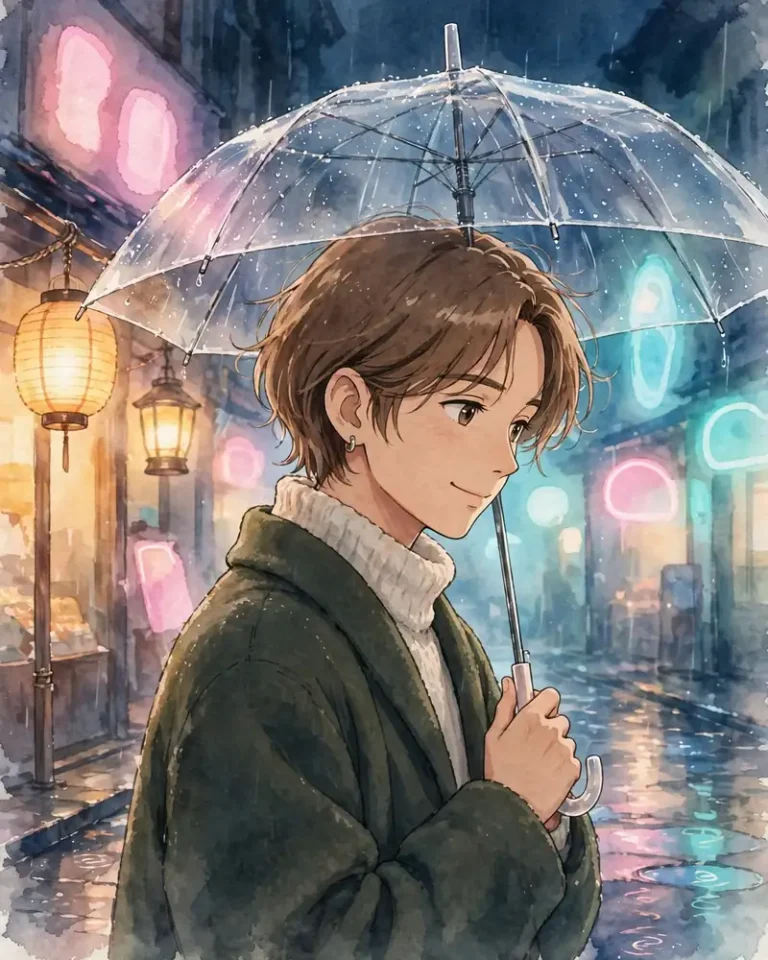
13. Kawaii 2D Ghibli-Style Neon Rain Scene
Create a 4:5 hand-painted 2D anime illustration in a soft Ghibli-inspired style from my uploaded photo, showing me under a transparent umbrella on a rainy night lit by pastel pink and aqua neon shop signs. Keep my facial features, hairstyle and skin tone recognisable and faithful, with no identity change. Warm lantern glow from the left, cool aqua ambient light, soft painterly highlights on wet streets, gentle reflections and watercolour-style textures. Quiet, dreamy mood, slight head tilt, a small smile. No photorealism, no text, no extra fingers, no distorted face, no watermark.
Neon Cinematic Prompts for Instagram DP, Wallpapers and Video
14. Instagram and WhatsApp DP
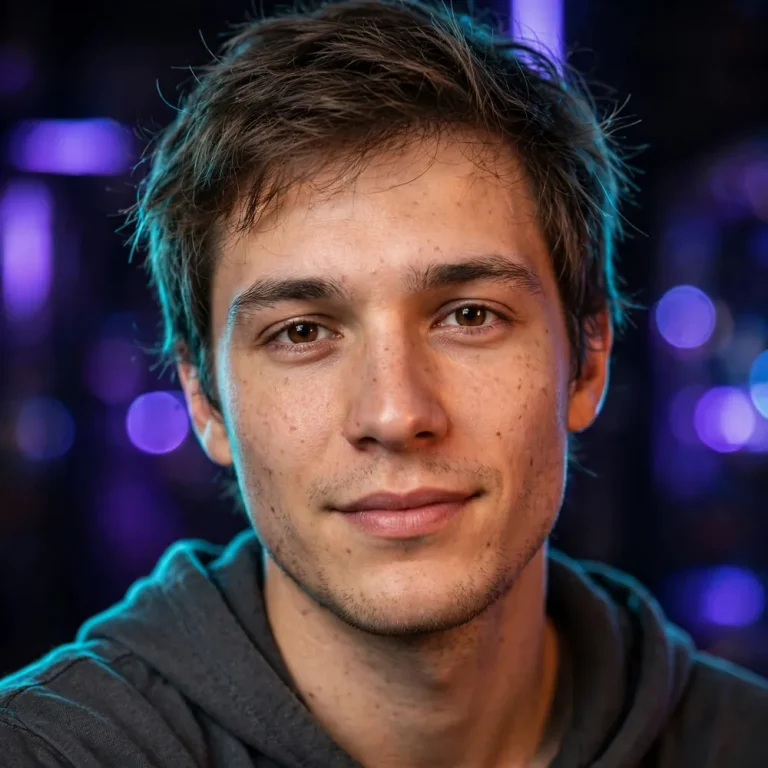
For a profile picture, keep the face large and centred so it survives the circular crop.
Using my uploaded photo, create a 1:1 close-up profile picture with my face centred and filling about 60 percent of the frame, set against a dark background with soft purple and blue neon bokeh. Preserve my identity, skin tone and facial features exactly, with no beautification. Keep natural pores, subtle texture and slight asymmetry. Soft front key light at 3800K, a thin cyan rim light on my hair and shoulders. 85mm lens at f/1.8, shallow depth of field, individual hair strands, realistic fabric texture. Relaxed, confident expression looking straight at the camera. No text, no watermark, no distorted face, no extra fingers, no plastic skin.
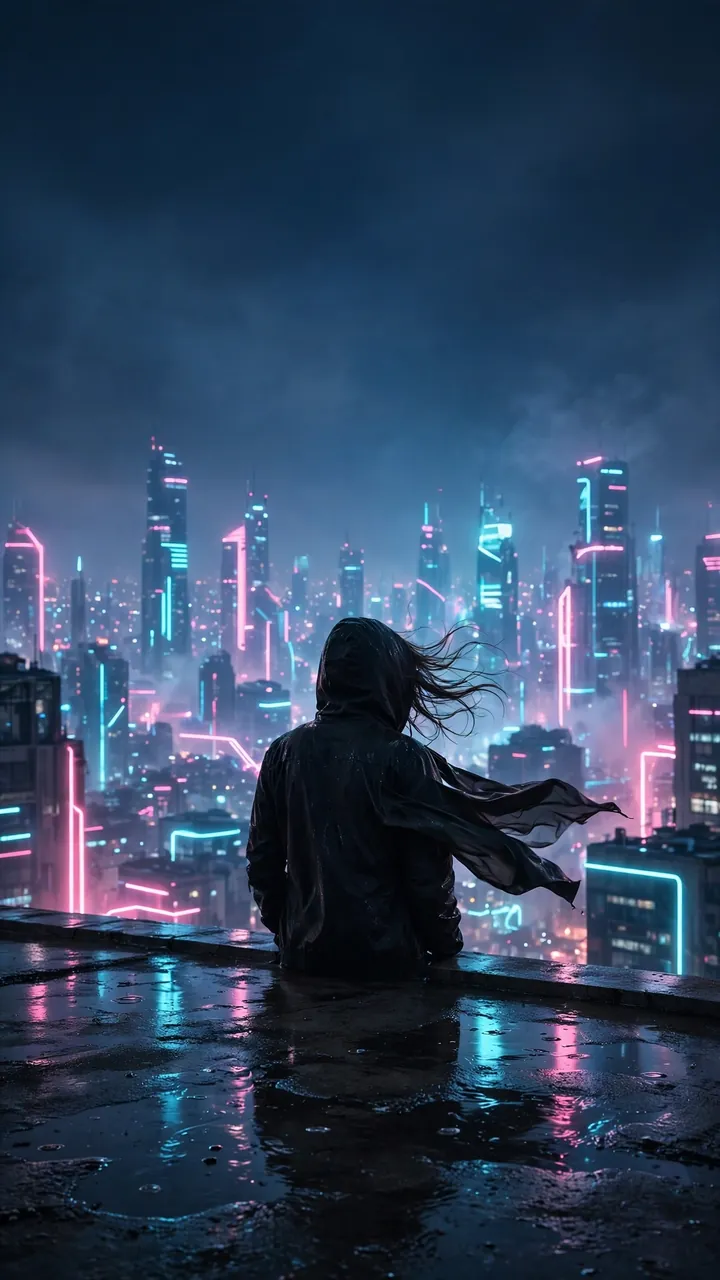
15. Phone Wallpaper and Image-to-Video
Create a 9:16 phone wallpaper of a lone figure with their back to the camera, standing on a rooftop above a glowing neon city after rain, with their face not visible. Deep indigo sky, pink and cyan towers, soft volumetric haze, wet concrete reflections, a 35mm lens at f/4 for a deep, sharp city, and a cinematic wide composition with empty space at the top for the clock. Subtle wind in the jacket fabric, individual hair strands moving, realistic reflections. No text, no logos, no watermark, no duplicated figures. To animate it, upload this image to a video tool and add: slow push-in, light rain, flickering neon, 5 seconds.
How to Use Neon Cinematic Photo Prompts in ChatGPT and Gemini
To use a prompt, upload a clear photo, paste the text and generate. Follow these steps for the most accurate result.
Pick a sharp, front-facing photo with even light and both eyes visible.
Upload it to ChatGPT or Gemini first, then paste the prompt.
Replace details like jacket, colour or pose with your own.
Generate, then ask for one change at a time, such as “keep everything, make the neon more blue”.
Request the final in high resolution when you are happy with the framing.
Free tiers work for most of these, though limits vary by tool and by day.
Quick Customisation Guide
Change
What to Write
Colour mood
Cyan and magenta, pink and teal, red and blue, green and violet
Close portrait
85mm lens, f/1.8, 4:5
Wide scene
35mm lens, f/2.8, 16:9
Story or wallpaper
9:16, space left for the clock
Softer neon
Low-intensity neon spill, subtle haze
Stronger realism
Visible pores, natural asymmetry, real fabric texture
Remove background
Plain dark studio backdrop, subject isolated
Fixing Common Problems
The face does not look like me. Re-upload a sharper photo and repeat the line “keep my face exactly unchanged, no beautification” at both the start and the end of the prompt.
The skin looks plastic. Add “visible pores, natural asymmetry, no smoothing” and reduce the number of glowing lights on the face.
Weird text or logos appear. End with “no text, no logos, no readable signs”.
Quality drops after saving. Ask for “high resolution, sharp detail” and download the original file, not a screenshot. Labels like 4K or 8K in a prompt do not guarantee those pixel sizes.
A watermark appears. Some tools add one on free plans, and that is a tool setting, not something a prompt can remove.
Frequently Asked Questions
What are neon cinematic photo prompts?
They are text instructions that tell an AI image generator to create a photo with neon lighting and film-style composition, usually at night with coloured rim light and shallow depth of field.
Which AI is better for these prompts, ChatGPT or Gemini?
Both work. Gemini is often quicker for iterations, while ChatGPT tends to follow detailed instructions and negative clauses closely. Test the same prompt in each.
Can I write these prompts in Hindi?
Yes, but English is usually more reliable for lighting and lens terms. You can write your request in Hindi and keep the technical terms in English.
How do I keep my own face unchanged?
Upload a clear photo and state “preserve my face, skin tone and features exactly, no beautification” in the prompt. Re-state it if the first result drifts.
Can I make Shin Chan images with a real person?
Yes. Keep your face realistic in the prompt and describe Shin Chan as a stylised 3D or cartoon character so the two styles do not blend.
What aspect ratio should I choose?
Use 1:1 for DP, 4:5 for Instagram portraits, 9:16 for stories and wallpapers, and 16:9 for wide cinematic scenes.
Conclusion
The strongest neon cinematic photo prompts combine an exact face-preservation line, believable lighting direction, a real lens choice and a short avoid list. Start with the neon eyes or rainy street prompt, change one detail at a time, and save the versions that keep your face accurate. You can find more AI photo prompts for Gemini and ChatGPT on the homepage.