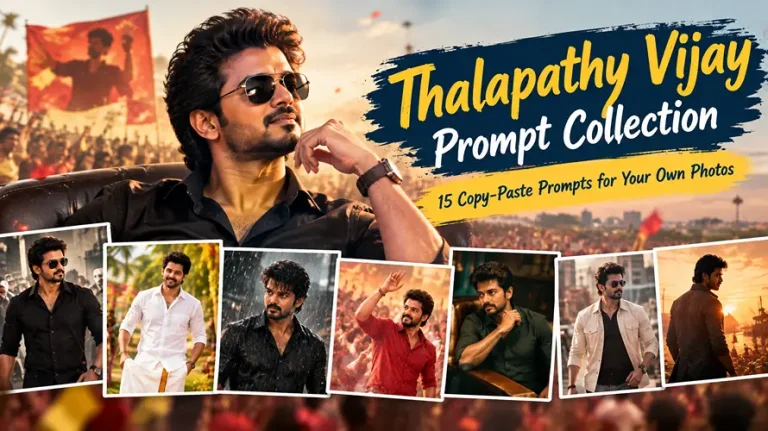
Thalapathy Vijay Prompt Gemini: 15 Copy-Paste Prompts for Your Own Photos
A reliable Thalapathy Vijay prompt Gemini users can copy should do one job well: keep your face exactly as it is while borrowing the mood of a mass-hero poster. That means black-shirt swagger, rain-soaked slow motion, Pongal mornings and first-day-first-show energy, all built around your own photo.
Every prompt below is a single paragraph. Upload one clear, front-facing photo of yourself in Gemini, paste a prompt, and generate.
Before you paste: use a sharp photo with even light and no sunglasses. Each prompt is written for your uploaded photo, so it does not try to recreate any real person’s face.
Thalapathy Vijay Prompt Gemini Ideas for Cinematic Portraits
These six prompts give you the classic mass-hero look. Each one works best at the aspect ratio written into it.
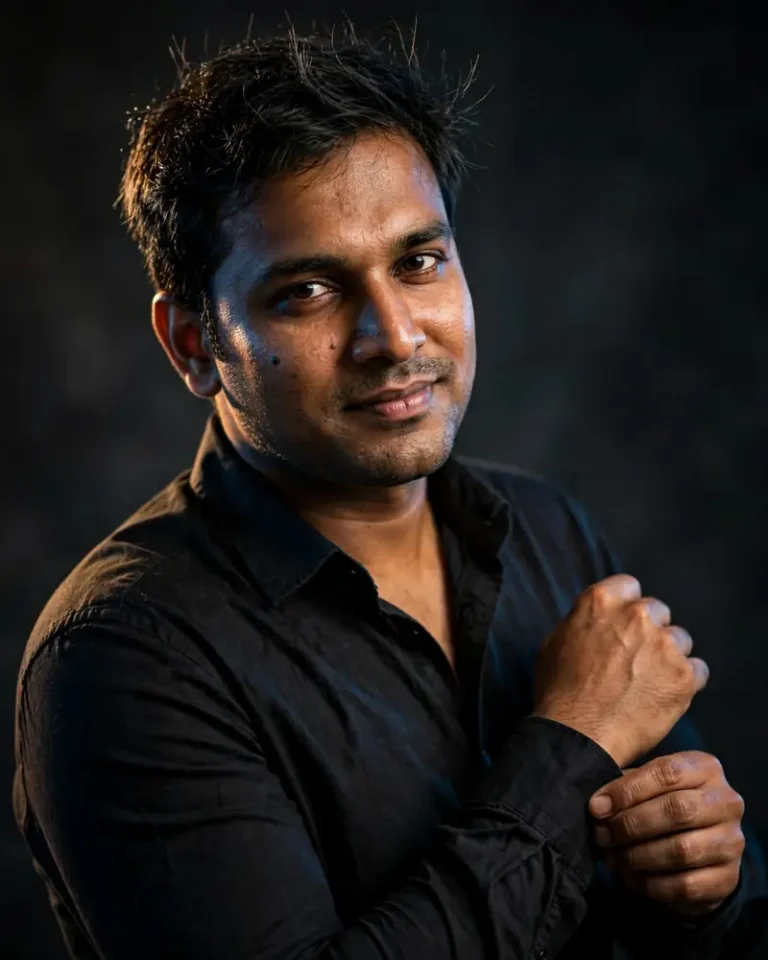
1. Black Shirt Mass Portrait
Using the uploaded photo as the only face reference, create a cinematic 4:5 portrait of me in a fitted black cotton shirt with the top button open, standing slightly off-centre against a charcoal studio backdrop. Preserve my exact face, skin tone, facial structure, hairline and every recognisable feature with no beautification and no identity change, keeping natural pores, faint under-eye texture, small blemishes and natural facial asymmetry instead of airbrushed symmetry. A hard key light at 45 degrees from the right sculpts my cheekbone, a warm 3200K rim light grazes the left shoulder, and a faint cool blue fill lifts the shadows. Shot on an 85mm lens at f/2 with shallow depth of field, slightly low camera angle, chin level, a calm half-smirk and one hand adjusting the cuff. Show real cotton weave with natural creases and individual flyaway hair strands. No plastic skin, no over-smoothing, no extra fingers, no malformed hands, no distorted face, no text, no watermark, no logo.
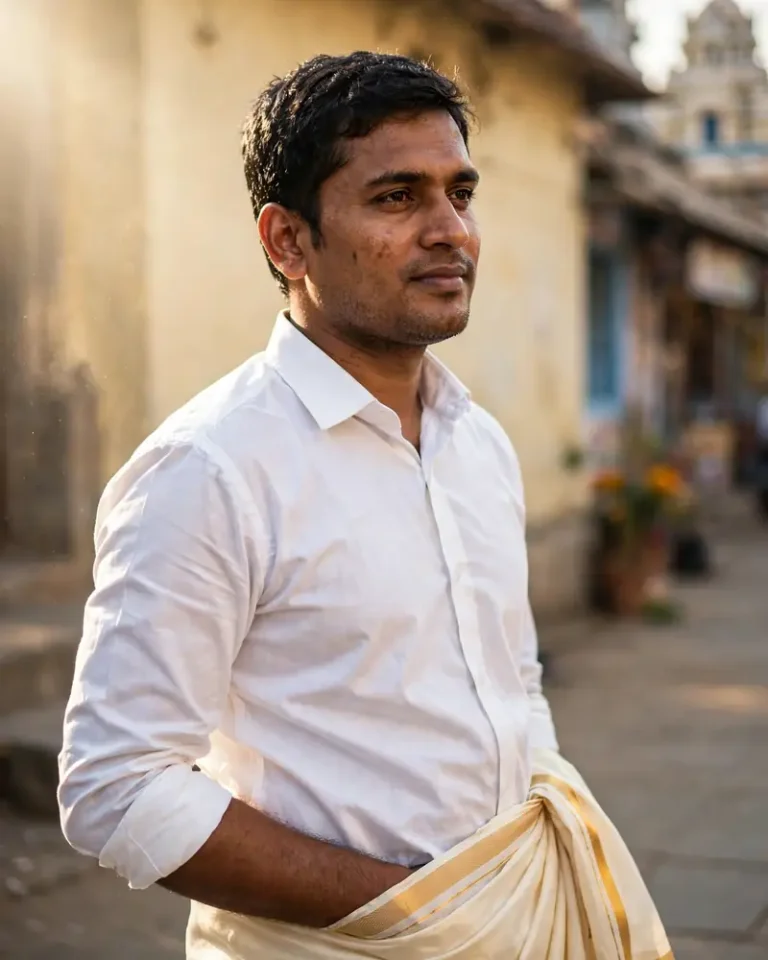
2. White Shirt and Veshti Hero Look
Create a 4:5 portrait from my uploaded photo showing me in a crisp white full-sleeve shirt with sleeves folded to the forearm and a cream veshti with a thin gold border, standing on a sunlit temple-town street in Tamil Nadu. Keep my face, skin tone and features exactly identical, with no face-smoothing and no identity change, and retain visible pores, light stubble texture where present and natural asymmetry. Warm 5200K morning sunlight comes from camera-left at a low angle, with soft bounce from the pale wall behind. Use a 50mm lens at f/2.8, eye-level framing, a relaxed confident stance with one hand in the veshti fold and a slight sideways glance. Render starched cotton with believable wrinkles, realistic gold-thread shine, and dust floating in the light. No AI-perfect skin, no extra fingers, no distorted hands, no duplicated limbs, no text, no watermark.
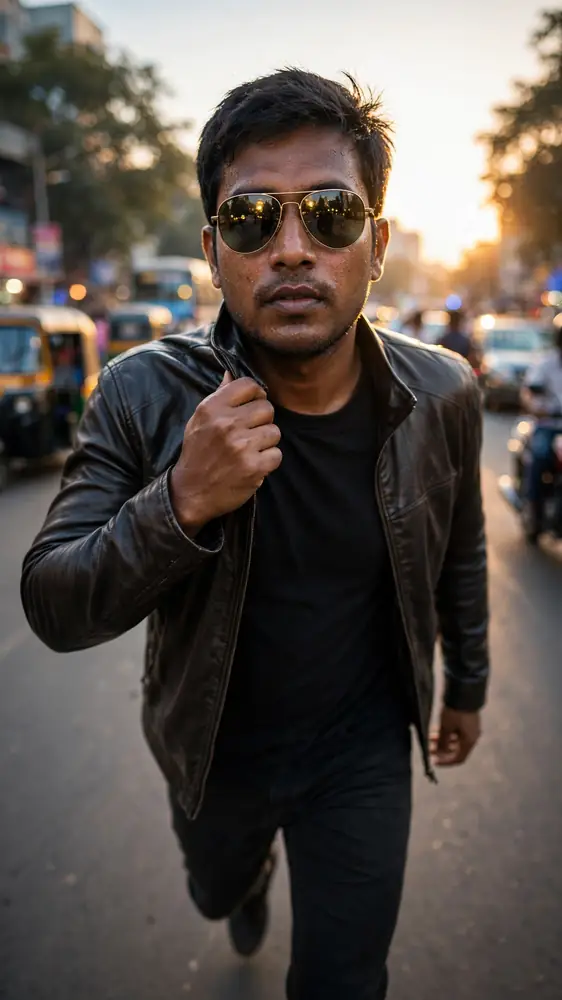
3. Sunglasses Street-Style Walk
Turn my uploaded photo into a 9:16 vertical street-style shot of me walking toward the camera on a busy city road at golden hour, wearing a dark fitted jacket, a plain tee and aviator sunglasses. Keep my face, jawline, skin tone and proportions exactly identical with no beautification, and show real skin grain, faint sweat shine and natural asymmetry. Low sun at 3000K backlights my hair as a thin rim, while soft cool skylight fills my face. Use a 35mm lens at f/2.8 from knee height with a slight upward angle, mid-stride, one hand flicking the collar, with softly blurred traffic and realistic bokeh behind. Show leather with a subtle sheen, lens reflections in the glasses and sharp individual hair strands. No plastic skin, no distorted anatomy, no extra fingers, no readable signboards, no text, no watermark.
4. Rain-Soaked Slow-Motion Look
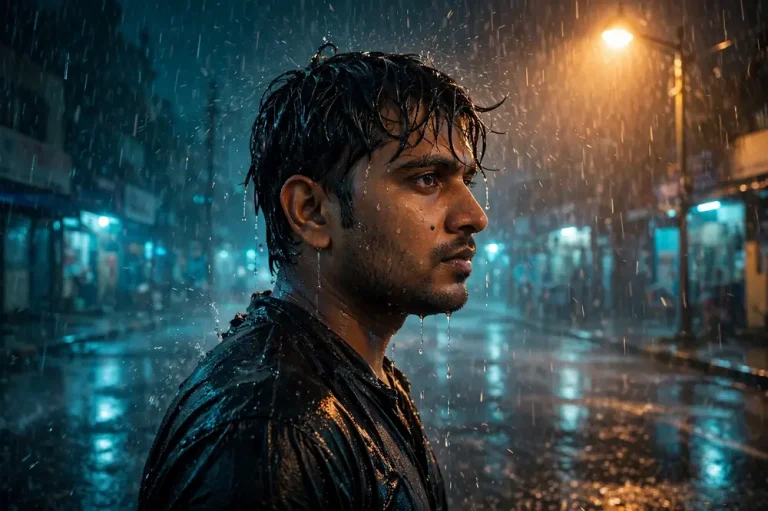
Create a 16:9 cinematic still using my uploaded photo: me standing still in heavy night rain under a single street lamp, black shirt soaked and clinging naturally, water dripping off my fringe. Preserve my exact identity, face shape and skin tone with no alteration, and keep natural pores, wet-skin sheen and slight asymmetry without any smoothing. A warm 2800K lamp from above-right gives a strong key, a cold blue-teal ambient glow fills the road, and raindrops catch rim light. Use an 85mm lens at f/1.8 with focal compression, frozen mid-air droplets, a steady stare and a slow, deliberate head turn. Render realistic wet fabric, reflections on the asphalt and accurate shadows. No plastic skin, no extra fingers, no malformed hands, no distorted face, no text, no watermark, no logo.
5. Khaki Uniform Action Portrait
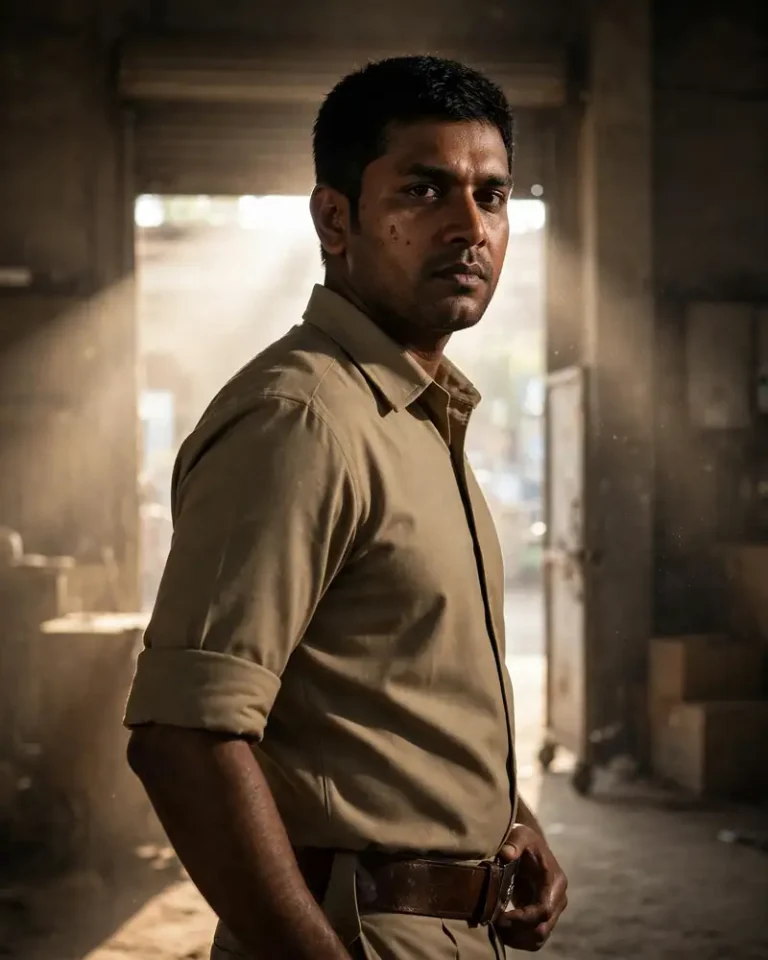
Using my uploaded photo, create a 4:5 portrait of me as a composed police-officer character in a plain khaki uniform with rolled sleeves and a dark leather belt, with no badges, name tags or insignia. Keep my face, skin tone and facial structure exactly the same with no beautification, and retain visible pores, natural stubble or skin texture and subtle asymmetry. A hard 5600K directional key from the left at 45 degrees creates dramatic shadow, with dusty backlight from an open warehouse door behind me. Use a 50mm lens at f/2.8, slightly low angle, jaw set, one hand resting near the belt and weight on the back foot. Render starched cotton drill, scuffed leather and real dust particles in the beam. No real police logos, no weapons, no extra fingers, no distorted face, no text, no watermark.
6. Hill-Station Jacket Portrait
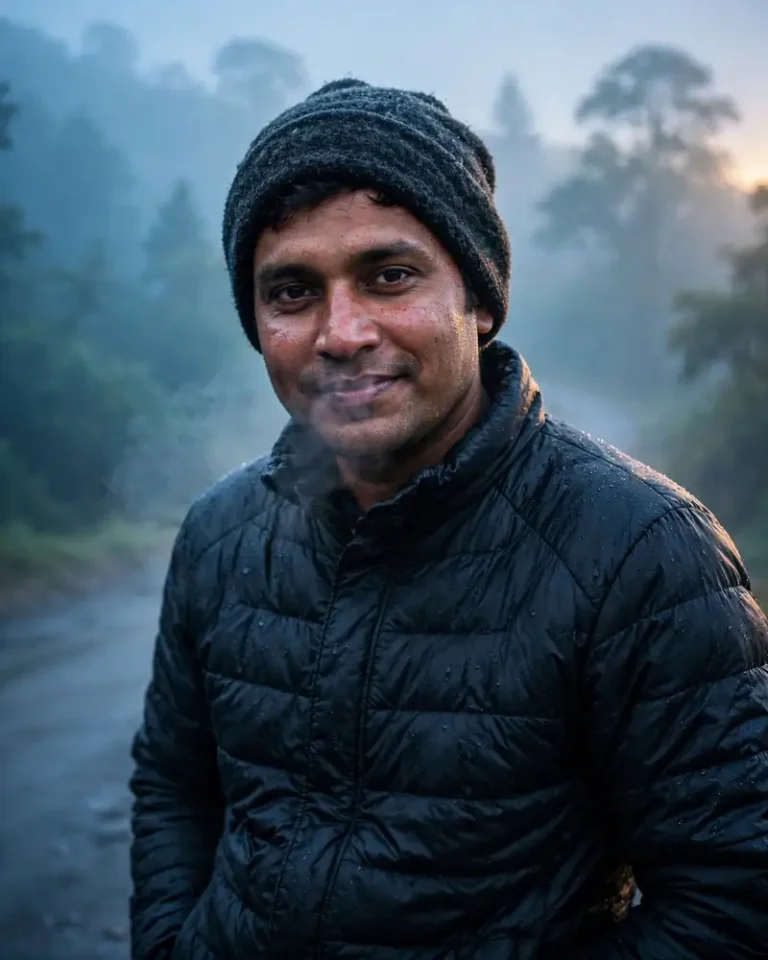
Generate a 4:5 portrait from my uploaded photo showing me in a dark puffer jacket and wool beanie on a misty hill road, breath faintly visible in the cold air. Keep my face, eyes, skin tone and structure exactly identical with no identity change, with natural cold-flushed skin, pores and gentle asymmetry instead of smooth perfection. Soft overcast light from above-left at around 6500K, a thin warm rim from a distant sunrise behind me and cool blue ambient mist. Use a 85mm lens at f/2.2 with shallow depth of field, eye-level framing, hands in pockets, a relaxed smile and a slight head tilt. Render quilted nylon with realistic puckering, knit wool fibres, damp mist on the shoulders and layered tree silhouettes. No plastic skin, no extra fingers, no duplicated limbs, no text, no watermark.
Poster and Fan-Art Prompts for Thalapathy Vijay Prompt Gemini Users
Poster-style prompts are popular because they turn a normal photo into something shareable. The key detail is to ask for no text, since AI-drawn lettering is usually garbled.
7. Cinematic Movie-Poster Composition
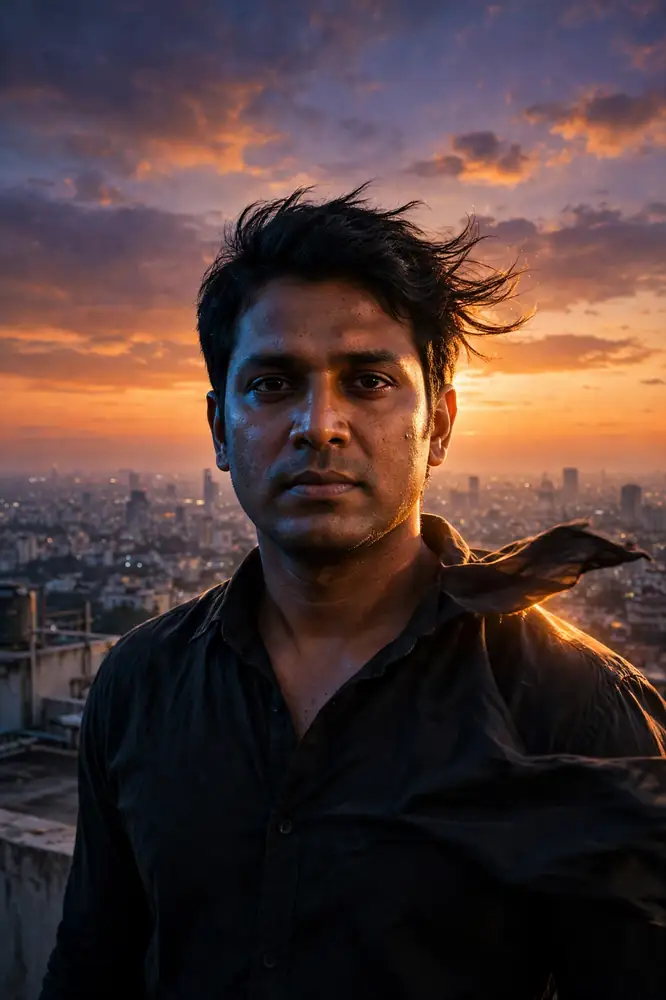
Create a 2:3 vertical movie-poster-style image from my uploaded photo: me in a black shirt standing centre frame on a rooftop at dusk, a vast orange-and-violet sky behind and a dense city skyline far below. Preserve my exact face, skin tone and features with no beautification or identity change, retaining real pores and natural asymmetry. A strong 3200K rim light from the setting sun outlines my shoulders, while a cool blue fill from the left shapes my face. Use a 35mm lens at f/4 with a slightly low camera angle that makes the figure imposing, wind moving my shirt and hair, steady gaze at the camera. Add subtle film grain, realistic haze and long soft shadows. Leave clean empty space at the top and bottom. No text, no title lettering, no credits, no watermark, no logo, no extra fingers.
8. Slow-Motion Entry With Smoke and Silhouette
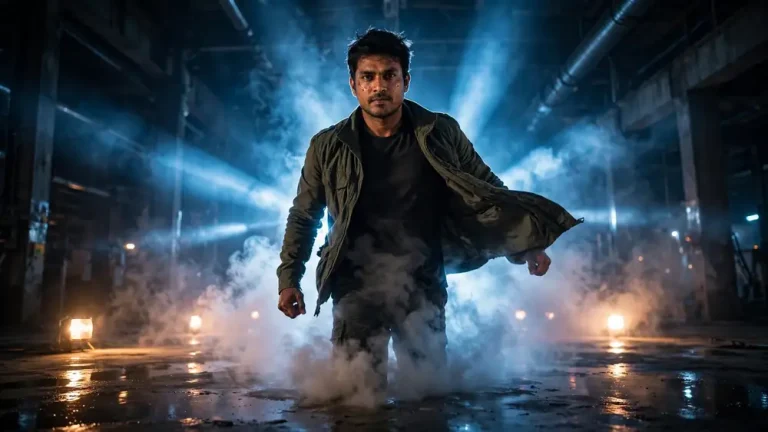
Using my uploaded photo, create a 16:9 hero-entry frame: me walking out of drifting white smoke in a dark industrial hall, backlit so the edges glow while my face stays clearly readable from a soft frontal fill. Keep my face, skin tone and identity exactly intact with no beautification, and keep natural pores and slight asymmetry. A hard cool 6000K backlight cuts through the smoke in visible beams, with a faint warm 3000K practical light on the floor. Use a 50mm lens at f/2 with low-angle tracking perspective, confident stride, jacket flaring slightly and fists loosely closed. Render believable volumetric smoke, wet concrete reflections and fabric movement. No extra fingers, no distorted face, no plastic skin, no duplicated body parts, no text, no watermark.
9. Retro 90s Hand-Painted Poster
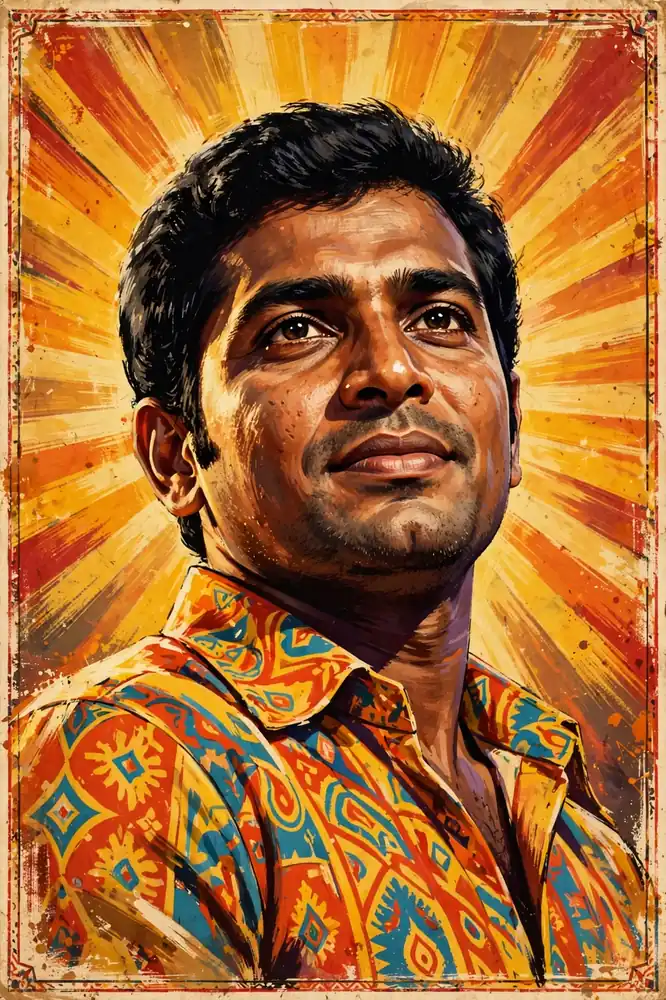
Transform my uploaded photo into a 2:3 vintage Tamil-cinema-style hand-painted poster look: bold gouache-like colours, visible brushwork, a dramatic sunburst background and me in a patterned bright shirt with a confident low-angle pose. Keep my face recognisable and my skin tone, jaw and eye shape faithful to the photo with no identity change, while allowing painterly texture that still retains natural skin variation. Use warm flat studio-style lighting from the front-left with strong painted highlights and deep shadows. Show paper grain, slight edge wear, ink-bleed textures and a thin decorative border. No text, no lettering, no logos, no watermark, no extra fingers, no distorted face, no modern digital gloss.
10. Black-and-White Studio Portrait
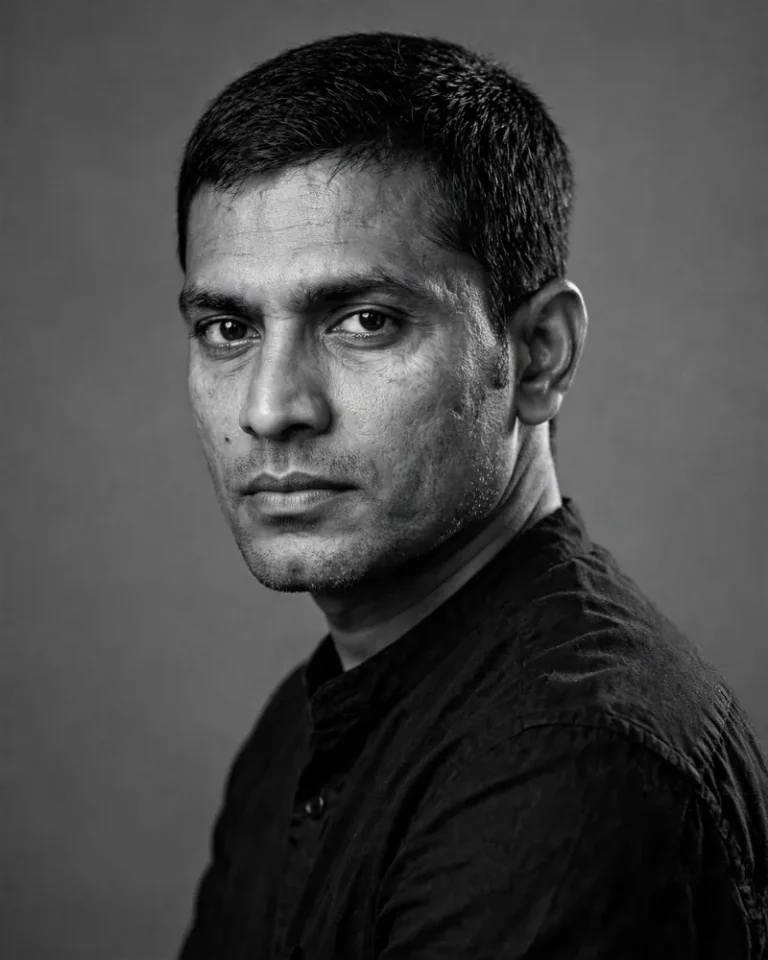
Create a 4:5 black-and-white studio portrait from my uploaded photo with a dignified, quietly intense mood: plain dark shirt, a seamless grey backdrop and a three-quarter turn toward the camera. Preserve my exact face, bone structure and features with no smoothing, and keep visible pores, fine lines and natural asymmetry. A single large softbox at 45 degrees to the left, a small kicker light from behind right and a faint fill card for gentle shadow detail. Use a 105mm lens at f/4 for natural compression, eye-level, shoulders relaxed and a direct, calm stare. Render fine film grain, crisp individual hair strands and realistic tonal transitions in the fabric. No colour tint, no plastic skin, no extra fingers, no distorted face, no text, no watermark.
11. Double-Look Split Frame
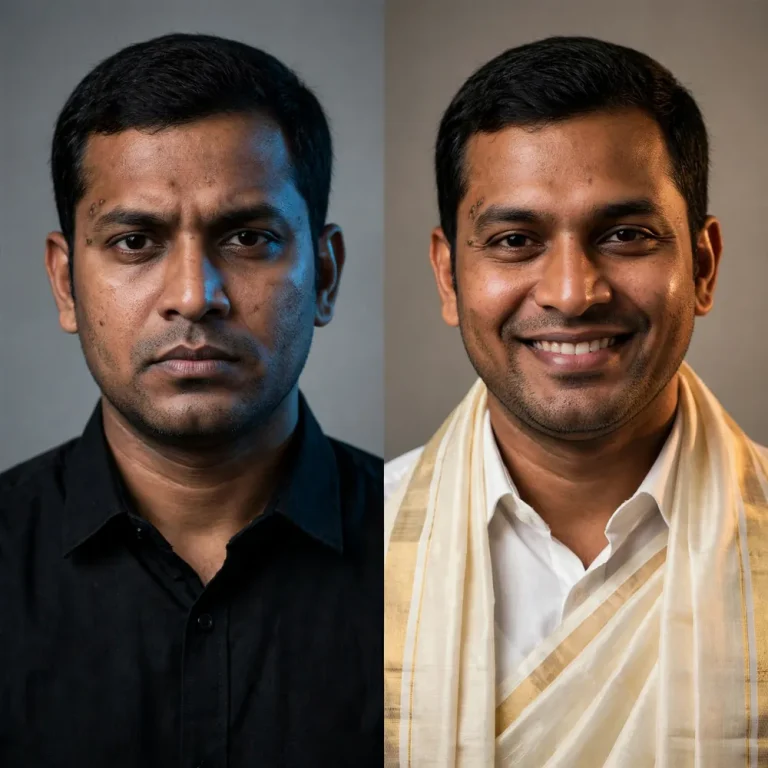
Using my uploaded photo, create a 1:1 split image showing two looks of me side by side: the left half in a sharp black shirt with a serious expression, the right half in a white shirt and veshti with a warm smile, divided by a clean vertical line against a neutral studio backdrop. Keep both faces identical to my uploaded photo with no beautification, retaining natural pores, texture and asymmetry on each side. Use a cool 5600K key from the left on the dark look and a warm 3500K key from the right on the traditional look. Use an 85mm lens at f/2.8, matching eye-level framing and posture on both sides. Show distinct fabric textures, accurate shadows and clean edges. No duplicated limbs, no extra fingers, no distorted face, no text, no watermark.
Festival and Social Media Thalapathy Vijay Prompt Gemini Edits
Festival looks perform well in India because they feel personal and timely. Match the aspect ratio to the platform before you generate.
12. Pongal Morning Story
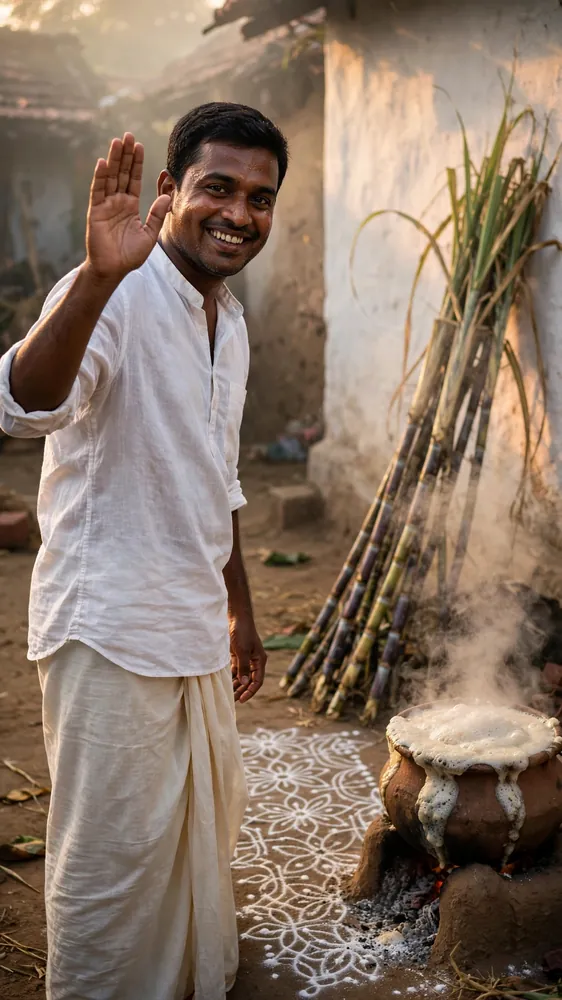
Create a 9:16 vertical festival image from my uploaded photo showing me in a white shirt and veshti beside a freshly drawn kolam, a clay pot of pongal boiling over and tall sugarcane stalks, in a village courtyard at sunrise. Keep my face, skin tone and features exactly identical with no identity change, and keep natural pores and a warm-weather skin sheen instead of smooth perfection. Low 4500K sunrise light enters from camera-right, with soft reflected glow from the whitewashed wall and gentle haze. Use a 35mm lens at f/2.8, eye-level, a joyful open smile and one hand raised in greeting. Render coarse cotton, powdered rice kolam, wet pot steam and rough clay. No text, no festival greeting lettering, no extra fingers, no distorted face, no plastic skin, no watermark.
13. Diwali Night Sparkler Portrait
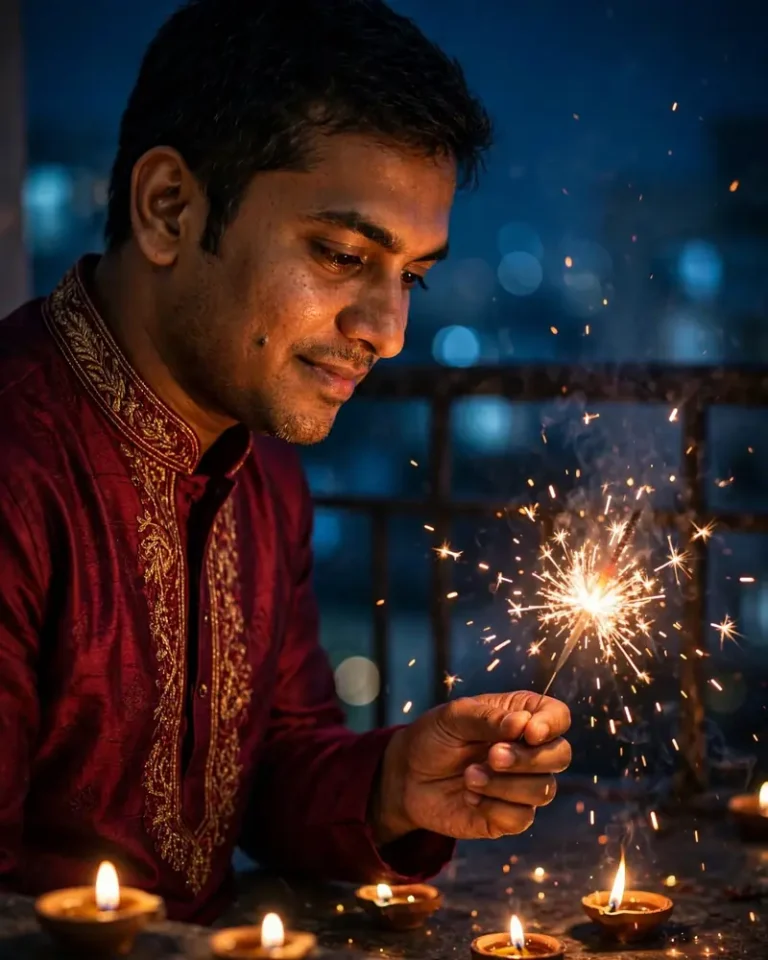
Using my uploaded photo, create a 4:5 night portrait of me in a deep maroon kurta holding a sparkler, with softly glowing diyas on the ground and a dark balcony behind. Preserve my exact face, skin tone and features with no beautification, showing natural pores and slight asymmetry in the warm light. The sparkler provides a flickering 2500K key from the lower right, the diyas add small warm accents, and a faint cool blue night ambience fills the background. Use a 50mm lens at f/1.8 with creamy bokeh, a slight downward gaze at the sparks and a gentle smile. Render embroidered silk texture, tiny floating embers and accurate warm reflections. No extra fingers, no malformed hands, no distorted face, no plastic skin, no text, no watermark.
14. First-Day-First-Show Friends Frame
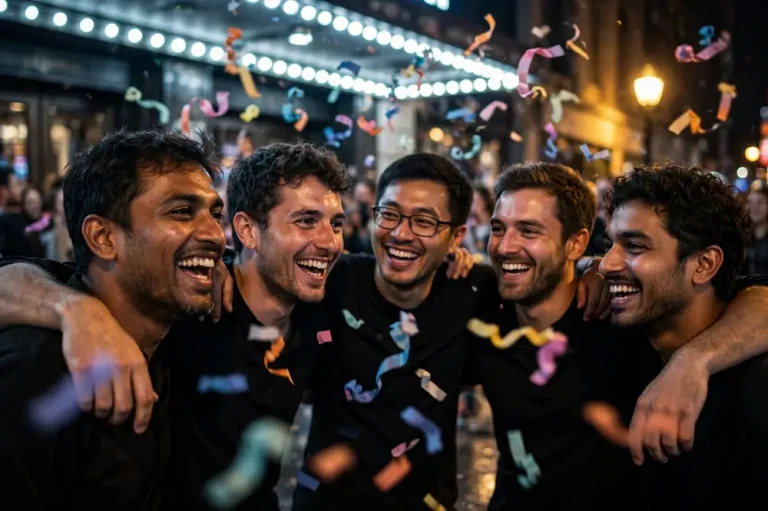
Create a 16:9 candid group image using my uploaded photo as the lead face reference: me and four friends in black shirts outside a cinema at night, laughing and celebrating with colourful streamers and a blurred crowd. Keep my face, skin tone and features identical to the uploaded photo with no beautification, and give the friends natural, varied faces with realistic skin. Mixed lighting from the bright marquee at 4000K, warm street lamps and cool shadows between them. Use a 28mm lens at f/2.8 from slightly below eye level, with energetic, natural body language and arms around shoulders. Show real fabric folds, paper streamers mid-air and accurate shadows. No readable posters, no film titles, no text, no logos, no extra fingers, no duplicated faces, no watermark.
15. Instagram DP Headshot
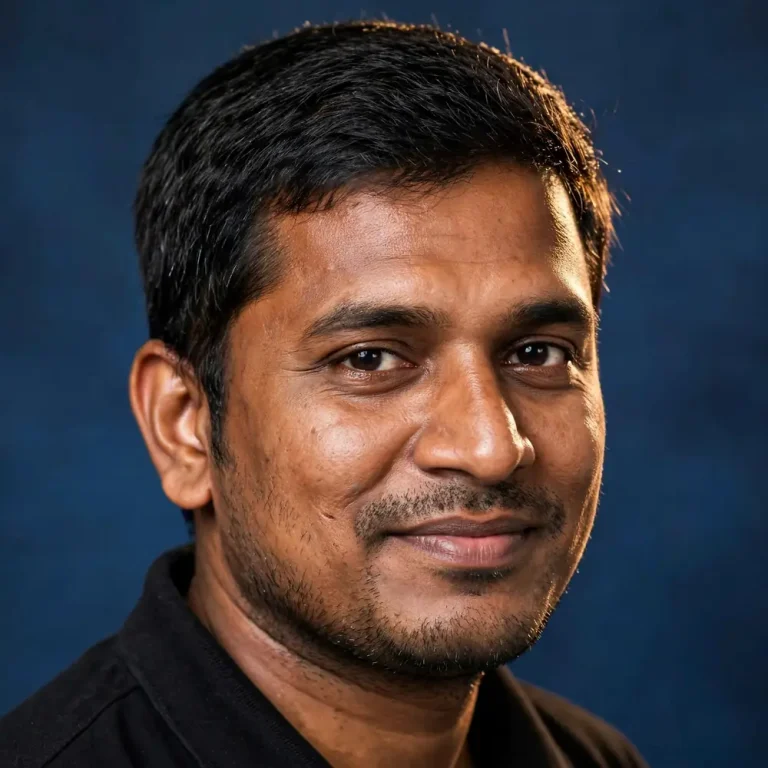
Generate a 1:1 profile-picture headshot from my uploaded photo with a tight head-and-shoulders crop, a plain deep-blue backdrop and a black shirt collar. Keep my face, skin tone and features exactly identical with no beautification and no slimming, preserving pores, fine lines and natural asymmetry. A soft key light at 30 degrees from the left, a subtle warm hair light from behind and gentle fill to keep both eyes clearly visible. Use an 85mm lens at f/2.8, eye-level, a relaxed half-smile and a slight shoulder turn. Render sharp individual hair strands, believable cotton texture and a clean edge falloff that survives circular cropping. No text, no logo, no watermark, no plastic skin, no distorted face, no extra fingers.
How to Use a Thalapathy Vijay Prompt Gemini Style Edit
Using one of these prompts takes under two minutes.
Open Gemini and choose the image-creation option or attach a photo to your message.
Upload one clear, front-facing photo of yourself.
Paste a prompt exactly as written.
Review the result, then refine with one follow-up message, such as “keep the same face but make the background darker.”
Download the image and check it at full size before posting.
Gemini image tools and daily limits change between plans and regions, so check the in-app options if a feature looks different. If you want more ready-made looks beyond this list, you can explore the full collection of AI image prompts on EditsPrompts.
Best Aspect Ratio for Each Use
Where you will post
Aspect ratio
Matching prompts
Instagram feed portrait
4:5
1, 2, 5, 6, 10, 13
Reels, Shorts, WhatsApp Status
9:16
3, 12
Profile picture
1:1
11, 15
YouTube thumbnail or cover
16:9
4, 8, 14
Poster or print
2:3
7, 9
If you mainly need a square profile picture, these Instagram DP prompts give you more headshot and avatar styles to pair with prompt 15.
How to Adapt Any Thalapathy Vijay Prompt Gemini Template
Swap only the variable parts and leave the technical clauses alone. A strong prompt has a consistent skeleton:
Reference instruction: tell Gemini to use your photo as the only face source.
Identity clause: exact face, skin tone, no beautification.
Skin realism: pores, texture, natural asymmetry.
Light: source, direction, colour temperature.
Lens and framing: focal length, aperture, angle.
Costume and setting: material, colour, location.
Avoid list: hands, text, watermark, smoothing.
Change the outfit, location and time of day, and you get a fresh result from the same structure. For more film-style lighting and framing ideas to plug into this skeleton, see these cinematic photo prompts.
What These Prompts Can and Cannot Do
Gemini is built to edit and restyle your own photos, but it does not reliably recreate a specific real person, and it may refuse. That is why this Thalapathy Vijay prompt Gemini collection describes a look and a mood rather than naming a real person’s face.
Realistic AI images of a public figure, especially a serving political leader, can be mistaken for real photographs. If you share an AI-made image, label it as AI-generated, and avoid party flags, logos or realistic “meeting” scenes that could mislead people.
Fixing Common Problems
The face looks different. Use a sharper, front-lit reference photo and repeat the identity clause. Avoid hats, heavy filters and sunglasses in the source image.
The skin looks plastic. Add “visible pores, natural asymmetry, no smoothing” and lower any “glamour” or “flawless” wording.
Hands look wrong. Hide them in pockets, behind a cuff or out of frame, and keep the “no extra fingers” clause.
Text appears or is garbled. Keep “no text, no lettering” and add your caption later in an editing app.
The scene looks flat. Name the light source, direction and colour temperature, and specify a lens such as 50mm or 85mm. For wet-weather scenes, a rainy photo prompt shows how to describe reflections and droplets.
One edit at a time works better in Gemini than stacking five changes in a single follow-up.
Frequently Asked Questions
What is a Thalapathy Vijay prompt Gemini users search for?
It is a ready-to-paste text instruction for Google’s Gemini that restyles your own photo into a Thalapathy-inspired cinematic look, such as a black-shirt mass portrait, a veshti look or a poster-style frame.
Can Gemini generate Thalapathy Vijay’s actual face?
Not reliably. Gemini may decline or produce an inaccurate likeness of real public figures. The prompts here work with your own uploaded photo instead.
Which prompt works best for Instagram?
The black shirt mass portrait (4:5) and the Diwali sparkler portrait (4:5) fit the Instagram feed. Use the Pongal prompt (9:16) for stories and Reels covers. For more festive ideas, see these Diwali AI prompts.
How do I keep my own face accurate in Gemini?
Use a clear, front-facing photo, say the face must remain identical with no beautification, and ask for natural pores and asymmetry.
Do I need to write the prompt in Tamil or Hindi?
English prompts tend to give the most predictable results. Keep any regional terms, like veshti or kolam, simple and specific.
Should I tell people an image is AI-generated?
Yes. It protects you from confusion, especially when the style resembles a well-known public figure.
Final Thoughts
The best Thalapathy Vijay prompt Gemini workflow is simple: upload one clean photo, paste a complete prompt with an identity clause, real lighting and lens details, and change only the outfit, setting and aspect ratio. Start with the black shirt portrait or the Pongal story, then adapt the structure to your own ideas.