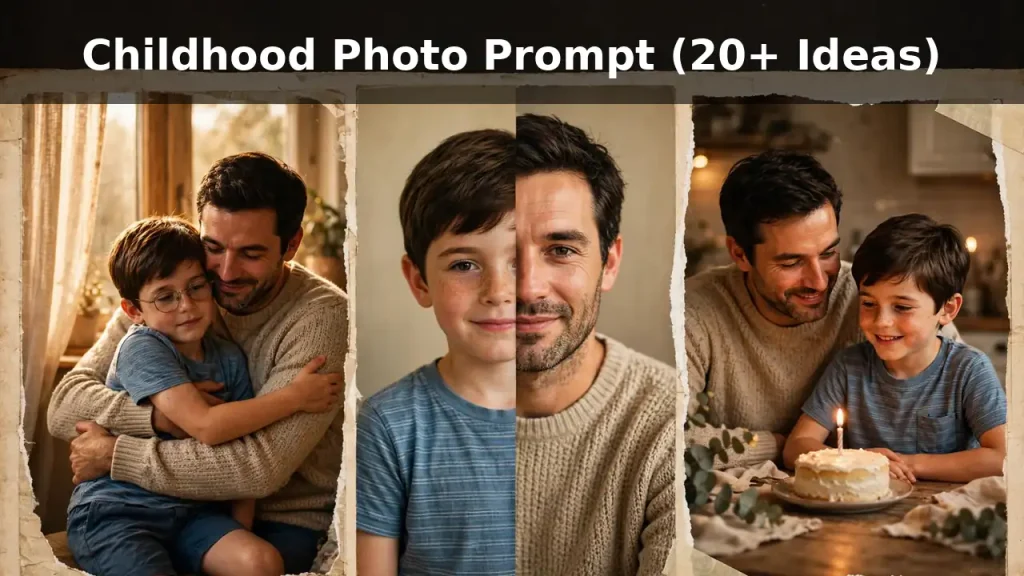
Childhood Photo Prompt for Gemini & ChatGPT: 20+ Copy-Paste Ideas
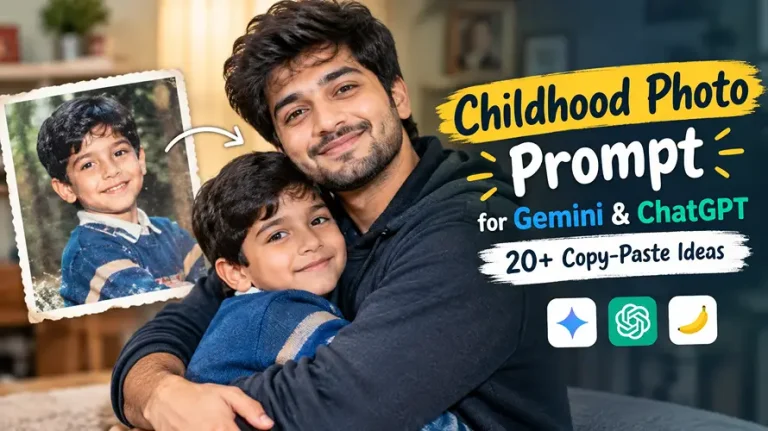
A childhood photo prompt is a written instruction that tells Gemini, ChatGPT or Nano Banana how to combine your old childhood picture with a recent photo, so you can create hug-your-younger-self, then-and-now, restored or recreated images. Upload both photos, paste a prompt below, and generate.
In every prompt, Image 1 is your childhood photo and Image 2 is your current photo. The prompts already include identity-lock lines, realistic skin and age details, lighting, lens, aspect ratio and negative instructions, so you only need to change the outfit, setting or pose if you want a different look.
Childhood Photo Prompt for Hugging Your Younger Self
This is the most popular version of the trend on Gemini and ChatGPT. The key is to tell the AI exactly who is hugging whom and to keep both faces matched to their own reference photo.
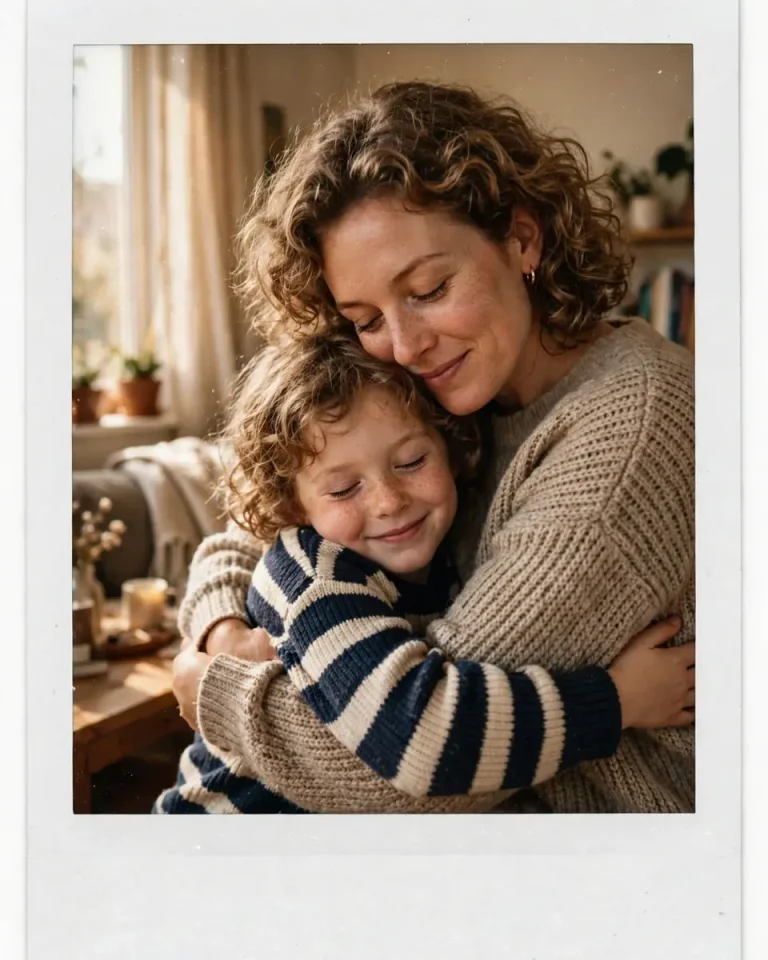
1. Polaroid Hug With Your Younger Self
Using Image 1 as the childhood reference and Image 2 as the current reference, create a candid instant-camera photo of my adult self gently hugging my younger self, preserving both faces, skin tones, hairstyles and age exactly as in each reference with no beautification and no identity change. The adult leans down with arms wrapped around the child’s shoulders, cheek lightly touching their head, eyes softly closed with a gentle smile, while the child hugs back with a shy, happy expression. Keep natural pores, subtle skin texture, minor imperfections and natural asymmetry on both faces, and avoid plastic skin or AI-perfect symmetry. Warm window light from the left at about 3500K, soft fill from the right, a living-room background with realistic fabric and wood textures. Shot on a 35mm lens at f/2.2 with a slight vintage colour fade, fine film grain and a white Polaroid border. 4:5 portrait. No extra fingers, no malformed hands, no distorted faces, no text, no watermark.
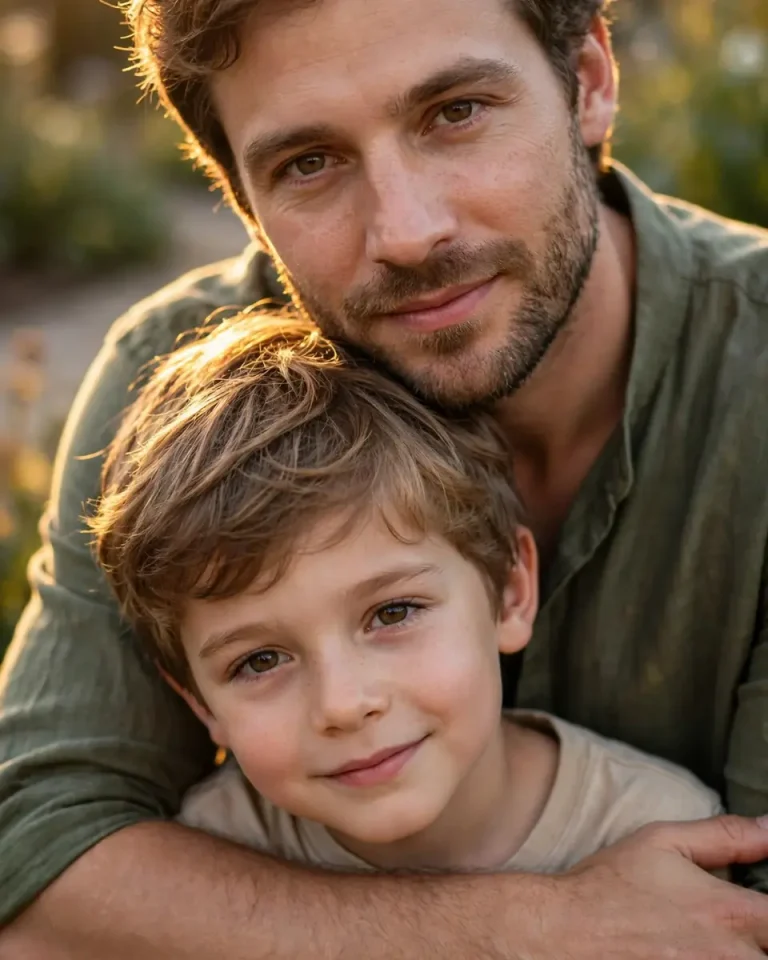
2. Protective Back Hug
Use Image 1 for the child’s exact face and Image 2 for the adult’s exact face, preserving identity, skin tone, hair and age for both with no beautification. Show the adult standing behind the child in a protective back hug, arms crossed gently over the child’s chest, chin resting near the child’s head, both looking toward the camera with calm, emotional expressions. Keep real skin pores, tiny blemishes, natural eye detail and facial asymmetry, with no airbrushing. Soft golden-hour sunlight at 3200K from behind-left creating a warm rim on both heads, with gentle ambient fill on the faces. Photographed on an 85mm lens at f/1.8 with shallow depth of field, a blurred garden background and individual hair strands visible. Realistic cotton clothing with natural folds. 4:5 portrait. No duplicated limbs, no extra fingers, no face blending between the two people, no text, no watermark.
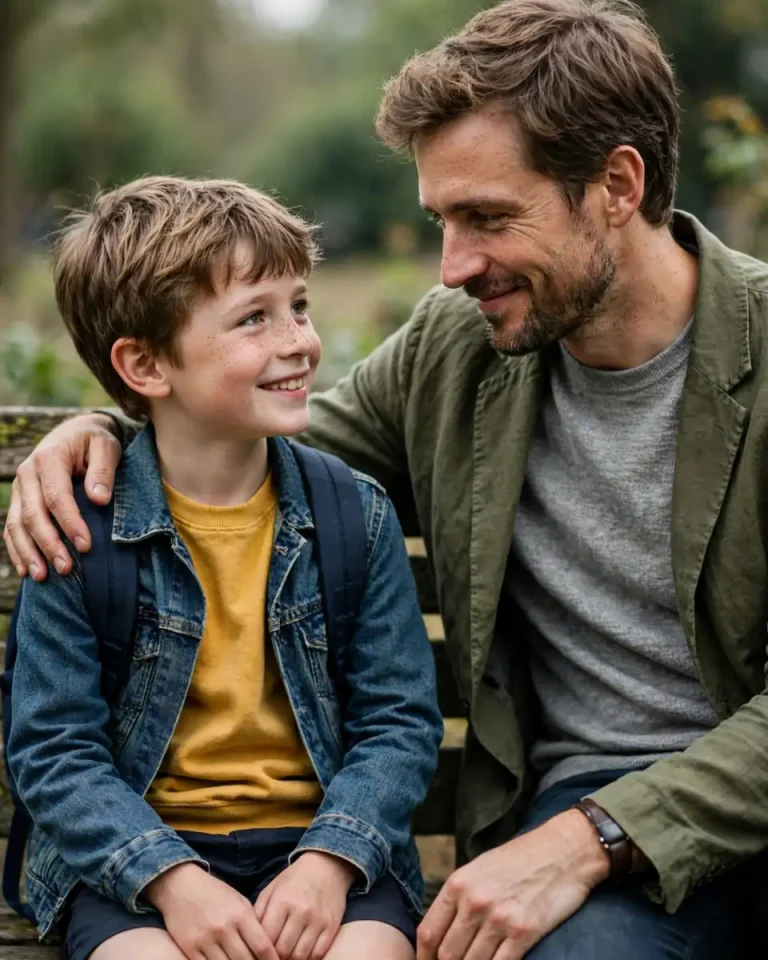
3. Meet Your Younger Self, Sitting Side by Side
Using Image 1 as the child reference and Image 2 as the adult reference, create a realistic photograph of my present self sitting on a wooden bench beside my younger self, preserving both identities, skin tones and facial features exactly with no beautification. They look at each other with a warm, knowing smile, the adult’s hand resting on the child’s shoulder. Keep natural pores, fine skin texture, subtle asymmetry and minor imperfections on both, and avoid smooth plastic skin. Soft overcast daylight at about 5500K with gentle shadows, a quiet park with real foliage bokeh behind them. Shot on a 50mm lens at f/2.2, natural perspective, eye-level camera. Fabric must show accurate weave and wrinkles. 4:5 portrait. No extra fingers, no merged faces, no distorted hands, no text, no watermark.
4. Lifting or Holding Your Younger Self
Preserve the child’s exact face from Image 1 and the adult’s exact face from Image 2, including skin tone, hairstyle and age, with no beautification and no identity change. Show the adult holding the child in their arms at a sunlit terrace, the child laughing and one arm around the adult’s neck, the adult smiling down warmly. Keep realistic skin pores, natural asymmetry, tiny imperfections and real hair strands, with no over-smoothing. Warm late-afternoon sun at 3000K from the right with soft bounce fill, realistic cotton fabric and a softly blurred potted-plant background. Shot on a 50mm lens at f/2, slightly low angle, natural motion in the pose. 4:5 portrait. No distorted limbs, no extra fingers, no face swapping between the two, no text, no watermark.
Childhood Photo Prompt for Then and Now and Photo Recreation
Then and now photo prompts show growth in a single frame. They work best when the childhood photo has a clear background and the present-day photo has similar framing.
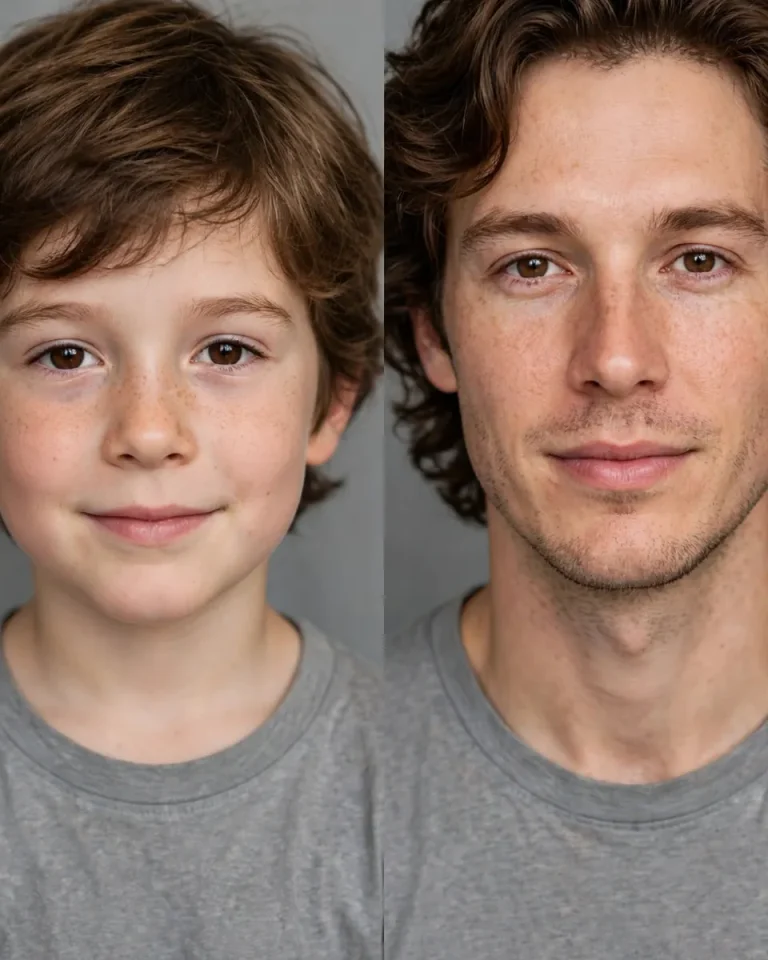
5. Childhood vs Now Split Frame
Using Image 1 and Image 2, create a clean side-by-side portrait with my childhood self on the left and my present self on the right, each matched exactly to its own reference photo in face, skin tone, hairstyle and expression, with no beautification and no identity change. Both are framed from the chest up against the same soft grey studio backdrop, looking at the camera with a similar calm expression. Keep natural pores, texture, asymmetry and minor imperfections on both faces, and avoid plastic or over-smoothed skin. Even soft box lighting at 45 degrees from the left at about 5200K with a gentle fill. Shot on an 85mm lens at f/2.8 with identical framing and colour grade on both halves. 4:5 portrait. No text, no year labels, no watermark, no mismatched skin tones, no distorted faces.
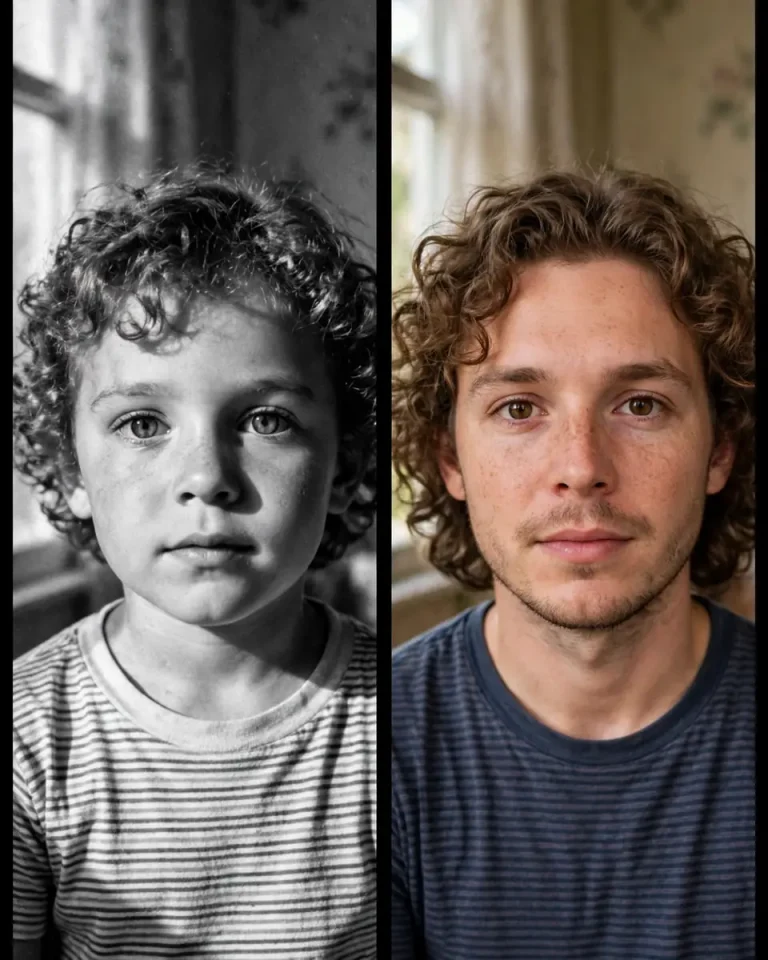
6. Black and White Then Versus Colour Now
Use Image 1 for the child and Image 2 for the adult, preserving identity, skin tone and facial structure exactly with no beautification. Compose a two-panel image: the left panel shows my childhood self in a grainy, high-contrast black-and-white 1990s film look, and the right panel shows my present self in natural colour, both in similar poses and framing. Keep real skin pores, fine lines and natural asymmetry in both panels, with no smoothing. Soft directional window light from the left in both, 4500K for the colour panel. Shot on a 50mm lens at f/2 with visible film grain on the left panel only. 4:5 portrait. No text, no watermark, no identity drift between panels, no distorted faces.
7. Recreate the Old Photo Pose
Recreate the exact scene, pose, camera angle and clothing style from Image 1 (my childhood photo) with my adult self from Image 2 in the same position, same location type and same expression, preserving my adult face, skin tone and features exactly with no beautification. Keep the original photo’s colour tone, slight grain and composition, but render the adult realistically with natural pores, fine lines, subtle asymmetry and real hair strands. Match the original light direction and colour temperature, and keep accurate shadows and reflections on surfaces. Shot on a 35mm lens at f/2.8 at the same camera height as the original. Keep the original aspect ratio, 4:5 if unclear. No altered background layout, no extra people, no text, no watermark, no distorted hands.
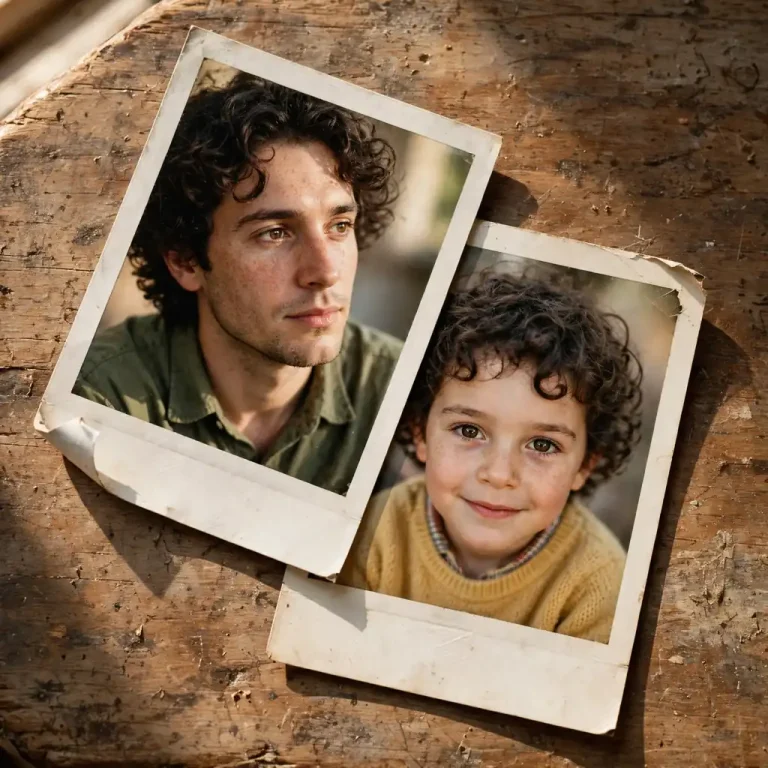
8. Vintage Polaroid Memory Layout
Using Image 1 and Image 2, create two overlapping instant-camera prints on a worn wooden table, one showing my childhood self and one showing my present self, each matched to its reference face, skin tone and age exactly with no beautification. Warm window light from the upper left at 3500K casts soft shadows beneath the prints, with realistic paper curl, white borders, faded colour and fine grain. Keep natural skin texture and pores visible in both portraits. Shot on a 50mm lens at f/2.8, top-down three-quarter angle. 1:1 square. No readable handwriting, no text, no watermark, no distorted faces.
Childhood Photo Prompt for Birthday, Siblings, Friends and Couples
These prompts need extra identity protection, because AI tends to blend faces when two or more people appear together. For more themed ideas, see these birthday photo prompts and brother sister prompts. Upload separate childhood photos for each person where possible.
9. Birthday Cake Reunion
Using Image 1 (childhood) and Image 2 (current), create a birthday scene where my adult self sits beside my younger self at a table with a small cake and a single lit candle, preserving both faces, skin tones and hairstyles exactly with no beautification. Both smile softly at the candle, the adult’s arm around the child. Keep natural pores, subtle texture and asymmetry on both faces, and avoid plastic skin. Warm candle glow at about 2500K on the faces, soft cool window ambient light behind, realistic icing, wax and tablecloth textures. Shot on a 50mm lens at f/1.8, shallow depth of field, soft bokeh from fairy lights. 4:5 portrait. No extra candles, no text on the cake, no watermark, no extra fingers, no distorted faces.
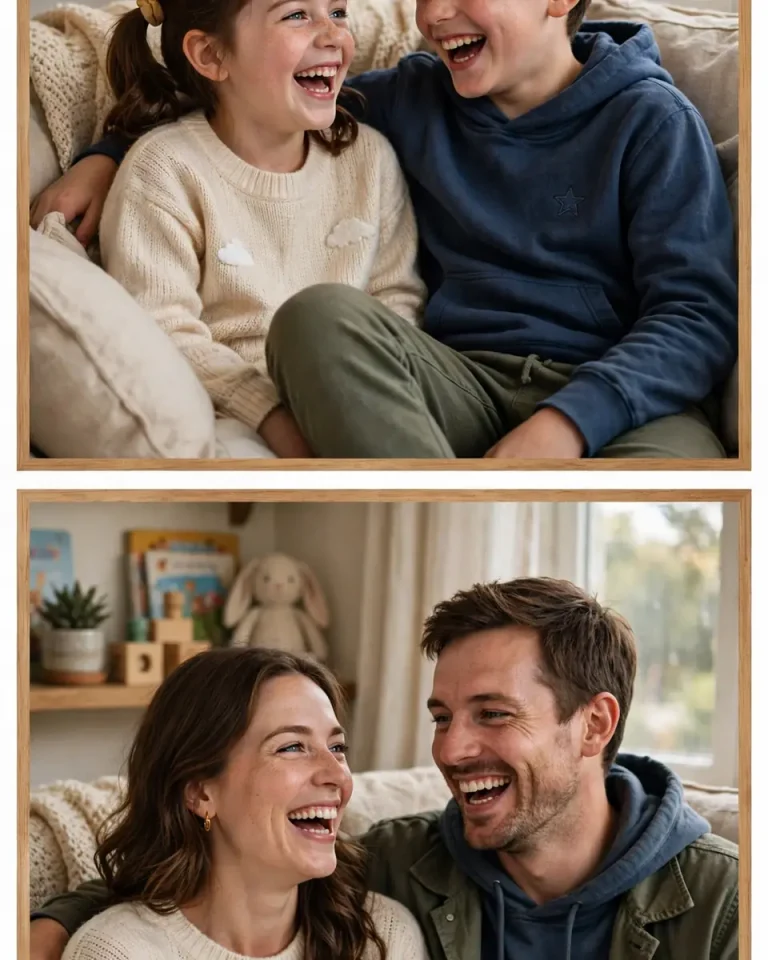
10. Siblings Then and Now
Using the uploaded childhood photo of two siblings as Image 1 and their current photo as Image 2, create a matching then-and-now pair in one image, preserving each person’s exact face, skin tone, height relationship and hairstyle with no beautification and no face blending. The top frame shows them as children in a familiar home setting, the bottom frame recreates the same pose and arrangement as adults, laughing. Keep natural pores, texture and asymmetry on all faces. Soft daylight from a window at 5000K, consistent colour grade across both frames. Shot on a 50mm lens at f/2.2. 4:5 portrait. No swapped faces, no extra siblings, no text, no watermark, no distorted hands.
11. Best Friends Merge: Childhood and Present
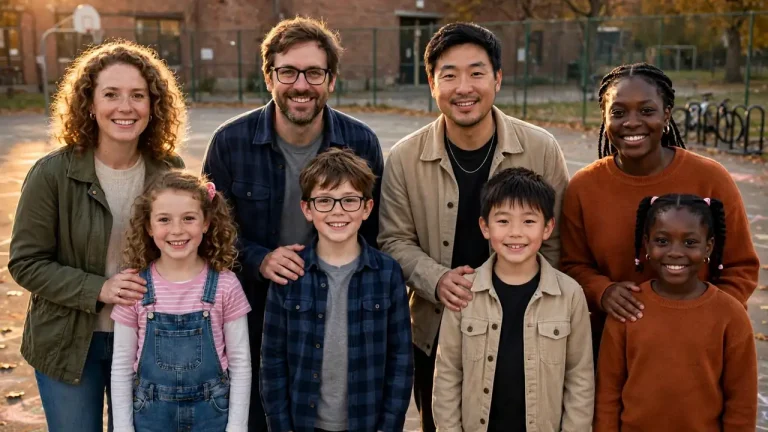
Use the childhood group photo as Image 1 and the current photo of the same friends as Image 2. Merge them into one realistic photograph where the adult friends stand beside their childhood selves in the same order, each matched exactly to its reference face, skin tone and hairstyle with no beautification and no identity mixing. Everyone looks toward the camera with relaxed smiles, adults with a hand on their younger self’s shoulder. Keep natural skin pores and asymmetry for every face. Warm golden-hour light at 3200K from the left, a school-ground background with realistic textures. Shot on a 35mm lens at f/2.8, 16:9 landscape. No duplicated people, no merged limbs, no text, no watermark, no distorted faces.
12. Couple Childhood Sweethearts
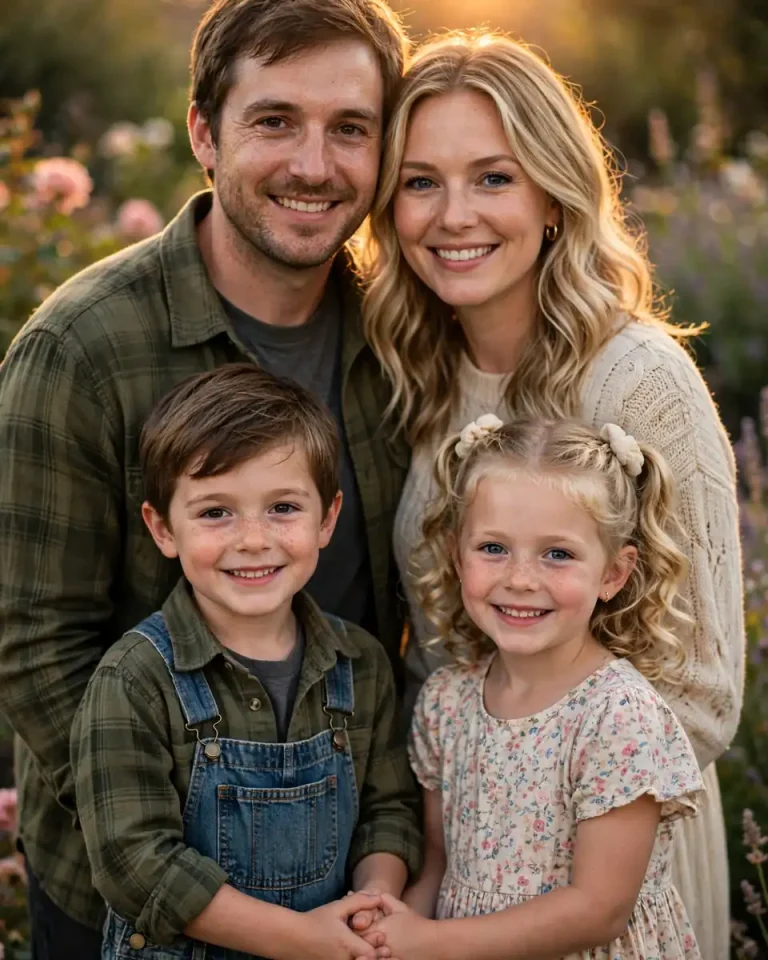
Using the childhood photos of each partner as reference images and their current couple photo as the final reference, create a tender image of the adult couple standing close while two children, each matching one partner’s childhood face, stand in front of them holding hands. Preserve every face, skin tone and age exactly with no beautification, and keep the four identities clearly separate. Soft sunset light at 3000K from behind with a warm rim, gentle fill on the faces, realistic clothing fabric and a blurred garden background. Keep natural skin pores and asymmetry. Shot on an 85mm lens at f/2, 4:5 portrait. No face blending, no extra children, no text, no watermark, no distorted hands.
Childhood Photo Prompt for Boys and Girls
These two prompts use everyday Indian settings that suit gully cricket, school days and family homes.
13. Boy: Gully Cricket Throwback
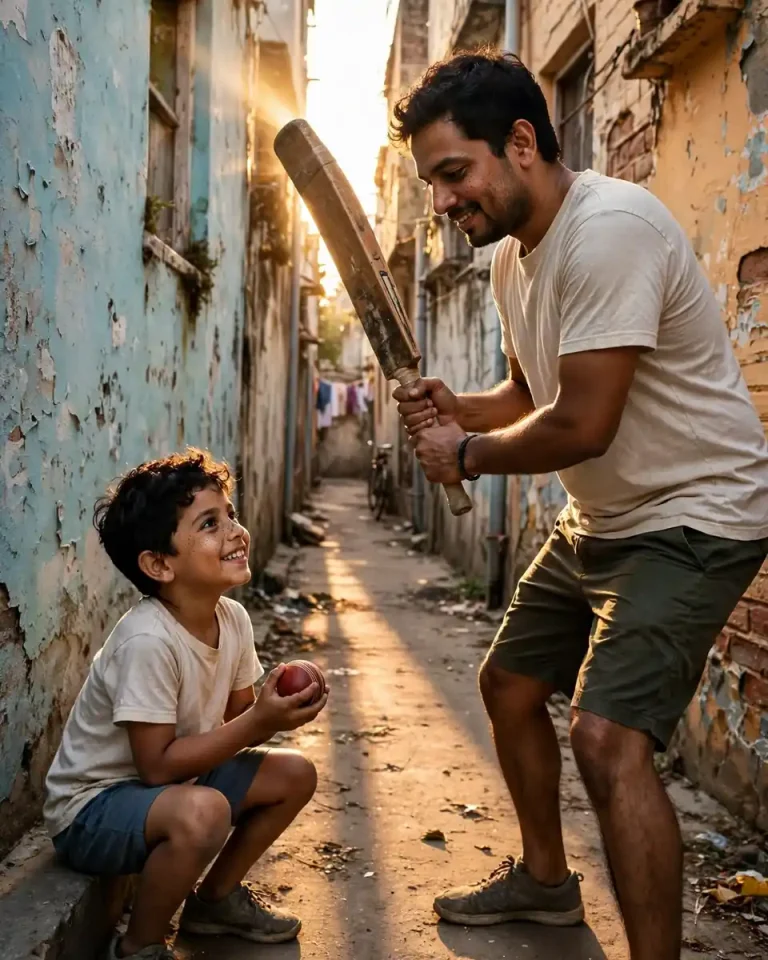
Using Image 1 and Image 2, create a realistic photograph of my adult self playing street cricket beside my younger self, preserving both faces, skin tones and hairstyles exactly with no beautification. The adult holds the bat mid-stance while the child grins, ball in hand, in a narrow lane with painted brick walls. Keep natural pores, sweat sheen, real stubble on the adult and natural asymmetry on both. Late-afternoon sun at 3200K slanting between buildings with hard shadows on the ground. Shot on a 35mm lens at f/2.8, low angle, slight motion in the pose. Realistic cotton t-shirts and worn bat wood. 4:5 portrait. No extra players, no text on clothing, no watermark, no distorted hands.
14. Girl: School Uniform and Garden
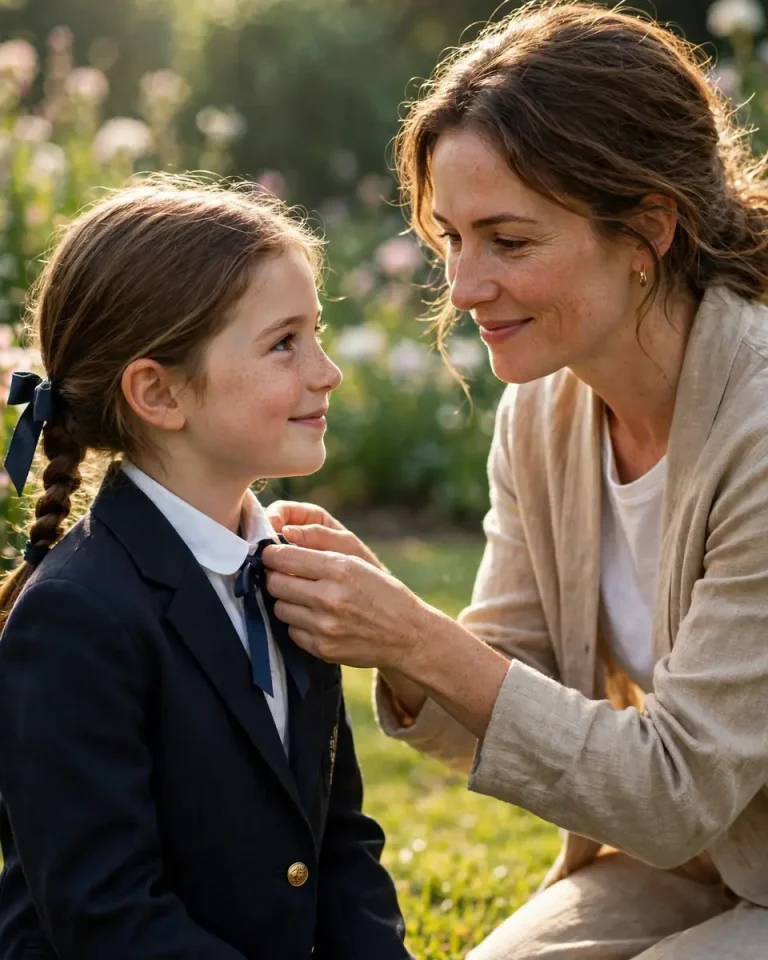
Using Image 1 (childhood) and Image 2 (current), create a gentle photograph of my adult self kneeling beside my younger self, who wears a neat school uniform with a ribbon, in a sunlit garden. Preserve both faces, skin tones, hairstyles and features exactly with no beautification. The adult adjusts the child’s collar with a proud, soft smile. Keep natural pores, fine skin texture and subtle asymmetry on both faces, and visible individual hair strands. Soft morning light at 4500K from the left with warm bounce from the grass, realistic fabric weave and shallow depth of field. Shot on an 85mm lens at f/1.8. 4:5 portrait. No extra fingers, no malformed hands, no text on the uniform, no watermark.
Childhood Photo Prompt for Restore, Enhance and Video
Not every user wants a hug photo. Many want an old childhood picture repaired, colourised or animated. For more nostalgic edits, try these vintage photo prompts.
15. Restore an Old Damaged Childhood Photo
Restore the uploaded old childhood photo, preserving the child’s exact face, expression, skin tone, hairstyle, clothing and composition with no beautification and no invented features. Remove scratches, creases, stains, fading and dust, repair torn corners and rebuild missing areas only where needed. Keep original film grain, natural skin texture, soft imperfections and the era’s photographic character, with no plastic smoothing or modern HDR look. Preserve the original lighting direction and colour temperature, and keep realistic fabric weave and hair strands. Keep the original aspect ratio. No face reshaping, no added objects, no text, no watermark, no over-sharpening.
16. Black and White to Natural Colour Enhancer
Enhance and colourise the uploaded black-and-white childhood photo, preserving the child’s exact face, skin tone logic, hairstyle and expression with no beautification. Apply natural, period-accurate colours to skin, clothes and background, with soft film-like saturation and gentle warm light at about 4000K. Keep real skin pores, tiny imperfections and original grain, increase clarity only slightly, and keep fabric and hair textures physically believable. Keep the original aspect ratio. No oversaturated colours, no plastic skin, no changed background, no added text, no watermark.
17. Childhood Photo to Video Prompt
Animate the generated hug image into a 6-second vertical video, preserving both faces, skin tones and hairstyles exactly with no distortion. The adult slowly leans in and hugs the child, the child’s arms rise to hug back, with a gentle smile and a soft blink. Camera performs a slow push-in on an 85mm-style frame with shallow depth of field, warm 3500K window light and subtle floating dust particles. Natural cloth movement, realistic hair motion and stable faces throughout. 9:16 vertical. No face morphing, no extra limbs, no flicker, no text, no watermark.
How to Create a Childhood Photo Prompt Image in Gemini and ChatGPT
To make a childhood photo prompt image, upload your childhood photo first, then your recent photo, then paste the prompt and generate. The same steps work in Gemini (including Nano Banana) and ChatGPT.
Choose a clear childhood photo with a visible face. Ages 4 to 8 usually give the most emotional contrast.
Choose a recent, well-lit photo, ideally facing the camera.
Upload the childhood photo as Image 1 and the current photo as Image 2.
Paste the full prompt as one paragraph.
Check both faces against the originals. If they drift, add “match each face exactly to its own reference photo.”
Change only one detail at a time, such as outfit or background.
Hindi mein: childhood photo prompt ke liye pehle purani photo, phir nayi photo upload karein, aur prompt English mein hi paste karein. Isse Gemini aur ChatGPT lighting aur camera ke words behtar samajhte hain.
Common Mistakes and Quick Fixes
Faces blend together — label the photos as Image 1 and Image 2 and say “keep both identities separate.”
Child looks too old or too young — add “keep the child’s age exactly as in Image 1.”
Plastic skin — add “visible pores, natural asymmetry, no retouching.”
Wrong hug pose — specify who stands where and where the arms go.
Random text or year labels appear — add “no text, no numbers, no watermark.”
Which Prompt Should You Use?
Goal
Best Prompt
Aspect Ratio
Emotional inner-child post
Hug your younger self (1 to 4)
4:5
Growth comparison
Childhood vs now (5 to 8)
4:5 or 1:1
Birthday or family post
Birthday, siblings, friends (9 to 12)
4:5 or 16:9
Old photo repair
Restore or enhance (15, 16)
Original
Reels or Stories
Video prompt (17)
9:16
Frequently Asked Questions
What is the best childhood photo prompt for Gemini?
The Polaroid hug prompt (1) works best for most people, because it is simple and keeps both faces recognisable. Start there, then try the back hug or side-by-side prompt.
How do I make a childhood and current photo together in ChatGPT?
Upload both photos, label them as Image 1 and Image 2, then paste one of the prompts above. Check the faces and regenerate once or twice if needed.
Can I use these prompts for siblings or friends?
Yes, use prompts 10 and 11. Upload separate childhood photos for each person if you can, and tell the AI to keep identities separate.
Can I restore an old childhood photo with AI?
Yes. Use prompt 15 to remove scratches and fading while keeping the original face and film grain.
How do I turn a childhood photo into a video?
Generate the hug or then-and-now image first, then use prompt 17 in a video-capable AI tool.
Are these prompts free?
The prompts are free to copy. Image generation limits depend on Gemini or ChatGPT, which can change, so check the current limits inside each app.
Final Thoughts
The best childhood photo prompt names both reference photos, protects each face separately and describes the scene like a real photograph. Start with a hug or then-and-now prompt, adjust one detail at a time, and save the versions that feel most true to your memory. For more ready-made looks, explore the full collection on EditsPrompts.