Brother Sister Prompt: 30 AI Photo Prompts for Gemini & ChatGPT
A brother sister prompt helps you turn an ordinary sibling picture into a realistic, emotional, cinematic, festive, aesthetic, or Instagram-ready image while keeping the siblings recognizable. These copy-and-paste prompts work as detailed instructions for Gemini, ChatGPT, and other AI image generators.
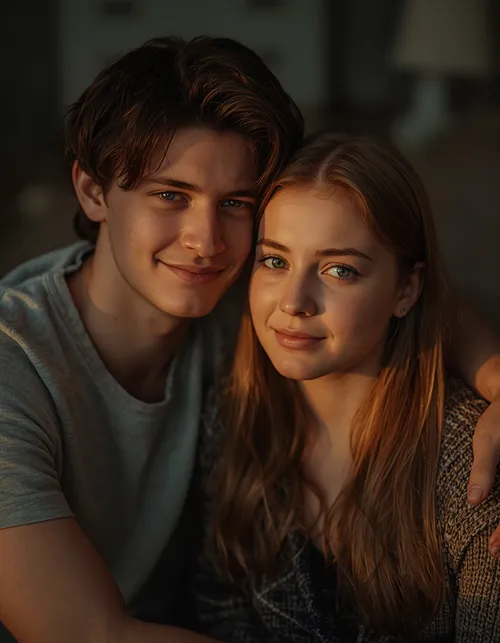
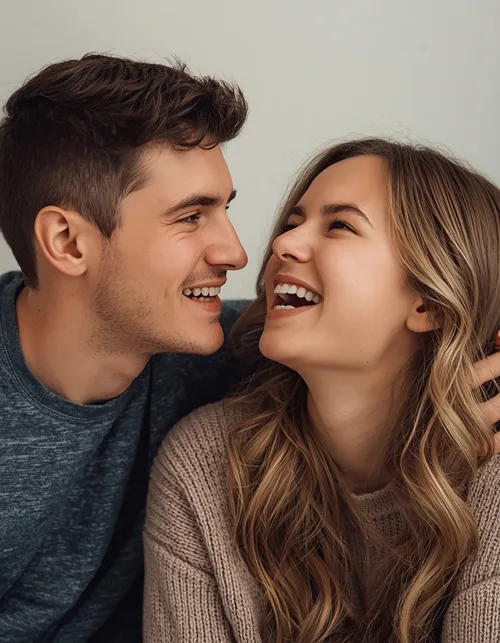
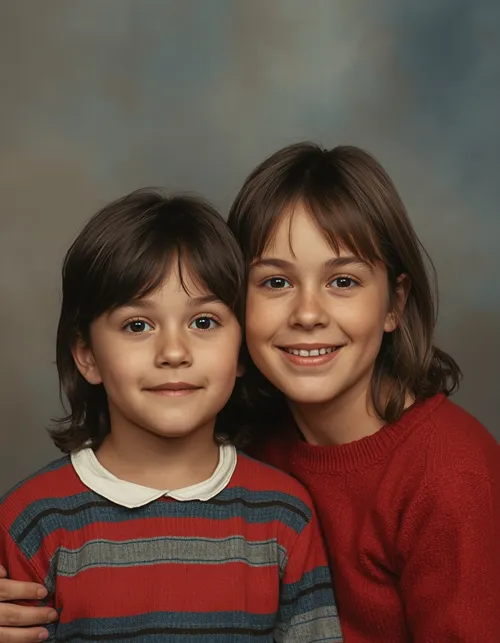
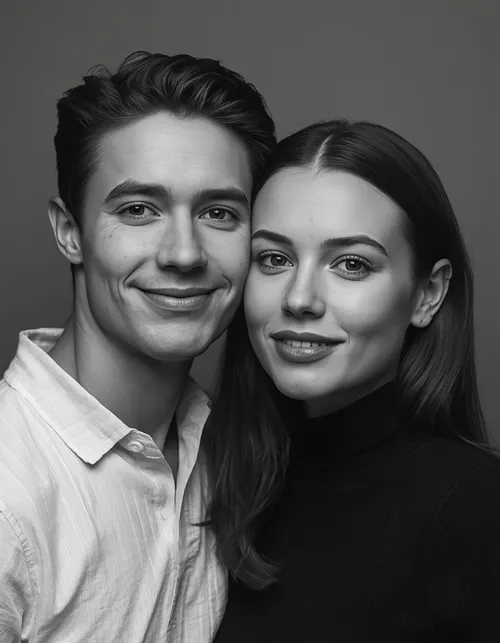
The ideas below cover different sibling situations, including brother and sister portraits, two brothers, three brothers, childhood photos, hugs, birthdays, Brothers Day, Instagram edits Prompts, traditional outfits, Holi, cinematic scenes, aesthetic portraits, funny poses, and photo merging. Each prompt is designed with realistic lighting, camera details, natural skin texture, accurate identity preservation, and negative instructions so the final image looks photographic rather than artificially generated.
Best Brother Sister Prompt Ideas
The strongest results usually come from describing more than just the people in the image. Tell the AI who the siblings are, what they are doing, where they are standing, how the light should behave, what camera look you want, and what must remain unchanged.
Here are ready-to-use prompts for different sibling styles.
Below are thirty complete, ready-to-paste Photo Editing prompts, each built for a different sibling mood. Upload a clear reference photo first, then paste the prompt right after it. Tap View Full Prompt to expand any box, then Copy Prompt to grab it in one tap.
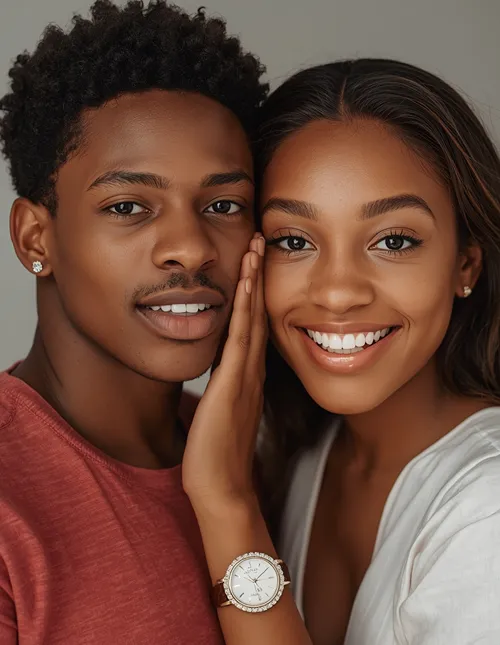
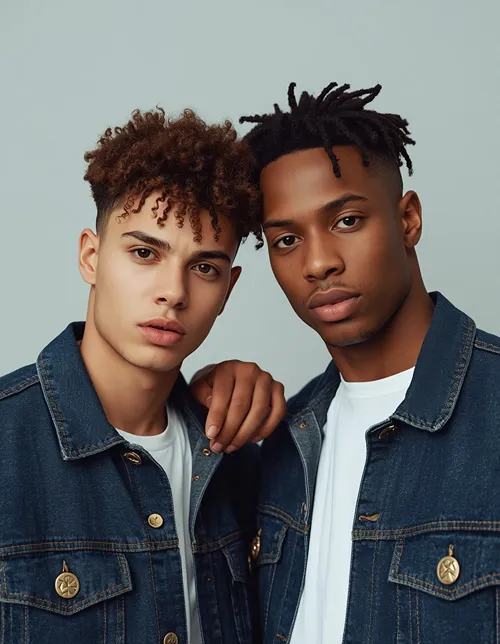
1. Natural Brother and Sister Portrait
BROTHER SISTER
A clean, natural shoulder-to-shoulder portrait with soft window light.
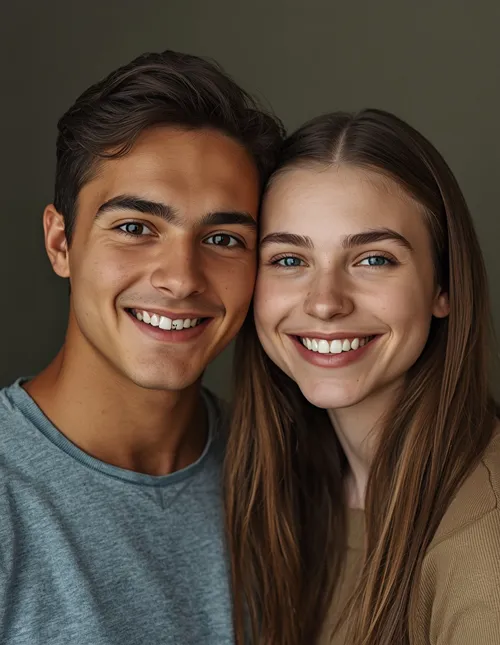
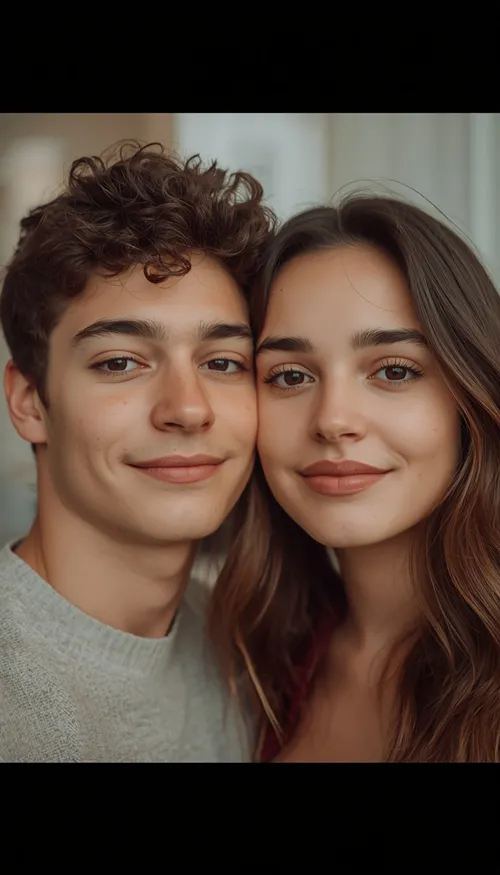
Use the uploaded photo as the identity reference and create a photorealistic brother and sister portrait while preserving both faces, skin tones, facial structures, hairstyles, and natural expressions exactly; do not beautify or alter identity. Keep pores, subtle skin texture, small imperfections, and natural facial asymmetry visible. Use soft window light from the left at approximately 5000K, an 85mm lens at f/1.8, realistic hair and fabric texture, and a softly blurred neutral background. Pose them comfortably shoulder-to-shoulder with relaxed smiles. Compose as a vertical 4:5 portrait. Avoid face blending, plastic skin, extra fingers, distorted hands, duplicate people, text, logos, and watermarks.
2. Brother-Sister Hug
SIBLING HUG
A warm, candid hug lit by late-afternoon backlight.
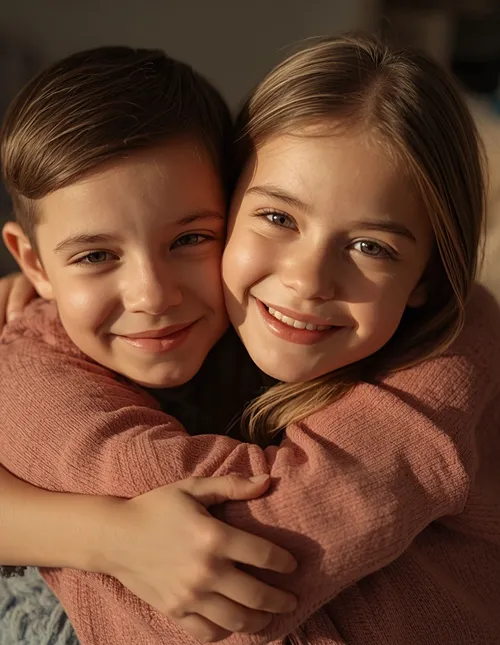
Transform the uploaded sibling photo into a warm candid brother-and-sister hug, preserving exact identity, facial features, skin tone, and expressions with no beautification or identity alteration. Retain pores, fine skin texture, minor imperfections, and natural facial asymmetry. Use warm late-afternoon sunlight from behind at 4300K with soft frontal fill, photographed on an 85mm lens at f/2.0. Keep clothing fibers and hair physically realistic. Show a natural affectionate sibling hug without stiffness. Use 4:5 portrait composition. Avoid romantic posing, face merging, extra limbs, malformed fingers, artificial skin, excessive blur, text, logos, and watermarks.
3. Cinematic Brother and Sister Photo
CINEMATIC
A blue-hour outdoor portrait with a cinematic warm and cool light mix.
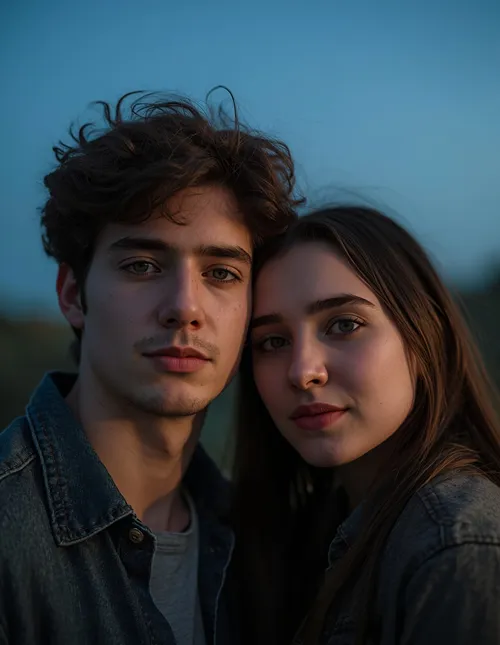
Create a cinematic but photorealistic brother and sister portrait from the uploaded reference, keeping their identities, facial proportions, skin tones, hairstyles, and expressions unchanged; no beautification or facial redesign. Preserve pores, subtle texture, small imperfections, and natural asymmetry. Place them outdoors at blue hour with a soft warm key light from camera-left around 3800K and cool ambient light from the sky. Simulate an 85mm lens, f/1.8 aperture, shallow depth of field, realistic fabric and hair detail. Give them a relaxed natural pose. Use 4:5 composition. Avoid CGI appearance, plastic skin, face blending, extra fingers, distorted anatomy, text, logos, and watermarks.
4. Aesthetic Instagram Sibling Portrait
INSTAGRAM AESTHETIC
A clean feed-ready portrait with gentle bokeh and balanced negative space.
Edit the uploaded brother-and-sister image into a clean Instagram aesthetic while preserving exact identity, facial features, skin tone, and expressions with no beautification or alteration. Keep natural pores, fine skin texture, minor imperfections, and facial asymmetry. Use soft directional window light from the right at 5200K, an 85mm portrait lens at f/1.8, gentle background bokeh, and physically accurate clothing, hair, and jewelry textures. Pose both siblings naturally with a subtle smile and comfortable body language. Use a vertical 4:5 Instagram composition with balanced negative space. Avoid over-smoothing, face distortion, extra fingers, duplicate people, text, logos, and watermarks.
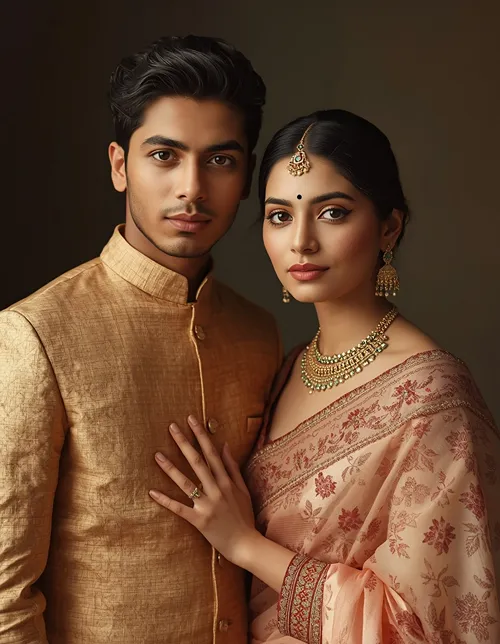
5. Traditional Indian Brother-Sister Portrait
TRADITIONAL
Elegant Indian outfits in a refined home setting with golden rim light.
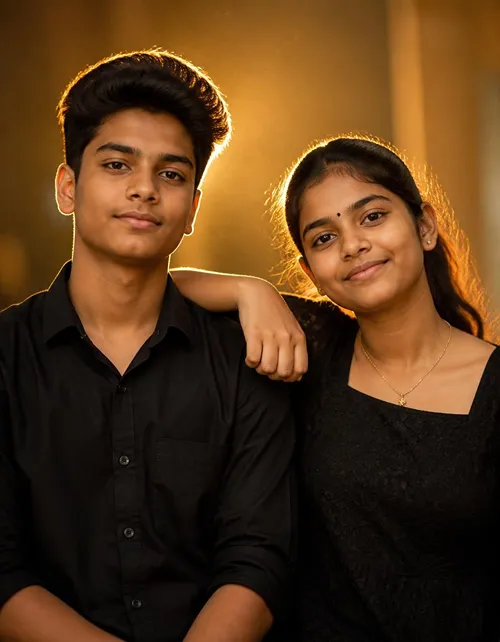
Create a photorealistic Indian brother-and-sister portrait using the uploaded image as reference. Preserve both identities, facial features, skin tones, hairstyles, and expressions exactly; no beautification or identity changes. Keep visible pores, realistic skin texture, natural asymmetry, and minor imperfections. Dress them in elegant traditional Indian clothing with physically accurate fabric folds and embroidery. Use warm window light from the front-left at 4500K and subtle golden rim light from behind. Simulate an 85mm lens at f/2.0. Place them in a refined home setting and pose them naturally. Use 4:5 framing. Avoid plastic skin, altered faces, malformed hands, extra fingers, text, logos, and watermarks.
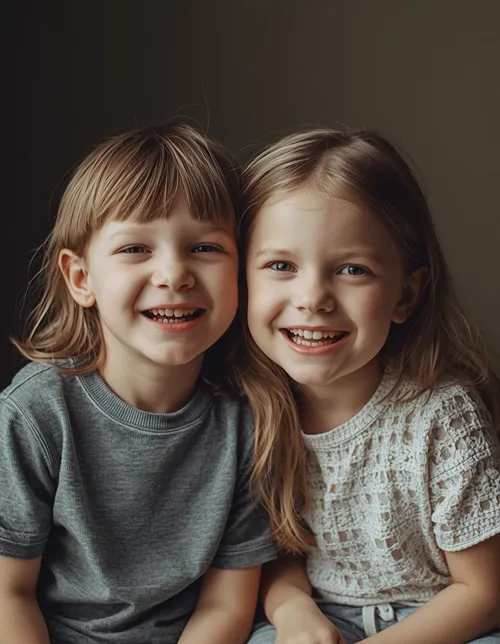
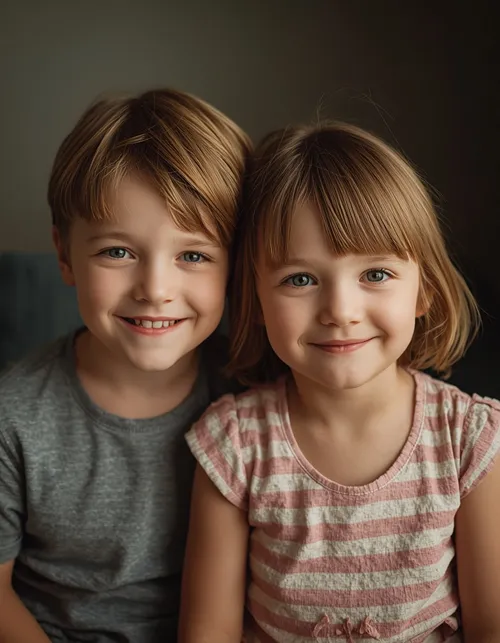
6. Childhood Brother-Sister Memory
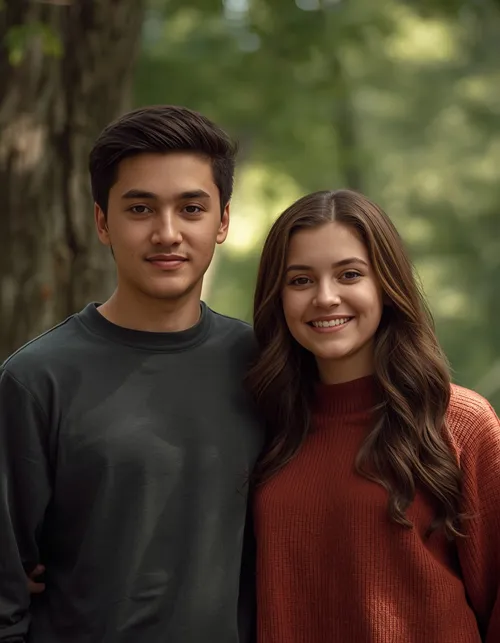
CHILDHOOD
A nostalgic family-photo feel with natural laughter and morning light.
Recreate the feeling of a genuine childhood sibling photograph using the uploaded reference while preserving recognizable facial identity, skin tone, facial structure, and natural features without beautification or identity alteration. Maintain authentic pores, subtle skin texture, minor imperfections, and age-appropriate facial asymmetry. Use soft morning window light from the left at 5000K, a 50mm lens at f/2.2, realistic cotton clothing and natural hair texture. Show the siblings sitting together and laughing naturally. Use a nostalgic 4:5 family-photo composition. Avoid adult-looking features, artificial skin, distorted hands, duplicate children, extra fingers, text, logos, and watermarks.
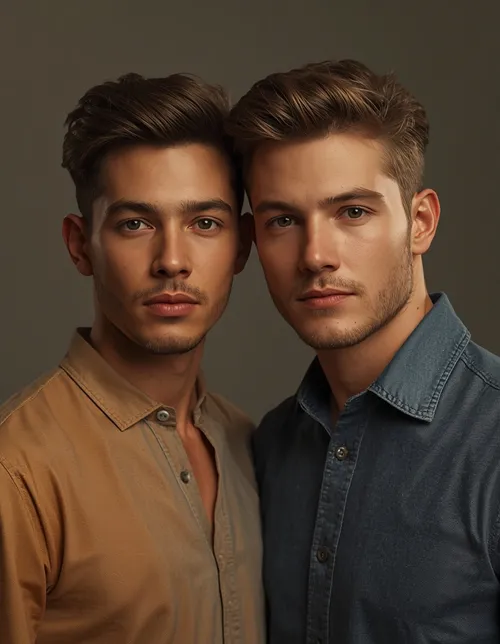
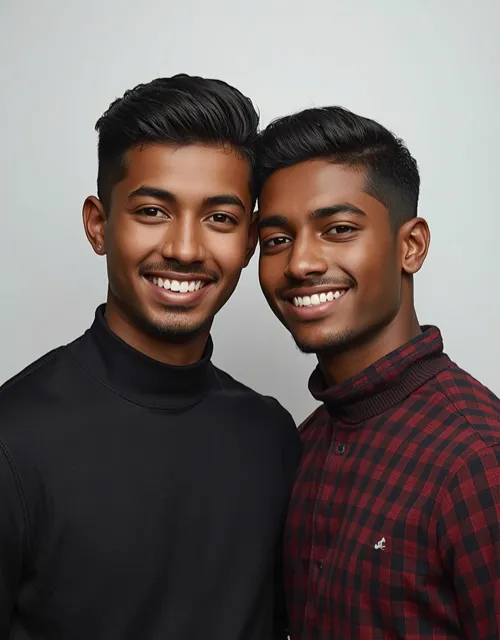
7. Two Brothers Together
TWO BROTHERS
A classic golden-hour portrait of two brothers standing casually together.
Create a realistic portrait of the two brothers from the uploaded reference, preserving each brother’s exact identity, face, skin tone, hairstyle, and natural expression with no beautification or identity alteration. Retain pores, fine skin texture, minor imperfections, and natural facial asymmetry. Use soft golden-hour light from camera-right at approximately 4200K with subtle fill from the front. Simulate an 85mm lens at f/1.8 with realistic background compression. Keep shirt fabric, hair, and accessories physically detailed. Pose both brothers standing casually together. Use 4:5 composition. Avoid face blending, duplicate subjects, extra fingers, distorted hands, plastic skin, text, logos, and watermarks.
8. Two Brothers Attitude Pose
ATTITUDE EDITORIAL
A confident editorial look with controlled hard light and mixed textures.
Edit the uploaded two-brother photo into a confident editorial portrait while preserving their exact identities, facial features, skin tones, hairstyles, and expressions; do not beautify or alter identity. Keep natural pores, subtle skin texture, minor imperfections, and asymmetry. Use a hard but controlled key light from upper-left at 4000K with a soft reflector fill, photographed using a 70mm lens at f/2.2. Maintain realistic denim, cotton, leather, and hair textures. Give them relaxed confident poses without exaggerated expressions. Use a vertical 4:5 fashion composition. Avoid cartoon effects, plastic skin, merged faces, malformed hands, extra fingers, text, logos, and watermarks.
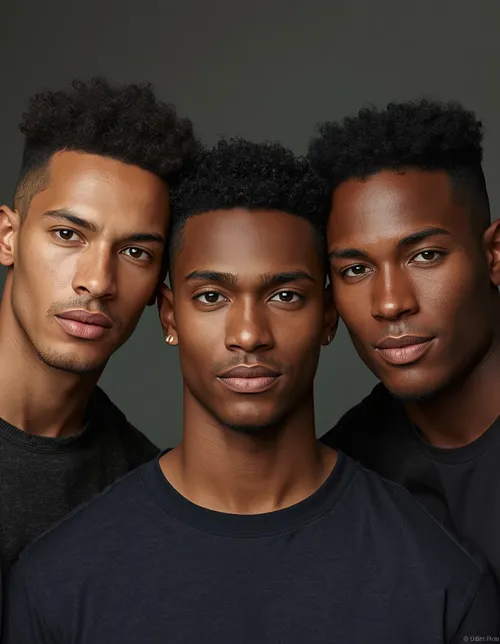
9. Three Brothers Portrait
THREE BROTHERS
A sharp group portrait with all three faces kept distinct and in focus.
Create a photorealistic group portrait of the three brothers shown in the reference images, preserving every brother’s identity, facial structure, skin tone, hairstyle, and expression exactly; no beautification or identity changes. Retain natural pores, fine skin texture, small imperfections, and facial asymmetry. Use soft studio lighting from both sides at 4800K with a subtle overhead fill. Simulate a 50mm lens at f/2.8 so all three faces remain sharp. Keep clothing and hair textures physically realistic. Arrange them naturally at slightly different depths. Use 4:5 composition. Avoid duplicated faces, blended identities, extra limbs, malformed hands, plastic skin, text, logos, and watermarks.
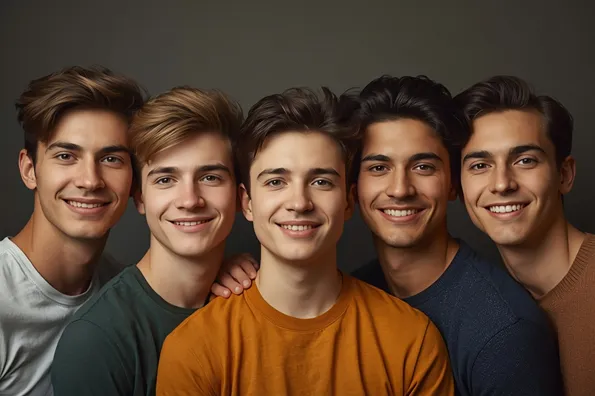
10. Five Brothers Family Portrait
FIVE BROTHERS
A horizontal family portrait with softbox lighting and consistent sharpness.
Create a realistic five-brother family portrait from the provided references, preserving each person’s exact face, identity, skin tone, hairstyle, and natural features without beautification or facial modification. Keep pores, subtle skin texture, minor imperfections, and natural facial asymmetry. Use a large softbox positioned 45 degrees camera-left at 5000K with gentle fill light, photographed on a 50mm lens at f/4 for consistent sharpness. Preserve realistic clothing, hair, and fabric textures. Arrange the brothers naturally with relaxed expressions and varied heights. Use a horizontal 3:2 family-photo composition. Avoid duplicate people, face merging, extra fingers, distorted anatomy, text, logos, and watermarks.
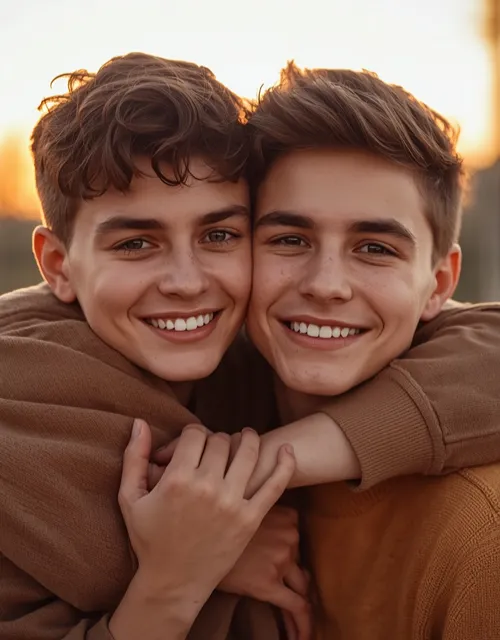
11. Brothers Hugging
BROTHERS HUG
A spontaneous brotherly embrace with warm sunset backlight.
Turn the uploaded brothers’ image into a genuine candid sibling hug, keeping each face, identity, skin tone, hairstyle, and expression exactly recognizable with no beautification or identity alteration. Preserve natural pores, fine skin texture, minor imperfections, and facial asymmetry. Use warm sunset backlight at 4300K with soft frontal fill and an 85mm lens at f/2.0. Ensure realistic hair strands and fabric folds. Capture a spontaneous brotherly embrace with natural smiles and relaxed posture. Use 4:5 vertical framing. Avoid romantic styling, merged faces, extra arms, malformed fingers, plastic skin, excessive HDR, text, logos, and watermarks.
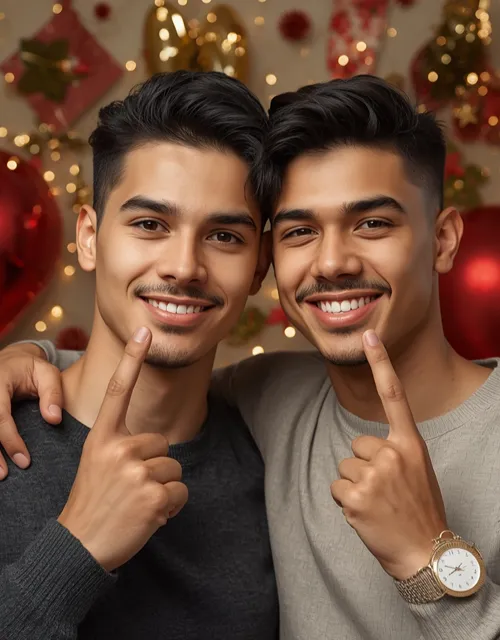
12. Brothers Day Portrait
BROTHERS DAY
A celebratory portrait with tasteful festive elements and golden rim light.
Create a celebratory Brothers Day portrait from the uploaded brother photo while preserving exact identity, facial features, skin tone, hairstyle, and expression with no beautification or identity changes. Retain realistic pores, skin texture, minor imperfections, and natural asymmetry. Use warm studio key lighting from camera-left at 4500K with a subtle golden rim light behind the shoulders. Simulate an 85mm lens at f/1.8. Add tasteful festive background elements while keeping clothing and decorations physically realistic. Pose the brothers together with genuine smiles. Use a 4:5 social-media composition. Avoid fake skin, face distortion, extra fingers, unnecessary text, logos, and watermarks.
13. Happy Brothers Day Instagram Edit
BROTHERS DAY IG
A premium, minimal Instagram edit with clean negative space.
Edit the reference photo into a premium Brothers Day Instagram portrait while keeping both brothers’ identities, facial features, skin tones, hairstyles, and expressions unchanged; no beautification or identity alteration. Preserve pores, subtle skin texture, natural asymmetry, and small imperfections. Use soft golden rim lighting from behind at 4000K and balanced frontal fill, captured with an 85mm lens at f/2.0. Maintain realistic clothing and decorative textures. Let the brothers stand close with relaxed smiles and natural body language. Use a 4:5 Instagram composition with clean negative space. Avoid excessive effects, face blending, plastic skin, malformed hands, text artifacts, logos, and watermarks.
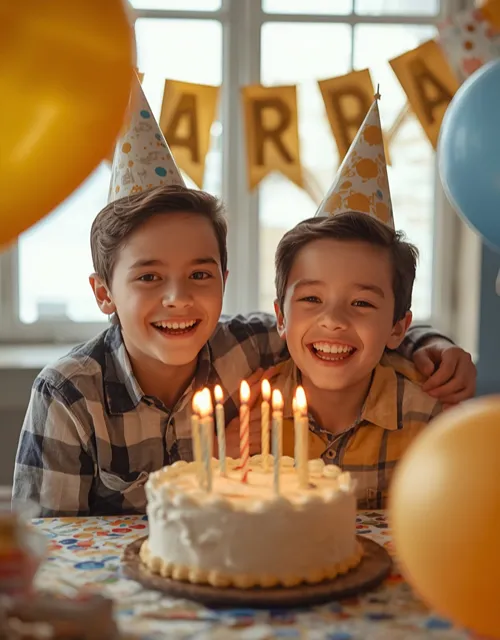
14. Birthday Brothers Photo
BIRTHDAY
A realistic cake-and-balloons celebration with natural laughter.
Transform the uploaded brothers’ picture into a realistic birthday celebration while preserving their exact identities, facial features, skin tones, hairstyles, and expressions with no beautification or identity alteration. Keep pores, natural skin texture, minor imperfections, and facial asymmetry. Use warm indoor lighting from the upper-left at 3200K combined with subtle daylight fill from a window. Simulate a 50mm lens at f/2.0. Add a realistic cake, balloons, and simple birthday decorations with physically accurate materials. Show the brothers laughing naturally together. Use 4:5 portrait composition. Avoid fake decorations, plastic skin, extra fingers, distorted faces, random text, logos, and watermarks.
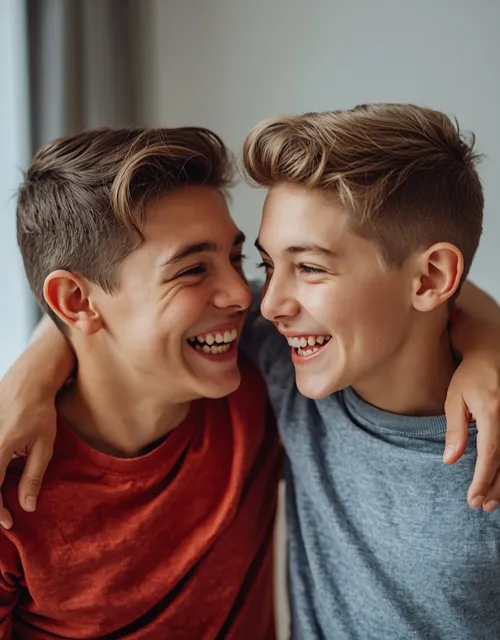
15. Funny Brothers Photo
FUNNY CANDID
A playful teasing moment with bright window light and genuine laughter.
Create a playful candid brothers photograph from the uploaded reference while preserving each brother’s exact identity, facial structure, skin tone, hairstyle, and natural appearance; do not beautify or alter identity. Retain visible pores, subtle skin texture, minor imperfections, and facial asymmetry. Use bright soft daylight from a large window at 5200K, a 35mm lens at f/2.8, and realistic clothing and hair textures. Show one brother teasing the other while both naturally laugh. Use a lively 4:5 composition. Avoid forced expressions, distorted mouths, extra fingers, duplicate faces, plastic skin, unnatural anatomy, text, logos, and watermarks.
16. Brothers Photoshoot
PHOTOSHOOT
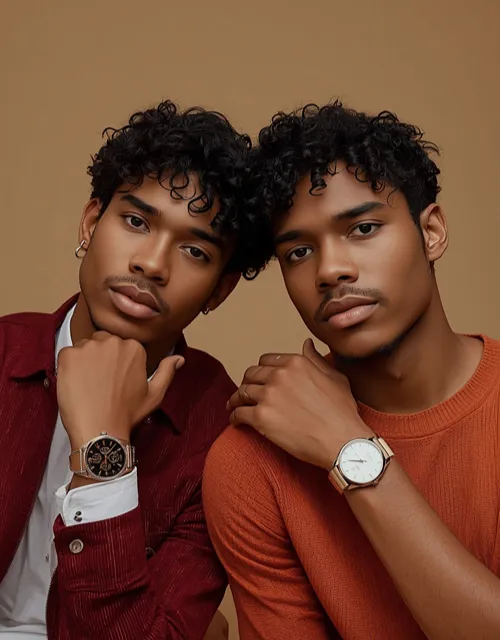
A professional fashion-editorial shoot with softbox and rim light.
Turn the uploaded brothers’ photo into a professional editorial photoshoot while preserving their exact identities, facial features, skin tones, hairstyles, and expressions with no beautification or identity modification. Keep natural pores, subtle skin texture, minor imperfections, and facial asymmetry. Use a large softbox 45 degrees camera-left at 5000K with a subtle rim light behind them. Photograph with an 85mm lens at f/2.0. Preserve realistic fabric weave, hair strands, watches, and accessories. Give them relaxed fashion-editorial poses. Use 4:5 vertical composition. Avoid plastic skin, over-sharpening, merged identities, malformed hands, extra fingers, text, logos, and watermarks.
17. Brothers Aesthetic Portrait
BROTHERS AESTHETIC
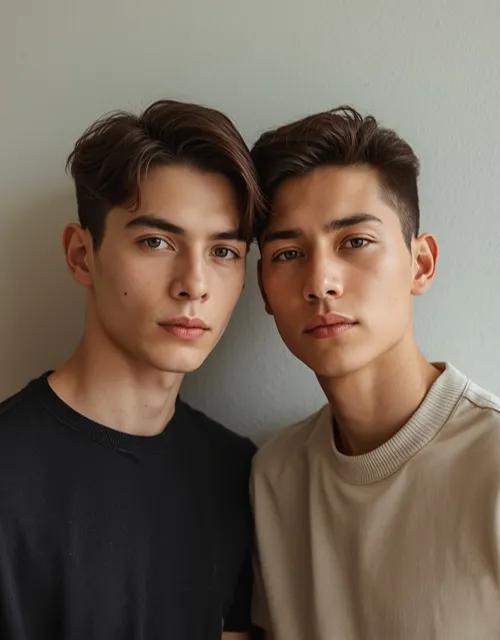
A muted, sophisticated portrait against a clean textured wall.
Create a sophisticated aesthetic portrait of the brothers using the uploaded image as reference, preserving exact faces, identities, skin tones, hairstyles, and expressions with no beautification or identity alteration. Maintain pores, subtle skin texture, minor imperfections, and natural facial asymmetry. Use soft side light from the right at 4600K with muted ambient shadows and an 85mm lens at f/1.8. Keep neutral clothing colors and physically realistic fabric and hair texture. Pose them casually against a clean textured wall. Use a vertical 4:5 composition. Avoid excessive filters, artificial skin, face blending, extra fingers, distorted anatomy, text, logos, and watermarks.
18. Brothers in a Cinematic Night Scene
NIGHT CINEMATIC
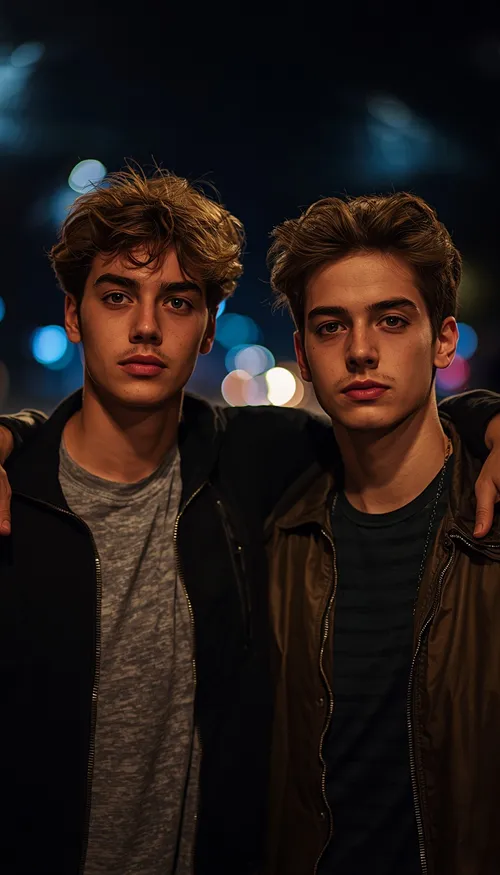
A walking street scene with warm practical light and cool ambient fill.
Create a photorealistic nighttime portrait of the two brothers from the reference, preserving exact identity, facial features, skin tone, hairstyles, and expressions with no beautification or identity alteration. Keep natural pores, fine skin texture, minor imperfections, and facial asymmetry. Use a warm practical street light from camera-right around 3200K with cool blue ambient fill around 6500K. Simulate an 85mm lens at f/1.8 with realistic night bokeh. Preserve natural hair and clothing textures. Pose them casually walking together. Use 9:16 vertical composition. Avoid fake neon skin, merged faces, extra fingers, distorted hands, text, logos, and watermarks.
19. Brothers in Traditional Indian Clothing
TRADITIONAL BROTHERS
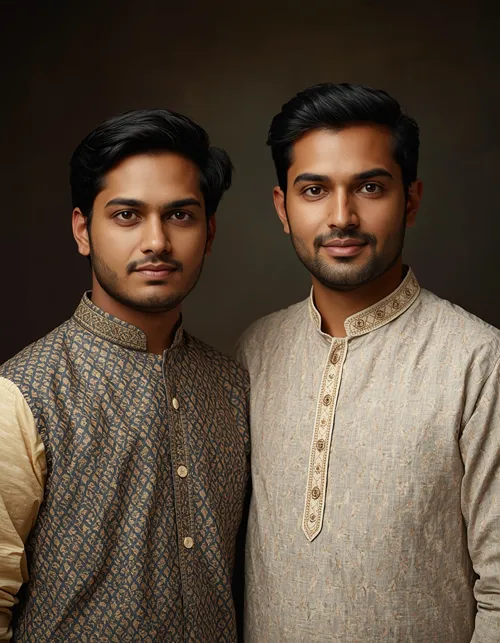
A premium family portrait in kurta-pajama with warm window light.
Create a premium Indian family portrait of the brothers using the uploaded reference while preserving exact identity, facial features, skin tone, hairstyle, and expressions without beautification or identity alteration. Keep pores, natural skin texture, minor imperfections, and facial asymmetry. Dress them in realistic kurta-pajama and traditional fabrics with accurate folds, embroidery, and material texture. Use warm window light from camera-left at 4500K plus a subtle golden rim light. Simulate an 85mm lens at f/2.2. Give them relaxed standing poses. Use 4:5 portrait framing. Avoid plastic skin, altered faces, extra fingers, malformed hands, text, logos, and watermarks.
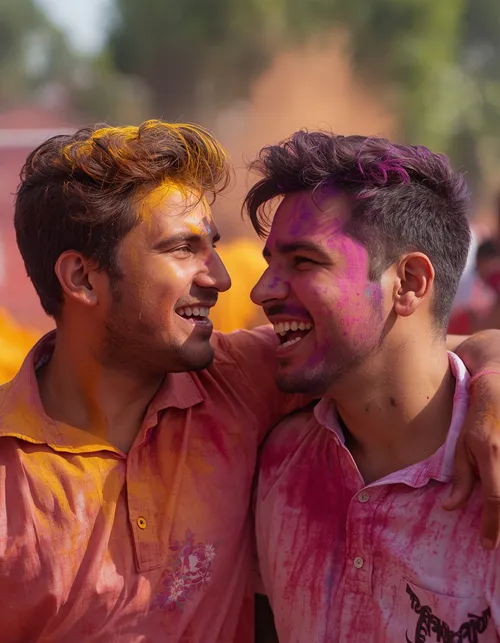
20. Brothers Holi Celebration
HOLI
A vibrant but photorealistic Holi scene with powder lit by morning sun.
Create a vibrant but photorealistic Holi celebration featuring the brothers from the uploaded reference, preserving their exact faces, identities, skin tones, hairstyles, and expressions with no beautification or identity changes. Retain natural pores, skin texture, minor imperfections, and facial asymmetry. Use bright morning sunlight from upper-left at 5600K with realistic colored powder illuminated through the air. Simulate a 35mm lens at f/2.8 and preserve physically accurate clothing fibers and powder particles. Show them laughing naturally together. Use 4:5 composition. Avoid excessive color covering faces, duplicate people, extra fingers, distorted anatomy, text, logos, and watermarks.
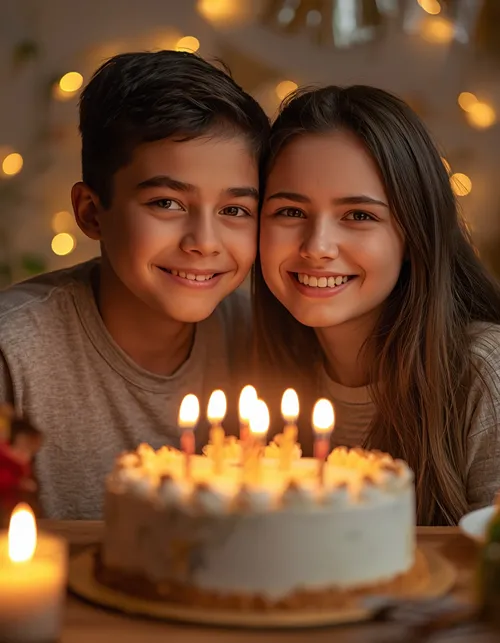
21. Brother-Sister Birthday Portrait
SIBLING BIRTHDAY
A warm birthday portrait with candlelight accents from below.
Create a warm birthday portrait of the brother and sister in the uploaded reference, preserving both identities, facial features, skin tones, hairstyles, and expressions exactly with no beautification or identity alteration. Keep natural pores, subtle skin texture, minor imperfections, and facial asymmetry. Use soft warm window light from camera-left at 4000K with gentle candlelight accents from below. Simulate an 85mm lens at f/1.8 with realistic background bokeh. Keep cake, clothing, hair, and decorations physically accurate. Show both siblings smiling naturally toward each other. Use 4:5 framing. Avoid romantic posing, face blending, extra fingers, plastic skin, text, logos, and watermarks.
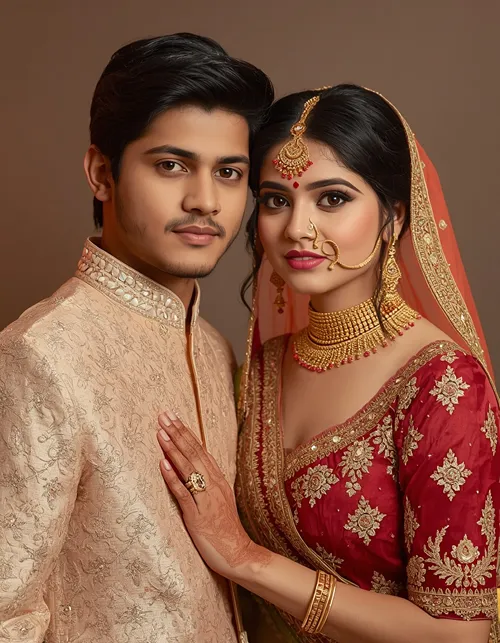
22. Brother-Sister Wedding Look
WEDDING
An elegant Indian wedding portrait with detailed attire and venue lighting.
Transform the uploaded brother-and-sister photo into an elegant Indian wedding portrait while preserving exact identities, facial structures, skin tones, hairstyles, and expressions with no beautification or identity alteration. Retain pores, natural skin texture, minor imperfections, and facial asymmetry. Dress them in realistic wedding attire with detailed embroidery, jewelry, and physically accurate fabric draping. Use warm ambient venue lighting at 3200K with soft golden rim light from behind and an 85mm lens at f/2.0. Pose them naturally as siblings. Use 4:5 portrait composition. Avoid romantic couple styling, altered faces, plastic skin, extra fingers, distorted jewelry, text, logos, and watermarks.
23. Brother-Sister Childhood Photo Merge
PHOTO MERGE
Combine two separate childhood photos into one believable family picture.
Combine the provided childhood brother and sister references into one believable family photograph while preserving each person’s original identity, facial features, skin tone, hairstyle, and age appearance with no beautification or identity alteration. Keep natural pores, subtle skin texture, minor imperfections, and authentic facial asymmetry. Use soft daylight from a window at 5200K, a 50mm lens at f/2.8, and realistic cotton clothing textures. Place both children sitting naturally beside each other with a genuine sibling smile. Use a nostalgic 4:5 composition. Avoid face blending, incorrect ages, duplicate children, malformed fingers, artificial skin, text, logos, and watermarks.
24. Emotional Sibling Memory
EMOTIONAL
A quiet, affectionate sunset portrait without exaggerated sadness.
Create an emotional but realistic brother-and-sister portrait based on the uploaded reference, preserving exact identities, facial features, skin tones, hairstyles, and expressions with no beautification or identity alteration. Keep pores, fine skin texture, minor imperfections, and natural facial asymmetry. Use soft sunset light from directly behind at approximately 4300K with subtle warm fill on their faces, photographed with an 85mm lens at f/1.8. Preserve realistic hair and clothing textures. Show the siblings sitting together quietly with a genuine affectionate expression. Use 4:5 composition. Avoid exaggerated sadness, romantic posing, merged faces, extra fingers, text, logos, and watermarks.
25. Brother-Sister Funny Candid
SIBLING FUNNY
A playful teasing moment that stays clearly sibling-like and natural.
Edit the uploaded brother-and-sister photo into a genuinely funny candid moment while preserving their exact identities, facial structures, skin tones, hairstyles, and expressions without beautification or identity alteration. Retain pores, subtle skin texture, minor imperfections, and natural facial asymmetry. Use bright natural window light from the right at 5000K, a 35mm lens at f/2.8, and realistic clothing and hair detail. Show the brother playfully teasing his sister while she gives an amused reaction. Keep the interaction clearly sibling-like and natural. Use 4:5 framing. Avoid romantic expressions, distorted mouths, extra fingers, face blending, plastic skin, text, logos, and watermarks.
26. Brother-Sister Retro 90s Photo
RETRO 90s
An authentic 1990s family photo look with direct flash and light grain.
Transform the uploaded sibling image into an authentic 1990s-inspired family photograph while preserving exact identities, facial features, skin tones, hairstyles, and expressions with no beautification or identity alteration. Keep natural pores, fine skin texture, minor imperfections, and facial asymmetry. Use direct on-camera flash around 5500K with realistic falloff, a 35mm lens at f/4, subtle analog grain, and physically accurate vintage clothing textures. Pose them naturally as if captured spontaneously. Use 4:5 composition. Avoid excessive fake grain, distorted faces, plastic skin, extra fingers, duplicate subjects, text, logos, and watermarks.
27. Brother-Sister Black-and-White Portrait
BLACK & WHITE
A timeless monochrome portrait with soft key light and shadow detail.
Create a timeless black-and-white brother-and-sister portrait from the uploaded reference while preserving their exact identities, facial features, skin tones, hairstyles, and expressions; do not beautify or alter identity. Preserve realistic pores, subtle skin texture, minor imperfections, and natural facial asymmetry. Use a large soft key light from camera-left at 5000K with gentle shadow detail, an 85mm lens at f/2.0, and realistic fabric and hair textures. Pose them close together with relaxed expressions. Use a classic 4:5 portrait composition. Avoid excessive contrast, plastic skin, merged faces, malformed hands, extra fingers, text, logos, and watermarks.
28. Brother-Sister Outdoor Nature Portrait
NATURE OUTDOOR
A walking portrait in dappled late-afternoon light with foliage bokeh.
Create a photorealistic outdoor brother-and-sister portrait using the uploaded reference, preserving exact identities, facial features, skin tones, hairstyles, and expressions with no beautification or identity alteration. Retain natural pores, fine skin texture, minor imperfections, and facial asymmetry. Use soft late-afternoon sunlight from camera-left at 4500K filtered through trees, an 85mm lens at f/1.8, natural foliage bokeh, and realistic fabric and hair texture. Show the siblings walking side by side and smiling naturally. Use vertical 4:5 composition. Avoid artificial greenery, face blending, extra fingers, distorted anatomy, plastic skin, text, logos, and watermarks.
29. Brother-Sister Photo for Instagram Story
INSTAGRAM STORY
A polished 9:16 candid with warm street light and clean space around subjects.
Edit the uploaded brother-and-sister photo into a polished Instagram Story image while preserving their exact identities, facial features, skin tones, hairstyles, and expressions with no beautification or identity alteration. Keep pores, subtle skin texture, minor imperfections, and facial asymmetry. Use soft warm street lighting from camera-left at 3500K with cool ambient fill, an 85mm lens at f/1.8, realistic hair and clothing textures, and natural background bokeh. Keep both siblings relaxed and candid. Use a 9:16 vertical composition with clean space around the subjects. Avoid face distortion, extra fingers, excessive filters, text artifacts, logos, and watermarks.
30. Premium Brother-Sister Poster
PREMIUM POSTER
A cinematic poster look with golden rim light and a confident natural pose.
Create a premium cinematic brother-and-sister poster from the uploaded reference images while preserving both identities, facial structures, skin tones, hairstyles, and expressions exactly; no beautification, face replacement, or identity alteration. Retain realistic pores, subtle skin texture, minor imperfections, and natural facial asymmetry. Use warm golden rim light from behind at 4200K with soft frontal fill, an 85mm lens at f/2.0, shallow depth of field, and physically accurate clothing, hair, and accessory textures. Give them a confident but natural sibling pose. Use a vertical 4:5 poster composition. Avoid face blending, duplicate subjects, extra fingers, malformed hands, plastic skin, text artifacts, logos, and watermarks.
Each of these can be adjusted further. Swap the setting, clothing, or lighting, add “preserve each individual’s separate identity; do not blend facial features” for group photos, or change only the one detail that looks wrong.
How to Use These Brother Sister Prompt Ideas
You can use a brother sister prompt in Gemini, ChatGPT, or another compatible AI image editor in a few simple steps:
Choose a clear photo where both siblings’ faces are visible.
Upload the image to your preferred AI image generator.
Copy one complete prompt from this article.
Paste it without removing the identity-preservation instructions.
Generate the image.
Fix face changes: if the result changes a face, ask the AI to restore the original facial structure and expression.
Pick the right ratio: use 4:5 for feed posts and 9:16 for Stories or Reels covers.
For the best results, the source photograph matters. A clear image with visible faces, reasonably consistent lighting, a simple background, and enough space around the subjects gives the model more useful visual information.
Brother Sister Prompt for Gemini
A detailed brother sister prompt works particularly well in Gemini when you specify the desired setting, pose, lighting, camera style, and exactly what should remain unchanged. Instead of writing only “make this a beautiful sibling photo,” describe the complete visual result.
For example, you can ask Gemini to preserve the original faces while changing the background, lighting, clothing, season, or overall photography style. The same approach works for two brothers, three brothers, siblings, birthday images, aesthetic edits, and Instagram photos.
Brother Sister Prompt for ChatGPT
A brother sister prompt can also be adapted for ChatGPT image generation or editing. The important part is to clearly identify the relationship and describe the desired visual scene.
If you are using ChatGPT for an existing photograph, explicitly state that the uploaded image is the identity reference. For generated images, describe the siblings’ approximate ages, clothing, setting, pose, lighting, and composition. “Two siblings standing together” is far less specific than a complete scene with pose, lens, light direction, background, clothing texture, and aspect ratio.
Two Brothers, Three Brothers and Group Ideas
The same system can be expanded beyond a brother-and-sister image.
Two brothers: use a 50mm or 85mm lens for a classic portrait, or a 35mm lens for a more environmental scene.
Three brothers: keep the camera far enough away to prevent cropped faces and use an aperture around f/2.8 to f/4 so all subjects stay sharp.
Five brothers or larger groups: ask the AI to maintain each person’s identity independently and explicitly prohibit duplicate faces or blended facial features.
Brothers Day, Birthday and Festival Prompts
Occasion-based sibling images are another useful application. A brother sister prompt can be modified for birthdays, Brothers Day, Holi, weddings, family celebrations, or other memorable occasions.
Brothers Day: focus on brotherly bonding rather than decorative graphics. A natural hug, laughing pose, or walking shot feels more authentic than an over-designed template.
Birthday: describe realistic cake lighting and decorations. Specify candlelight separately from room lighting so faces stay naturally exposed.
Holi: describe how colored powder interacts with clothing, hair, and light. This gives a more convincing result than asking for “colorful Holi effects.”
How to Make AI Brother Photos Look More Realistic
The biggest difference between a basic AI prompt and a detailed brother sister prompt is specificity. Use these instructions when refining an image:
Preserve identity: tell the model not to change facial structure or recognizable features.
Keep natural skin: request pores, subtle texture, small imperfections, and natural asymmetry.
Describe the light: specify direction and approximate color temperature.
Name the lens: 35mm for environmental scenes, 50mm for versatility, 85mm for a classic portrait look.
Specify the aspect ratio: 4:5 for most Instagram portraits and 9:16 for Stories.
Control the pose: ask for relaxed shoulders, natural expressions, and believable interaction.
Use negative instructions: avoid extra fingers, duplicate people, merged faces, distorted hands, text, logos, and watermarks.
A detailed prompt is not about making the description unnecessarily long. It is about giving the image model enough information to distinguish the important visual requirements.
Common Problems With Brother and Sister AI Photos
Most sibling-photo issues can be fixed by changing one instruction instead of rewriting the whole prompt:
Faces look different: strengthen the identity instruction and ask the model to preserve the exact facial structure, eyes, nose, mouth, skin tone, hairstyle, and expression.
Skin looks too smooth: request visible pores, fine texture, minor imperfections, and realistic facial asymmetry.
Two siblings look like the same person: state that each person must retain an independent identity and that facial features must not be blended.
Hands look unnatural: add “no extra fingers, no malformed hands, no fused fingers, natural hand anatomy.”
One sibling is brighter than the other: specify the lighting direction and ask for balanced exposure across both faces.
The image looks like digital art: use terms like “photorealistic,” “natural skin texture,” “realistic lens rendering,” “physically accurate fabric,” and a specific camera and lens.
Best Aspect Ratios for Sibling AI Photos
Use Case
Recommended Ratio
Instagram feed
4:5
Instagram Story
9:16
Reels cover
9:16
Square profile-style image
1:1
Landscape family photo
3:2
Cinematic landscape
16:9
Smartphone wallpaper
9:16
Choose the aspect ratio before generating the image whenever possible. It helps the AI understand how much space to give the siblings and the background.
Frequently Asked Questions
What is a brother sister prompt?
A brother sister prompt is a detailed text instruction used to generate or edit an image of siblings. It can specify identity preservation, pose, clothing, lighting, background, camera style, mood, and aspect ratio.
Can I use these prompts in Gemini?
Yes. These prompts are written so they can be copied into Gemini along with a suitable reference image. Detailed instructions can specify both the desired edit and what must remain unchanged.
Can I use a brother sister prompt in ChatGPT?
Yes. You can adapt these prompts for ChatGPT image generation or image editing. Upload the reference photo when you want the original siblings’ identities preserved.
Can Gemini make two brothers in one photo?
Yes. A two-brother prompt can describe both people separately and instruct the model to preserve their individual identities. Use clear reference images when editing existing photographs.
Can I create three brothers with AI?
Yes. A three-brother prompt can specify each subject’s position, pose, clothing, and identity. For group images, explicitly instruct the model not to duplicate or blend faces.
How do I make a brothers photo for Instagram?
Use a 4:5 portrait for a feed post or 9:16 for an Instagram Story or Reel cover. Include the desired composition, natural lighting, lens, background blur, and identity-preservation instructions.
Can I make a Brothers Day AI photo?
Yes. Use a Brothers Day prompt with a natural sibling pose, warm lighting, and subtle celebration elements. You can create portraits, hugs, candid photos, or festive family scenes.
How do I create a brother-sister birthday picture?
Upload a sibling photo and use a birthday-focused prompt describing the cake, decorations, lighting, clothing, and mood. Add strong identity-preservation instructions so the siblings remain recognizable.
How can I make brothers look natural in AI photos?
Use realistic camera terminology, controlled lighting, natural poses, physical clothing textures, visible skin texture, and negative instructions against plastic skin and distorted anatomy.
What should I include in an AI sibling prompt?
A strong prompt should include the subjects, relationship, pose, setting, lighting direction, color temperature, camera and lens, depth of field, physical textures, composition, mood, and negative instructions.
Final Thoughts
A good brother sister prompt does more than tell an AI to make a sibling photo “beautiful.” It gives the model enough visual information to understand the relationship, preserve identity, reproduce believable lighting, and create a natural photographic composition.
The 30 prompts above cover the major styles people commonly want, from two brothers and three brothers to brother-sister hugs, childhood memories, birthdays, Brothers Day, Holi, traditional portraits, cinematic edits, aesthetic Instagram images, retro photography, and professional photoshoots.
Start with the prompt closest to your original photograph rather than changing everything at once. If the first result is close but one detail is wrong, refine that specific detail, such as face preservation, lighting balance, background blur, clothing, or hand anatomy.