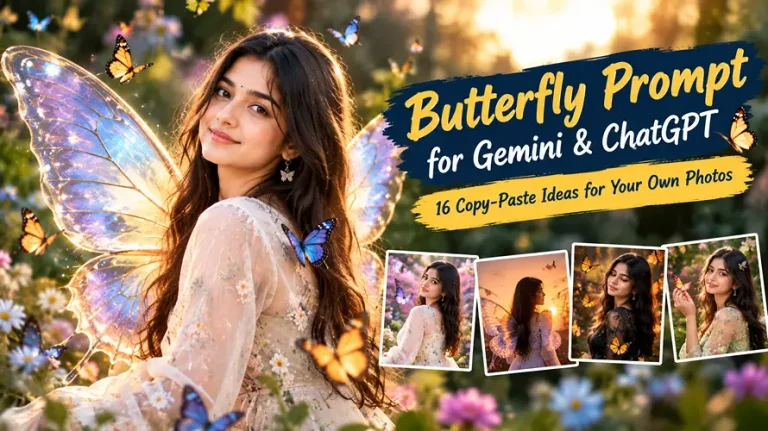
Butterfly Prompt for Gemini and ChatGPT: 16 Copy-Paste Ideas for Your Own Photos
A good butterfly prompt turns an ordinary selfie into a dreamy portrait with glowing wings, drifting butterflies or a soft garden mood, without changing how your face looks. Most people lose the likeness because the prompt never tells the AI to keep it.
Every prompt below is one paragraph, written for your own uploaded photo. Upload a clear, front-facing picture to Gemini or ChatGPT, paste a prompt, and generate. For girls, boys, couples and kids, there is a ready-made option in the sections below.
Butterfly Prompt Ideas for Girls and Women
These six prompts cover the most searched looks: saree wings, kajal eyes, Y2K flash, soft aesthetic, beach and a hairstyle change. Pick the butterfly prompt that matches your outfit and platform.
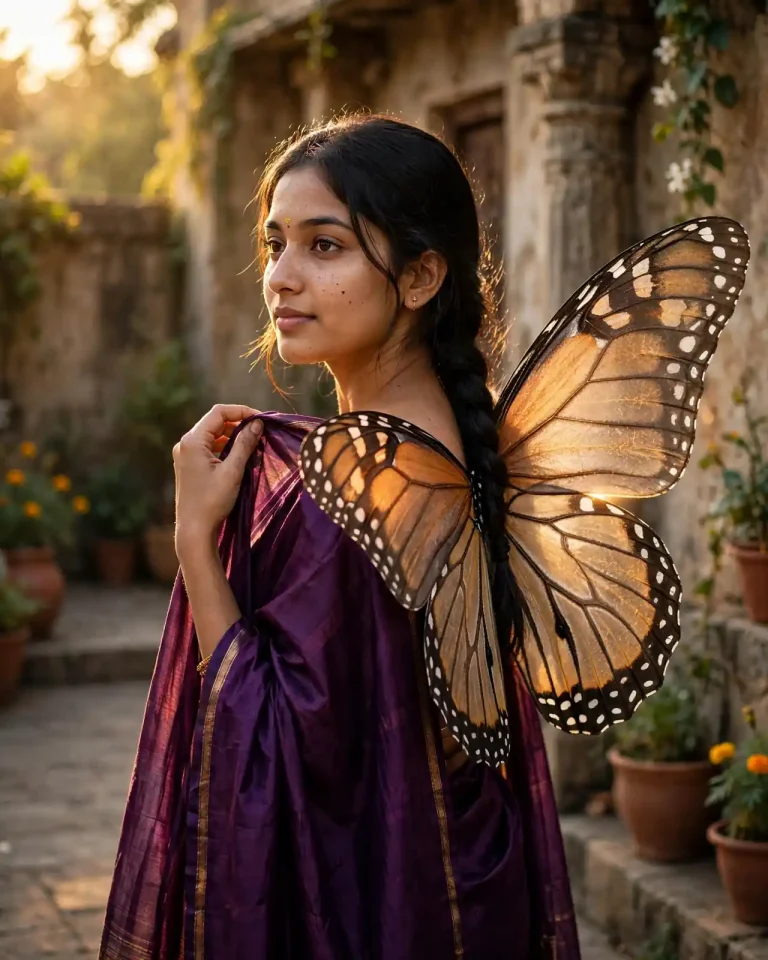
1. Purple Saree With Monarch Wings
Using my uploaded photo as the only face reference, create a 4:5 portrait of me in a deep purple silk saree with a thin gold border, standing in a quiet courtyard at golden hour with large translucent monarch-style wings attached naturally to my back, veined like real butterfly wings with a soft amber edge glow. Preserve my exact face, skin tone, facial structure and features with no beautification and no identity change, keeping natural pores, subtle skin texture and gentle asymmetry instead of airbrushed perfection. Warm 3200K sunlight from camera-left at a low angle, a soft rim light on the wing edges and cool shadow fill. Shot on an 85mm lens at f/2 with shallow depth of field, slightly low angle, a calm side glance and one hand lifting the pallu. Show silk sheen with believable folds, fine wing scales and individual hair strands. No plastic skin, no extra fingers, no malformed hands, no distorted wings, no text, no watermark, no logo.
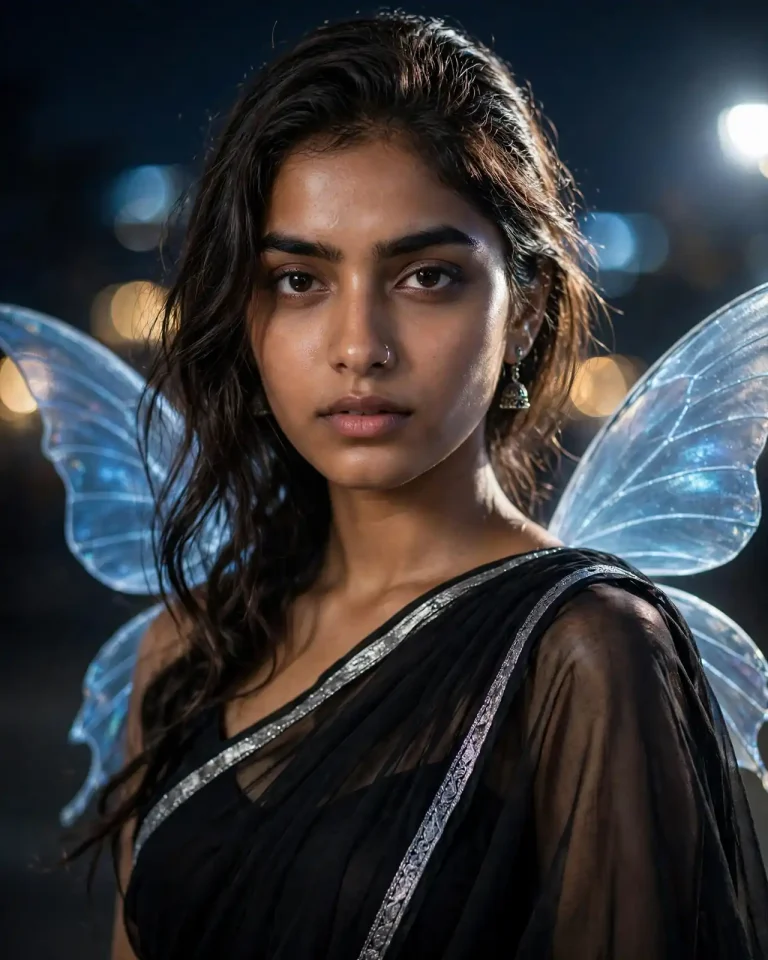
2. Black Saree With Kajal Eyes and Glowing Wings
Create a 4:5 night portrait from my uploaded photo showing me in a black georgette saree with a silver border, bold smudged kajal lining my eyes, and slim iridescent blue wings glowing faintly behind my shoulders. Keep my face, eye shape, skin tone and features exactly identical with no beautification, retaining visible pores, fine skin texture and natural asymmetry without smoothing. A cool 5600K key light from the upper right at 45 degrees, a soft blue wing glow as ambient fill and a faint warm 2800K practical light behind. Use a 50mm lens at f/1.8 with creamy bokeh, chin slightly lowered, an intense calm gaze and a still pose. Render flowing georgette with real transparency, metallic border shine and sharp hair strands. No plastic skin, no extra fingers, no distorted face, no duplicated wings, no text, no watermark.
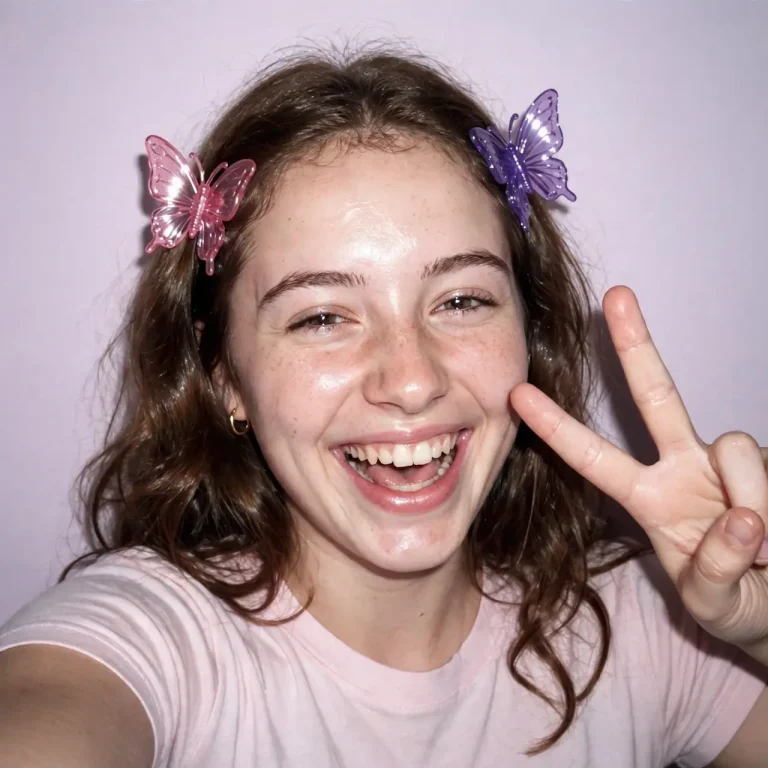
3. Y2K Butterfly Clips With Camera Flash
Using my uploaded photo, create a 1:1 Y2K-style snapshot of me with glossy butterfly hair clips, a baby tee and a direct on-camera flash against a plain pastel wall. Preserve my exact face, skin tone and features with no beautification or slimming, and keep natural pores, a slight flash sheen and gentle asymmetry. Hard front flash at around 5500K with a tight shadow behind me and a faint warm ambient background. Shot like a compact digital camera with a 28mm equivalent lens at f/2.8, casual tilt, playful peace sign and a half-laughing expression. Add mild digital noise and realistic plastic clip highlights. No over-smoothed skin, no extra fingers, no distorted hands, no text, no watermark.
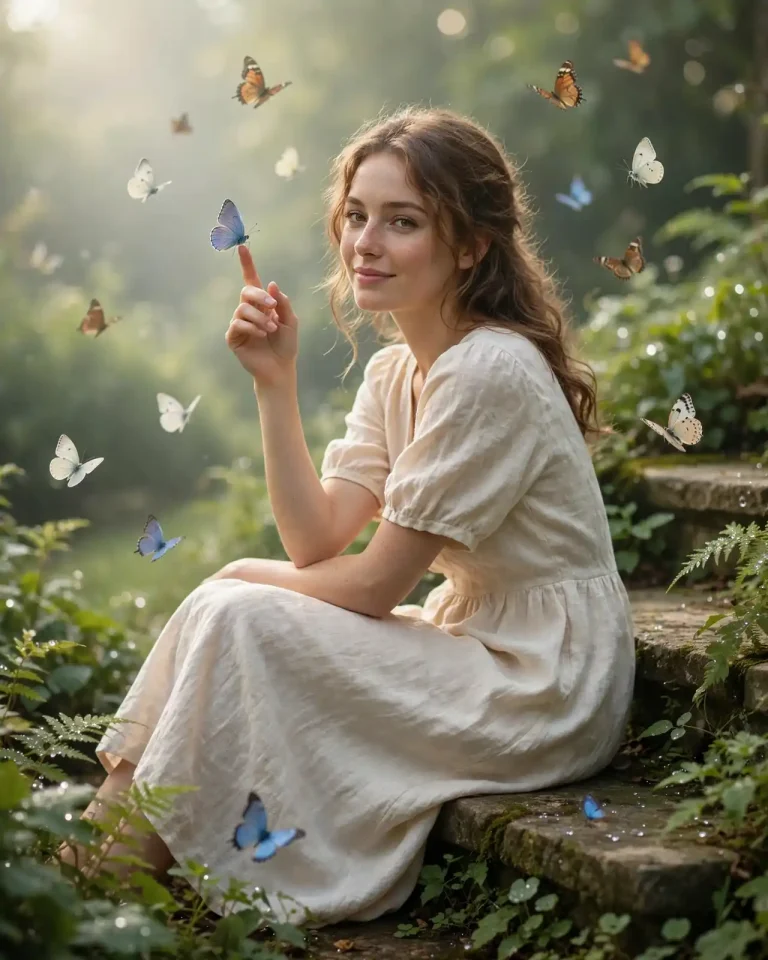
4. Dreamy Butterfly Garden Aesthetic
Create a 4:5 aesthetic portrait from my uploaded photo: me sitting on a stone garden step in a soft cream dress, with a dozen real-looking butterflies drifting around me and one resting on my raised fingertip. Keep my face, skin tone and features identical with no identity change, and preserve visible pores and natural asymmetry instead of a filtered look. Soft diffused morning light from the left at 5000K, gentle backlight on petals and a pastel haze. Use an 85mm lens at f/2.2 with realistic bokeh, a relaxed three-quarter pose and a quiet smile. Render linen texture, accurate butterfly proportions with fine wing scales and dew on leaves. No extra fingers, no oversized butterflies, no plastic skin, no text, no watermark.
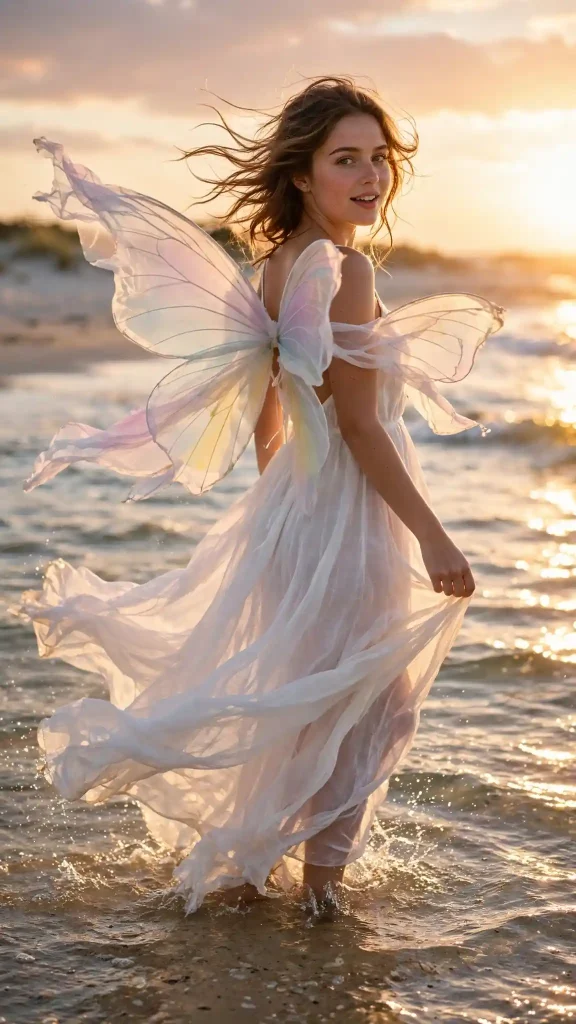
5. Beach Golden Hour With Sheer Wings
Using my uploaded photo, create a 9:16 vertical beach portrait of me in a flowing white maxi dress standing in shallow water at sunset, with sheer pastel butterfly wings made of thin fabric lifting in the breeze. Preserve my exact face, skin tone and features with no beautification, keeping natural pores, windswept hair strands and subtle asymmetry. Low 2800K sun behind camera-right as a golden rim, soft sky fill and glints on the water. Use a 35mm lens at f/2.8, eye-level, mid-turn movement and a soft open smile. Render wet-edge fabric, natural reflections on small waves and fine sand texture. No distorted wings, no extra fingers, no duplicated limbs, no text, no watermark.
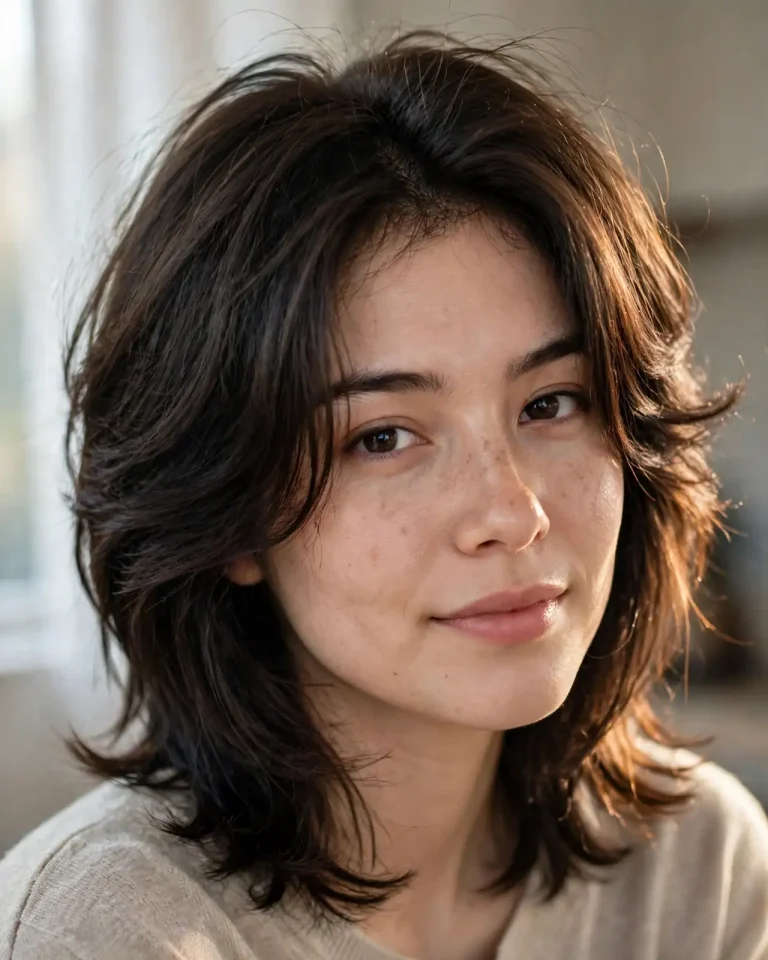
6. Butterfly Haircut Look
Using my uploaded photo, change only my hairstyle to a layered butterfly haircut with face-framing curtain layers and soft volume at the crown, in my natural hair colour. Preserve my exact face, skin tone, forehead, jawline and features with no beautification and no identity change, and keep natural pores and asymmetry. Soft window light from the left at 4800K with a faint warm rim along the hair. Shot on a 85mm lens at f/2.8, 4:5 portrait, eye-level, slight head tilt and relaxed expression. Render individual hair strands, realistic layering and natural flyaways, not a wig-like helmet. No hair covering the eyes, no change to face shape, no plastic skin, no text, no watermark.
Butterfly Prompt for Boys, Men, Couples and Kids
A butterfly prompt works well beyond girls’ portraits when you adjust the mood: darker and cinematic for men, warm and romantic for couples, soft and playful for kids.
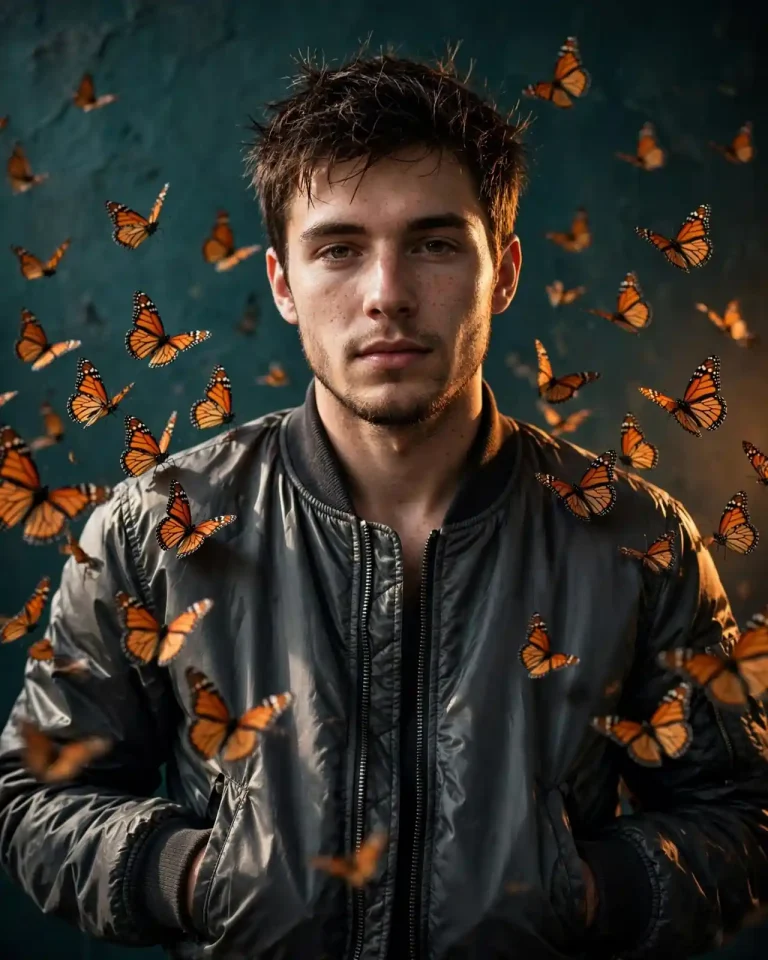
7. Boy in Dark Jacket With Swirling Monarchs
Create a 4:5 portrait from my uploaded photo showing me in a charcoal bomber jacket against a dark teal wall, with a loose swirl of orange monarch butterflies around my shoulders. Preserve my exact face, jawline, skin tone and beard or stubble texture with no beautification, keeping pores and natural asymmetry. A hard 4500K key light from the left at 45 degrees, a warm orange kicker from behind and cool shadow fill. Use a 50mm lens at f/2, slightly low angle, a calm direct stare and hands in pockets. Render nylon sheen, real wing scales and crisp hair strands. No plastic skin, no extra fingers, no distorted face, no text, no watermark.
8. Cinematic Man With Blue Morpho Butterflies
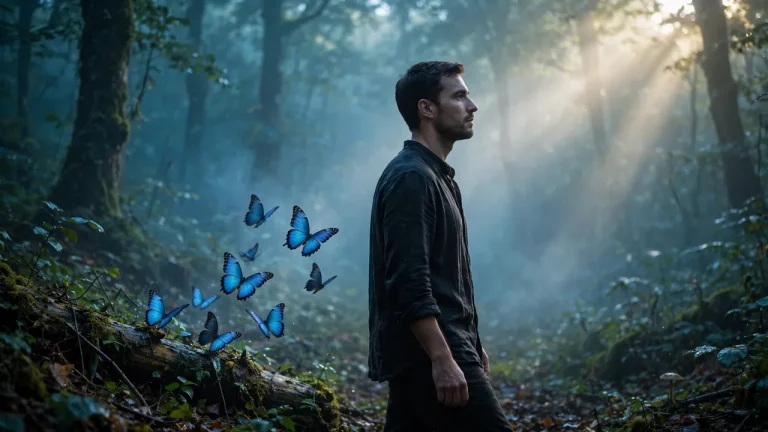
Using my uploaded photo, create a 16:9 cinematic frame of me standing in a misty forest clearing in a dark linen shirt, with glowing blue morpho butterflies lifting off a fallen log beside me. Keep my face, skin tone and structure exactly identical with no beautification, and retain natural pores and subtle asymmetry. Soft 6000K shafts of light through the trees from the upper right, cool blue ambient mist and faint reflected glow on my cheek from the wings. Use an 85mm lens at f/2 with focal compression, a quiet profile glance and a slow walking pose. Render rough linen, damp leaves and iridescent wing shimmer. No extra fingers, no duplicated limbs, no distorted anatomy, no text, no watermark.
9. Couple With Golden-Hour Butterflies
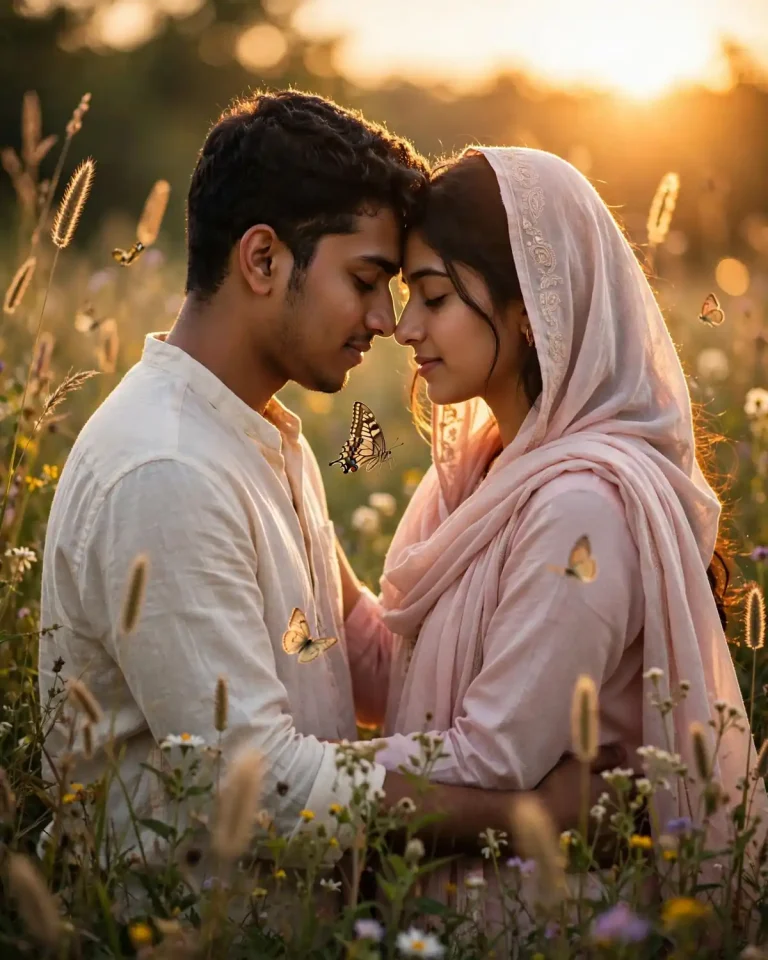
Using both uploaded photos, one for each person, create a 4:5 portrait of the two of us standing forehead to forehead in a flower meadow at golden hour, with butterflies floating between and around us. Preserve both faces, skin tones, hairstyles and features exactly with no beautification and no face swapping, keeping natural pores and asymmetry on each person. Warm 3000K low sun from behind as a golden rim, soft reflected fill on both faces. Use an 85mm lens at f/1.8 with warm bokeh, a gentle closed-eye embrace and relaxed hands on shoulders. Render cotton shirt and dupatta fabric, grass seed heads and fine wing detail. No merged faces, no extra fingers, no malformed hands, no duplicated people, no text, no watermark.
10. Couple in Ethnic Wear on a Rooftop
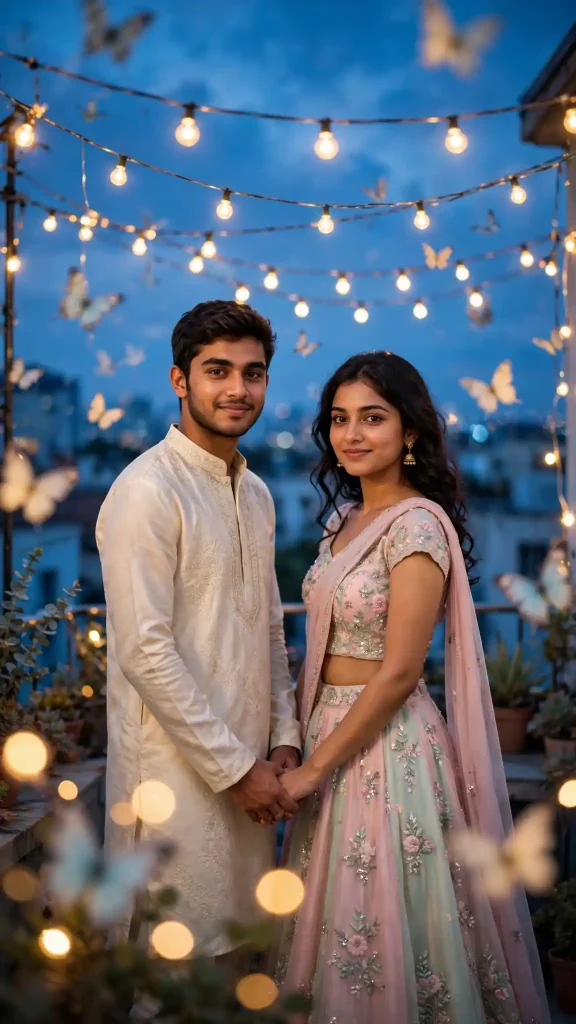
Create a 9:16 vertical image from both uploaded photos: the two of us on an evening rooftop, one in a cream kurta and one in a pastel lehenga, with soft out-of-focus butterflies and fairy lights around us. Keep both faces, skin tones and features identical to the photos with no beautification, no swapped features and natural skin texture. Warm 3000K string lights as key glow, a cool blue twilight sky behind and a gentle rim light on both heads. Use a 50mm lens at f/2, standing side by side with linked hands and soft smiles toward each other. Render embroidered fabric, polished stone floor and realistic bokeh circles. No extra fingers, no distorted faces, no text, no watermark.
11. Kids’ Butterfly Garden Photo
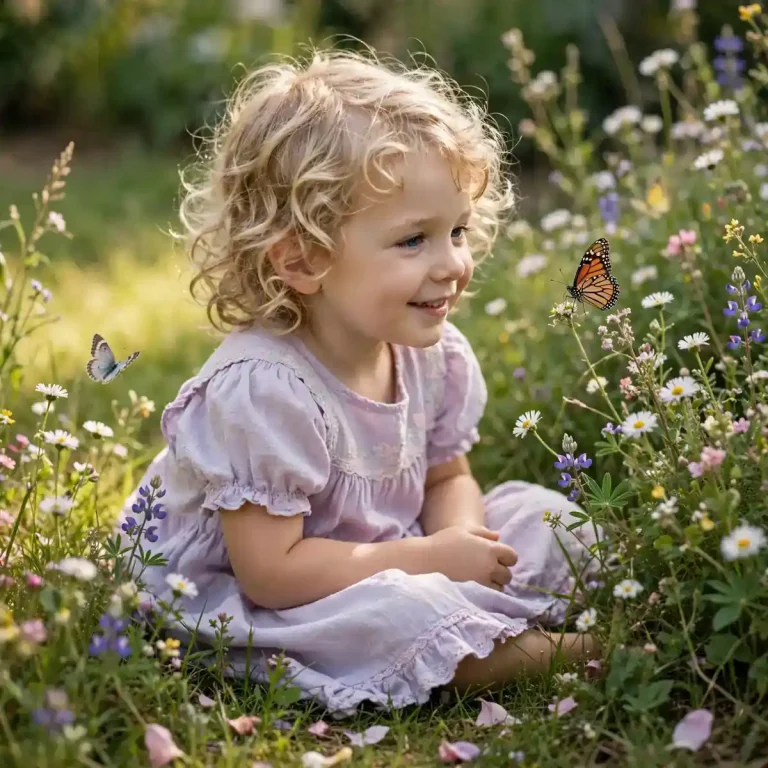
Using my uploaded photo of my child, create a wholesome 1:1 garden portrait of them in a simple pastel dress or shirt, sitting among wildflowers with a few butterflies nearby. Preserve their exact face, skin tone and natural child proportions with no beautification, no ageing and no reshaping, keeping soft natural skin texture. Gentle diffused daylight at 5500K from above-left with a warm glow on the grass. Use a 50mm lens at f/2.8, eye-level, a curious smile watching a butterfly. Render soft cotton, petals and light grass detail. No adult styling, no extra fingers, no distorted proportions, no text, no watermark.
Butterfly Prompt Styles for Instagram, YouTube, 2D and 3D
Creators often need a format, not just a look. These prompts target profile pictures, thumbnails and stylised art.
12. Instagram DP With a Butterfly on the Shoulder
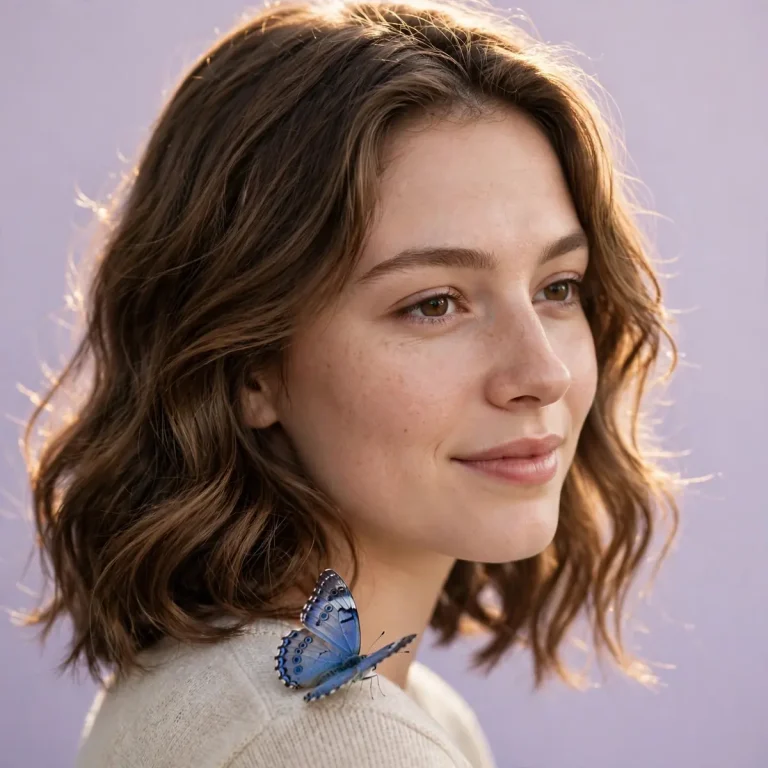
Generate a 1:1 profile-picture headshot from my uploaded photo with a tight crop, a plain soft-lilac backdrop and one blue butterfly resting on my shoulder. Preserve my exact face, skin tone and features with no beautification, keeping pores and natural asymmetry. Soft key light at 30 degrees from the left with a gentle hair light behind. Use an 85mm lens at f/2.8, eye-level, a relaxed half-smile. Render fine wing scales, cotton texture and a clean edge that survives circular cropping. No text, no logo, no extra fingers, no plastic skin, no watermark.
13. YouTube Thumbnail With Glowing Butterflies
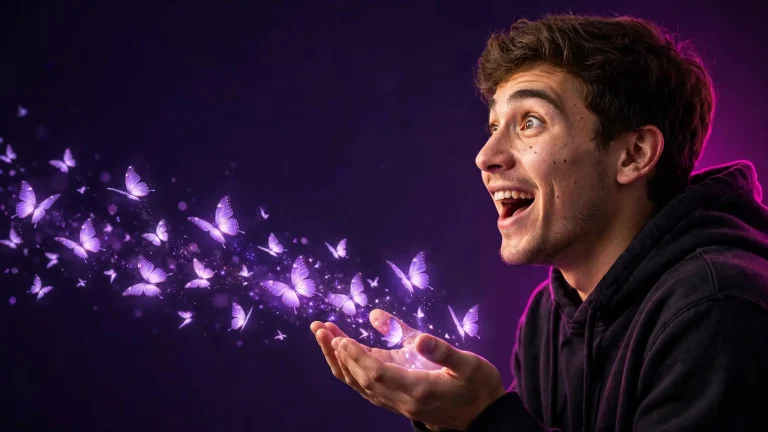
Create a 16:9 thumbnail-style image from my uploaded photo with me on the right third, wearing a dark hoodie, surprised and delighted as glowing butterflies stream from my open hands, with clean empty dark-purple space on the left. Keep my face, skin tone and features identical with no beautification, retaining natural pores and asymmetry. A strong 5600K front key, a magenta rim light behind and soft purple glow from the butterflies. Use a 35mm lens at f/2.8, slightly low angle, expressive but natural. Render fabric weave, sharp hair and luminous wing detail. No text, no logo, no extra fingers, no distorted hands, no watermark.
14. 2D Butterfly Illustration Portrait
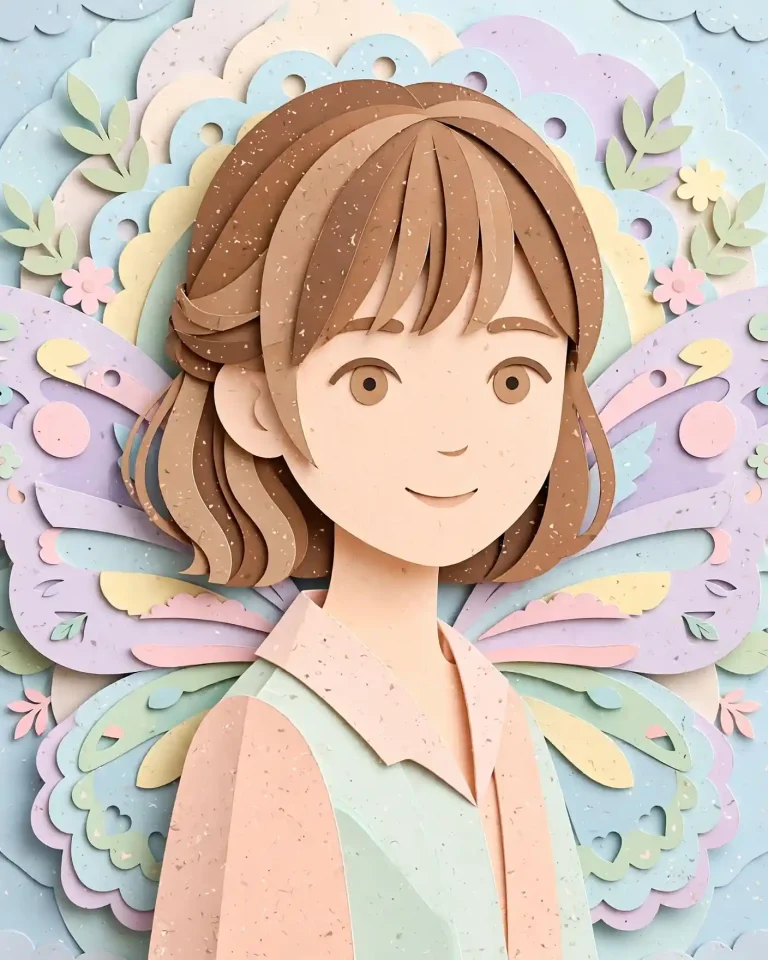
Convert my uploaded photo into a 4:5 flat 2D illustration with clean line work, layered paper-cut shapes and a pastel palette, with large stylised butterfly wings behind my shoulders. Keep my face recognisable, with my skin tone, eye shape and hairstyle faithful to the photo and no identity change. Soft front-left illustrated lighting with subtle shadow layers. Show visible paper edges, slight grain and tidy shapes. No photorealistic skin, no extra fingers, no text, no watermark, no logo.
15. 3D Translucent Wings in a Fantasy Forest
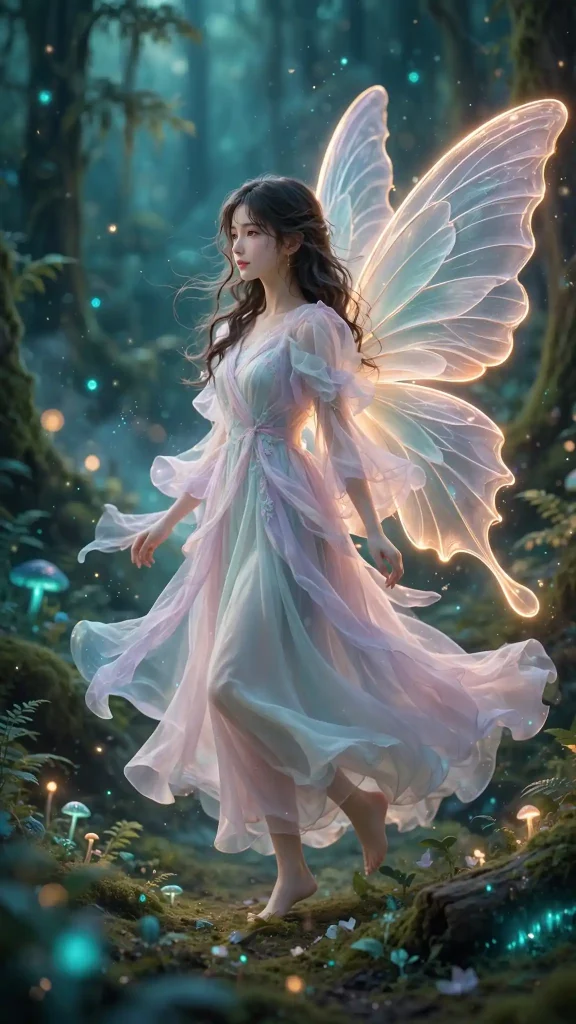
Using my uploaded photo, create a 9:16 stylised 3D render of me in a flowing pastel outfit with large translucent 3D butterfly wings, standing in a glowing forest with floating light particles. Preserve my exact face, skin tone and features with no beautification and keep natural skin detail. Soft teal ambient light, a warm 3200K rim on the wings and gentle glow from the particles. Use a 50mm virtual lens at f/2.8 with depth falloff, a graceful mid-step pose. Render layered translucent wing material, soft fabric and realistic reflections. No distorted face, no extra fingers, no duplicated wings, no text, no watermark.
16. 3D Clay-Style Character Portrait
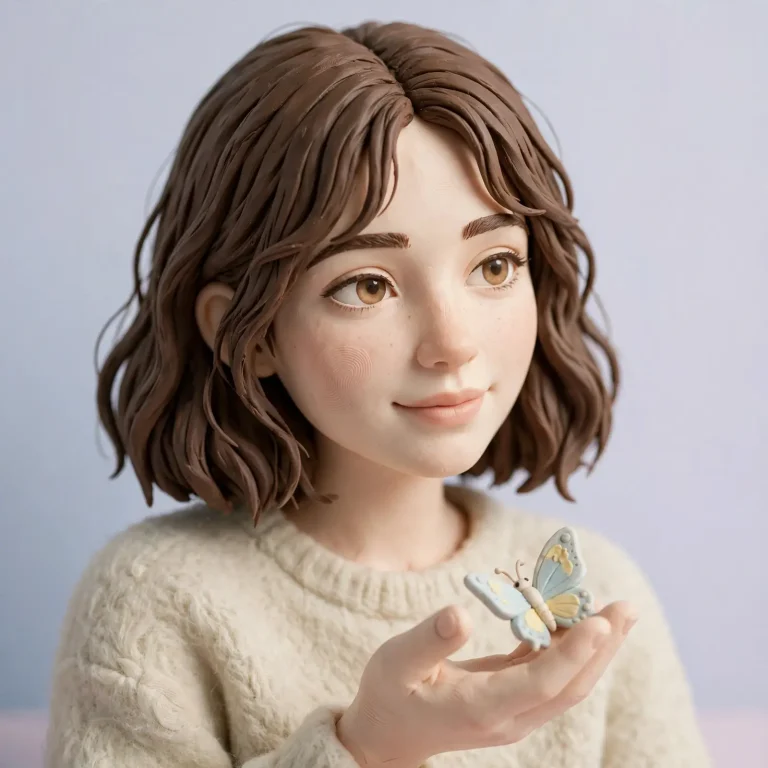
Convert my uploaded photo into a 1:1 soft 3D clay-style portrait with rounded forms and matte surfaces, me in a simple sweater with a small butterfly resting on my hand. Keep my face, hairstyle, skin tone and key features recognisable, with no identity change and no exaggerated caricature. Soft studio light from the upper left at 5000K with gentle ambient occlusion. Use a 50mm virtual lens with shallow depth of field. Render believable clay fingerprints, felt-like fabric and a plain pastel backdrop. No extra fingers, no distorted face, no text, no watermark.
How to Use These Prompts in Gemini or ChatGPT
The Gemini editing tool is nicknamed Nano Banana. For free use, the free tier caps how many images you can generate per day. Limits vary by plan and region, so check the app. If you want more ready-made looks beyond this list, you can explore the full collection of AI image prompts on EditsPrompts.
Open Gemini or ChatGPT and start an image creation or image edit.
Upload one clear, well-lit, front-facing photo, or two photos for the couple prompts.
Paste the full prompt exactly as written.
Review the result and ask for one change at a time, such as “keep the same face but reduce the wing size.”
Download and check at full size before posting.
The Gemini editing tool is nicknamed Nano Banana. For free use, the free tier caps how many images you can generate per day. Limits vary by plan and region, so check the app.
Which AI Works Best for a Butterfly Prompt?
Tool
Best for
Notes
Gemini
Photo-based portrait edits, wings and saree looks
Good for edits that start from your selfie
ChatGPT
Illustrations, thumbnails and layout-heavy images
Handy when you want text-free layouts with space for captions
Dreamina and similar editors
Quick butterfly-style effects
Often built-in templates; face accuracy varies
No tool is a guaranteed winner, so test one prompt in two apps with the same photo.
Best Aspect Ratio for Each Use
Where you will post
Ratio
Matching prompts
Instagram feed
4:5
1, 2, 4, 6, 7, 9, 14
Reels, Shorts, Stories
9:16
5, 10, 15
DP and square posts
1:1
3, 11, 12, 16
YouTube thumbnail, cinematic
16:9
8, 13
If you like the outfit-led looks in prompts 1 and 2, this AI saree prompt collection has more drape and fabric styles to combine with wings.
Fixing a Butterfly Prompt That Is Not Working
The face changes. Use a sharper, front-lit photo and repeat the identity clause. One edit at a time works better than stacking changes.
The wings look fake. Ask for “real wing scales, veins and translucent edges” and say the wings attach naturally at the shoulder blades.
The butterflies are too big. Add “realistic butterfly scale, none larger than a hand.”
Hands look wrong. Hide them in pockets or sleeves and keep the “no extra fingers” clause.
The app refuses. Remove references to real named people and describe the look instead.
A butterfly prompt is a template: swap the outfit, colour and location, and keep the technical clauses. For other seaside settings to reuse with the same structure, see this beach photo prompt guide.
Frequently Asked Questions
What is a butterfly prompt?
It is a ready-to-paste instruction for an AI image tool that adds butterflies or butterfly wings to a photo, usually as a dreamy portrait, a Y2K edit or a 3D style.
Can I use a butterfly prompt in ChatGPT as well as Gemini?
Yes. Both accept the same style of prompt with an uploaded photo. Results differ, so test in each.
How do I make a butterfly prompt for couples?
Prompt 4 (4:5) suits feed posts, prompt 12 (1:1) suits DPs, and prompts 5 and 15 (9:16) suit Reels and Stories. For more square profile styles, try these Instagram DP prompts.
Can a butterfly prompt turn into a video?
Yes, tools like Veo 3 can animate a generated image if your plan offers it. Add a short motion instruction, such as slow wing flutter, and check availability in the app.
Which butterfly prompt works best for Instagram?
Prompt 4 (4:5) suits feed posts, prompt 12 (1:1) suits DPs, and prompts 5 and 15 (9:16) suit Reels and Stories.
Is this safe to use for kids’ photos?
Use only your own child’s photo, keep the style wholesome as in prompt 11, and do not post publicly if you prefer to keep their images private.
Final Thoughts
The best butterfly prompt for Gemini or ChatGPT is specific: upload a clear photo, state the identity clause, add light and lens details, and change only the outfit, setting and wings. Start with the purple saree or the couple prompt, then adapt it to your own style.