Studio Background Prompt: 30+ Copy-Paste Prompts for Gemini and ChatGPT
A studio background prompt tells an AI image tool what kind of backdrop, light and camera setup to place behind you, so an ordinary selfie turns into a clean portrait that looks shot in a photography studio. Every prompt below is ready to paste into Gemini or ChatGPT and written to keep your face, skin texture and proportions exactly as they are.
Pick a backdrop colour, copy the studio background prompt, upload a clear photo, and you have a result in under a minute. The last section also gives backdrop-only prompts with no person in the frame, useful for Photoshop, video calls, thumbnails and product shots.
Studio Background Prompt Ideas for Solid and Gradient Backdrops
The backdrop sets the mood of the whole portrait, so start here. Each studio background prompt pairs one backdrop with lighting that suits it. Upload a front-facing photo with good light before you paste.
Solid, Gradient and Canvas Backdrops
Seamless White Studio Background Prompt
Best for: LinkedIn photos, ID-style portraits, catalogue headshots
Using my uploaded photo, create a clean studio portrait on a pure seamless white backdrop. Preserve my exact facial identity, skin tone, eye shape, and facial structure with no beautification and no identity change. Keep natural pores, fine skin texture, small imperfections, and natural asymmetry, without plastic or over-smoothed skin. Light with a large soft key from the front-left at about 5200K, gentle fill from the right, and just enough floor shadow to ground the body. Shoot on an 85mm lens at f/4 with crisp focus on the eyes. Show realistic cotton fabric folds and individual hair strands. Pose me upright with relaxed shoulders and a calm, natural smile. Compose as 4:5 portrait. No extra fingers, malformed hands, grey cast on the background, harsh shadows, text, watermark, or logos.
Light-Grey Gradient Studio Background Prompt
Best for: corporate headshots, resumes, team pages
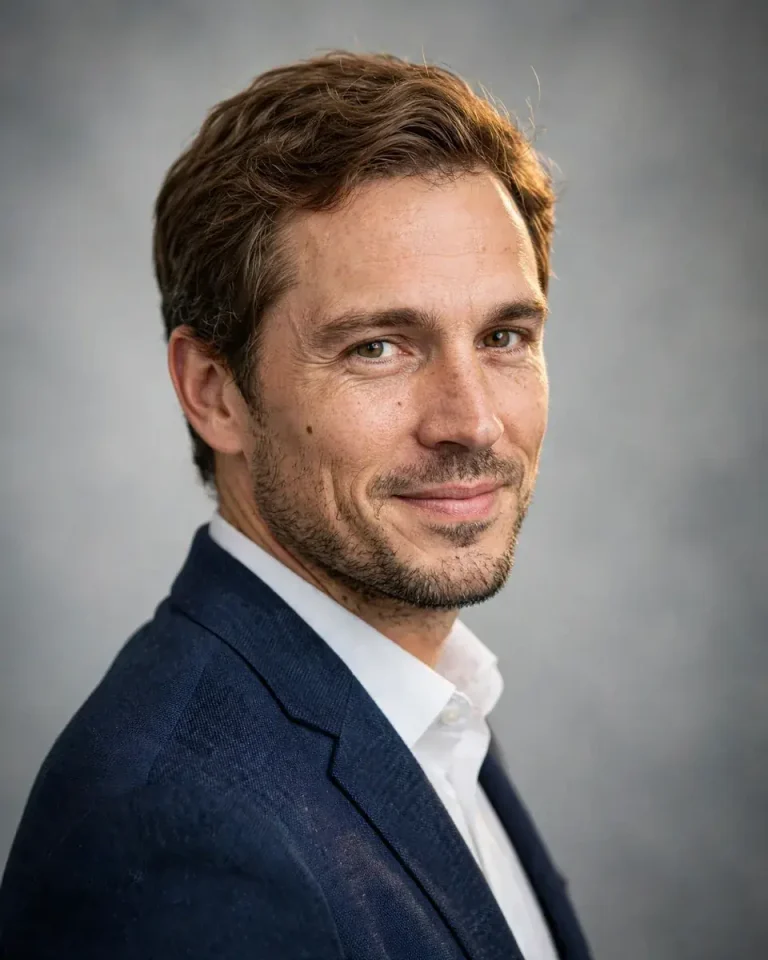
Edit my uploaded photo into a professional corporate headshot against a smooth light-grey studio backdrop that darkens slightly toward the edges. Keep my face, skin tone, and recognizable features exactly as in the original, with no retouching or reshaping. Retain natural pores, fine lines, and facial asymmetry instead of airbrushed skin. Use soft diffused key light at 45 degrees from the left, balanced fill, and a subtle hair light from behind at 5000K. Capture with an 85mm lens at f/2.8, head-and-shoulders framing, shallow focal compression. Render a tailored navy blazer with realistic wool weave and a crisp collar. Pose me turned 15 degrees from the camera with a confident, approachable expression. Use 4:5. No distorted ears, extra fingers, plastic skin, text, watermark, or logos.
Pure Black Low-Key Studio Background Prompt
Best for: dramatic profile pictures and moody editorial portraits
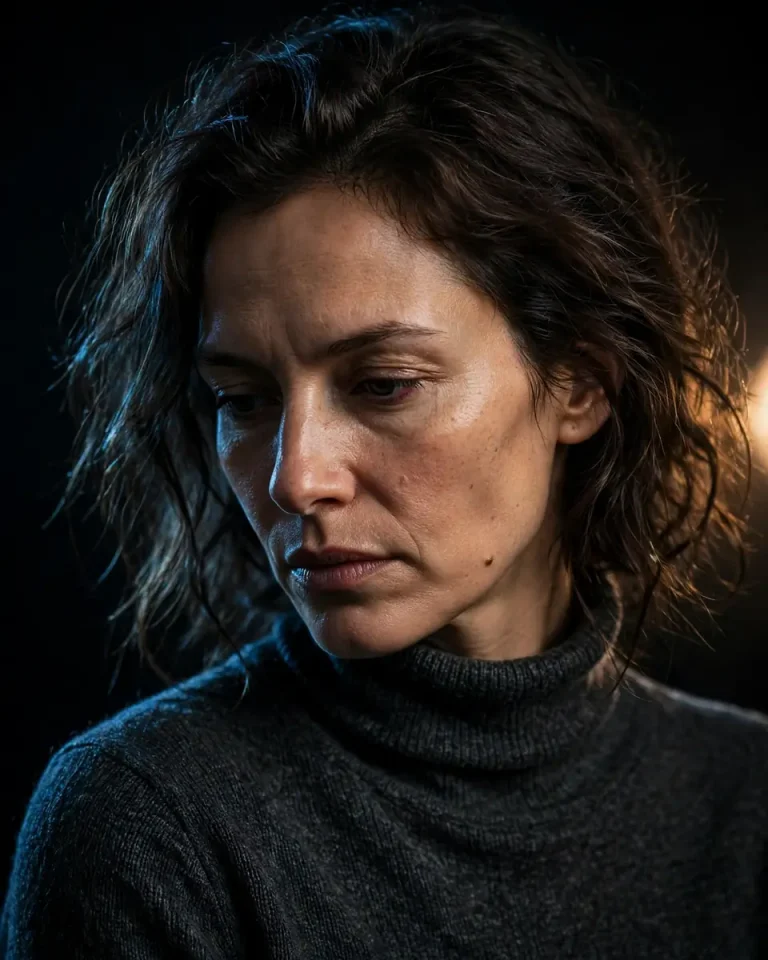
Transform my uploaded photo into a dramatic low-key portrait on a deep black studio backdrop with a single soft spotlight on the face. Preserve my exact identity, skin tone, and facial structure without beautification. Keep visible pores, subtle texture, and natural asymmetry, with no waxy highlights. Place the key light at roughly 60 degrees to the right at 4200K, add a thin cool rim light on the hair and shoulder edge, and let the shadow side fall into darkness while the eyes stay readable. Use a 85mm lens at f/2.0 with tight focal compression. Show a dark charcoal turtleneck with realistic knit texture. Pose me with chin slightly lowered and a quiet, serious gaze. Compose 4:5. No crushed facial detail, extra fingers, plastic skin, text, watermark, or logos.
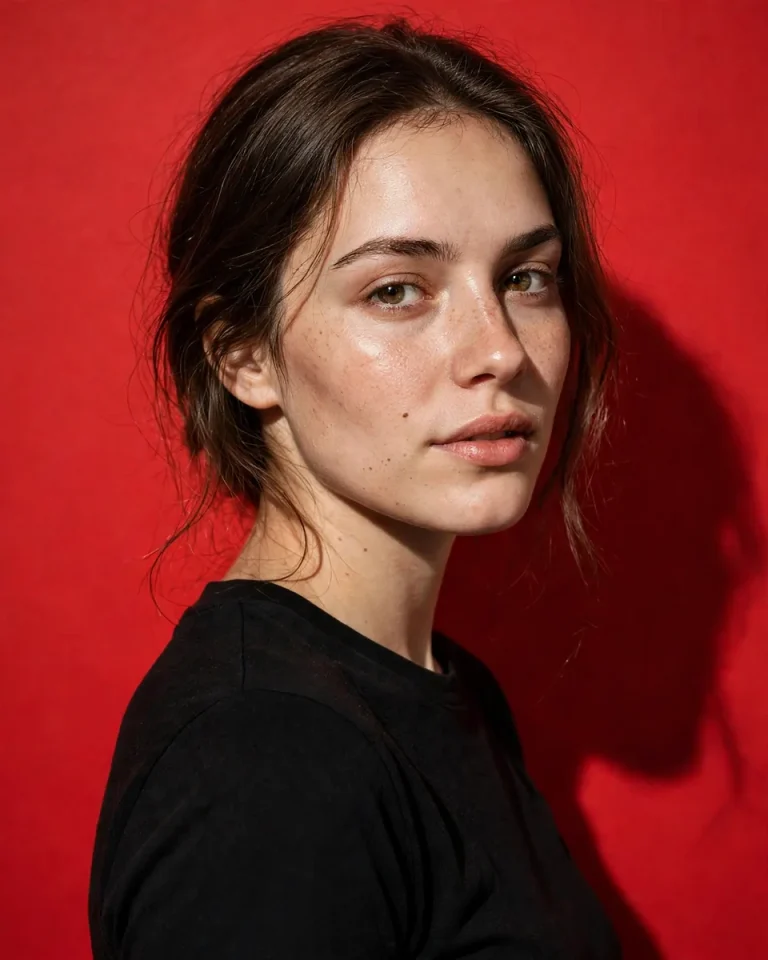
Red Studio Background Prompt (Foto Merah)
Best for: bold social posts and trending Instagram edits
Restyle my uploaded photo as a high-impact studio portrait with a solid vivid red backdrop filling the frame. Keep my facial identity, skin tone, and features exactly unchanged, with no beauty filter. Retain natural pores, fine hair strands, and facial asymmetry; avoid orange or over-saturated skin. Use a hard-edged key light from the upper left at 5000K to keep skin tones neutral against the red, soft fill from the front, and a crisp shadow on the backdrop. Shoot with a 50mm lens at f/5.6 for sharp, editorial detail. Dress me in a plain black crew-neck top with realistic cotton texture. Pose me in a relaxed three-quarter turn, looking straight into the lens. Compose 4:5. No red colour spill on the skin, distorted hands, text, watermark, or logos.
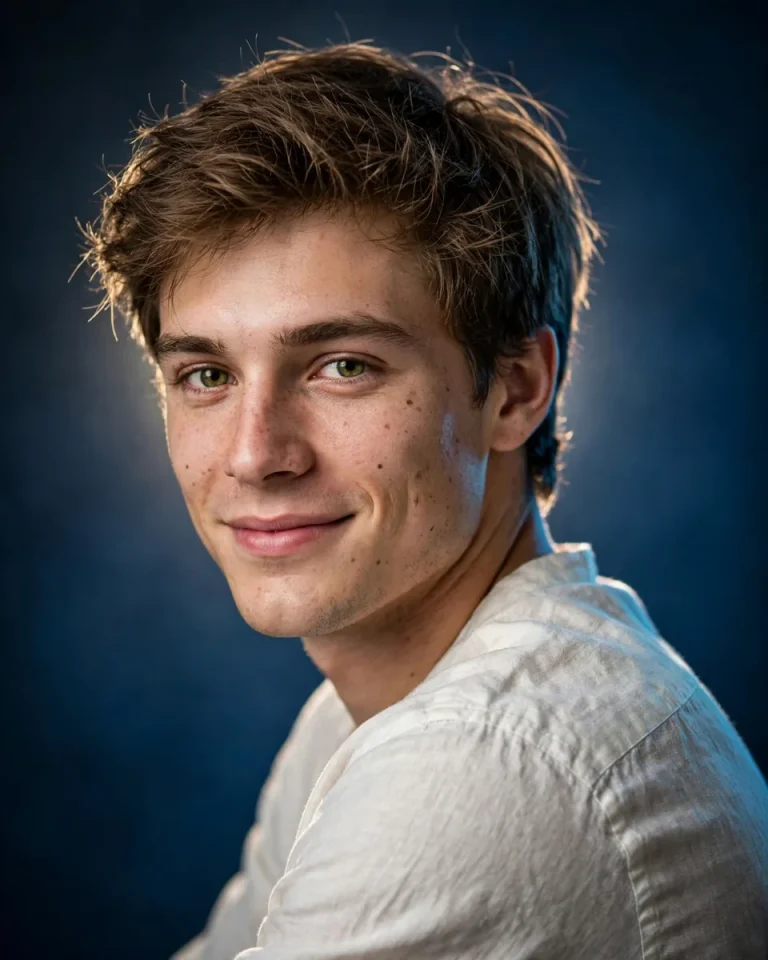
Deep Blue Studio Background Prompt (Foto Biru)
Best for: clean, calm portraits and profile photos
Edit my uploaded portrait into a studio photograph on a smooth deep-blue backdrop with a soft vignette. Preserve my exact face, skin tone, and recognizable features without beautification or reshaping. Keep natural skin pores, subtle imperfections, and realistic hair strands. Light with a soft white key from the front-left at 5000K, a faint cool rim light from behind the right shoulder, and a gentle lighter glow behind my head to separate me from the backdrop. Use an 85mm lens at f/2.8, natural perspective, sharp eyes. Dress me in an off-white shirt with realistic fabric creases. Pose me with shoulders angled and a soft, genuine smile. Compose 4:5. No blue tint on the skin, plastic texture, extra fingers, text, watermark, or logos.
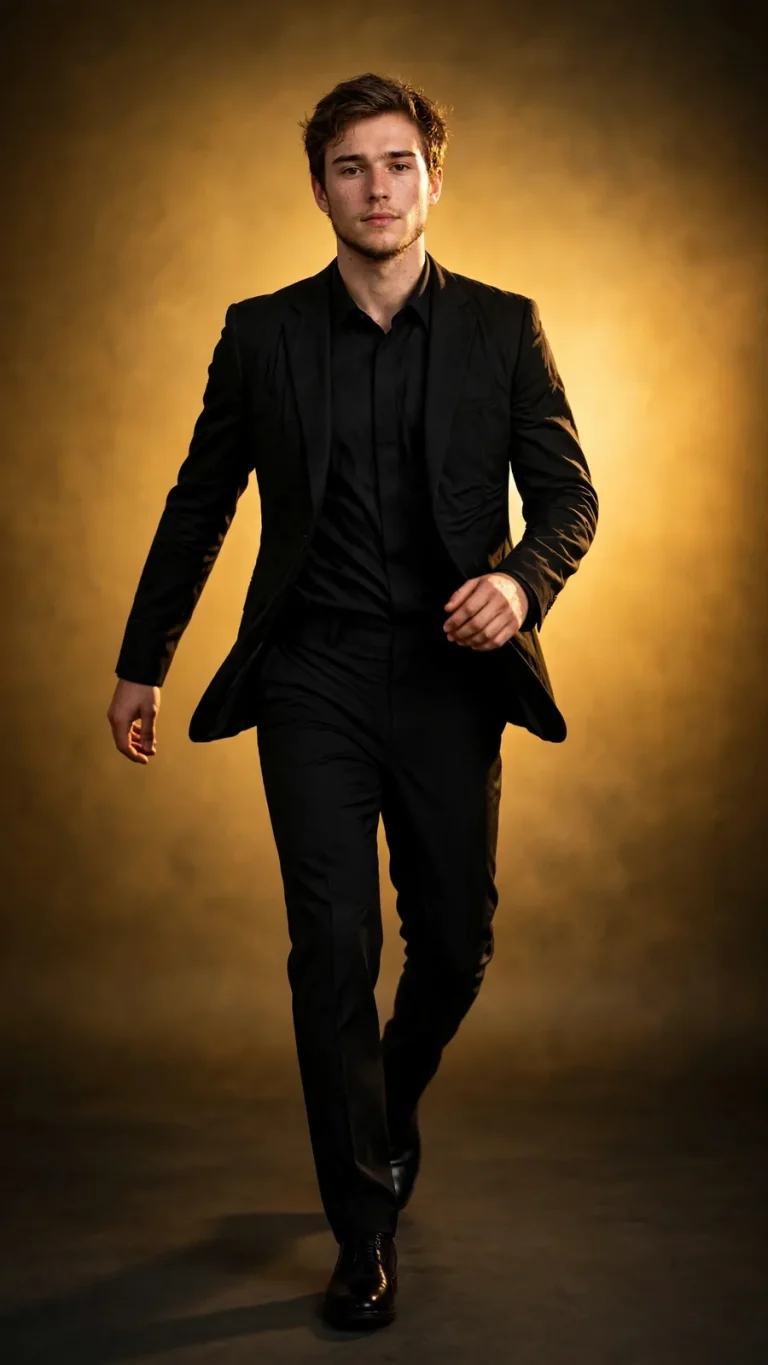
Warm Golden Gradient Studio Background Prompt
Best for: stories, reels, festive and celebration portraits
Using my uploaded photo, create a full-length cinematic studio portrait on a clean warm golden gradient backdrop, brighter behind me and darker at the edges. Preserve my facial identity, skin tone, and body proportions exactly, with no beautification. Keep natural pores, texture, and asymmetry; no airbrushed look. Use a soft key at 45 degrees from the right at 3500K, a golden rim light from behind, and a subtle shadow on the floor. Shoot on a 50mm lens at f/2.8 with a straight-on camera at chest height. Render a black tailored outfit with physically accurate drape. Pose me mid-stride with natural arm swing and a calm expression. Compose 9:16 vertical. No yellow cast on skin, extra limbs, malformed hands, text, watermark, or logos.
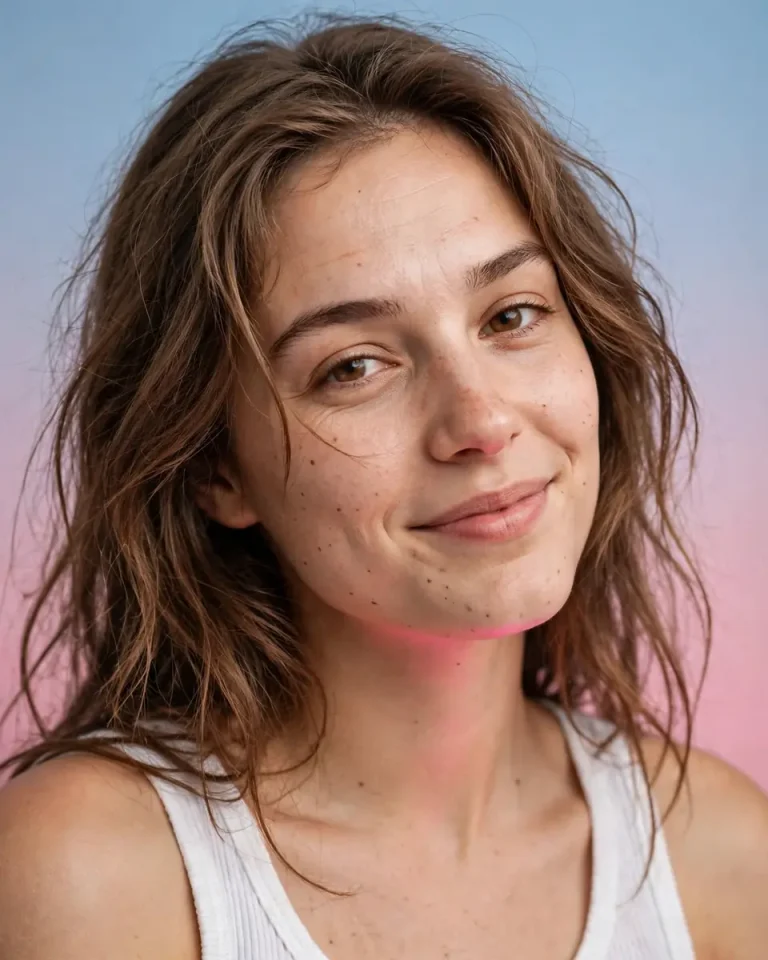
Pastel Two-Tone Gradient Studio Background Prompt
Best for: fashion-style aesthetic profile pictures
Transform my uploaded selfie into a polished studio portrait on a smooth two-tone gradient backdrop blending soft blue into warm pink. Preserve my exact identity, skin tone, eye shape, and facial proportions with no beautification. Retain natural pores, fine lines, and realistic hair strands, and avoid porcelain skin. Use large soft wraparound lighting from the front at 5200K with a faint pink bounce from below. Capture with a 85mm lens at f/2.8, close head-and-shoulders crop, natural focal compression. Show a white ribbed tank top with believable fabric texture. Pose me with a slight head tilt and a relaxed, playful half-smile. Compose 4:5. No banding in the gradient, extra fingers, distorted face, text, watermark, or logos.
Textured Canvas Studio Background Prompt
Best for: classic portrait look, painterly backdrops
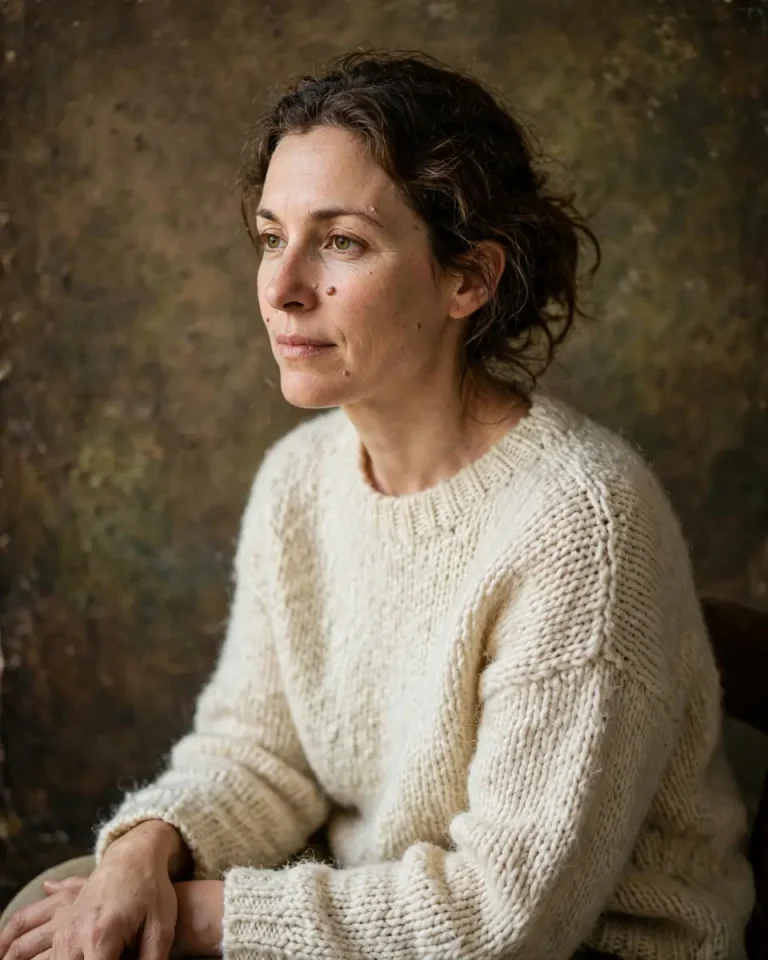
Restyle my uploaded photo as a classic portrait on a hand-painted mottled canvas backdrop in warm brown and olive tones, like an old-school photography studio. Preserve my exact facial identity, skin tone, and structure without beautification. Keep realistic pores, small imperfections, and natural asymmetry. Use soft window-style key light from the left at 4000K with a low-intensity fill and gentle falloff onto the canvas. Shoot at 85mm and f/2.8 with a subtle vignette. Render a cream knit sweater with individual fibres visible and a believable canvas weave in the background. Pose me seated slightly angled with hands relaxed in my lap. Compose 4:5. No flat digital texture, extra fingers, plastic skin, text, watermark, or logos.
Studio Background Prompt Ideas by Subject and Pose
A good studio background prompt changes with the subject. Couples need both faces protected, kids need their age preserved, and graduation or family photos need every person to stay recognizable. These prompts are tuned for each case. For more romantic ideas, see our couple photo prompts, and for a retro finish try the vintage photo prompts.
For Men and Women
Looking for traditional outfits beyond the saree below? Our saree photo prompts cover more drapes and settings.
Suit and Tie Studio Background Prompt for Men
Best for: interviews, business profiles, wedding invites
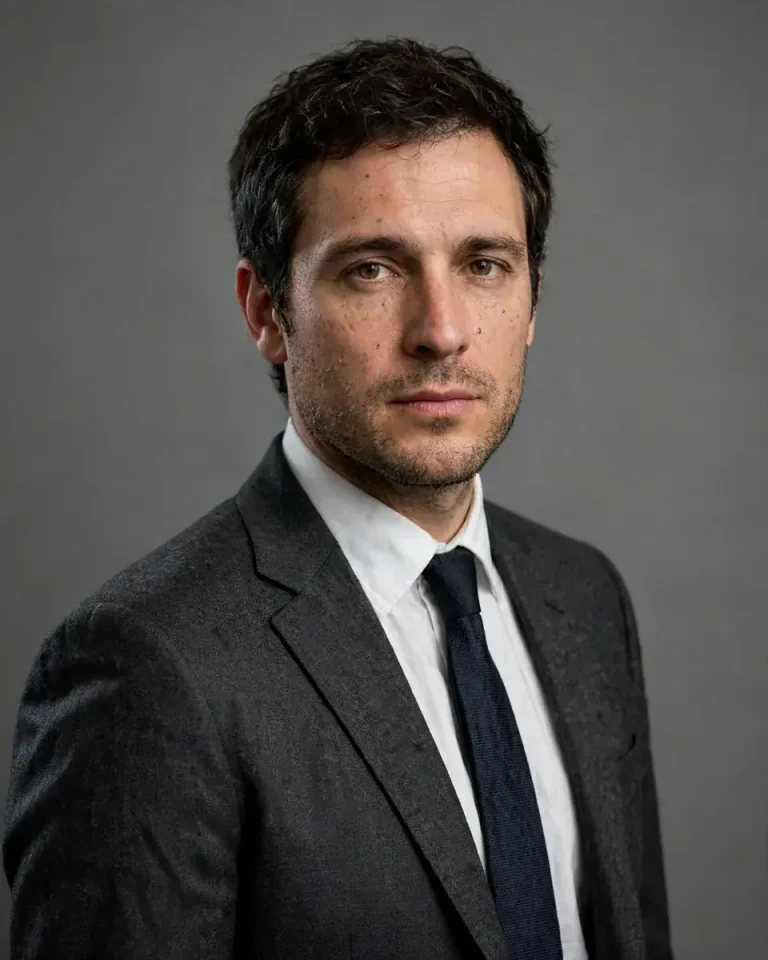
Using my uploaded photo, create a formal studio portrait on a mid-grey backdrop. Preserve my exact face, skin tone, facial hair, and proportions with no beautification. Keep natural pores, stubble texture, and facial asymmetry, avoiding smooth or plastic skin. Light with a softbox key at 45 degrees from the left at 5000K, a faint fill from the right, and a subtle rim light on the shoulders. Use an 85mm lens at f/4, head-and-torso framing. Dress me in a charcoal wool suit, white shirt, and a slim dark tie with realistic weave and natural creases. Pose me standing straight, one shoulder angled, with a composed expression. Compose 4:5. No distorted collar, extra fingers, text, watermark, or logos.
Rim-Lit Studio Background Prompt for Men
Best for: stylish casual photos, trending portrait edits
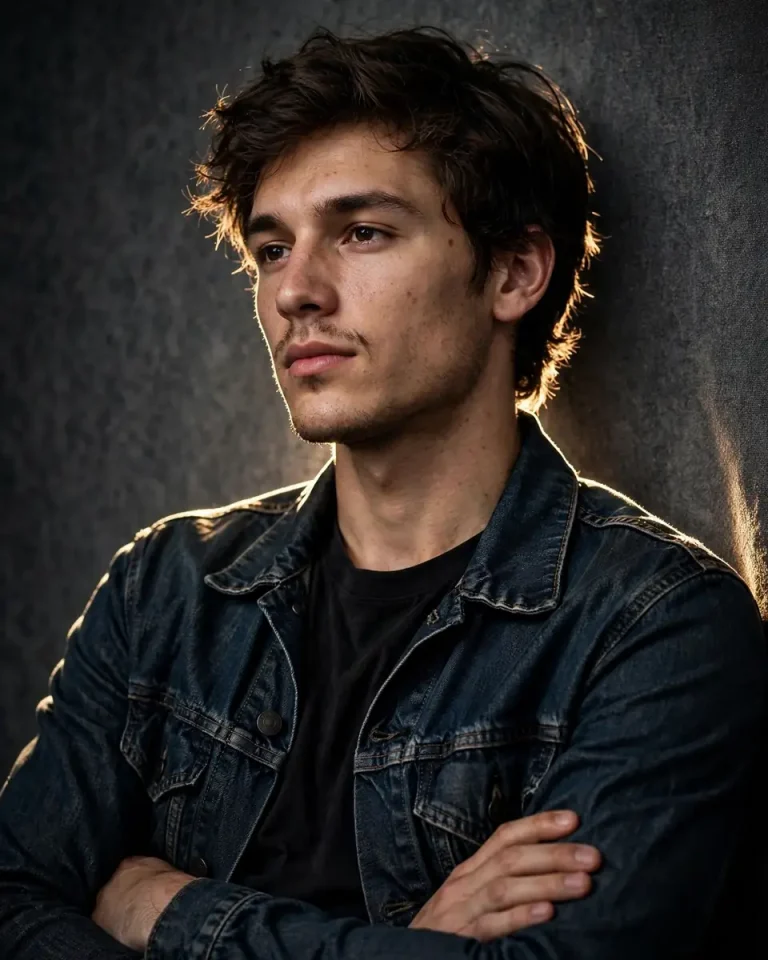
Transform my uploaded photo into a modern studio portrait on a medium-dark textured backdrop. Preserve my facial identity, jawline, skin tone, and natural facial hair exactly, with no reshaping. Retain visible pores and fine skin texture. Place strong rim lights behind me on both sides to create crisp edge highlights along the hair and shoulders, with a soft key from the front at 4500K. Capture on a 50mm lens at f/2.8 at slight low angle. Dress me in a dark denim jacket over a plain T-shirt with realistic stitching and fabric folds. Pose me leaning casually against the backdrop, arms loosely crossed, looking slightly off-camera. Compose 4:5. No glowing halos, malformed hands, plastic skin, text, watermark, or logos.
White Blazer Studio Background Prompt for Women
Best for: elegant fashion portraits, profile pictures
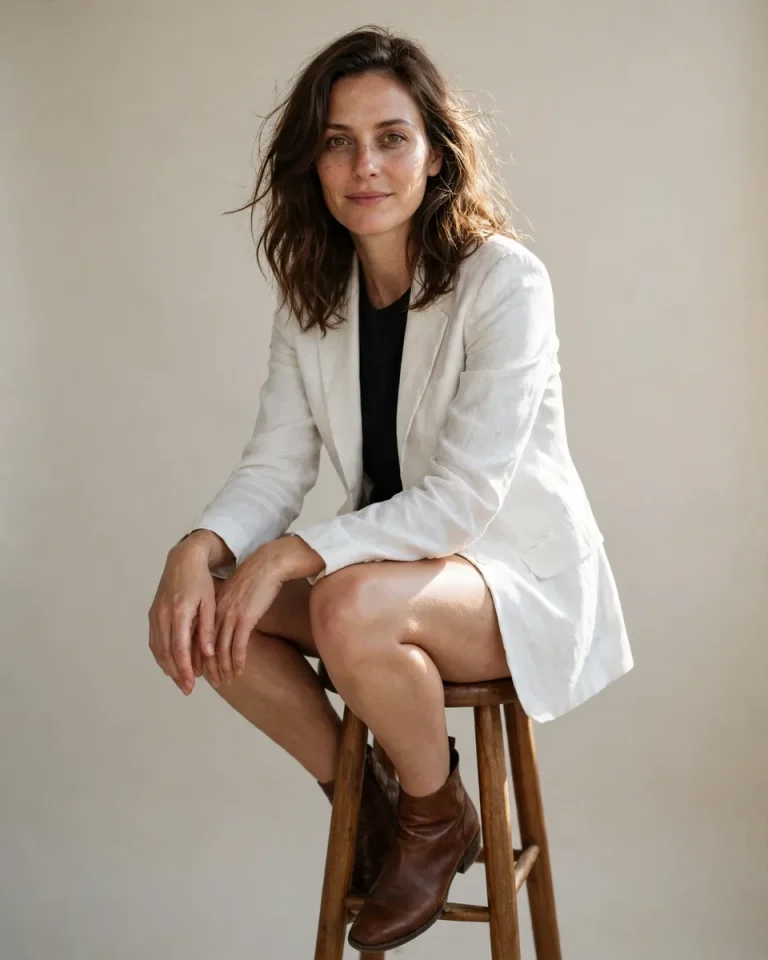
Edit my uploaded photo into an elegant studio portrait on a clean light-beige backdrop. Preserve my exact face, skin tone, and recognizable features with no slimming, reshaping, or beautification. Keep natural pores, under-eye texture, and individual hair strands, without airbrushing. Use soft diffused window-style light from the left at 4800K with a gentle fill and a faint hair light from behind. Shoot on a 85mm lens at f/2.8 with a three-quarter body frame. Dress me in a tailored white blazer with realistic lapel structure and fabric drape. Pose me seated on a tall wooden stool, one foot on the rung, hands resting naturally on my knee, with a soft, confident gaze. Compose 4:5. No symmetrical doll-like face, extra fingers, warped stool, text, watermark, or logos.
Over-the-Shoulder Glance Portrait
Best for: moody editorial looks for women and men
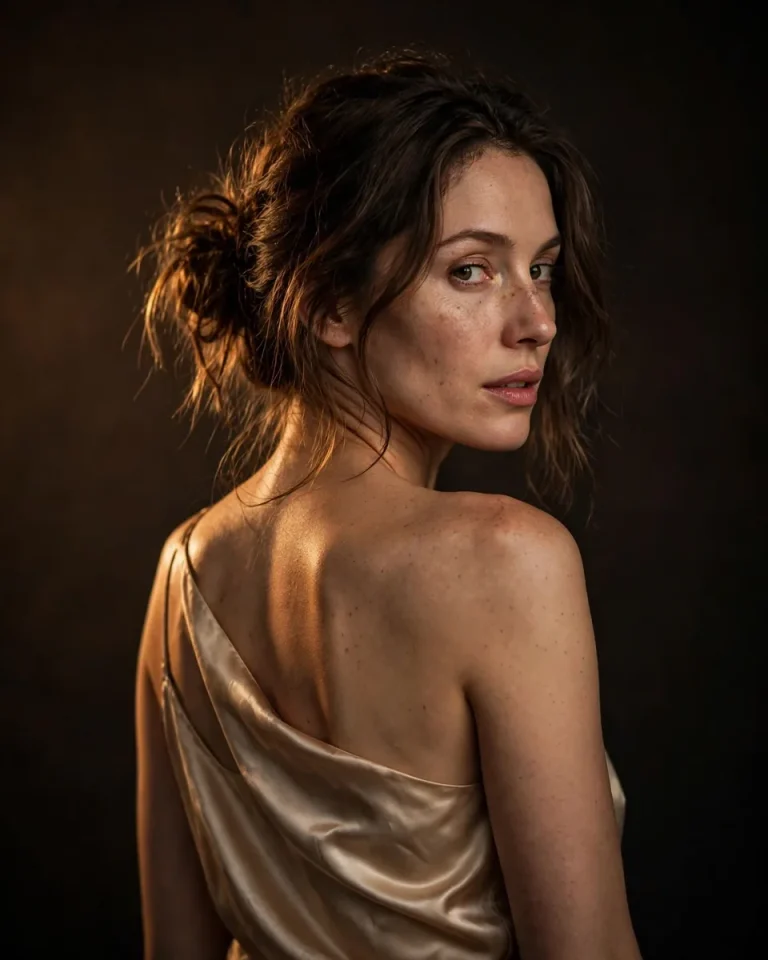
Convert my uploaded photo into a studio portrait with my body turned away from the camera and my head glancing back over the shoulder toward the lens, on a smooth dark-brown to black gradient backdrop. Preserve my exact identity, skin tone, and facial structure with no beautification. Keep natural skin texture, pores, and asymmetry. Light with a single warm key from behind-left at 3200K creating a soft edge glow on the cheek and shoulder, plus faint ambient fill. Use an 85mm lens at f/2.0 with shallow depth of field. Render a satin or silk top with realistic sheen and soft folds. Pose with relaxed neck, natural eyes, and lips slightly parted. Compose 4:5. No twisted neck, extra fingers, plastic skin, text, watermark, or logos.
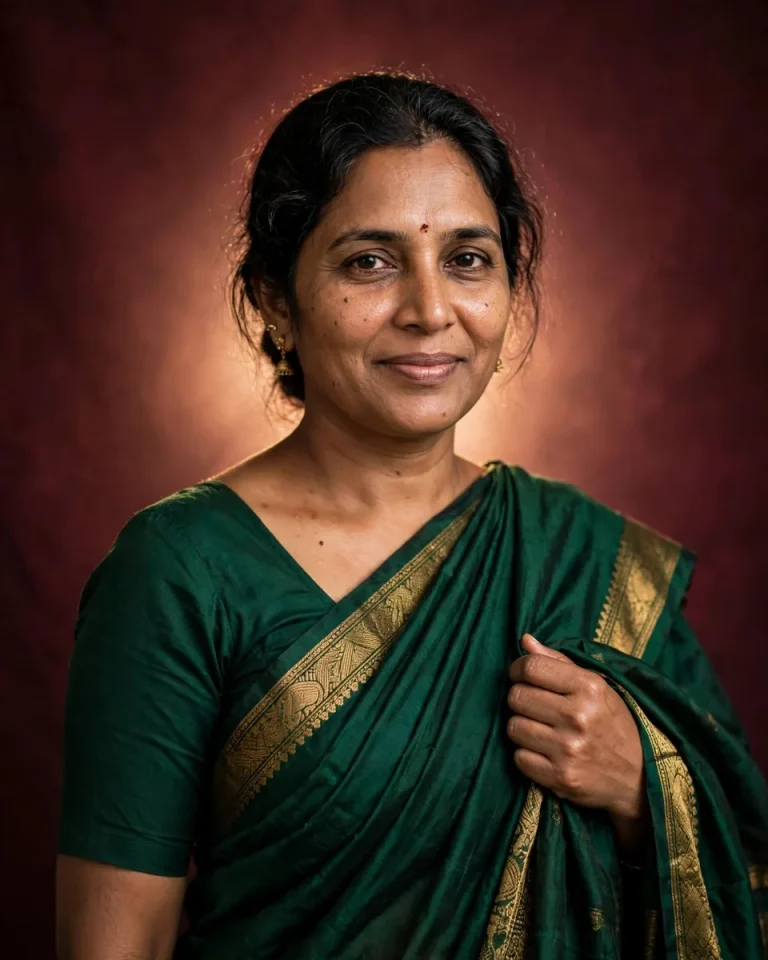
Saree Studio Background Prompt on Maroon
Best for: festive, wedding and Raya-style traditional portraits
Using my uploaded photo, create a traditional studio portrait on a rich maroon backdrop with a soft lighter glow behind me. Preserve my face, skin tone, and features exactly, with no beautification. Keep natural pores, fine lines, and facial asymmetry. Wear a deep emerald saree with a realistic woven gold border, a simple blouse, understated gold earrings, and a small bindi, with natural pleats and pallu drape. Light with a soft key from the front-left at 4000K, warm rim light from behind, and gentle fill. Use an 85mm lens at f/2.8. Pose me standing with one hand holding the pallu and a serene, natural smile. Compose 4:5. No distorted jewelry, extra fingers, malformed hands, plastic skin, text, watermark, or logos.
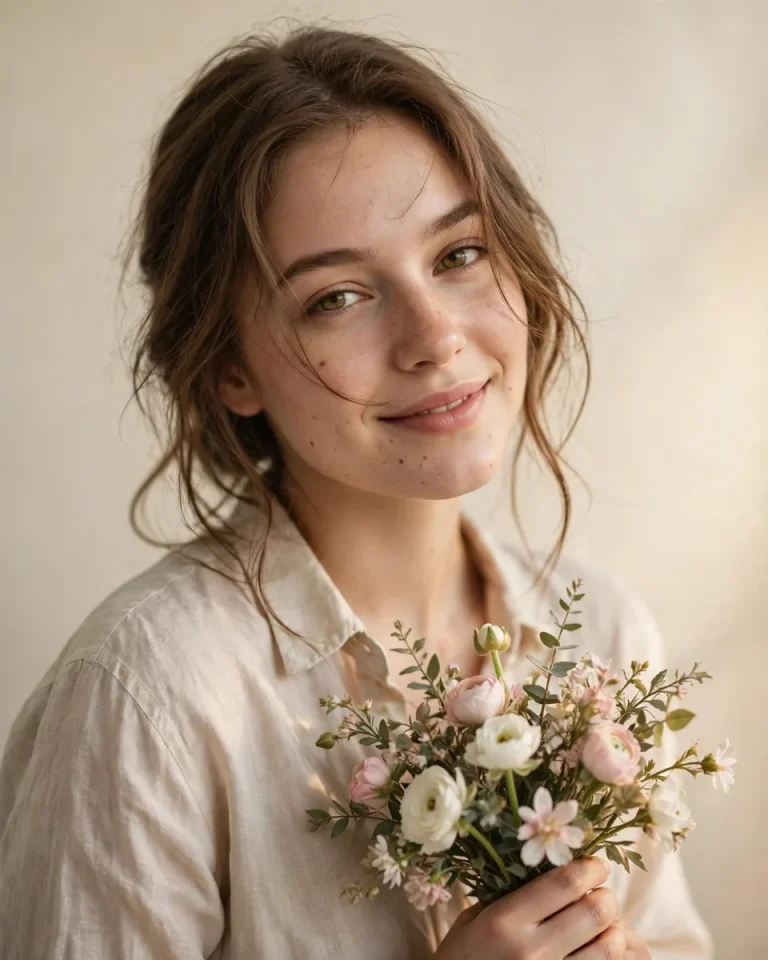
Flower Bouquet Studio Background Prompt
Best for: soft aesthetic portraits, birthdays, anniversaries
Edit my uploaded photo into a soft studio portrait on a plain cream backdrop with a faint gradient. Preserve my exact identity, skin tone, and facial proportions without beautification. Keep realistic pores, small imperfections, and hair strands. Light with large diffused key light from the front-right at 4500K and a soft fill to keep shadows gentle. Use a 85mm lens at f/2.8 for creamy focus fall-off. Dress me in a light linen shirt with realistic wrinkles, holding a small bouquet of white and pale pink flowers with visible petal detail. Pose me with the bouquet near chest height, head slightly tilted, and a gentle genuine smile. Compose 4:5. No extra fingers, merged flowers and hands, plastic skin, text, watermark, or logos.
For Couples
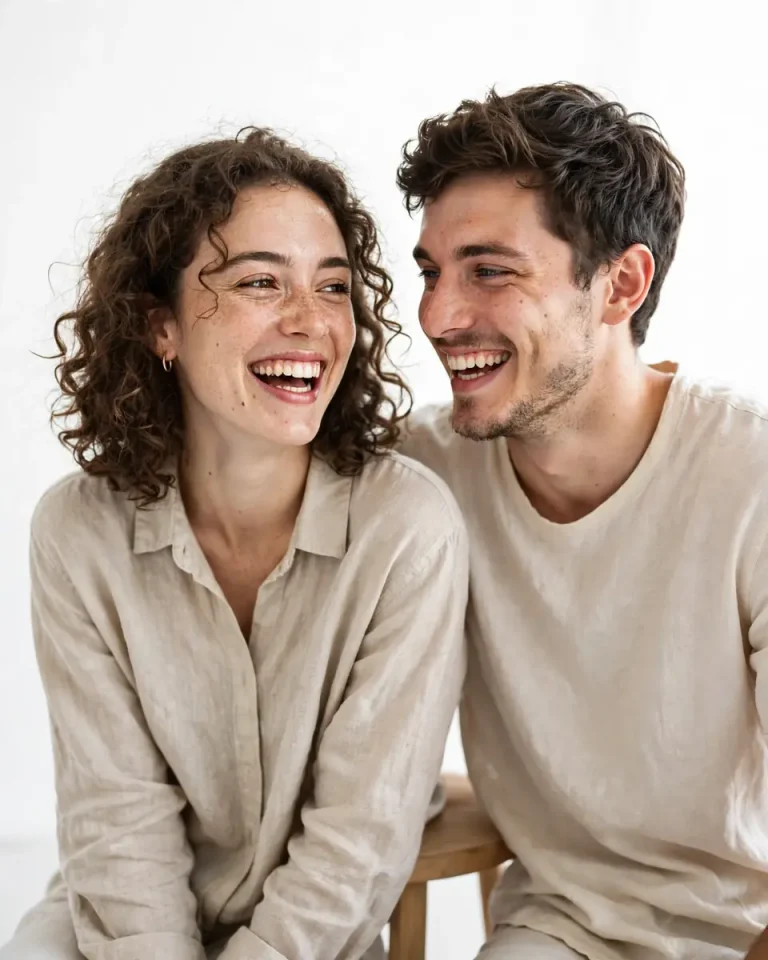
High-Key White Studio Background Prompt for Couples
Best for: pre-wedding, anniversary and couple photo posts
Transform our uploaded couple photo into a bright high-key studio portrait on a luminous white backdrop with almost no shadows. Preserve both people’s exact identities, skin tones, and facial structures with no beautification, no face blending, and no swapped features. Keep natural pores, subtle texture, and individual asymmetry for each person. Use large soft wraparound light at 5500K from the front and a bright white bounce, with minimal floor shadow. Shoot on a 85mm lens at f/4 so both faces stay sharp. Dress us in soft neutral cotton and linen with realistic folds. Pose us seated close on a simple stool, laughing naturally, shoulders touching. Compose 4:5. No merged faces, duplicated limbs, extra fingers, plastic skin, text, watermark, or logos.
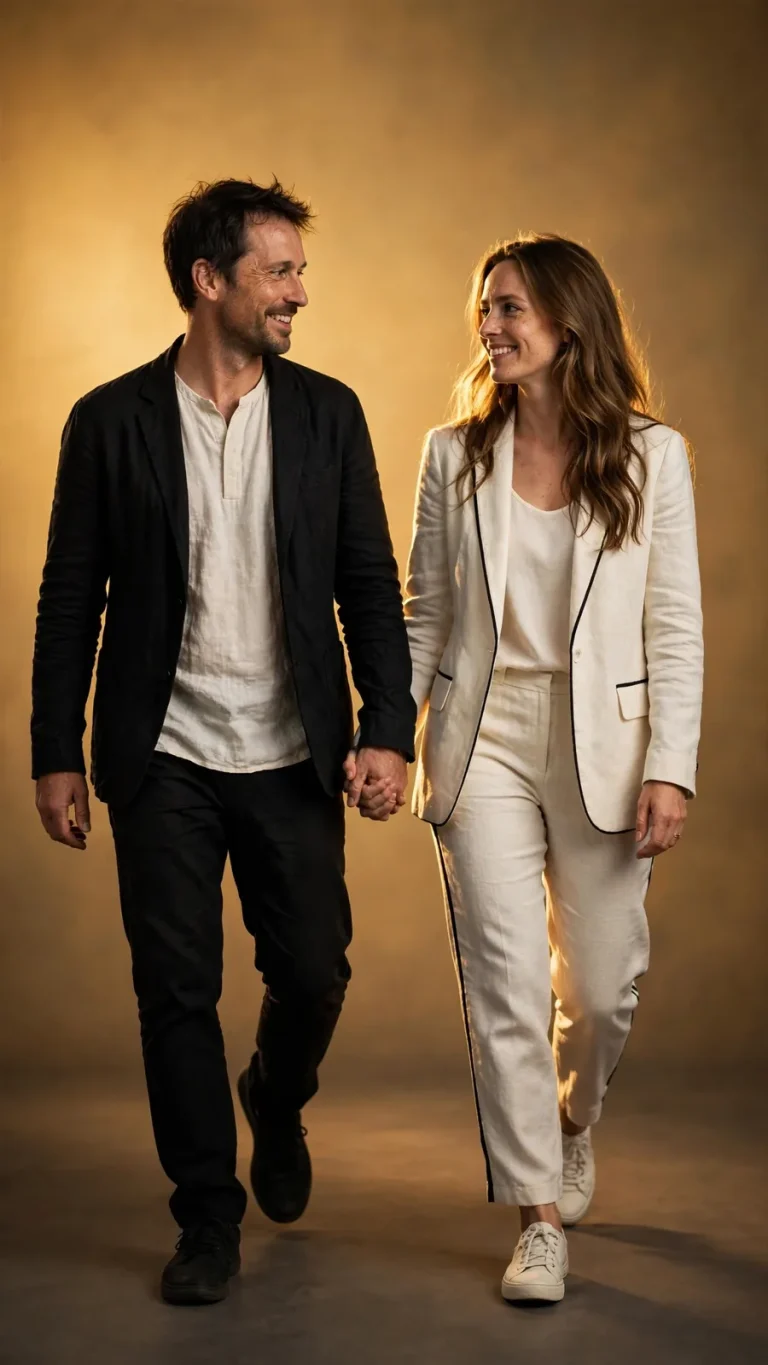
Golden Gradient Studio Background Prompt for Couples
Best for: stories, reels and festive couple posts
Restyle our uploaded couple photo as a cinematic full-length studio portrait on a warm golden gradient backdrop. Keep both faces, skin tones, and body proportions exactly as in the original, with no beautification or face blending. Retain natural pores, texture, and asymmetry on both faces. Use a soft key from the front-left at 3500K, a golden rim light behind us, and a soft floor shadow. Capture with a 50mm lens at f/2.8, camera at chest height, shallow depth of field. Dress us in coordinated black and ivory outfits with realistic fabric drape. Pose us walking toward the camera hand in hand, one person looking at the other with a natural smile. Compose 9:16. No merged anatomy, extra fingers, malformed hands, text, watermark, or logos.
Black-and-White Studio Background Prompt for Couples
Best for: timeless anniversary and wedding portraits
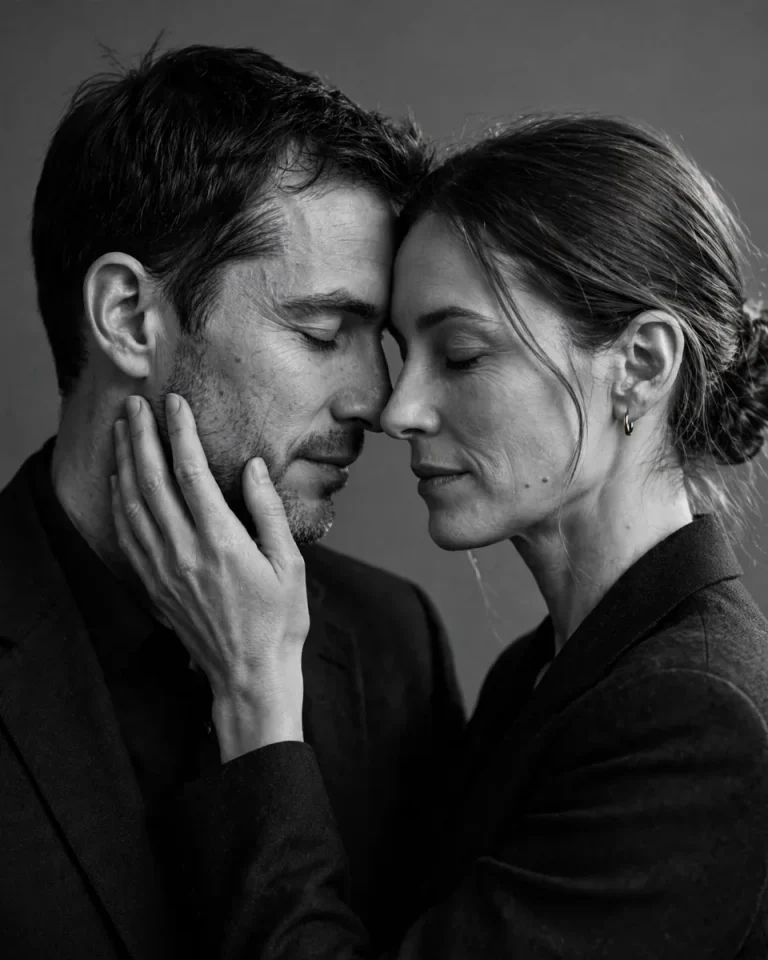
Convert our uploaded couple photo into an elegant black-and-white studio portrait on a mid-grey backdrop. Preserve both identities, facial structures, and skin tones translated naturally into grayscale, with no beautification or face blending. Keep realistic pores, fine lines, and individual asymmetry. Use a soft directional key at 45 degrees from the left, gentle fill, and a subtle rim light, producing deep but detailed shadows and fine monochrome film grain. Use an 85mm lens at f/2.8. Dress us in simple dark tailored clothing with realistic texture. Pose us forehead to forehead with eyes closed, one hand resting on the other’s cheek, intimate and calm. Compose 4:5. No duplicated faces, extra fingers, crushed shadows, text, watermark, or logos.
For Family, Kids, Baby and Graduation
Parents can find more milestone ideas in our baby photo prompts, and party shoots are covered in the birthday photo prompt guide.
Family Studio Background Prompt
Best for: family cards, anniversaries, festival photos
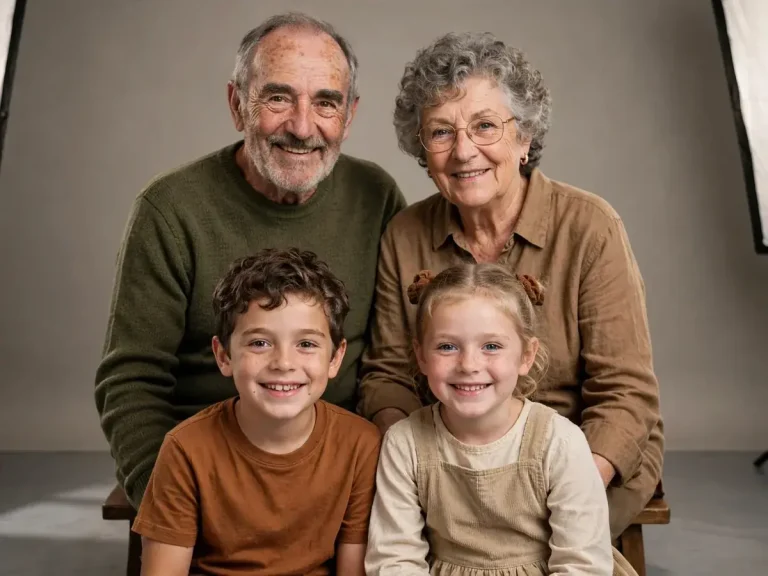
Turn my uploaded family photo into a professional studio portrait on a warm neutral-grey backdrop. Preserve every person’s identity, age, skin tone, and facial structure individually, with no beautification and no faces blended or made similar. Keep natural skin texture and each person’s asymmetry. Light with two large softboxes at 45 degrees on both sides at 5000K, even exposure, and a gentle shadow on the floor. Shoot on a 50mm lens at f/8 so every face stays sharp. Dress everyone in coordinated earth tones with realistic fabric folds. Arrange the family in two natural rows, elders seated, children in front, relaxed and close. Compose 4:3 landscape. No invented people, duplicated faces, extra fingers, distorted hands, text, watermark, or logos.
Baby Studio Background Prompt
Best for: newborn, milestone and first-birthday photos
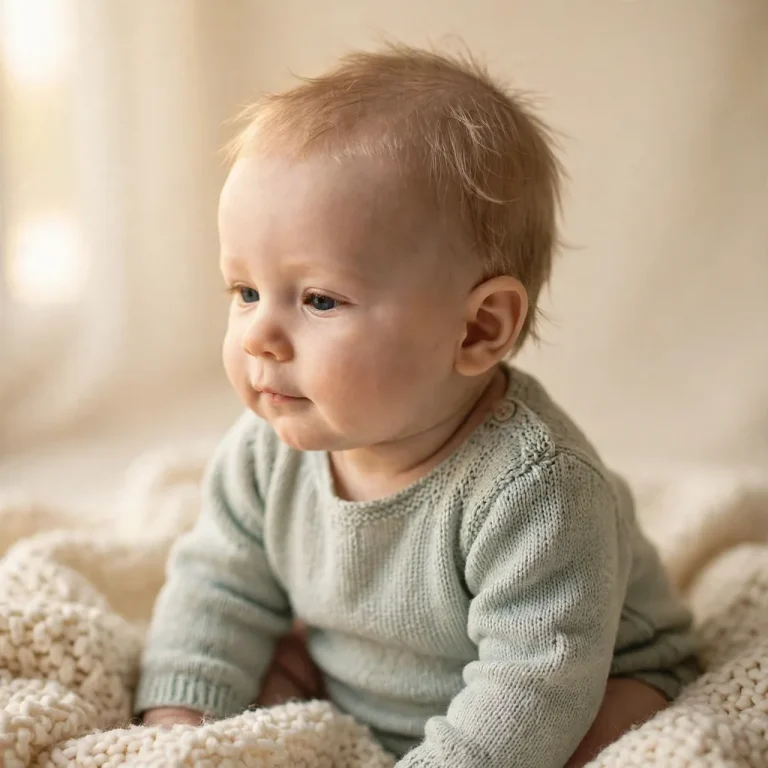
Using my uploaded photo of the baby, create a gentle studio portrait on a soft cream backdrop. Preserve the baby’s exact facial identity, natural proportions, skin tone, and age with no aging, no beautification, and no reshaping. Keep soft natural skin texture and tiny creases without artificial smoothing. Light with diffused window-style light from the left at 3200K, warm and low in contrast. Use a 50mm lens at f/2.8 with creamy background blur. Place the baby sitting upright on a cream knitted blanket, wearing a simple pastel outfit with realistic soft texture, calm natural expression. Compose 1:1 square. No distorted limbs, extra fingers, adult-like face, text overlays, watermark, or logos.
Kids Studio Background Prompt
Best for: school photos, birthdays and kids’ profile cards
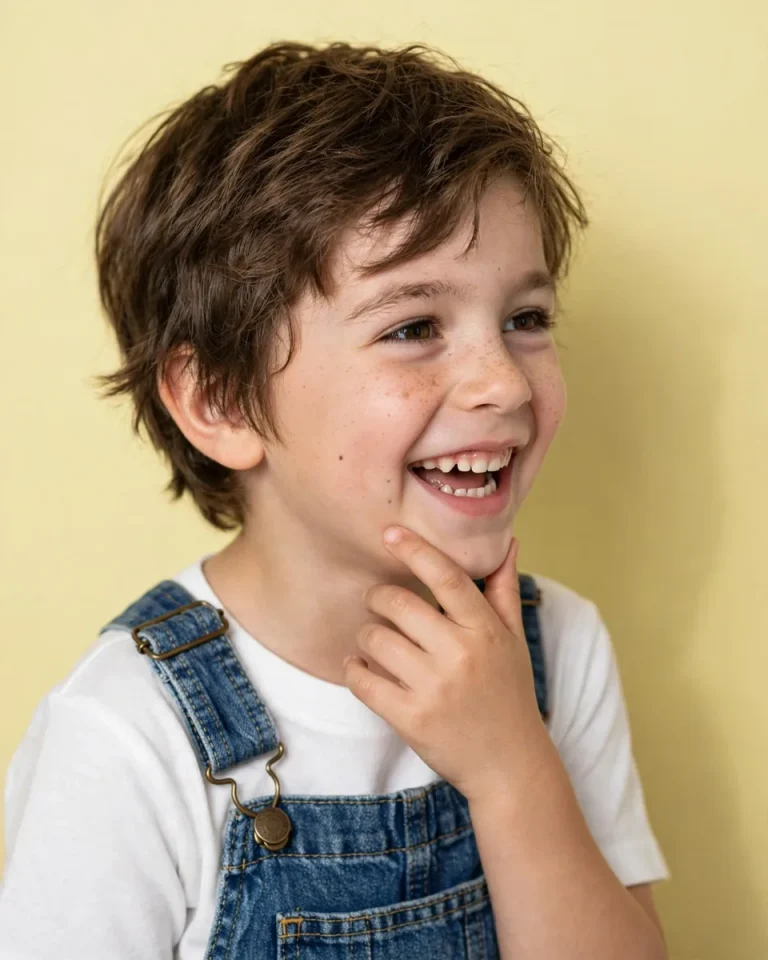
Edit my uploaded photo of the child into a cheerful studio portrait on a smooth pastel yellow backdrop. Preserve the child’s identity, age, skin tone, and natural expression exactly, with no beautification or age change. Retain natural skin texture and individual hair strands. Light with bright, even soft light from the front at 5200K with gentle fill and a light shadow on the backdrop. Use a 50mm lens at f/4. Dress the child in a simple white shirt and denim dungarees with realistic stitching and fabric folds. Pose with a candid laugh, one hand lightly touching the chin. Compose 4:5. No distorted hands, extra fingers, artificial adult features, text, watermark, or logos.
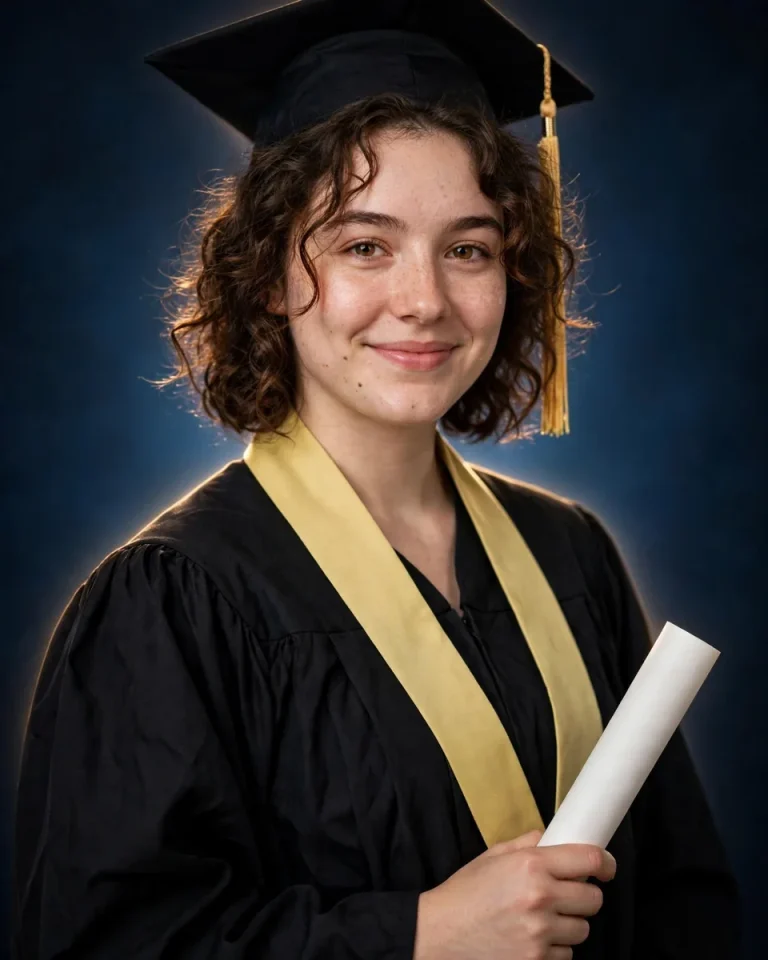
Graduation Studio Background Prompt (Foto Wisuda)
Best for: convocation, degree and farewell portraits
Transform my uploaded photo into a graduation studio portrait on a deep navy backdrop with a soft lighter glow behind me. Preserve my exact face, skin tone, and recognizable features without beautification. Keep natural pores, subtle texture, and asymmetry. Light with a soft key from the front-left at 4800K, a thin rim light from behind, and gentle fill. Use an 85mm lens at f/2.8 with a half-body frame. Dress me in a black graduation gown with realistic fabric folds, a mortarboard with a tassel, and a simple sash, holding a rolled certificate. Pose me standing proudly with a natural smile. Compose 4:5. No readable fake text on the certificate, extra fingers, malformed hands, plastic skin, watermark, or logos.
Creative, Cinematic and Prop-Based Ideas
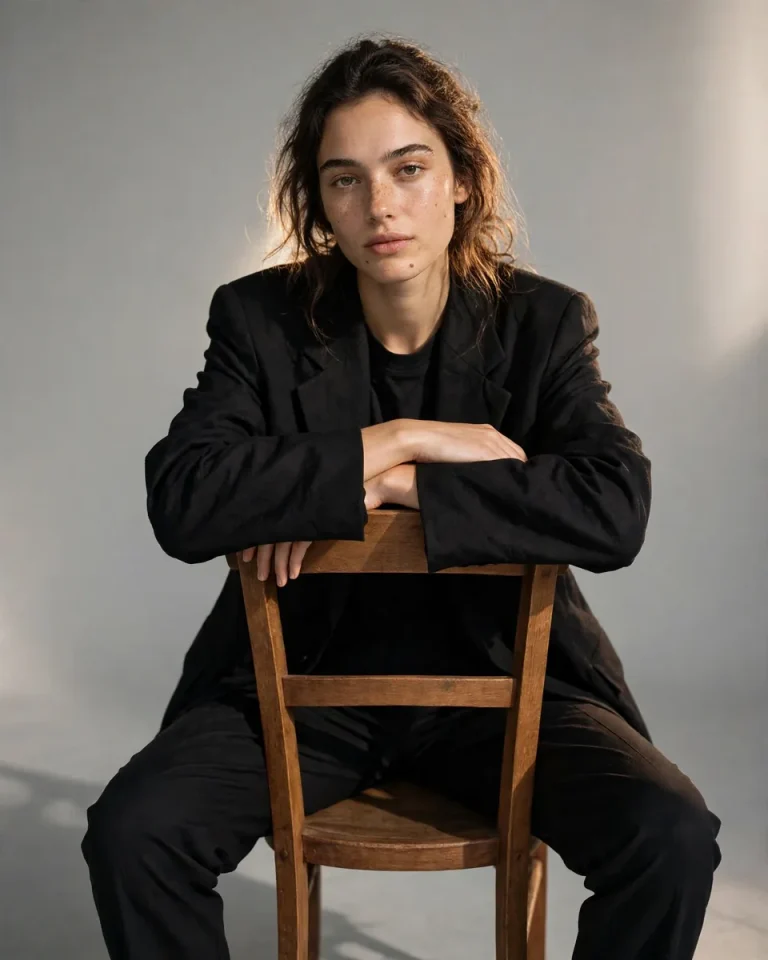
Inverted Chair Fashion Pose
Best for: editorial-style Instagram portraits
Edit my uploaded photo into a fashion-editorial studio portrait on a seamless light-grey backdrop. Preserve my exact facial identity, skin tone, and proportions with no beautification. Keep natural pores and asymmetry. Light with a large softbox key from the right at 5000K, a faint rim light behind, and a soft shadow on the floor. Capture with a 50mm lens at f/4, camera at eye level. Dress me in a black oversized blazer and tapered trousers with realistic fabric weight. Pose me sitting backwards on a wooden chair with arms crossed over the backrest and chin resting on my forearms, looking into the lens. Compose 4:5. No warped chair legs, extra fingers, malformed hands, plastic skin, text, watermark, or logos.
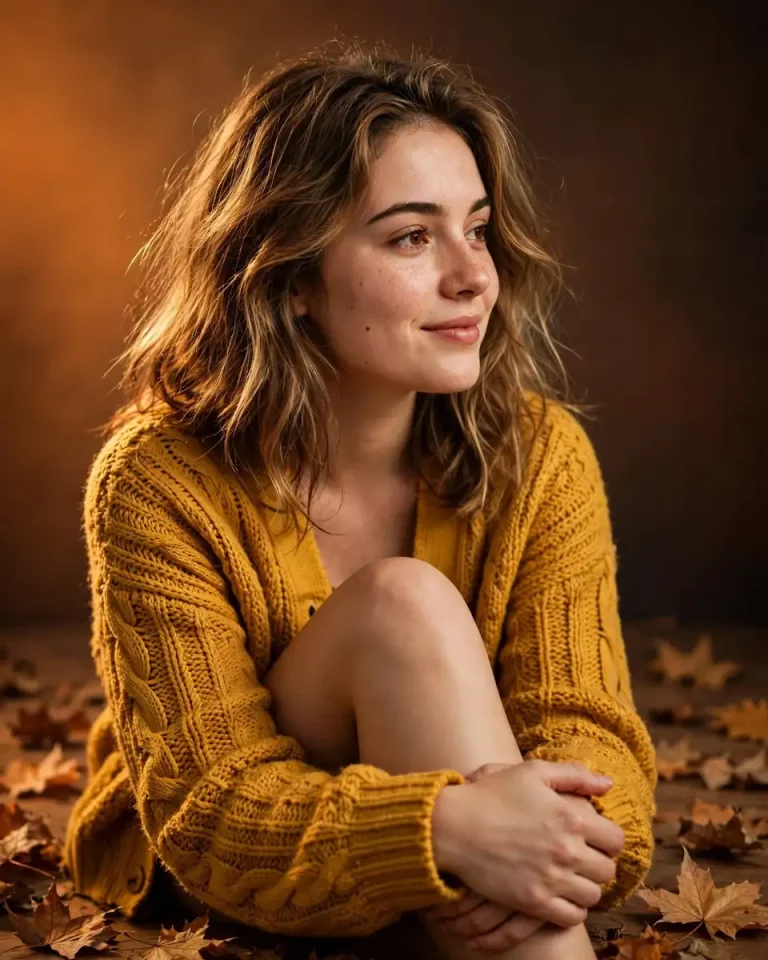
Autumn Studio Background Prompt
Best for: seasonal profile pictures and warm aesthetic edits
Using my uploaded photo, create a warm studio portrait on a burnt-orange to deep-brown gradient backdrop with a few scattered dry maple leaves on the floor. Preserve my face, skin tone, and facial structure exactly without beautification. Keep realistic pores, texture, and asymmetry. Light with a soft amber key from the left at 3000K and a gentle fill, plus a subtle rim light on the hair. Use an 85mm lens at f/2.8 with soft backdrop falloff. Dress me in a mustard knit cardigan with visible stitch texture. Pose me seated on the floor, one knee raised, hands loosely clasped, with a relaxed smile. Compose 4:5. No leaves on my face, extra fingers, plastic skin, text, watermark, or logos.
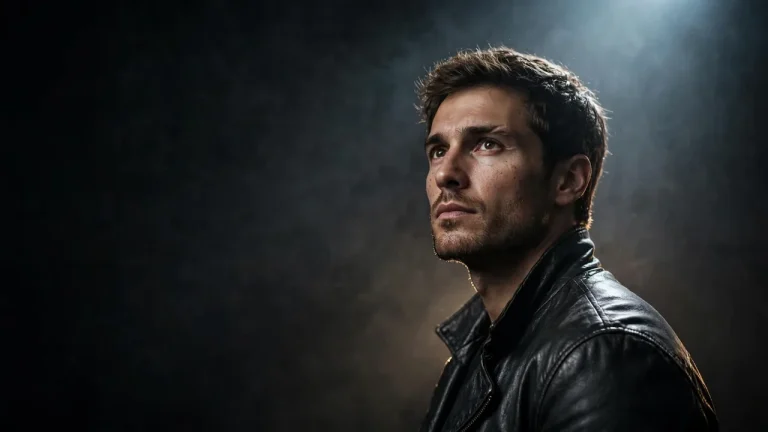
Cinematic Studio Background Prompt
Best for: wallpapers, channel art, cinematic profile images
Transform my uploaded photo into a cinematic studio still with a dark charcoal backdrop and a single narrow spotlight from above-right, with soft haze in the air. Preserve my identity, skin tone, and facial structure exactly with no beautification. Keep natural pores, subtle texture, and asymmetry. Use a cool 5600K spotlight, faint warm rim light at 3200K from behind, and deep controlled shadows. Shoot on a 35mm lens at f/2.0 with wide framing and negative space on the left. Dress me in a dark leather jacket with realistic creases and sheen. Pose me standing still, head slightly down, then eyes lifted to the camera. Compose 16:9. No crushed eyes, exaggerated smoke, extra fingers, text, watermark, or logos.
Coloured Gel Lighting Studio Portrait
Best for: high-fashion, music and creative profile photos
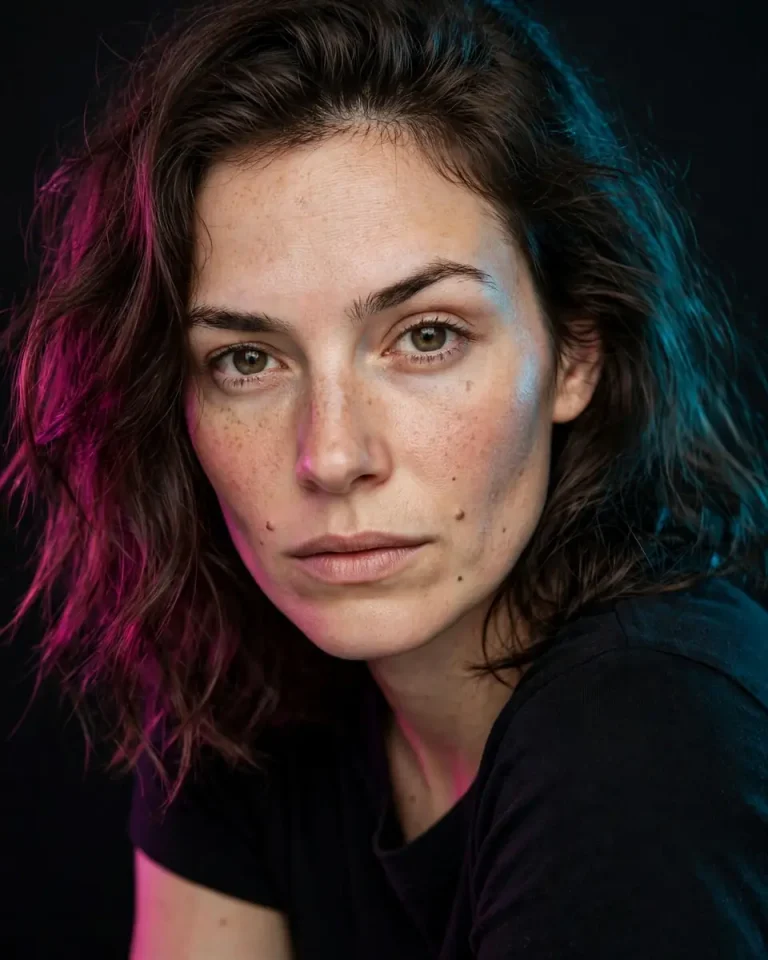
Edit my uploaded photo into a high-fashion studio portrait on a dark backdrop lit with coloured gels, magenta from the left and cyan from the right. Preserve my exact face and skin tone with no beautification and no identity change. Retain natural pores and facial asymmetry; the skin must look real under coloured light. Add a soft white fill from the front at 5000K to keep the face readable. Use an 85mm lens at f/2.0, tight head-and-shoulders crop, crisp eyes. Dress me in a simple black top with realistic fabric sheen. Pose me with a slight forward lean and an intense, relaxed stare. Compose 4:5. No neon skin, extra fingers, plastic texture, text, watermark, or logos.
Profile Silhouette Studio Portrait
Best for: artistic profile pictures and minimalist posters
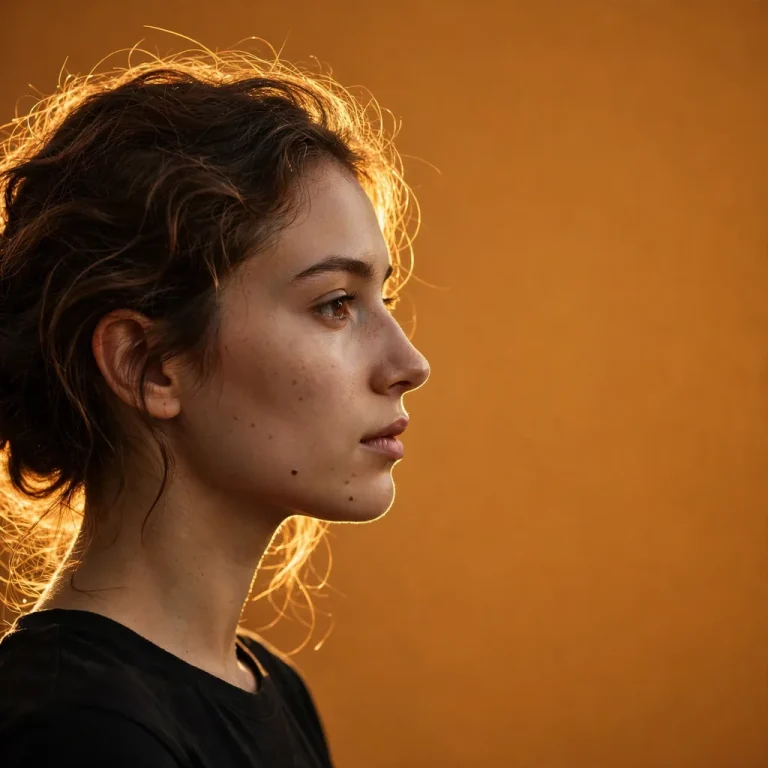
Restyle my uploaded photo as a minimal studio profile portrait against a warm amber backdrop, with my face in side view. Preserve my real profile shape, nose, jawline, and skin tone exactly, with no reshaping. Keep a hint of natural skin texture on the lit edge of the face. Use a strong backlight at 3000K from behind-right creating a clean glowing outline on hair and cheek, with a very faint front fill so detail remains. Capture with an 85mm lens at f/2.8, centered framing with generous empty space. Show individual hair strands catching the light. Pose me still, chin level, eyes toward the empty space. Compose 1:1 square. No distorted profile, merged face and background, extra fingers, text, watermark, or logos.
Empty Studio Background Prompts for Photoshop, Video and Design
Sometimes you need only the backdrop, with no person in it. These prompts generate a plain studio scene you can drop behind a cut-out subject in Photoshop, Canva or any editor, or use as a video-call or thumbnail backdrop. They skip the face-preservation clause because no one is in the frame.
Plain Cyclorama Studio Background Prompt
Best for: Photoshop composites, product mock-ups, thumbnails
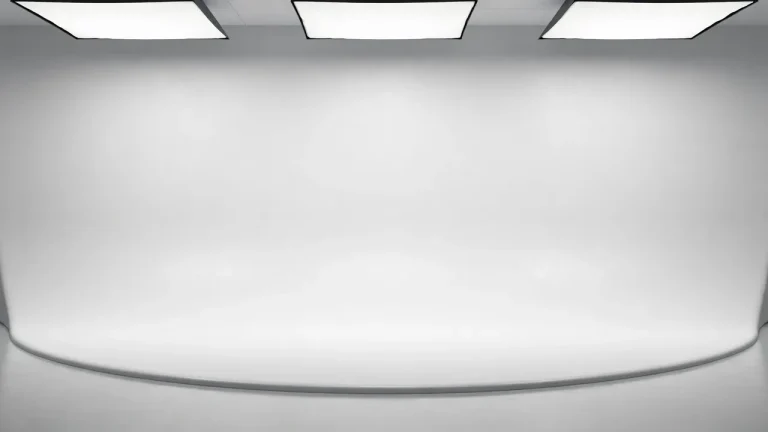
Generate an empty photography studio with a seamless white cyclorama wall that curves smoothly into the floor, lit by large overhead softboxes at 5500K with soft, even illumination and a faint natural shadow gradient where the wall meets the floor. Shoot on a 35mm lens at f/8 from a camera height of 1.2 metres, centred and perfectly level, with realistic matte paint texture and subtle floor reflection. Leave the centre of the frame completely empty for compositing. Compose 16:9 landscape. No people, furniture, text, watermark, logos, visible light stands, or harsh hotspots.
Dark Wall Studio Background Prompt
Best for: portrait composites and moody posters
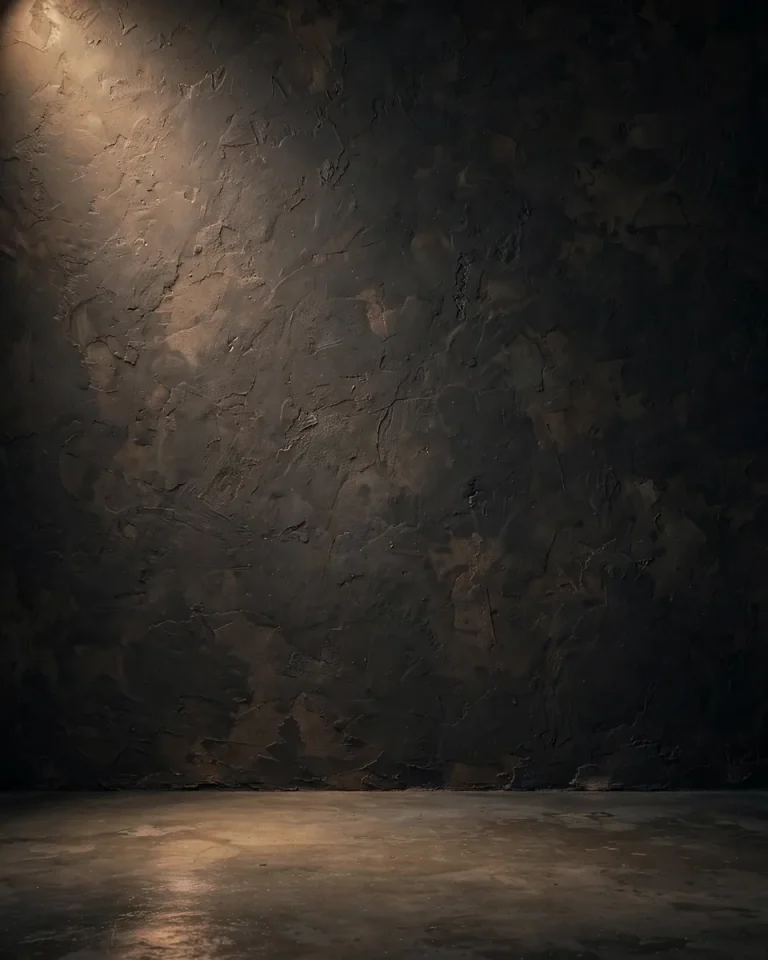
Generate an empty studio backdrop of a dark charcoal plaster wall with subtle hand-painted texture, lit by a single soft spotlight from the upper left at 4200K that creates a gentle pool of light and natural falloff to the edges. Use an 85mm lens at f/4 with a flat frontal perspective and a visible concrete floor with faint reflections. Keep the centre clear for a subject to be added later. Compose 4:5 portrait. No people, props, text, watermark, logos, banding, or visible seams.
Podcast and Video-Call Studio Background Prompt
Best for: YouTube, Zoom and live-stream backdrops
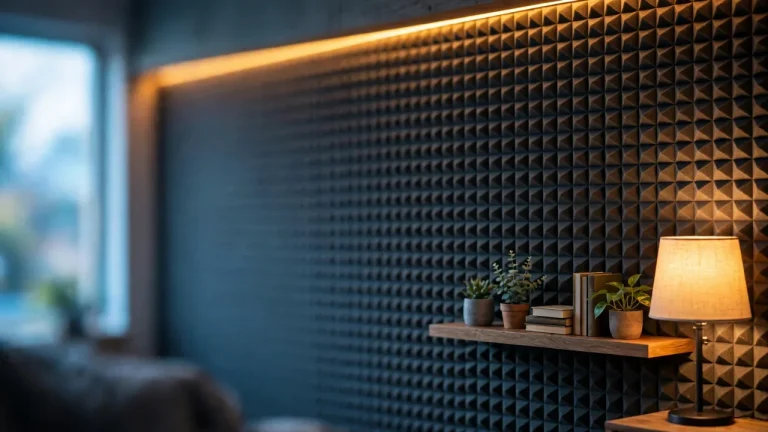
Generate a modern podcast studio background with acoustic foam panels in dark grey, a wooden shelf with a few small plants and books, and a soft warm LED strip glowing along the wall in amber, lit by a 3200K practical lamp on the right and cool ambient light from the left. Use a 35mm lens at f/2.8 with mild background blur, camera at seated eye level, and realistic fabric, wood, and foam textures. Leave the centre-left empty for a speaker. Compose 16:9. No people, readable text, brand logos, watermark, clutter, or distorted shelves.
News Studio Background Prompt
Best for: news-style videos and presentations
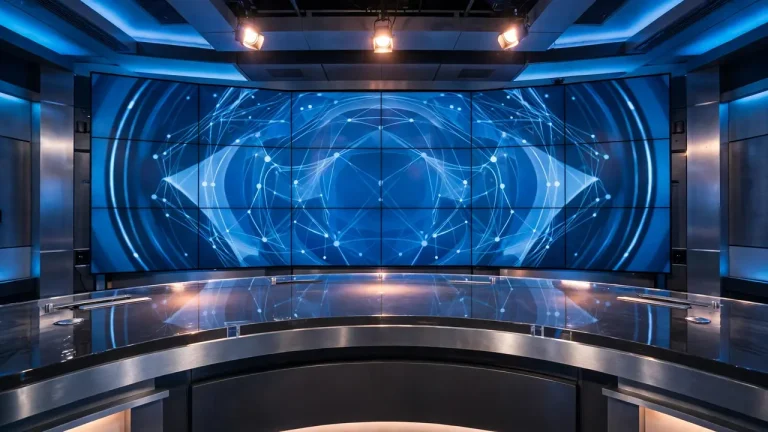
Generate a professional television news studio with a curved glossy anchor desk, a large wall of blank digital screens showing an abstract blue world-map pattern, and cool blue ambient lighting at 6500K with warm white key lights over the desk. Shoot on a 35mm lens at f/4 from a slightly low angle with realistic desk reflections, brushed metal, and screen glow. Keep depth and symmetry believable. Compose 16:9. No people, readable headlines, channel logos, text, watermark, or warped screens.
How to Use a Studio Background Prompt in Gemini and ChatGPT
To use a studio background prompt, upload a clear photo, paste the full prompt, generate, and then refine one detail at a time. The same steps work in Gemini and in ChatGPT’s image tool.
Choose the right photo. Use a sharp, front-facing picture in even light. Avoid heavy filters, sunglasses and hands covering the face.
Open an image-capable chat. Start a new conversation in Gemini or ChatGPT and attach the photo.
Paste one complete prompt. Keep the face-preservation and avoid clauses; they do most of the identity work.
Swap the details you want. Change the backdrop colour, outfit or aspect ratio, and leave the rest untouched.
Review the result. Check the face, hands, clothing edges and the backdrop for banding or odd shadows.
Refine with one instruction. Ask for something specific, such as “keep the face closer to my original photo” or “make the backdrop a softer grey.”
Free access, daily image limits and available features differ by tool, account and plan, so check what your own account offers. For more image-editing ideas, browse our Gemini photo prompts and ChatGPT photo editing prompts. For Photoshop and other editors that accept text prompts, shorten the prompt to the backdrop, light and colour, and drop camera terms.
How to Write Your Own Studio Background Prompt
A strong studio background prompt describes seven things in one flowing paragraph: what to preserve, the backdrop, the light, the lens, the subject’s outfit and pose, the aspect ratio, and what to avoid. Skipping any of them leaves the AI to guess, which is when faces drift and skin turns plastic.
Backdrop
Mood it creates
Best light pairing
Good for
White seamless
Clean, trustworthy
Soft frontal key, 5200–5500K
Headshots, ID-style photos
Light grey
Professional, calm
45-degree softbox with hair light
Corporate profiles
Black
Dramatic, premium
Single spotlight with cool rim light
Artistic profile pictures
Red
Bold, energetic
Neutral 5000K key to protect skin tone
Trending social posts
Blue
Calm, polished
White key with faint cool rim
Profile photos, graduation
Golden gradient
Warm, festive
3500K key with golden rim light
Reels, couple portraits
Cream or beige
Soft, aesthetic
Diffused window-style light
Baby, flowers, birthdays
Match the aspect ratio to where the image will go: 4:5 for feed posts, 1:1 for profile pictures, 9:16 for Stories and Reels, and 16:9 for wallpapers and video backdrops.
Common Studio Background Prompt Problems and Fixes
Most failed results come from a handful of predictable issues. Change one thing per attempt so you can see what actually helped.
Problem
Likely cause
Fix
Face looks different
Weak identity wording or a low-quality photo
Upload a sharper photo and add “match facial structure exactly to the uploaded photo”
Skin looks plastic
No imperfection clause
Add “visible pores, natural asymmetry, no smoothing”
Backdrop has a colour cast on skin
Strong coloured light with no neutral key
Add a neutral 5000K key light
Backdrop is blotchy or banded
Gradient is too complex
Ask for “a smooth, subtle gradient with no banding”
Hands or fingers look wrong
Pose is too complicated
Simplify the pose or tuck the hands into pockets
Unwanted text or logos appear
No avoid clause
Add “no text, watermark, or logos”
Frequently Asked Questions
What is a studio background prompt?
It is a text instruction that tells an AI image tool to place a subject against a studio backdrop with specific lighting and camera settings. It can edit your own photo or generate an empty backdrop.
Which studio background colour is best for photos?
White and light grey suit professional headshots, black suits dramatic portraits, and blue works well for graduation or calm profile pictures. Warm gradients and cream tones work well for festive, couple and baby photos.
Can I change my background and keep my face the same?
Yes, if you upload a clear photo and keep an explicit instruction to preserve your identity, skin tone and facial structure. Results still vary, so review the face and ask for a small correction if needed.
Is there a free studio background generator?
Gemini and ChatGPT both offer image creation with free-tier limits that change by plan and region. Check your own account for current limits, since they are updated regularly.
Can I use these prompts in Photoshop?
Photoshop’s generative tools accept text prompts, so you can reuse the backdrop, light and colour parts. Shorten the prompt and leave out lens details, because those tools respond better to simpler wording.
How do I get a plain background I can cut out later?
Ask for a solid, evenly lit single-colour backdrop with no gradient or props, then remove it in your editor. Transparent PNG output is not guaranteed in every tool, so a plain colour is usually the safer route.
Why does my background look blurry or fake?
Usually the prompt is too short or mixes too many ideas. Name one backdrop, one light source and one lens, and ask for realistic texture on the wall and floor.
Gemini ya ChatGPT, studio photo ke liye kaunsa better hai?
Dono tools studio-style edits bana sakte hain. Result aapki photo, prompt aur account ke features par depend karta hai, isliye ek hi prompt dono mein try karke compare karein.
Studio background prompt kaise banaye?
Pehle backdrop colour chunein, phir light direction, lens, outfit, pose, aspect ratio aur avoid clause likhein. Face-preservation line hamesha rakhein taaki chehra na badle.
Final Thoughts
The best results come from choosing a backdrop that fits the purpose, protecting your face with clear identity wording, and changing one detail at a time. Start with the white or grey prompts for professional use, move to gradients and colours for social posts, and use the empty-backdrop prompts when you need a background for editing. Keep a good studio background prompt saved, and adapt only the colour, outfit and pose each time. When you want a different mood, explore our AI photo editing prompts next.