Cartoon Image Prompt: 25 Copy-Paste Prompts for Gemini and ChatGPT
A good cartoon image prompt does three jobs: it keeps your face recognisable, names one specific cartoon style, and blocks the usual AI mistakes like extra fingers and plastic skin. Below are 25 ready-to-paste prompts for Gemini and ChatGPT, grouped by style, couples, family, pets, stickers and Instagram trends.
Upload a clear, front-facing photo, paste a prompt, and swap the bracketed parts. Every prompt is one paragraph, so it works in Gemini, ChatGPT and most other image tools, and you can find more copy-paste AI photo prompts on the home page. If you only want the steps, jump to the how-to section further down.
Best Cartoon Image Prompt Templates to Turn a Photo into a Cartoon
Start here. Each cartoon image prompt in this section targets one well-known animation look, and all of them assume you upload a reference photo.
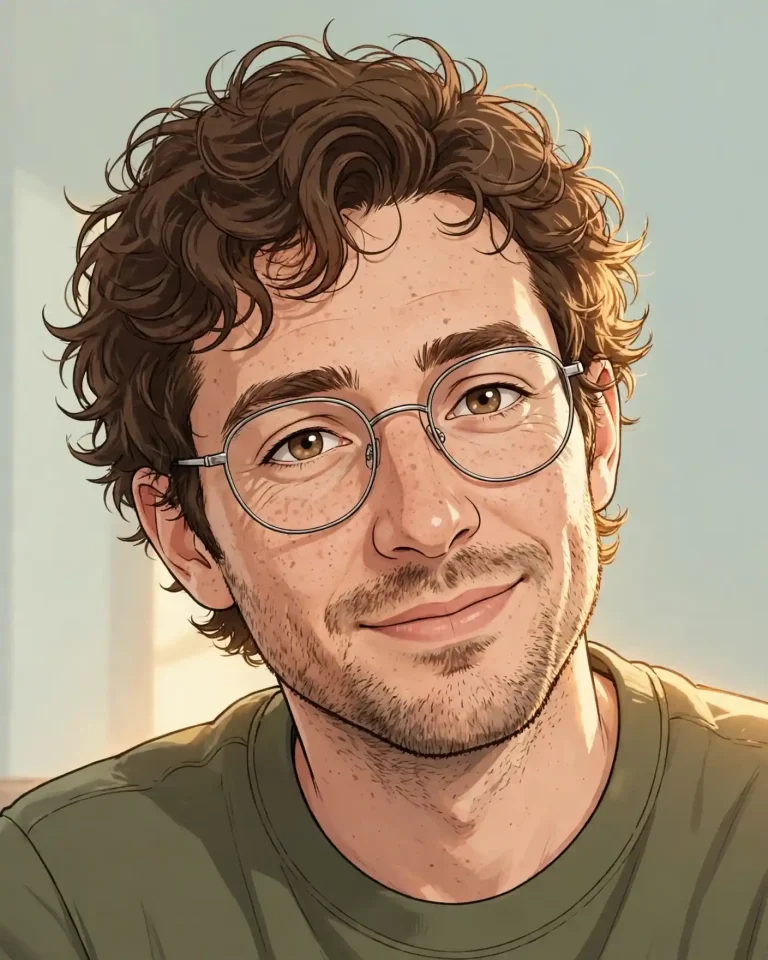
1. Universal Photo-to-Cartoon Prompt
Use this when you have no particular style in mind.
Transform the uploaded photo into a polished cartoon portrait of the same person. Preserve the exact face shape, skin tone, hairstyle, eye shape and any glasses or beard so the person stays instantly recognisable, with no beautification and no identity change. Keep slight natural asymmetry and a hint of skin texture instead of a plastic, over-smoothed finish. Use clean confident outlines, soft cel shading and a limited warm palette, lit by soft window light from the left with a gentle rim light behind the shoulders. Chest-up framing, relaxed half-smile, slight head tilt, simple pastel background, 4:5 portrait. No text, no watermark, no extra fingers, no distorted face.
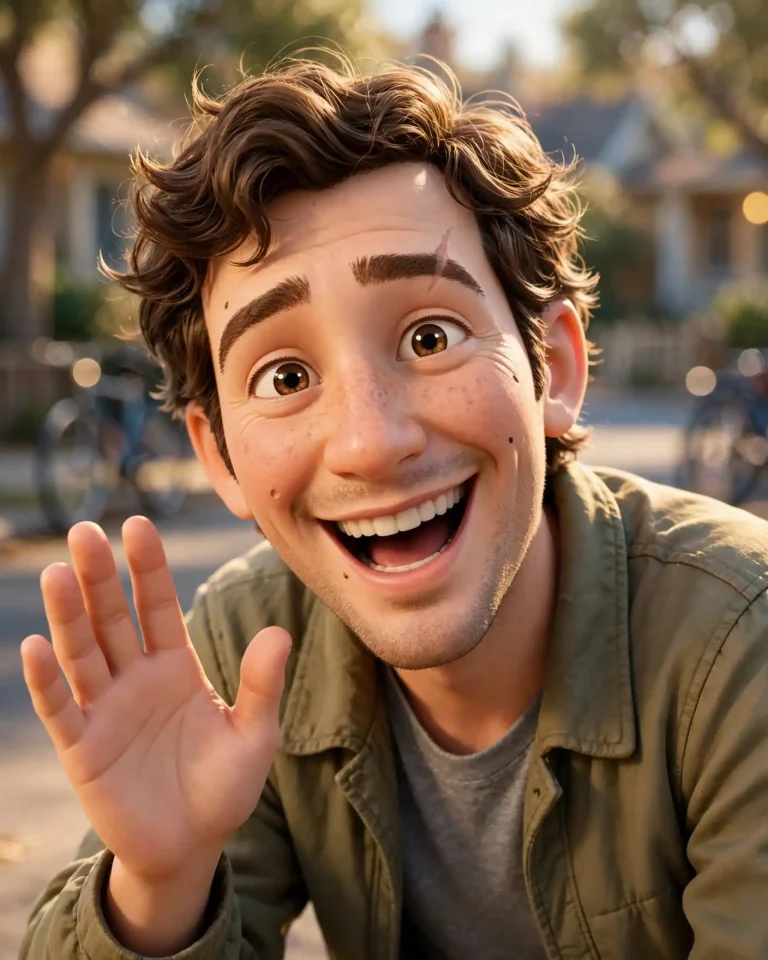
2. Pixar-Style 3D Cartoon Prompt
Turn the uploaded photo into a Pixar-inspired 3D animated character of the same person, keeping their facial structure, skin tone, hairline and distinguishing marks clearly recognisable, with no identity change. Make the eyes slightly larger and expressive while keeping natural asymmetry, subtle skin pores and individual hair strands with realistic shine. Dress the character in a casual cotton jacket with physically accurate fabric folds. Render with a virtual 50mm lens at f/2.8, shallow depth of field, a warm 3200K key light at 45 degrees from front-left, cool blue fill and a golden rim light from behind. Pose: mid-laugh, leaning toward the camera, one hand in a friendly wave, sunny neighbourhood street in soft bokeh. 4:5 portrait. No malformed hands, no plastic skin, no text, no watermark, no logo.
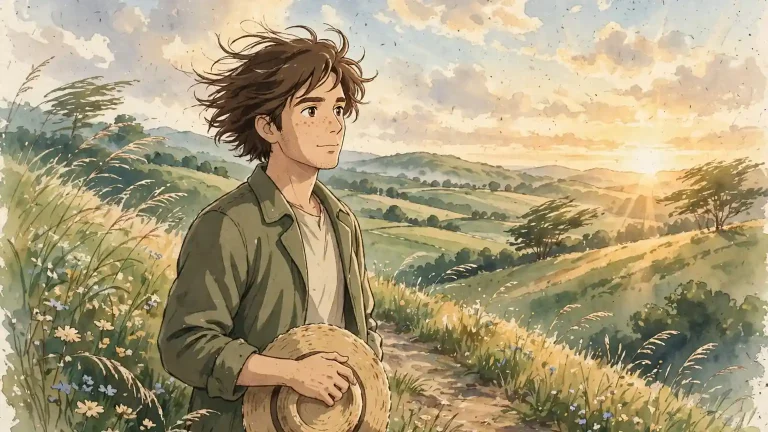
3. Studio Ghibli-Inspired Hand-Painted Prompt
Reimagine the uploaded photo as a hand-painted, Ghibli-inspired animated scene starring the same person. Keep their face shape, eyes, skin tone and hairstyle recognisable with no identity change, drawn with soft pencil outlines and subtle natural asymmetry. Use watercolour textures, visible paper grain, painterly clouds and gently swaying grass, lit by late-afternoon sun from the right with a warm golden haze at about 3500K. The subject stands on a hillside path holding a straw hat while wind moves their hair strand by strand. Wide 16:9 landscape, calm nostalgic mood. No glossy 3D look, no neon colours, no text, no watermark, no distorted hands.
4. Classic Disney-Style 2D Animation Prompt
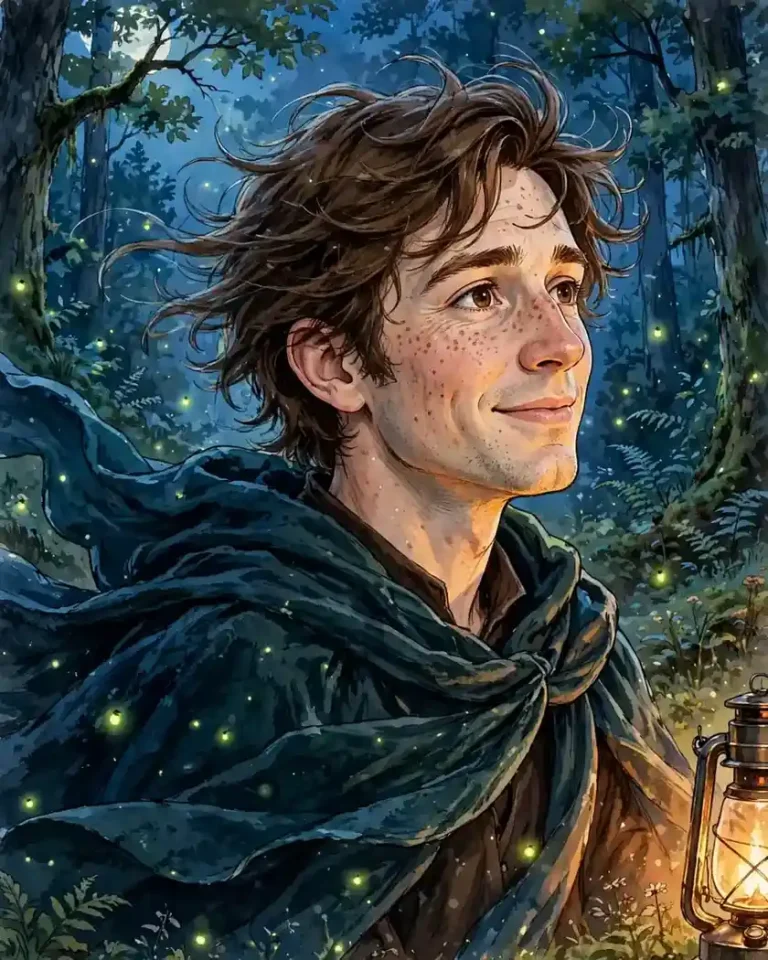
Render the uploaded photo as a classic hand-drawn 2D fairytale animation character of the same person. Preserve identity, skin tone, hair colour and recognisable facial proportions with no beautification. Use fluid ink outlines, soft gradient shading and richly painted backgrounds, with moonlit blue ambient light and a warm lantern glow on the face from the lower right. The subject stands in an enchanted forest clearing with fireflies, wearing a velvet cloak with believable fabric folds. Three-quarter view, hopeful expression, hair and cloak moving in a light breeze. 4:5 portrait. No extra fingers, no duplicated limbs, no text, no logo, no watermark.
5. Flat 2D Saturday-Morning Cartoon Prompt
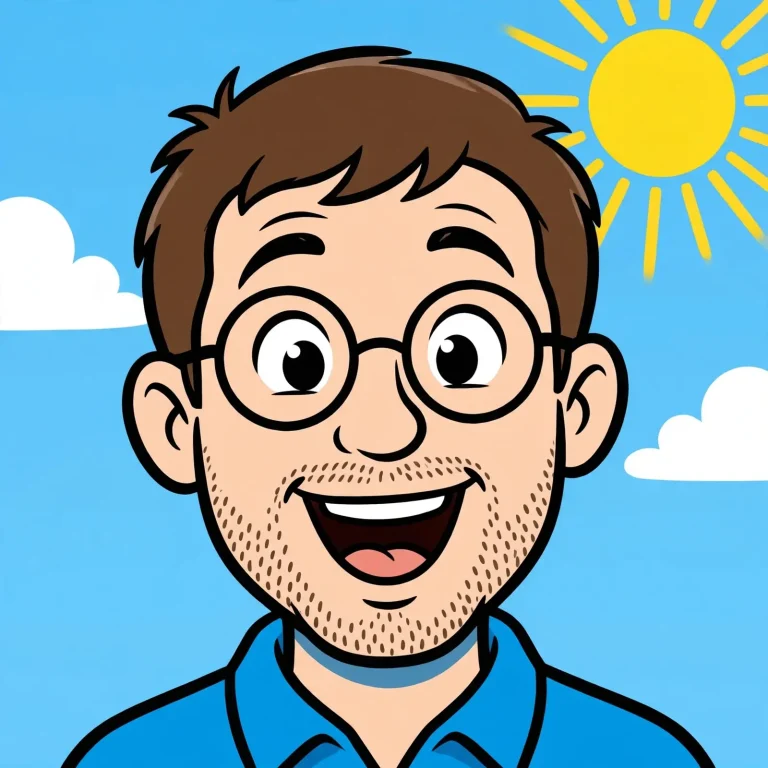
Convert the uploaded photo into a flat 2D Saturday-morning style cartoon of the same person, with bold black outlines, solid colour fills and minimal shading. Keep their haircut, face shape, skin tone and any glasses or facial hair recognisable, and do not change identity. Use bright primary colours, a simple sunny backdrop and a slightly exaggerated surprised expression with raised eyebrows and an open smile. Straight-on camera, centred composition, 1:1 square. Flat even lighting, no realistic skin texture needed. No gradients, no 3D rendering, no text, no watermark, no extra fingers.
6. Yellow-Skinned Sitcom Cartoon Prompt
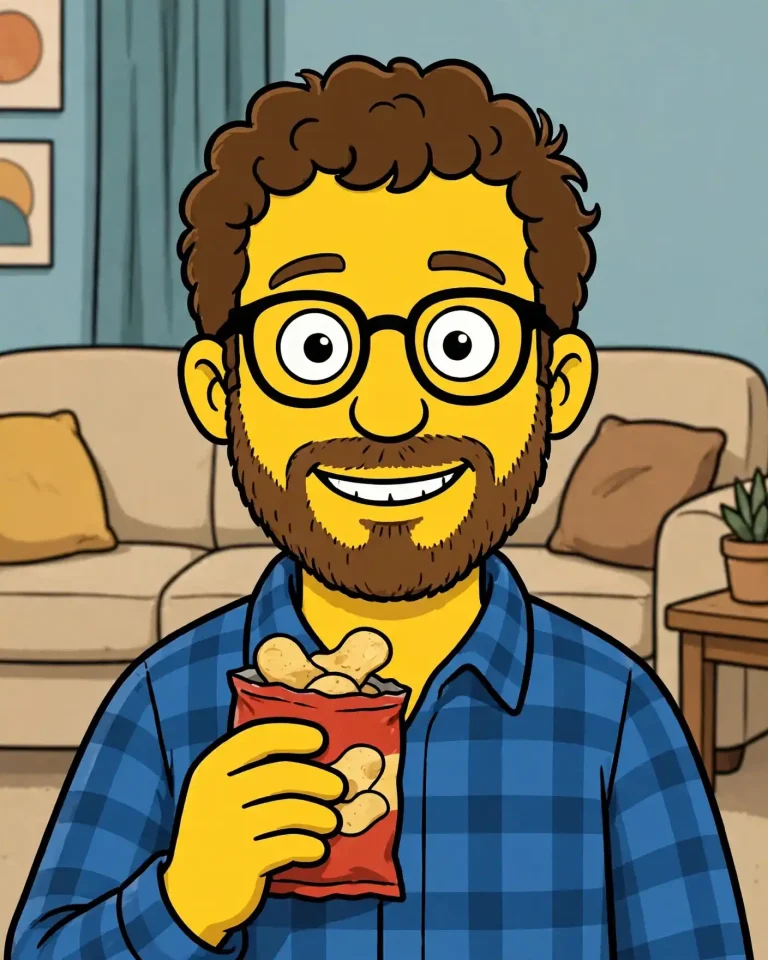
Turn the uploaded photo into a yellow-skinned, TV-sitcom style cartoon character inspired by classic American animated comedies, without copying any specific character. Keep the person’s hairstyle, glasses, beard, clothing colours and overall face proportions recognisable. Use thick outlines, flat colours, large round eyes, an overbite-style smile and a living-room sofa background with simple shadows. Front-facing pose, one hand holding a snack, relaxed comic expression. 4:5 portrait. No realistic shading, no distorted proportions beyond the style, no text, no watermark, no logo.
7. Comic Book Superhero Prompt
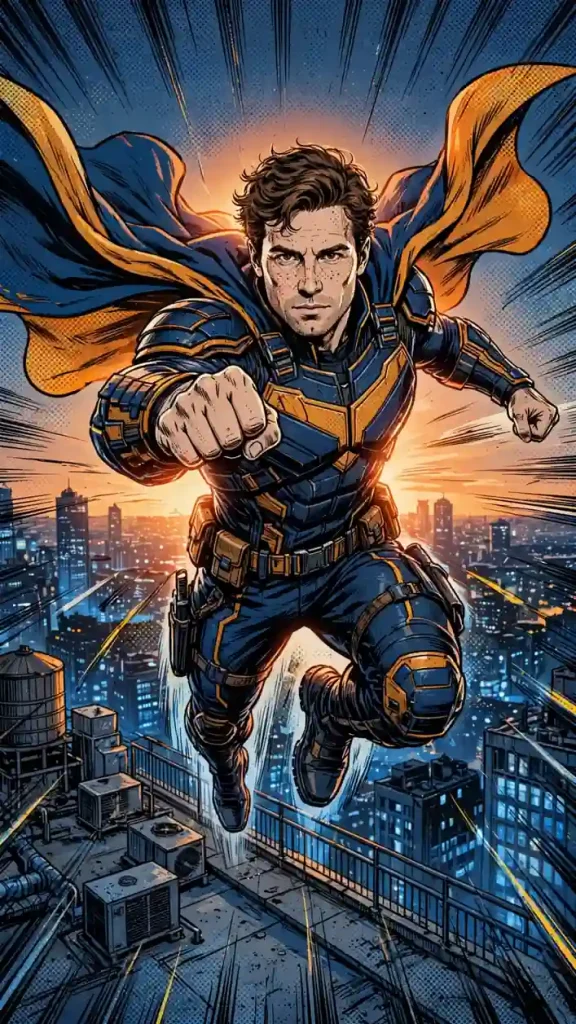
Transform the uploaded photo into a comic-book superhero version of the same person with a dynamic ink-and-halftone look. Preserve their face shape, skin tone and hairstyle with no identity change. Give the hero a custom navy and saffron suit with layered armour plates, a flowing cape and realistic material folds. Low-angle camera with a 24mm perspective, rooftop at dusk, strong orange rim light from behind and cool blue city ambient light, visible halftone dots and speed lines. Pose: mid-leap with one fist forward. 9:16 vertical. No extra fingers, no malformed hands, no speech bubbles, no text, no watermark, no copied logos.
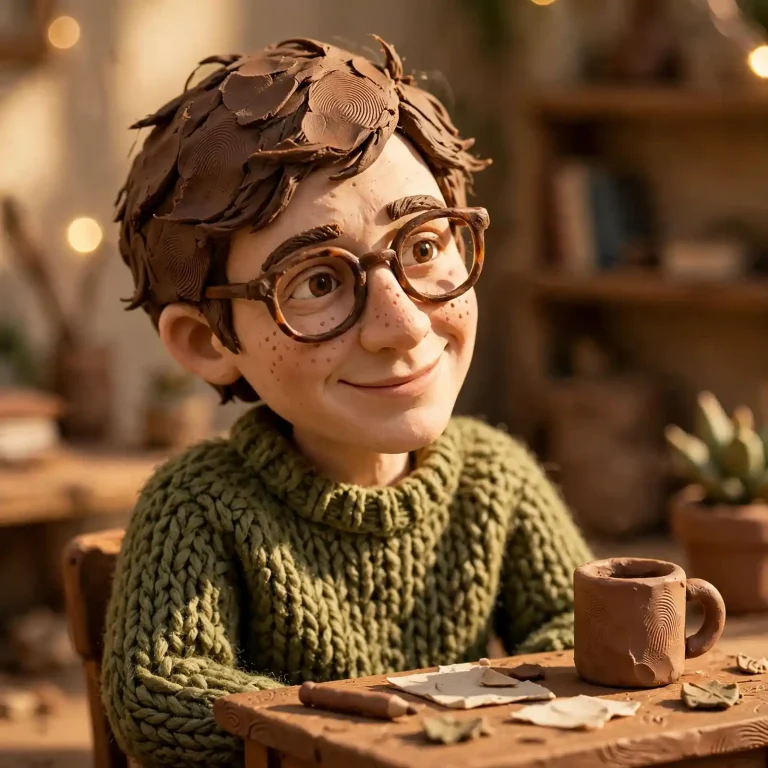
8. Claymation-Style Prompt
Turn the uploaded photo into a claymation stop-motion character of the same person, keeping facial structure, skin tone, hair colour and glasses recognisable with no identity change. Show visible fingerprint marks in the clay, slightly uneven surfaces, and a knitted wool sweater with real stitch texture. Warm 3000K tabletop lighting from the left, soft shadows on a miniature wooden set, macro 60mm lens at f/4 with shallow depth of field. Pose: sitting at a tiny desk, smiling, head tilted. 1:1 square. No glossy plastic look, no digital smoothness, no text, no watermark, no extra fingers.
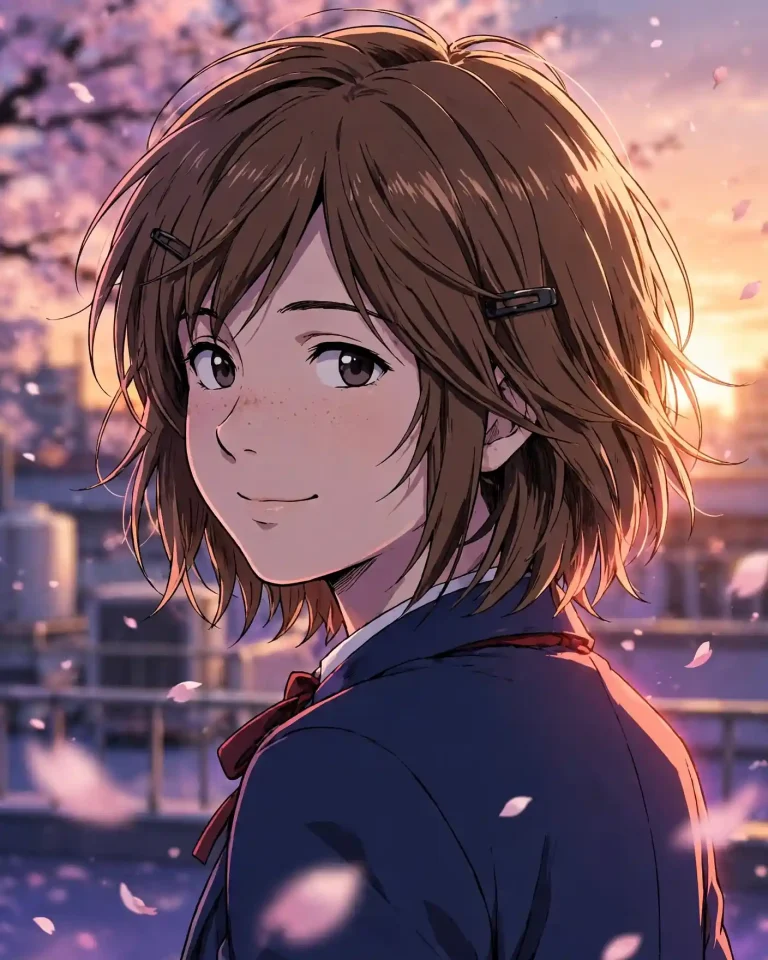
9. Japanese Anime Portrait Prompt
Convert the uploaded photo into a Japanese anime-style portrait of the same person. Preserve the face shape, eye spacing, skin tone, hairstyle and any accessories so the person stays recognisable, with no beautification. Use sharp line art, layered cel shading, detailed individual hair strands with highlights, and cherry-blossom petals drifting in the air. Warm sunset backlight with a soft pink rim light and cool lavender ambient shadows. Pose: looking over the shoulder with a gentle smile, school-rooftop background with shallow focus. 4:5 portrait. No 3D look, no distorted eyes, no extra fingers, no text, no watermark.
Couple Cartoon Image Prompt for Gemini and ChatGPT
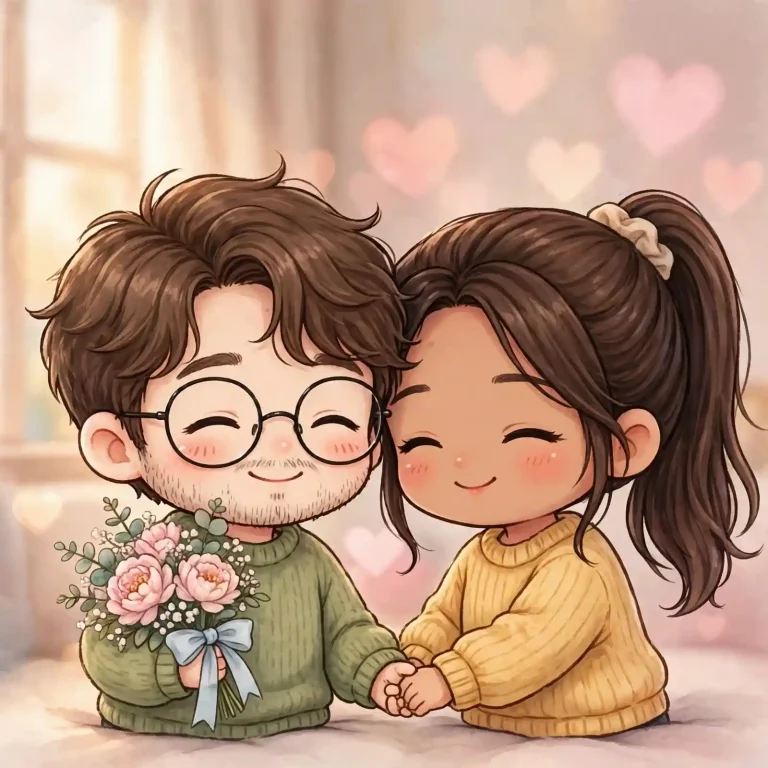
Couple edits are among the most searched uses of a cartoon image prompt, especially for anniversaries, wedding invitations and matching WhatsApp pictures. Upload one photo with both people, or two separate photos, and say so in the prompt. For realistic romantic edits, see these AI couple prompts.
Turn the uploaded couple photo into a cute chibi cartoon of the same two people, with oversized heads and small bodies. Keep each person’s hairstyle, skin tone, glasses and distinguishing features clearly recognisable, and do not swap or blend their identities. Use soft pastel colours, clean outlines and rosy cheeks, with warm window light from the left and a subtle heart-shaped bokeh behind them. Pose: holding hands and leaning heads together, one of them holding a small bouquet. 1:1 square. No merged faces, no extra fingers, no duplicated limbs, no text, no watermark.
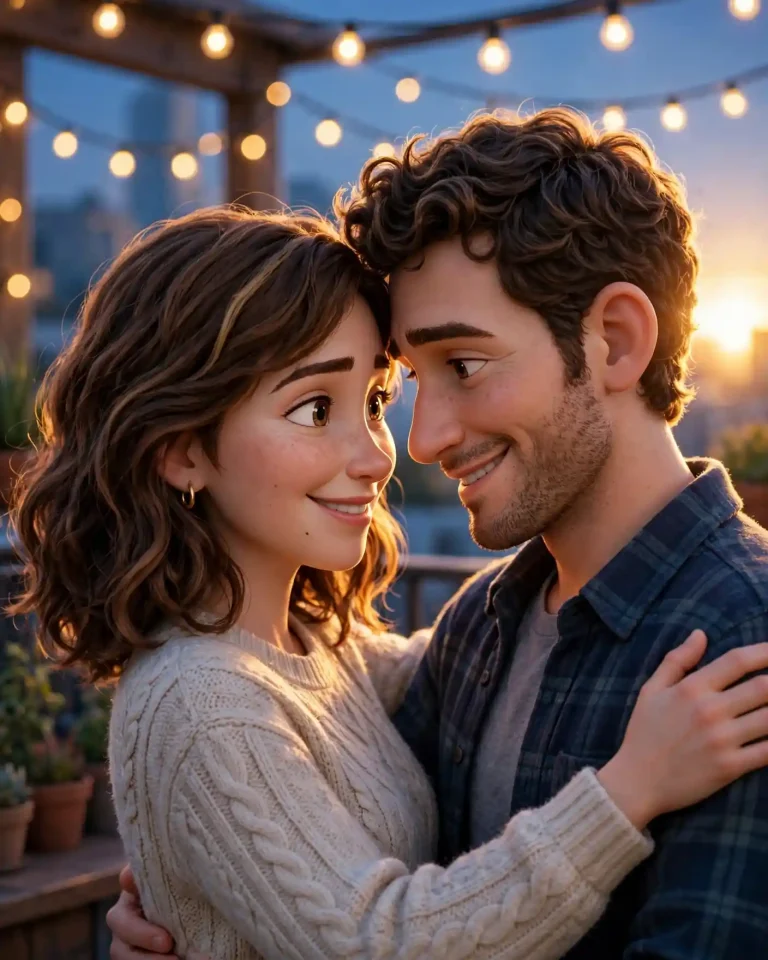
11. Romantic Pixar-Style Couple Prompt
Reimagine the uploaded couple photo as a Pixar-inspired 3D animated couple, keeping both faces recognisable, with preserved skin tones, hair and facial structure and no identity change. Keep subtle skin texture and natural asymmetry on both. Place them on a rooftop at golden hour, with a 3200K sun glow from behind creating a warm rim light and soft blue ambient fill on their faces, shot at a virtual 85mm, f/2.0 with creamy bokeh and string lights. Pose: slow dance, foreheads almost touching, genuine smiles. 4:5 portrait. No malformed hands, no merged bodies, no plastic skin, no text, no watermark.
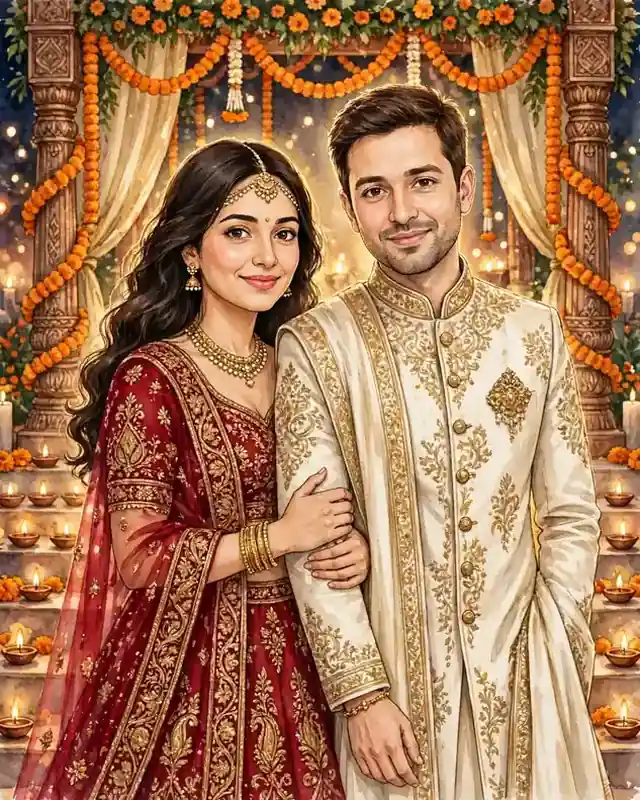
12. Indian Wedding Cartoon Couple Prompt
Transform the uploaded couple photo into a hand-illustrated cartoon wedding portrait, keeping both faces, skin tones and hairstyles recognisable with no identity change. Dress them in a deep red and gold lehenga with detailed zari embroidery and a cream and gold sherwani with realistic fabric folds and jewellery highlights. Marigold garlands, a decorated mandap and glowing diyas behind them, warm 2800K candle-like light with soft golden rim light. Pose: standing side by side, her hand resting on his arm, soft smiles. 4:5 portrait. No distorted hands, no duplicated jewellery, no text, no watermark, no logo.
13. Matching Couple DP Prompt
Create a matching pair of cartoon profile pictures from the uploaded couple photo, one for each person, in the same flat pastel illustration style. Keep each face, skin tone and hairstyle recognisable and clearly different from the other. Use clean outlines, soft shading, a plain pastel background in complementary colours, and a gentle smile with a slight head tilt toward the other frame. Each image 1:1 square, centred head-and-shoulders. No text, no watermark, no extra fingers, no blended faces.
Family, Baby, Mom and Pet Cartoon Prompts
Group photos need one extra instruction: list how many people should appear, so the AI does not add or remove anyone.
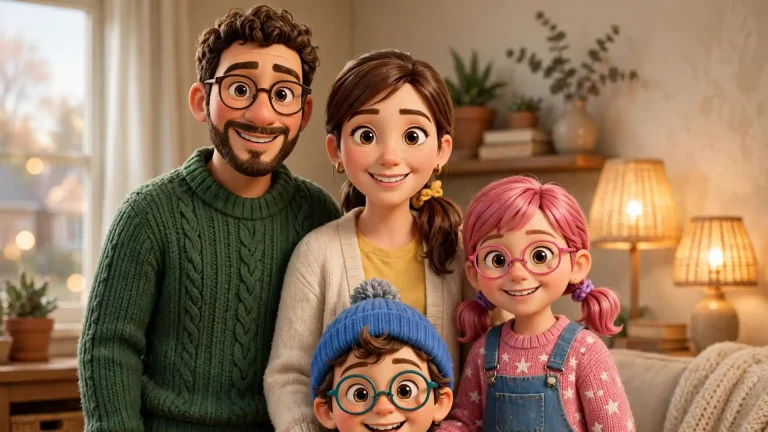
14. Family Group Cartoon Prompt
Turn the uploaded family photo into a Pixar-inspired 3D cartoon family portrait with exactly [number] people, in the same positions as the photo. Keep every face, skin tone, hairstyle, height difference and accessory recognisable, and do not merge or swap anyone. Soft living-room light from a window on the left with warm 3200K lamps in the background, a 35mm virtual lens at f/4 for a natural group perspective, and realistic knitted and cotton fabrics. Everyone smiling naturally, the youngest in front. 16:9 landscape. No extra people, no extra fingers, no distorted faces, no text, no watermark.
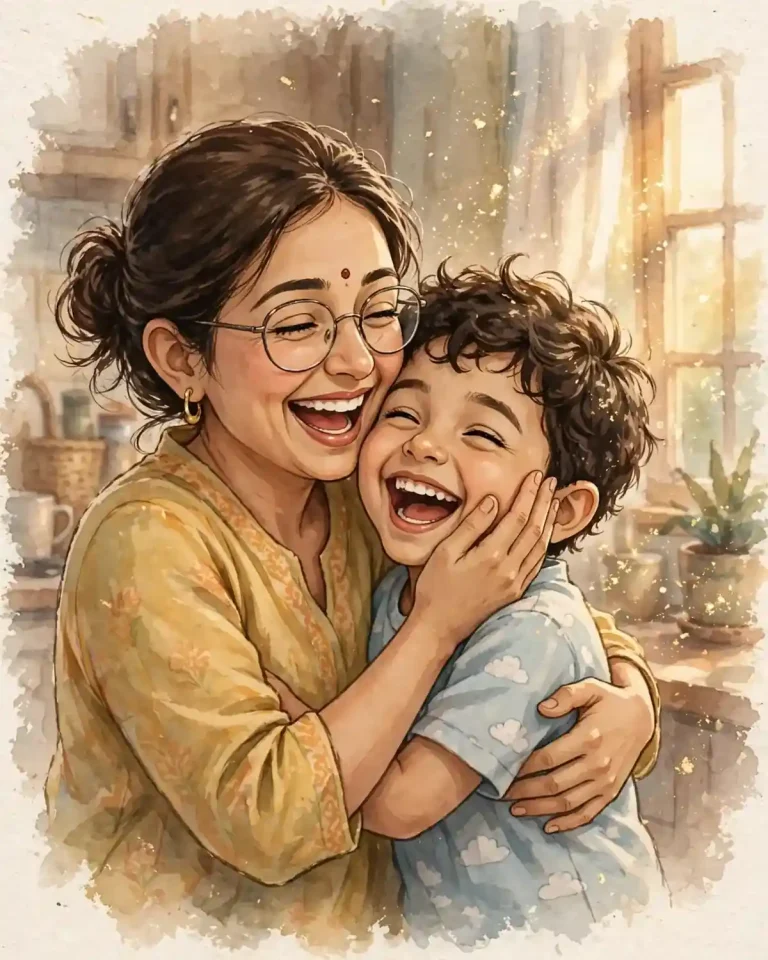
15. Mom and Me Cartoon Prompt
Convert the uploaded photo of me and my mother into a hand-drawn 2D animated illustration. Preserve both faces, skin tones, hair and any glasses or bindi so each of us is clearly recognisable, with no beautification. Use warm watercolour shading and a soft kitchen-window light from the right, with golden dust in the air. Pose: a tight hug, both laughing, her hand on my cheek. 4:5 portrait. No extra fingers, no merged faces, no text, no watermark.
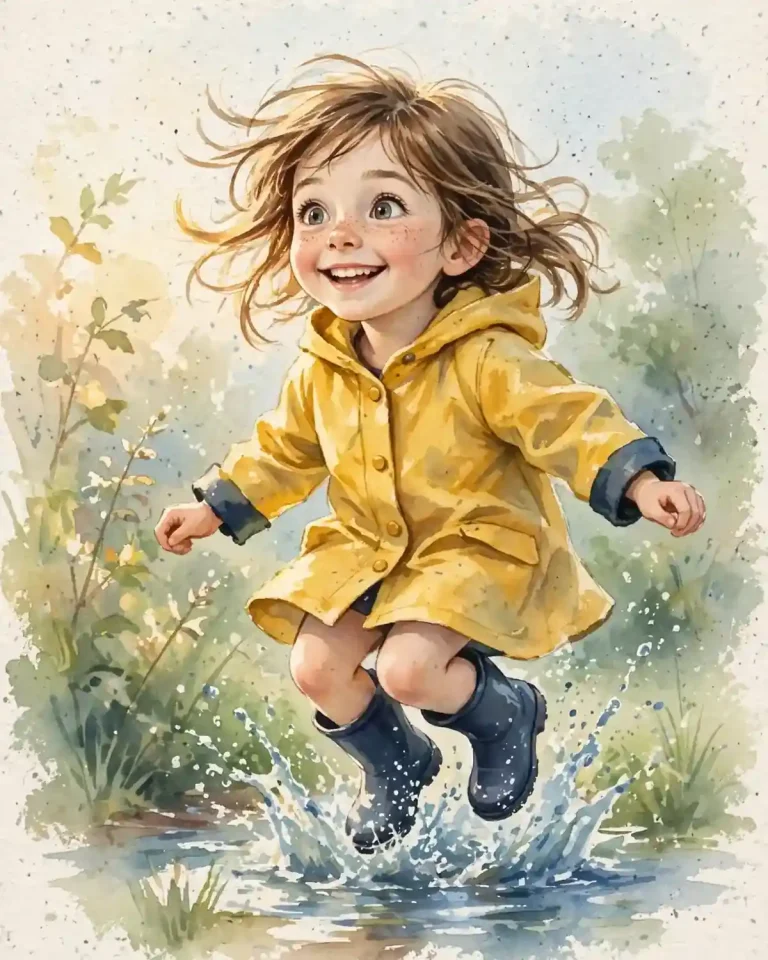
16. Baby or Daughter Storybook Prompt
Turn the uploaded photo of my daughter into a soft storybook watercolour illustration. Keep her face shape, eyes, skin tone and hairstyle recognisable with natural asymmetry and a gentle childlike look, and no identity change. Pastel palette with visible paper grain, wearing a small yellow raincoat and jumping in a puddle, light afternoon glow from the left with gentle rim light on her hair. Wide-eyed joyful expression, slight low camera angle. 4:5 portrait. No scary elements, no distorted hands, no text, no watermark.
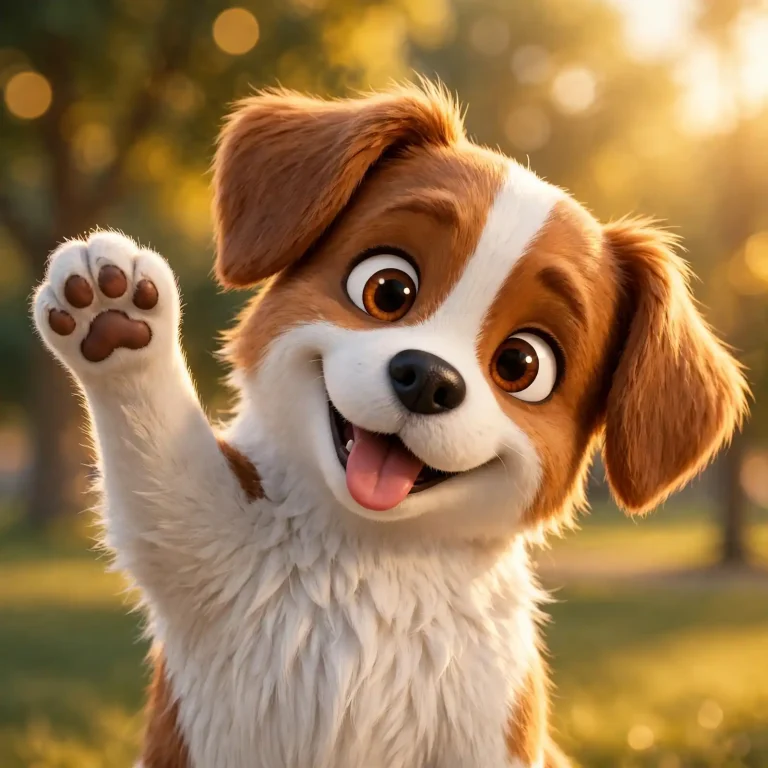
17. Pet to Cartoon Prompt
Turn the uploaded photo of my dog into a Pixar-inspired 3D cartoon character, keeping the exact fur colours, patch placement, ear shape and eye colour from the photo. Show individual fur strands with realistic soft highlights and a slightly larger expressive eye shape. Warm 3200K afternoon light from the right, a 50mm virtual lens at f/2.8, park background in creamy bokeh. Pose: head tilted, tongue out, front paw raised. 1:1 square. No extra legs, no changed markings, no text, no watermark.
Instagram Trending, Profile Picture and Sticker Cartoon Prompts
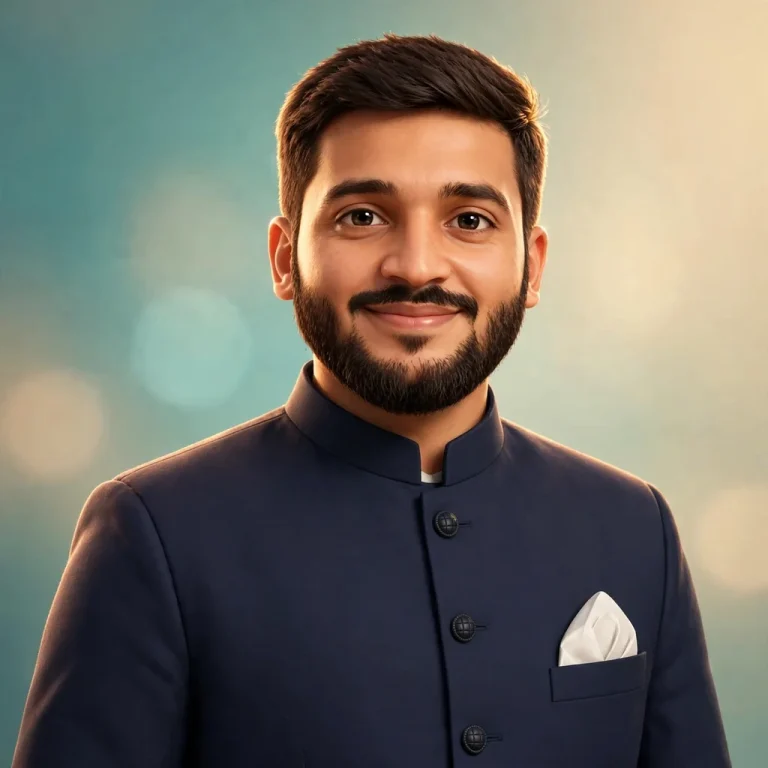
These formats go on social media, so aspect ratio matters more than anywhere else. Use 1:1 for DPs, 9:16 for stories and wallpapers, and 16:9 for banners.
Create a clean cartoon profile picture from the uploaded selfie, keeping the person’s face, skin tone, hairstyle and glasses recognisable with no beautification. Use a semi-realistic 3D cartoon look with soft studio lighting, a 3500K key light at 45 degrees from the left and a thin rim light on the hair, shallow depth of field, and a smooth gradient background in teal and cream. Head-and-shoulders, confident smile. 1:1 square. No text, no watermark, no extra fingers, no plastic skin.
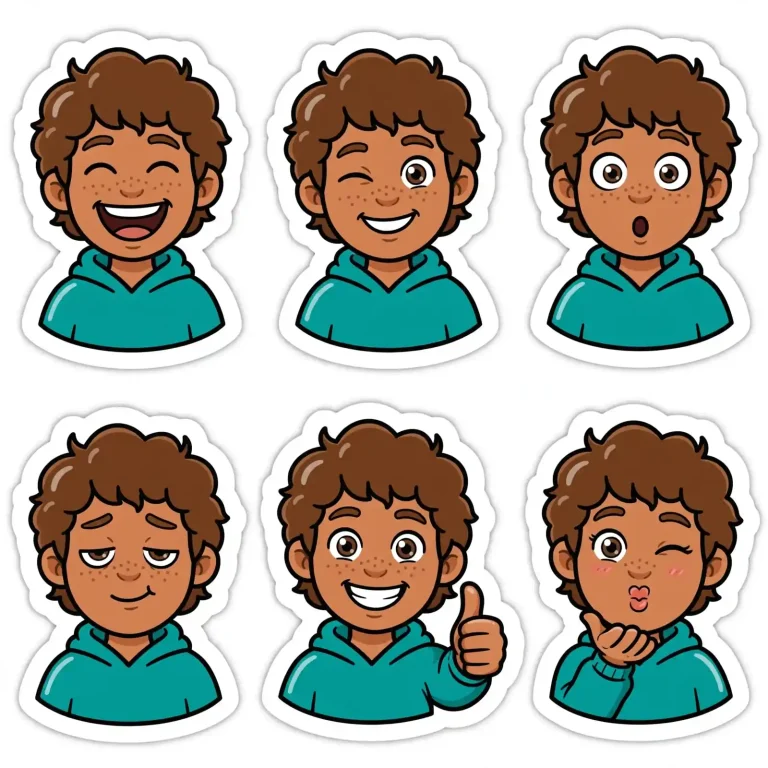
19. Cartoon Sticker Pack Prompt
Turn the uploaded photo into a set of six cartoon stickers of the same person, each with a different expression: laughing, winking, shocked, sleepy, thumbs-up and blowing a kiss. Keep face shape, skin tone and hair recognisable in every sticker. Use bold outlines, flat colours, a thick glossy white die-cut border and a transparent or plain white background. Arrange in a clean 3 by 2 grid. 1:1 square. No text, no watermark, no inconsistent faces, no extra fingers.
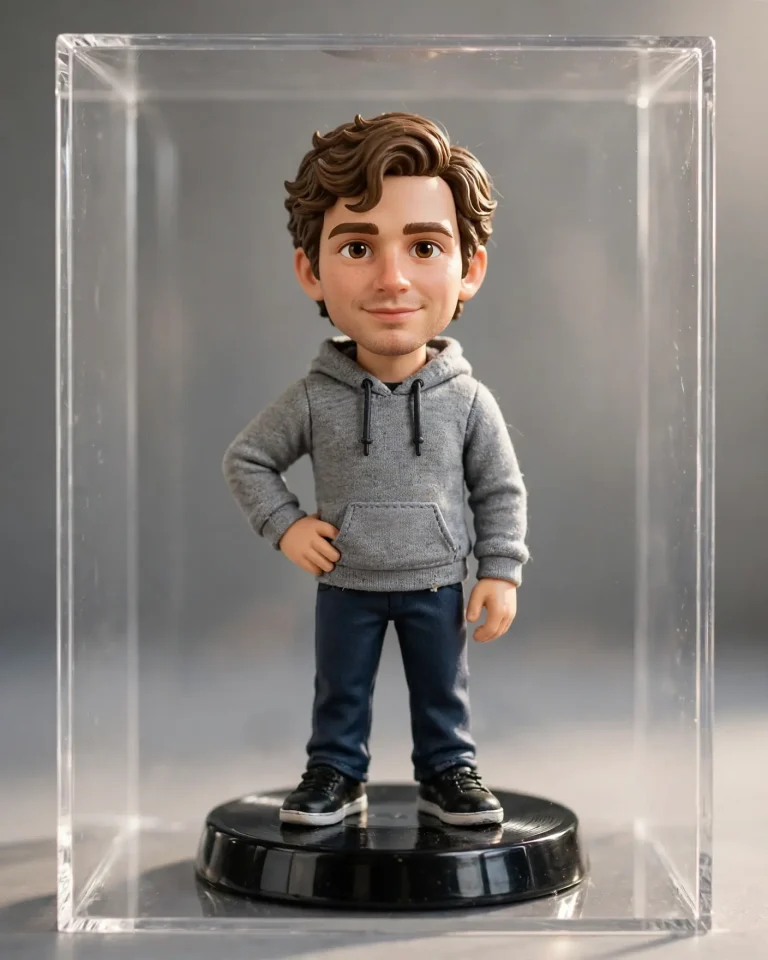
20. 3D Cartoon Figurine Prompt
Turn the uploaded photo into a collectible 3D cartoon figurine of the same person standing on a round glossy base, with a clear acrylic display box behind it. Keep the face, skin tone and hairstyle recognisable. Use realistic vinyl and fabric materials, tiny paint imperfections, soft studio lighting from the upper left with a subtle rim light, and a 85mm lens look at f/4. Pose: confident stance, one hand on the hip. 4:5 portrait. No text on the box, no logos, no extra fingers, no watermark.
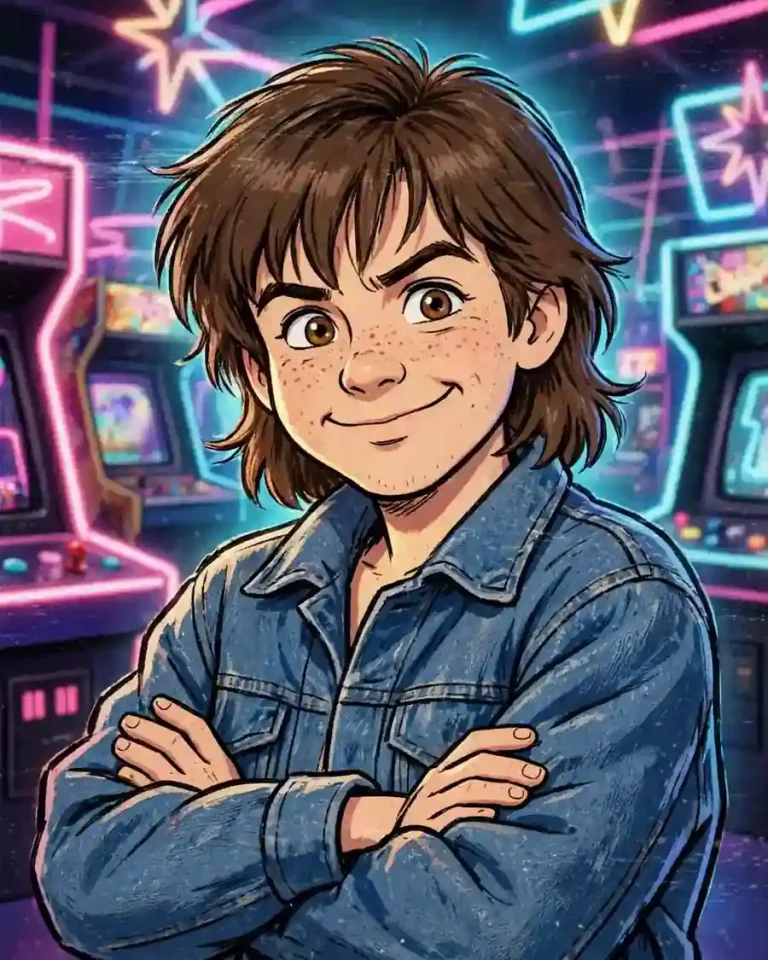
21. 80s and 90s Retro Cartoon Prompt
Reimagine the uploaded photo as a 1990s TV cartoon character of the same person, keeping face, hairstyle and skin tone recognisable. Use thick marker-style outlines, slightly faded colours, a grainy VHS-like texture and a bright arcade background with neon pink and cyan lights, with warm key light from the front and cool ambient glow from behind. Pose: arms crossed with a cheeky grin, oversized jacket with realistic denim texture. 4:5 portrait. No modern 3D gloss, no text, no logos, no watermark.
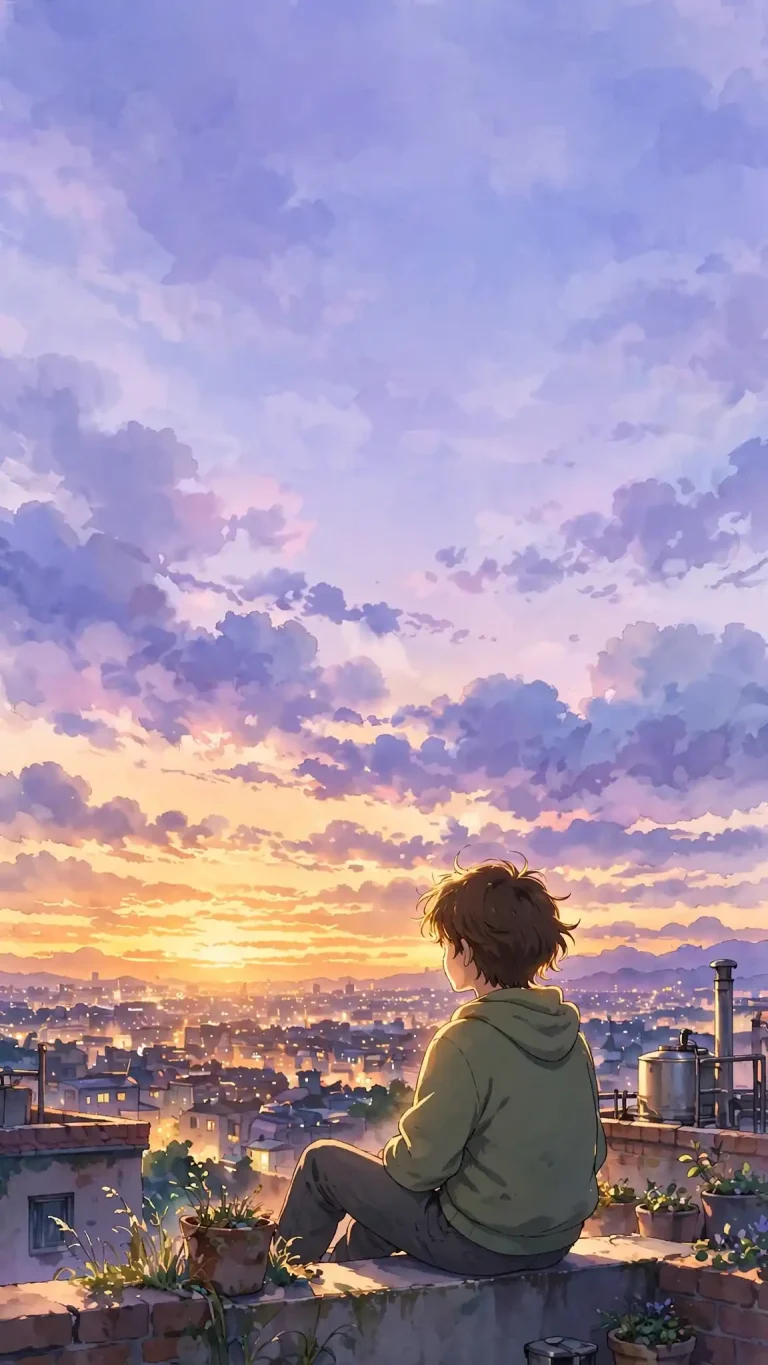
22. Cartoon Phone Wallpaper Prompt
Create a cartoon wallpaper from the uploaded photo, showing the person from behind and slightly to the side, sitting on a rooftop watching a sunset, as a soft Ghibli-inspired illustration. Keep hairstyle and body proportions recognisable. Warm 3000K sunset light with a glowing rim on the hair and cool violet sky in the distance, layered clouds and tiny city lights. Calm mood. 9:16 vertical with empty space at the top for the clock. No text, no watermark, no extra limbs.
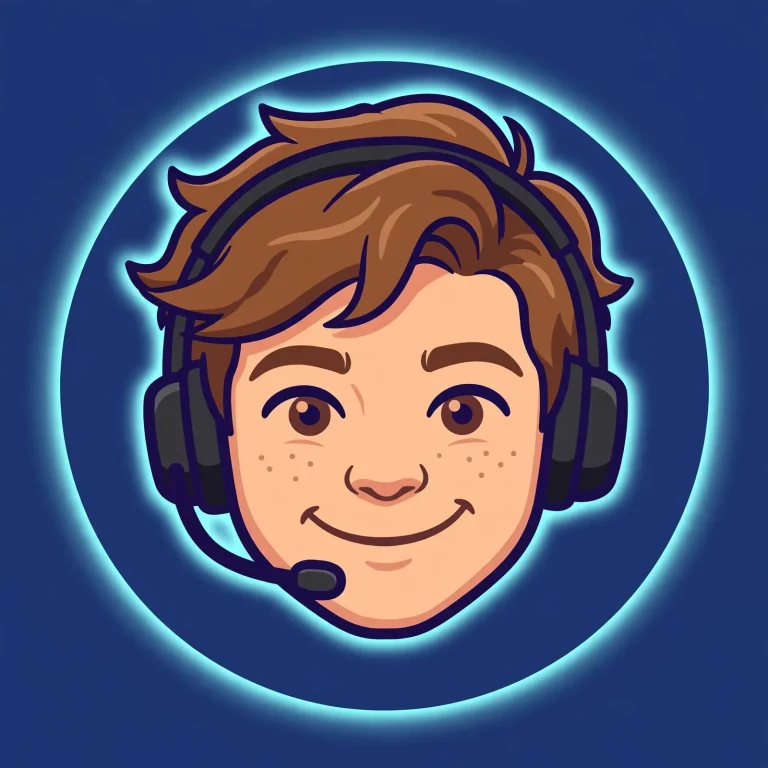
23. YouTube Channel Avatar and Banner Prompt
Create a cartoon YouTube channel avatar from the uploaded photo, in a bold flat-vector style with clean outlines, keeping the person’s face, skin tone and hairstyle recognisable. Add a headset and a confident smile on a solid dark blue background with a soft cyan rim light, centred in a circle-safe composition, 1:1 square. Then extend the same character in a wide 16:9 banner version with a simple studio desk and plenty of empty space on both sides. No text, no logos, no watermark, no extra fingers.
Cartoon Image Prompts Without a Photo
Not every cartoon image prompt needs a reference. For characters without a face, such as robots and animals, you only need strong visual details.
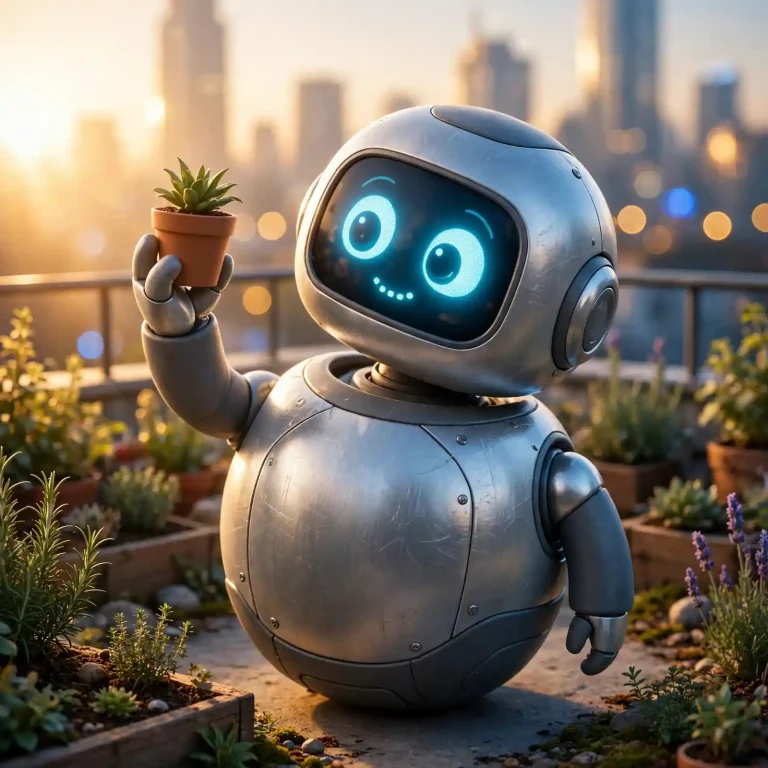
24. Cute Robot Character Prompt
A friendly round robot with a glowing screen face and stubby arms, in a polished 3D cartoon style, holding a small potted plant on a rooftop garden at sunrise. Brushed metal and soft rubber materials with realistic reflections, warm golden light from the left with a cool blue shadow side, 50mm lens at f/2.8, creamy bokeh of city towers. Curious head tilt, one hand lifting the plant. 1:1 square. No text, no logos, no watermark, no extra limbs.
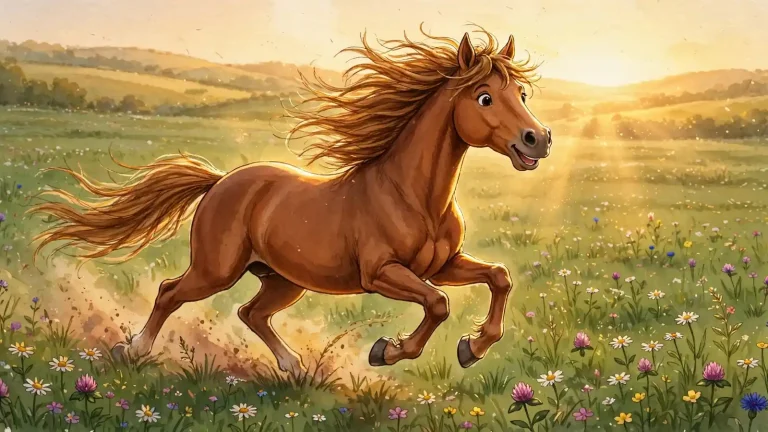
25. Cartoon Horse Character Prompt
A cheerful chestnut horse with a flowing mane in a hand-drawn 2D storybook style, galloping across a green meadow with wildflowers at golden hour. Visible individual mane strands, soft watercolour shading, warm 3300K backlight with a golden rim along the back, and a long, wide 16:9 framing. Joyful expression, ears forward, dust kicking up from the hooves. No extra legs, no distorted anatomy, no text, no watermark.
How to Use a Cartoon Image Prompt in Gemini and ChatGPT
To use a cartoon image prompt, upload a clear photo, paste the prompt, and review the result before asking for changes.
Open Gemini or ChatGPT and start a new image chat.
Upload a sharp, front-facing photo with good light and no heavy filter.
Paste the prompt and replace anything in brackets.
Generate, then refine with one change at a time, such as “keep everything, make the background warmer.”
Download the image and, if needed, crop it for your platform.
In Hindi searches, the same question appears as “cartoon photo kaise banaye”: photo upload karo, prompt paste karo, aur style choose karo.
What Every Strong Cartoon Prompt Contains
Element
What to Write
Example
Style
One named animation look
Pixar-inspired 3D, flat 2D, claymation
Identity
Features to keep
face shape, skin tone, glasses
Lighting
Source, direction, warmth
window light from the left, 3200K
Camera
Lens and depth
50mm, f/2.8, shallow depth of field
Pose and mood
Action and expression
laughing, head tilted
Format
Aspect ratio
4:5, 1:1, 9:16, 16:9
Avoid list
What to block
no text, no extra fingers
Name the style, not a specific copyrighted character. Tools often refuse direct character requests, but a style description such as “yellow-skinned sitcom cartoon” usually works.
Fixing Common Cartoon Image Prompt Problems
Face looks different: add “preserve face shape, skin tone and eye spacing, no identity change” and use a brighter, sharper source photo.
Hands look wrong: add “no extra fingers, no malformed hands,” or ask for a pose with hands out of frame.
Group faces merge: state the exact number of people and describe their positions.
Text appears in the image: add “no text, no watermark, no logo.”
Style is inconsistent across several images: say “same person, same style, same setting” in every follow-up prompt.
Free Tools, Editors and Tips
Gemini and ChatGPT both offer image generation, but free-tier limits and features change, so check the current plan in each app. Some tools add a visible or invisible mark to outputs, which is worth checking before you post.
Editors such as Canva, Picsart and Photoshop are useful after generation for cropping, resizing, removing a background or adding a frame. Procreate works well if you want to paint over the result by hand. Filter-style cartoon apps are quick, but prompt-based tools give much more control over style, pose and background.
Frequently Asked Questions
What is a cartoon image prompt?
It is a text instruction that tells an AI image tool to create or convert a picture into a cartoon. A good one names the style, the identity details to keep, the lighting, the pose and what to avoid.
How do I turn my photo into a cartoon with AI?
Upload your photo to Gemini or ChatGPT, paste a cartoon prompt, and generate. Then refine one detail at a time.
Which cartoon style works best for a profile picture?
Semi-realistic 3D cartoon and flat vector styles work best, because they stay readable at small sizes. Use a 1:1 square format.
Can I make a cartoon image without uploading my photo?
Yes. Describe the character, outfit, setting, lighting and style in detail, as in the robot and horse prompts above.
How do I make a cartoon of myself with a transparent background?
Ask for “a sticker-style cartoon with a plain white background” and remove the background in an editor. Not every tool outputs true transparency.
Can I make a cartoon of my girlfriend, boyfriend, mom or dog?
Yes. Use the couple, family and pet prompts above, and tell the AI how many subjects appear so it keeps them separate.
Why does the cartoon not look like me?
Usually the photo is blurry, angled or heavily filtered, or the prompt lacks an identity clause. Use a sharp, front-facing photo and add “no identity change.”
Is it free?
Both Gemini and ChatGPT offer limited free image generation, but limits change. Check each app for the current allowance.
Final Thoughts
The best cartoon image prompt is specific: it names one style, protects the face, sets the light and camera, and lists what to avoid. Start with the universal prompt, then move to Pixar, Ghibli, couple, family or sticker versions. Change one detail at a time, and keep a good cartoon image prompt saved for the next trend.