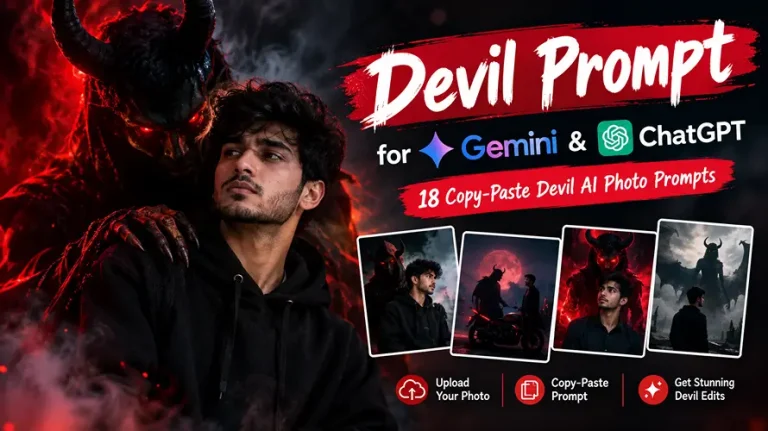
Devil Prompt for Gemini & ChatGPT: 18 Copy-Paste Devil AI Photo Prompts
A good devil prompt turns an ordinary selfie into a dark, cinematic image where a horned or hooded entity stands behind you, beside your bike or over your shoulder. Every prompt below is written to be pasted into Gemini or ChatGPT along with your own photo. Each one keeps your face unchanged and gives the AI the lighting, lens and composition details it needs.
Quick answer: upload one clear, front-facing photo, paste a devil prompt, and generate. If the face drifts, add “do not change my face” and regenerate.
Best Devil Prompt Collection for Gemini and ChatGPT
Every prompt assumes you upload your own photo. Swap “me” for “him” or “her” if you prefer. Aspect ratios are chosen for Instagram, Reels and wallpapers. The first five are devil of death and Yamdoot prompts, the most searched devil prompt styles right now, where a dark figure appears behind or beside you while you stay calm in the foreground.
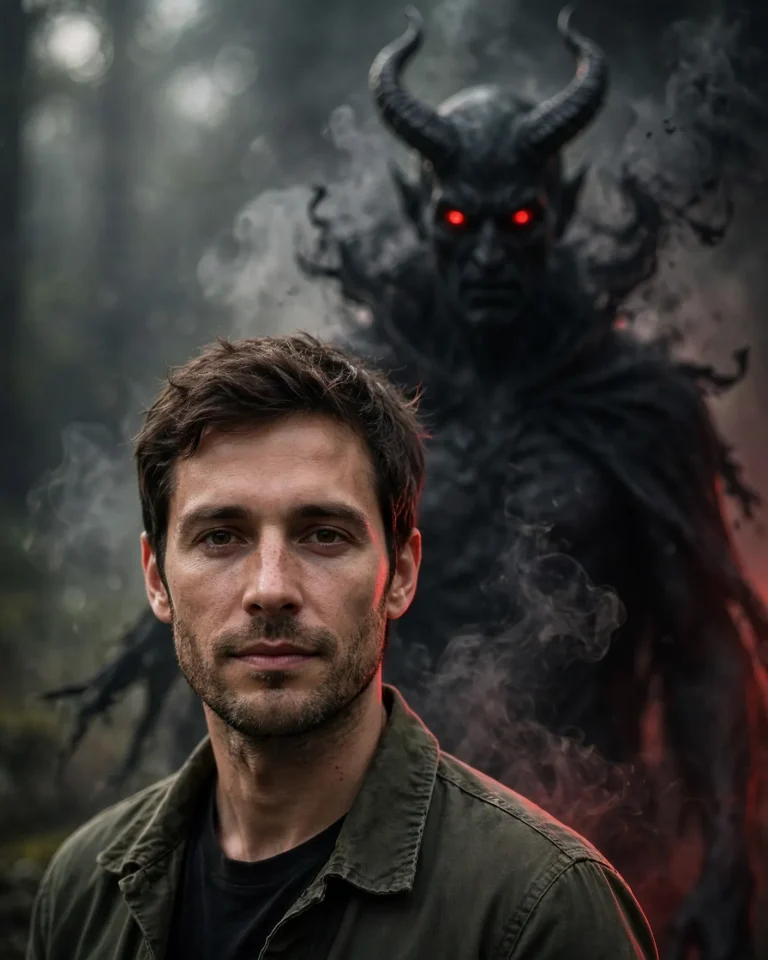
1. Devil of Death Standing Behind You (4:5)
Use my uploaded photo as the only identity reference and keep my face, skin tone, facial structure, hairstyle and expression exactly as they are, with no beautification and no identity change. Show me in the foreground, standing relaxed and looking straight into the camera with a calm, serious expression, while a tall black-skinned devil-of-death entity stands close behind me, slightly out of focus, with glowing ember-red eyes, curved charcoal horns and a long tattered cloak that dissolves into thin smoke at the edges. Light me with soft overcast side light from the left at about 5600K, with a faint red rim light from behind outlining the entity’s shoulders. Shoot at 50mm, f/2, eye level, shallow depth of field with natural bokeh, 4:5 portrait. Keep natural skin pores, fine texture and slight facial asymmetry, with realistic fabric weave and individual hair strands. No plastic skin, no extra fingers, no distorted face, no duplicated limbs, no text, no watermark.
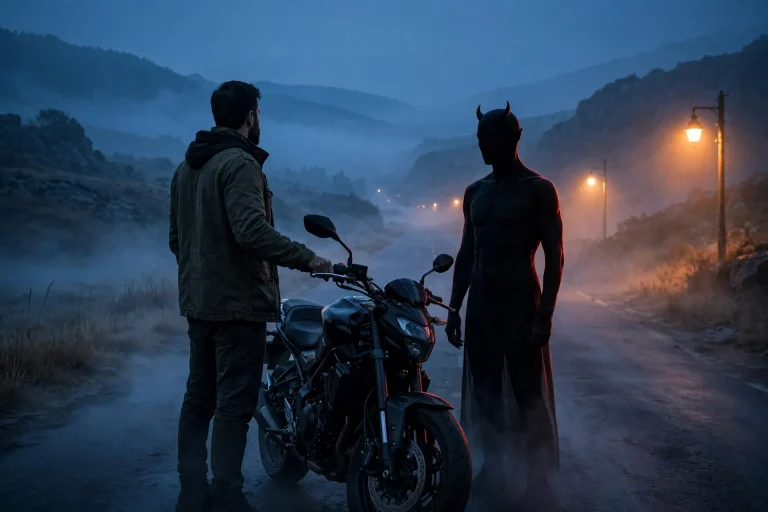
2. Silent Devil Beside a Bike (16:9)
Keep my face exactly identical to the uploaded photo, including skin tone, jawline and hairstyle, with no smoothing or identity change. I stand beside my motorcycle on an empty road at blue hour, one hand resting on the handlebar, looking at the camera with a quiet, confident look. On the right side of the bike, a faceless, shadow-black devil figure with small horns stands motionless and stares at the bike. Use cool 4500K ambient dusk light, a warm 3200K streetlamp glow from the left and a thin red rim light on the devil’s outline. Use a 35mm lens at f/2.8 with cinematic framing, slight atmospheric haze and realistic reflections on the fuel tank and wet asphalt. Keep visible pores, natural skin texture and true leather and metal materials. 16:9 landscape. No malformed hands, no extra people, no duplicated bike parts, no distorted face, no text, no watermark.
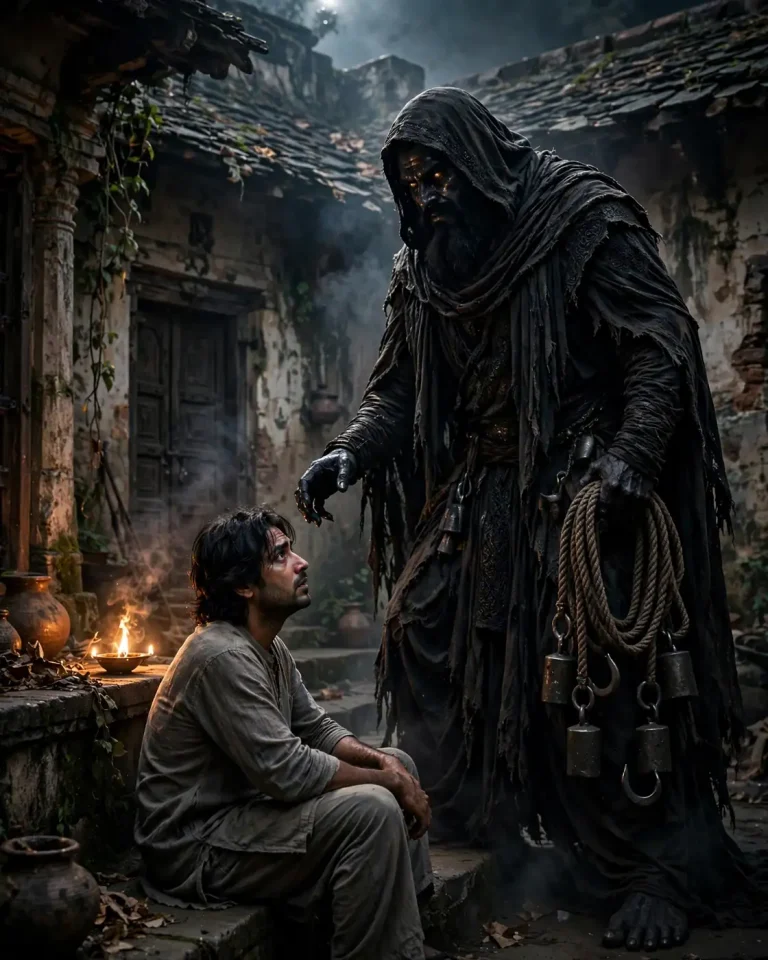
3. Yamdoot Behind Your Shoulder (4:5)
Preserve my exact face, skin tone, facial structure and hairstyle from the uploaded photo, with no beautification. I sit in a dim old courtyard at night, turned slightly toward the camera with a composed, unafraid expression. Behind my left shoulder, a towering Yamdoot, the dark messenger of death from Indian folklore, stands in black layered robes with a wide dark beard, a heavy iron-weighted rope coiled in one hand and faintly glowing amber eyes, his large hand hovering just above my shoulder without touching me. Light the scene with a flickering oil-lamp glow at 2700K from the right, cool moonlight from above and a subtle smoke haze. Use an 85mm lens at f/1.8 with realistic bokeh and focal compression. Show true cloth weave, rough rope fibers, natural skin pores and mild facial asymmetry. 4:5 portrait. No extra fingers, no distorted anatomy, no gore, no text, no watermark.
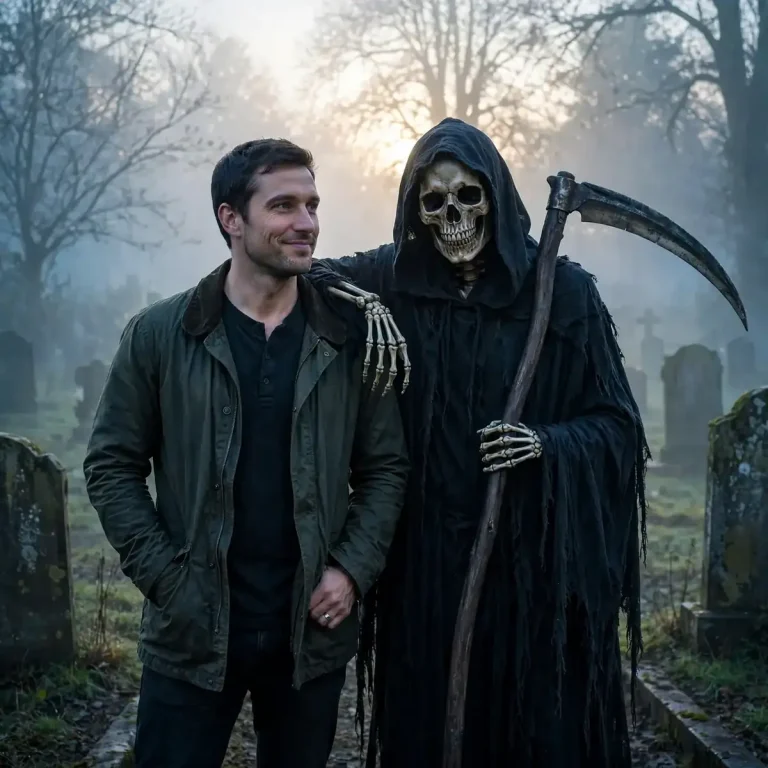
4. Grim Reaper With a Casual Arm on Your Shoulder (1:1)
Use the uploaded photo as the strict identity reference, keeping my face, skin texture, beard or hairline and expression unchanged with zero alteration. I stand in a foggy graveyard at dawn, slightly smirking, hands in my pockets. A skull-faced grim reaper in a black hooded cloak stands beside me with one skeletal arm draped casually over my shoulder and a large scythe resting against his other arm. Use soft diffused dawn light from behind at about 6000K, cool blue shadows and a pale rim light along the hood. Shoot at 50mm, f/2.8, waist-up, 1:1 square, with realistic bokeh in the mist. Render weathered bone, rough wool cloak, brushed steel on the blade, natural pores and individual hair strands on me. No plastic skin, no extra fingers, no duplicated blades, no blood, no text, no watermark.
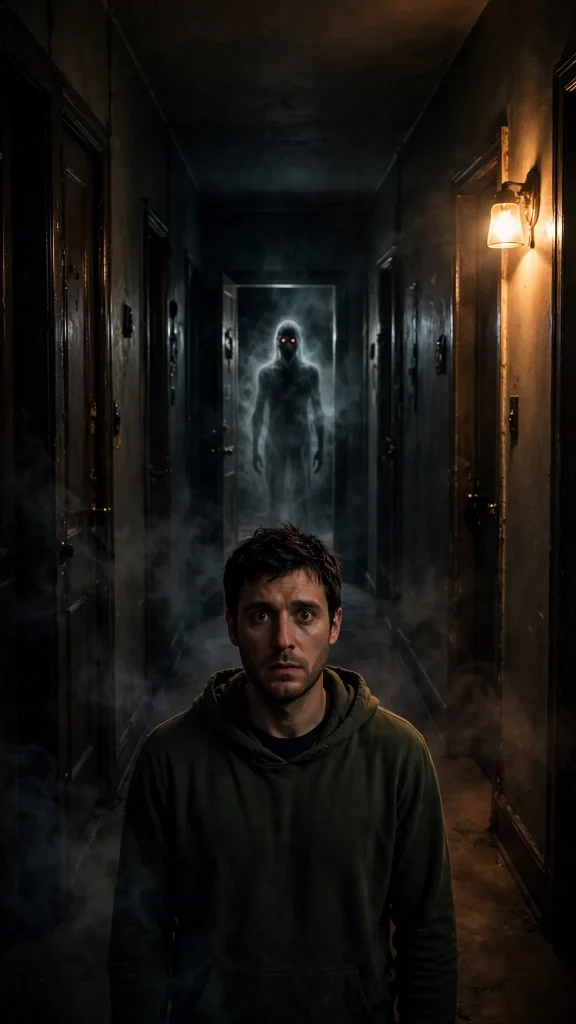
5. Ghost-Like Shadow in the Hallway (9:16)
Keep my face, skin tone and hairstyle identical to my uploaded photo, with no identity change and no beautification. I stand in the middle of a long, dark apartment hallway, facing the camera with a still, wary expression. At the far end behind me, a tall, pale ghost-like shadow figure with hollow red eyes stands in an open doorway, its edges fading into dark mist. Light me with a single practical lamp from the right at 3000K, keep the rest of the hallway in deep shadow and add a faint red glow from the doorway. Use a 28mm lens at f/2.8 for a slightly low, vertical frame with natural perspective. Show realistic wall texture, dust in the light, natural skin pores and fine fabric folds. 9:16 vertical. No extra limbs, no distorted face, no gore, no text, no watermark.
Devil Boy, Devil Girl and Black Devil Prompts
If you want to look like the devil yourself rather than stand next to one, use these. They add horns, glowing eyes and a dark outfit while keeping you recognizable.
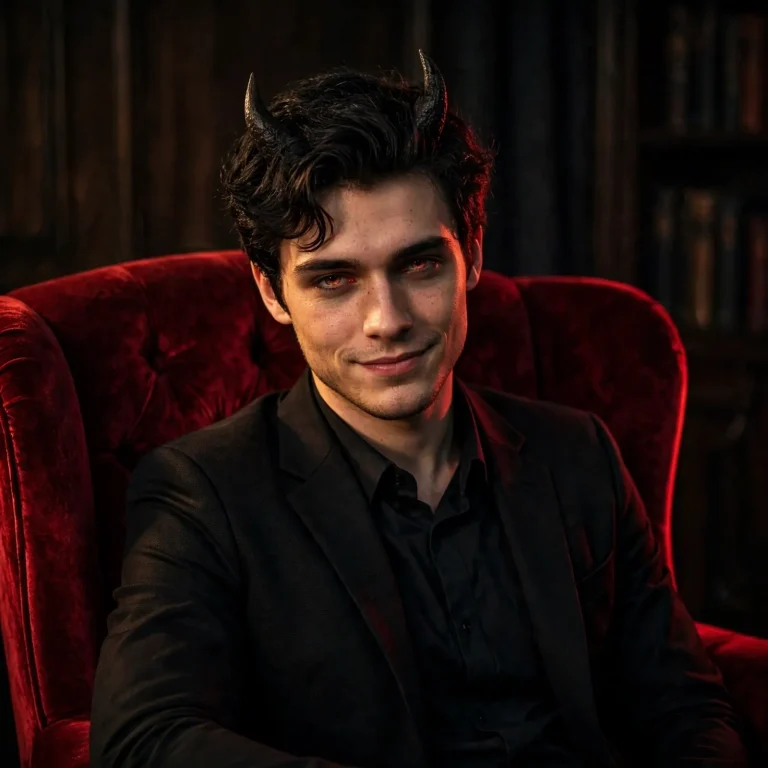
6. Devil Boy With Glowing Red Eyes (1:1)
Keep the face in my uploaded photo exactly the same: identity, jawline, skin tone, hairstyle and proportions, with no beautification. Turn me into a subtle devil boy with two small, realistic dark horns rising from the hairline, faint ember-red glow in my irises and a slight, knowing smirk. I wear a black tailored jacket over a dark shirt and sit in a deep red velvet armchair in a dim room. Light with a warm 3200K key light at 45 degrees from the left, a deep red rim light from behind and soft shadow fill on the right. Use an 85mm lens at f/1.8 for a chest-up 1:1 frame with shallow depth of field. Keep real pores, stubble or peach fuzz, fine skin texture and natural asymmetry, and make the horns look like matte bone with realistic contact shadows. No plastic skin, no extra fingers, no distorted face, no text, no watermark.
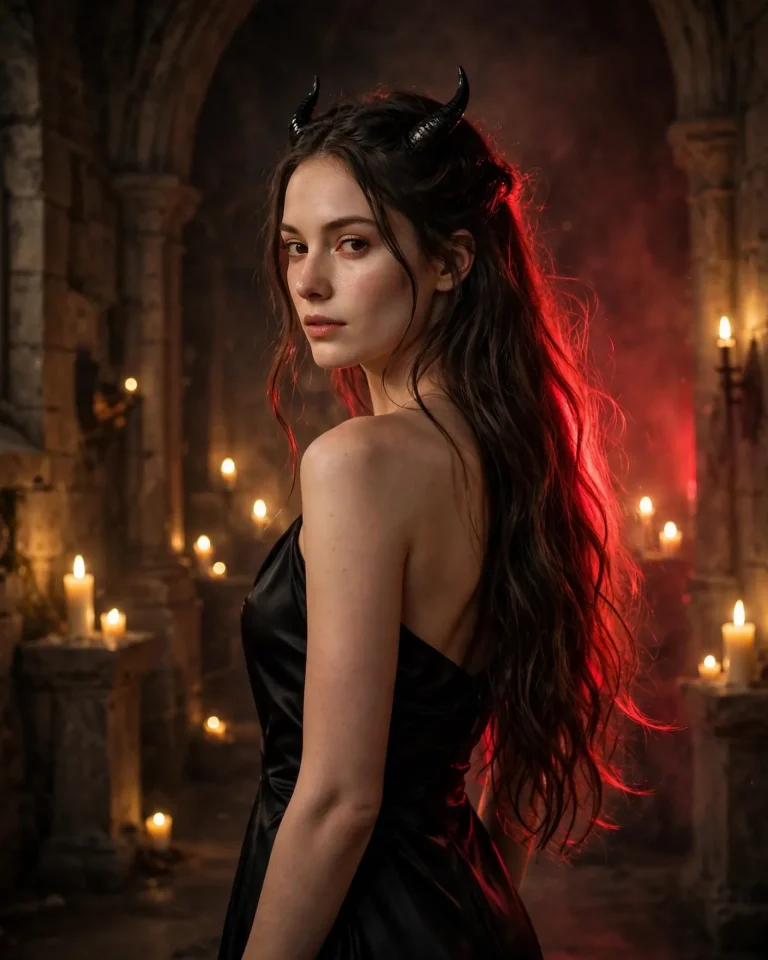
7. Devil Girl in a Black Dress (4:5)
Preserve my face, skin tone and facial structure from the uploaded photo exactly, with no slimming, no smoothing and no identity change. Show me as an elegant devil girl with small, sleek black horns, a black satin dress and long hair falling naturally, standing in a candle-lit stone hall and looking over my shoulder at the camera with a calm, confident gaze. Light with warm candlelight at about 2500K from the front left, a crimson rim light from behind and a deep, soft falloff into shadow. Use an 85mm lens at f/2 with a 4:5 portrait crop and realistic bokeh from the candle flames. Render physically accurate satin sheen, individual hair strands, natural skin pores and subtle freckles or marks. No AI-perfect symmetry, no plastic skin, no extra fingers, no distorted hands, no text, no watermark.
8. Black Devil With Smoke and Glowing Eyes (4:5)
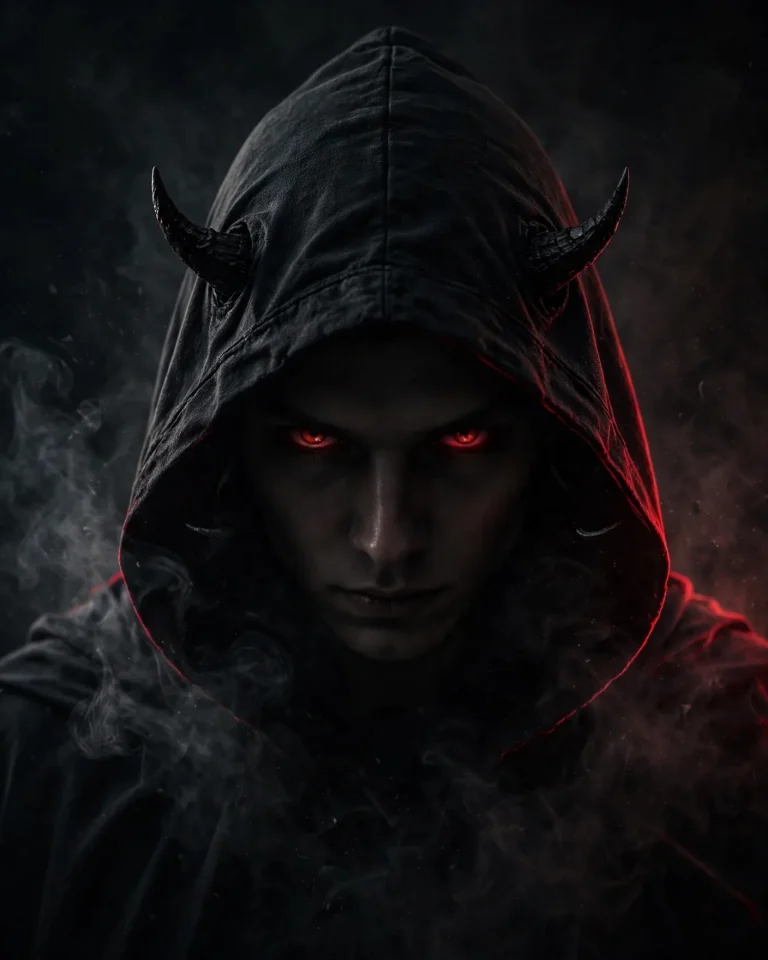
Keep my face, skin tone and hairstyle exactly as in the uploaded photo, with no identity change. Transform the styling into a black devil look: an all-black hooded outfit, subtle dark horns under the hood, a faint charcoal smoke aura around my shoulders and softly glowing red eyes, while my face stays recognizable and natural. Pose with my head slightly lowered and eyes looking up at the camera, mouth neutral and intense. Use low-key lighting with one hard key light from the upper right at 4000K, a thin red edge light on the left and black smoke catching the highlights. Shoot at 85mm, f/2.2, tight chest-up framing, 4:5 portrait. Show realistic fabric fibers, translucent smoke wisps, natural pores and small skin imperfections. No excess skin smoothing, no extra fingers, no duplicated horns, no distorted face, no text, no watermark.
9. 1990s Flash Devil Costume (4:5)
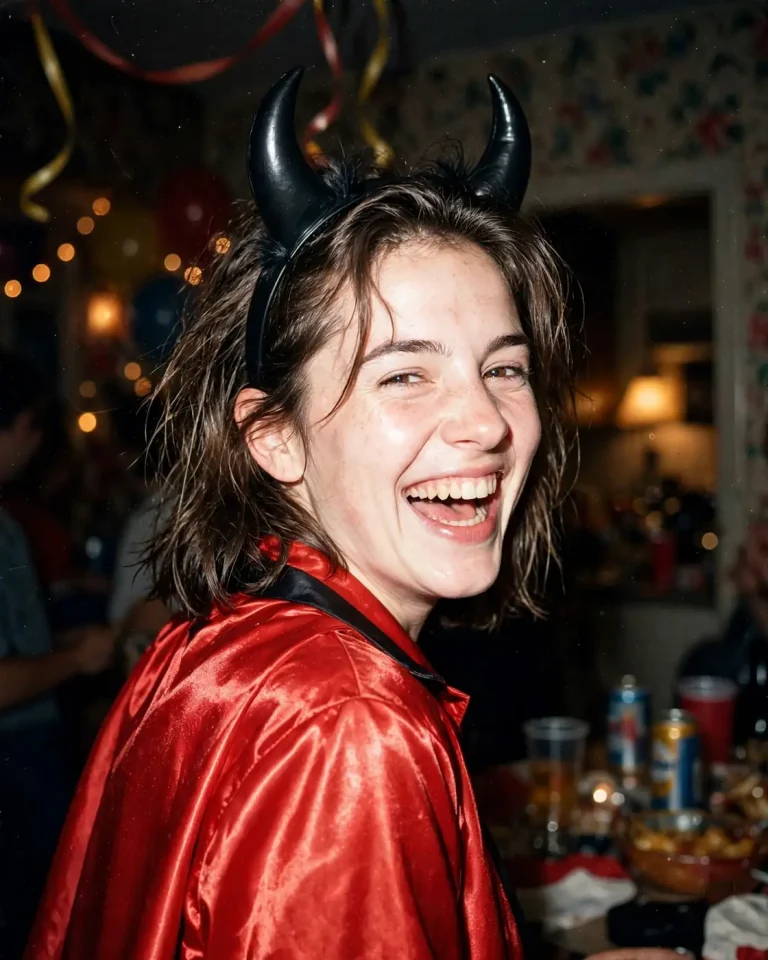
Use my uploaded photo for exact face identity, skin tone and expression, with no beautification. Create a candid, over-the-shoulder disposable-camera snapshot of me at a 1990s house party, wearing a red satin devil costume with a plastic horn headband, laughing mid-turn toward the camera. Use harsh direct on-camera flash with a slightly overexposed centre, deep background falloff, warm 3400K tungsten light from a lamp behind, visible film grain and mild red-eye avoidance. Shoot like a 35mm point-and-shoot at a near-eye-level angle, 4:5 portrait. Keep real pores, shiny flash highlights on skin, flyaway hair strands and the cheap, slightly creased texture of the costume fabric. No plastic skin, no extra fingers, no distorted face, no modern digital look, no text, no watermark.
Demon Slayer and Demon Hunter Devil Prompts
Anime-inspired demon looks are popular on Instagram and work well in Gemini. These prompts describe the style in generic terms (corps-style uniform, breathing-style effects) so the result stays original.
10. Demon Slayer-Inspired Swordsman With a Demon Aura (4:5)
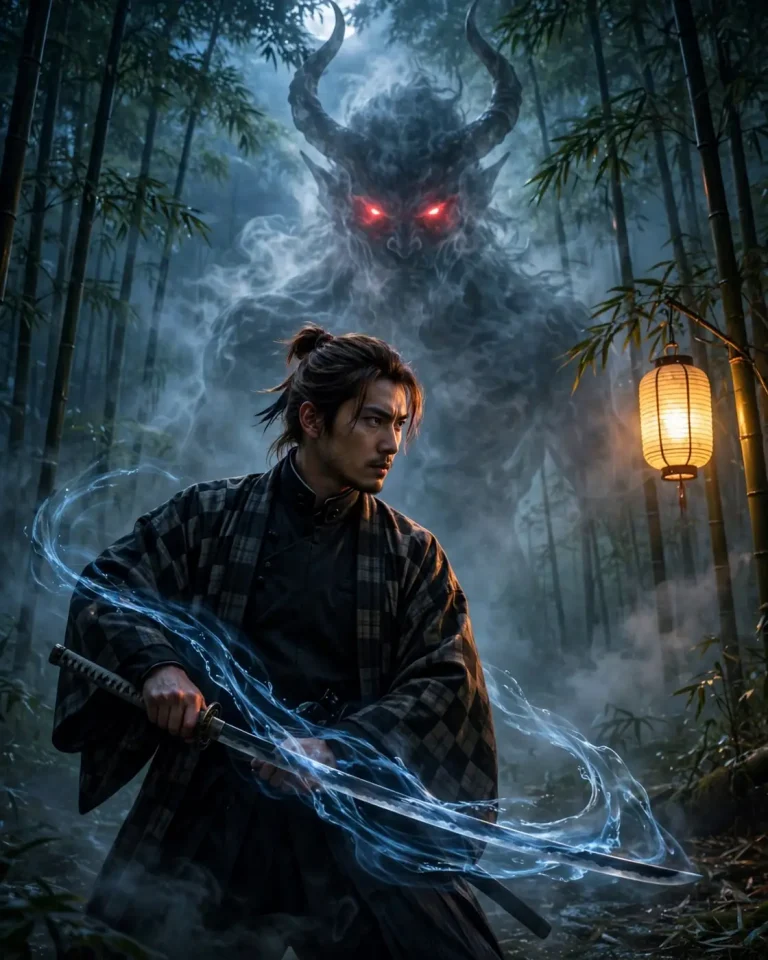
Keep my face, skin tone, facial structure and hairstyle identical to my uploaded photo, with no anime-style face change. Show me as a real, live-action demon slayer swordsman in a dark high-collared uniform under a checkered haori, gripping a katana in a low ready stance in a moonlit bamboo forest, looking sharply toward the camera. Behind me, a huge translucent demon silhouette with horns and glowing red eyes rises out of the mist, and a faint blue water-like slash effect curves around the blade. Light with cold 6500K moonlight from above-left, a warm orange rim light from a distant lantern and soft fog. Use a 35mm lens at f/2.8, slightly low angle, 4:5 portrait. Render cotton uniform weave, polished steel, individual hair strands, natural pores and realistic motion blur only on the sword tip. No extra fingers, no duplicated swords, no distorted face, no cartoon face, no text, no watermark.
11. Demon Hunter on a Rainy Rooftop (9:16)
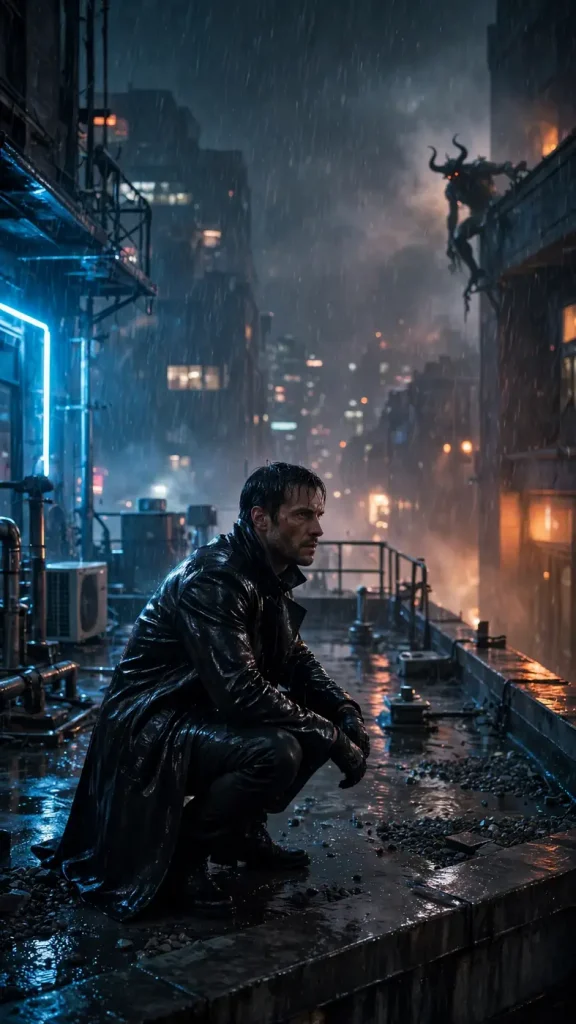
Keep my face and identity exactly as in the uploaded photo, with no beautification or face swap. I am a lone demon hunter in a long black leather coat crouching on a rain-soaked city rooftop at night, one hand touching the edge, face turned toward the camera with a focused, tired look. A horned demon with ember eyes climbs the building edge far behind me, partly hidden in rain. Use cold 5000K neon blue from the left, warm orange sign glow from the right and strong backlight on falling rain. Shoot at 35mm, f/2, low three-quarter angle, 9:16 vertical, cinematic framing. Render wet leather sheen, glossy puddle reflections, individual raindrops, natural skin pores and fine hair strands. No extra limbs, no distorted anatomy, no duplicated demons, no readable signs, no text, no watermark.
12. Anime-Style Devil Portrait That Still Looks Like You (1:1)
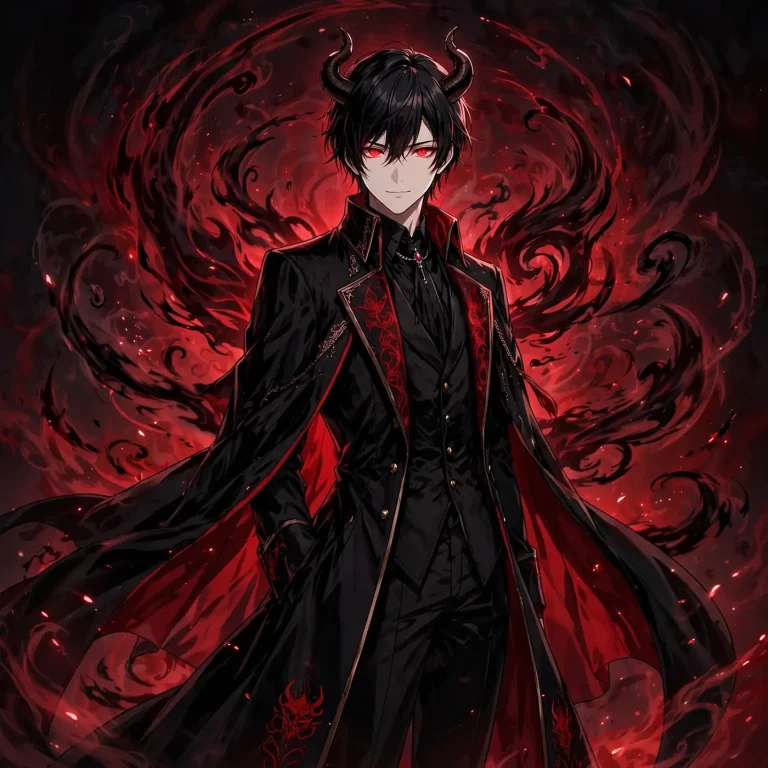
Convert the uploaded photo into a polished anime-style illustration while keeping my recognizable features: eye shape, nose, jawline, hairstyle, skin tone and expression, with no change in identity. I appear as a devil prince with short curved horns, a long black coat with crimson lining and glowing red eyes, with a faint demon aura swirling behind me. Use clean cel-shaded linework, soft gradient shading, a dramatic red-and-black palette, a strong rim light from behind and subtle painterly grain. Medium close-up, centered composition, 1:1 square. Keep the hair as separate strands with highlights and the fabric folds crisp. No photorealistic skin, no extra fingers, no mismatched eyes, no distorted face, no text, no watermark.
Devil Prompts for Bike, Chair, Wings and Hell Backgrounds
Scene-driven prompts give you the most variety, since the same face can sit in completely different worlds.
13. Devil on a Black Throne Chair (4:5)
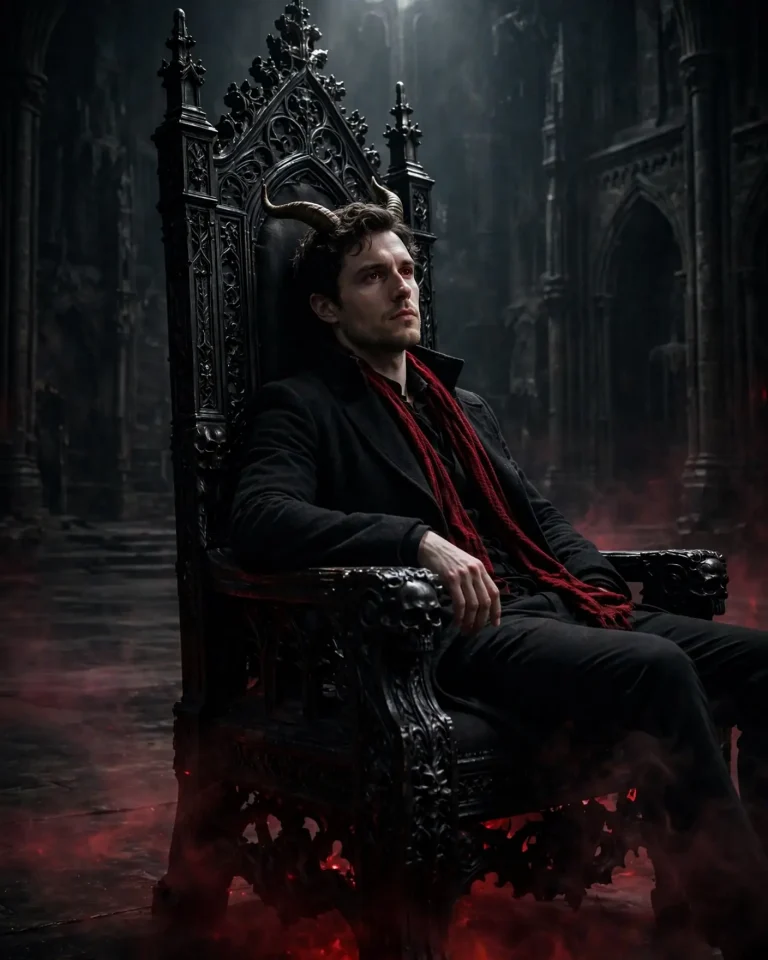
Keep my uploaded face exactly the same: identity, skin tone, jawline and hairstyle, with no beautification. I sit on a tall carved black throne chair in a vast dark hall, leaning back with one arm on the armrest, chin slightly raised, wearing a black coat with a dark red scarf. A pair of large, curved horns grows subtly from my head, and a faint red mist moves across the floor. Light with a strong 3800K key light from above-left, red under-glow from the floor mist and a cool blue fill from the right. Use a 50mm lens at f/2.8 at a slightly low angle to make the throne feel imposing, 4:5 portrait. Render carved wood grain, polished obsidian floor reflections, wool texture, natural pores and subtle facial asymmetry. No plastic skin, no extra fingers, no distorted face, no duplicated chair parts, no text, no watermark.
14. Riding a Bike Through Hellfire (16:9)
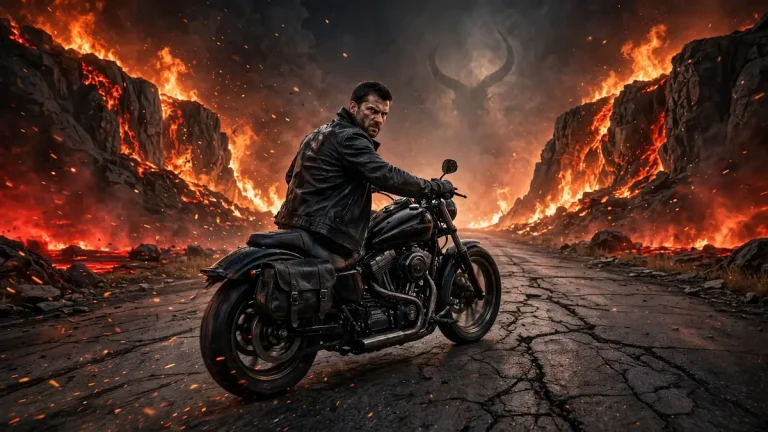
Keep my face and identity exactly as in the uploaded photo, with no changes. I ride a black cruiser motorcycle down a cracked road with burning cliffs and a glowing red horizon on both sides, head turned slightly toward the camera with a fierce, focused expression, wearing a dark leather jacket and gloves. A faint horned silhouette forms in the flames behind me. Light me with orange firelight at 2200K from the left, deep red ambient glow and cool shadow on the right, with sparks and embers drifting in the air. Use a 24mm lens at f/2.8 with a low panning camera angle, slight motion blur on the background only, 16:9 landscape. Render chrome reflections, scratched leather, realistic heat haze, natural pores and hair strands. No extra fingers, no malformed hands, no duplicated wheels, no distorted face, no text, no watermark.
15. Dark Angel Wings Spread Behind You (4:5)
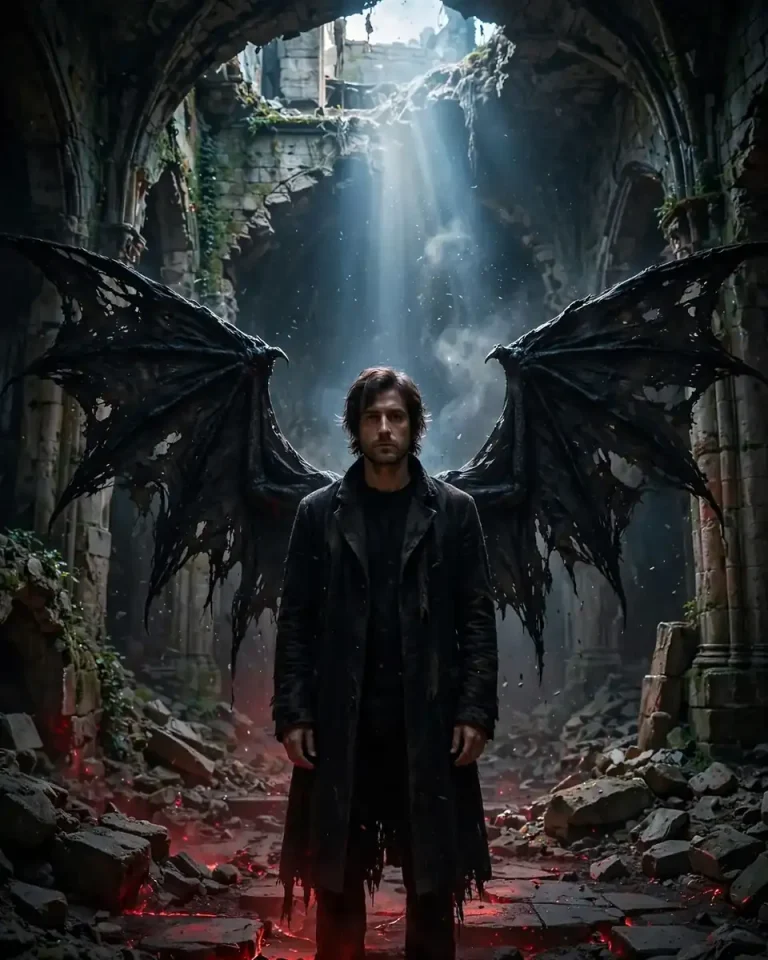
Preserve my face, skin tone and hairstyle from the uploaded photo exactly, with no beautification. I stand centered in a ruined cathedral in a black coat, arms relaxed at my sides, looking calmly at the camera, while a huge pair of tattered black devil wings spreads symmetrically behind me, each feather and membrane edge catching light. Use a shaft of cool 6000K light from a broken window above, deep red ambient glow from the floor and soft dust particles. Shoot at 35mm, f/2.8, centered symmetrical composition, 4:5 portrait. Render layered feathers with realistic barbs, rough stone textures, natural pores and subtle facial asymmetry. No extra arms, no wings growing from odd places, no distorted face, no plastic skin, no text, no watermark.
16. Gate of Hell Background (16:9)
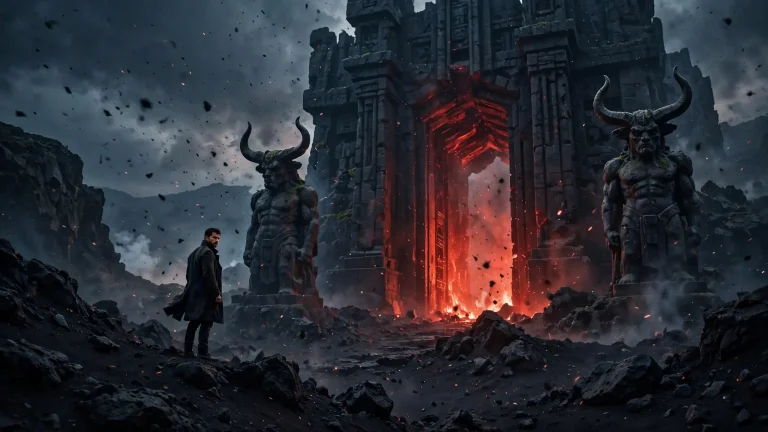
Keep my face and identity identical to the uploaded photo, with no changes or smoothing. Place me small but clear at the center-left of the frame, standing on volcanic black rock, looking back at the camera over my shoulder, in a dark long coat. Behind me, a gigantic gate of black stone glows with red light, with horned statues on both sides and slow ash drifting through the air. Light with a strong red backlight, a warm orange fill from lava on the ground at 2500K and a faint cool rim on my cheek. Use a 24mm wide lens at f/4 for deep focus, cinematic scale, 16:9 landscape. Render rough stone, glowing lava cracks, cloth folds, natural pores and hair strands. No extra people, no distorted face, no duplicate statues, no text, no watermark.
Cinematic Devil Prompts: Movie Poster, 3D and 8K
17. Movie Poster Layout (2:3)
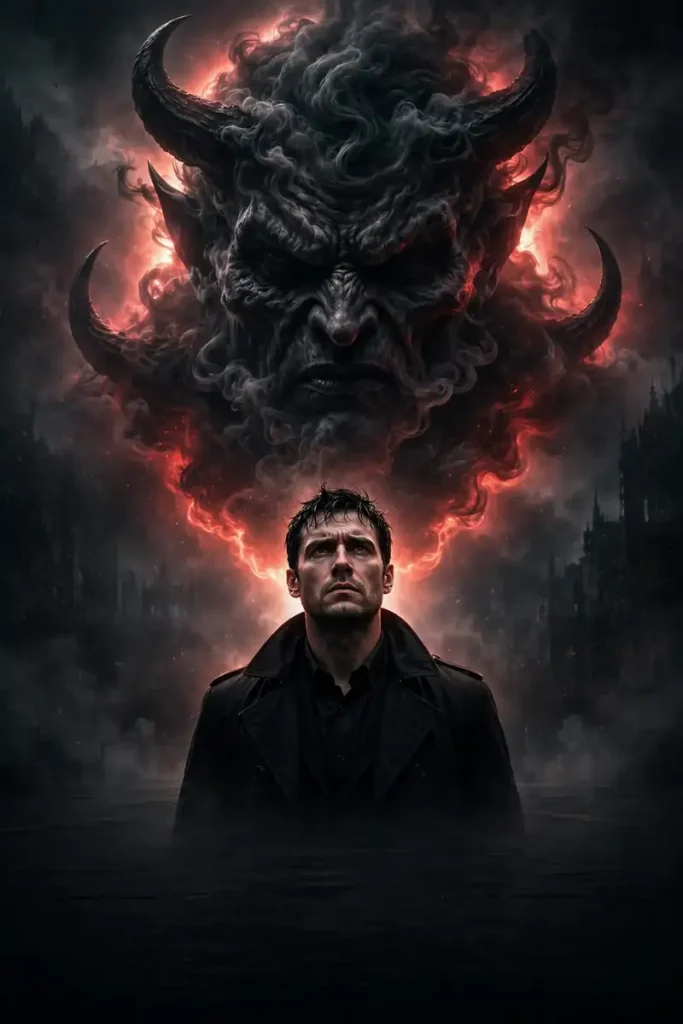
Keep my face, skin tone and facial structure exactly the same as in the uploaded photo, with no change in identity. Create a dark supernatural thriller movie poster where I am the lead, standing in the lower center in a black coat with a serious expression, while a giant horned devil face made of smoke and shadow looms in the sky above me. Use a restrained palette of black, deep red and ash grey, a strong backlight halo behind my head, a cool 5000K fill on my face and subtle film grain. Use a 50mm lens look at a slightly low angle, 2:3 vertical poster, and leave a clear empty area near the bottom for a title to be added later. Render realistic fabric, smoke volume, natural pores and fine hair strands. No rendered text, no logos, no distorted face, no extra fingers, no watermark.
18. 3D 8K Devil Avatar (1:1)
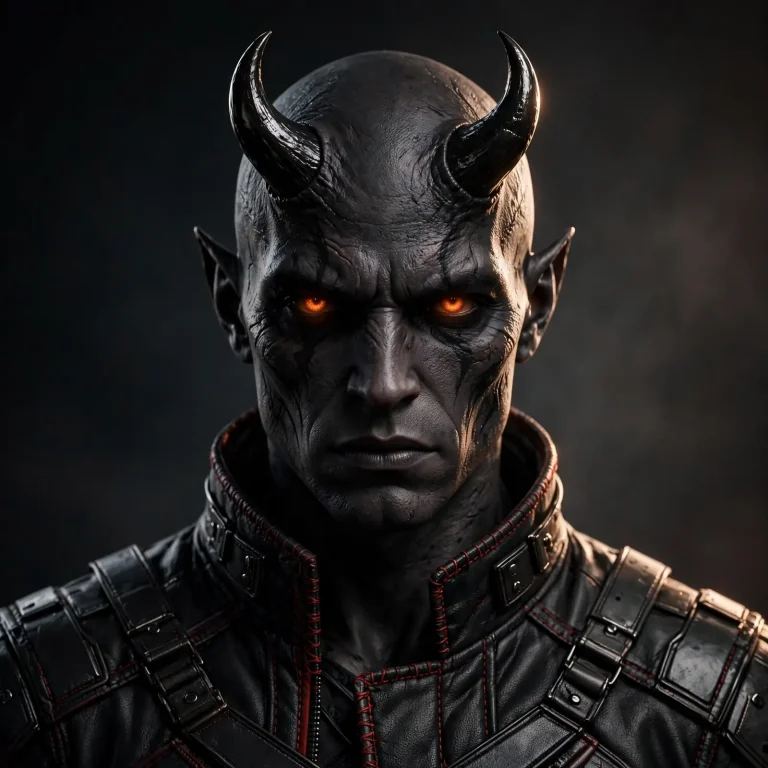
Use the uploaded photo as the identity reference and create a premium 3D character render of me as a devil, keeping my recognizable face shape, eyes, nose, skin tone and hairstyle. Add short obsidian horns, a black armored jacket with red stitching and softly glowing ember eyes. Use studio three-point lighting: a warm 3500K key light from the upper left, a red rim light from behind and soft cool fill, with a dark gradient background. Render at 8K detail with a 85mm virtual lens, f/2.8 depth of field, centered bust composition, 1:1 square. Show physically accurate subsurface skin scattering, visible pores, fine peach fuzz, metal scratches and fabric stitching. No plastic or waxy skin, no cartoon proportions, no extra fingers, no distorted face, no text, no watermark.
How to Use a Devil Prompt in Gemini and ChatGPT
To use a devil prompt, you upload a photo and paste the text into the same message. The photo gives the AI your identity, and the prompt gives it the scene.
Open Gemini or ChatGPT on your phone or browser and start a new image chat.
Upload one sharp, front-facing photo. Good light and an uncovered face give the best identity match.
Paste the devil prompt exactly as written, then adjust only the gender words if needed.
Generate and review. Check the face first, then hands, then the background.
Refine with one change at a time, such as “make the horns smaller” or “make the lighting colder.”
Download and crop to your target format for Instagram or Reels.
Once one devil prompt works for you, the same upload, paste, review and refine routine carries over to almost any other look, so it is worth exploring more AI photo editing prompts for Gemini and ChatGPT.
Gemini or ChatGPT: Which Is Better for a Devil Prompt?
Both can do the job, and the free tiers are enough to start. The better choice depends on what you care about most.
Factor
Gemini
ChatGPT
Ease on mobile
Very quick for photo edits
Quick, also good for follow-up edits
Identity match
Often strong with a clear reference photo
Often strong, especially after one correction
Scene control
Good with long descriptive prompts
Good at following layered instructions
Free access
Limits vary by account and region
Limits vary by plan and region
Free limits change often, so check the current allowance in each app. If one tool changes your face, try the same prompt in the other.
How to Customize Any Devil Prompt
You can reuse the structure of every prompt above and swap a few variables.
Candlelight 2500K, moonlight 6500K, neon, fire glow
Lens
24mm for scale, 50mm natural, 85mm portrait compression
Format
4:5 post, 9:16 Reel, 16:9 wallpaper, 1:1 profile pic
The red and black mood is easy to reuse outside the devil theme. A simple red background prompt is a good way to test how your face holds up under strong red light before you try a full devil scene.
Location is the easiest variable to change. Instead of a rooftop or a hallway, you can place the same devil in a wide skyline scene, and a CG city tour prompt is a handy starting point for describing that kind of large city backdrop.
For an image-only look with no person in it, remove the identity lines and describe the character fully instead.
Common Mistakes With Devil AI Photos and How to Fix Them
Face changes: add “keep my face exactly identical, no beautification” and use a sharper reference photo.
Plastic skin: include pores, texture and “no excessive smoothing” in the prompt.
Two entities instead of one: add “only one devil, no duplicates” to the avoid clause.
Bad hands: include “no extra fingers, no malformed hands,” and keep hands in simple poses like pockets or on a handlebar.
Too cartoonish: mention a real lens, real light and real materials, and remove words like “art” or “illustration.”
Wrong crop: state the aspect ratio in the prompt rather than cropping afterward.
Frequently Asked Questions
What is a devil prompt?
A devil prompt is a text instruction for an AI image tool that adds or turns you into a devil, demon or death-themed figure in a photo. It usually includes the entity’s look, the lighting and your face-preservation rule.
Which devil prompt works best for Gemini?
Prompts with a clear identity lock, one entity and one location work most reliably. Start with the devil-of-death-behind-you prompt, then try the bike or throne versions.
Can AI make a devil image from my own photo?
Yes. Upload your photo with the prompt and the tool will compose the scene around you. Results vary, so retry or refine if the face drifts.
Is a devil prompt free to use?
The prompts are free to copy. Generation limits depend on your Gemini or ChatGPT account and may change.
What is the “Yamdoot wala” photo?
It is a Hinglish name for the style where a Yamdoot, a death-messenger figure from Indian folklore, stands behind or beside you. Prompt 3 creates it.
How do I get a devil prompt result that looks like a real photograph?
Name a real lens, a light direction and color temperature, and ask for natural pores and imperfections. Avoid asking for “perfect” skin.
Can I use these prompts for Instagram?
Yes. The 4:5 and 9:16 prompts are sized for feed posts and Reels, and browsing trending Instagram photo prompts can give you ideas for what to post next. Check each platform’s current AI-content policy and disclose AI use where required.
Can a devil prompt create video?
Image prompts do not create video by themselves. You can feed the finished image into a video tool and animate smoke or eyes, though results differ by tool.
Can I upscale the final image?
Yes. Lock the composition first, then run the result through a 4K HD realistic Gemini prompt to sharpen skin texture and fabric detail without changing the scene.
Conclusion
The strongest devil prompt combines four things: an identity lock, one clear entity, believable light, and a firm “avoid” list. Start with the devil-of-death or bike prompt, change one variable at a time, and keep the one that looks most like you. Save your favorite devil prompt so you can reuse it for new photos.