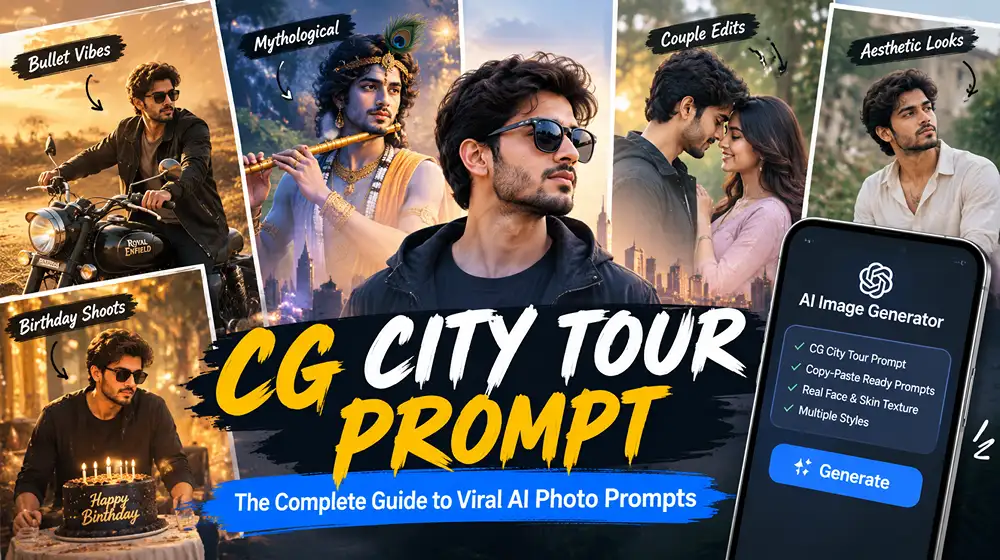
CG City Tour Prompt: The Complete Guide to Viral AI Photo Prompts
The cg city tour prompt trend has taken over Indian Instagram and WhatsApp feeds, turning ordinary selfies into cinematic, god-like, or aesthetic portraits using nothing but a text prompt and an AI image generator. If you’ve seen friends posing with a Royal Enfield bullet in golden dust light, or transformed into Krishna, Arjuna, or Mahadev with divine detailing, you’ve already seen this trend in action — and this guide gives you the exact prompts to recreate it.
This article breaks down what a CG city tour prompt actually is, why it works so well on tools like ChatGPT, Gemini, and other AI image generators, and gives you copy-paste-ready prompts for the most popular styles: bullet photos, mythological themes, couple edits prompts, aesthetic girl and boy looks, birthday shoots, and more. Every prompt below is written to preserve your real face and skin texture rather than turning you into a plastic-looking AI clone — which is the single biggest complaint people have about generic AI photo editing prompts.
What Is a CG City Tour Prompt?
A CG city tour prompt is a structured, descriptive text instruction given to an AI image generator to transform an uploaded photo into a stylized, cinematic, or thematic image — often set against a “city tour” backdrop, dramatic landscape, or mythological scene. The word “CG” here is generally used the way people use it for computer-generated visual effects: hyper-realistic, polished, movie-style imagery, not a literal 3D animation.
Unlike a basic photo filter, a proper prompt tells the AI generator exactly what to do with lighting, camera angle, clothing, background, and — most importantly — how to keep the person’s actual identity intact. That last part is why so many AI-edited photos look “off”: the generator smooths the skin, changes the jawline, or blends two faces together in couple photos. A well-engineered prompt fixes this at the instruction level.
Most people search for this trend wanting one of three things: ready-made prompts they can copy and paste directly into an AI tool; an understanding of how to write or edit their own prompt for a specific look (Krishna, bullet, couple, aesthetic); or guidance on which AI generator to use and how the process actually works. This guide covers all three, with an emphasis on practical, plagiarism-free prompts you can use right away.
How the CG City Tour Prompt Trend Works
The process itself is simple, even if the final image looks complex. Here is how it works on any major AI image generator, including ChatGPT, Gemini, and similar tools:
Choose a clear reference photo. A front-facing, well-lit photo works best — the AI can only preserve detail it can actually see.
Select your theme. Decide if you want a bullet tourist look, a mythological (Krishna, Mahadev, Hanuman ji, Arjuna) theme, a couple photo, or an aesthetic solo portrait.
Use a detailed, technical prompt — not a one-line request like “make me look cool.” The more specific the lighting, lens, and texture instructions, the more realistic and less “AI-plastic” the output looks.
Upload your photo along with the prompt into the AI generator’s image tool.
Generate, review, and refine. If the tool changes your face too much, add stronger identity-preservation language and regenerate.
A common question people ask is whether this can be done on Google or Google Maps directly — it cannot. Google Search and Google Maps don’t generate AI images; you need a dedicated AI image generator (like Gemini’s image tool, ChatGPT’s image feature, or other AI photo editing apps) to actually create the picture. Google Maps is sometimes used only as a reference for real background locations, not for the generation itself.
Best CG City Tour Prompts by Theme
Below are complete, ready-to-use prompts. Each one is written as a single paragraph so you can copy it directly into your AI tool of choice.
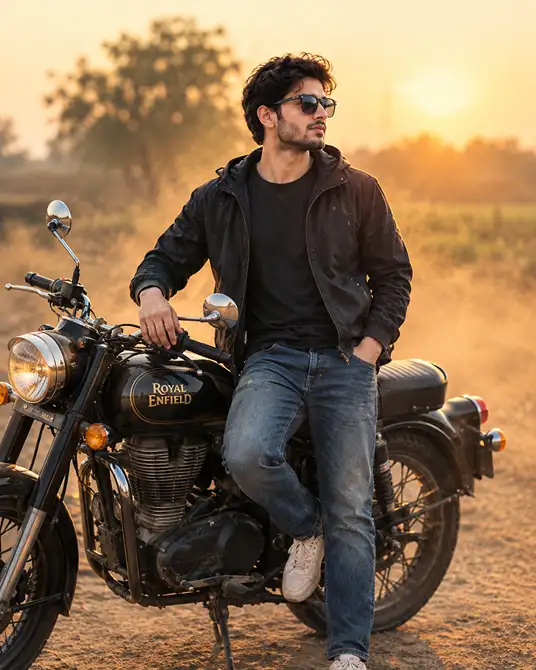
1. Bullet Tourist Photo Prompt
The bullet photo trend — someone posed beside a Royal Enfield bullet against a cinematic backdrop — is one of the most searched aesthetic photo formats right now, often free to try on basic AI tools.
Using the uploaded photo, place the same person standing confidently beside a classic Royal Enfield bullet motorcycle on a dusty rural highway at golden hour, preserving their exact facial identity, skin tone, and natural features with no beautification or altering of identity; retain natural skin pores, subtle texture, and natural facial asymmetry exactly as in the original photo, avoiding any AI-perfect symmetric or overly smooth skin; light the scene with warm golden rim light coming from behind the subject at a low angle, color temperature around 3200K, with a soft fill light from the front-left; shoot as if captured on an 85mm lens with a shallow depth of field and f/1.8 background blur so the dust and distant fields fall softly out of focus; render the subject’s jacket and jeans with physically accurate fabric drape, visible weave texture, and realistic denim wear, not flat or plastic-looking material; compose the image in portrait 4:5 aspect ratio suitable for Instagram; avoid harsh silhouette lighting, avoid extra or malformed fingers on the hands resting on the bike, and avoid any text or watermark in the frame; give the subject a relaxed, natural half-smile with one foot resting on the pedal, looking slightly off-camera as if caught mid-conversation, not a stiff posed stance.
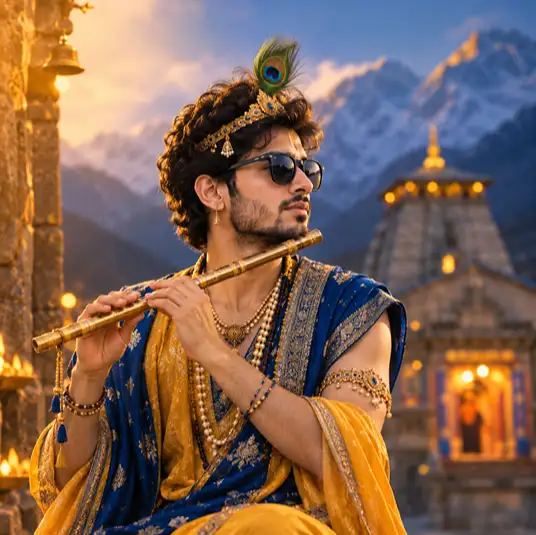
2. Krishna Divine Portrait Prompt
Mythological transformation prompts — turning your photo into Krishna, Mahadev, Arjuna, or Hanuman ji — are among the most popular devotional-aesthetic character edits prompt, often searched alongside Kedarnath and Gita imagery.
Using the uploaded photo, transform the subject into a divine Krishna-inspired portrait, preserving their exact facial identity, bone structure, and skin tone with no beautification and no altering of identity; keep natural skin texture, visible pores, and subtle facial asymmetry from the original photo, explicitly avoiding AI-smooth or symmetric skin; dress the subject in detailed traditional attire with a peacock feather crown, rendered with physically accurate fabric folds, embroidery texture, and realistic silk sheen rather than flat digital texture; light the scene with a soft golden glow from the upper-left simulating temple lamp light at 2800K warm tone, with a subtle blue-hour sky gradient behind for depth; shoot with an 85mm portrait lens equivalent, shallow depth of field, and f/2 background blur so a blurred Kedarnath-style mountain temple backdrop is visible but soft; compose in square 1:1 format for Instagram; avoid distorting the subject’s real facial proportions, avoid extra fingers on any hand holding a flute, and avoid any text or watermark; give a calm, serene expression with a gentle natural head tilt, eyes softly focused, not a stiff frontal stare.
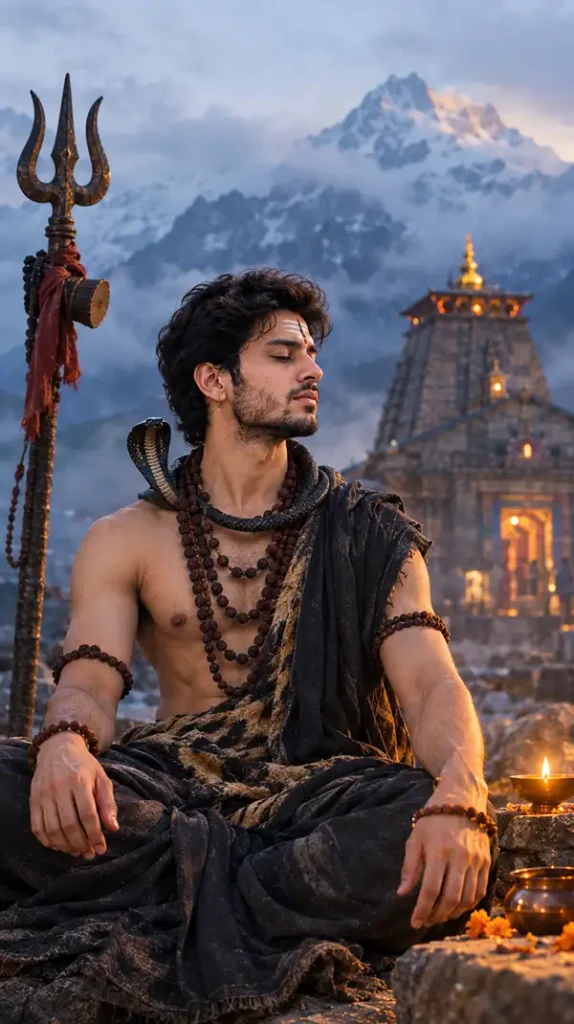
3. Mahadev / Hanuman Ji Himalayan Prompt
A meditative Mahadev-inspired look set against a misty Kedarnath-style Himalayan dawn.
Using the uploaded photo, reimagine the subject as a Mahadev-inspired figure seated in meditation against a misty Himalayan backdrop resembling Kedarnath at dawn, preserving exact facial identity, skin tone, and natural bone structure with no beautification or identity alteration; retain natural skin imperfections, pore-level texture, and asymmetry from the source photo, avoiding overly smooth AI skin; use cool blue-grey ambient light from the sky combined with a warm 3000K glow from a nearby diya on the right side for contrast; capture with a wide-aperture 50mm lens look, f/2.8 depth of field, keeping the mountain mist softly blurred behind the sharply focused subject; render textile and rudraksha textures with physically accurate weight and shadow, not flat overlays; compose in portrait 9:16 for Instagram Stories/Reels; avoid harsh silhouette, avoid malformed hands on any holding gesture, avoid text or watermark; give a still, composed expression with eyes gently closed or half-lowered, shoulders relaxed, not artificially posed.
4. Aesthetic Girl and Boy Solo Portrait Prompt
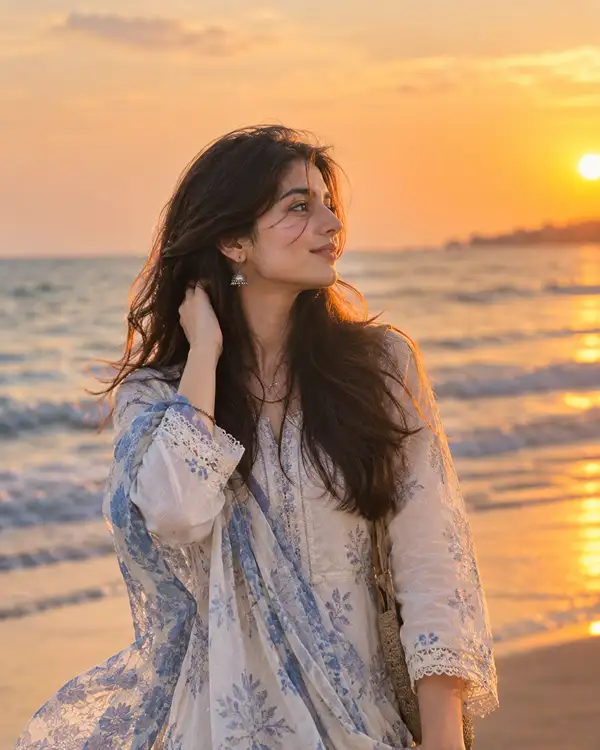
Aesthetic trending prompts for solo photos — often searched as “girl aesthetic,” “girl Instagram,” or simply “boy” edits — focus on mood and lighting rather than costume changes.
Using the uploaded photo, create a trending aesthetic portrait of the subject standing near a sunset-lit beach shoreline, preserving their exact face, skin tone, and features with no beautification or identity change; keep natural skin texture, pores, and subtle facial asymmetry intact, avoiding AI-perfect smoothness; light the scene with warm golden-hour sunlight from behind and to the right at roughly 3500K, casting a soft flare across the frame, balanced by gentle reflected light off the wet sand toward the face; shoot with an 85mm lens, f/1.8 aperture, and shallow depth of field so the waves and horizon blur naturally behind the sharply focused subject; render hair strands and loose fabric with physically accurate movement and texture responding to a light sea breeze, not stiff or flat; compose in portrait 4:5 for Instagram feed; avoid silhouette-only lighting that hides facial detail, avoid extra or distorted fingers, avoid any text or watermark; direct a candid, mid-laugh or wind-in-hair moment with eyes looking toward the horizon, not a rigid posed stance.
5. Couple Photo Prompt
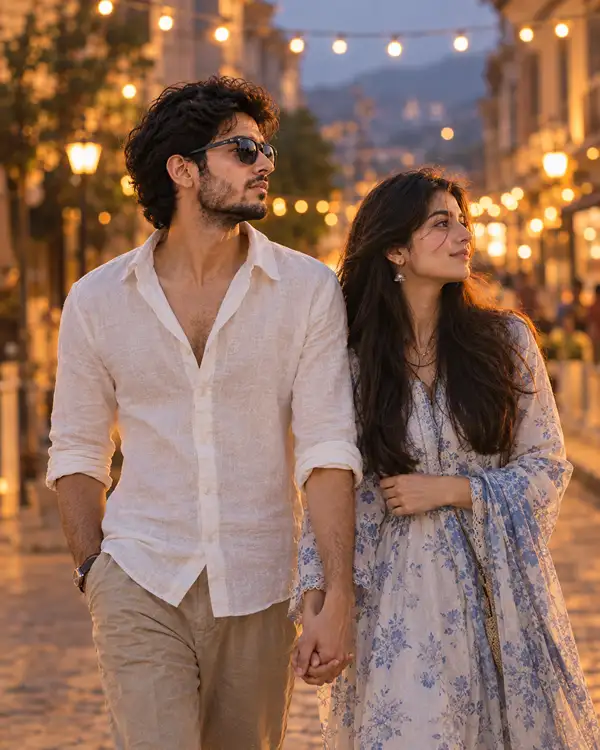
Couple edits are among the trickiest because AI generators often blend two faces together. This prompt is written specifically to prevent that.
Using the two uploaded photos, place both individuals together as a couple walking through a softly lit city street at dusk with warm bokeh lights in the background, preserving each person’s exact facial identity, skin tone, and features separately with no beautification, no identity blending, and do not merge or average facial features between the two people; retain each subject’s natural skin texture, pores, and asymmetry exactly as in their own original photo; light the scene with warm 3000K string-light glow from above combined with soft ambient blue dusk light for balance; shoot with an 85mm lens, f/1.8 aperture, shallow depth of field, keeping the background city lights softly blurred; render each person’s clothing fabric with realistic drape, wrinkle, and weight specific to the material shown in their own photo; compose in portrait 4:5 for Instagram; avoid harsh silhouette, avoid distorted or extra fingers on joined hands, avoid text or watermark, and avoid any blending of the two subjects’ facial identities into a single face; capture a natural, candid walking moment with relaxed body language and genuine, unposed smiles.
6. Birthday Celebration Prompt
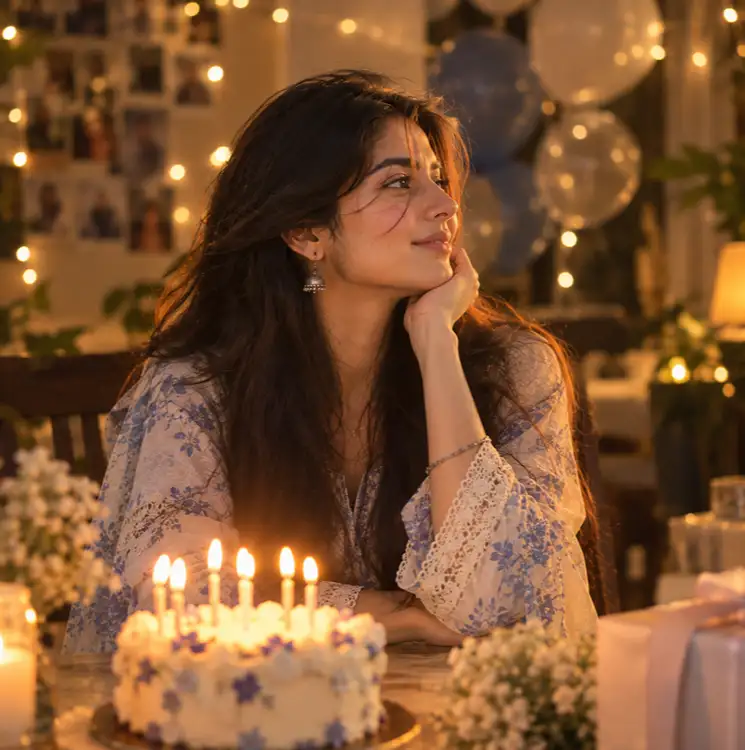
A warm indoor birthday portrait with candle-glow lighting and a softly blurred cake in the background.
Using the uploaded photo, create a warm birthday celebration portrait of the subject in a softly lit indoor setting with a blurred birthday cake and string lights in the background, preserving exact facial identity, skin tone, and features with no beautification or identity alteration; retain natural skin texture, pores, and asymmetry, avoiding AI-smooth skin; light the subject with warm candle-glow lighting from below-front at 2700K combined with a soft ambient fill from the room, creating gentle warm shadows; shoot with an 85mm lens, f/2 aperture, and shallow depth of field so the cake and decorations blur softly behind the sharp subject; render clothing texture and any fabric folds with physical accuracy, not flat rendering; compose in square 1:1 or portrait 4:5 for Instagram; avoid harsh flash-style lighting, avoid malformed fingers near the cake or candles, avoid text or watermark; capture a joyful, candid mid-laugh expression, eyes bright, not a stiff forced smile.
7. Bike (Sports Bike) Photo Prompt
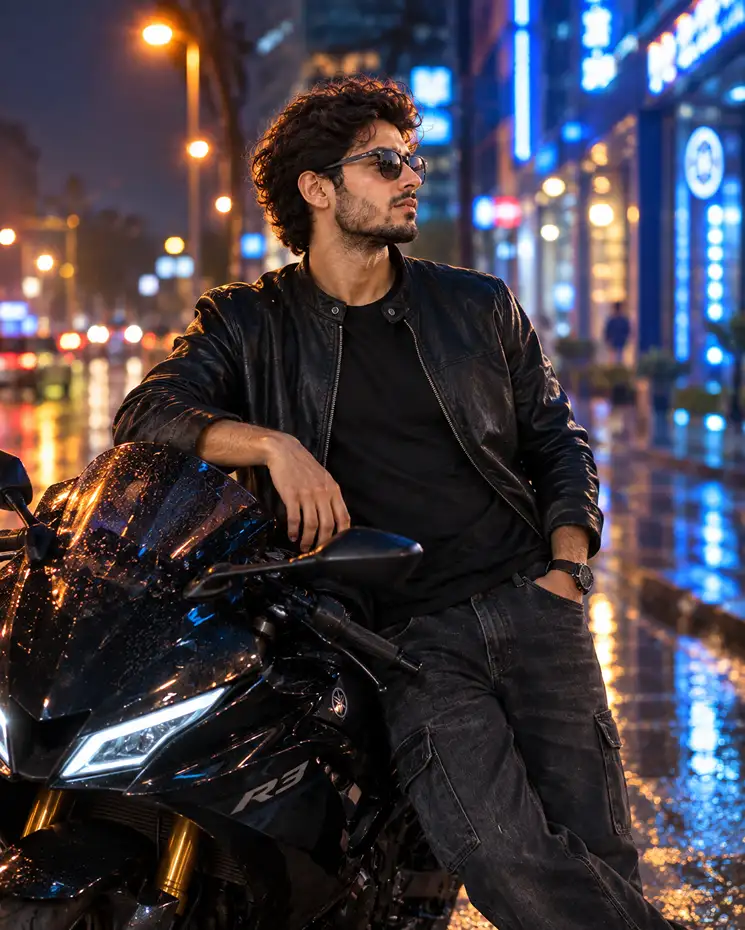
Not everyone rides a bullet — the sports bike aesthetic is equally popular for boys and girls wanting a bold, urban-edge look rather than a rustic highway vibe.
Using the uploaded photo, place the same person leaning against a black sports motorcycle parked on a rain-washed city street at night, preserving their exact facial identity, skin tone, and features with no beautification or altering of identity; retain natural skin pores, subtle texture, and natural facial asymmetry from the original photo, avoiding AI-perfect or overly smooth skin; light the scene with cool blue-white neon signage light from the right at roughly 6500K, balanced by a warm amber streetlamp glow from the left at 3000K for contrast; shoot as if on an 85mm lens with f/1.8 shallow depth of field so the reflections on the wet road and background signage blur softly; render the leather jacket and denim with physically accurate fabric drape, stitching, and realistic texture, not flat or plastic-looking material; compose in portrait 4:5 for Instagram; avoid harsh silhouette, avoid extra or malformed fingers on the hand resting on the handlebar, avoid any text or watermark; give a confident, relaxed stance with weight shifted to one leg and a subtle smirk, not a stiff standing pose.
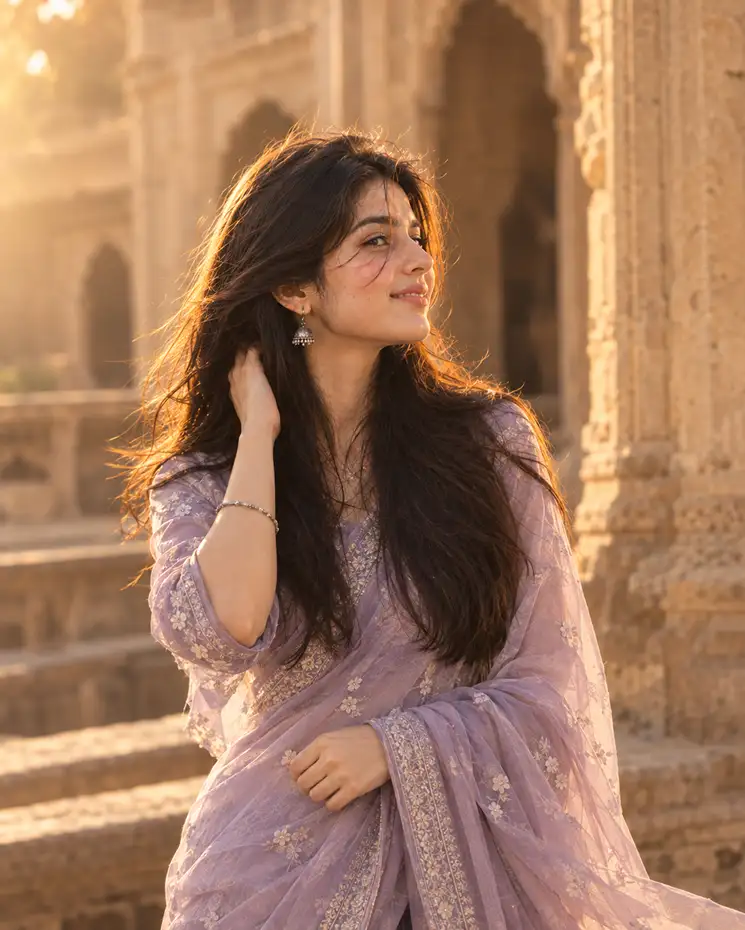
8. Girl AI Photo Editing — Traditional Saree/Ethnic Look
This is one of the highest-searched formats for girls wanting a festive, aesthetic Instagram post rather than a mythological or beach theme.
Using the uploaded photo, create a portrait of the subject dressed in a flowing traditional saree standing in front of an old heritage building with warm sandstone walls, preserving her exact facial identity, skin tone, and features with no beautification or identity alteration; retain natural skin texture, visible pores, and facial asymmetry exactly as in the original photo, explicitly avoiding AI-smooth symmetric skin; light the scene with soft golden afternoon sunlight from the upper-left at 3400K, with gentle bounce light filling the shadow side of the face; shoot with an 85mm lens, f/1.8 aperture, shallow depth of field so the heritage architecture behind softly blurs while the subject stays sharply in focus; render the saree fabric with physically accurate drape, pleats, and realistic weave texture responding naturally to a light breeze, not flat or stiff; compose in portrait 4:5 for Instagram; avoid harsh overhead shadows, avoid extra or distorted fingers holding the pallu, avoid any text or watermark; direct a natural, warm half-smile with a slight head turn toward the camera, not a rigid frontal pose.
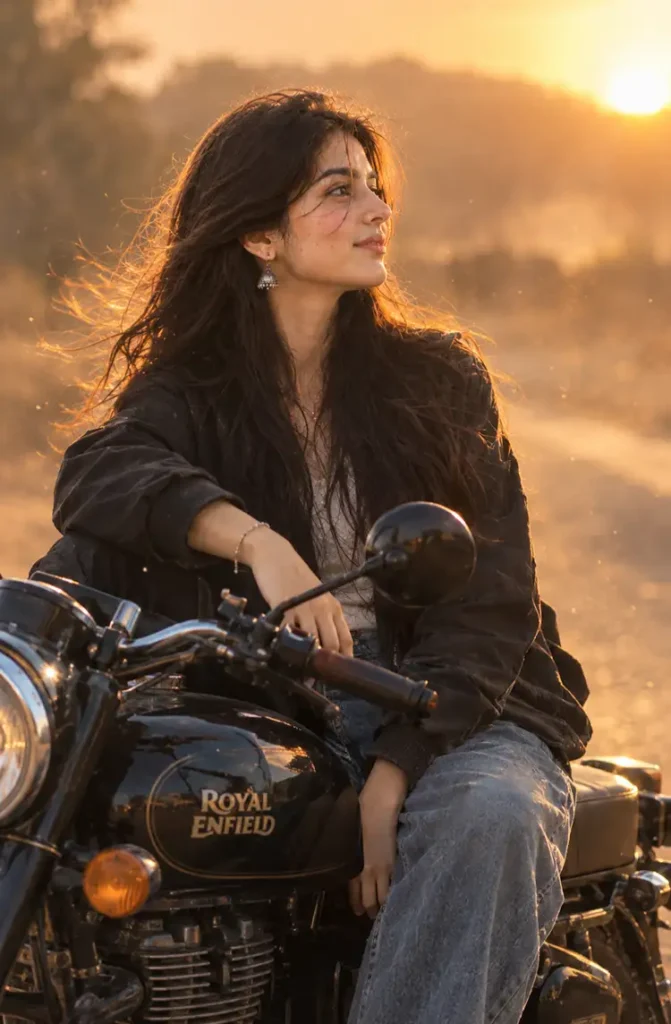
A stylistic variation of the bullet trend that leans into cinematic dust and haze rather than a clean daylight shot — currently one of the most shared aesthetic formats.
Using the uploaded photo, place the subject seated on a Royal Enfield bullet on a dry open road with fine dust particles drifting through the air, backlit by a low setting sun, preserving exact facial identity, skin tone, and natural features with no beautification or identity change; keep natural skin texture, pores, and subtle asymmetry from the source photo, avoiding AI-perfect smoothness; light with strong golden backlight at 3200K creating a soft rim glow along the hair and shoulders, combined with a gentle warm reflector light on the face so features remain clearly visible rather than a full silhouette; shoot with an 85mm lens, f/1.8 aperture, shallow depth of field so the dust and background road blur into a soft haze; render jacket and denim texture with physically accurate creases and weight, not flat digital shading; compose in portrait 9:16 for Instagram Reels/Stories; avoid a complete silhouette that hides the face, avoid malformed or extra fingers on the handlebars, avoid text or watermark; give a calm, distant gaze slightly off-camera with wind-blown hair, not a stiff direct stare.
10. Video-Style Prompt (For AI Video Tools)
If you want a moving version of these looks rather than a single photo, the prompt structure needs to describe motion and duration, not just composition.
Using the uploaded photo as the reference identity, generate a 5-second cinematic video of the same person walking slowly toward the camera on a golden-hour city street, preserving exact facial identity, skin tone, and natural features throughout every frame with no beautification or identity drift; maintain natural skin texture, pores, and asymmetry consistently across frames, avoiding AI-smoothing over time; light with warm 3200K backlight and soft frontal fill so the face stays clearly lit as they approach; use a simulated 50mm lens look with shallow depth of field, keeping the background city motion softly blurred while the subject stays sharp; render clothing and hair movement with physically realistic weight and flow matching a gentle breeze; frame in vertical 9:16 for Reels; avoid facial warping between frames, avoid flickering or morphing features, avoid extra or malformed fingers, avoid text or watermark; direct a natural, relaxed walking motion with subtle arm sway and a soft confident expression, not a robotic or looping gait.
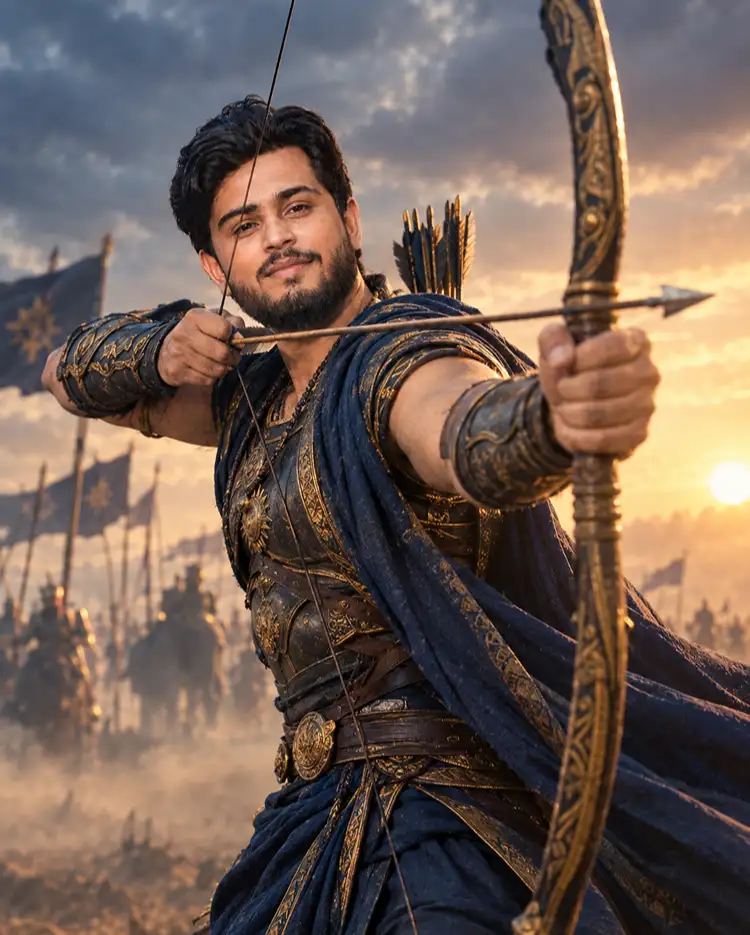
11. Arjuna Warrior Portrait Prompt
A less common but growing search, the Arjuna/Mahabharata warrior look leans into a battlefield-at-dawn mood rather than the softer devotional tone of the Krishna prompts above.
Using the uploaded photo, transform the subject into a warrior portrait inspired by Arjuna from the Mahabharata, holding a traditional bow with an arrow drawn, standing on a misty battlefield at dawn, preserving exact facial identity, skin tone, and bone structure with no beautification or altering of identity; retain natural skin pores, subtle texture, and facial asymmetry from the original photo, avoiding AI-smooth symmetric skin; dress the subject in period-appropriate warrior attire and armor rendered with physically accurate metal sheen, leather straps, and fabric weight, not flat digital texture; light with warm amber rim light from behind at 3000K simulating a rising sun, combined with cool blue-grey ambient fill from the dawn sky for contrast; shoot with an 85mm lens, f/2 aperture, shallow depth of field so the dust haze and distant battlefield blur softly behind the sharply focused subject; compose in portrait 4:5 for Instagram; avoid harsh silhouette that hides the face, avoid malformed or extra fingers on the bowstring hand, avoid text or watermark; give an intense, focused expression with a steady gaze and slight forward lean, not a stiff frontal stance.
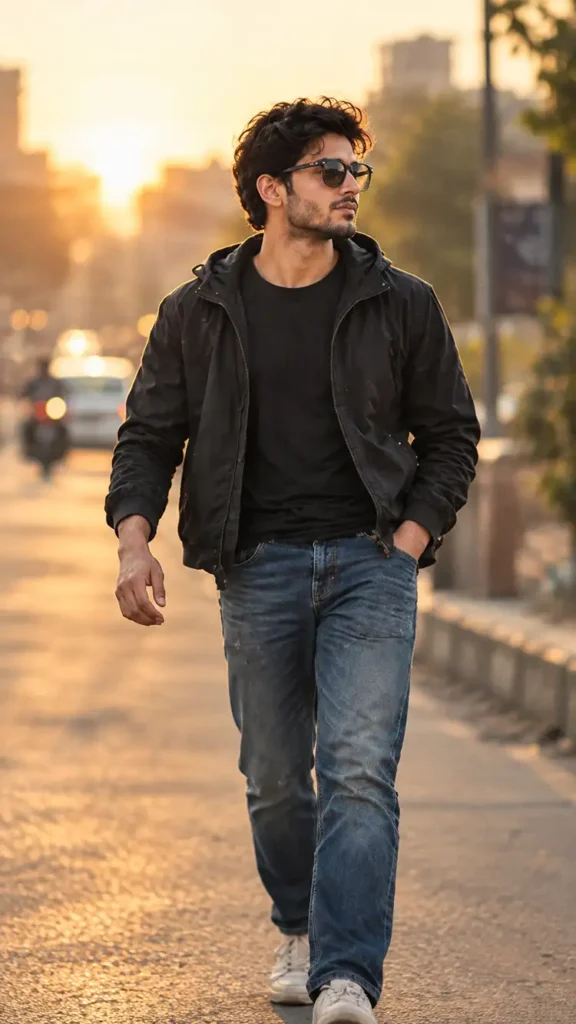
12. City Street Walk Prompt
For a simpler, non-mythological “city tour” look, this prompt places the subject in an everyday urban setting rather than a dramatic backdrop.
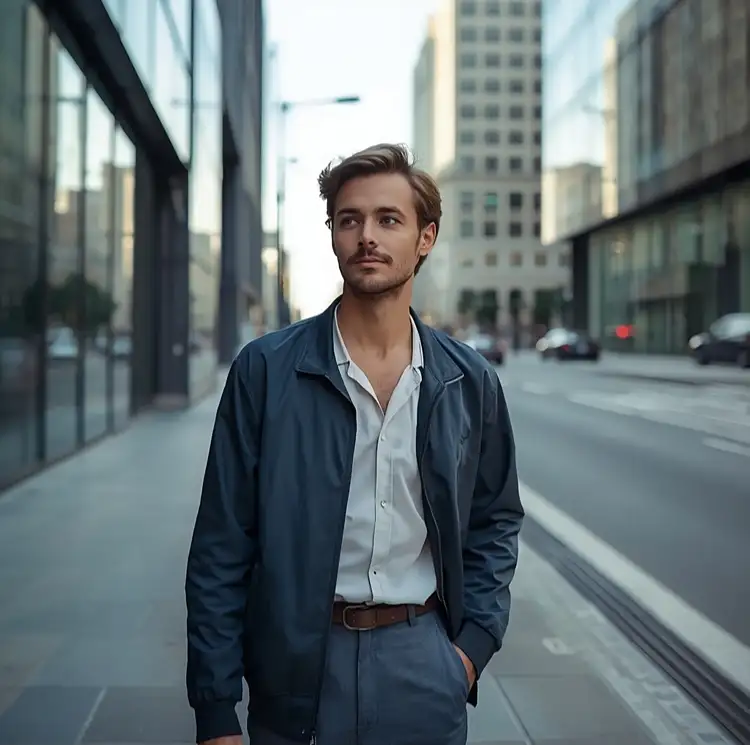
Using the uploaded photo, place the subject walking casually along a clean modern city street lined with glass buildings during soft afternoon daylight, preserving their exact facial identity, skin tone, and natural features with no beautification or altering of identity; retain natural skin texture, visible pores, and facial asymmetry from the original photo, avoiding AI-perfect smoothness; light the scene with soft diffused daylight from the upper-left at 5500K neutral color temperature, with gentle bounce light off the pavement reducing harsh shadows; shoot with an 85mm lens, f/2 aperture, and shallow depth of field so passing traffic and building reflections blur naturally behind the sharp subject; render the subject’s jacket or shirt fabric with physically accurate creasing and drape, not flat or stiff rendering; compose in portrait 4:5 for Instagram feed; avoid distorted building lines, avoid extra or malformed fingers, avoid any text or watermark; give a natural mid-stride walking pose with relaxed shoulders and a casual glance to the side, not a stiff standing pose.
13. Night City Lights Prompt
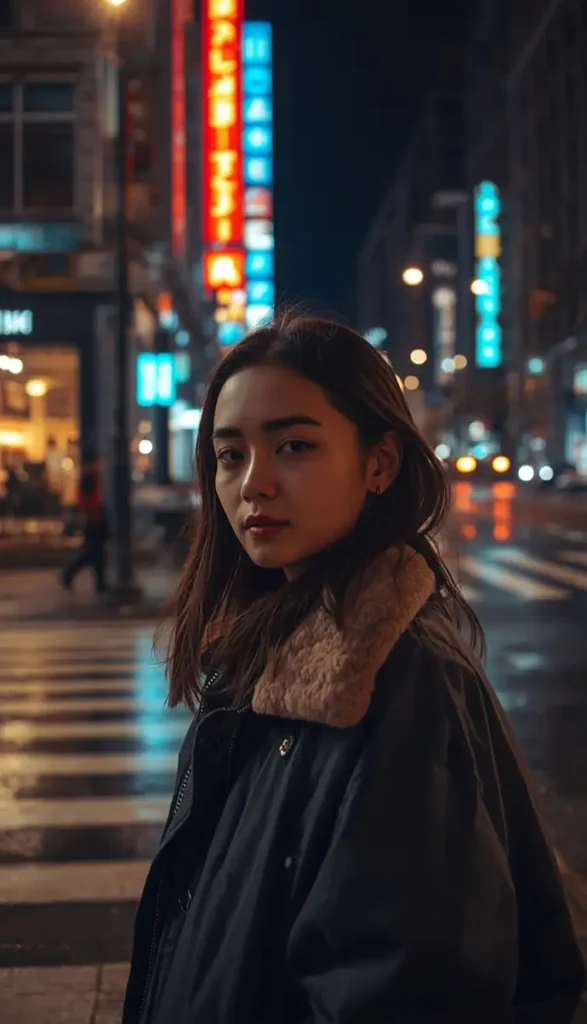
A neon-drenched night crossing portrait balancing warm storefronts against cool neon spill.
Using the uploaded photo, place the subject standing at a city crossing at night surrounded by glowing shop signs and soft neon reflections on wet pavement, preserving exact facial identity, skin tone, and features with no beautification or identity alteration; retain natural skin texture, pores, and asymmetry from the original photo, avoiding AI-smooth skin; light the face primarily with warm 3200K ambient light from storefronts on the left, balanced by cool 7000K neon spill from the right so the face reads clearly rather than being washed out by color casts; shoot with an 85mm lens, f/1.8 aperture, shallow depth of field so the neon signage and passing light trails blur into soft bokeh behind the sharp subject; render outerwear texture with physically accurate fabric sheen under mixed lighting, not flat or glossy plastic rendering; compose in portrait 9:16 for Instagram Reels; avoid oversaturated color casts on the skin, avoid extra or malformed fingers, avoid text or watermark; give a calm, confident expression with a slight head turn toward the light source, not a stiff frontal pose.
14. Rooftop Sunset Prompt (Girl/Boy)
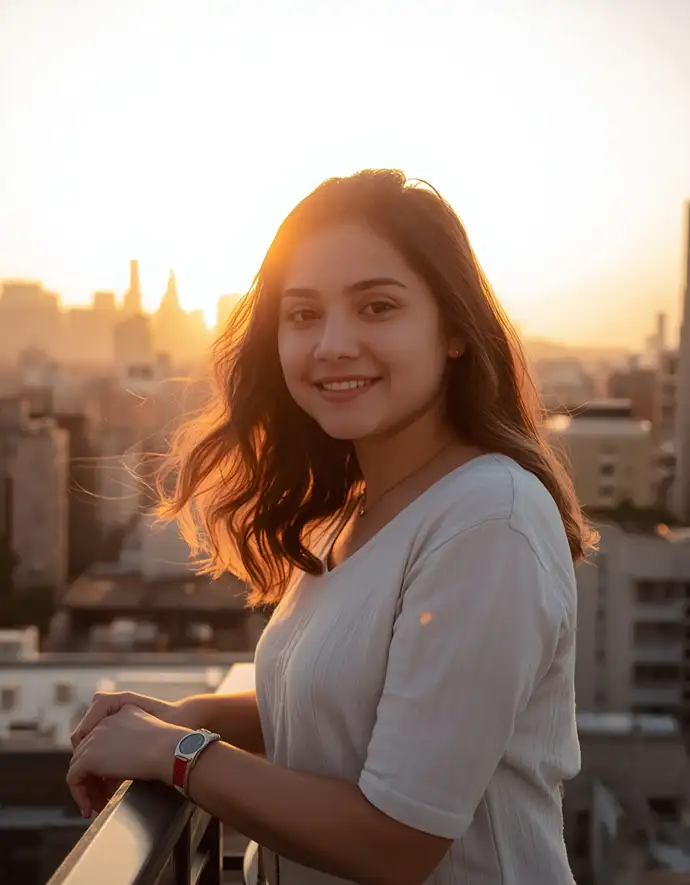
A relaxed rooftop-terrace golden-hour portrait with a soft city skyline in the distance.
Using the uploaded photo, place the subject standing on a city rooftop terrace at golden hour with a soft skyline silhouette in the distance, preserving exact facial identity, skin tone, and natural features with no beautification or altering of identity; retain natural skin pores, subtle texture, and facial asymmetry, avoiding AI-perfect symmetric skin; light with warm orange-gold backlight from behind at roughly 3300K, combined with a soft reflected fill from below to keep facial detail visible against the bright sky; shoot with an 85mm lens, f/1.8 aperture, and shallow depth of field so the distant skyline and railing blur gently behind the sharp subject; render hair and loose clothing with physically accurate movement from a light rooftop breeze, not stiff or flat; compose in portrait 4:5 for Instagram; avoid full silhouette lighting that hides the face, avoid extra or malformed fingers, avoid text or watermark; give a relaxed, natural pose leaning lightly on the railing with a genuine soft smile, not a stiff posed stance.
15. Café Aesthetic Prompt
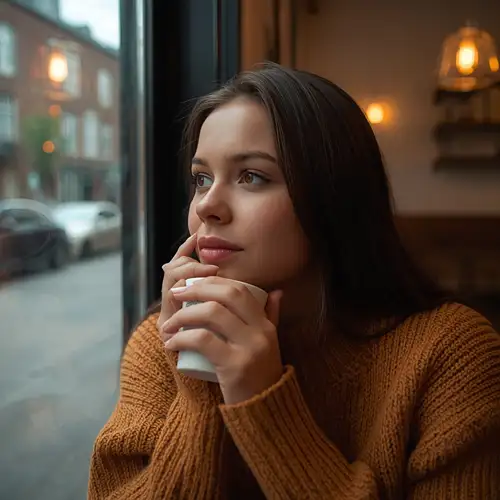
A cozy window-lit café portrait mixing warm tungsten light with soft daylight spill.
Using the uploaded photo, place the subject seated near a café window with warm interior lighting and a softly blurred street visible outside, preserving exact facial identity, skin tone, and features with no beautification or identity alteration; retain natural skin texture, pores, and asymmetry from the original photo, avoiding AI-smooth skin; light with warm 2900K interior tungsten light from the side combined with soft cool daylight spill through the window for natural contrast on the face; shoot with an 85mm lens, f/1.8 aperture, shallow depth of field so the window view and background décor blur softly; render sweater or shirt fabric with physically accurate knit or weave texture, not flat shading; compose in square 1:1 format for Instagram; avoid mixed-color skin casts, avoid extra or malformed fingers around the cup, avoid text or watermark; give a relaxed, candid expression looking slightly off toward the window, not a stiff posed look.
Pro Tips for Better CG City Tour Prompt Results
Start with your best reference photo, not your favorite one. A slightly less flattering but sharp, front-lit, high-resolution photo will preserve identity far better than a filtered, low-light, or angled selfie the AI has to guess details from.
Always name the light source and its direction. “Golden hour” alone is vague — telling the generator the light comes from behind-left at a specific color temperature (like 3200K) gives it something concrete to render instead of improvising.
Add the identity-preservation clause even if the tool seems to “get it right” the first time. Generators are inconsistent between runs; explicitly stating “no beautification, no altering identity” every time keeps results predictable.
Test one variable at a time when refining. If a bullet photo comes out too smooth, only adjust the skin-texture clause first before changing lighting or background — changing everything at once makes it hard to know what actually fixed the issue.
Match the aspect ratio to where you’ll post it. Use 4:5 for main feed posts, 1:1 for grid consistency, and 9:16 for Reels or Stories — mismatched ratios lead to awkward auto-cropping later.
For couple photos, always upload both individual photos clearly and separately rather than one group photo, and explicitly instruct the generator not to blend the two faces — this single fix resolves most of the “morphed face” complaints people report.
Keep a saved template of your preferred clauses (lighting, lens, texture, aspect ratio) and just swap the theme and background description — this saves time and keeps your results consistent across different prompts.
Regenerate rather than over-edit. If a result looks off, it’s usually faster and more accurate to tweak the prompt and regenerate than to manually retouch an AI output that already has structural errors like malformed hands.
Choosing the Right Tool: ChatGPT, Gemini, and Others
A common follow-up question is which AI generator actually produces these results. ChatGPT’s image generation and Google’s Gemini are currently the two most widely used free options for this trend, and both accept an uploaded photo plus a written prompt. Some dedicated AI photo-editing apps also offer one-tap templates built on similar prompt logic, which can be faster if you don’t want to type a full paragraph each time, though you typically get less control over identity preservation and lighting accuracy than when writing the prompt yourself.
A few practical notes worth knowing before you start:
3D or 360-degree outputs are not standard for this trend — these prompts are designed for realistic 2D photographic results, not 3D models or 360-degree renders, since most AI image generators used for this trend don’t support true 3D export.
Video generation using these same themes is possible on certain AI video tools, but it requires a different, motion-based prompt structure rather than the static-image prompts above.
If a generator isn’t working or an image isn’t showing up as expected, it’s usually because the prompt was too vague, the reference photo was low-resolution or poorly lit, or the platform’s daily free-generation limit was reached.
Common Mistakes to Avoid
Writing one-line prompts. Short prompts like “make me a bullet photo” give the AI too much creative freedom, which usually results in a face that barely resembles the original.
Skipping identity-preservation language. Without an explicit instruction to keep the same face, skin tone, and asymmetry, most generators default to a smoothed, generic look.
Using low-quality reference photos. Blurry, poorly lit, or angled photos give the AI less accurate information to preserve.
Ignoring aspect ratio. A prompt without a defined format often outputs an awkward crop that doesn’t fit Instagram’s grid or Reels format properly.
Ordering too many effects. Piling on excessive stylization (multiple filters, over-the-top backgrounds) tends to reduce facial accuracy further.
Best Prompt Ideas for Different Instagram Styles
Style
Best use
Format
Bullet tourist
Highway / touring posts
4:5
Krishna divine
Devotional posts
1:1
Mahadev / Hanuman ji
Devotional Reels/Stories
9:16
Aesthetic girl/boy
Aesthetic profile posts
4:5
Couple photo
Romantic posts
4:5
Birthday celebration
Birthday posts
4:5
Sports bike
Urban/edgy posts
4:5
Traditional saree
Traditional fashion
4:5
Bullet dust silhouette
Reels covers and stories
9:16
Video-style
Reels / short video
9:16
Arjuna warrior
Mythological/creative visuals
4:5
City street walk
Casual/lifestyle posts
4:5
Night city lights
Nightlife Reels/Stories
9:16
Rooftop sunset
Aesthetic profile posts
4:5
Café aesthetic
Lifestyle/cozy posts
1:1
Frequently Asked Questions
What is a CG city tour prompt used for?
It’s used to generate stylized, cinematic AI photos — such as bullet tourist shots, mythological portraits (Krishna, Mahadev, Arjuna), aesthetic solo photos, and couple edits — from a normal uploaded selfie, using a detailed text prompt on an AI image generator.
Can I use a CG city tour prompt for free?
Yes. Most AI image generators, including the free tiers of ChatGPT and Gemini, allow you to upload a photo and enter a prompt without extra cost, though free plans usually cap the number of generations per day.
Can AI image generators keep my real face without changing it?
Yes, if the prompt explicitly instructs the tool to preserve identity, skin tone, and natural texture while avoiding beautification. Without that instruction, most generators smooth the face and alter proportions by default.
How do I make a video instead of a photo using this trend?
You’ll need an AI video generation tool rather than a standard image generator, and the prompt should describe motion, camera movement, and duration rather than a single static composition.
Which AI tool is best for this — ChatGPT or Gemini?
Both work well for this trend. ChatGPT tends to follow detailed lighting and texture instructions closely, while Gemini is often faster for quick edits. Testing the same prompt on both is a reasonable way to see which output you prefer for a given photo.
Why does my AI-generated couple photo blend both faces together?
This happens when the prompt doesn’t explicitly tell the generator to keep both identities separate. Adding a clear instruction against blending or averaging facial features, as shown in the couple prompt above, significantly reduces this issue.
Final Thoughts
The CG city tour prompt trend isn’t really about the AI tool doing something magical — it’s about how specifically you describe what you want. A prompt that defines lighting direction, lens choice, fabric texture, and, most importantly, identity preservation will consistently outperform a vague one-line request, whether you’re going for a bullet tourist look, a Krishna or Mahadev-themed portrait, or a couple photo for Instagram. Start with one of the prompts above, adjust the theme or background to match your own photo, and refine the wording if your first result doesn’t fully preserve your features — that’s the actual skill behind every viral cg city tour prompt result you’ve been seeing online.